toolclub/dsh-agent-team-gui
DeepSeek Harness的持久化多模型工作流团队——动态主导规划、有界DAG、每代理模型/工具、运行中心和Token洞察。
Project Overview项目介绍
This is a native plugin built exclusively for DeepSeek Harness, targeted specifically at the DSH Web profile. It adds a reusable multi-agent team workflow capability to DSH, letting users create teams of AI agents with distinct roles such as planner, implementer, and reviewer. Users can assign separate models to each team member once, save the configuration, and reuse the same team setup across multiple projects and conversations. It also includes a dedicated Run Center that tracks live work progress, member outputs, retries, and official provider token usage data in real time.
The plugin supports bounded DAG workflows, retries, quality gates, and background execution that is observable and cancellable. It offers three modes (team, solo, inherited) that users can switch between without ambiguous configuration changes or full reconfiguration. Users can export their team configurations as shareable recipes and back up team definitions to reproduce workflows easily across different working environments. It is designed for DSH users who need to split complex development tasks into focused chunks, letting multiple specialized AI agents collaborate to deliver full projects end-to-end.
This plugin is released under the permissive open source MIT license, and it requires a DeepSeek Harness version between 0.1.5-rc.1 and 0.1.6, and only works with the DSH Web profile. It requires Node.js version 22.19.0 to 22.x or 24.0.0 and above, and can be installed via the DSH CLI using a pre-compiled release package. After installation, users need to stop and restart DSH and refresh their browser to access the new team configuration entry in Settings. Old team definitions from prior versions can still be read and imported without losing existing configuration data.
这是一个专为 DeepSeek Harness Web 配置文件开发的原生 DSH 插件,功能是给 DSH 添加可复用的多智能体团队能力,支持用户创建包含规划者、执行者、审查者等不同角色的团队,可为每个成员分配不同模型,一次配置完成后即可在不同项目和对话中重复使用,还提供专属运行中心追踪任务进度、成员输出、重试次数和 token 使用量。
插件支持有界有向无环图(DAG)工作流、重试机制、质量检查和后台运行,支持团队、单人、继承三种模式灵活切换,还可以导出分享团队配置配方,备份团队定义,方便用户快速复现工作流。它适合需要拆分复杂开发任务,让不同 AI 智能体各司其职协同完成项目的 DSH 用户使用。
插件遵循 MIT 许可开源,要求 DSH 版本在 0.1.5-rc.1 到 0.1.6 之间,仅支持 Web 配置文件,需要 Node.js 版本符合要求,可通过 DSH CLI 命令直接安装预编译包,安装后需重启 DSH 并刷新浏览器即可在设置中看到团队配置入口。旧版本团队定义仍可读取导入,不影响已有配置。
请帮我安装这个 DSH 插件。安装前先完成【兼容性检查 + 安全性检查】,检查通过再动手。

插件:dsh-agent-team-gui(toolclub/dsh-agent-team-gui)
仓库:https://github.com/toolclub/dsh-agent-team-gui
本站详情页:https://www.yhbd.top/plugins/toolclub-dsh-agent-team-gui/
本站登记:类型 plugin · 归类 原生 DSH 插件 · 许可证 MIT · ⭐ 281 · 最近提交 2026-10-01 · 主语言 TypeScript

按下面顺序执行,每步先把结论告诉我,再进入下一步:

【1 兼容性检查】
① 我这边:DSH 版本、Node 版本、操作系统、当前 profile(web / desktop)。
② 读它的 README、package.json、插件 manifest,列出它要求的 DSH 版本 / Node 版本 / 操作系统 / 外部依赖 / 需要另外先装的运行时。
③ 逐条比对,结论只写「满足 / 不满足 / 未知」三种;不满足的给出可行替代方案。
④ 检查是否和我已装的插件冲突:命令名重复、skill / tool 重名、端口占用、重复注册的 MCP server。

【2 安全性检查】
① 仓库可信度:和上面「本站登记」是否一致;star / fork 数、创建时间、最近提交,是否归档或长期停更。
② 安装脚本:逐行看 package.json 的 preinstall / install / postinstall,以及 install.sh、setup.ps1 之类脚本。出现 curl|bash、下载后直接执行、混淆代码、访问与插件功能无关的域名,立刻停下来告诉我,不要继续装。
③ 依赖:列出新增依赖,标出无人维护、或与知名包拼写近似的可疑包(typosquatting)。
④ 权限与副作用:它会读写哪些目录、访问哪些域名、需要哪些 DSH 权限(filesystem / network / shell / clipboard 等),以及怎么卸载和回滚。
⑤ 如果它要求 sudo / 管理员权限,或权限明显超出功能所需,先停下来问我。

【3 安装】
上面两步没有「不满足」和「高危项」时才执行;用官方推荐方式安装,不要自行提权。

【4 汇报】
用表格输出:检查项 / 结论 / 依据 / 是否需要我决策。拿不准的一律写「未知」并说明要我怎么确认——不要猜,也不要替我决定。
Send this message to DSH in your current session: it verifies compatibility and security first (answering met / not met / unknown item by item) and only installs once everything checks out — it will stop and ask you if it finds a high-risk item. The box scrolls; the copy is the full prompt. CLI install commands may not be accurate across systems, so DSH is the safer route.把上面这条消息直接发给当前会话里的 DSH:它会先核对兼容性与安全性(逐条给「满足 / 不满足 / 未知」),确认没问题再安装,有高危项会停下来问你。框内可滚动,复制到的是完整提示词;安装命令不一定准确,发给 DSH 更稳。
- This site's static screen found no obvious risk signal (stars, license, activity, manifest)本站静态筛查没发现明显风险信号(星标、许可证、更新活跃度、清单完整度)
DSH walks through these 9 checksDSH 会逐条核对这 9 项
Compatibility兼容性
- DSH, Node, OS and profile requirementsDSH 版本 / Node 版本 / 操作系统 / profile 是否满足要求
- External dependencies and runtimes (Electron / Python / Docker, ...)外部依赖与运行时(Electron / Python / Docker 等)是否齐备
- Conflicts with installed plugins: command names, skill / tool names, ports, duplicate MCP registration与已装插件是否冲突:命令名、skill / tool 重名、端口占用、重复 MCP 注册
Security安全性
- Repo matches the facts registered here; archived or abandoned?仓库是否与页面登记一致,是否归档或长期停更
- Safety of preinstall / install / postinstall and install.sh / setup.ps1preinstall / install / postinstall 与 install.sh、setup.ps1 是否安全
- curl|bash, download-then-execute, obfuscation, unrelated domains → stop immediatelycurl|bash、下载即执行、混淆代码、无关域名 → 立刻停止
- Typosquatting or unmaintained packages among the new dependencies新增依赖里有没有 typosquatting 或无人维护的包
- Requested permissions vs. what the feature actually needs申请了哪些权限、是否超出功能所需(filesystem / network / shell / clipboard)
- Any sudo / admin requirement, plus uninstall and rollback是否要求 sudo / 管理员权限,以及卸载与回滚方式
Anything uncertain must be marked unknown with a note on how to confirm it. This site's signal screen is a static snapshot, not a security audit.拿不准的必须标「未知」并说明要我怎么确认。本站的信号筛查是静态快照,不能替代安全审计。
Or use CLI install (for developers)或使用命令行安装(适合开发者)
CLI Install命令行安装
dsh plugin --profile web add -w github:toolclub/dsh-agent-team-gui#v1.3.0把 toolclub/dsh-agent-team-gui 加入你的 DSH 配置(web profile)即可启用。
READMEREADME
dsh-agent-team-gui


Give DeepSeek Harness a reusable team: one Agent plans, another implements, and a third reviews.
Save the team once, choose a model for each member, and reuse it across projects and conversations. Follow the plan, member outputs, retries, and provider-reported Token usage in one Run Center. This is an unofficial community plugin for the DeepSeek Harness Web profile.
Watch the 80-second UI guide · Install v1.3.0 · Run your first team · Example recipe · Share a workflow
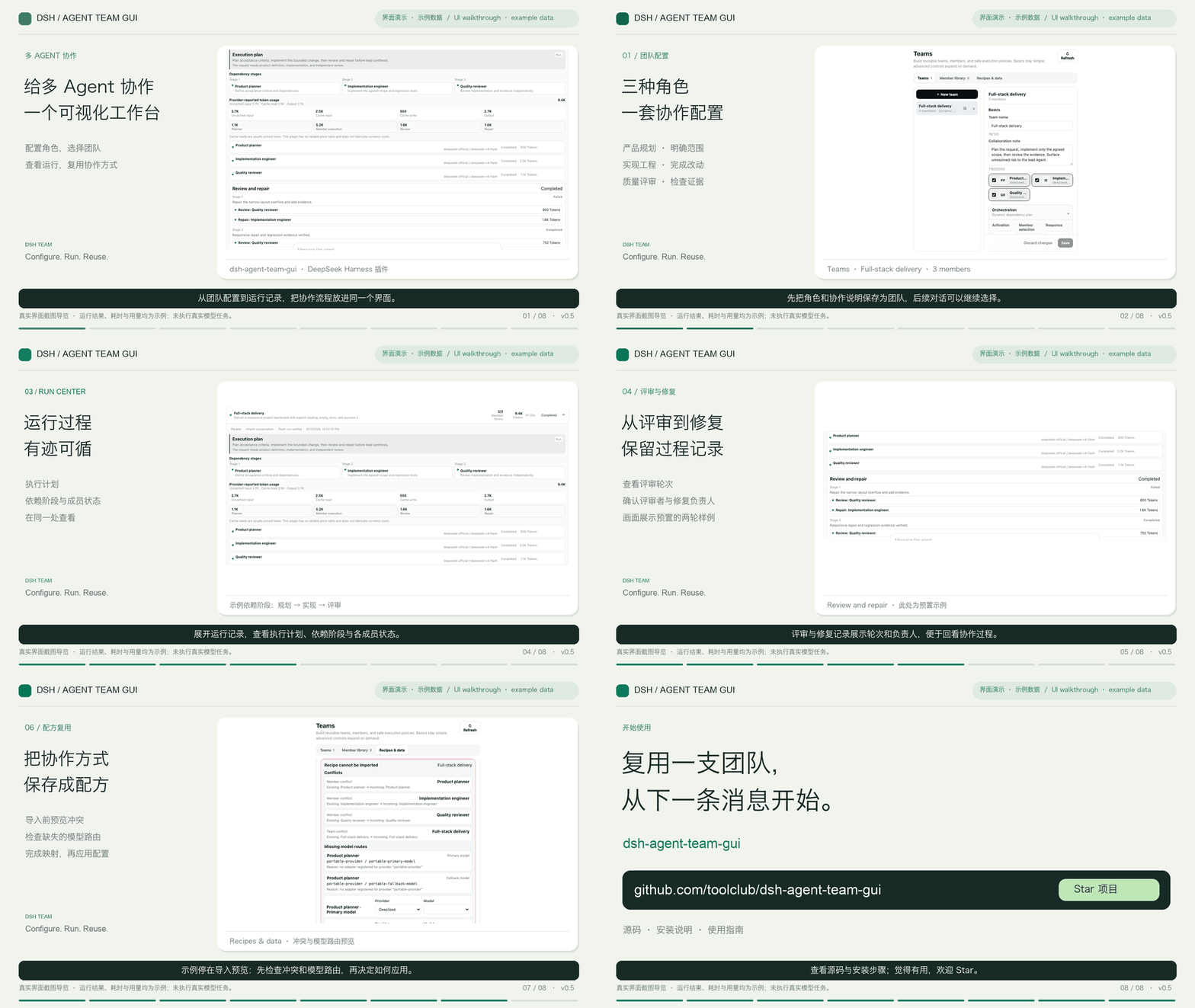
Screenshot-based UI guide with example data and Chinese synthetic narration. Displayed task results, timings, and Tokens are not a live-run benchmark. Sources and captions.
If this is useful for your DSH workflow, give the project a Star and help another developer discover it.
Why this plugin
A team is a reusable product object, not a one-off dispatch form. Create it once in Settings → Teams, then use it across projects and conversations.
Showing the opening section of the README — the full document lives in the repository以上为 README 开头摘要,完整文档在仓库内 · View the full README on GitHub →在 GitHub 查看完整 README →
Related相关推荐
-
 tt-a1i/archify
Agent skill for beautiful, verifiable architecture, workflow, sequence, data-flow, and lifecycle diagrams—self-contained…
tt-a1i/archify
Agent skill for beautiful, verifiable architecture, workflow, sequence, data-flow, and lifecycle diagrams—self-contained…
-
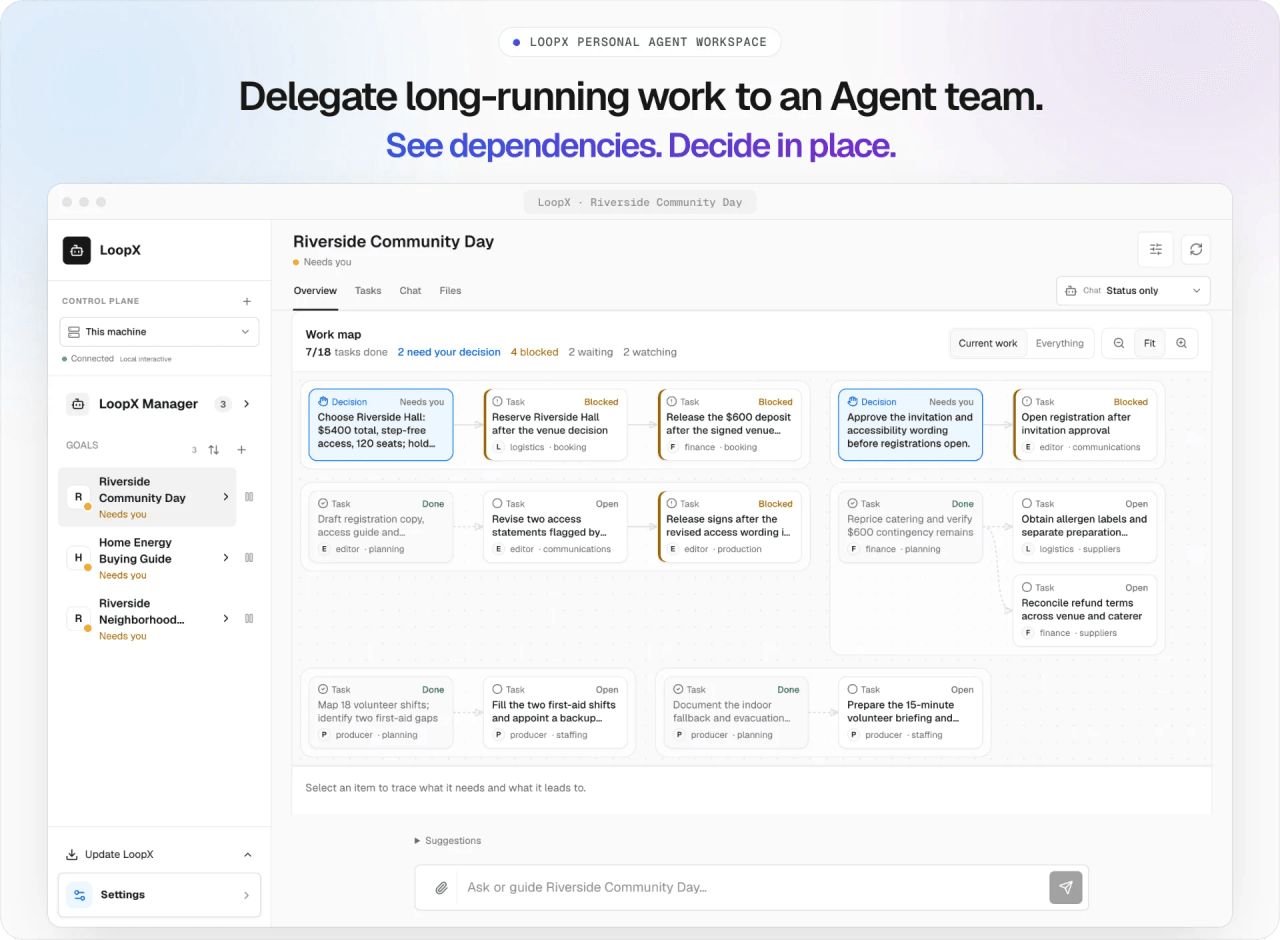 loopx-project/loopx
A control plane with a durable state kernel for long-horizon agents and teams. Keep work moving and improving across ses…
loopx-project/loopx
A control plane with a durable state kernel for long-horizon agents and teams. Keep work moving and improving across ses…
-
 ZSeven-W/openpencil
The world's first open-source AI-native vector design tool and the first to feature concurrent Agent Teams. Design-as-Co…
ZSeven-W/openpencil
The world's first open-source AI-native vector design tool and the first to feature concurrent Agent Teams. Design-as-Co…
-
 omdsh-dev/DSH-better-sidebar
开放的侧边栏底座,支持三方拓展注册新侧边栏页面。内置文件渲染编辑/终端/侧边对话/Git/子代理页面 | Open sidebar foundation, supports third-party extensions to registe…
omdsh-dev/DSH-better-sidebar
开放的侧边栏底座,支持三方拓展注册新侧边栏页面。内置文件渲染编辑/终端/侧边对话/Git/子代理页面 | Open sidebar foundation, supports third-party extensions to registe…
-
 foryourhealth111-pixel/Vibe-Skills
Intelligent Skill routing and workflow orchestration for AI agents — +21.12 pp reward, −29.6% tokens on SkillsBench with…
foryourhealth111-pixel/Vibe-Skills
Intelligent Skill routing and workflow orchestration for AI agents — +21.12 pp reward, −29.6% tokens on SkillsBench with…
-
 NanmiCoder/dsh-agent-teams
AgentTeams plugin for DeepSeek Harness
NanmiCoder/dsh-agent-teams
AgentTeams plugin for DeepSeek Harness
-
 LiPu-jpg/Openwrite
dsh-Openwrite:OpenWrite 的 DeepSeek Harness 小说创作插件,含统一创作 Agent、90 个小说工具、原生工作台与标准审稿 DAG
LiPu-jpg/Openwrite
dsh-Openwrite:OpenWrite 的 DeepSeek Harness 小说创作插件,含统一创作 Agent、90 个小说工具、原生工作台与标准审稿 DAG
- chenxiachan/thoughtdag Your thinking deserves a map: an infinite canvas where LLM conversations grow into an editable thought graph. Wires are …