trueRISCOacnt/maa-dsh-skill
基于 MaaAssistantArknights (MAA) 官方命令行工具 maa-cli 构建的 DeepSeek Harness Skill:让 DeepSeek Harness 直接驱动 MaaCore,自动化完成《明日方舟》日常任务。
Project Overview项目介绍
MAA-dsh-skill is a native DeepSeek Harness skill package purpose-built for automating the mobile game Arknights through the official MaaAssistantArknights (MAA) engine and its command-line wrapper, maa-cli. The repository exists specifically to let DSH-based AI assistants invoke MaaCore directly, exposing operations such as stage farming with auto-repeat, Integrated Strategies, SSS (Sustained Simulation), auto-replay of copilot jobs, base routine collection and shift swaps, public recruitment tag scanning, and warehouse item recognition. Two installation paths are documented: a registry install via dsh plugin --profile web add maa-dsh-skill, and a manual deploy where the user downloads the latest MAA-dsh-skill-<version>.zip from GitHub Releases and unpacks it into the DSH skill discovery root at either ~/.dsh/skills/maa-dsh-skill (user scope) or <project>/.dsh/skills/maa-dsh-skill (project scope). The skill bundle ships its own local copies of the maa-cli manual in Chinese and English, the MAA integration docs, and the relevant JSON Schemas so the assistant can reason over a self-contained context window without network round-trips.
The intended audience is Arknights players who want to delegate their daily grinding loop to an autonomous AI agent rather than babysit the client themselves. The skill runs on Windows, Linux, and macOS, and includes cross-platform initialization scripts (scripts/maa-skill-init.ps1 and scripts/maa-skill-init.sh) that handle emulator discovery. Automatic detection is supported for the MuMu, LDPlayer (雷电), BlueStacks (蓝叠), Nox (夜神), and Xiaoyao (逍遥) Android emulators, after which the assistant connects via ADB to drive the game window. Custom task pipelines with conditional variants can be composed in JSON to chain operations such as "farm sanity, then rotate base, then claim mail", giving power users a flexible scripting surface. First-run steps are: load the skill inside DSH with 加载技能 maa-dsh-skill, run the platform-appropriate init script, and enable Full Access permissions so the agent can issue ADB commands.
External dependencies that the user must satisfy before any task will run include the MaaCore binary itself and the maa-cli v0.7.5 command-line tool (which corresponds to MAA v6.11.0 or later), plus an installed and already-configured Android emulator with the Arknights client logged in. The repository is released under the permissive MIT license and currently sits at version 0.0.3, which the README openly flags as an early-stage project, so users should expect rough edges, occasional breakage, and possible breaking changes as the SKILL.md contract and task schemas evolve. Updates are pulled with dsh plugin --profile web update maa-dsh-skill and removal with the matching remove subcommand, while redistribution guidance for skill authors is documented in the bundled PACKAGING.md alongside the full setup, configuration, and verification walkthrough stored in README-full.md.
MAA-dsh-skill 是一个面向 DeepSeek Harness(DSH)的原生技能包,专门为《明日方舟》玩家提供游戏自动化能力。它通过封装官方命令行工具 maa-cli,让 AI 助手能够直接驱动 MaaCore 核心,从而执行刷关卡、连战、集成战略、生息演算、自动抄作业以及基建收取与换班、公开招募、仓库识别等日常任务。该技能的安装有两种途径:一是使用 dsh plugin --profile web add maa-dsh-skill 命令从 registry 安装,二是在 GitHub Releases 下载 zip 包并解压到 ~/.dsh/skills/maa-dsh-skill 或项目级 .dsh/skills/ 目录下。安装完成后,还需将 SKILL.md 与本地文档副本加载到 DSH 中方可使用。
该技能面向希望通过 AI 代理托管日常任务的《明日方舟》玩家,可在 Windows、Linux 与 macOS 三平台上运行。模拟器方面支持 MuMu、雷电、蓝叠、夜神与逍遥等主流安卓模拟器的自动检测与 ADB 连接;任务编排通过 JSON 配置文件实现多任务流水线与条件变体的自定义流程。技能内置 maa-cli 官方文档中英文副本、MAA 集成文档与 JSON Schema,方便用户查阅与扩展。需要注意的是,使用时必须在 DSH 中开启 Full Access 权限,AI 助手才能通过 ADB 控制模拟器执行任务。
依赖方面,该技能依赖外部 MaaCore 与 maa-cli v0.7.5 二进制包(对应 MAA v6.11.0 及以上),并要求用户自行准备模拟器与游戏客户端。初始化阶段需运行 scripts/maa-skill-init.ps1(Windows)或 scripts/maa-skill-init.sh(Linux/macOS)完成跨平台环境配置。该项目以 MIT 许可证开源,目前仍处于早期开发阶段(v0.0.3),可能存在稳定性问题,欢迎用户通过 issue 与 PR 反馈问题与贡献代码。
请帮我安装这个 DSH 插件。安装前先完成【兼容性检查 + 安全性检查】,检查通过再动手。

插件:maa-dsh-skill(trueRISCOacnt/maa-dsh-skill)
仓库:https://github.com/trueRISCOacnt/maa-dsh-skill
本站详情页:https://www.yhbd.top/plugins/trueriscoacnt-maa-dsh-skill/
本站登记:类型 plugin · 归类 原生 DSH 插件 · 许可证 MIT · ⭐ 3 · 最近提交 2026-08-31 · 主语言 HTML

按下面顺序执行,每步先把结论告诉我,再进入下一步:

【1 兼容性检查】
① 我这边:DSH 版本、Node 版本、操作系统、当前 profile(web / desktop)。
② 读它的 README、package.json、插件 manifest,列出它要求的 DSH 版本 / Node 版本 / 操作系统 / 外部依赖 / 需要另外先装的运行时。
③ 逐条比对,结论只写「满足 / 不满足 / 未知」三种;不满足的给出可行替代方案。
④ 检查是否和我已装的插件冲突:命令名重复、skill / tool 重名、端口占用、重复注册的 MCP server。

【2 安全性检查】
① 仓库可信度:和上面「本站登记」是否一致;star / fork 数、创建时间、最近提交,是否归档或长期停更。
② 安装脚本:逐行看 package.json 的 preinstall / install / postinstall,以及 install.sh、setup.ps1 之类脚本。出现 curl|bash、下载后直接执行、混淆代码、访问与插件功能无关的域名,立刻停下来告诉我,不要继续装。
③ 依赖:列出新增依赖,标出无人维护、或与知名包拼写近似的可疑包(typosquatting)。
④ 权限与副作用:它会读写哪些目录、访问哪些域名、需要哪些 DSH 权限(filesystem / network / shell / clipboard 等),以及怎么卸载和回滚。
⑤ 如果它要求 sudo / 管理员权限,或权限明显超出功能所需,先停下来问我。

【3 安装】
上面两步没有「不满足」和「高危项」时才执行;用官方推荐方式安装,不要自行提权。

【4 汇报】
用表格输出:检查项 / 结论 / 依据 / 是否需要我决策。拿不准的一律写「未知」并说明要我怎么确认——不要猜,也不要替我决定。
Send this message to DSH in your current session: it verifies compatibility and security first (answering met / not met / unknown item by item) and only installs once everything checks out — it will stop and ask you if it finds a high-risk item. The box scrolls; the copy is the full prompt. CLI install commands may not be accurate across systems, so DSH is the safer route.把上面这条消息直接发给当前会话里的 DSH:它会先核对兼容性与安全性(逐条给「满足 / 不满足 / 未知」),确认没问题再安装,有高危项会停下来问你。框内可滚动,复制到的是完整提示词;安装命令不一定准确,发给 DSH 更稳。
- Only 3 stars - very few users, little community feedback星标只有 3,几乎没人在用,遇到问题缺少社区反馈
DSH walks through these 9 checksDSH 会逐条核对这 9 项
Compatibility兼容性
- DSH, Node, OS and profile requirementsDSH 版本 / Node 版本 / 操作系统 / profile 是否满足要求
- External dependencies and runtimes (Electron / Python / Docker, ...)外部依赖与运行时(Electron / Python / Docker 等)是否齐备
- Conflicts with installed plugins: command names, skill / tool names, ports, duplicate MCP registration与已装插件是否冲突:命令名、skill / tool 重名、端口占用、重复 MCP 注册
Security安全性
- Repo matches the facts registered here; archived or abandoned?仓库是否与页面登记一致,是否归档或长期停更
- Safety of preinstall / install / postinstall and install.sh / setup.ps1preinstall / install / postinstall 与 install.sh、setup.ps1 是否安全
- curl|bash, download-then-execute, obfuscation, unrelated domains → stop immediatelycurl|bash、下载即执行、混淆代码、无关域名 → 立刻停止
- Typosquatting or unmaintained packages among the new dependencies新增依赖里有没有 typosquatting 或无人维护的包
- Requested permissions vs. what the feature actually needs申请了哪些权限、是否超出功能所需(filesystem / network / shell / clipboard)
- Any sudo / admin requirement, plus uninstall and rollback是否要求 sudo / 管理员权限,以及卸载与回滚方式
Anything uncertain must be marked unknown with a note on how to confirm it. This site's signal screen is a static snapshot, not a security audit.拿不准的必须标「未知」并说明要我怎么确认。本站的信号筛查是静态快照,不能替代安全审计。
Or use CLI install (for developers)或使用命令行安装(适合开发者)
CLI Install命令行安装
dsh plugin --profile web add maa-dsh-skill把 trueRISCOacnt/maa-dsh-skill 加入你的 DSH 配置(web profile)即可启用。
READMEREADME
MAA-dsh-skill
📦 v0.0.3 | 适用于 maa-cli v0.7.5(对应 MAA v6.11.0 及以后)| Windows / Linux / macOS
基于 MaaAssistantArknights (MAA) 官方命令行工具 maa-cli 构建的 DeepSeek Harness Skill:让 AI 助手直接驱动 MaaCore,自动化完成《明日方舟》日常任务。
特性
- 🎮 刷关卡(含连战)、集成战略、生息演算、自动抄作业
- 🏗️ 基建收取与换班、公开招募、仓库识别
- 🔌 自定义任务编排(多任务流水线 + 条件变体)
- 🖥️ 模拟器自动检测与连接(MuMu / 雷电 / 蓝叠 / 夜神 / 逍遥)
- 📚 内置 maa-cli 官方文档本地副本(中英)、MAA 集成文档、JSON Schema
- 🧩 跨平台初始化与模拟器检测脚本(
.ps1/.sh)
部署方式
两种方式的详细步骤见完整指引「部署方式」章节;以下为简要步骤。
方式一:使用 npm 安装(DSH 插件 Bundle)
仅需一段命令:(推荐)
dsh plugin --profile web add maa-dsh-skill
maa-dsh-skill为 registry 包名;也支持本地目录 / .tgz
检查是否已安装:
dsh plugin --profile web list
若可以看到 maa-dsh-skill,则说明成功安装。
更新:
dsh plugin --profile web update maa-dsh-skill
卸载:
dsh plugin --profile web remove maa-dsh-skill
方式二:直接复制文件(从 GitHub Releases 下载)
- 从本技能项目的 GitHub Releases 页面下载最新版
MAA-dsh-skill-<版本>.zip,解压后得到顶层目录maa-dsh-skill/; - 将
maa-dsh-skill/复制到 DSH 的 skill 发现根目录(用户级:~/.dsh/skills/maa-dsh-skill;项目级:<项目根>/.dsh/skills/maa-dsh-skill);
快速开始
- 在 DSH 中加载技能:
加载技能 maa-dsh-skill; - 运行
scripts/maa-skill-init.ps1(Windows)或scripts/maa-skill-init.sh(Linux/macOS)初始化环境; - 在 DSH 中开启 Full Access 权限(MAA 需要通过 ADB 控制模拟器)。
⚠️ 真正执行任务前,还需安装 MAA(MaaCore) 与 maa-cli 二进制,并准备模拟器与游戏客户端。详细步骤见完整指引。
文档
| 文档 | 说明 |
|---|---|
| README-full.md | 完整指引:安装、分发、Full Access 权限、配置文件与修改、使用、验证 |
| PACKAGING.md | 打包发布方法 |
| SKILL.md | 技能使用说明(面向 AI 助手的完整流程与命令参考) |
致谢
- 本skill几乎完全由DeepSeek Harness使用deepseek-v4-flash编写
- MaaAssistantArknights / MAA
- MaaAssistantArknights / maa-cli
- 官方使用指南:https://docs.maa.plus/zh-cn/manual/cli/
Related相关推荐
-
 chuspeeism/dashi-taskboard
现代化可灵活嵌入的任务面板,支持 Codex、DeepSeek Harness
chuspeeism/dashi-taskboard
现代化可灵活嵌入的任务面板,支持 Codex、DeepSeek Harness
-
 gitroomhq/postiz-agent
Postiz Agents CLI - connect it to Claude / OpenClaw / etc, to schedule social media posts 🤖
gitroomhq/postiz-agent
Postiz Agents CLI - connect it to Claude / OpenClaw / etc, to schedule social media posts 🤖
-
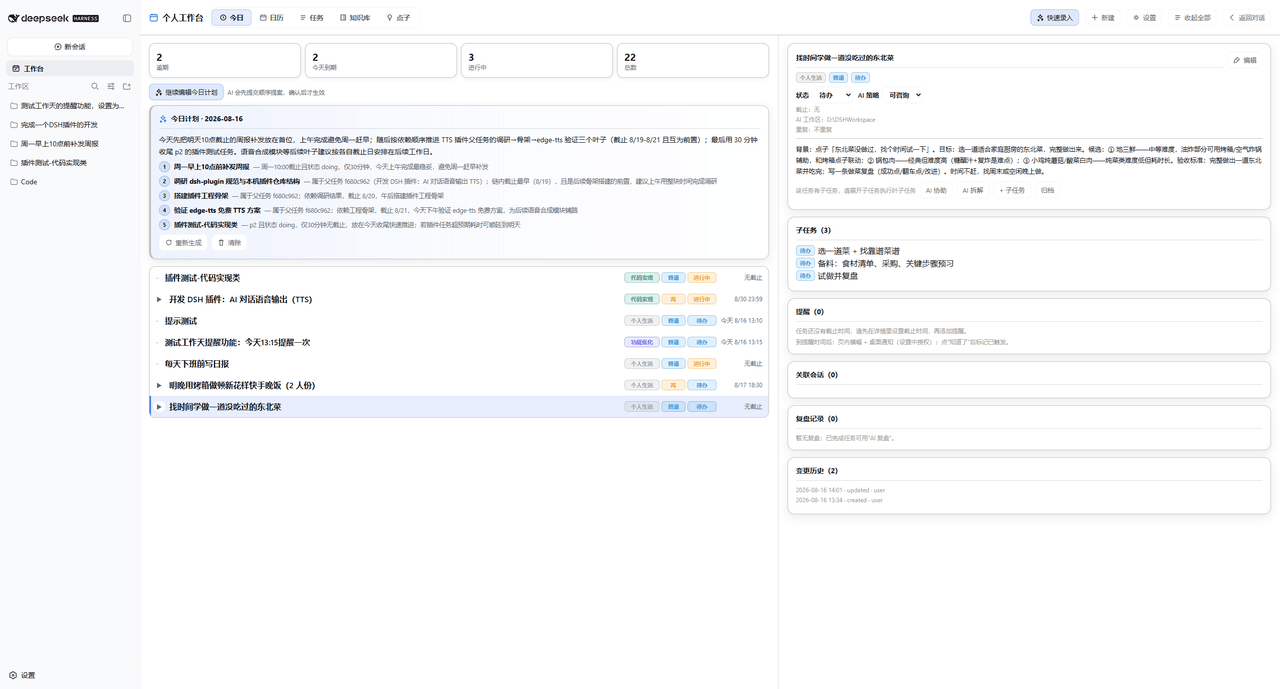 Dely0/dsh-personal-workbench
DSH 个人工作台:日历 + 任务列表 + AI 澄清/拆解/执行/复盘 | Personal workbench for DeepSeek Harness Web: calendar + task list + AI assistant
Dely0/dsh-personal-workbench
DSH 个人工作台:日历 + 任务列表 + AI 澄清/拆解/执行/复盘 | Personal workbench for DeepSeek Harness Web: calendar + task list + AI assistant
- ziduup/dsh-programming-mode DeepSeek Harness 编程模式组合包:标准模式之上强制执行 Superpowers 工程纪律(TDD、系统化调试、先计划后编码、完成前验证、代码审查)与常驻 Ponytail 代码量纪律,内置 20 个技能(14 superpo…
-
 esengine/DeepSeek-Reasonix
A reliable coding agent for complex software engineering tasks.
esengine/DeepSeek-Reasonix
A reliable coding agent for complex software engineering tasks.
-
 Aisland-SJL/dsh-worktable
🖥️ Agent-project workbench for DeepSeek Harness — sidebar app drawer + dockable split workspace + a live control room w…
Aisland-SJL/dsh-worktable
🖥️ Agent-project workbench for DeepSeek Harness — sidebar app drawer + dockable split workspace + a live control room w…
-
 zhoushoujianwork/easyeda-agent
嘉立创EDA专业版(EasyEDA Pro)自动化:给 AI harness 装上画板的「手」—— 一套 typed 原理图/PCB 动作,CLI / Agent Skill / stdio MCP 三形态融合接入。承接嘉立创「不以卖板赚钱…
zhoushoujianwork/easyeda-agent
嘉立创EDA专业版(EasyEDA Pro)自动化:给 AI harness 装上画板的「手」—— 一套 typed 原理图/PCB 动作,CLI / Agent Skill / stdio MCP 三形态融合接入。承接嘉立创「不以卖板赚钱…
-
 morluto/rea
Reverse engineer anything with agents, from app behavior down to native binaries.
morluto/rea
Reverse engineer anything with agents, from app behavior down to native binaries.