WongYuYe/dsh-appshots
Codex-style Appshots for DSH Desktop: capture the frontmost macOS window and attach it to the current chat.
Project Overview项目介绍
This is a macOS-only plugin for DSH Desktop. It captures the frontmost window via hotkey or camera button, extracts window text as hidden model context, and attaches the screenshot to the current chat. Use it when sharing app content to DSH chat. It requires two system permissions and only works on macOS.
这是一款仅适用于macOS的DSH Desktop插件,可通过热键或按钮捕获最前端窗口,提取窗口文本作为模型隐藏上下文,并将截图附加到当前对话。需要分享应用窗口内容到DSH对话时使用,需提前授予屏幕录制和辅助功能权限,仅支持macOS。
请帮我了解并安装插件:【dsh-appshots】【https://github.com/WongYuYe/dsh-appshots】Send this message to DSH in your current session. CLI install commands may not be accurate across systems — DSH will figure it out for you.把上面这条消息直接发给当前会话里的 DSH,让它帮你了解并安装。安装命令不一定准确,发给 DSH 更稳。
Or use CLI install (for developers)或使用命令行安装(适合开发者)
CLI Install命令行安装
dsh plugin --profile desktop add dsh-appshots把 WongYuYe/dsh-appshots 加入你的 DSH 配置(web profile)即可启用。
READMEREADME
dsh-appshots

简体中文 | English
给 DSH Desktop 用的窗口截图,支持 macOS 和 Windows。
macOS 同时按两边 Command,Windows 同时按两边 Ctrl,或点输入框旁的相机,捕获当前前台窗口,附加到会话草稿,并读取窗口文字作为隐藏上下文。
- 只捕获最前面的窗口,不截整个屏幕
- 截图附加到输入框草稿,不会自动发送
- 读取可用的窗口文字(macOS 辅助功能 / Windows UI Automation),作为隐藏的模型上下文注入
- 跳过 DSH Desktop 自身,避免截到插件自己的窗口
- 截图后自动把 DSH Desktop 调到前台
安装
dsh plugin --profile desktop add dsh-appshots
安装后重启 DSH Desktop。
从源码安装:
git clone https://github.com/WongYuYe/dsh-appshots.git
cd dsh-appshots
dsh plugin --profile desktop add .
Windows 会在第一次截图时用系统自带的 csc.exe(.NET Framework 4.x)编译助手,不需要安装 Visual Studio。
发布:把 package.json 版本改成 X.Y.Z 后推 vX.Y.Z tag。GitHub Actions 会打 GitHub Release 并用 Trusted Publisher(OIDC)发到 npm。
权限
macOS
系统设置 → 隐私与安全性:
- 屏幕录制:捕获最前面窗口所必需
- 辅助功能:监听两个 Command 键、读取窗口文字所必需
把这两项授予 DSH Desktop。如果热键不触发,同时允许 appshot-capture。
Windows
- 截图走
CopyFromScreen,系统可能弹一次屏幕访问授权 - 窗口文字走 UI Automation,部分提权或受保护的应用几乎读不到文字
- 默认热键是同时按两边 Ctrl。如果不触发,可改成
hotkeyMode: win-hotkey
使用
- 聚焦你想分享的窗口。
- macOS 同时按两个 Command,Windows 同时按两个 Ctrl,或点击输入框里的相机按钮。
- DSH Desktop 来到前台,截图已附加。
- 输入提示词并发送。
如果当前有打开的会话,Appshot 会附加到那里;如果没有,会新建一个会话。连续截图会进入同一个会话。
设置
命名空间 dsh-appshots,位于 ~/.dsh/settings.yaml:
| 字段 | 默认值 | 含义 |
|---|---|---|
skipSelf |
true |
跳过 DSH Desktop 自身 |
attachText |
true |
发送时把清洗后的窗口文字作为隐藏模型上下文注入 |
recentWindowMs |
60000 |
没有打开会话时,复用这个时间窗口内截图过的会话 |
hotkeyMode |
auto |
auto / both-command / both-control / carbon / win-hotkey / off |
carbonKeyCode |
0 |
hotkeyMode 为 carbon 时的 Carbon 键码 |
carbonModifiers |
256 |
Carbon 修饰键;256 是 Command |
winVk |
44 |
hotkeyMode 为 win-hotkey 时的虚拟键码(44 是 PrintScreen) |
winModifiers |
3 |
win-hotkey 的 Win32 修饰键;3 是 Ctrl+Alt |
auto 在 macOS 上是两边 Command,在 Windows 上是两边 Ctrl。
限制
- 仅支持 macOS 和 Windows
- 窗口文字来自系统辅助功能树,部分应用只暴露可见文本
- 隐藏文本优先保留当前屏幕内的输入值、选区和正文;浏览器标签栏仍会过滤
- 点击已附加的 Appshot 预览时,右上角可「查看文本」,展示当前窗口读到的辅助功能文字
- 终端像素(如 VS Code xterm)默认不进辅助功能树,编译日志仍以截图为准
- Windows 截的是窗口矩形的屏幕像素,被挡住的窗口会带上挡住它的内容
License
MIT
Related相关推荐
-
 nexu-io/open-design
🎨 Best DeepSeek Harness Design Plugin. The open-source Claude Design alternative. 🖥️ Local-first desktop app. 🖼️ Your…
nexu-io/open-design
🎨 Best DeepSeek Harness Design Plugin. The open-source Claude Design alternative. 🖥️ Local-first desktop app. 🖼️ Your…
-
 EthanYoQ/AI-Novel-Writer
AI 小说创作软件:把灵感、角色、世界观、大纲、章节写作、审稿和修稿组织成可控流程;提供 Windows/macOS 桌面版,支持本地和在线模型。AI Novel Writing Software: Organizes inspiratio…
EthanYoQ/AI-Novel-Writer
AI 小说创作软件:把灵感、角色、世界观、大纲、章节写作、审稿和修稿组织成可控流程;提供 Windows/macOS 桌面版,支持本地和在线模型。AI Novel Writing Software: Organizes inspiratio…
-
 fufankeji/deepseek-harness-studio
DeepSeek Harness 零代码桌面端|一键启动,支持 Windows 与 macOS;内置插件发现、热点插件推送、一键安装与管理、AI 智能推荐和视觉增强。
fufankeji/deepseek-harness-studio
DeepSeek Harness 零代码桌面端|一键启动,支持 Windows 与 macOS;内置插件发现、热点插件推送、一键安装与管理、AI 智能推荐和视觉增强。
-
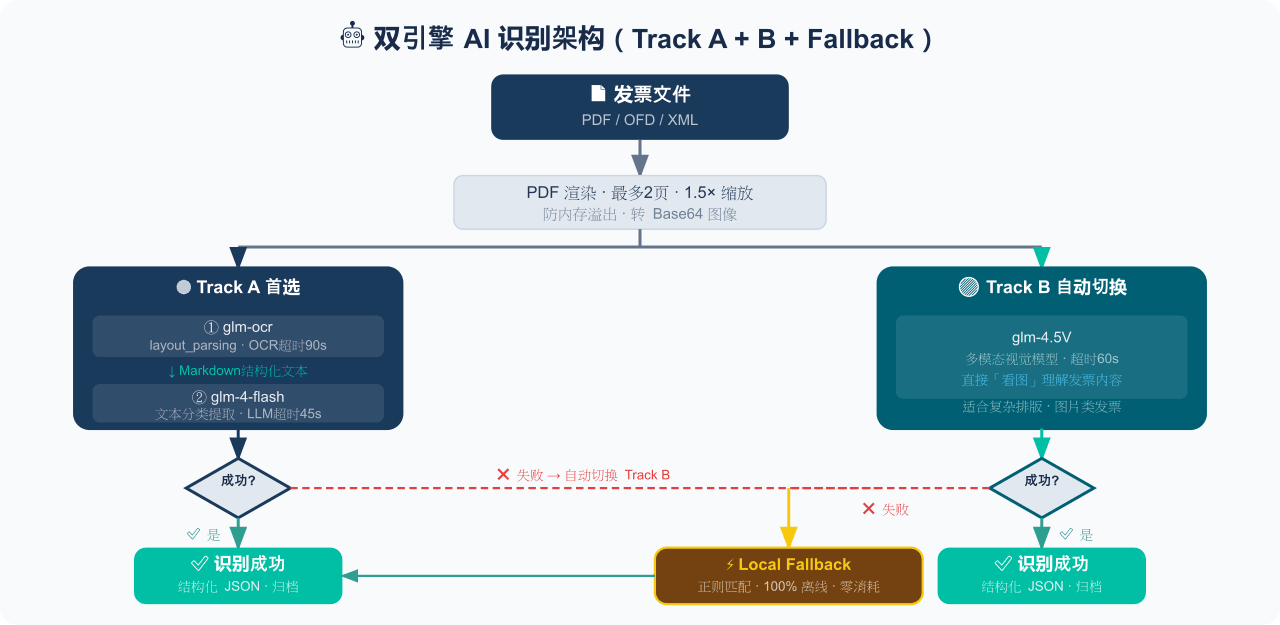 EthanYoQ/Invoice-Downloader
电子发票整理与报销准备工具:从邮箱批量收集 PDF/OFD/XML 发票,OCR 识别、分类归档并生成 Excel 汇总;提供 Windows/macOS 桌面版与 DSH 插件。
EthanYoQ/Invoice-Downloader
电子发票整理与报销准备工具:从邮箱批量收集 PDF/OFD/XML 发票,OCR 识别、分类归档并生成 Excel 汇总;提供 Windows/macOS 桌面版与 DSH 插件。
-
 Clarklevis1995/dsh-mobile
DeepSeek Harness Mobile 是一个面向 DeepSeek Harness 的原生 iOS 客户端。它通过 dsh-plugin-mobile-gateway 与 Harness 建立 WebSocket 连接,将工作区、…
Clarklevis1995/dsh-mobile
DeepSeek Harness Mobile 是一个面向 DeepSeek Harness 的原生 iOS 客户端。它通过 dsh-plugin-mobile-gateway 与 Harness 建立 WebSocket 连接,将工作区、…
-
 ZSeven-W/dsh-ios
DeepSeek Harness (DSH) plugin: a live iOS Simulator — and a USB-connected iPhone — inside the conversation. 22 agent too…
ZSeven-W/dsh-ios
DeepSeek Harness (DSH) plugin: a live iOS Simulator — and a USB-connected iPhone — inside the conversation. 22 agent too…
-
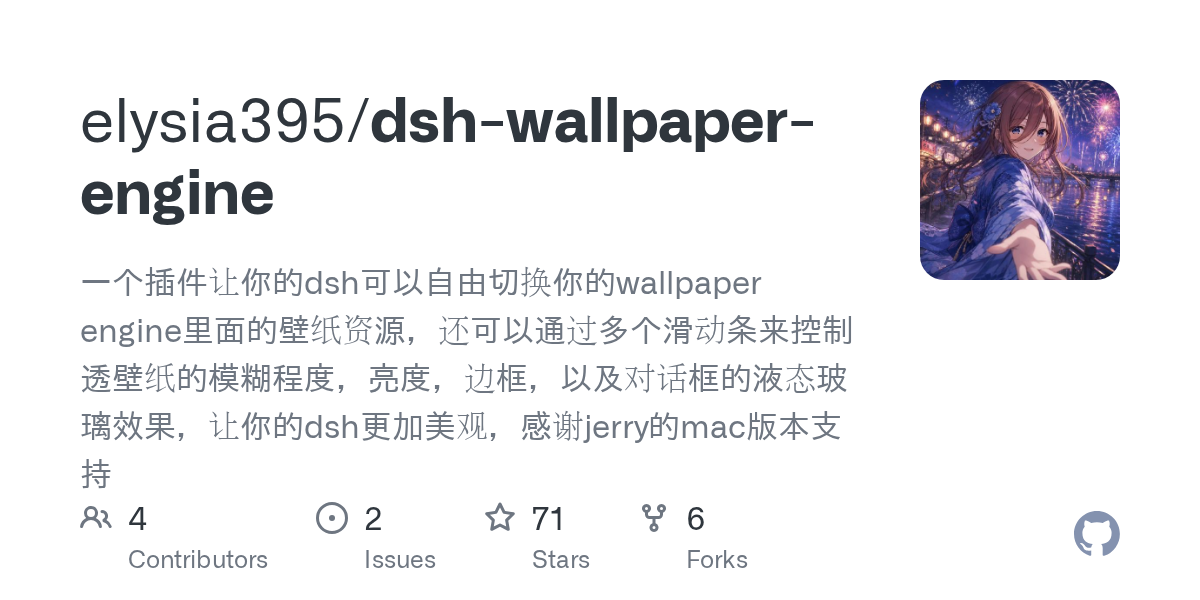 elysia395/dsh-wallpaper-engine
把本机 Wallpaper Engine 的壁纸变成 DSH 网页界面的背景:Video 动态播放、Web 以 iframe 加载、Scene 壁纸提取主纹理作为静态帧;iOS 液态玻璃设置窗口(配色 / 玻璃颜色 / 透明度)、内容分级与…
elysia395/dsh-wallpaper-engine
把本机 Wallpaper Engine 的壁纸变成 DSH 网页界面的背景:Video 动态播放、Web 以 iframe 加载、Scene 壁纸提取主纹理作为静态帧;iOS 液态玻璃设置窗口(配色 / 玻璃颜色 / 透明度)、内容分级与…
-
 starsstreaming/beautiCode
面向 AI 编程客户端的动态、可响应环境——视频背景、氛围场景与主题,适用于 DeepSeek Harness 与 Codex Desktop。
starsstreaming/beautiCode
面向 AI 编程客户端的动态、可响应环境——视频背景、氛围场景与主题,适用于 DeepSeek Harness 与 Codex Desktop。