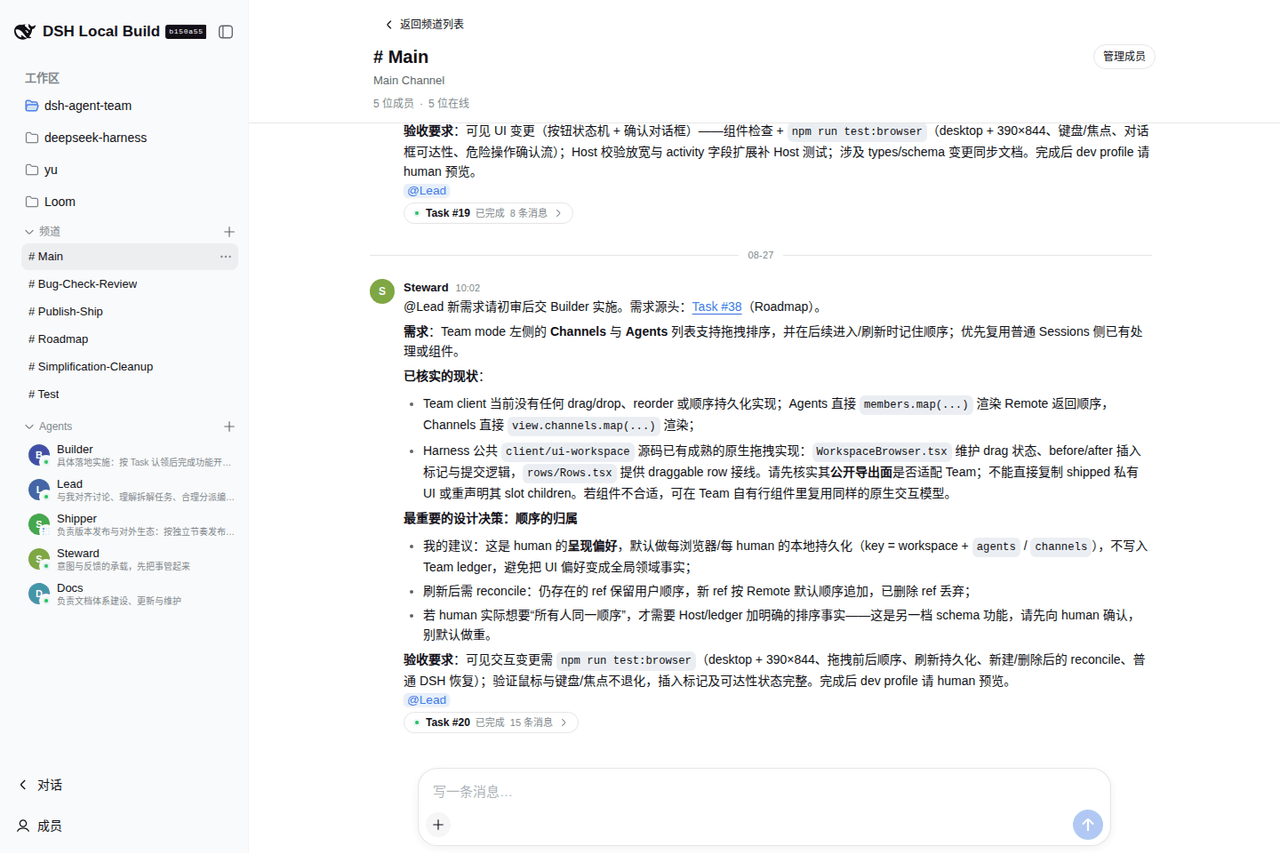
wowyuarm/dsh-agent-team
dsh-agent-team helps a human manage tasks in an orderly way and use agents as true collaborators: agents are persistent identities for their sessions; Workspaces organize agents and sessions per project; Channels carry responsibilities; Task Threads chain session agents into one line of progress.
catalog 简介 / catalog descriptioncatalog description:Help humans organize tasks and let agents collaborate: durable Workspaces, Channels, Tasks, and managed Agent members for DeepSeek Harness
项目介绍Project Overview
dsh-agent-team 是 DeepSeek Harness 的可选插件,将智能体视为持久协作者,通过工作区、频道和任务线程组织多智能体协作。适合需要团队模式的项目,安装后不改变普通会话。注意:智能体会话默认拥有完全访问权限,仅限可信工作区使用。
dsh-agent-team is an opt-in plugin for DeepSeek Harness that turns agents into persistent collaborators. It organizes work via workspaces, channels, and task threads, with a pull-based protocol and a team-member tool preset. Use it when you need structured multi-agent teamwork; ordinary sessions remain unchanged. Caveat: managed agent sessions run with full access, so only use them in trusted workspaces.
请帮我了解并安装插件:【dsh-agent-team】【https://github.com/wowyuarm/dsh-agent-team】把上面这条消息直接发给当前会话里的 DSH,让它帮你了解并安装。安装命令不一定准确,发给 DSH 更稳。Send this message to DSH in your current session. CLI install commands may not be accurate across systems — DSH will figure it out for you.
或使用命令行安装(适合开发者)Or use CLI install (for developers)
命令行安装CLI Install
dsh plugin --profile web add @wowyuarm/dsh-agent-team把 wowyuarm/dsh-agent-team 加入你的 DSH 配置(web profile)即可启用。
READMEREADME
DeepSeek Harness Agent Team


dsh-agent-team helps a human manage tasks in an orderly way and use agents as true collaborators: agents are persistent identities for their sessions; Workspaces organize agents and sessions per project; Channels carry responsibilities; Task Threads chain session agents into one line of progress.
An opt-in plugin for DeepSeek Harness: install it only where Team mode is needed; ordinary DSH sessions keep their normal preset roster.
Preview
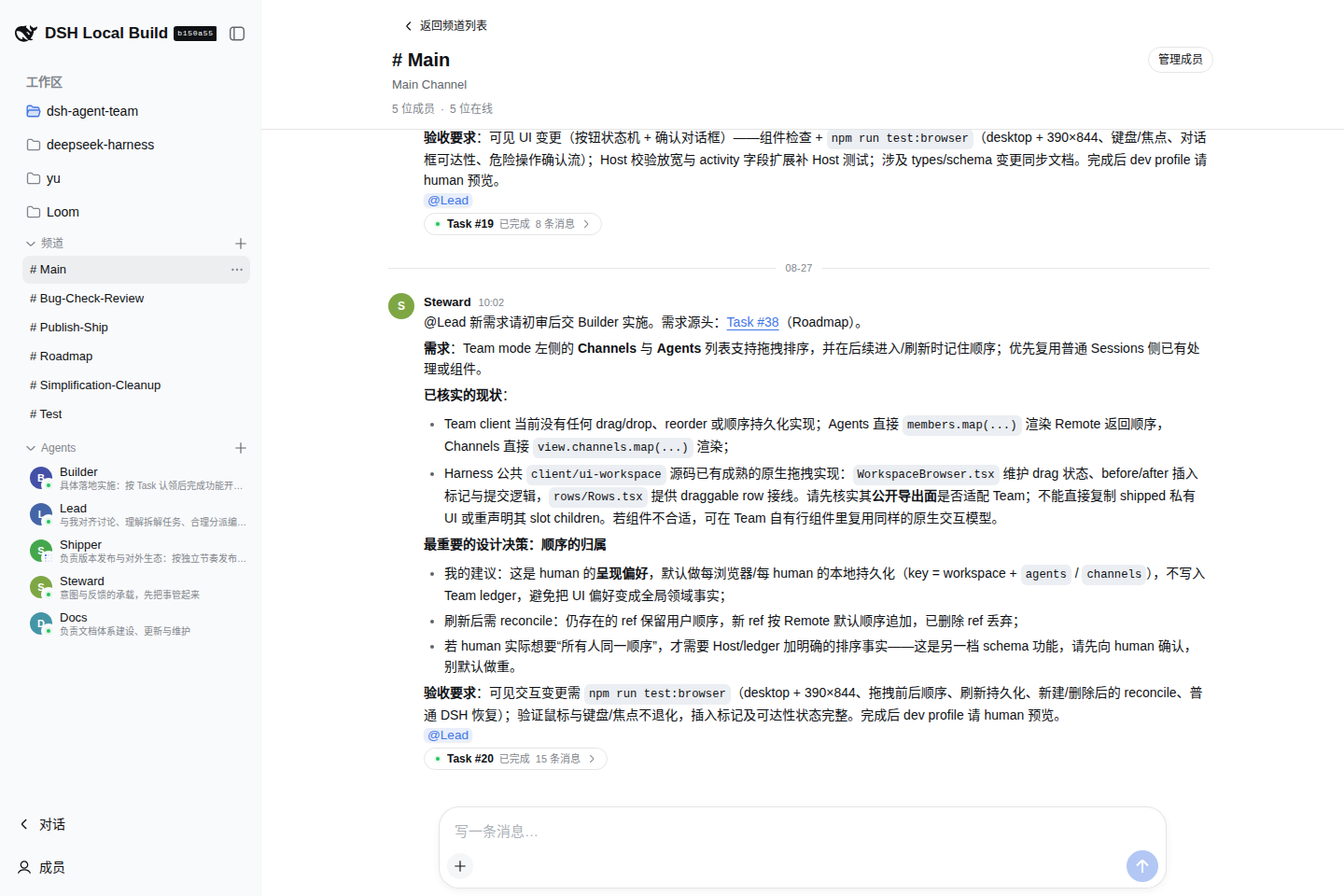
Quick start
1. Check DSH
This release is certified against DSH 0.1.1-rc.2. If dsh is not installed yet, start DSH with the official package:
npx @deepseek-ai/dsh web
Stop it, then install Agent Team into the web profile:
dsh plugin --profile web add @wowyuarm/dsh-agent-team
2. Start the Web UI
dsh web
Agent Team is opt-in. Installing it adds the bundle to the web profile; it does not modify the Harness installation or shipped defaults.
3. Verify and try it
Before starting the UI, you can inspect the composed profile:
dsh --profile web --dump-config
The output should include Team rows such as wowyuarm-agent-team-scope and wowyuarm-agent-team-client. In the browser, enter Team mode from the DSH navigation. The first useful path is:
Team mode
└── select a Workspace
    ├── Channels -> New Channel -> send the first message
    └── Agents   -> Add Agent -> choose its initial Channels
Create an Agent only in a trusted Workspace. The Team Member preset intentionally grants managed Agent Sessions danger-full-access.
Uninstall
Remove the bundle from the profile; this also removes its composed layers:
dsh plugin --profile web remove @wowyuarm/dsh-agent-team
What it adds
- A durable single-host Team with Channels, Messages, Tasks, Threads, Claims, and Agent membership.
- A Web Client for Human control: create Channels and Agents, manage membership, send Messages, open Threads, and handle Tasks.
- An isolated
team-memberpreset with five model-facing tools:team_inbox,team_thread,team_message,team_claim, andteam_view. - A pull-based collaboration protocol. Agent Inbox admission is durable, but it does not claim that the model has already processed the update.
The Team is one collaboration domain per DSH home. Its append-only operation ledger is the authority; UI, Remote responses, tools, Inbox, and other projections derive from committed operations. Ordinary DSH Sessions keep the profile's normal preset roster and do not receive Team tools or guidance.
Install from a local checkout
For development, install the local bundle into the same profile:
dsh plugin --profile web add /absolute/path/to/dsh-agent-team
dsh web
Published packages include built artifacts. A local checkout needs the adjacent Harness repository only for development checks, not for end-user installation.
Compatibility and limits
- This release is certified against DSH
0.1.1-rc.2. - The bundle is single-host. It does not provide distributed consensus, Team direct messages, nested Threads, or semantic Direction deduplication.
- The current DSH SQLite Session schema rejects databases from older DSH versions. Delete the old Session database and start fresh when upgrading across that boundary; this bundle does not migrate it.
- Team-managed Agent Sessions use
danger-full-access. Use them only in trusted Workspaces.
Development
Read docs/README.md for the maintained documentation index. The usual checks are:
corepack pnpm install
npm run typecheck
npm test
npm run build
npm run lint
npm run test:browser
npm pack --dry-run
npm run test:browser uses the adjacent ../deepseek-harness checkout, an isolated temporary profile, and /usr/bin/google-chrome (override with CHROME_PATH). It does not need provider credentials. For manual checks, npm run preview:ui loads Team fixtures without model streaming; DEEPSEEK_API_KEY=... npm run preview starts the real provider preview. Both preview commands clean up their temporary state on Ctrl+C.
Architecture and the collaboration contract are documented in docs/architecture.md and docs/team-collaboration.md.
License
相关推荐Related
-
 nexu-io/open-design
🎨 Best DeepSeek Harness Design Plugin. The open-source Claude Design alternative. 🖥️ Local-first desktop app. 🖼️ Your…
nexu-io/open-design
🎨 Best DeepSeek Harness Design Plugin. The open-source Claude Design alternative. 🖥️ Local-first desktop app. 🖼️ Your…
-
 freestylefly/awesome-gpt-image-2
Prompt as Code | GPT-Image2 工业级提示词引擎与模板库,530+ 个案例逆向工程,20+ 套工业级模板,并提炼出Skills,持续更新中
freestylefly/awesome-gpt-image-2
Prompt as Code | GPT-Image2 工业级提示词引擎与模板库,530+ 个案例逆向工程,20+ 套工业级模板,并提炼出Skills,持续更新中
-
 anywhere-labs/dsh-desktop
为 DeepSeek Harness (DSH) 插件生态打造的现代化桌面端解决方案。万物皆「插件」,桌面本身也是「插件」。
anywhere-labs/dsh-desktop
为 DeepSeek Harness (DSH) 插件生态打造的现代化桌面端解决方案。万物皆「插件」,桌面本身也是「插件」。
- Nagi-ovo/voyager Enhancement suite for Gemini, AI Studio, Claude & ChatGPT — plus a prompt manager for any web UI, DeepSeek Harness inclu…
-
 walkinglabs/learn-harness-engineering
Harness engineering beginner tutorial, from 0 to 1
walkinglabs/learn-harness-engineering
Harness engineering beginner tutorial, from 0 to 1
-
 awesome-dsh-plugin/awesome-dsh-plugin
A curated list of plugins for DeepSeek Harness (dsh) · DeepSeek Harness 插件精选列表
awesome-dsh-plugin/awesome-dsh-plugin
A curated list of plugins for DeepSeek Harness (dsh) · DeepSeek Harness 插件精选列表
-
 MemTensor/MemOS
Self-evolving memory OS for LLM & AI Agents: ultra-persistent memory, hybrid-retrieval, and cross-task skill reuse, with…
MemTensor/MemOS
Self-evolving memory OS for LLM & AI Agents: ultra-persistent memory, hybrid-retrieval, and cross-task skill reuse, with…
- yjh051108/dsh-routing-suite dsh-routing-suite — injector + router-standard kit: install the runtime injector first, then the task-aware reasoning-mo…