WYH66666666/DSH-Transparent-UI-Plugin
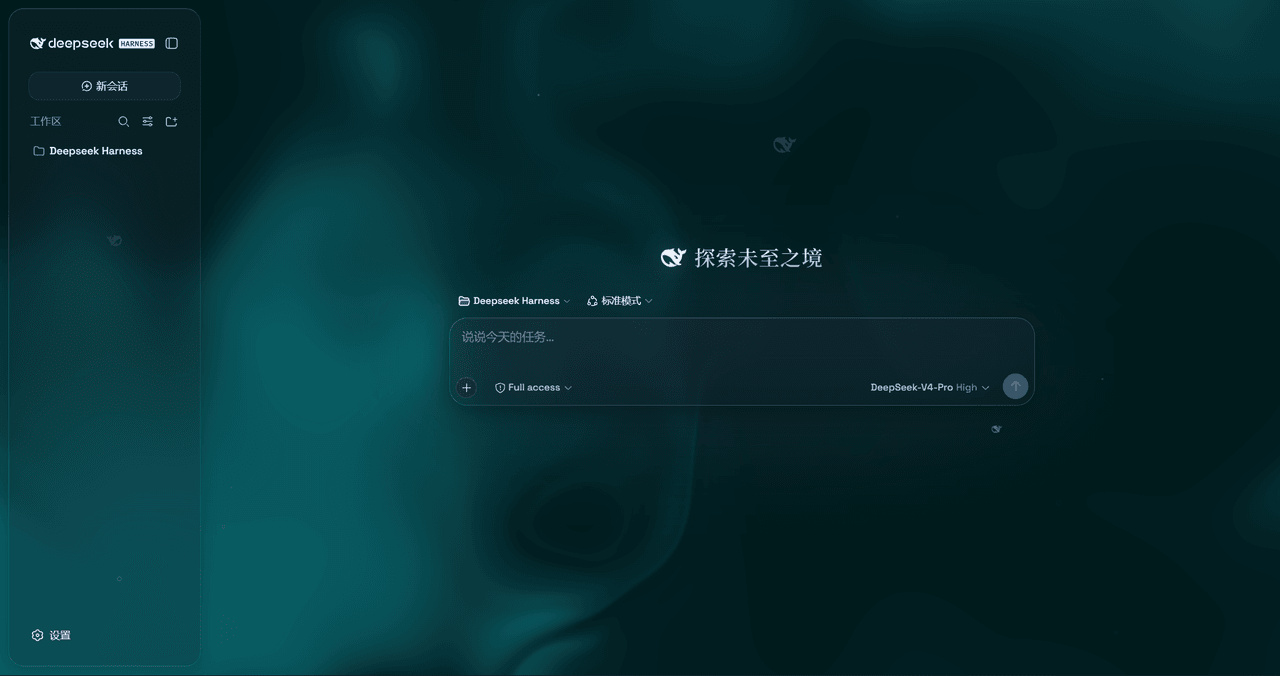
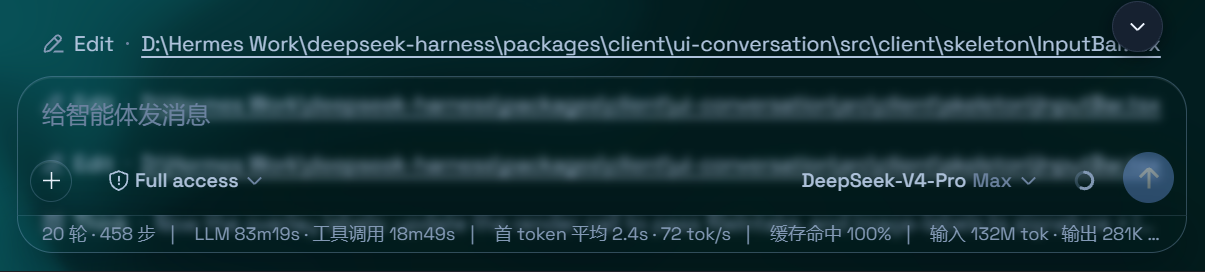
是一层高自由度的玻璃质感主题,套在 DeepSeek Harness 网页端。顶栏、侧边栏、输入框、统计行、轨迹视图都成了磨砂玻璃片。玻璃模糊度、磨砂度、背景(流体或自定义壁纸,壁纸还能单独调模糊和磨砂)全都能在设置卡片里自由调节。关掉开关就回到原生界面,不改 DSH 任何一行源码。
项目介绍Project Overview
Aqua 是 DSH 网页界面的玻璃拟态皮肤,提供 Mica 与兼容两种模式,可调节模糊与磨砂强度。支持流体动态背景或自定义壁纸(自动适配深浅模式),含粒子鲸鱼装饰、Harness 徽标光效及页面上下边缘渐变。一键关闭即恢复原版 UI,无需改动 DSH 源码。注意:因作者学业原因暂未跟进 DSH 新版 API,安装后可能引发崩溃,请自行修复或暂用替代方案。
Aqua is a glassmorphism skin for the DSH web UI offering two modes: Mica (floating glass cards with adjustable blur and frost) and Compatibility (byte-for-byte stock layout with only the material swapped). It supports a fluid animated backdrop or custom wallpaper with scheme-aware brightness, a particle-whale centerpiece, a glossy Harness badge in dark mode, and top/bottom edge fades. One toggle restores the original UI with no source changes. Note: the author cannot promptly maintain the plugin against recent DSH API changes due to academic commitments, so it may crash on install—patch it yourself or use an alternative.
请帮我了解并安装插件:【DSH-Transparent-UI-Plugin】【https://github.com/WYH66666666/DSH-Transparent-UI-Plugin】把上面这条消息直接发给当前会话里的 DSH,让它帮你了解并安装。安装命令不一定准确,发给 DSH 更稳。Send this message to DSH in your current session. CLI install commands may not be accurate across systems — DSH will figure it out for you.
或使用命令行安装(适合开发者)Or use CLI install (for developers)
命令行安装CLI Install
dsh plugin --profile web add dsh-client-ui-aqua把 WYH66666666/DSH-Transparent-UI-Plugin 加入你的 DSH 配置(web profile)即可启用。
READMEREADME
@deepseek-ai/dsh-client-ui-aqua
English | 中文
Notice ⚠️: As DSH has been updated, I am unable to promptly update the plugin with the new APIdue to my academic commitments. Please use an alternative agent to replace or repair it yourself to avoid crashes when installing this plugin.
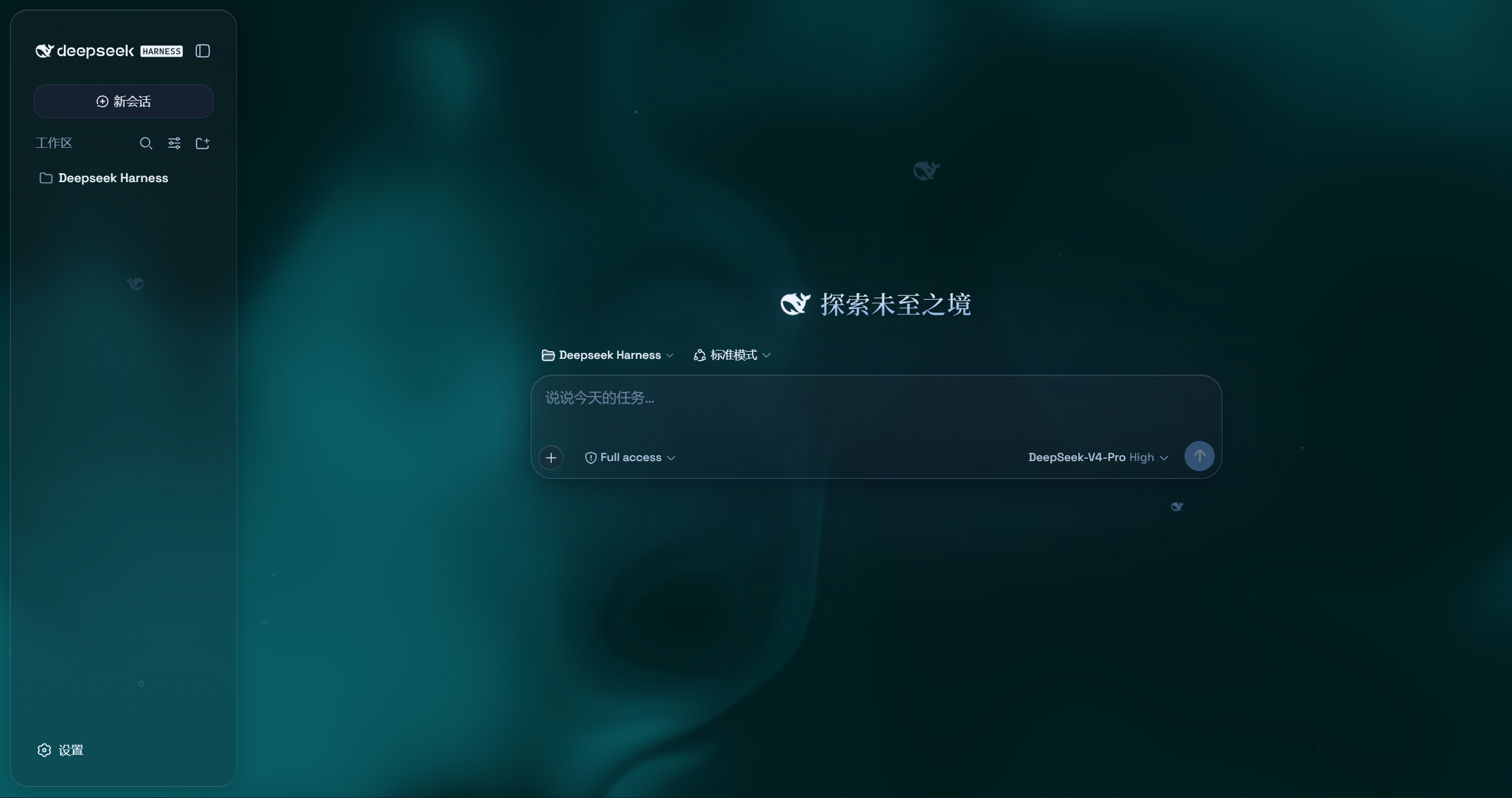
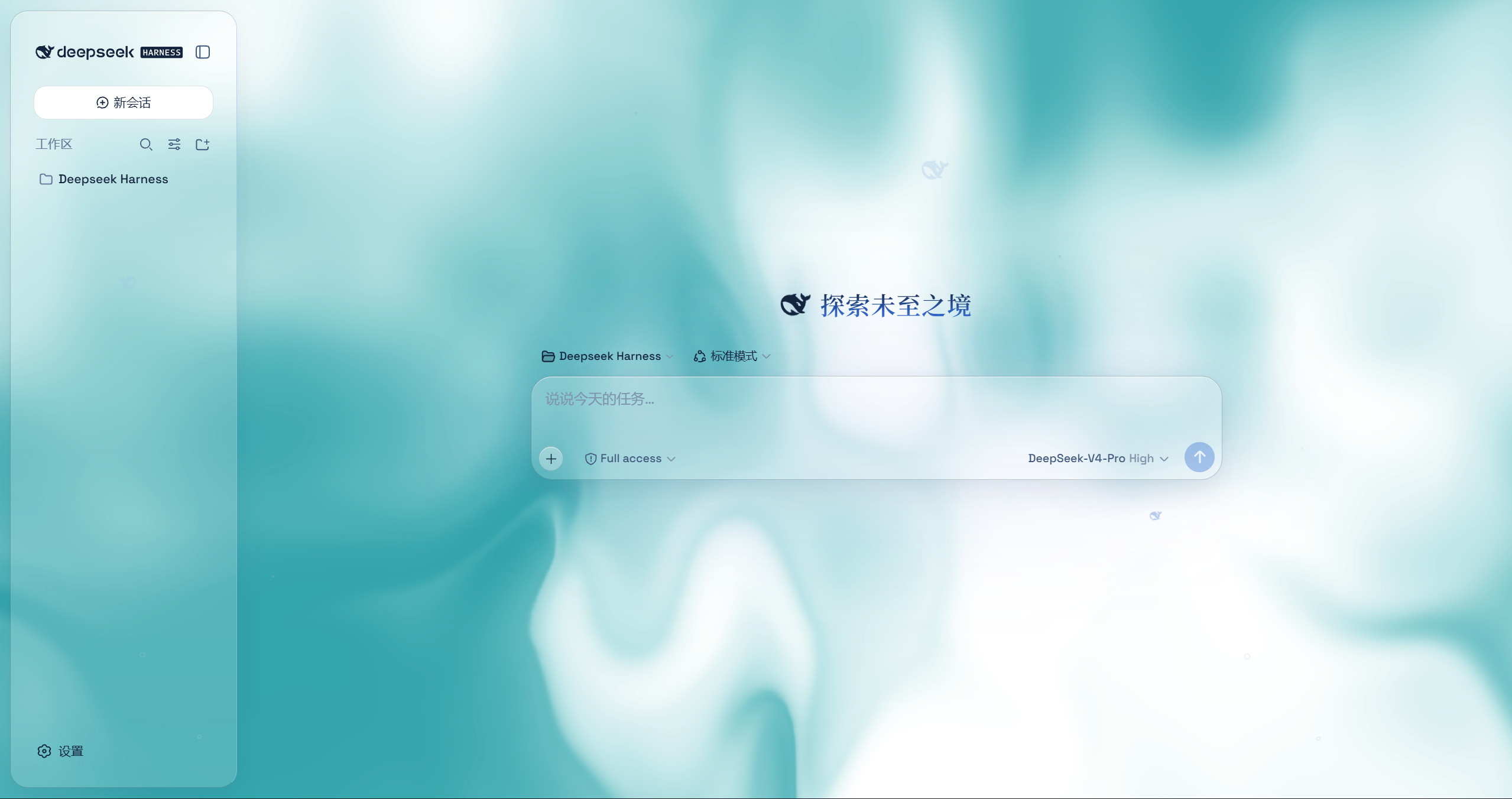
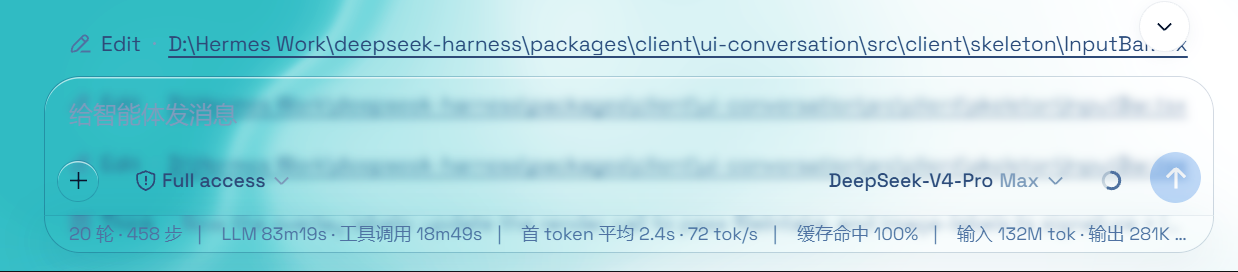
Aqua is a highly customizable glassmorphism theme for the DeepSeek Harness web UI. The header, sidebar, composer, stats line, and trajectory view all become panes of frosted glass. you can put video for wallpaper and Switch it off and the stock UI comes back exactly, with no source changes to DSH itself.
Features
- Two modes: Mica restyles the layout into floating glass cards (blur and frost adjustable), while Compatibility Mode keeps the stock layout byte-for-byte and only swaps the material to generic glass — other plugins' UI gets the same treatment automatically
- Free backdrop: a living fluid board (hue adjustable) or your own wallpaper (fills the page, aspect preserved, with its own blur and frost); light wallpapers look best in light mode, dark wallpapers in dark mode
- Background brightness: follows the resolved scheme — dark mode darkens (0–50), light mode brightens (50–100), 50 is unchanged
- Particle whale: the deepseek.com/harness centerpiece fish (a 2D port of the site's particle engine), centered in the chat area right of the sidebar — white particles on dark, gray on light, toggleable in settings
- Glossy "Harness" badge: in dark mode the sidebar wordmark wears the official nameplate pill (135° gradient ring + soft glow); light mode keeps the stock plate
- Edge fades: 5px gradient blur bands pinned to the top and bottom of the page, above the chat content — scrolling content melts into the edges; faint white veil on light, faint black on dark
- One switch: off restores the stock UI exactly, and every effect is removed with the plugin
Installation
Option 1: npm one-liner (recommended)
dsh plugin --profile web add dsh-client-ui-aqua
Installs the latest version from npm and registers it as a profile plugin layer (dsh.bundle patch) — works on every platform. Reload the web UI and it is on.
Option 2: GitHub installer (fallback)
No npm account and no git needed (falls back to a plain zip download).
Windows (one command):
powershell -ExecutionPolicy Bypass -Command "Invoke-WebRequest 'https://github.com/WYH66666666/DSH-Transparent-UI-Plugin/raw/main/install.ps1' -OutFile install.ps1; .\install.ps1"
Installs the latest release by default. The script links the plugin into the profile's node_modules and registers ui-aqua in cordis.patch.yml (idempotent — safe to run again).
Pin a version or track the dev branch:
.\install.ps1 -Version 'v1.1.0'   # a specific release
.\install.ps1 -Version 'main'     # the development branch
macOS / Linux (manual, three steps):
git clone --depth 1 --branch v1.1.0 https://github.com/WYH66666666/DSH-Transparent-UI-Plugin.git
ln -s "$PWD/DSH" "$DSH_HOME/profiles/node_modules/@deepseek-ai/dsh-client-ui-aqua"
then append to $DSH_HOME/profiles/web/cordis.patch.yml:
- insert:
    - id: ui-aqua
      name: '@deepseek-ai/dsh-client-ui-aqua'
Usage
Reload the web UI. Aqua is on by default; the master switch lives in Settings → Plugins → Glass theme (same shape as the other plugin cards), and every other control sits directly under Settings → General → Appearance (no title of its own): mode, blur/frost (Mica mode), fluid color, background brightness, backdrop (fluid/wallpaper) with its wallpaper controls, and the particle-whale toggle. With the master switch off, the whole control block under Appearance is hidden.
相关推荐Related
-
 nexu-io/open-design
🎨 Best DeepSeek Harness Design Plugin. The open-source Claude Design alternative. 🖥️ Local-first desktop app. 🖼️ Your…
nexu-io/open-design
🎨 Best DeepSeek Harness Design Plugin. The open-source Claude Design alternative. 🖥️ Local-first desktop app. 🖼️ Your…
-
 ruvnet/ruflo
🌊 The original agent meta-harness. Deploy intelligent multi-player swarms, coordinate autonomous workflows, and build c…
ruvnet/ruflo
🌊 The original agent meta-harness. Deploy intelligent multi-player swarms, coordinate autonomous workflows, and build c…
-
 amruthpillai/reactive-resume
A one-of-a-kind resume builder that keeps your privacy in mind. Completely secure, customizable, portable, open-source a…
amruthpillai/reactive-resume
A one-of-a-kind resume builder that keeps your privacy in mind. Completely secure, customizable, portable, open-source a…
-
 esengine/DeepSeek-Reasonix
DeepSeek-native AI coding agent for your terminal. Engineered around prefix-cache stability — leave it running.
esengine/DeepSeek-Reasonix
DeepSeek-native AI coding agent for your terminal. Engineered around prefix-cache stability — leave it running.
-
 volcengine/OpenViking
Self-evolving Context Database for AI Agents. Unify Agent Memory, Knowledge RAG and Skills.
volcengine/OpenViking
Self-evolving Context Database for AI Agents. Unify Agent Memory, Knowledge RAG and Skills.
-
 Molunerfinn/PicGo
:rocket: The Ultimate Image Uploader for Efficient Creators. Supports Obsidian, Typora, VS Code etc. and 60+ image hosti…
Molunerfinn/PicGo
:rocket: The Ultimate Image Uploader for Efficient Creators. Supports Obsidian, Typora, VS Code etc. and 60+ image hosti…
-
 titanwings/distilly
Distilly — Distill how they think into reusable Skills for any Agent or Bot. Formerly Colleague Skill(原同事 Skill).
titanwings/distilly
Distilly — Distill how they think into reusable Skills for any Agent or Bot. Formerly Colleague Skill(原同事 Skill).
-
 titanwings/colleague-skill