xiaozhe7772222/dsh-draw-router
DeepSeek Harness (DSH) 通用图像生成路由器:可从任何兼容 OpenAI 的端点自动发现图像模型。支持 SenseNova、StepFun、Agnes、Qwen、Flux、SD、Imagen 等。| DeepSeek Harness 统一绘图路由器
Project Overview项目介绍
This repository is a native plugin built exclusively for DeepSeek Harness (DSH), designed to add native text-to-image generation capability that the core DSH framework lacks out of the box. After installation, it registers two agent tools, draw_image and draw_list_sources, directly into the DSH agent's tool set, so the agent can generate images on demand just like it runs other commands during a conversation. To get started, users only need to input a base URL and API key for any OpenAI-compatible image generation endpoint, and the plugin will automatically detect available image models on that endpoint via pattern matching against model names, no hardcoding of model lists required.
The plugin supports image generation endpoints from over 30 different providers, including SenseNova, StepFun, Agnes, Qwen, Tongyi Wanxiang, Hunyuan, Seedream, GPT Image, Flux, Stable Diffusion, and Imagen, so it works with most popular commercial and open source image models available today. For providers that do not expose their image models via the standard /v1/models endpoint, users can manually add models via the plugin's built-in REST API. All configuration changes are saved persistently to a local draw-config.json file, so your sources will remain available even after you restart DSH. The REST API also lets users remove existing sources or re-probe models at any time during runtime, giving users full control over their image generation setup.
The plugin requires Node.js version 18 or higher to run, and it is released under the permissive MIT license, which allows free use, modification, and redistribution. If you run into installation issues such as the plugin not being found on startup, you can fix this by creating a correct symlink from your DSH profile folder to the plugin directory, and verifying the plugin is added to the bundles array in your DSH profile package.json. Common runtime issues, such as missing detected models, quota errors, invalid parameters, or authentication failures, are all covered in the detailed troubleshooting section of the README, with step-by-step commands to resolve each issue.
dsh-draw-router 是专为 DeepSeek Harness (DSH) 开发的原生插件,用于弥补 DSH 原生不支持图像生成的短板。它为 DSH 代理注册了绘图工具,让用户可以在对话中直接要求代理生成图片、流程图等可视化内容。用户只需添加任意 OpenAI 兼容接口的 baseURL 和 API 密钥,插件就会自动探测接口下的图像生成模型,无需手动硬编码模型名称。
插件支持几乎所有主流厂商的文生图接口,包括商汤日日新、阶跃星辰、通义万相、混元、豆包即梦、GPT Image、Flux、Stable Diffusion 等。对于不通过 /v1/models 暴露模型的厂商,支持手动添加模型,配置会持久化保存在本地,重启后不会丢失。插件还提供 REST API 支持运行时增删改探测绘图源,满足自定义配置需求。
插件遵循 MIT 许可证,可自由使用修改分发,要求 Node.js 版本不低于 18。首次安装后如果遇到工具不显示的问题,需要检查 cordis.patch.yml 的注入配置,重启 DSH 即可解决。生图过程中遇到的错误大多和厂商配置、账户余额、参数格式有关,可以按照 README 中的故障排查指南逐一解决。
请帮我安装这个 DSH 插件。安装前先完成【兼容性检查 + 安全性检查】,检查通过再动手。

插件:dsh-draw-router(xiaozhe7772222/dsh-draw-router)
仓库:https://github.com/xiaozhe7772222/dsh-draw-router
本站详情页:https://www.yhbd.top/plugins/xiaozhe7772222-dsh-draw-router/
本站登记:类型 plugin · 归类 原生 DSH 插件 · 许可证 MIT · ⭐ 4 · 最近提交 2026-08-19 · 主语言 JavaScript

按下面顺序执行,每步先把结论告诉我,再进入下一步:

【1 兼容性检查】
① 我这边:DSH 版本、Node 版本、操作系统、当前 profile(web / desktop)。
② 读它的 README、package.json、插件 manifest,列出它要求的 DSH 版本 / Node 版本 / 操作系统 / 外部依赖 / 需要另外先装的运行时。
③ 逐条比对,结论只写「满足 / 不满足 / 未知」三种;不满足的给出可行替代方案。
④ 检查是否和我已装的插件冲突:命令名重复、skill / tool 重名、端口占用、重复注册的 MCP server。

【2 安全性检查】
① 仓库可信度:和上面「本站登记」是否一致;star / fork 数、创建时间、最近提交,是否归档或长期停更。
② 安装脚本:逐行看 package.json 的 preinstall / install / postinstall,以及 install.sh、setup.ps1 之类脚本。出现 curl|bash、下载后直接执行、混淆代码、访问与插件功能无关的域名,立刻停下来告诉我,不要继续装。
③ 依赖:列出新增依赖,标出无人维护、或与知名包拼写近似的可疑包(typosquatting)。
④ 权限与副作用:它会读写哪些目录、访问哪些域名、需要哪些 DSH 权限(filesystem / network / shell / clipboard 等),以及怎么卸载和回滚。
⑤ 如果它要求 sudo / 管理员权限,或权限明显超出功能所需,先停下来问我。

【3 安装】
上面两步没有「不满足」和「高危项」时才执行;用官方推荐方式安装,不要自行提权。

【4 汇报】
用表格输出:检查项 / 结论 / 依据 / 是否需要我决策。拿不准的一律写「未知」并说明要我怎么确认——不要猜,也不要替我决定。
Send this message to DSH in your current session: it verifies compatibility and security first (answering met / not met / unknown item by item) and only installs once everything checks out — it will stop and ask you if it finds a high-risk item. The box scrolls; the copy is the full prompt. CLI install commands may not be accurate across systems, so DSH is the safer route.把上面这条消息直接发给当前会话里的 DSH:它会先核对兼容性与安全性(逐条给「满足 / 不满足 / 未知」),确认没问题再安装,有高危项会停下来问你。框内可滚动,复制到的是完整提示词;安装命令不一定准确,发给 DSH 更稳。
- Only 4 stars - very few users, little community feedback星标只有 4,几乎没人在用,遇到问题缺少社区反馈
DSH walks through these 9 checksDSH 会逐条核对这 9 项
Compatibility兼容性
- DSH, Node, OS and profile requirementsDSH 版本 / Node 版本 / 操作系统 / profile 是否满足要求
- External dependencies and runtimes (Electron / Python / Docker, ...)外部依赖与运行时(Electron / Python / Docker 等)是否齐备
- Conflicts with installed plugins: command names, skill / tool names, ports, duplicate MCP registration与已装插件是否冲突:命令名、skill / tool 重名、端口占用、重复 MCP 注册
Security安全性
- Repo matches the facts registered here; archived or abandoned?仓库是否与页面登记一致,是否归档或长期停更
- Safety of preinstall / install / postinstall and install.sh / setup.ps1preinstall / install / postinstall 与 install.sh、setup.ps1 是否安全
- curl|bash, download-then-execute, obfuscation, unrelated domains → stop immediatelycurl|bash、下载即执行、混淆代码、无关域名 → 立刻停止
- Typosquatting or unmaintained packages among the new dependencies新增依赖里有没有 typosquatting 或无人维护的包
- Requested permissions vs. what the feature actually needs申请了哪些权限、是否超出功能所需(filesystem / network / shell / clipboard)
- Any sudo / admin requirement, plus uninstall and rollback是否要求 sudo / 管理员权限,以及卸载与回滚方式
Anything uncertain must be marked unknown with a note on how to confirm it. This site's signal screen is a static snapshot, not a security audit.拿不准的必须标「未知」并说明要我怎么确认。本站的信号筛查是静态快照,不能替代安全审计。
Or use CLI install (for developers)或使用命令行安装(适合开发者)
CLI Install命令行安装
dsh plugin add dsh-draw-router --profile web把 xiaozhe7772222/dsh-draw-router 加入你的 DSH 配置(web profile)即可启用。
READMEREADME
dsh-draw-router
DeepSeek Harness 缺少生图能力?这个插件让它能。
DeepSeek Harness (DSH) can't generate images? This plugin fixes that.
🐧 Designed & built by 小哲 (@xiaozhe7772222)
Author: 小哲 (xiaozhe7772222) 🐧 · Maintainer: 小哲 (xiaozhe7772222) 🐧




填一个 baseURL + API Key → 自动识别绘图模型 → 对话中直接生图
Add a baseURL + API Key → auto-detect image models → draw from chat
English | 中文
English
The Problem
DeepSeek Harness (DSH) is a powerful LLM agent framework, but it has no built-in image generation capability. You can't ask the agent to draw a picture, create a diagram, or generate a visual — it simply doesn't know how.
dsh-draw-router solves this by acting as a universal image generation router. It registers draw_image and draw_list_sources as agent tools, so the DSH agent can generate images just like it runs bash commands — naturally, in conversation.
✨ Features
| Feature | Description |
|---|---|
| 🎨 Agent-native image gen | DSH agent can draw images on demand — just ask "画一张图" |
| 🔍 Auto model discovery | Enter any OpenAI-compatible baseURL + API key → plugin calls GET /v1/models and auto-detects image models (never hardcodes model names) |
| 🏭 Multi-provider | SenseNova · StepFun · Agnes · Qwen · Tongyi Wanxiang · Jimeng/Seedream · Hunyuan · GPT Image · Flux · Stable Diffusion · Imagen · and any OpenAI-compatible endpoint |
| 🎚️ Manual model add | For providers not exposing image models via /v1/models, add models manually |
| 🔌 REST API | Add/remove/probe draw sources at runtime; draw via POST /dsh-draw-router/draw |
| 💾 Persistent config | Sources persist to draw-config.json, survive restarts |
| 🔒 Key masking | API responses never expose full API keys |
Showing the opening section of the README — the full document lives in the repository以上为 README 开头摘要,完整文档在仓库内 · View the full README on GitHub →在 GitHub 查看完整 README →
Related相关推荐
-
 Alisa0808/vox-director
Turn one topic into a finished Vox-style paper-collage explainer/ad video — automated end to end on Atlas Cloud + ffmpeg…
Alisa0808/vox-director
Turn one topic into a finished Vox-style paper-collage explainer/ad video — automated end to end on Atlas Cloud + ffmpeg…
-
 ysr666/dsh-vision-router
Eyes for text-only DeepSeek Harness agents: built-in free vision chain (no key) + pixel-level vision tools (Q&A, groundi…
ysr666/dsh-vision-router
Eyes for text-only DeepSeek Harness agents: built-in free vision chain (no key) + pixel-level vision tools (Q&A, groundi…
-
 Mars-Sea/dsh-commandcode-provider
Command Code provider plugin for DeepSeek Harness (dsh). Adds Command Code model access, live model catalog, plan-aware …
Mars-Sea/dsh-commandcode-provider
Command Code provider plugin for DeepSeek Harness (dsh). Adds Command Code model access, live model catalog, plan-aware …
-
 volcengine/ark-cli
The fastest way to put Volcengine Ark in your terminal and your AI agent — go from prompt to generated media, multimod…
volcengine/ark-cli
The fastest way to put Volcengine Ark in your terminal and your AI agent — go from prompt to generated media, multimod…
-
 franksong2702/dsh-codex-connect
Use openai-codex models and image generation via ChatGPT OAuth for DeepSeek Harness.
franksong2702/dsh-codex-connect
Use openai-codex models and image generation via ChatGPT OAuth for DeepSeek Harness.
-
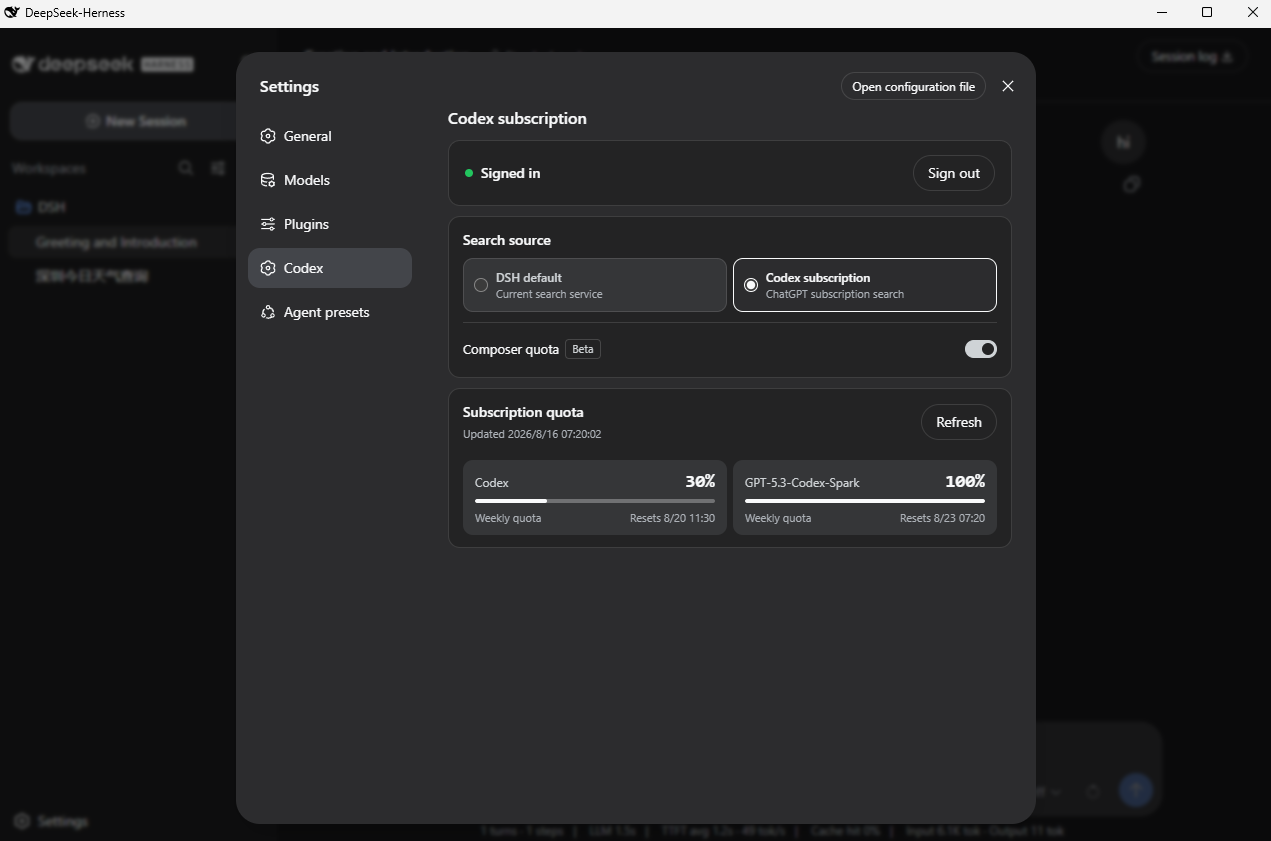 WSL043/dsh-codex-subscription
Use your ChatGPT / Codex subscription with DeepSeek Harness via OAuth, with model access, usage quotas, search, and imag…
WSL043/dsh-codex-subscription
Use your ChatGPT / Codex subscription with DeepSeek Harness via OAuth, with model access, usage quotas, search, and imag…
-
 Stormycry-cryp/dsh-AuthInOne
Self-contained DeepSeek Harness (DSH) plugin for Provider/Auth login, model switching, image fallback, token/cost analyt…
Stormycry-cryp/dsh-AuthInOne
Self-contained DeepSeek Harness (DSH) plugin for Provider/Auth login, model switching, image fallback, token/cost analyt…
-
 labring/sealos-skills
AI agent skills for Sealos — deploy any project, provision databases, object storage & more with one command. Works with…
labring/sealos-skills
AI agent skills for Sealos — deploy any project, provision databases, object storage & more with one command. Works with…