YangShen-SWE/dsh-plugin-simple-pet
A Windows desktop pet for official DeepSeek API balance, usage, and animated reactions in DSH.
Project Overview项目介绍
dsh-plugin-simple-pet is an unofficial community plugin built specifically for the DeepSeek Harness (DSH) desktop profile on Windows. It is a native plugin in the DSH sense: the repo ships a DSH plugin manifest (bundle-manifest), uses the DSH plugin CLI (dsh plugin --profile desktop add "file:..."), is installed into %USERPROFILE%\.dsh\profiles\desktop\node_modules\dsh-plugin-simple-pet\, and depends entirely on DSH's two official DeepSeek routes — deepseek-official (API key) and deepseek-account (sign-in). No other coding-agent platform or generic MCP host is mentioned or supported. The product exists to add a WPF-rendered, always-on-top, transparent floating pet to the DSH desktop experience.
The pet reacts to model calls: cached input triggers light damage, uncached input triggers a critical reaction, a model reply makes it jump happily, and a balance refill makes it eat white rice. Deductions float upward in event order without bubbles, with separate peak/off-peak poses for the 09:00–12:00 and 14:00–18:00 weekday windows. It shows the balance for whichever official route was last used, the latest call's cache hit rate, a peak/off-peak icon, and a right-click settings window with today's tokens, aggregate cache hit rate, estimated CNY spend, and week/month/year line charts in CNY or tokens. Idle dozing starts after 1–240 minutes (10 by default), and the floating window is single-instance.
To install, the user unpacks the repo into a long-lived folder and runs dsh plugin --profile desktop add "file:C:/path/to/dsh-plugin-simple-pet" from PowerShell, then fully quits and relaunches DSH so the new plugin loads. Older @local/dsh-simpledesktoppet or @local/dsh-deepseek-pet installs should be removed first. If the pet never appears, run pet.ps1 -DshProfile desktop from the installed folder for diagnostics; pet.ps1 -Preview, -PreviewSleep, and -PreviewSettings show synthetic demos that do not touch live balance data. Local state lives under %LOCALAPPDATA%\DshSimpleDesktopPet\ and never stores API keys or prompt text.
The plugin targets only Windows with DSH 0.2.0-rc.1 or 0.2.0-rc.2; rc.1 has not yet had a real-machine regression. It does not handle third-party model prices, custom billing rules, or alerts, and accounts and API-key wallets are never mixed. Source code and docs are MIT licensed, but the four character sprite sheets have a separate [ARTWORK-LICENSE.md] agreement. The bundled price table was last cross-checked against DeepSeek's official pricing page on 2026-09-29 and will need a code update if official rates change. The project is unaffiliated with DeepSeek or its inspiration dsh-damage-pulse, and ships none of that upstream's source or art assets.
dsh-plugin-simple-pet 是面向 DeepSeek Harness(DSH)桌面端的非官方桌宠插件。它通过 PowerShell 与 WPF 在 Windows 上打开一个透明、可拖动、始终置顶的悬浮窗,把最近一次官方 DeepSeek 调用的余额、缓存命中率与峰谷价格状态,以 Q 版角色动画和飘字方式呈现给用户。插件只识别 DSH 内部的两条官方路由 deepseek-official(API Key)与 deepseek-account(账号登录),靠 DSH 插件机制 dsh plugin --profile desktop add "file:..." 加载到 desktop profile,启用时自动开窗,停用时自动关闭。
典型使用流程是先在 DSH 内配置好 API Key 或登录账号,把仓库解压或克隆到长期保留的目录,用上述命令把本地目录装入 desktop profile,必要时移除旧版 @local/dsh-simpledesktoppet 或 @local/dsh-deepseek-pet,完全退出并重新打开 DSH,再在插件管理里启用本插件。它适合希望一眼看到余额扣费、想用峰谷形象区分工作日 09:00–12:00 与 14:00–18:00 价格档、并喜欢用角色动作反馈缓存命中、未命中和回复到达等事件的 Windows 用户。
依赖方面需要 Windows、DSH 0.2.0-rc.1 或 0.2.0-rc.2、PowerShell 与官方 DeepSeek 凭据,源码与文档为 MIT 许可,四张角色图集另有独立美术授权。状态文件存于 %LOCALAPPDATA%\DshSimpleDesktopPet\,不保存 API Key 与对话正文。首次启动若看不到悬浮窗需完全重启 DSH;账单飘字数字偏大时属正常,因为可能包含上下文缓存。
请帮我安装这个 DSH 插件。安装前先完成【兼容性检查 + 安全性检查】,检查通过再动手。

插件:dsh-plugin-simple-pet(YangShen-SWE/dsh-plugin-simple-pet)
仓库:https://github.com/YangShen-SWE/dsh-plugin-simple-pet
本站详情页:https://www.yhbd.top/plugins/yangshen-swe-dsh-plugin-simple-pet/
本站登记:类型 client · 归类 原生 DSH 插件 · 许可证 NOASSERTION · ⭐ 12 · 最近提交 2026-09-30 · 主语言 PowerShell

按下面顺序执行,每步先把结论告诉我,再进入下一步:

【1 兼容性检查】
① 我这边:DSH 版本、Node 版本、操作系统、当前 profile(web / desktop)。
② 读它的 README、package.json、插件 manifest,列出它要求的 DSH 版本 / Node 版本 / 操作系统 / 外部依赖 / 需要另外先装的运行时。
③ 逐条比对,结论只写「满足 / 不满足 / 未知」三种;不满足的给出可行替代方案。
④ 检查是否和我已装的插件冲突:命令名重复、skill / tool 重名、端口占用、重复注册的 MCP server。

【2 安全性检查】
① 仓库可信度:和上面「本站登记」是否一致;star / fork 数、创建时间、最近提交,是否归档或长期停更。
② 安装脚本:逐行看 package.json 的 preinstall / install / postinstall,以及 install.sh、setup.ps1 之类脚本。出现 curl|bash、下载后直接执行、混淆代码、访问与插件功能无关的域名,立刻停下来告诉我,不要继续装。
③ 依赖:列出新增依赖,标出无人维护、或与知名包拼写近似的可疑包(typosquatting)。
④ 权限与副作用:它会读写哪些目录、访问哪些域名、需要哪些 DSH 权限(filesystem / network / shell / clipboard 等),以及怎么卸载和回滚。
⑤ 如果它要求 sudo / 管理员权限,或权限明显超出功能所需,先停下来问我。

【3 安装】
上面两步没有「不满足」和「高危项」时才执行;用官方推荐方式安装,不要自行提权。

【4 汇报】
用表格输出:检查项 / 结论 / 依据 / 是否需要我决策。拿不准的一律写「未知」并说明要我怎么确认——不要猜,也不要替我决定。
Send this message to DSH in your current session: it verifies compatibility and security first (answering met / not met / unknown item by item) and only installs once everything checks out — it will stop and ask you if it finds a high-risk item. The box scrolls; the copy is the full prompt. CLI install commands may not be accurate across systems, so DSH is the safer route.把上面这条消息直接发给当前会话里的 DSH:它会先核对兼容性与安全性(逐条给「满足 / 不满足 / 未知」),确认没问题再安装,有高危项会停下来问你。框内可滚动,复制到的是完整提示词;安装命令不一定准确,发给 DSH 更稳。
- 12 stars - an early-stage project星标 12,属于早期项目
- Desktop client: installation downloads an executable - verify the publisher and checksums桌面客户端:安装会下载可执行文件,请核对发布者与校验和
DSH walks through these 9 checksDSH 会逐条核对这 9 项
Compatibility兼容性
- DSH, Node, OS and profile requirementsDSH 版本 / Node 版本 / 操作系统 / profile 是否满足要求
- External dependencies and runtimes (Electron / Python / Docker, ...)外部依赖与运行时(Electron / Python / Docker 等)是否齐备
- Conflicts with installed plugins: command names, skill / tool names, ports, duplicate MCP registration与已装插件是否冲突:命令名、skill / tool 重名、端口占用、重复 MCP 注册
Security安全性
- Repo matches the facts registered here; archived or abandoned?仓库是否与页面登记一致,是否归档或长期停更
- Safety of preinstall / install / postinstall and install.sh / setup.ps1preinstall / install / postinstall 与 install.sh、setup.ps1 是否安全
- curl|bash, download-then-execute, obfuscation, unrelated domains → stop immediatelycurl|bash、下载即执行、混淆代码、无关域名 → 立刻停止
- Typosquatting or unmaintained packages among the new dependencies新增依赖里有没有 typosquatting 或无人维护的包
- Requested permissions vs. what the feature actually needs申请了哪些权限、是否超出功能所需(filesystem / network / shell / clipboard)
- Any sudo / admin requirement, plus uninstall and rollback是否要求 sudo / 管理员权限,以及卸载与回滚方式
Anything uncertain must be marked unknown with a note on how to confirm it. This site's signal screen is a static snapshot, not a security audit.拿不准的必须标「未知」并说明要我怎么确认。本站的信号筛查是静态快照,不能替代安全审计。
Or use CLI install (for developers)或使用命令行安装(适合开发者)
CLI Install命令行安装
dsh plugin --profile web add github:YangShen-SWE/dsh-plugin-simple-pet把 YangShen-SWE/dsh-plugin-simple-pet 加入你的 DSH 配置(web profile)即可启用。
READMEREADME
dsh-plugin-simple-pet
最新版本:v0.2.4。 启动后即查询已登录 DeepSeek 账号的钱包,不必等待第一次模型调用;之后若使用 API Key 路由则切换显示对应余额。详见 更新记录。
Windows 桌面上的 Q 版 DeepSeek API 桌宠:看余额、用量和峰谷价格,用角色动作反馈每次调用。A small native Windows pet for DeepSeek API balance and usage in DeepSeek Harness (DSH).
兼容 / Compatibility: 面向 DSH
0.2.0-rc.1、0.2.0-rc.2;已在 Windows +0.2.0-rc.2实机验证,rc.1尚待实机回归。支持 DSH 的deepseek-official(API Key)与deepseek-account(账号登录)两条官方路由。This is an unofficial community project, not a DeepSeek product.
中文使用说明
功能与特色
- 轻量悬浮窗: 透明、可拖动、始终置顶;角色位于余额卡边缘,文字保持可读。右键可选小/中/大尺寸及两套可替换形象:默认海蓝鲸鱼娘、夜航科技娘。
- 峰谷形象: 根据北京时间工作日 09:00–12:00、14:00–18:00 区分峰价与谷价,卡片显示相应图标;两套形象都有不同的峰谷姿态。
- 按调用反馈: 缓存命中轻微受伤,未命中暴击,模型返回时开心弹跳,余额充值恢复时吃白米饭;连续消费与余额耗尽也有独立反馈。扣费数字按事件顺序上飘,无气泡。
- 打瞌睡待机: 连续一段时间没有官方 DeepSeek 调用时进入睡眠动作;峰价站姿与谷价趴姿各有待机动作。默认 10 分钟,可在设置中调整为 1–240 分钟。
- 余额与统计: 卡片显示最近使用的 DeepSeek 路由对应的余额及最近一次调用的缓存命中率;API Key 与账号钱包不会混扣。右键「设置与统计…」可看今日 Token、今日整体缓存命中率、今日估算人民币消耗,并切换本周/本月/本年折线图及 Token/人民币单位。
- 简化范围: 只处理 DSH 的两条官方 DeepSeek 模型路由;没有通知、其他模型计价或自定义价格规则。扣费飘字可选 Token 或人民币;今日总量集中在设置窗口。动作由 WPF 原生动画播放,状态轮询不限制动作帧率。
安装(推荐:保留本地源码目录)
在 Windows 上安装 DSH
0.2.0-rc.1或0.2.0-rc.2,在 DSH 中配置官方 DeepSeek API Key,或登录 DeepSeek 账号。凭据由 DSH 管理,无需填入本插件。从本仓库下载 ZIP 并解压到长期保留的目录,或运行
git clone https://github.com/YangShen-SWE/dsh-plugin-simple-pet.git。不要只复制pet.ps1;assets/、index.js、stats.js、settings-window.ps1和清单文件都需要保留。在 PowerShell 中安装本地目录,将示例路径换成你的实际解压路径:
dsh plugin --profile desktop add "file:C:/path/to/dsh-plugin-simple-pet"如果以前安装过
@local/dsh-simpledesktoppet或@local/dsh-deepseek-pet,先在 DSH 的插件管理界面禁用/移除旧插件,避免重复处理同一事件。完全退出并重新打开 DSH,让新插件加载。启动 DSH 并在插件管理中启用
dsh-plugin-simple-pet。插件启动时会自动打开 Windows 桌宠悬浮窗;停用插件时会关闭由插件启动的窗口。右键悬浮窗可进入设置。如果首次启用后没有出现,完全退出并重新打开 DSH。
如需单独排查窗口,也可以在解压目录运行:
powershell.exe -NoProfile -ExecutionPolicy Bypass -STA -File .\pet.ps1 -DshProfile desktop
- 拖动角色或卡片调整位置;右键打开「设置与统计…」、切换形象/尺寸/飘字单位,或选择「退出桌宠」。运行期间不要移动或删除已安装的源码目录。
通过市场/GitHub 安装到 Windows 的 DSH desktop profile 后,桌宠会随插件启用自动启动。start-pet.cmd 仅供故障排查时手动启动;默认安装位置通常是 %USERPROFILE%\.dsh\profiles\desktop\node_modules\dsh-plugin-simple-pet\。桌宠为单实例,重复启用不会打开多个窗口。
Showing the opening section of the README — the full document lives in the repository以上为 README 开头摘要,完整文档在仓库内 · View the full README on GitHub →在 GitHub 查看完整 README →
Related相关推荐
-
 ChisaAlter/WhaleIsle
鲸屿 Whale Isle · DeepSeek Harness 社区增强桌面版:官方核心功能齐备,扩展主题壁纸、鲸鱼娘桌宠、用量统计与手机远程连接。Community-enhanced DeepSeek Harness desktop c…
ChisaAlter/WhaleIsle
鲸屿 Whale Isle · DeepSeek Harness 社区增强桌面版:官方核心功能齐备,扩展主题壁纸、鲸鱼娘桌宠、用量统计与手机远程连接。Community-enhanced DeepSeek Harness desktop c…
-
 Suiwan/whale-purse
A cute whale desktop pet for DeepSeek Harness that keeps an eye on your DeepSeek balance and session usage/cost. Drag he…
Suiwan/whale-purse
A cute whale desktop pet for DeepSeek Harness that keeps an eye on your DeepSeek balance and session usage/cost. Drag he…
-
 yanzwzz/dsh-whale-girl-pet
🐋 DeepSeek 娘桌宠:住进 DeepSeek Harness Web 界面的蓝发鲸鱼女仆。工作链路、任务完成统计(用时/消耗/花费)、睡眠系统、时间感知、余额/天气/喂食按钮、完整设置面板。
yanzwzz/dsh-whale-girl-pet
🐋 DeepSeek 娘桌宠:住进 DeepSeek Harness Web 界面的蓝发鲸鱼女仆。工作链路、任务完成统计(用时/消耗/花费)、睡眠系统、时间感知、余额/天气/喂食按钮、完整设置面板。
-
 Horizon215/dsh-plugins
DeepSeek Harness (dsh) 社区客户端 UI 插件:Token 用量统计、提示词模板库、会话前情提要、模式切换、鲸鱼桌宠
Horizon215/dsh-plugins
DeepSeek Harness (dsh) 社区客户端 UI 插件:Token 用量统计、提示词模板库、会话前情提要、模式切换、鲸鱼桌宠
-
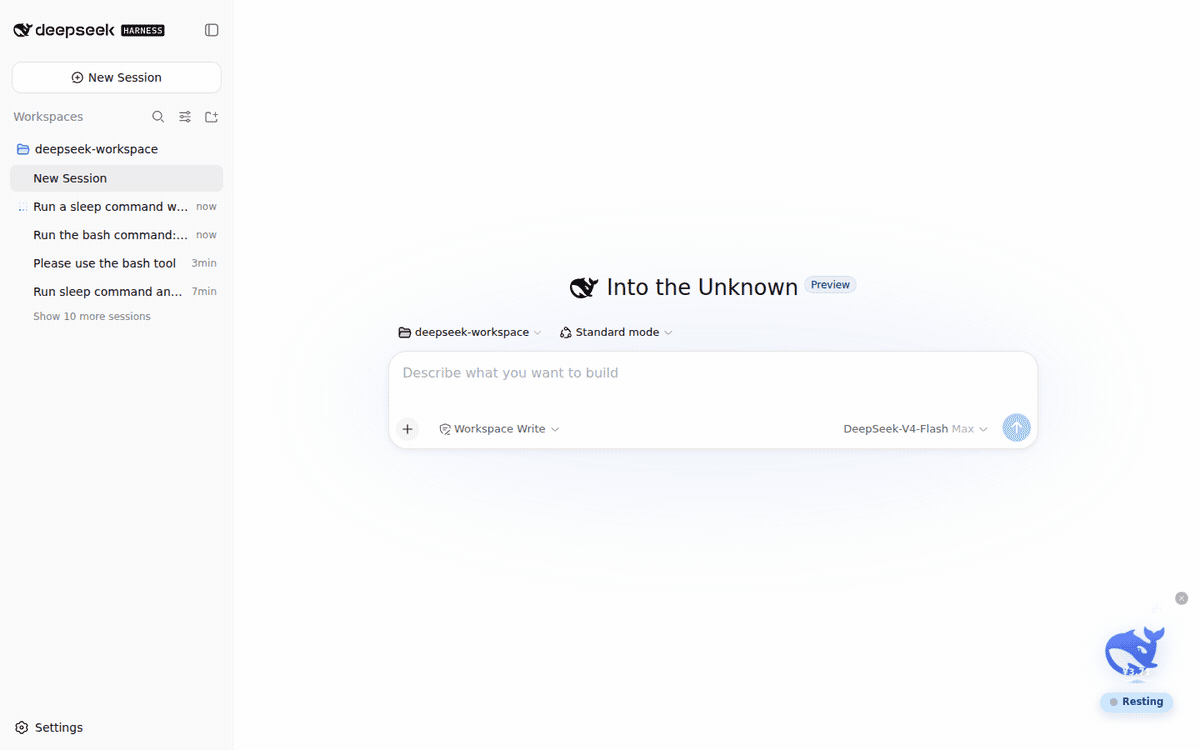 FenyxHuang/dsh-desktop-pet
Whale desktop pet for DeepSeek Harness: live agent status + API balance as a circular sea level, with jump/dive interact…
FenyxHuang/dsh-desktop-pet
Whale desktop pet for DeepSeek Harness: live agent status + API balance as a circular sea level, with jump/dive interact…
-
 MemTensor/memmy-agent
🍙 A personal AI agent & local memory hub for all AI agents, gives every AI one shared, fully controlled memory and per…
MemTensor/memmy-agent
🍙 A personal AI agent & local memory hub for all AI agents, gives every AI one shared, fully controlled memory and per…
-
 OpenPetsHQ/openpets
Local first, desktop companion platform with animated pets, plugin SDK and coding-agent integrations.
OpenPetsHQ/openpets
Local first, desktop companion platform with animated pets, plugin SDK and coding-agent integrations.
-
 QCYTSN/dsh-dafeiyu
Desktop-native BigFish companion for DeepSeek Harness — real Agent status, always on top on Windows.
QCYTSN/dsh-dafeiyu
Desktop-native BigFish companion for DeepSeek Harness — real Agent status, always on top on Windows.