yumusb/dsh-opencode-go-plus
Project Overview项目介绍
dsh-opencode-go-plus is a DSH plugin that registers an OpenCode GO provider route as a drop-in replacement for the dormant llm-pi-ai route (@deepseek-ai/dsh-llm-pi-ai) shipped inside the host. Where the built-in adapter answers "fetch available models" from a JSON catalog frozen inside the npm package, this plugin reads OpenCode's published catalog on models.dev at mount time and on every fetch, so additions, renames and retires on the provider's side are visible immediately rather than waiting for the next DSH release. Because the metadata is live, the plugin can resolve the correct wire protocol per model, letting a single opencode-go-plus route serve every protocol the gateway exposes (chat completions, oa-compat, etc.) instead of forcing one route per protocol.
The typical workflow is to install the plugin so DSH mounts it, then open its configuration card to fill in the gateway URL and API key, run the connection test that actually validates the key against the upstream, and pick models with the search, filter, select-all and invert controls. The chat model picker reads the adapter registry, not the Models page directory, so models configured here still appear in the picker. Before deleting the old route, the user must switch agent-default-model off opencode-go, or the plugin blocks the removal with a NO_ADAPTER notice; the same OPENCODE_GO_API_KEY is shared between routes, so credentials are unaffected.
The minimum supported DSH host is 0.1.0-rc.8, and the package auto-detects both Legacy Settings (settings.register / installSection on 0.1.2+, scope watcher on 0.1.0/0.1.1) and Loader Config (0.1.7-alpha.1, 0.1.7-alpha.2) generations; it deliberately avoids .volatile() so Schemastery bundled with the earliest legacy host can still load it, and on 0.1.0/0.1.1 it falls back to the plain-string / attachment-mapper behaviour when optional helpers are absent. DataPolicyError and RegionError are kept out of the AUTH bucket so the original message (and opt-in URL) reach the UI; 403s are permanent, transient transport failures and upstream 503s are retried per retries, and a hard refresh after dsh web restart picks up card changes. License is MIT.
dsh-opencode-go-plus 是面向 DeepSeek Harness(DSH)的 OpenCode GO 路由插件,作为 llm-pi-ai 内置路由的增强替代而存在。它在挂载时与运行时均从 models.dev 拉取 OpenCode 官方模型目录,识别各模型所属的 wire protocol,从而让同一条路由可承载网关提供的所有模型,跨多种协议同时工作,并自带 opencode-go-plus 名称的 Provider 配置卡片。
典型流程:安装插件后由 DSH 主机加载,在插件卡片里填写网关地址、API Key(与内置路由共用 OPENCODE_GO_API_KEY),执行 Test connection 校验密钥,再从已启用列表里勾选模型。DSH 最低支持版本为 0.1.0-rc.8,并自动兼容 0.1.7-alpha.1 与 0.1.7-alpha.2 的 Loader Config;命名空间不在 llm-deepseek / llm-pi-ai 之列,因此不会在 Settings → Models 显示,避免出现无字段可编辑的死项。
依赖上使用 @dsh/manifest 与 DSH 自带的 Schemastery 校验配置;MIT 协议发布。DataPolicyError 与 RegionError 被归为 403 而非 AUTH,保留原始提示;403 与网关 503 按 retries 设置重试;删除前若 agent-default-model 仍指向旧路由会触发 NO_ADAPTER,插件会拦截并提示。Settings → Models 中删除对应条目或重启 dsh web 即可生效。
请帮我安装这个 DSH 插件。安装前先完成【兼容性检查 + 安全性检查】,检查通过再动手。

插件:dsh-opencode-go-plus(yumusb/dsh-opencode-go-plus)
仓库:https://github.com/yumusb/dsh-opencode-go-plus
本站详情页:https://www.yhbd.top/plugins/yumusb-dsh-opencode-go-plus/
本站登记:类型 plugin · 归类 原生 DSH 插件 · 许可证 MIT · ⭐ 3 · 最近提交 2026-09-24 · 主语言 JavaScript

按下面顺序执行,每步先把结论告诉我,再进入下一步:

【1 兼容性检查】
① 我这边:DSH 版本、Node 版本、操作系统、当前 profile(web / desktop)。
② 读它的 README、package.json、插件 manifest,列出它要求的 DSH 版本 / Node 版本 / 操作系统 / 外部依赖 / 需要另外先装的运行时。
③ 逐条比对,结论只写「满足 / 不满足 / 未知」三种;不满足的给出可行替代方案。
④ 检查是否和我已装的插件冲突:命令名重复、skill / tool 重名、端口占用、重复注册的 MCP server。

【2 安全性检查】
① 仓库可信度:和上面「本站登记」是否一致;star / fork 数、创建时间、最近提交,是否归档或长期停更。
② 安装脚本:逐行看 package.json 的 preinstall / install / postinstall,以及 install.sh、setup.ps1 之类脚本。出现 curl|bash、下载后直接执行、混淆代码、访问与插件功能无关的域名,立刻停下来告诉我,不要继续装。
③ 依赖:列出新增依赖,标出无人维护、或与知名包拼写近似的可疑包(typosquatting)。
④ 权限与副作用:它会读写哪些目录、访问哪些域名、需要哪些 DSH 权限(filesystem / network / shell / clipboard 等),以及怎么卸载和回滚。
⑤ 如果它要求 sudo / 管理员权限,或权限明显超出功能所需,先停下来问我。

【3 安装】
上面两步没有「不满足」和「高危项」时才执行;用官方推荐方式安装,不要自行提权。

【4 汇报】
用表格输出:检查项 / 结论 / 依据 / 是否需要我决策。拿不准的一律写「未知」并说明要我怎么确认——不要猜,也不要替我决定。
Send this message to DSH in your current session: it verifies compatibility and security first (answering met / not met / unknown item by item) and only installs once everything checks out — it will stop and ask you if it finds a high-risk item. The box scrolls; the copy is the full prompt. CLI install commands may not be accurate across systems, so DSH is the safer route.把上面这条消息直接发给当前会话里的 DSH:它会先核对兼容性与安全性(逐条给「满足 / 不满足 / 未知」),确认没问题再安装,有高危项会停下来问你。框内可滚动,复制到的是完整提示词;安装命令不一定准确,发给 DSH 更稳。
- Only 3 stars - very few users, little community feedback星标只有 3,几乎没人在用,遇到问题缺少社区反馈
DSH walks through these 9 checksDSH 会逐条核对这 9 项
Compatibility兼容性
- DSH, Node, OS and profile requirementsDSH 版本 / Node 版本 / 操作系统 / profile 是否满足要求
- External dependencies and runtimes (Electron / Python / Docker, ...)外部依赖与运行时(Electron / Python / Docker 等)是否齐备
- Conflicts with installed plugins: command names, skill / tool names, ports, duplicate MCP registration与已装插件是否冲突:命令名、skill / tool 重名、端口占用、重复 MCP 注册
Security安全性
- Repo matches the facts registered here; archived or abandoned?仓库是否与页面登记一致,是否归档或长期停更
- Safety of preinstall / install / postinstall and install.sh / setup.ps1preinstall / install / postinstall 与 install.sh、setup.ps1 是否安全
- curl|bash, download-then-execute, obfuscation, unrelated domains → stop immediatelycurl|bash、下载即执行、混淆代码、无关域名 → 立刻停止
- Typosquatting or unmaintained packages among the new dependencies新增依赖里有没有 typosquatting 或无人维护的包
- Requested permissions vs. what the feature actually needs申请了哪些权限、是否超出功能所需(filesystem / network / shell / clipboard)
- Any sudo / admin requirement, plus uninstall and rollback是否要求 sudo / 管理员权限,以及卸载与回滚方式
Anything uncertain must be marked unknown with a note on how to confirm it. This site's signal screen is a static snapshot, not a security audit.拿不准的必须标「未知」并说明要我怎么确认。本站的信号筛查是静态快照,不能替代安全审计。
Or use CLI install (for developers)或使用命令行安装(适合开发者)
CLI Install命令行安装
dsh plugin --profile web add dsh-opencode-go-plus把 yumusb/dsh-opencode-go-plus 加入你的 DSH 配置(web profile)即可启用。
READMEREADME
dsh-opencode-go-plus
English | 中文
An OpenCode GO provider for DSH whose model list and capabilities are read live instead of from a snapshot shipped inside the DSH package — which is what lets one route serve every model the gateway offers, across all of its wire protocols.
It registers its own route, so it can run alongside an existing OpenCode GO route while you compare them — see Migrating.
DSH compatibility
One package supports both DSH configuration generations; it detects the host
API at runtime, so there is no separate “old DSH” build to install. The
minimum supported DSH host is 0.1.0-rc.8; earlier releases are not
supported.
| DSH host | Configuration behavior |
|---|---|
Legacy Settings (0.1.0-rc.8 through 0.1.6-alpha.2) |
Uses settings.register() / get() / update(). Hosts from 0.1.2 onward use installSection(); 0.1.0 / 0.1.1 stay synchronized through their Settings scope watcher. The legacy settings.plugin.item configuration card appears when the host exposes that slot. |
Loader Config (0.1.7-alpha.1, 0.1.7-alpha.2) |
Reads the Loader entry, saves through configEditor, and renders the current plugins.bundle.config card. |
The schema deliberately avoids newer-only .volatile() fields, so the
Schemastery bundled with the earliest legacy host can still load it. DSH 0.1.0
and 0.1.1 do not export two optional image/tool-call helpers; this plugin uses
their native plain-string / attachment-mapper behavior there, so text and tool
calls remain usable. A later DSH prerelease is supported only while it retains
one of the two interfaces above; prerelease APIs are not assumed stable. The
package also ships English and Chinese Plugin Manager metadata; a host that
does not read those resources falls back safely to the English package.json
summary.
Why not just use the built-in route?
DSH ships a multi-provider LLM adapter, llm-pi-ai (package @deepseek-ai/dsh-llm-pi-ai), mounted dormant: it registers zero routes until a llm-pi-ai.providers.<route> entry appears in your settings. So a fresh DSH install has no OpenCode GO route at all.
Showing the opening section of the README — the full document lives in the repository以上为 README 开头摘要,完整文档在仓库内 · View the full README on GitHub →在 GitHub 查看完整 README →
Related相关推荐
-
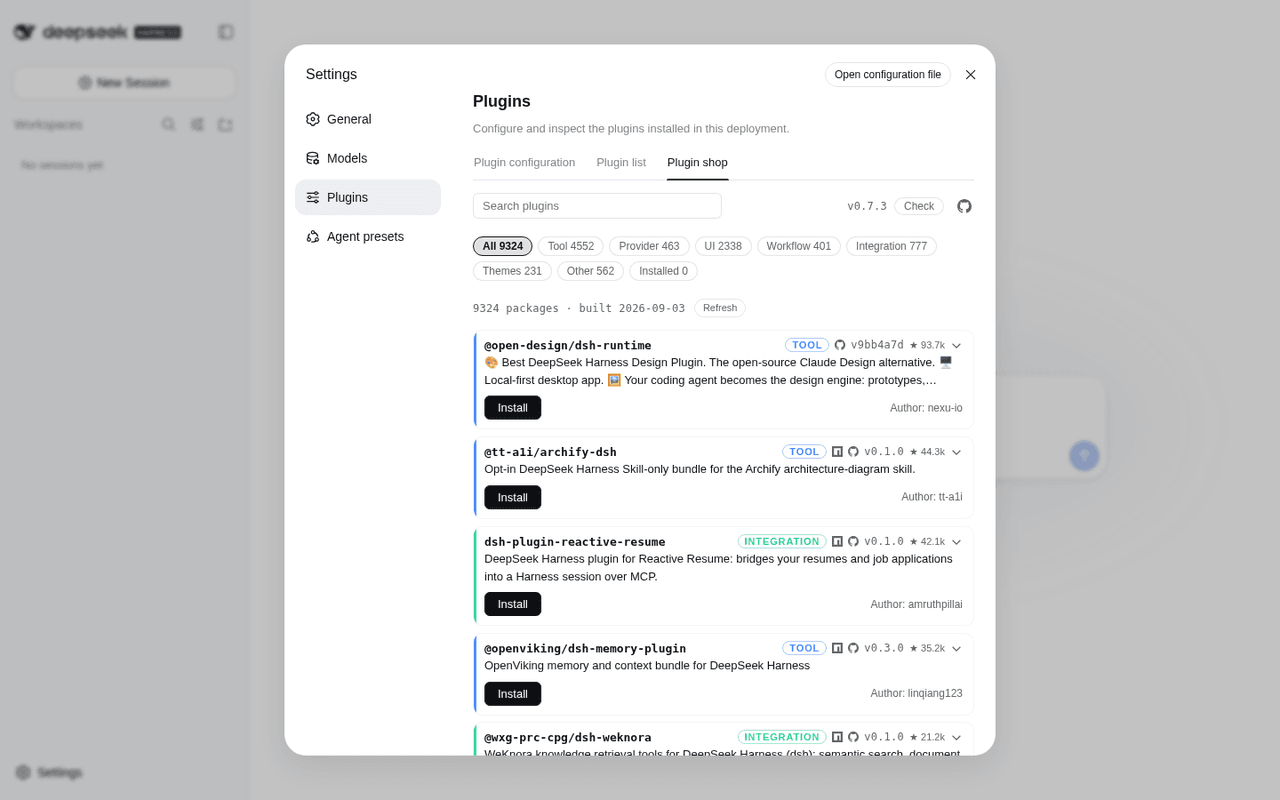 LivXue/dsh-plugin-shop
The most comprehensive DeepSeek Harness plugin market — refreshed daily, sourced across the Internet, reviewed before pu…
LivXue/dsh-plugin-shop
The most comprehensive DeepSeek Harness plugin market — refreshed daily, sourced across the Internet, reviewed before pu…
-
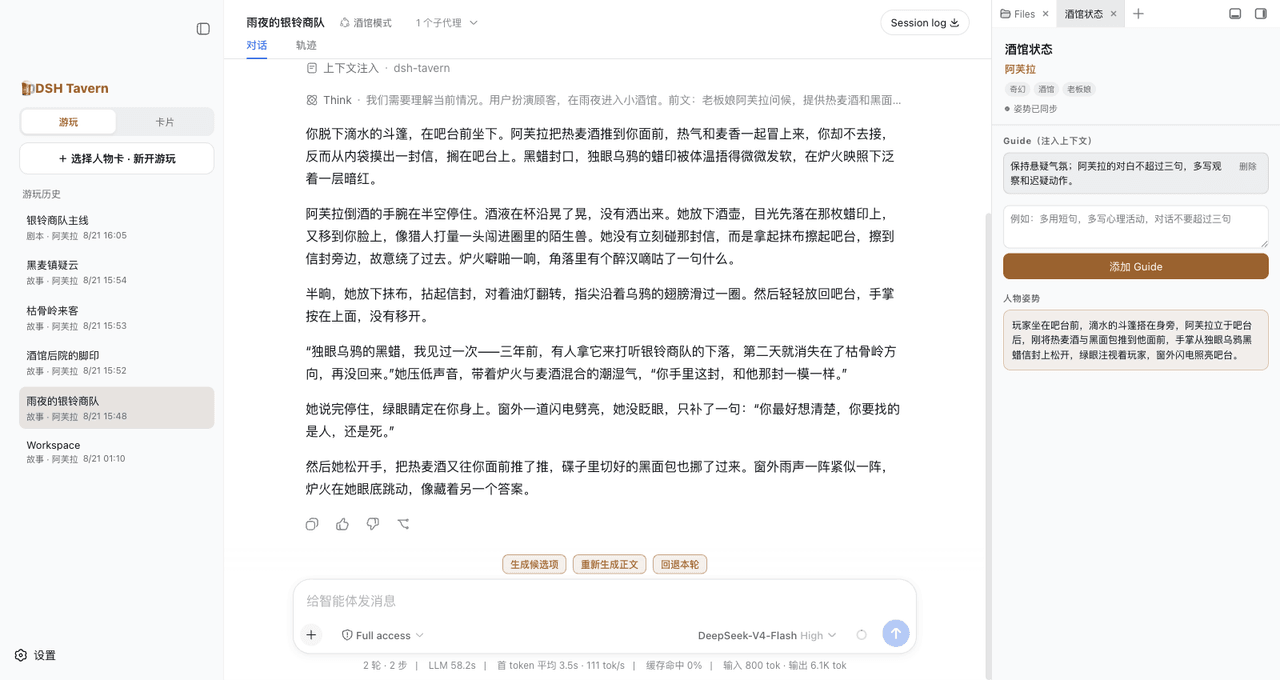 flizzywine/dsh-tavern
基于DSH的Agent酒馆。兼容SillyTavern生态,人物卡直接导入就能玩。更快、更稳、更鲜活。所有模型都能用。手机也能玩。
flizzywine/dsh-tavern
基于DSH的Agent酒馆。兼容SillyTavern生态,人物卡直接导入就能玩。更快、更稳、更鲜活。所有模型都能用。手机也能玩。
-
 weijiafu14/pi2dsh
Bridge the Pi and DeepSeek Harness ecosystems: one Pi Host ABI runs unmodified Pi extensions as native DSH plugins. 打通 P…
weijiafu14/pi2dsh
Bridge the Pi and DeepSeek Harness ecosystems: one Pi Host ABI runs unmodified Pi extensions as native DSH plugins. 打通 P…
-
 Hilbert-beinghappy/seektty
面向 DeepSeek Harness 的 Claude Code 风格终端界面,支持 Windows、macOS 与 Linux,兼容透明终端、VS Code 主题和自定义配色。
Hilbert-beinghappy/seektty
面向 DeepSeek Harness 的 Claude Code 风格终端界面,支持 Windows、macOS 与 Linux,兼容透明终端、VS Code 主题和自定义配色。
-
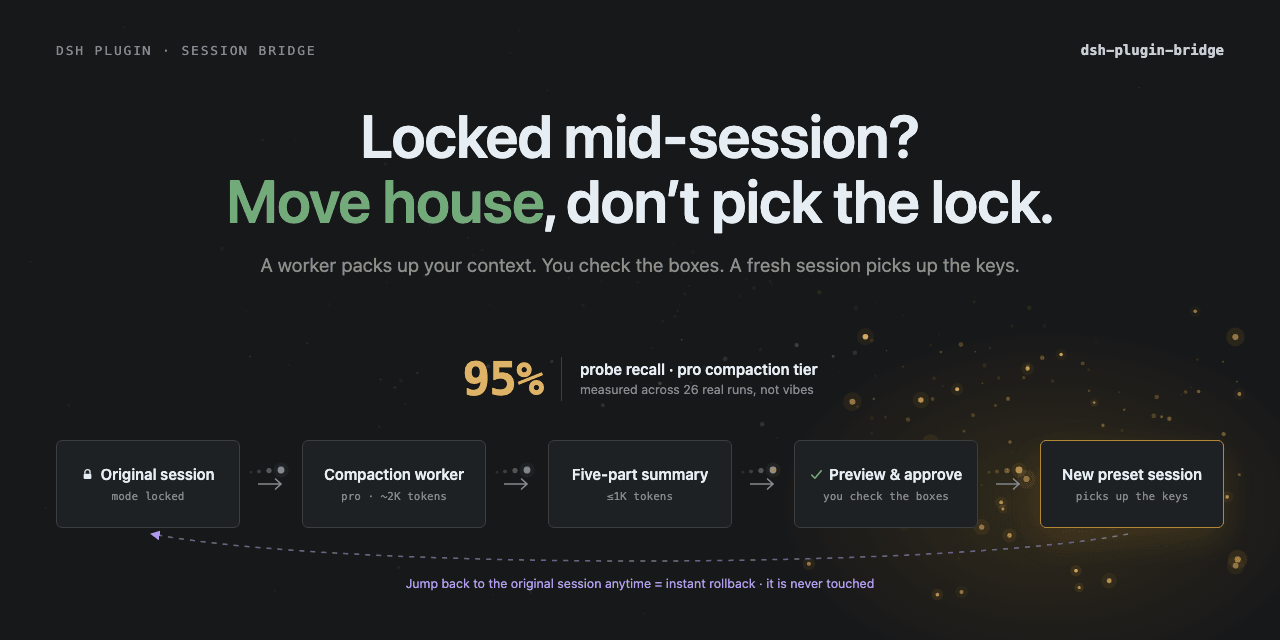 Totoro-qaq/dsh-plugin-bridge
DeepSeek Harness plugin for previewable cross-preset session migration. Fixed-schema handoffs preserve state, source-mod…
Totoro-qaq/dsh-plugin-bridge
DeepSeek Harness plugin for previewable cross-preset session migration. Fixed-schema handoffs preserve state, source-mod…
-
 xiajiajun516/dsh-config-manager
DeepSeek Harness (DSH) backup & restore plugin — export, import, migrate and sync your complete DSH configuration, plugi…
xiajiajun516/dsh-config-manager
DeepSeek Harness (DSH) backup & restore plugin — export, import, migrate and sync your complete DSH configuration, plugi…
-
 Renzic-Stone/DSH-EasyRewrite
DSH Web内目前最无感的消息撤回、重编辑插件,原版体验,兼容性强,功能简单可开关,设置丰富,现代化轻量ui框架。The most seamless message recall & re-edit plugin for DSH Web …
Renzic-Stone/DSH-EasyRewrite
DSH Web内目前最无感的消息撤回、重编辑插件,原版体验,兼容性强,功能简单可开关,设置丰富,现代化轻量ui框架。The most seamless message recall & re-edit plugin for DSH Web …
- FishBottle7/opencode2dsh DSH plugin — free OpenCode Zen models for DeepSeek Harness (DSH). Free LLM API, no API key needed. 在 DSH 中使用 OpenCode Ze…