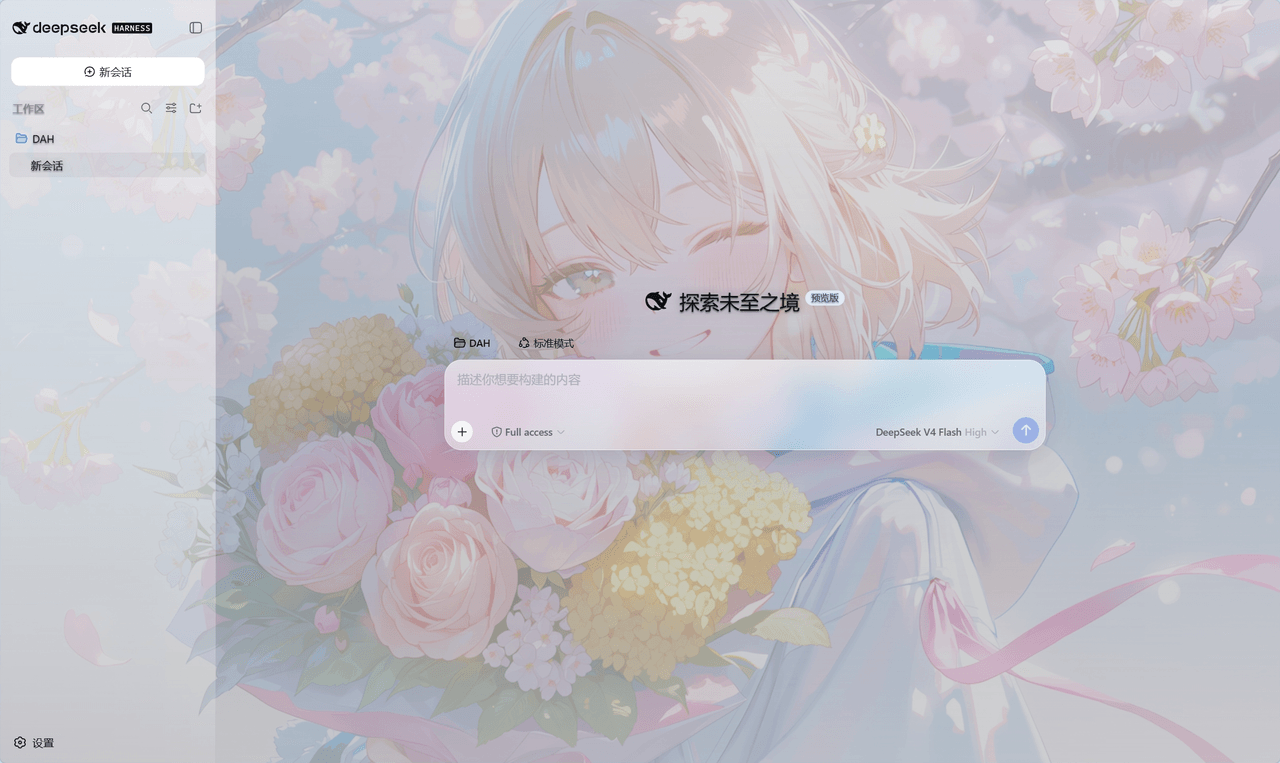
Zdram/deepseek-harness-skin
给DeepSeek Harness的界面提供可更换的自定义背景和界面半透明效果
Project Overview项目介绍
A local plugin that adds an anime-style background skin to the DeepSeek Harness Web interface. Core capability: fullscreen fixed backdrop with translucent glass styling on sidebar, chat, and settings panels, supporting png, jpg, jpeg, webp, and gif. Custom local images can be applied via profile config or install script. Use it to theme DSH or DSH Desktop. Caveat: each profile must be installed separately, and a missing custom image path falls back to the bundled default.
为 DeepSeek Harness Web 界面提供本地动漫背景皮肤插件。核心能力是全屏固定背景、侧栏与聊天区使用半透明玻璃样式,支持 png、jpg、jpeg、webp、gif,可通过配置或脚本自定义本地图片。适用于希望美化 DSH 与 DSH Desktop 界面的用户。注意:每个 profile 需单独安装;自定义图片路径不存在时会回退到默认图。
请帮我了解并安装插件:【deepseek-harness-skin】【https://github.com/Zdram/deepseek-harness-skin】Send this message to DSH in your current session. CLI install commands may not be accurate across systems — DSH will figure it out for you.把上面这条消息直接发给当前会话里的 DSH,让它帮你了解并安装。安装命令不一定准确,发给 DSH 更稳。
Or use CLI install (for developers)或使用命令行安装(适合开发者)
CLI Install命令行安装
dsh plugin --profile web add github:Zdram/deepseek-harness-skin把 Zdram/deepseek-harness-skin 加入你的 DSH 配置(web profile)即可启用。
READMEREADME
deepseek-harness-skin
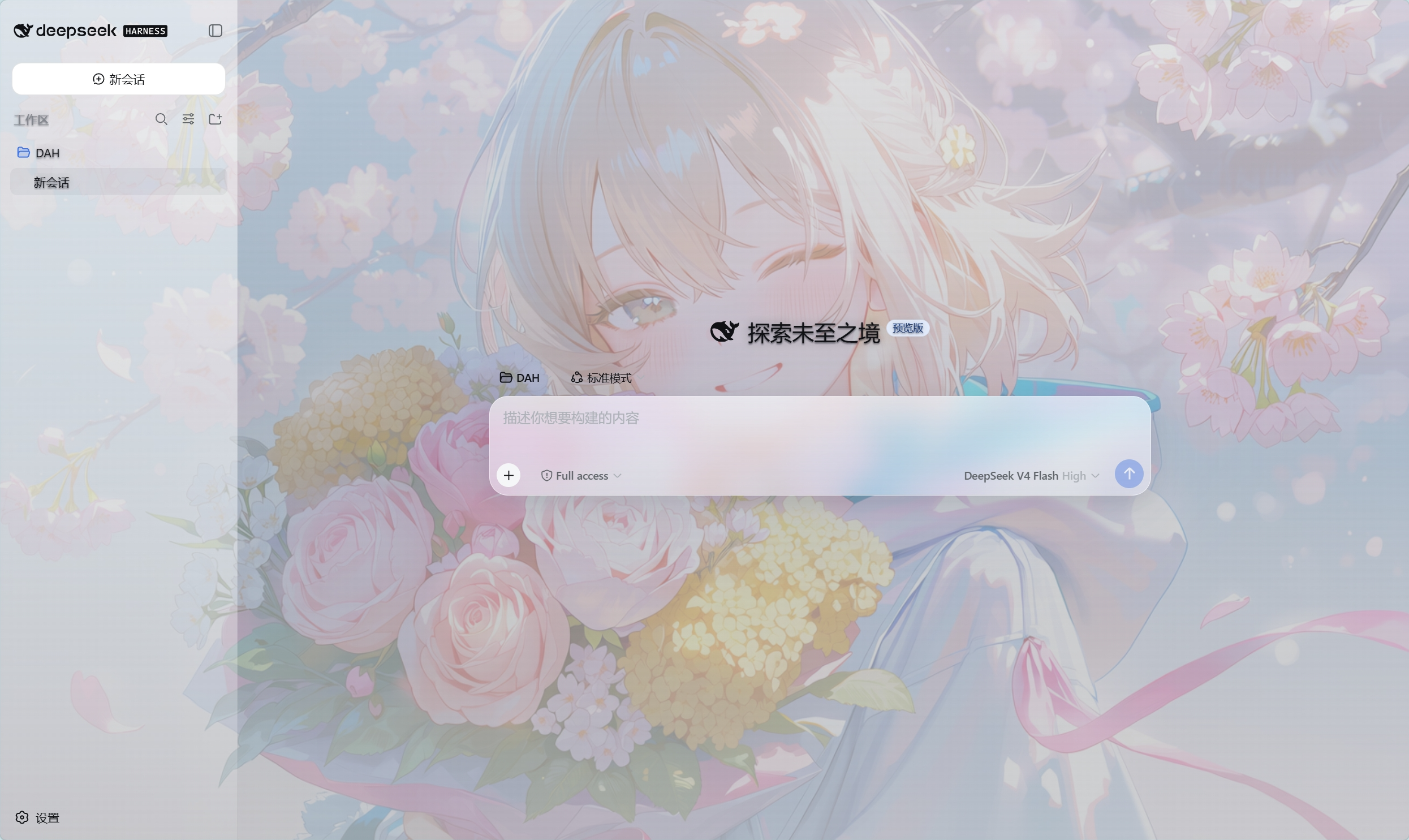
为 DeepSeek Harness 的 Web 界面提供动漫背景皮肤的本地插件。安装后,界面使用全屏固定背景;聊天区、侧栏和设置面板保持半透明可读样式。
功能特性
- 全屏背景铺底,背景固定不随页面滚动。
- 背景上方只有极淡遮罩,聊天内容保持可读。
- 侧栏、聊天区和设置面板使用浅色半透明玻璃样式。
- 切换会话时背景持续保留。
- 默认背景图随插件发布,也支持自定义本地图片。
- 支持
png、jpg、jpeg、webp、gif。
安装
以下方式任选一种。安装完成后需要重启 DeepSeek Harness。
方式一:从 GitHub 直接安装
已经可以使用 dsh 命令时,执行:
dsh plugin --profile web add github:Zdram/deepseek-harness-skin
安装完成后重启 DSH,并打开 Web 界面。
方式二:使用仓库安装脚本
克隆仓库:
git clone https://github.com/Zdram/deepseek-harness-skin.git
cd deepseek-harness-skin
Windows PowerShell:
powershell -ExecutionPolicy Bypass -File .\install.ps1
Linux / macOS / Git Bash:
./install.sh
安装脚本会依次尝试 PATH 上的 dsh、DSH_ROOT、插件目录附近的 deepseek-harness 源码目录以及当前目录。
方式三:在 DSH 源码目录中安装
cd /path/to/deepseek-harness
pnpm dsh plugin --profile web add /path/to/deepseek-harness-skin
也可以直接使用 GitHub 地址:
pnpm dsh plugin --profile web add github:Zdram/deepseek-harness-skin
验证安装
重启 DSH 并打开 Web 界面后:
- 页面显示背景图,而不是白色背景。
- 切换会话时背景不会闪回白色。
- 聊天输入框下方没有白色渐变边缘。
- 直接访问
http://127.0.0.1:3080/deepseek-harness-skin/bg.png能返回图片。
DSH Desktop 桌面端
本插件兼容 DSH Desktop。DSH Desktop 使用官方上游 DSH 的插件系统和 Web 服务,并打包了与本插件当前版本相同的上游 0.1.0-rc.5,因此同一份插件包可以直接在普通 DSH 和 DSH Desktop 中使用。
注意:DSH Desktop 的默认 profile 名为 desktop,与普通 Web 模式的 web profile 相互独立。插件不会自动同步,需要在目标 profile 中分别安装。
在 DSH Desktop 中安装
从托盘菜单打开 Open DSH Terminal,执行:
dsh plugin add github:Zdram/deepseek-harness-skin
该命令默认作用于当前激活的 profile。也可以在普通终端中显式指定:
dsh plugin --profile desktop add github:Zdram/deepseek-harness-skin
安装完成后重启 DSH Desktop。
在 DSH Desktop 中更换背景
编辑 Desktop profile 的 cordis.patch.yml:
%USERPROFILE%\.dsh\profiles\desktop\cordis.patch.yml
并添加与 Web 模式相同的配置:
- id: deepseek-harness-skin
  config:
    background: 'D:/Pictures/your-background.png'
保存后重启 DSH Desktop。
在 DSH Desktop 中卸载
dsh plugin --profile desktop remove deepseek-harness-skin
卸载后重启 DSH Desktop,并删除 desktop profile 的 cordis.patch.yml 中残留的 deepseek-harness-skin 条目。
更换背景
方法一:通过 profile 配置指定图片
编辑 profile 的 cordis.patch.yml:
- Windows:
%USERPROFILE%\.dsh\profiles\web\cordis.patch.yml - Linux / macOS:
~/.dsh/profiles/web/cordis.patch.yml
使用其他 profile 时,把路径中的 web 换成对应名称。
在文件末尾添加:
- id: deepseek-harness-skin
  config:
    background: 'D:/Pictures/your-background.png'
Linux / macOS 示例:
- id: deepseek-harness-skin
  config:
    background: '/home/user/Pictures/your-background.jpg'
要求:
- Windows 路径建议使用
/,例如D:/Pictures/bg.png。 - 每个 profile 只保留一个
deepseek-harness-skin条目。 - 配置的图片路径不存在时,插件会自动回退到内置默认图。
保存文件后重启 DSH。
方法二:通过安装脚本指定图片
Windows:
powershell -ExecutionPolicy Bypass -File .\install.ps1 -Background "D:/Pictures/your-background.png"
Linux / macOS:
./install.sh /home/user/Pictures/your-background.jpg
方法三:替换仓库内置图片
在仓库模式下,可以用同名的 assets/bg.png 覆盖默认图,然后重启 DSH。此方式不需要修改配置,但只适合直接持有插件目录的情况。
卸载
执行:
dsh plugin --profile web remove deepseek-harness-skin
在 DSH 源码目录下:
pnpm dsh plugin --profile web remove deepseek-harness-skin
卸载后重启 DSH。如果 profile 的 cordis.patch.yml 中还有 deepseek-harness-skin 条目,应一并删除。
常见问题
安装后没有背景
重启 DSH 进程,并使用浏览器强制刷新(Windows / Linux 为 Ctrl+F5,macOS 为 Cmd+Shift+R)。
自定义背景没有生效
检查 cordis.patch.yml 中的配置是否写入了正确的 profile 文件,确认图片路径存在且格式受支持。路径不存在时,DSH 日志中会出现:
[deepseek-harness-skin] configured background not found, using bundled asset
背景图加载失败
直接访问 http://127.0.0.1:3080/deepseek-harness-skin/bg.png。如果返回 404 或非图片内容,说明插件未正常加载,需要重新安装并重启。
启动时提示端口 3080 已被占用
listen EADDRINUSE: address already in use 127.0.0.1:3080 表示 3080 端口被其他进程占用。关闭占用端口的进程,或修改 DSH 的 Web 端口配置后重启。
DeepSeek Harness 升级后效果异常
如果 DSH 升级后背景或聊天框样式异常,可以在仓库 Issues 页面反馈,并提供 DSH 版本号。
开发者
仓库根目录的 AGENTS.md 定义了对本插件进行代码修改时的约束,包括换背景的安全流程、防闪白逻辑和发布文件要求。
License
Related相关推荐
-
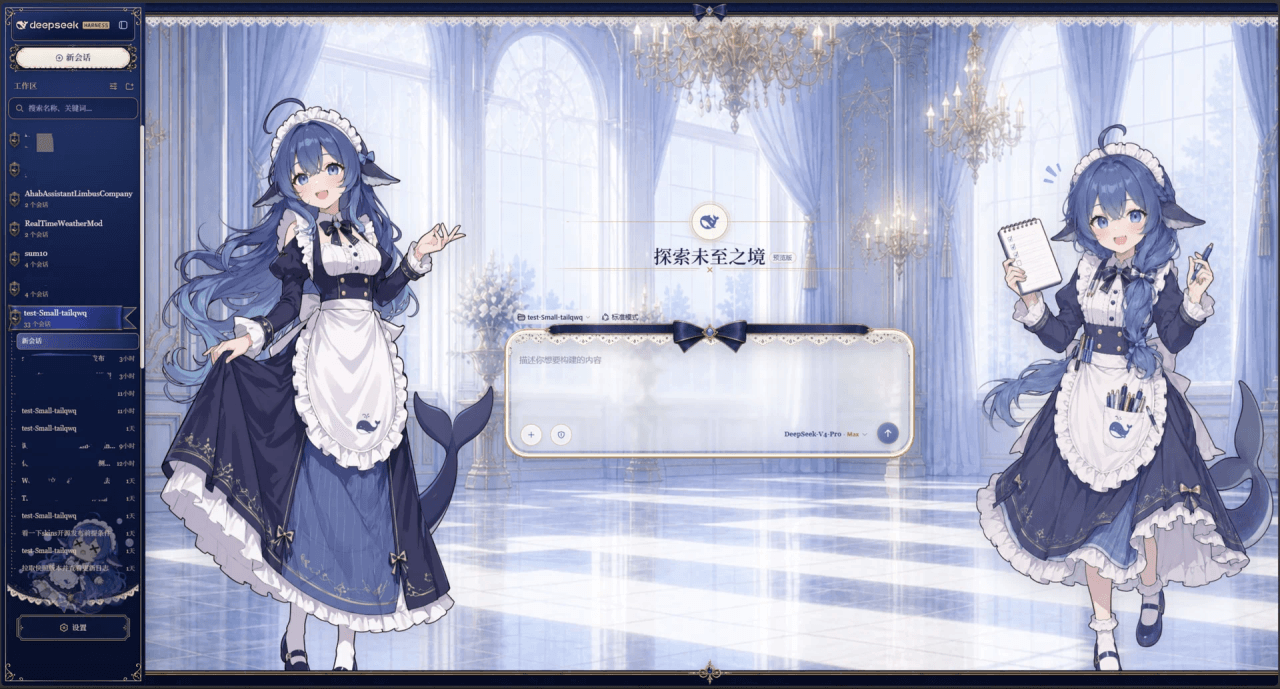 Small-tailqwq/dsh-deep-whale
Whale Girl skin series for DeepSeek Harness. 适用于 DeepSeek Harness 的,鲸鱼娘系列皮肤。
Small-tailqwq/dsh-deep-whale
Whale Girl skin series for DeepSeek Harness. 适用于 DeepSeek Harness 的,鲸鱼娘系列皮肤。
-
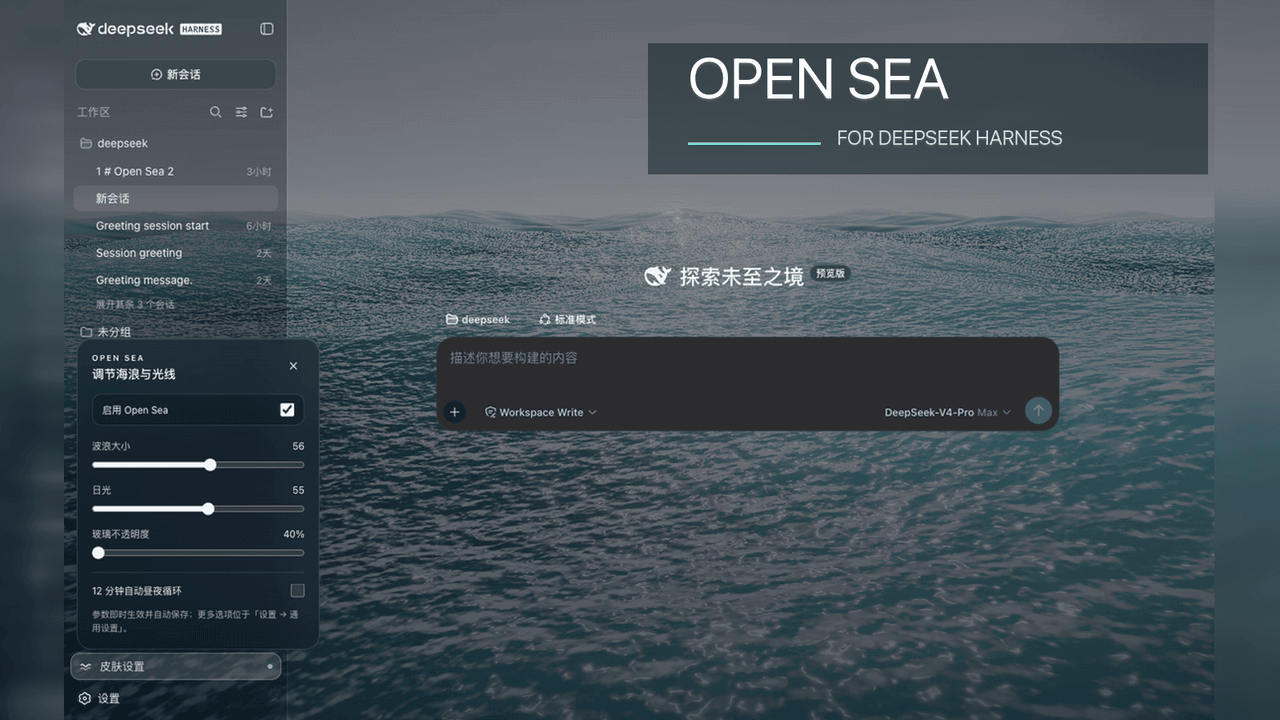 d-dev0101/open-sea-skin
🌊 DeepSeek Harness 海洋皮肤与动态主题 | Real-time ocean theme with adjustable waves, sunset & glass opacity. DSH plugin + Chrome…
d-dev0101/open-sea-skin
🌊 DeepSeek Harness 海洋皮肤与动态主题 | Real-time ocean theme with adjustable waves, sunset & glass opacity. DSH plugin + Chrome…
-
 kingOfSoySauce/dsh-liang-skin
DeepSeek Harness 滑动变阻器皮肤
kingOfSoySauce/dsh-liang-skin
DeepSeek Harness 滑动变阻器皮肤
-
 RevolutionLA/dsh-dream-skin
DeepSeek Harness 换肤 / 壁纸 / 主题包插件 (dsh-plugin) — 8 套 Mirage 主题、每用户强调色、壁纸2.0、主题包导入导出/分享链接、收藏与随机,纯原生 token 系统实现。
RevolutionLA/dsh-dream-skin
DeepSeek Harness 换肤 / 壁纸 / 主题包插件 (dsh-plugin) — 8 套 Mirage 主题、每用户强调色、壁纸2.0、主题包导入导出/分享链接、收藏与随机,纯原生 token 系统实现。
-
 Fishquito7/dsh-skill-mcp-panel
DSH Web UI plugin: skill and MCP management(Web界面的skill/MCP管理工具)
Fishquito7/dsh-skill-mcp-panel
DSH Web UI plugin: skill and MCP management(Web界面的skill/MCP管理工具)
-
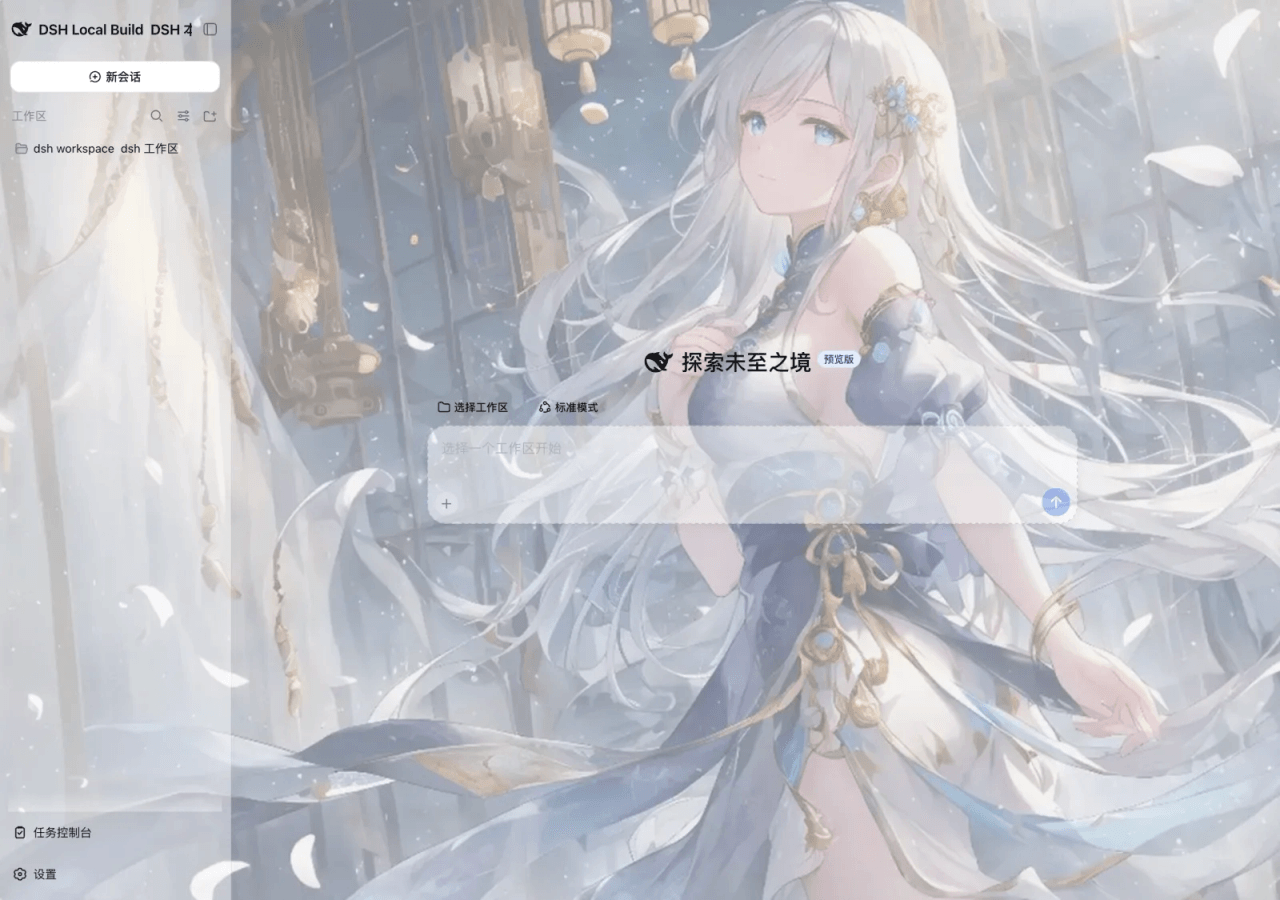 SLin-code/dsh-custom-skin
DSH自定义壁纸/皮肤插件——Custom wallpapers and translucent skins for DeepSeek Harness Web
SLin-code/dsh-custom-skin
DSH自定义壁纸/皮肤插件——Custom wallpapers and translucent skins for DeepSeek Harness Web
-
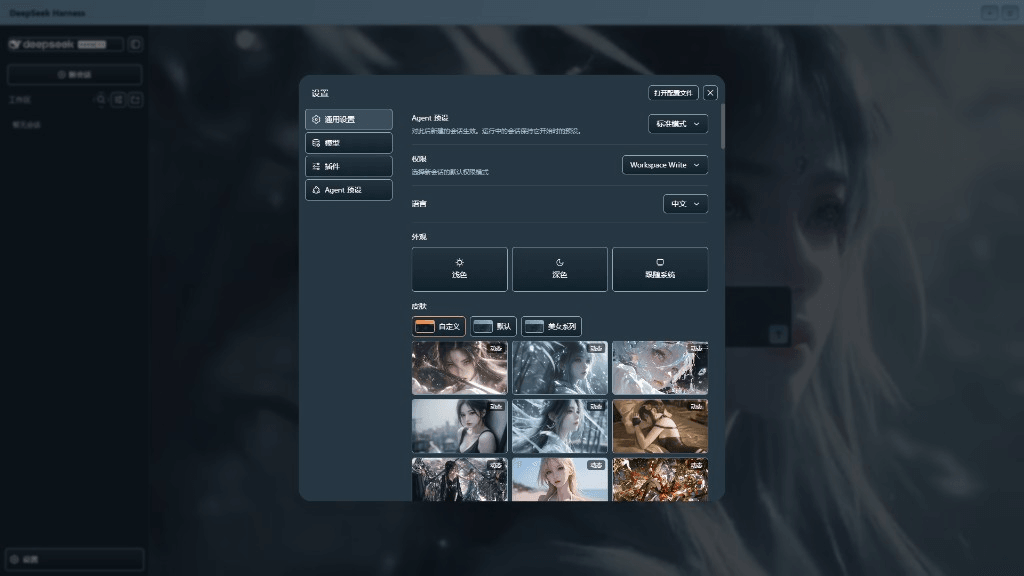 XieRW/dsh-beauty-skins
给 DeepSeek Harness 用的美女系列皮肤:设置里从 哲风壁纸 拉预览网格,点一张即应用,配色从壁纸提取。支持动态壁纸,也保留自定义选图。
XieRW/dsh-beauty-skins
给 DeepSeek Harness 用的美女系列皮肤:设置里从 哲风壁纸 拉预览网格,点一张即应用,配色从壁纸提取。支持动态壁纸,也保留自定义选图。
- ymh0000123/dsh-theme-endfield 终末地官网风格的 DSH Web 主题:奶油纸底、墨黑文字、信号黄强调、全直角工业编辑风。