zhijun-dai/Solarized-dsh-theme
DeepSeek Harness(dsh)的 Solarized + Selenized 主题:四个忠实还原的调色板已注册到主题运行时中,包含设置选择器行和规范的代码块语法配色。
项目介绍Project Overview
Solarized-dsh-theme 是为 DeepSeek Harness 设计的双系列外观插件,集成 Solarized 与 Selenized 两套经典配色,各含明暗两版,共四种皮肤。安装后通过 web UI 的「设置 → 常规」即可切换,配色令牌由官方色板自动生成并映射到 dsh 主题变量。安装本地版本时需使用 -w 参数因配置目录为 pnpm 工作区根。注意许可证为 NOASSERTION,使用前需自行核实授权条款。
Solarized-dsh-theme is a skin plugin for DeepSeek Harness that registers four palettes: Solarized Dark/Light and Selenized Dark/Light. It injects tokens into dsh's --dsw-alias-* variables so the themes appear under Settings → General in the web UI. Install via dsh plugin --profile web add github:zhijun-dai/Solarized-dsh-theme or the npm package, then restart. Use it when the default dsh skin feels too bright or too dark. Caveat: the repository declares NOASSERTION for the license, so verify reuse rights before redistribution.
请帮我了解并安装插件:【Solarized-dsh-theme】【https://github.com/zhijun-dai/Solarized-dsh-theme】把上面这条消息直接发给当前会话里的 DSH,让它帮你了解并安装。安装命令不一定准确,发给 DSH 更稳。Send this message to DSH in your current session. CLI install commands may not be accurate across systems — DSH will figure it out for you.
或使用命令行安装(适合开发者)Or use CLI install (for developers)
命令行安装CLI Install
dsh plugin --profile web add @yuquexianzhou/solarized-dsh-theme把 zhijun-dai/Solarized-dsh-theme 加入你的 DSH 配置(web profile)即可启用。
READMEREADME

 Solarized + Selenized for DeepSeek Harness




English | 中文
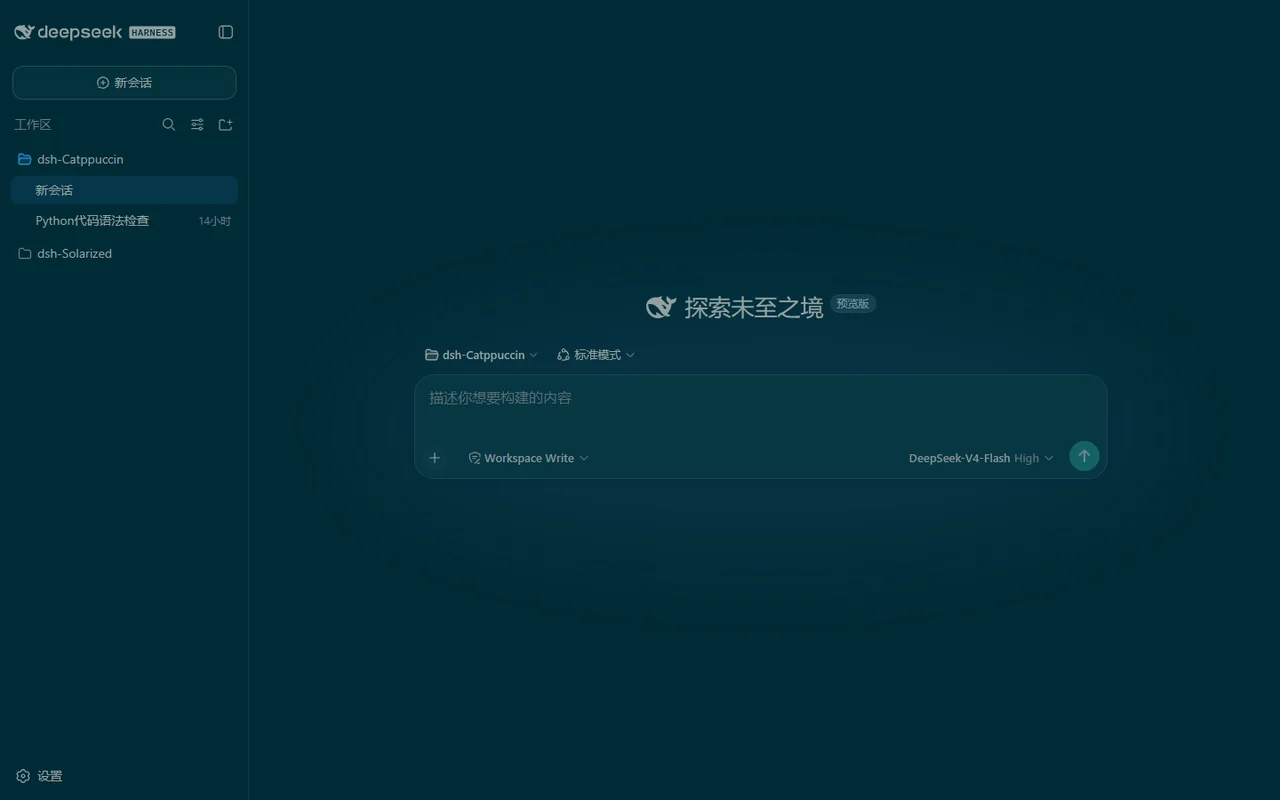
Previews
☀️ Solarized Dark
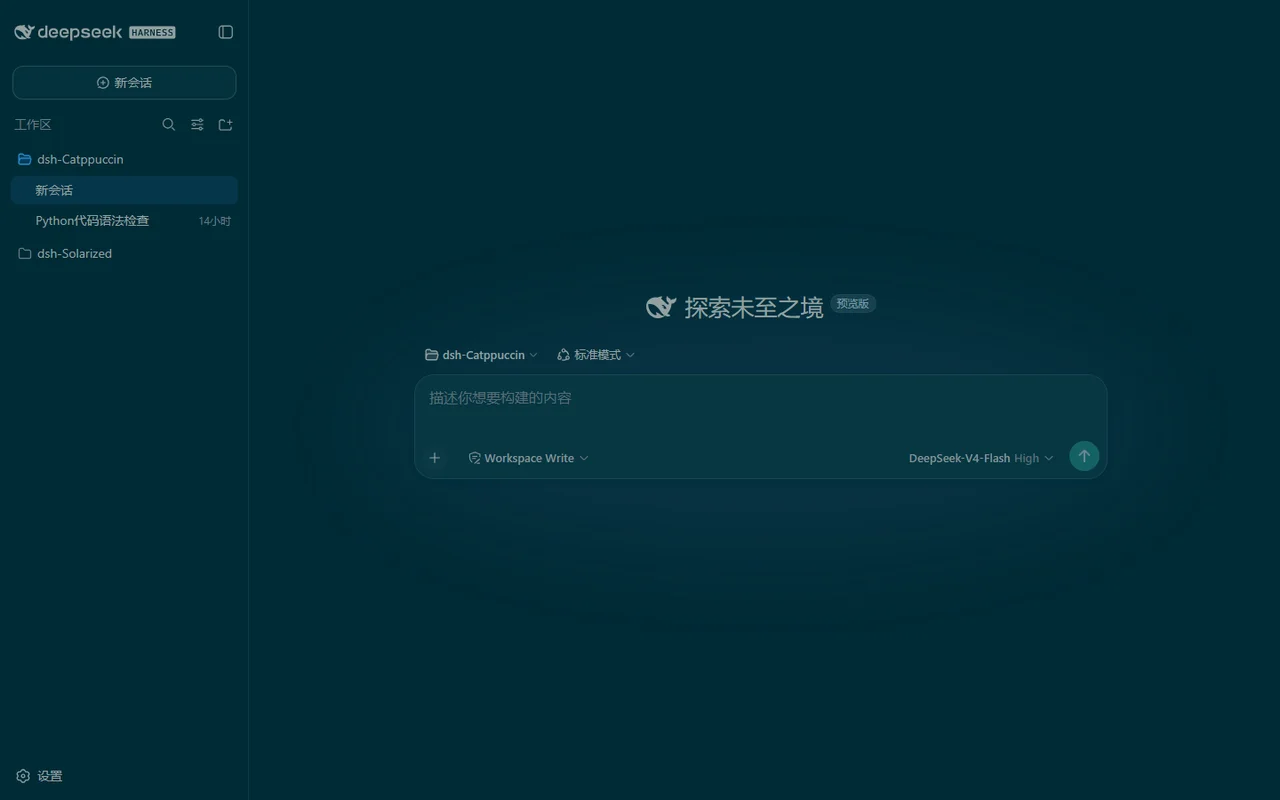
🌞 Solarized Light
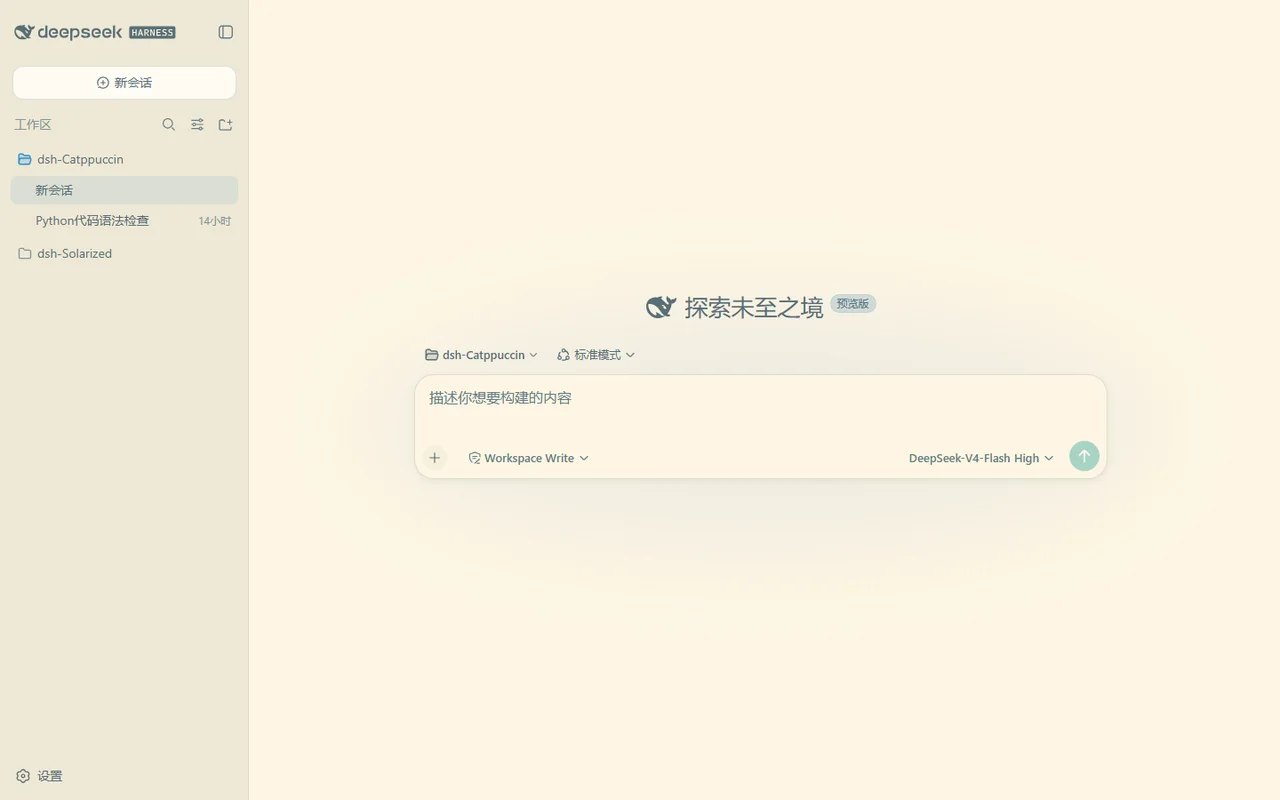
🌗 Selenized Dark
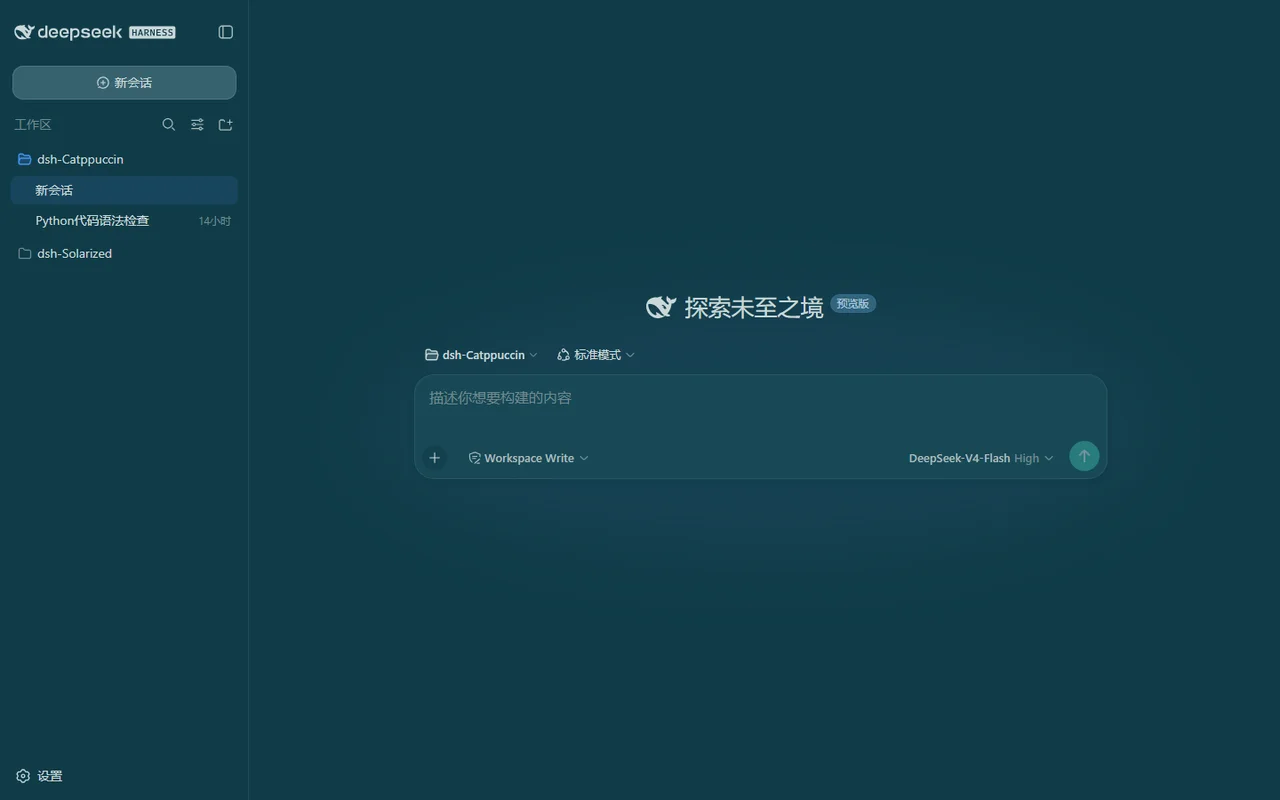
🌕 Selenized Light
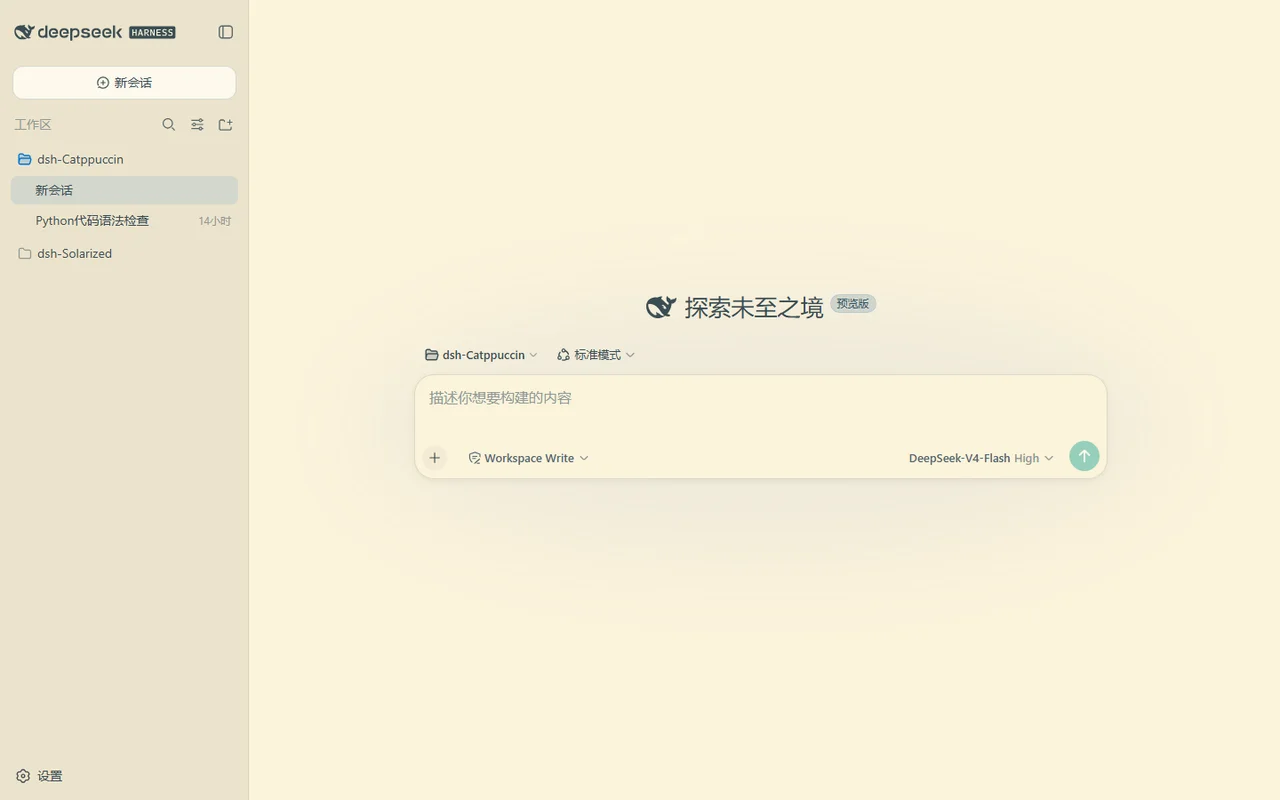
Usage
This is a dual-face theme plugin for DeepSeek Harness (dsh). It registers four faithful palettes into the built-in theme runtime, so they appear as selectable skins in Settings → General → Solarized / Selenized themes.
Solarized is a precision color scheme by Ethan Schoonover (2011), designed in the CIELAB (L*a*b*) color space with fixed, perceptually uniform lightness relationships between its sixteen colors — the science that keeps its dark and light modes mutually symmetric. Selenized, by Jan Warchoł (2018), is Solarized redesigned: it corrects the palette's lightness inconsistencies while keeping its spirit.
Install
From a GitHub repository:
dsh plugin --profile web add github:zhijun-dai/Solarized-dsh-theme
From a local checkout (the -w flag is required — the profile directory is a
pnpm workspace root):
dsh plugin --profile web add -w /path/to/Solarized-dsh-theme
From npm:
dsh plugin --profile web add @yuquexianzhou/solarized-dsh-theme
Restart the web server afterwards:
dsh web
Switch themes
Open the web UI, go to Settings → General, and pick one of the four themes
(or Default to follow the built-in appearance). The choice is stored
per-browser in localStorage.
How it works
The token tables are generated from the official Solarized and Selenized
palettes (never hand-edited). scripts/gen-client.mjs maps every color onto
the --dsw-alias-* token directory from dsh's
@deepseek-ai/dsh-client-ui-theme stylesheets (including the --shiki-*
syntax palette and the leaked --dsw-static-deepseek-* static colors) and
embeds the four themes into the browser bundle lib/client.js.
node scripts/gen-client.mjs
💝 Thanks to
- zhijun-dai
- Ethan Schoonover — Solarized
- Jan Warchoł — Selenized
- KinGao294/dsh-skin — the reference theme plugin this port is modeled on
- DeepSeek

Copyright © 2026-present zhijun-dai

相关推荐Related
-
 ruvnet/ruflo
🌊 The original agent meta-harness. Deploy intelligent multi-player swarms, coordinate autonomous workflows, and build c…
ruvnet/ruflo
🌊 The original agent meta-harness. Deploy intelligent multi-player swarms, coordinate autonomous workflows, and build c…
-
 esengine/DeepSeek-Reasonix
DeepSeek-native AI coding agent for your terminal. Engineered around prefix-cache stability — leave it running.
esengine/DeepSeek-Reasonix
DeepSeek-native AI coding agent for your terminal. Engineered around prefix-cache stability — leave it running.
-
 nocobase/nocobase
NocoBase is an open-source AI + no-code platform for building business systems fast. Instead of generating everything fr…
nocobase/nocobase
NocoBase is an open-source AI + no-code platform for building business systems fast. Instead of generating everything fr…
-
 Tencent/WeKnora
Open-source LLM knowledge platform: turn raw documents into a queryable RAG, an autonomous reasoning agent, and a self-m…
Tencent/WeKnora
Open-source LLM knowledge platform: turn raw documents into a queryable RAG, an autonomous reasoning agent, and a self-m…
- Nagi-ovo/voyager Enhancement suite for Gemini, AI Studio, Claude & ChatGPT — plus a prompt manager for any web UI, DeepSeek Harness inclu…
-
 freestylefly/awesome-gpt-image-2
Prompt as Code | GPT-Image2 工业级提示词引擎与模板库,470+ 个案例逆向工程,20+ 套工业级模板,并提炼出Skills,持续更新中
freestylefly/awesome-gpt-image-2
Prompt as Code | GPT-Image2 工业级提示词引擎与模板库,470+ 个案例逆向工程,20+ 套工业级模板,并提炼出Skills,持续更新中
-
 EverMind-AI/EverOS
One portable memory layer for every AI agent: local-first, Markdown-native, user-owned, and self-evolving across apps, t…
EverMind-AI/EverOS
One portable memory layer for every AI agent: local-first, Markdown-native, user-owned, and self-evolving across apps, t…
-
 MemTensor/MemOS
Self-evolving memory OS for LLM & AI Agents: ultra-persistent memory, hybrid-retrieval, and cross-task skill reuse, with…
MemTensor/MemOS
Self-evolving memory OS for LLM & AI Agents: ultra-persistent memory, hybrid-retrieval, and cross-task skill reuse, with…