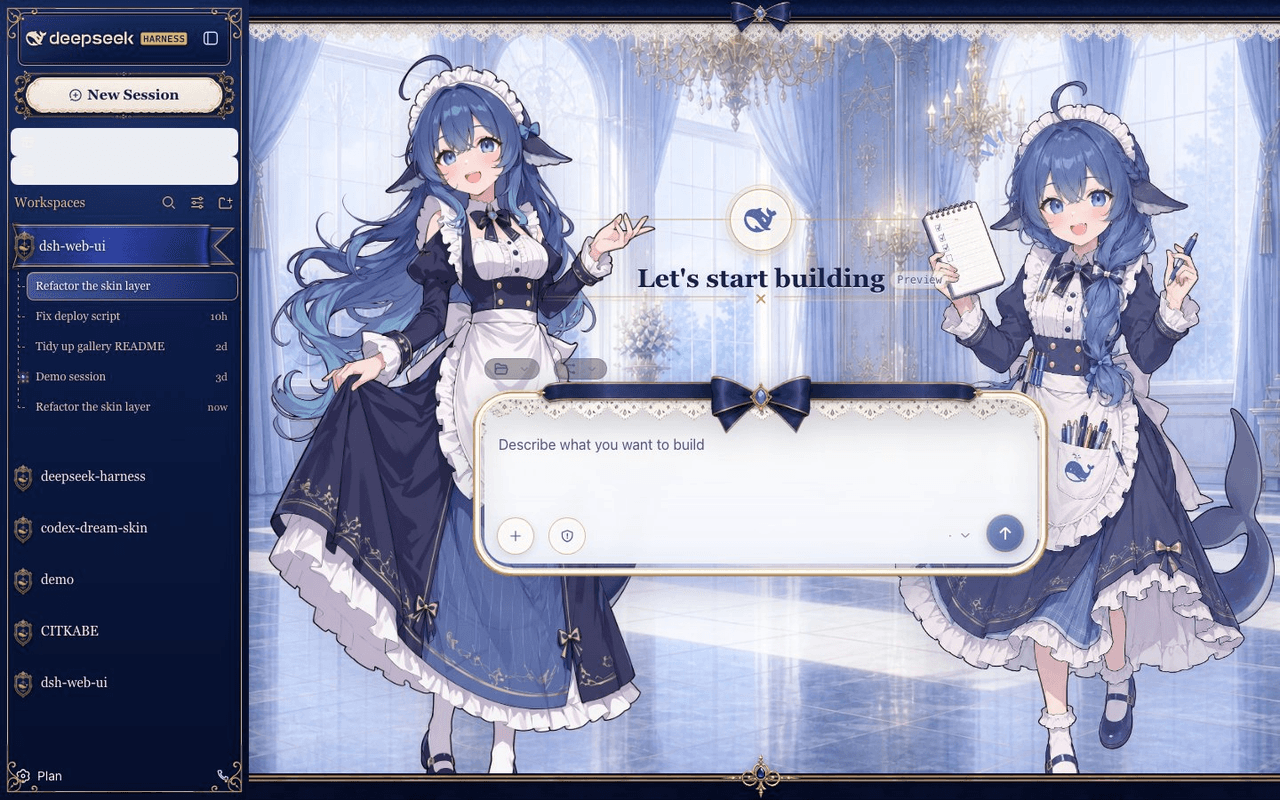
zhu1090093659/dsh-skins
Skin center plugin and built-in skins for the DSH Web GUI: skins are pure asset directories, loaded and rendered by the skin center, and installed on demand from dsh-market.com.
Project Overview项目介绍
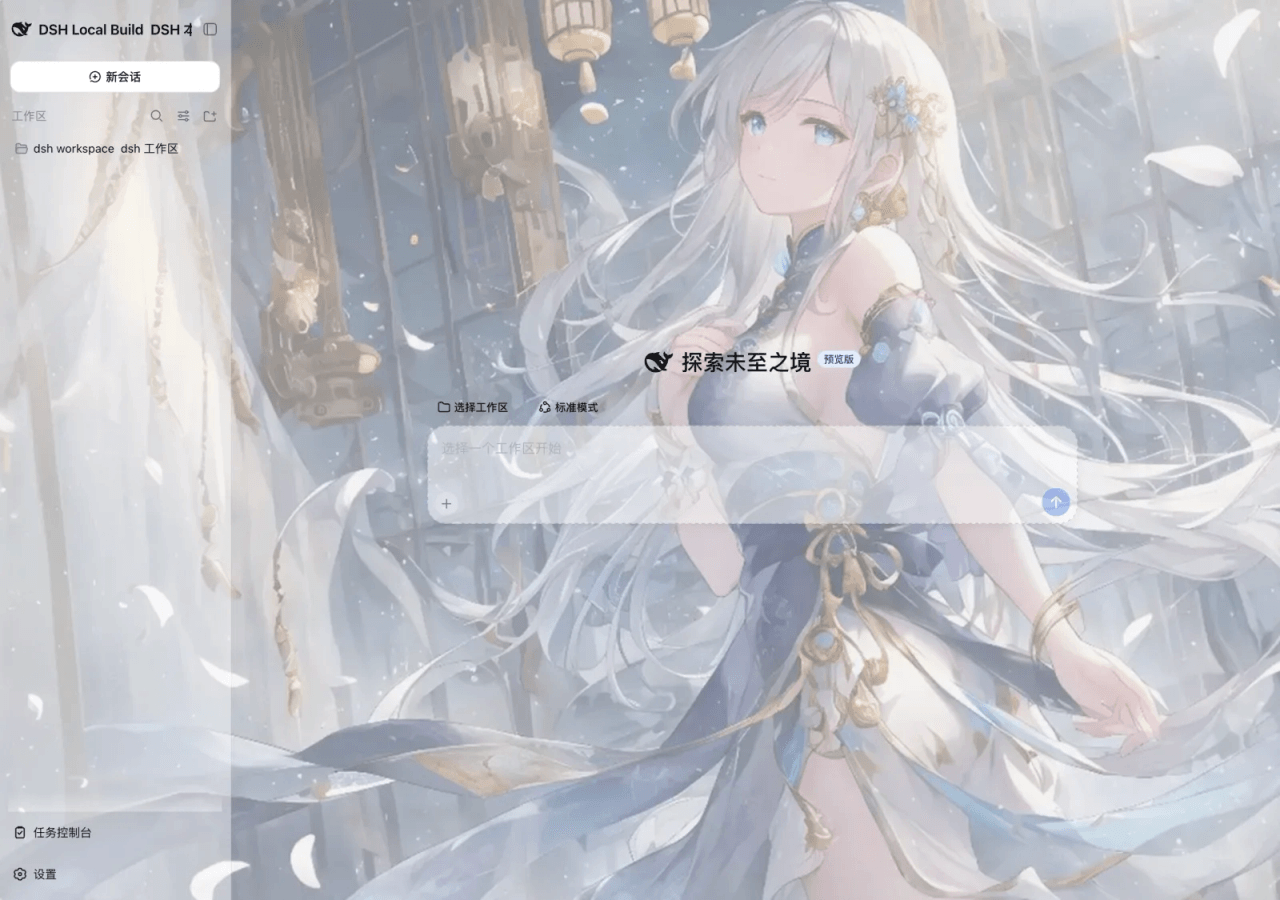
dsh-skins is the official skin center of the DSH (DeepSeek Harness) Web GUI, shipped as the @linxin666/dsh-client-ui-skin-center package registered under the cordis plugin id ui-skin-center. It promotes the skin list, try-on, and apply flow into a first-class settings card (设置 → 皮肤中心) inside the live GUI and acts as the sole loader and renderer for every skin. A skin itself is a pure asset directory — no package.json, no npm publish, no cordis wiring — so all official-DSH coupling is hidden behind the contracts/ surface exposed by this package.
The catalog merges two sources: the built-in skins/blue-fantasy/ skin shipped inside the package, and any user skin dropped into $DSH_HOME/skins/<id>/, where a same-id user skin shadows the built-in one. Market skins are installed on demand from the DSH Market store with one click, land in that same $DSH_HOME/skins/<id>/ directory, and appear in the catalog after reopening the card or reloading — no restart required. Try-on and apply share one atomic switch engine (src/client/runtime/skin-controller.ts): fetch the scoped stylesheet, flip html[data-dsh-skin="<id>"], then dispose the previous activation through an idempotent effect ledger. Apply additionally calls POST /api/skin-center/v2/active, while the host half registers a single webServer.tapIndex transform (src/tap-index-adapter.ts) so a reload boots straight into the active skin with no flash of the stock look.
The skin format (v2) ships skin.json (validated fail-closed, v1 fields ignored with migration warnings), skin.css for L1 token remaps and L2 semantic selectors, optional patches.css for L3 free selectors, optional hooks.mjs, assets/, and preview/. Every stylesheet is run through the lightningcss-based safety pipeline so all selectors are force-scoped under html[data-dsh-skin] and remote or protocol-relative URLs are rejected. The custom-theme card lets users edit only audited official tokens for accent, background, foreground, and contrast with separate light and dark profiles, never touching catalog skin definitions; it is automatically suppressed while a catalog skin is active. The license is BSD-3-Clause, the project sends one anonymous daily install heartbeat to dsh-market.com, and acknowledged limits include L3-only overrides for plugin inline styles and L1-only coverage for plugins that emit no semantic attributes. First-run tip: open 设置 → 皮肤中心, install a market skin, then click Apply to verify atomic switching.
dsh-skins 是 DSH(DeepSeek Harness)官方 Web GUI 的皮肤中心,是 @linxin666/dsh-client-ui-skin-center 包(cordis 插件 id ui-skin-center)。它将皮肤列表、试穿、应用三步操作以一级设置卡片(设置 → 皮肤中心)的形态内嵌到真实 GUI 中,并作为皮肤唯一的加载器与渲染器。皮肤本体是纯资源目录,不含 package.json、不发布到 npm,也不接入 cordis;所有官方耦合都由皮肤中心通过 contracts/ 契约吸收。
典型流程:用户从 DSH Market 一键安装市场皮肤到 $DSH_HOME/skins/<id>/,重新打开卡片或刷新即可看到新条目;列表同时合并内置 skins/blue-fantasy/ 与 $DSH_HOME/skins/<id>/,同 id 的用户皮肤覆盖内置皮肤。点击试穿立即切换,原子生效且不刷新页面;点击应用则通过 POST /api/skin-center/v2/active 持久化,首屏渲染由 webServer.tapIndex 适配器预先注入 html[data-dsh-skin] 与样式链接,避免闪烁。适合需要长期视觉定制或团队统一主题的 DSH 用户。
依赖与限制方面:皮肤遵循 v2 清单,skin.json 校验失败即不收录;所有 CSS 必须经过 src/core/css-safety/transform.ts 安全管线,强制作用域限定为 html[data-dsh-skin],远程与协议相对 URL 视为硬错误;自定义主题仅允许编辑官方令牌白名单内的颜色,不接受任意选择器;运行时插件的内联样式只能由 L3 !important 覆盖。项目采用 BSD-3-Clause 许可,每日会向 dsh-market.com 上传一条匿名安装心跳。
请帮我安装这个 DSH 插件。安装前先完成【兼容性检查 + 安全性检查】,检查通过再动手。

插件:dsh-skins(zhu1090093659/dsh-skins)
仓库:https://github.com/zhu1090093659/dsh-skins
本站详情页:https://www.yhbd.top/plugins/zhu1090093659-dsh-skins/
本站登记:类型 plugin · 归类 原生 DSH 插件 · 许可证 BSD-3-Clause · ⭐ 9 · 最近提交 2026-10-03 · 主语言 CSS

按下面顺序执行,每步先把结论告诉我,再进入下一步:

【1 兼容性检查】
① 我这边:DSH 版本、Node 版本、操作系统、当前 profile(web / desktop)。
② 读它的 README、package.json、插件 manifest,列出它要求的 DSH 版本 / Node 版本 / 操作系统 / 外部依赖 / 需要另外先装的运行时。
③ 逐条比对,结论只写「满足 / 不满足 / 未知」三种;不满足的给出可行替代方案。
④ 检查是否和我已装的插件冲突:命令名重复、skill / tool 重名、端口占用、重复注册的 MCP server。

【2 安全性检查】
① 仓库可信度:和上面「本站登记」是否一致;star / fork 数、创建时间、最近提交,是否归档或长期停更。
② 安装脚本:逐行看 package.json 的 preinstall / install / postinstall,以及 install.sh、setup.ps1 之类脚本。出现 curl|bash、下载后直接执行、混淆代码、访问与插件功能无关的域名,立刻停下来告诉我,不要继续装。
③ 依赖:列出新增依赖,标出无人维护、或与知名包拼写近似的可疑包(typosquatting)。
④ 权限与副作用:它会读写哪些目录、访问哪些域名、需要哪些 DSH 权限(filesystem / network / shell / clipboard 等),以及怎么卸载和回滚。
⑤ 如果它要求 sudo / 管理员权限,或权限明显超出功能所需,先停下来问我。

【3 安装】
上面两步没有「不满足」和「高危项」时才执行;用官方推荐方式安装,不要自行提权。

【4 汇报】
用表格输出:检查项 / 结论 / 依据 / 是否需要我决策。拿不准的一律写「未知」并说明要我怎么确认——不要猜,也不要替我决定。
Send this message to DSH in your current session: it verifies compatibility and security first (answering met / not met / unknown item by item) and only installs once everything checks out — it will stop and ask you if it finds a high-risk item. The box scrolls; the copy is the full prompt. CLI install commands may not be accurate across systems, so DSH is the safer route.把上面这条消息直接发给当前会话里的 DSH:它会先核对兼容性与安全性(逐条给「满足 / 不满足 / 未知」),确认没问题再安装,有高危项会停下来问你。框内可滚动,复制到的是完整提示词;安装命令不一定准确,发给 DSH 更稳。
- Only 9 stars - very few users, little community feedback星标只有 9,几乎没人在用,遇到问题缺少社区反馈
DSH walks through these 9 checksDSH 会逐条核对这 9 项
Compatibility兼容性
- DSH, Node, OS and profile requirementsDSH 版本 / Node 版本 / 操作系统 / profile 是否满足要求
- External dependencies and runtimes (Electron / Python / Docker, ...)外部依赖与运行时(Electron / Python / Docker 等)是否齐备
- Conflicts with installed plugins: command names, skill / tool names, ports, duplicate MCP registration与已装插件是否冲突:命令名、skill / tool 重名、端口占用、重复 MCP 注册
Security安全性
- Repo matches the facts registered here; archived or abandoned?仓库是否与页面登记一致,是否归档或长期停更
- Safety of preinstall / install / postinstall and install.sh / setup.ps1preinstall / install / postinstall 与 install.sh、setup.ps1 是否安全
- curl|bash, download-then-execute, obfuscation, unrelated domains → stop immediatelycurl|bash、下载即执行、混淆代码、无关域名 → 立刻停止
- Typosquatting or unmaintained packages among the new dependencies新增依赖里有没有 typosquatting 或无人维护的包
- Requested permissions vs. what the feature actually needs申请了哪些权限、是否超出功能所需(filesystem / network / shell / clipboard)
- Any sudo / admin requirement, plus uninstall and rollback是否要求 sudo / 管理员权限,以及卸载与回滚方式
Anything uncertain must be marked unknown with a note on how to confirm it. This site's signal screen is a static snapshot, not a security audit.拿不准的必须标「未知」并说明要我怎么确认。本站的信号筛查是静态快照,不能替代安全审计。
Or use CLI install (for developers)或使用命令行安装(适合开发者)
CLI Install命令行安装
dsh plugin --profile web add @linxin666/dsh-client-ui-skin-center把 zhu1090093659/dsh-skins 加入你的 DSH 配置(web profile)即可启用。
READMEREADME
dsh-skins · Skin Center & Wallpaper Engine Dynamic Themes for DeepSeek Harness (DSH)
English | 中文



Theme & Personalization Engine for DeepSeek Harness (DSH) Web GUI & Desktop Client
Themes & Skins · Wallpaper Engine Dynamic Backdrops · Frosted Glass Blur · Custom Themes · Live Try-On
@linxin666/dsh-client-ui-skin-center (cordis plugin id ui-skin-center) is the single skin package of the dsh Web GUI: it puts the skin list / try-on / apply into the real GUI as the first-level Skin Center settings section (settings → 皮肤中心, listing only installed skins), and it is the only loader and renderer for skins. A skin is a pure asset directory — no package.json, no npm publish, no cordis wiring — that couples only to the skin-center contract (contracts/); the skin center absorbs every official-DSH coupling behind that contract. The card carries its own enable switch (off disables try-on, apply and the background controls).
- List: shows "官方默认" (official default) plus every installed skin in the catalog with its name, tagline and accent color; the currently active target carries the Active marker. The catalog merges two sources: the default skin shipped inside this package (
skins/blue-fantasy/) and user skins dropped into$DSH_HOME/skins/<id>/(a user skin with the same id shadows the built-in one). Every other skin of the collection is a market item: install it on demand from the DSH Market store (one-click install) into$DSH_HOME/skins/<id>/, where this same catalog manages it as a user skin — no restart, reopen the card or reload to pick it up. Skins whoseskin.jsonfails validation are excluded fail-closed and reported as catalog diagnostics. - Custom theme: the final card is a user-level theme derived from the official stock look, separate from both the official-default card and catalog skins. Light and dark profiles independently edit accent, background, foreground and contrast (0–100), with live try-on, apply, current-mode reset and reload persistence. Its generated CSS is limited to an audited official-token allowlist; it cannot accept selectors, arbitrary CSS or asset URLs. Catalog skin definitions are never modified, and an active catalog skin automatically suppresses the custom-theme layer.
- Try-on / Apply: both go through the same atomic switch engine (
src/client/runtime/skin-controller.ts). One switch is one new activation identity: fetch the scoped stylesheet, install it plus the background media and optional hooks, fliphtml[data-dsh-skin="<id>"], then dispose the previous activation (append-only effect ledger, idempotent teardown). The latest request always wins; a failed or superseded switch leaves the previous skin fully intact. Try-on is the same switch without persistence — "Exit try-on" restores the committed skin. Apply persists the selection (POST /api/skin-center/v2/active). No page reload, nocordis.patch.ymlrewrite, no boot-graph regeneration. - First paint: the host half registers one index.html transform (
webServer.tapIndex, single adapter modulesrc/tap-index-adapter.ts) that stampshtml[data-dsh-skin]and inserts the stylesheet links into every served document, so a reload boots straight into the active skin with no flash of the stock look. The tap fails closed to the stock look on any problem. - Skin format (v2):
skin.json(validated fail-closed, v1 fieldspackage/wiring/bodyAttrignored with migration warnings),skin.css(L1 token remaps + L2 semantic selectors), optionalpatches.css(L3 free selectors, high sensitivity), optionalhooks.mjs(trusted escape hatch, high sensitivity),assets/,preview/. All CSS passes the safety pipeline (src/core/css-safety/transform.ts): every selector is force-scoped underhtml[data-dsh-skin],@import/ remote or protocol-relative URLs / escaping paths are hard errors. Seecontracts/README.md. - Coverage contract: L1 remaps the official
--dsw-*design tokens; L2 styles the semantic attributes (data-dsh-surface/data-dsh-part/data-dsh-plugin, enumeration incontracts/semantic-attrs-v1.md) which a compat adapter (src/client/runtime/semantic-adapter.ts) stamps onto the official shell DOM from stable anchors (data-slotoutlets,data-chat-flow-kind, etc.); L3 patches carry any selector at the skin author's own risk. Plugins that output the semantic attributes themselves get the full L2 coverage; plugins that do not only get L1. A shared shell-rendering adapter applies only while a catalog skin, custom theme or wallpaper is active: it removes the workspace-list end fade, gives the composer placeholder an opaque theme-secondary text color, and reserves bottom clearance on conversation scrollports so messages remain readable above the sticky composer (#978), so individual skins do not need duplicate patches. - Background priority: a Wallpaper Engine wallpaper always wins over the user manual background scrim, which wins over the skin's manifest background media; toggling the wallpaper re-evaluates the priority live.
- Background controls: a background-occlusion slider (0–100%) veils the backdrop behind the panels for skins that paint one, two per-state Gaussian-blur sliders (0–20 px) control the backdrop for empty and populated conversations, an input-card blur slider (0–20 px) controls only the frosted area behind the composer, and a bubble-opacity slider (0–100%) drives translucent message bubbles for skins that expose bubble alpha. Wallpaper-wide blur remains an independent wallpaper setting. The active background blur uses a fixed
backdrop-filterelement behind the shell; 0 disables it entirely (no element, no GPU cost). The input-card frost rides its own body-level fixed follower (thedata-dsh-composer-frostelement) sized to the composer card, never the card itself: abackdrop-filteron the card would make it the containing block for the shell's fixed tooltips inside it and jolt the conversation on every hover. - Wallpaper Engine bridge: the card can use the machine's local Wallpaper Engine library as the GUI backdrop. The host half (
src/we-library.ts+src/we-routes.ts) locates the WE install (Steam app 431960: registry, every path inlibraryfolders.vdf, durableappmanifest_431960.acfownership, and probe paths on Windows), scans its projects and workshop content plus optional manual folders, and serves the inventory, media (Range-streamed), previews, web-wallpaper project files (with the WE API shim injected), and scene main-texture PNGs (decoded in-process from PKG/TEX bysrc/pkg-extract.ts, cached on disk) through same-origin/api/skin-center/we/*routes. Video wallpapers render in a<video>, web wallpapers in a sandboxed<iframe>, scene wallpapers live in the built-in WebGL player (2D layered scenes and 3D model scenes replayed with WE material/shader semantics); scene-embedded scripts are ignored while supported image, reflection, water and particle passes remain live, and a "static frame" render mode pins a zero-animation-cost image for any type. Per-wallpaper Import copies the project into<harness-home>/skin-center/wallpapers/so it survives Steam library changes, with update detection against the workshop original. Wallpapers are the user's own local files and are never uploaded or redistributed — Workshop content belongs to its authors. The Manual folders row accepts loose.mp4/.webmmedia, one project, a project collection, a Wallpaper Engine install root, or a Steam library root (~expands to the home directory). - Legacy migration: on the first boot after the v2 upgrade, a one-shot bridge (
src/legacy-bridge.ts) reads the retireddsh-skinmanaged section from the harness homecordis.patch.yml(where the v1 CLI wrote it; the active profile'scordis.patch.ymlis probed as a secondary location), migrates the active skin id into the v2 selection store, and strips the legacy rows. The migration is idempotent and fails closed (the old state stays untouched on any error). It logs only when it migrated, cleaned, or failed — the nothing-to-migrate steady state stays silent (issue #788).
Showing the opening section of the README — the full document lives in the repository以上为 README 开头摘要,完整文档在仓库内 · View the full README on GitHub →在 GitHub 查看完整 README →
Related相关推荐
-
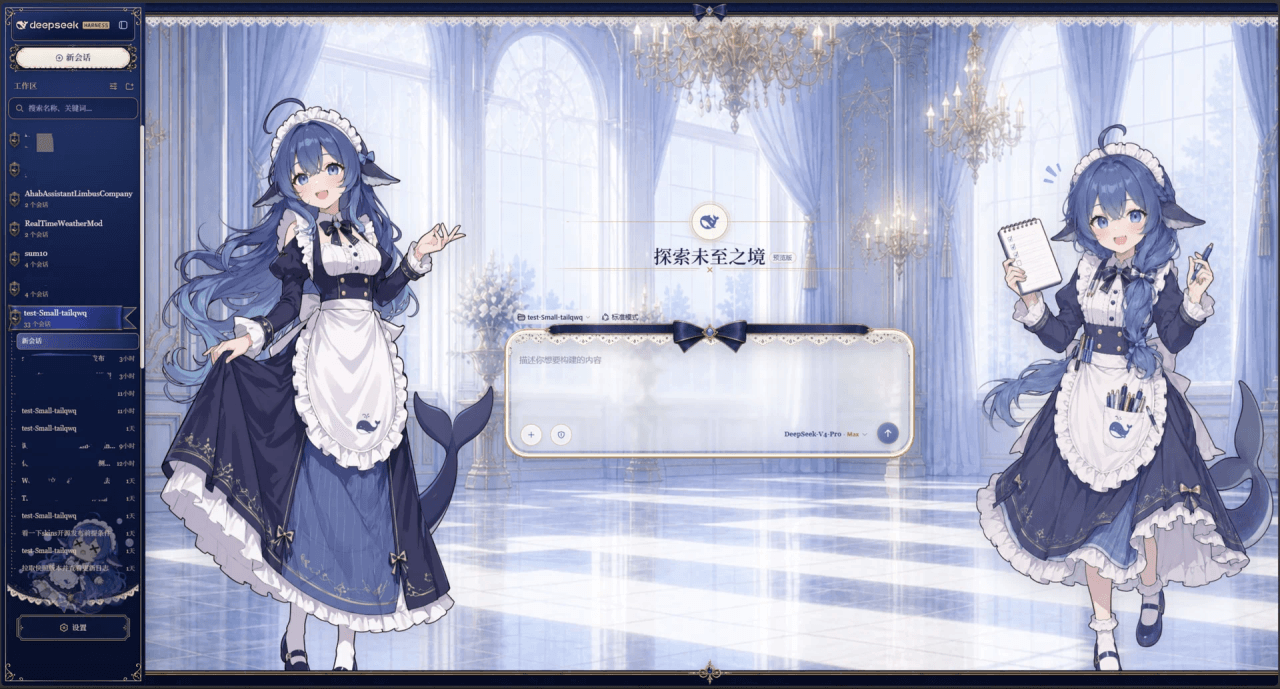 Small-tailqwq/dsh-deep-whale
Whale Girl skin series for DeepSeek Harness. 适用于 DeepSeek Harness 的,鲸鱼娘系列皮肤。
Small-tailqwq/dsh-deep-whale
Whale Girl skin series for DeepSeek Harness. 适用于 DeepSeek Harness 的,鲸鱼娘系列皮肤。
-
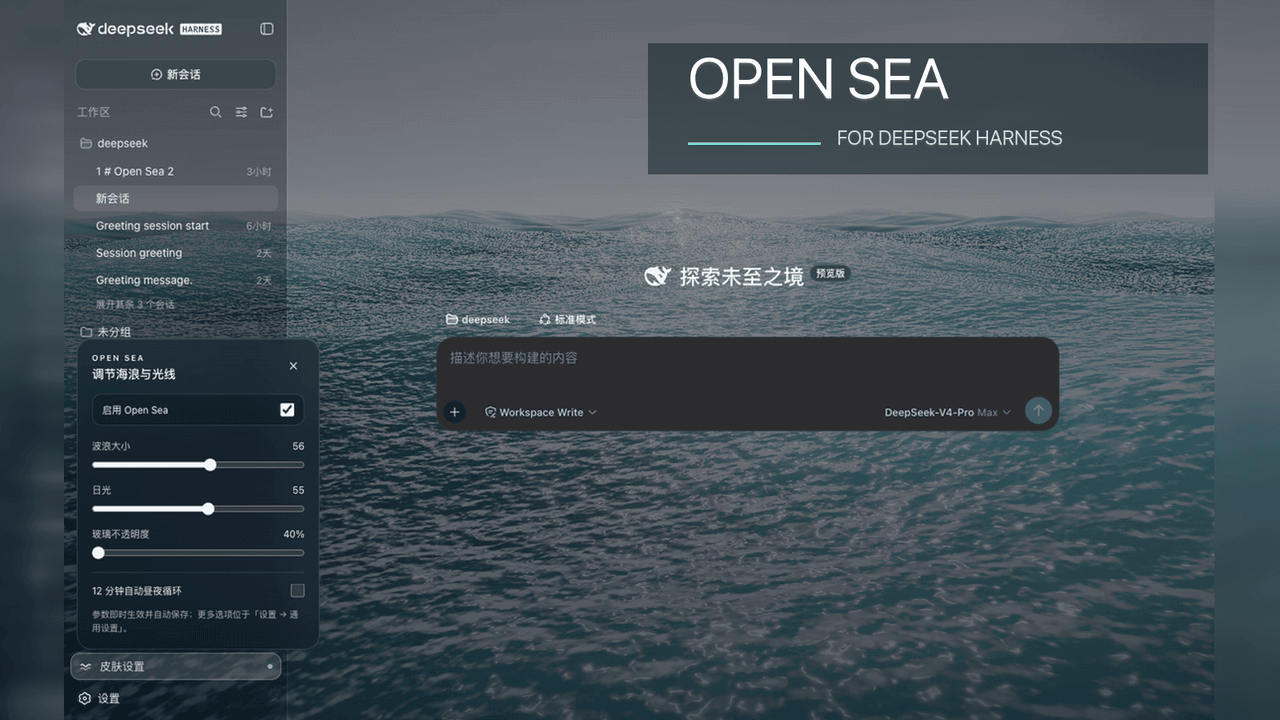 d-dev0101/open-sea-skin
🌊 DeepSeek Harness 海洋皮肤与动态主题 | Real-time ocean theme with adjustable waves, sunset & glass opacity. DSH plugin + Chrome…
d-dev0101/open-sea-skin
🌊 DeepSeek Harness 海洋皮肤与动态主题 | Real-time ocean theme with adjustable waves, sunset & glass opacity. DSH plugin + Chrome…
-
 kingOfSoySauce/dsh-liang-skin
DeepSeek Harness 滑动变阻器皮肤
kingOfSoySauce/dsh-liang-skin
DeepSeek Harness 滑动变阻器皮肤
-
 RevolutionLA/dsh-dream-skin
DeepSeek Harness 换肤 / 壁纸 / 主题包插件 (dsh-plugin) — 8 套 Mirage 主题、每用户强调色、壁纸2.0、主题包导入导出/分享链接、收藏与随机,纯原生 token 系统实现。
RevolutionLA/dsh-dream-skin
DeepSeek Harness 换肤 / 壁纸 / 主题包插件 (dsh-plugin) — 8 套 Mirage 主题、每用户强调色、壁纸2.0、主题包导入导出/分享链接、收藏与随机,纯原生 token 系统实现。
-
 Fishquito7/dsh-skill-mcp-panel
DSH Web UI plugin: skill and MCP management(Web界面的skill/MCP管理工具)
Fishquito7/dsh-skill-mcp-panel
DSH Web UI plugin: skill and MCP management(Web界面的skill/MCP管理工具)
-
 01Virex/dsh-status-rotator
把 DSH Web 状态行换成 1063 条梗:打字机 + 炫彩渐变 + 弹幕 + 12 个主题词库包,设置页可视化编辑。
01Virex/dsh-status-rotator
把 DSH Web 状态行换成 1063 条梗:打字机 + 炫彩渐变 + 弹幕 + 12 个主题词库包,设置页可视化编辑。
-
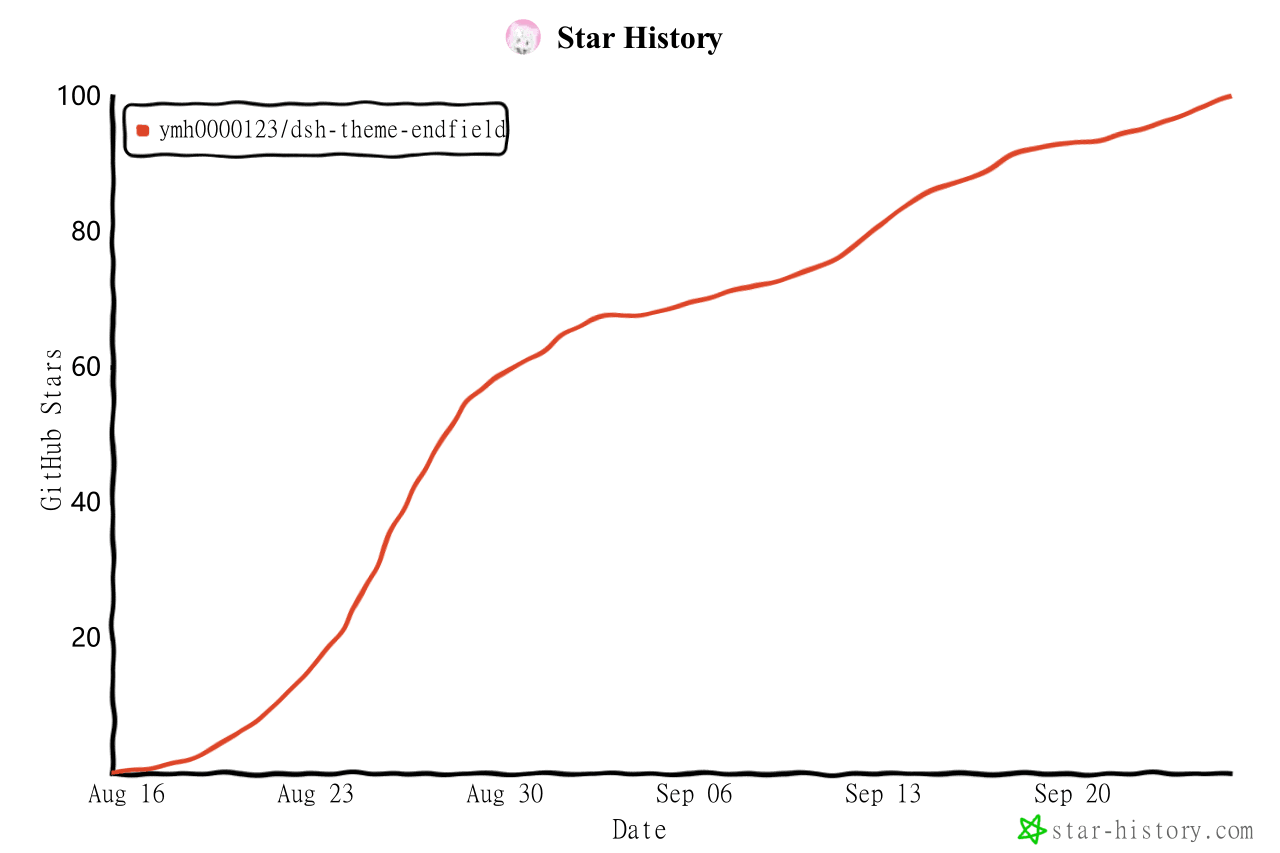 ymh0000123/dsh-theme-endfield
终末地官网风格的 DSH Web 主题:奶油纸底、墨黑文字、信号黄强调、全直角工业编辑风。
ymh0000123/dsh-theme-endfield
终末地官网风格的 DSH Web 主题:奶油纸底、墨黑文字、信号黄强调、全直角工业编辑风。
-
 SLin-code/dsh-custom-skin
Custom wallpapers and translucent skins for DeepSeek Harness Web
SLin-code/dsh-custom-skin
Custom wallpapers and translucent skins for DeepSeek Harness Web