zlZayn/dsh-ds-balance
DSH 插件:在左侧栏底部显示 DeepSeek 账户余额(原生 UI),设置页提供连接、展示币种、预警阈值与刷新节奏的配置卡片。(原生嵌入“设置-插件-插件配置”)
Project Overview项目介绍
dsh-ds-balance is a native plugin built specifically for DeepSeek Harness (DSH) that surfaces your live DeepSeek account balance in the DSH sidebar, reading real numbers from the official GET /user/balance endpoint on api.deepseek.com rather than estimating them. It installs through dsh plugin --profile web add dsh-ds-balance from npm, or from source via git clone https://github.com/zlZayn/dsh-ds-balance.git, npm install && npm run build, and dsh plugin --profile web add "$PWD"; either path needs a restart of dsh --profile web to take effect. The package name dsh-ds-balance doubles as the bundle-config key in plugins.bundle.config, so each install gets its own detail page directly under a localized title that follows the UI language.
A typical run starts from the Plugins page in the sidebar, where the user opens the installed plugin card, configures thresholds, currency, and refresh cadence across four collapsed groups (Connection, Display, Thresholds, Refresh), and saves without restarting DSH. After that, a status ring pinned to the bottom of the sidebar reports at a glance how much budget remains relative to the warning line, while clicking the entry expands the popover showing the total balance split into gifted and topped-up amounts, a data-freshness stamp, a cooldown-protected manual refresh button, and an external link to the official DeepSeek usage page. Multi-currency accounts are auto-detected; if the selected currency is missing on the account, the popover offers a one-click "use actual currency" action that writes the new value back into the settings card.
Dependencies center on the @deepseek-ai/dsh host on its current alpha line (its latest tag is older than what this plugin declares, so the install command must pin the alpha channel) plus Node.js ≥ 20, with engines.dsh and peerDependencies in package.json as the source of truth and weekly CI running swap tests on alpha and next via .github/workflows/compat.yml. Lower-bound breakage is detected at runtime through ctx.inject(['configForms']) rather than slot-name checks, and surfaces as an [WARN] line in the popover pointing users to upgrade. Credentials default to a read-only inheritance from the official Models page, the API key never returns to the UI (only a fixed-length mask), snapshots are partitioned by a ledger id derived from the key plus a .salt file under DSH's home directory, and the project is released under the MIT license.
dsh-ds-balance 是一个面向 DeepSeek Harness(DSH)的原生插件,作用是把你 DeepSeek 账户的实时余额常驻显示在 DSH 左边栏底部,并通过 GET /user/balance 官方接口读取真实数据。它通过 dsh plugin --profile web add dsh-ds-balance 安装或从源码 git clone 后本地加载;插件包名 dsh-ds-balance 是配置项 key,详情页四组默认收起的设置卡片(连接、展示、阈值、刷新)即装即用、免重启宿主。
典型使用流程是:进 DSH 侧边栏的插件页找到本插件,把阈值、币种、刷新周期填好,回到左侧栏底部就能看到那个状态环与名称条目;点开条目展开总额、赠送/充值拆分、数据新鲜度与带冷却的手动刷新,右上角图标一键跳到设置卡。它面向经常在 DSH 里跑 DeepSeek 模型、希望一眼看到剩余额度与离预警线还差多少的用户,多币种账户由系统自动判断。
依赖方面要求宿主 @deepseek-ai/dsh 的某条 alpha 线及以上、Node ≥ 20;声明范围窄、不设上限,宿主低于下限会导致整个浏览器半边(包括圆环与浮层)不渲染,浮层里会多一行 [WARN] 英文说明与升级指引。凭据默认继承官方模型页配好的 API Key,只读且不可改;密钥永不返回界面,余额快照按账本标识分组存储。许可为 MIT,配置变更保存即生效,无需重启 DSH。
请帮我安装这个 DSH 插件。安装前先完成【兼容性检查 + 安全性检查】,检查通过再动手。

插件:dsh-ds-balance(zlZayn/dsh-ds-balance)
仓库:https://github.com/zlZayn/dsh-ds-balance
本站详情页:https://www.yhbd.top/plugins/zlzayn-dsh-ds-balance/
本站登记:类型 plugin · 归类 原生 DSH 插件 · 许可证 MIT · ⭐ 2 · 最近提交 2026-09-30 · 主语言 TypeScript

按下面顺序执行,每步先把结论告诉我,再进入下一步:

【1 兼容性检查】
① 我这边:DSH 版本、Node 版本、操作系统、当前 profile(web / desktop)。
② 读它的 README、package.json、插件 manifest,列出它要求的 DSH 版本 / Node 版本 / 操作系统 / 外部依赖 / 需要另外先装的运行时。
③ 逐条比对,结论只写「满足 / 不满足 / 未知」三种;不满足的给出可行替代方案。
④ 检查是否和我已装的插件冲突:命令名重复、skill / tool 重名、端口占用、重复注册的 MCP server。

【2 安全性检查】
① 仓库可信度:和上面「本站登记」是否一致;star / fork 数、创建时间、最近提交,是否归档或长期停更。
② 安装脚本:逐行看 package.json 的 preinstall / install / postinstall,以及 install.sh、setup.ps1 之类脚本。出现 curl|bash、下载后直接执行、混淆代码、访问与插件功能无关的域名,立刻停下来告诉我,不要继续装。
③ 依赖:列出新增依赖,标出无人维护、或与知名包拼写近似的可疑包(typosquatting)。
④ 权限与副作用:它会读写哪些目录、访问哪些域名、需要哪些 DSH 权限(filesystem / network / shell / clipboard 等),以及怎么卸载和回滚。
⑤ 如果它要求 sudo / 管理员权限,或权限明显超出功能所需,先停下来问我。

【3 安装】
上面两步没有「不满足」和「高危项」时才执行;用官方推荐方式安装,不要自行提权。

【4 汇报】
用表格输出:检查项 / 结论 / 依据 / 是否需要我决策。拿不准的一律写「未知」并说明要我怎么确认——不要猜,也不要替我决定。
Send this message to DSH in your current session: it verifies compatibility and security first (answering met / not met / unknown item by item) and only installs once everything checks out — it will stop and ask you if it finds a high-risk item. The box scrolls; the copy is the full prompt. CLI install commands may not be accurate across systems, so DSH is the safer route.把上面这条消息直接发给当前会话里的 DSH:它会先核对兼容性与安全性(逐条给「满足 / 不满足 / 未知」),确认没问题再安装,有高危项会停下来问你。框内可滚动,复制到的是完整提示词;安装命令不一定准确,发给 DSH 更稳。
- Only 2 stars - very few users, little community feedback星标只有 2,几乎没人在用,遇到问题缺少社区反馈
DSH walks through these 9 checksDSH 会逐条核对这 9 项
Compatibility兼容性
- DSH, Node, OS and profile requirementsDSH 版本 / Node 版本 / 操作系统 / profile 是否满足要求
- External dependencies and runtimes (Electron / Python / Docker, ...)外部依赖与运行时(Electron / Python / Docker 等)是否齐备
- Conflicts with installed plugins: command names, skill / tool names, ports, duplicate MCP registration与已装插件是否冲突:命令名、skill / tool 重名、端口占用、重复 MCP 注册
Security安全性
- Repo matches the facts registered here; archived or abandoned?仓库是否与页面登记一致,是否归档或长期停更
- Safety of preinstall / install / postinstall and install.sh / setup.ps1preinstall / install / postinstall 与 install.sh、setup.ps1 是否安全
- curl|bash, download-then-execute, obfuscation, unrelated domains → stop immediatelycurl|bash、下载即执行、混淆代码、无关域名 → 立刻停止
- Typosquatting or unmaintained packages among the new dependencies新增依赖里有没有 typosquatting 或无人维护的包
- Requested permissions vs. what the feature actually needs申请了哪些权限、是否超出功能所需(filesystem / network / shell / clipboard)
- Any sudo / admin requirement, plus uninstall and rollback是否要求 sudo / 管理员权限,以及卸载与回滚方式
Anything uncertain must be marked unknown with a note on how to confirm it. This site's signal screen is a static snapshot, not a security audit.拿不准的必须标「未知」并说明要我怎么确认。本站的信号筛查是静态快照,不能替代安全审计。
Or use CLI install (for developers)或使用命令行安装(适合开发者)
CLI Install命令行安装
dsh plugin --profile web add dsh-ds-balance把 zlZayn/dsh-ds-balance 加入你的 DSH 配置(web profile)即可启用。
READMEREADME

dsh-ds-balance




[!NOTE] 余额读自 DeepSeek 官方接口,不是估算。凭据只经 DSH 的凭据通道解析:API Key 不会出现在设置文件里,也不会返回给界面。
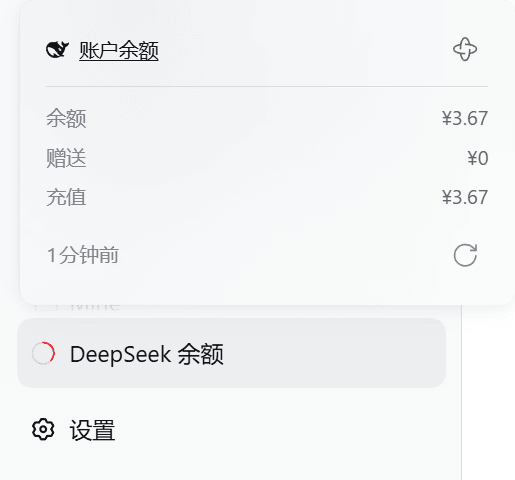
余额要有地方看,但不该占地方。左边栏底部一个常驻的状态环,点开是三段金额与数据新鲜度;要改配置,进侧边栏**插件(Plugins)**页里本插件的详情页。
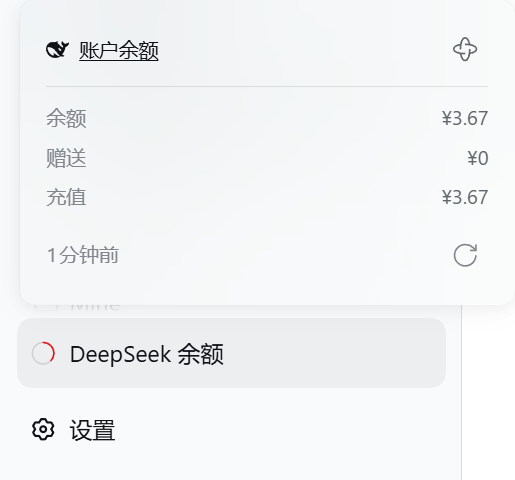
常驻左边栏底部,与「使用统计」「设置」并排;点开是余额、赠送 / 充值拆分与数据新鲜度。
一眼看懂那个环
那个环是「现在是什么情况」,一眼能分出五种,各自对应你该做的事:
| 你看到 | 意思 | 你该做什么 |
|---|---|---|
| 彩环 + 一段弧 | 有余额,颜色就是多还是少 | 看数字 |
| 灰环 + 一段缺口在转 | 正在取,还没结果 | 等 |
| 灰环 + 中间一个 + | 没接入官方 | 去配置(填 API Key 或登录账号) |
| 灰色空环 | 连上了,账户就是没余额 | 不用管 |
| 红环 + 中间一个 叉 | 这里没有可用的数字 | 等、检查,或去查账户 |
鼠标停上去,它会告诉你这一格现在什么意思(收起态那 56px 轨道、展开态带名字的条目, 停上去显示的是同一句话):
- 数字可信时(正常 / 偏低 / 告急)—— 直接显示金额;
- 其余情况 —— 显示这个处境自己的话:「正在获取」「读不到余额」「服务异常」 「尚未配置凭据」「账户不可用」「数据已过期」「暂无余额」。
账户停用与数据过期虽然手里有数字,也不显示那个数字: 停用的账户、过期的快照,报出来的数只会误导(「我有 ¥0」/「我有 ¥110」)。 环已经把问题画出来了(红叉 / 旧色),悬停该做的是解释问题。
两种「看不到」分得开:没接入提示你去配凭据;接入了但读不到说「读不到余额」 (不写「暂时」—— 有些原因等一下就好,有些得你去改凭据,说「暂时」会把人劝去干等)。 那个叉既表示「读不到」,也表示「读到了但这个账户不能用」—— 两者都是「这里没有可用的数字」,都要你去查。
Showing the opening section of the README — the full document lives in the repository以上为 README 开头摘要,完整文档在仓库内 · View the full README on GitHub →在 GitHub 查看完整 README →
Related相关推荐
-
 Aisland-SJL/dsh-usage
🌊 Persistent dock & fully-customizable balance/usage panel for DeepSeek Harness — activity heatmap, dual-channel compar…
Aisland-SJL/dsh-usage
🌊 Persistent dock & fully-customizable balance/usage panel for DeepSeek Harness — activity heatmap, dual-channel compar…
-
 Witherwithwinter/DeepSeek-Balance-Whale-Widget-Bowl
DeepSeek Harness(DSH)Web 界面右下角的常驻余额挂件。基于 MeteorNOX/DeepSeek-Balance-Whale-Widget 修改的铁盆鲸鱼娘版。
Witherwithwinter/DeepSeek-Balance-Whale-Widget-Bowl
DeepSeek Harness(DSH)Web 界面右下角的常驻余额挂件。基于 MeteorNOX/DeepSeek-Balance-Whale-Widget 修改的铁盆鲸鱼娘版。
-
 jelly-000/dsh-balance-monitor
Multi-provider AI balance, quota, and token usage for the dsh sidebar, with a daily heatmap.
jelly-000/dsh-balance-monitor
Multi-provider AI balance, quota, and token usage for the dsh sidebar, with a daily heatmap.
-
 SoDaZilla-zzz/dsh-liquid-glass-balance-card
Draggable liquid-glass DeepSeek API balance card plugin for DeepSeek Harness (DSH) web GUI / DSH ??????? DeepSeek ??????
SoDaZilla-zzz/dsh-liquid-glass-balance-card
Draggable liquid-glass DeepSeek API balance card plugin for DeepSeek Harness (DSH) web GUI / DSH ??????? DeepSeek ??????
-
 283Gawin/dsh-heatmap
DSH Web GUI activity heatmap plugin: GitHub-style commit/token/spend heatmap in the sidebar with per-model cost estimati…
283Gawin/dsh-heatmap
DSH Web GUI activity heatmap plugin: GitHub-style commit/token/spend heatmap in the sidebar with per-model cost estimati…
-
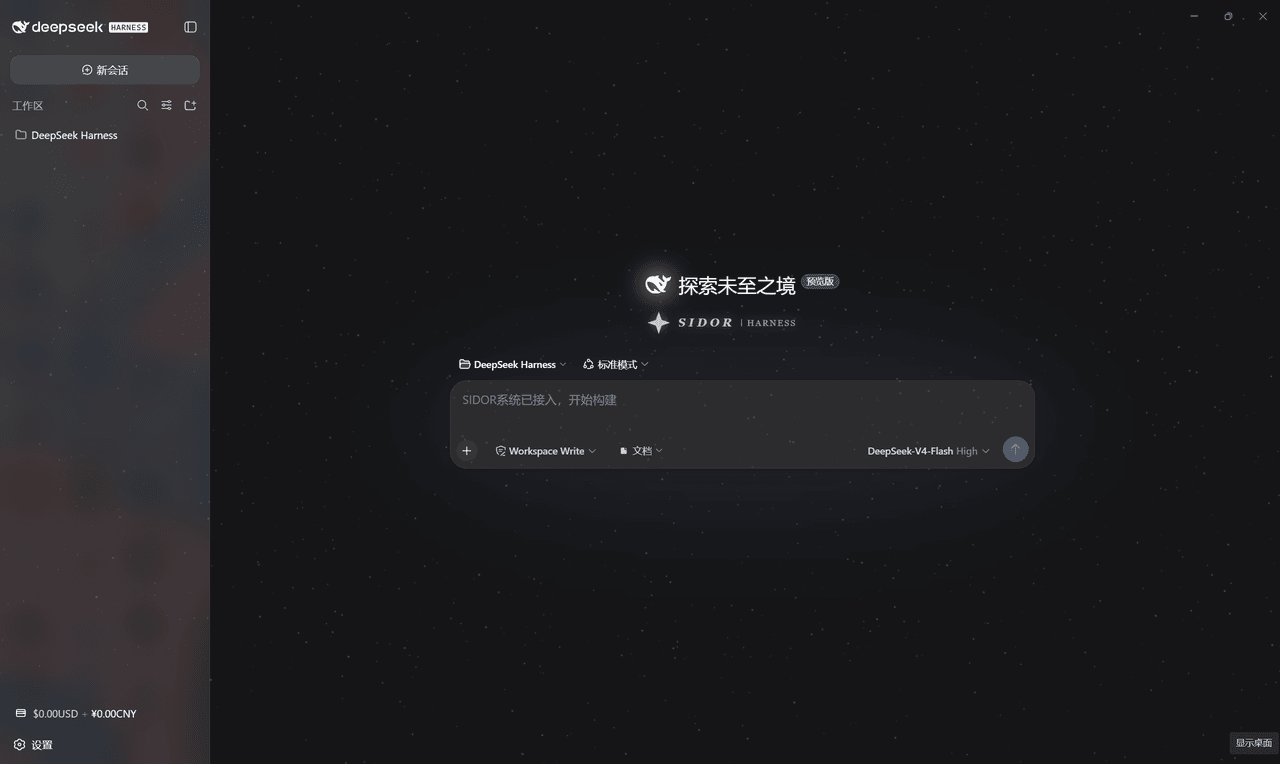 AKI2253/Sidor_UI
SIDOR starfield skin for DeepSeek Harness Web GUI: intro animation, starfield, balance badge, settings FX, low-balance a…
AKI2253/Sidor_UI
SIDOR starfield skin for DeepSeek Harness Web GUI: intro animation, starfield, balance badge, settings FX, low-balance a…
-
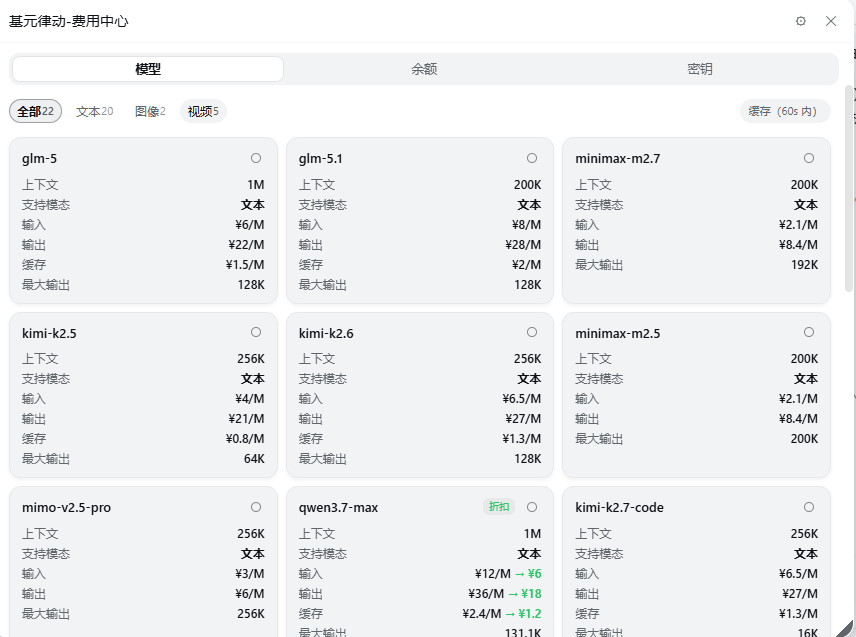 162568316/dsh-tokenrhythm-bill
dsh-tokenrhythm-bill
162568316/dsh-tokenrhythm-bill
dsh-tokenrhythm-bill
- AppliedYuu/dsh-WallpaperAndCost a plugin for dsh to check cost and change backgroud