zmm863-commits/dsh-agnes-studio
🎬 泡泡猫的影视工具 — AI 影视创作工作站:文生图、图生图、文生视频、图生视频、短剧剧本拆解与提示词专家。支持 Agnes / DeepSeek / Qwen / 豆包 / MiniMax / Ollama 六大厂商,全局浮层不堵对话框。
Project Overview项目介绍
dsh-agnes-studio is a native DSH (DeepSeek Harness) plugin internally titled "Agnes Creative Workstation," purpose-built to drive the free Agnes AI image and video models from inside a DSH session. The package is installed with npm install <path> into the DSH web profile, then registered by adding "dsh-agnes-studio" to both dsh.profile.bundles and dependencies in package.json; any leftover @oh-story/dsh entry must be removed to prevent double registration of the bundled skills. The host half is composed at build time in lib/host-entry.js (tsdown output merged with the vendored @oh-story/dsh host half), while the client half registers through lib/client.js using a private id dsh-agnes-studio/oh-story so it survives the DSH combo-script module dedupe. After install, the DSH container must be restarted for the host half to take effect; client-side changes only require a browser refresh.
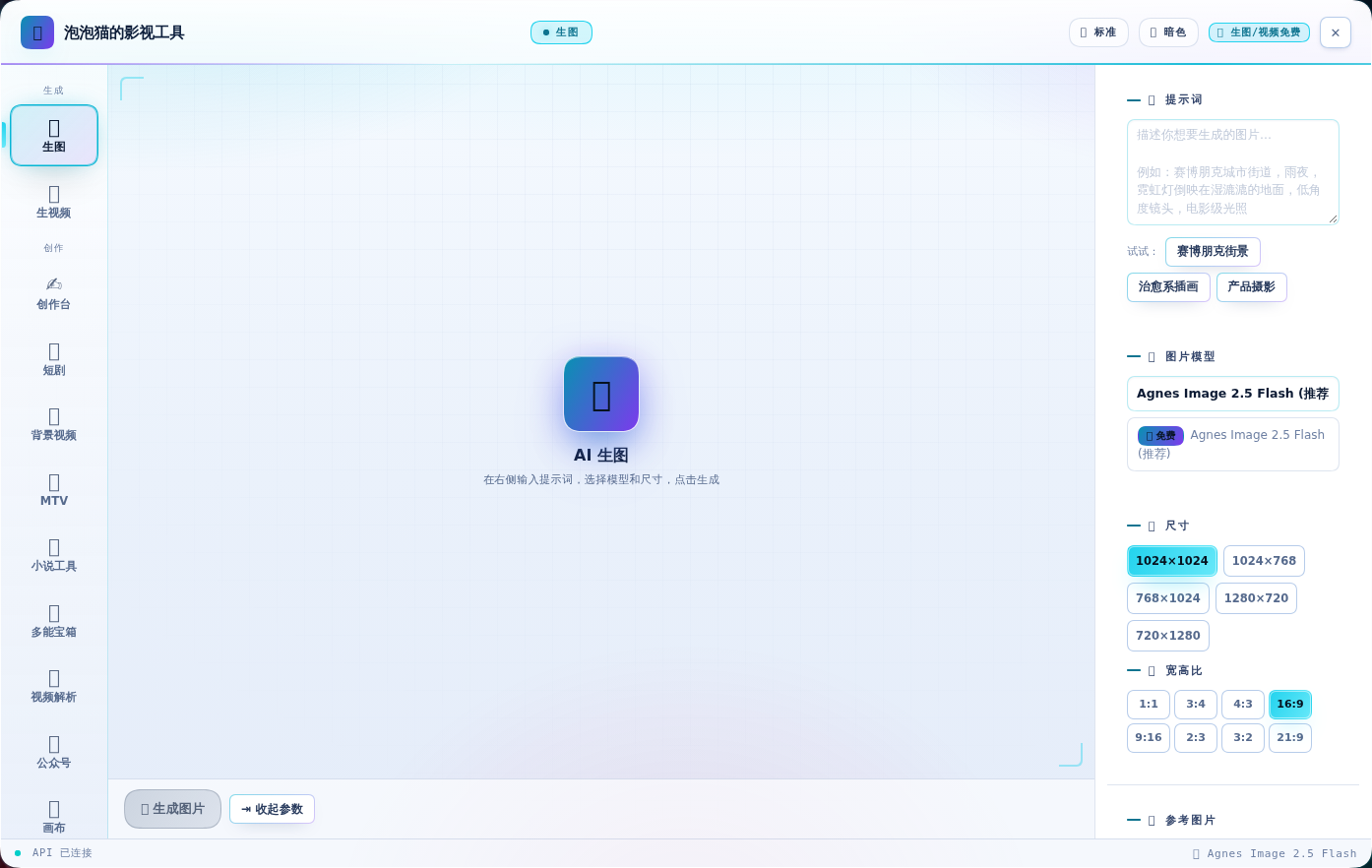
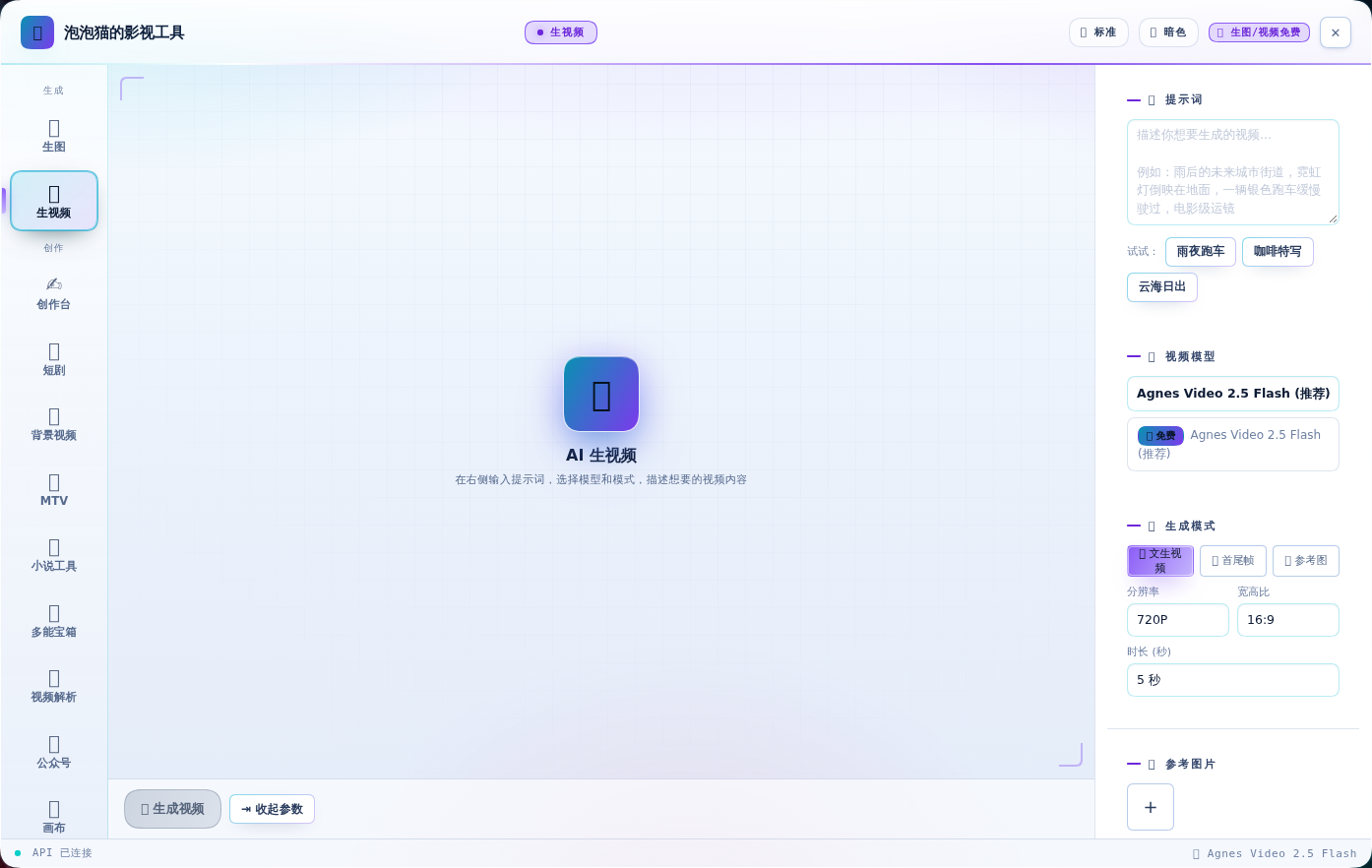
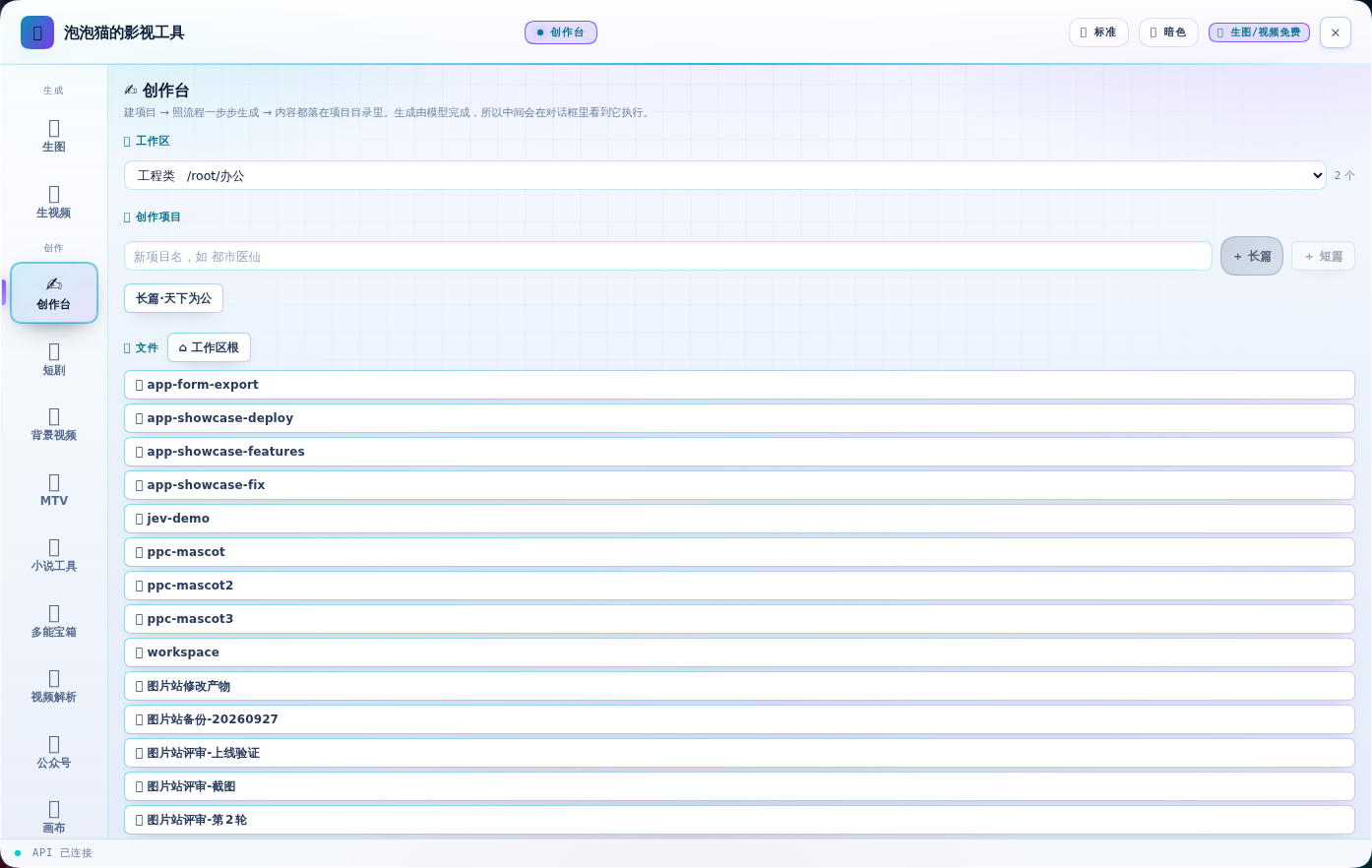
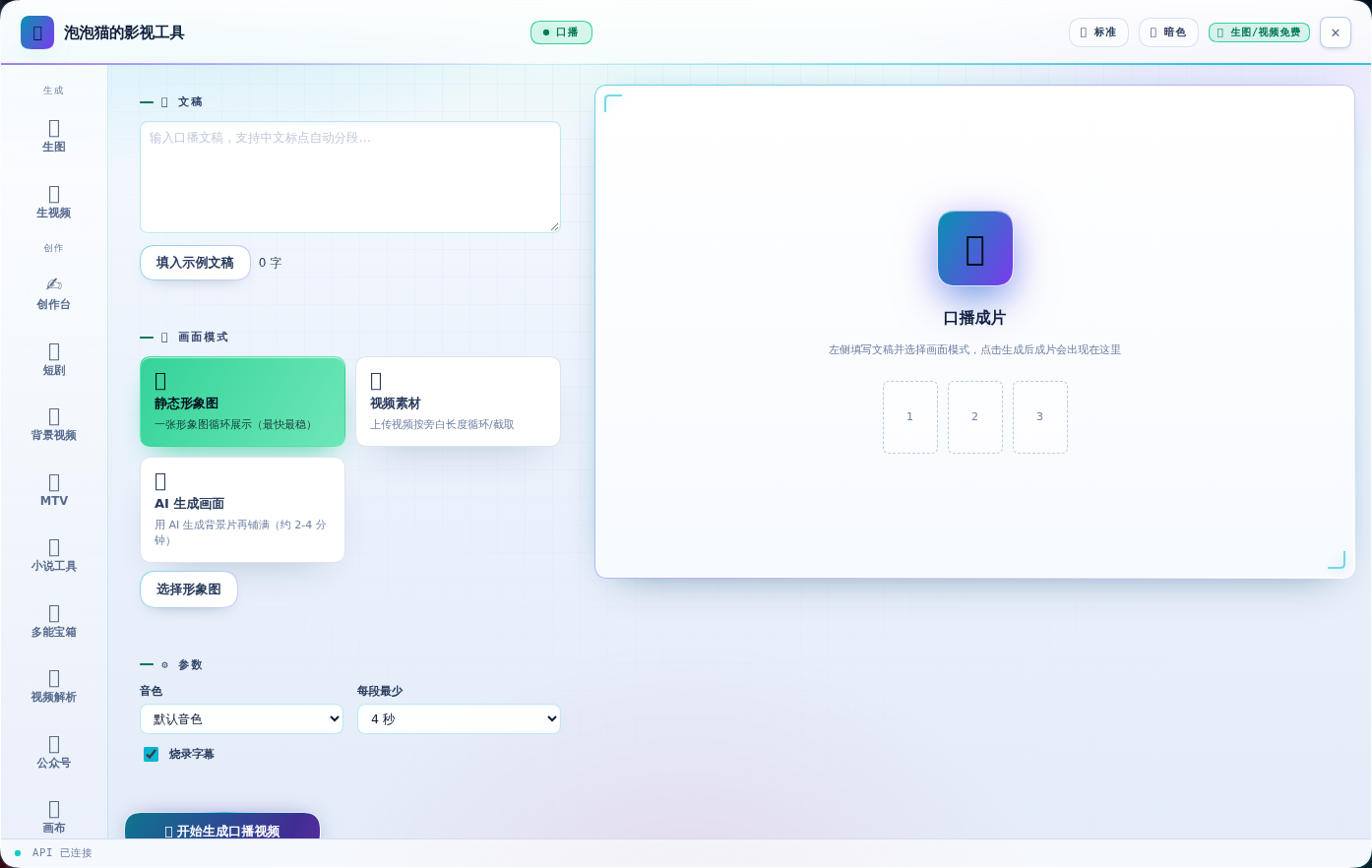
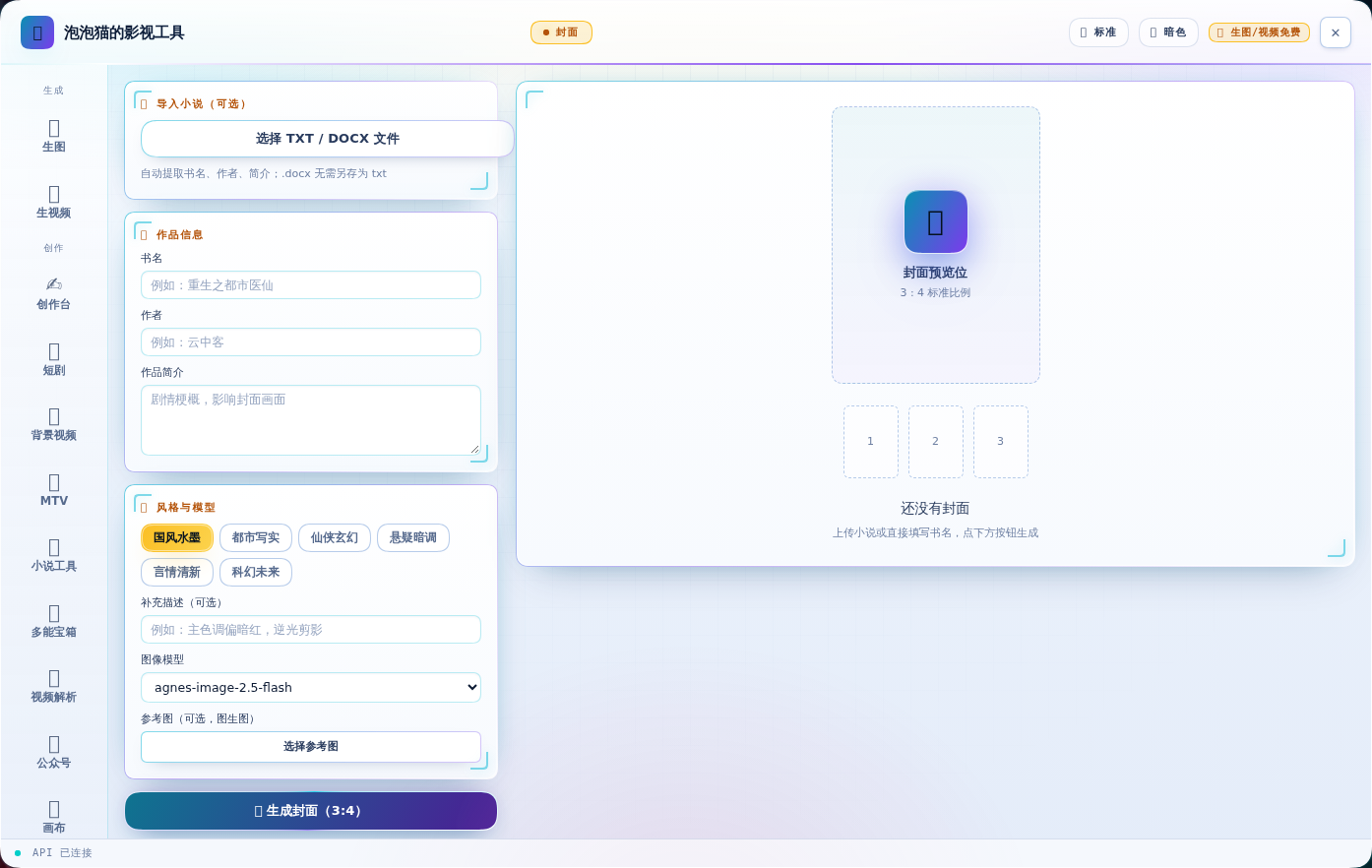
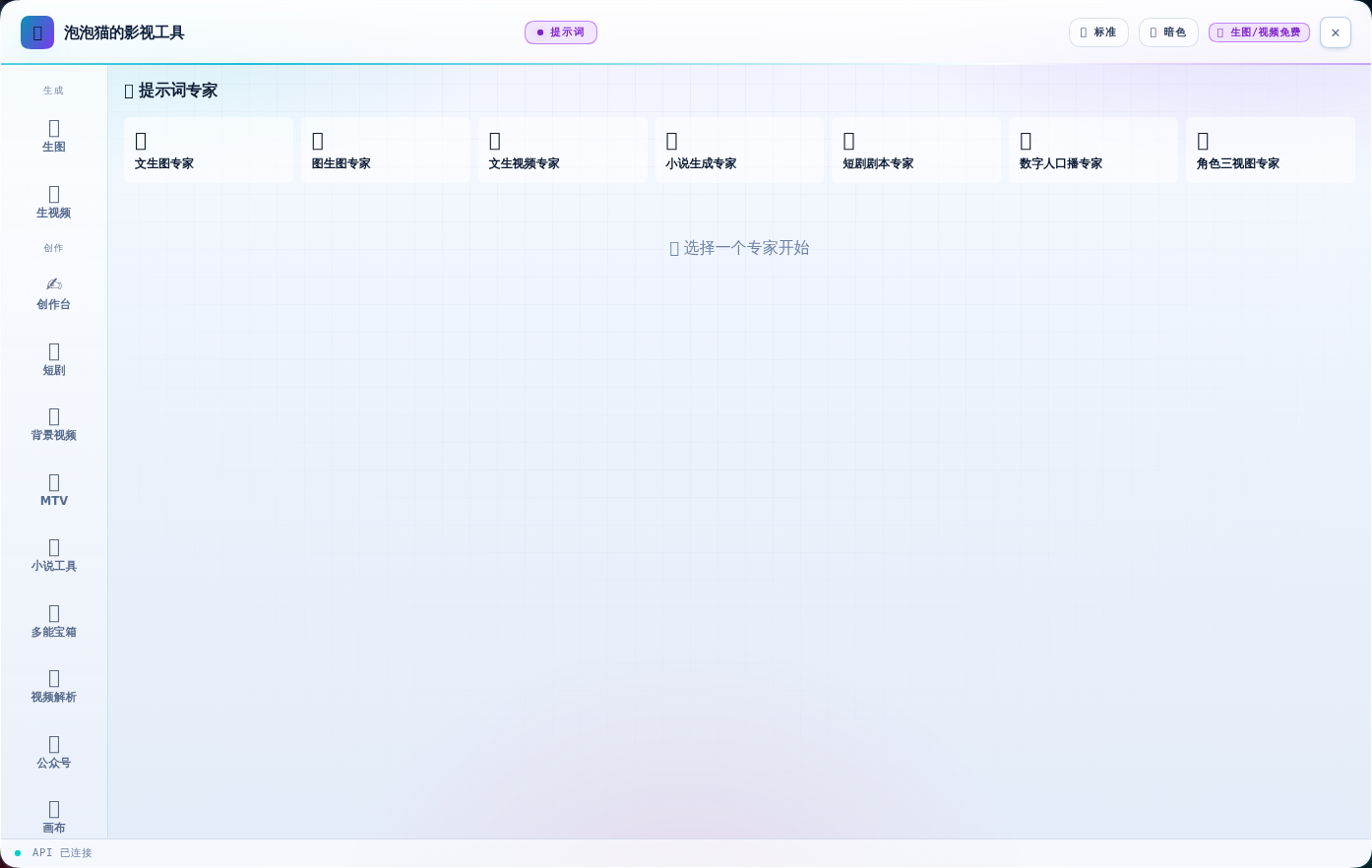
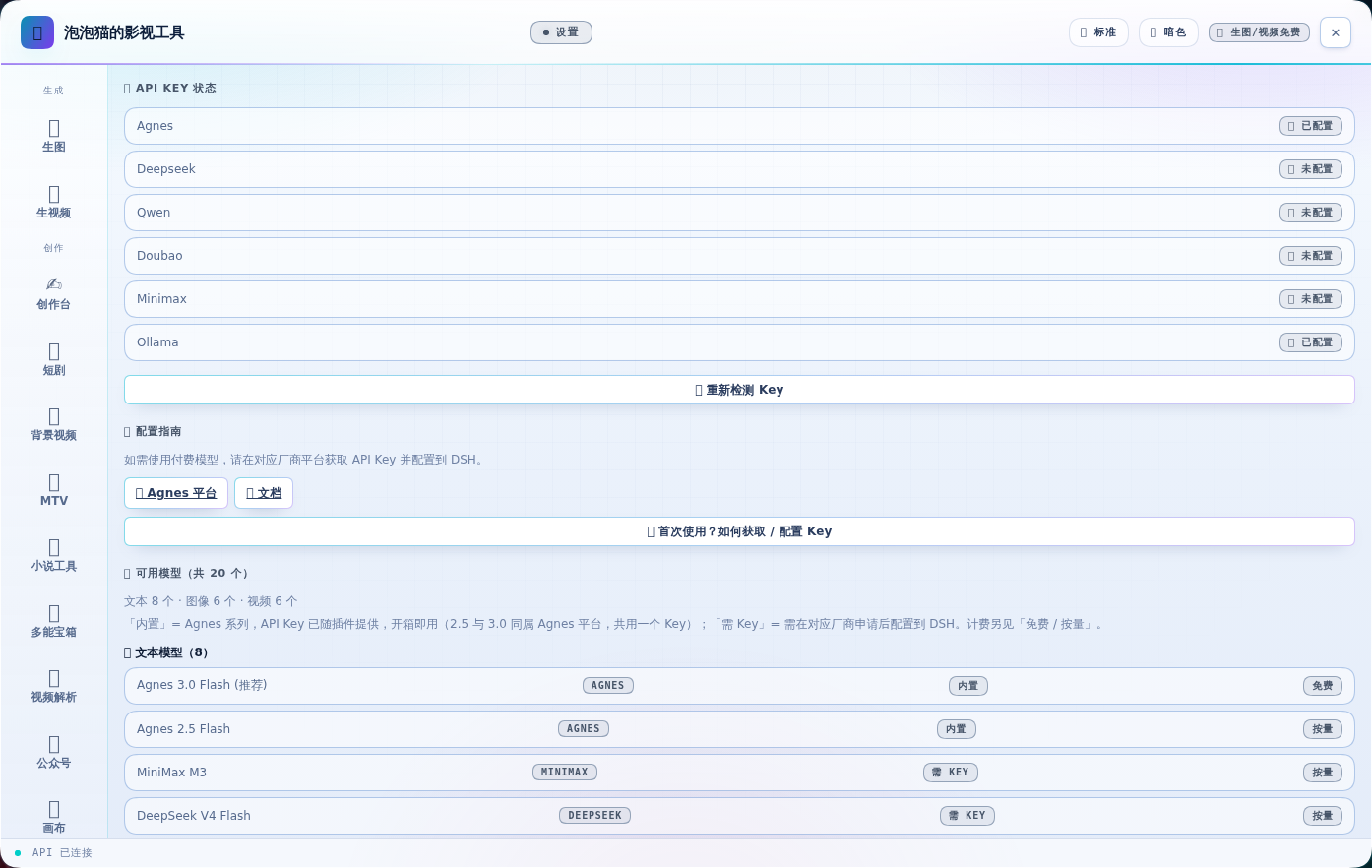
The sidebar entry "🎬 泡泡猫的影视工具" opens an overlay panel powered by shell.overlay that never blocks the chat input. The interface is grouped into Generation (text-to-image, image-to-image, text-to-video, image-to-video), Creation (short-drama pipeline with per-shot generation plus automatic stitching and Chinese subtitle burn-in via ASS, digital-human voice-over with three visual modes, infinite node canvas, novel cover generator, prompt expert), and Configuration (model manager with vendor labels and custom OpenAI-compatible entries, settings page). A separate "✍️ 创作台" tab brings the Oh Story long-form writing workflow into the panel, dynamically advancing chapter buttons and polling the target file every three seconds so users stay inside the panel instead of the chat. Panel sizing cycles through compact, standard, and fullscreen via the 🪟 title-bar button, persisted in localStorage, alongside a 24-entry thumbnail carousel for generation history.
Runtime requirements are explicit and platform-aware: ffmpeg plus ffprobe must be on PATH (or pointed to via AGNES_FFMPEG) for stitching and subtitle burn-in, with apt-get install -y ffmpeg fonts-wqy-zenhei on Linux, brew install ffmpeg && brew install --cask font-noto-sans-cjk-sc on macOS, and Windows users adding ffmpeg to PATH or relying on bundled 微软雅黑. The voice-over pipeline additionally requires a MIMO_API_KEY configured either as the mimo-api-key DSH credential or as an environment variable, and the Agnes API key itself is supplied through the agnes-api-key DSH credential or /dsh/.env line AGNES_API_KEY=sk-... — the key is read only by the host process so the browser never sees it. Canvas state lives in browser localStorage, no backend is required, and license terms are not declared in the repository.
dsh-agnes-studio 是一个面向 DeepSeek Harness(DSH)的原生插件,内部名"Agnes 创意工作站",主打调用免费的 Agnes AI 图像与视频大模型。插件通过 npm 安装到 DSH 的 web profile,由宿主半注册面板与系统提示词注入,由客户端半注入侧边栏入口与生成界面,安装后必须重启 DSH 容器使宿主半生效,客户端半刷新页面即可更新。安装命令为 npm install 路径后编辑 package.json 的 dsh.profile.bundles 与 dependencies 加入 "dsh-agnes-studio",并移除已并入的 @oh-story/dsh。
插件侧边栏入口名为"🎬 泡泡猫的影视工具",面板分三组导航:生成(生图/生视频)、创作(短剧/画布/口播/封面/提示词)、配置(模型/设置),还包含"✍️ 创作台"用于小说工作区流程化写作。核心能力覆盖文生图(Image 2.5 Flash,1K–4K 免费)、图生图、文生视频(Video 2.5 Flash,4–12 秒)、图生视频、短剧流水线(剧本→分镜→逐镜头生成→自动合成并烧中文字幕)、数字人口播、无限画布节点编排、小说封面生成、提示词专家扩写,以及 24 条缩略图历史与紧凑/标准/全屏三档面板尺寸。
运行依赖包括本机 ffmpeg 与 ffprobe(视频拼接与字幕烧录,可设 AGNES_FFMPEG 指定路径)、中文字体(可设 AGNES_SUBTITLE_FONT,缺失时明确报错),口播还需 MIMO_API_KEY(凭据或环境变量)。API Key 通过 DSH 设置的 agnes-api-key 凭据或 /dsh/.env 中的 AGNES_API_KEY 配置,仅由宿主进程读取,浏览器不接触 Key。首次使用需在 platform.agnes-ai.cn 注册并创建 sk- 开头的密钥。
请帮我安装这个 DSH 插件。安装前先完成【兼容性检查 + 安全性检查】,检查通过再动手。

插件:dsh-agnes-studio(zmm863-commits/dsh-agnes-studio)
仓库:https://github.com/zmm863-commits/dsh-agnes-studio
本站详情页:https://www.yhbd.top/plugins/zmm863-commits-dsh-agnes-studio/
本站登记:类型 plugin · 归类 原生 DSH 插件 · 许可证未声明 · ⭐ 12 · 最近提交 2026-09-30 · 主语言 TypeScript

按下面顺序执行,每步先把结论告诉我,再进入下一步:

【1 兼容性检查】
① 我这边:DSH 版本、Node 版本、操作系统、当前 profile(web / desktop)。
② 读它的 README、package.json、插件 manifest,列出它要求的 DSH 版本 / Node 版本 / 操作系统 / 外部依赖 / 需要另外先装的运行时。
③ 逐条比对,结论只写「满足 / 不满足 / 未知」三种;不满足的给出可行替代方案。
④ 检查是否和我已装的插件冲突:命令名重复、skill / tool 重名、端口占用、重复注册的 MCP server。

【2 安全性检查】
① 仓库可信度:和上面「本站登记」是否一致;star / fork 数、创建时间、最近提交,是否归档或长期停更。
② 安装脚本:逐行看 package.json 的 preinstall / install / postinstall,以及 install.sh、setup.ps1 之类脚本。出现 curl|bash、下载后直接执行、混淆代码、访问与插件功能无关的域名,立刻停下来告诉我,不要继续装。
③ 依赖:列出新增依赖,标出无人维护、或与知名包拼写近似的可疑包(typosquatting)。
④ 权限与副作用:它会读写哪些目录、访问哪些域名、需要哪些 DSH 权限(filesystem / network / shell / clipboard 等),以及怎么卸载和回滚。
⑤ 如果它要求 sudo / 管理员权限,或权限明显超出功能所需,先停下来问我。

【3 安装】
上面两步没有「不满足」和「高危项」时才执行;用官方推荐方式安装,不要自行提权。

【4 汇报】
用表格输出:检查项 / 结论 / 依据 / 是否需要我决策。拿不准的一律写「未知」并说明要我怎么确认——不要猜,也不要替我决定。
Send this message to DSH in your current session: it verifies compatibility and security first (answering met / not met / unknown item by item) and only installs once everything checks out — it will stop and ask you if it finds a high-risk item. The box scrolls; the copy is the full prompt. CLI install commands may not be accurate across systems, so DSH is the safer route.把上面这条消息直接发给当前会话里的 DSH:它会先核对兼容性与安全性(逐条给「满足 / 不满足 / 未知」),确认没问题再安装,有高危项会停下来问你。框内可滚动,复制到的是完整提示词;安装命令不一定准确,发给 DSH 更稳。
- No license declared - all rights reserved by default; ask the author before commercial use or redistribution未声明开源许可证 —— 默认「保留所有权利」,商用或再分发前先问作者
- 12 stars - an early-stage project星标 12,属于早期项目
DSH walks through these 9 checksDSH 会逐条核对这 9 项
Compatibility兼容性
- DSH, Node, OS and profile requirementsDSH 版本 / Node 版本 / 操作系统 / profile 是否满足要求
- External dependencies and runtimes (Electron / Python / Docker, ...)外部依赖与运行时(Electron / Python / Docker 等)是否齐备
- Conflicts with installed plugins: command names, skill / tool names, ports, duplicate MCP registration与已装插件是否冲突:命令名、skill / tool 重名、端口占用、重复 MCP 注册
Security安全性
- Repo matches the facts registered here; archived or abandoned?仓库是否与页面登记一致,是否归档或长期停更
- Safety of preinstall / install / postinstall and install.sh / setup.ps1preinstall / install / postinstall 与 install.sh、setup.ps1 是否安全
- curl|bash, download-then-execute, obfuscation, unrelated domains → stop immediatelycurl|bash、下载即执行、混淆代码、无关域名 → 立刻停止
- Typosquatting or unmaintained packages among the new dependencies新增依赖里有没有 typosquatting 或无人维护的包
- Requested permissions vs. what the feature actually needs申请了哪些权限、是否超出功能所需(filesystem / network / shell / clipboard)
- Any sudo / admin requirement, plus uninstall and rollback是否要求 sudo / 管理员权限,以及卸载与回滚方式
Anything uncertain must be marked unknown with a note on how to confirm it. This site's signal screen is a static snapshot, not a security audit.拿不准的必须标「未知」并说明要我怎么确认。本站的信号筛查是静态快照,不能替代安全审计。
Or use CLI install (for developers)或使用命令行安装(适合开发者)
CLI Install命令行安装
dsh plugin --profile web add github:zmm863-commits/dsh-agnes-studio把 zmm863-commits/dsh-agnes-studio 加入你的 DSH 配置(web profile)即可启用。
READMEREADME
🎬 dsh-agnes-studio — 泡泡猫的影视工具
充分利用 Agnes AI 免费生图/视频大模型的 DSH 插件(内部名:Agnes 创意工作站)。
界面
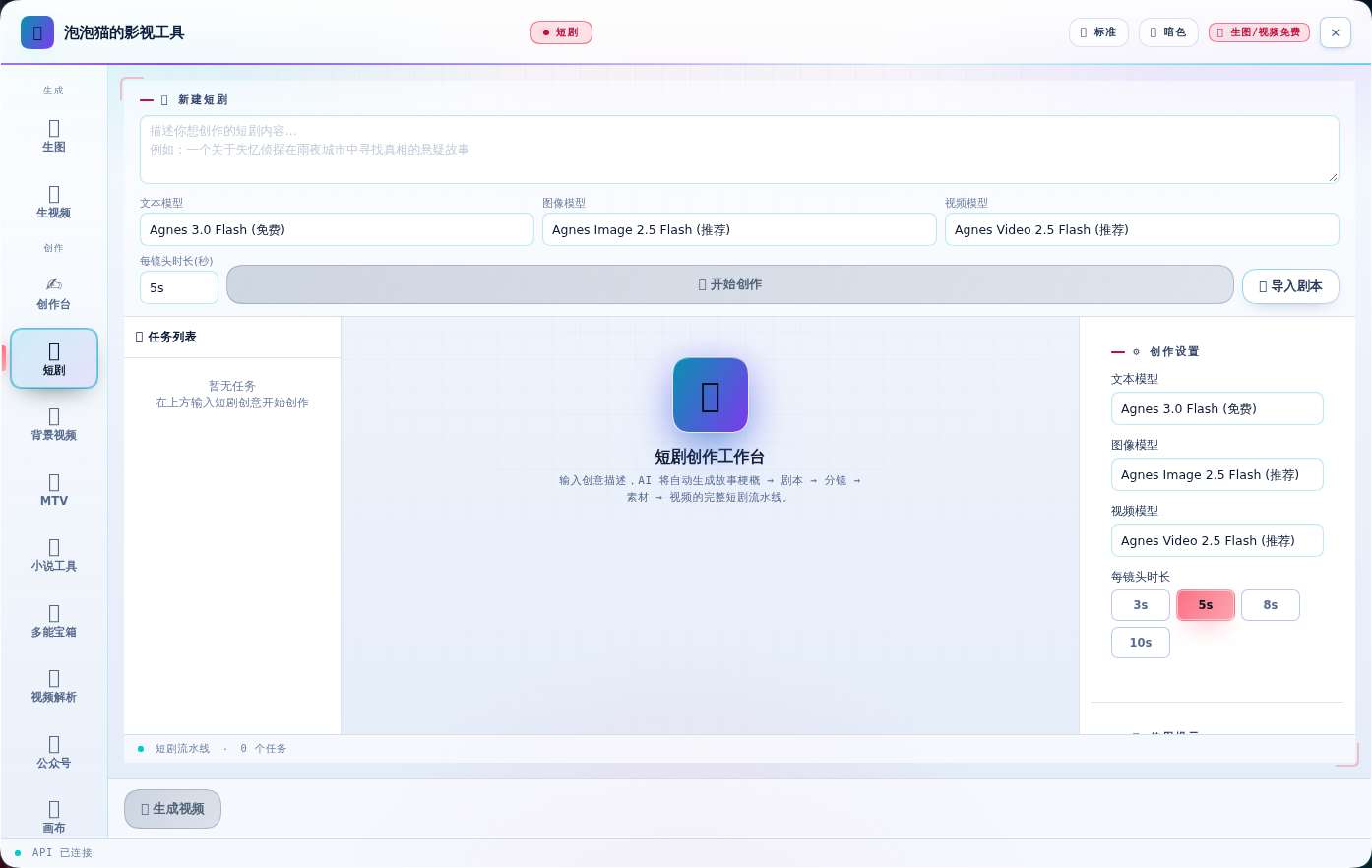
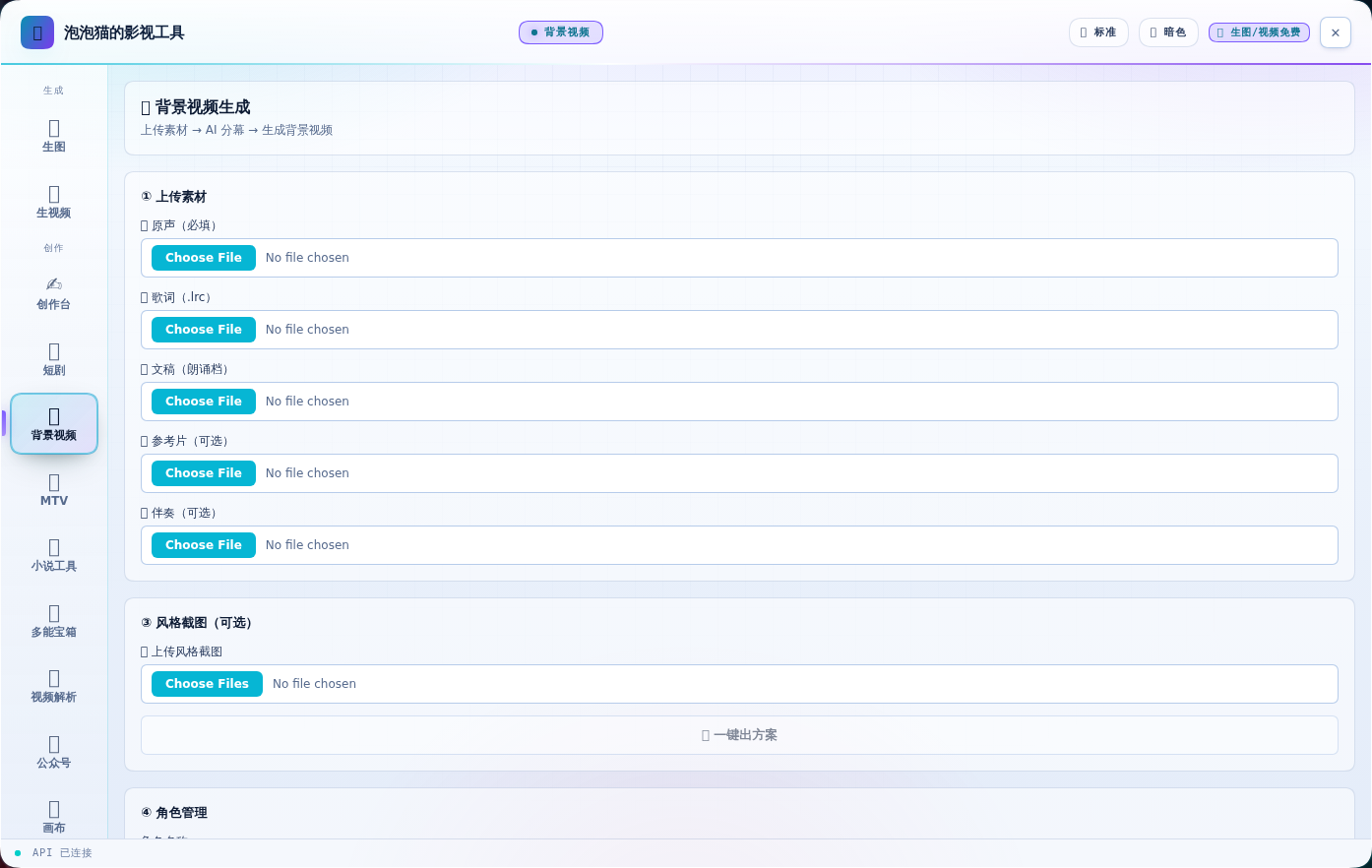
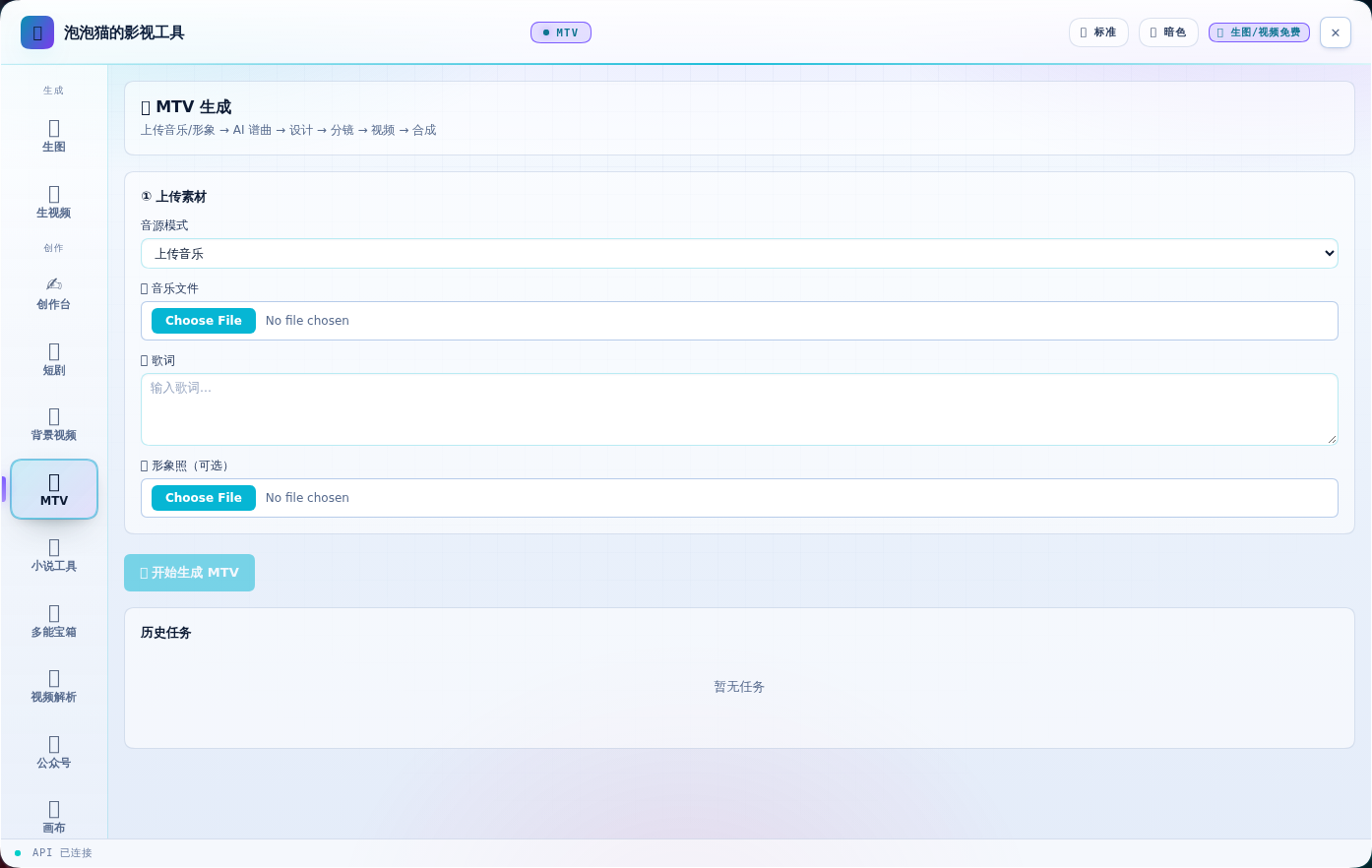
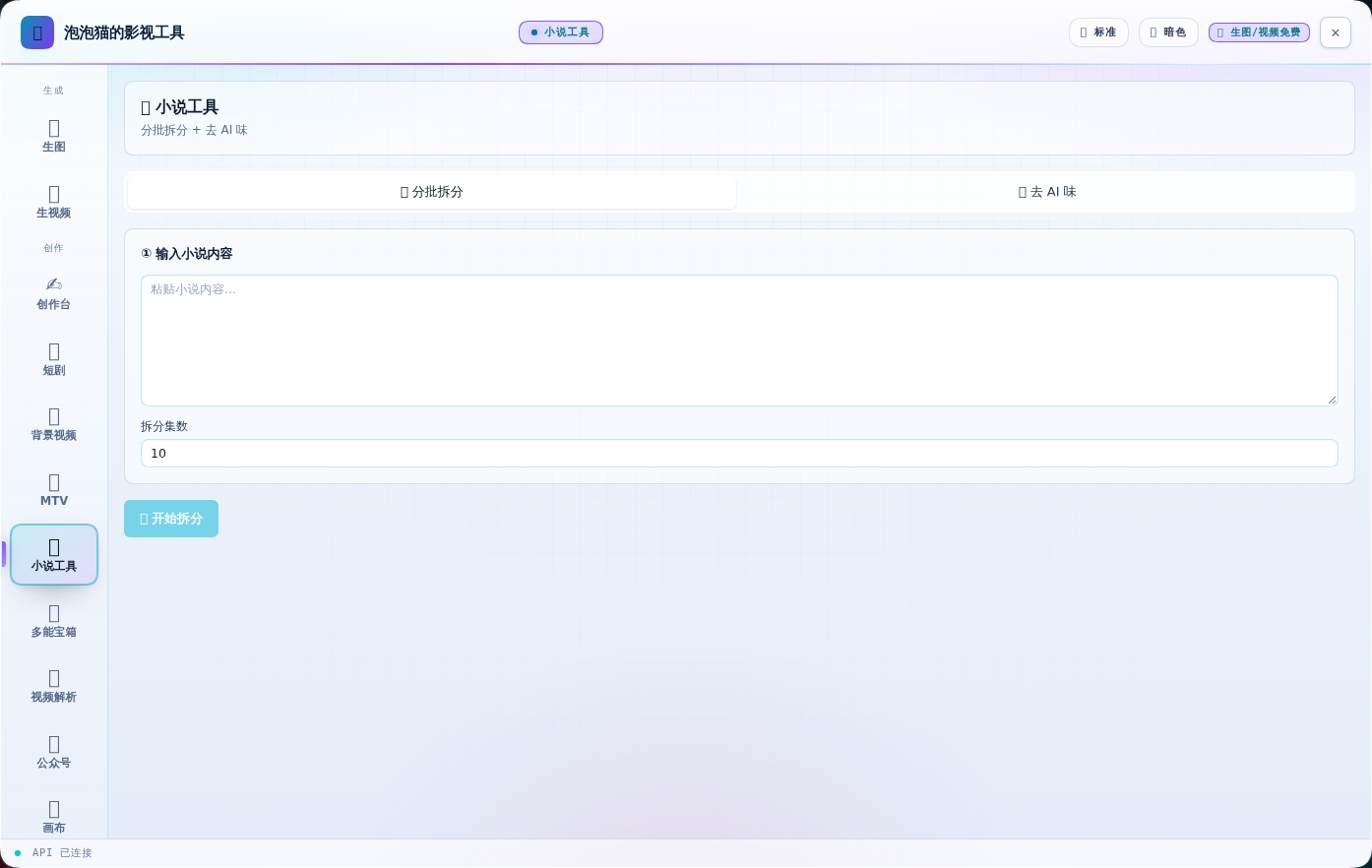
15 个功能页,全部实数截图(v0.7.0)。
| 🎨 生图 | 🎬 生视频 |
|---|---|
 |
 |
| ✍️ 创作台 | 📖 短剧 |
|---|---|
 |
 |
| 🎬 背景视频(新) | 🎵 MTV(新) |
|---|---|
 |
 |
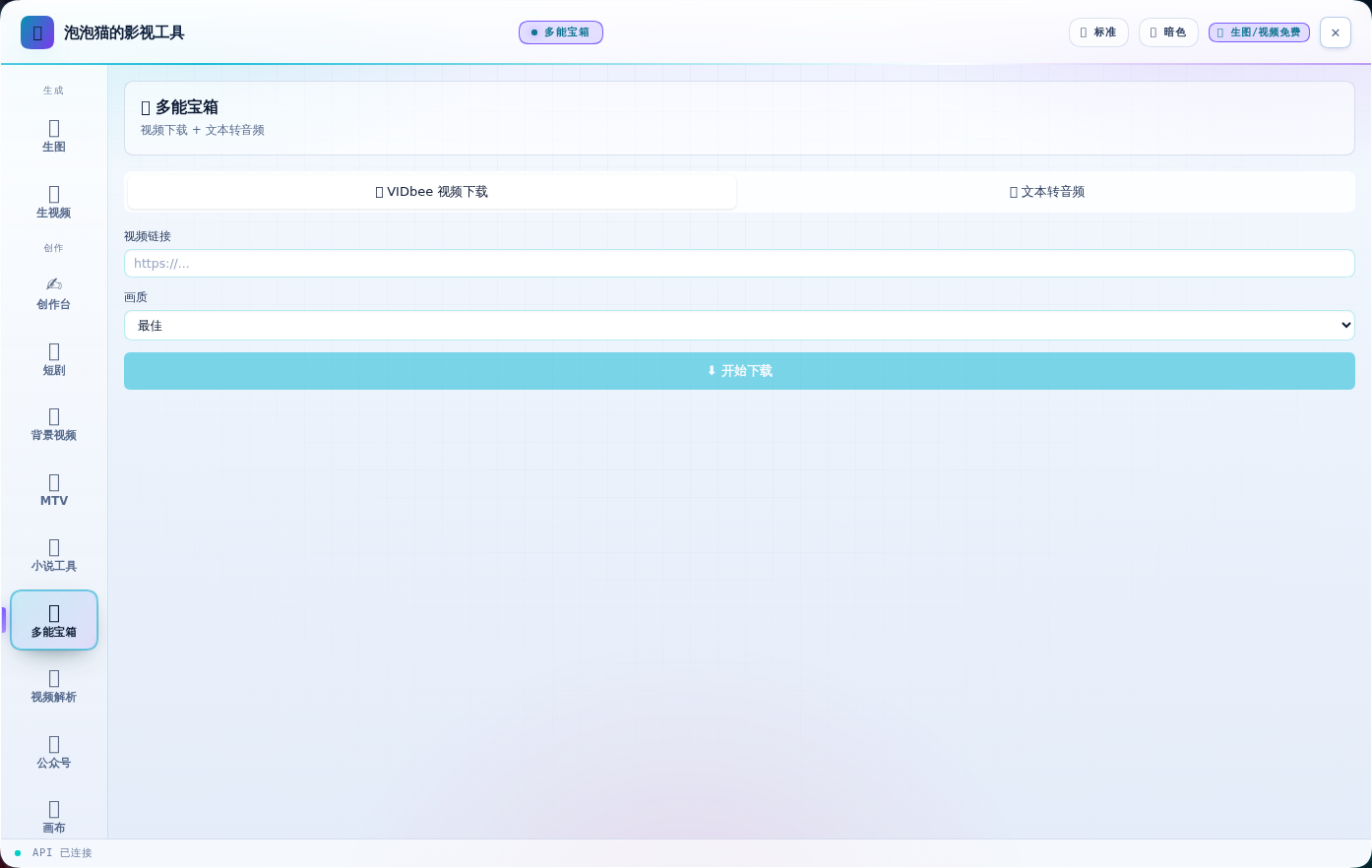
| 📖 小说工具(新) | 🧰 多能宝箱(新) |
|---|---|
 |
 |
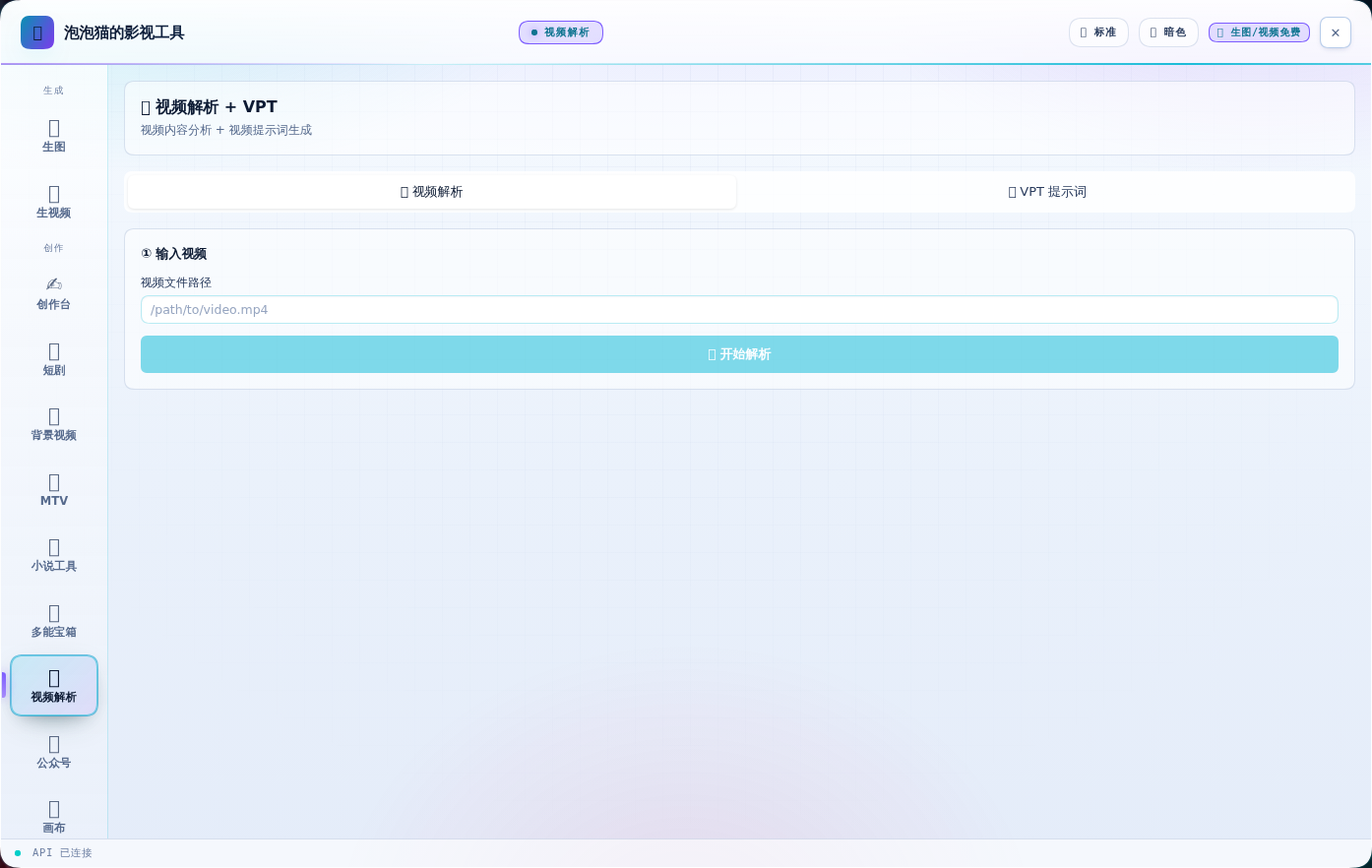
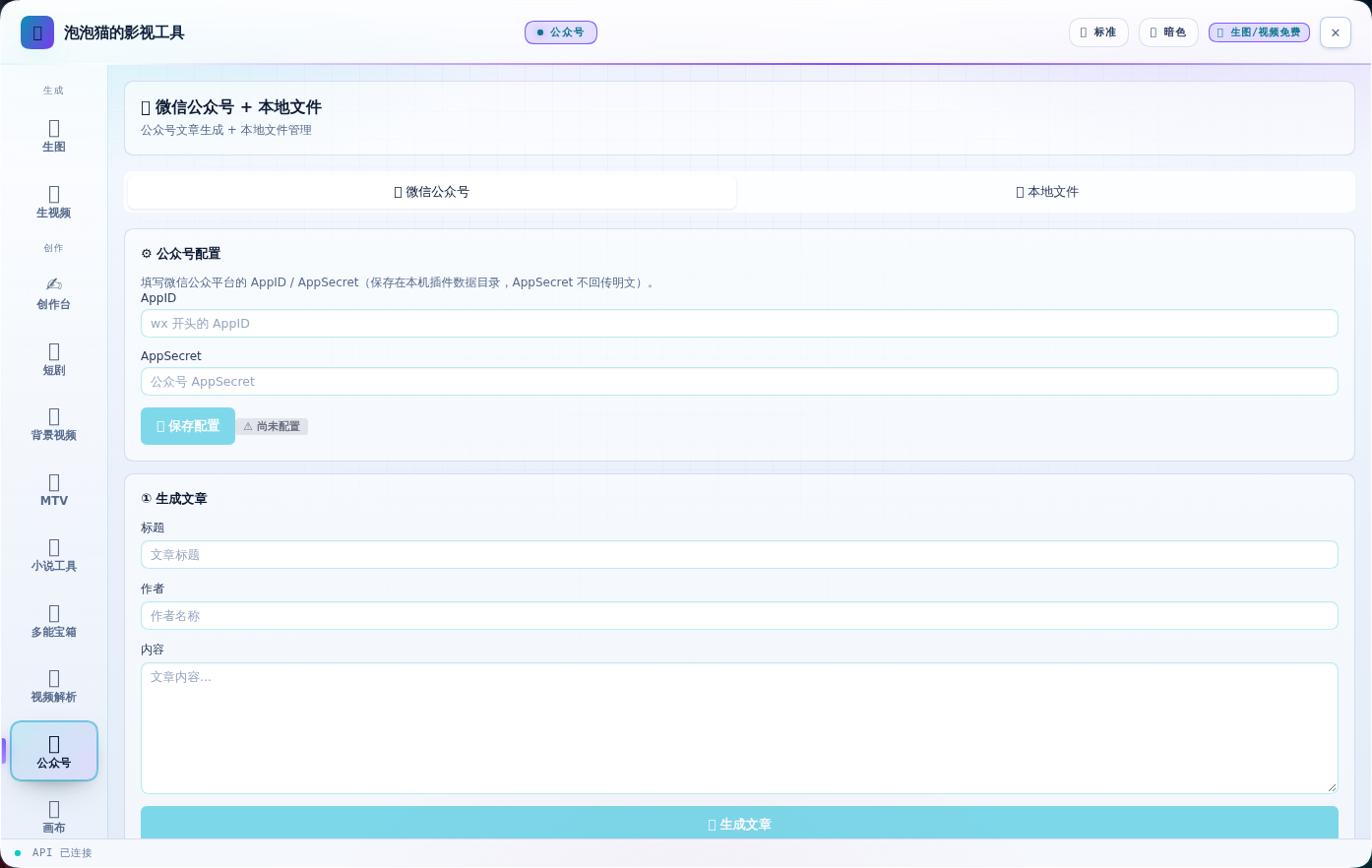
| 🎬 视频解析(新) | 📱 公众号(新) |
|---|---|
 |
 |
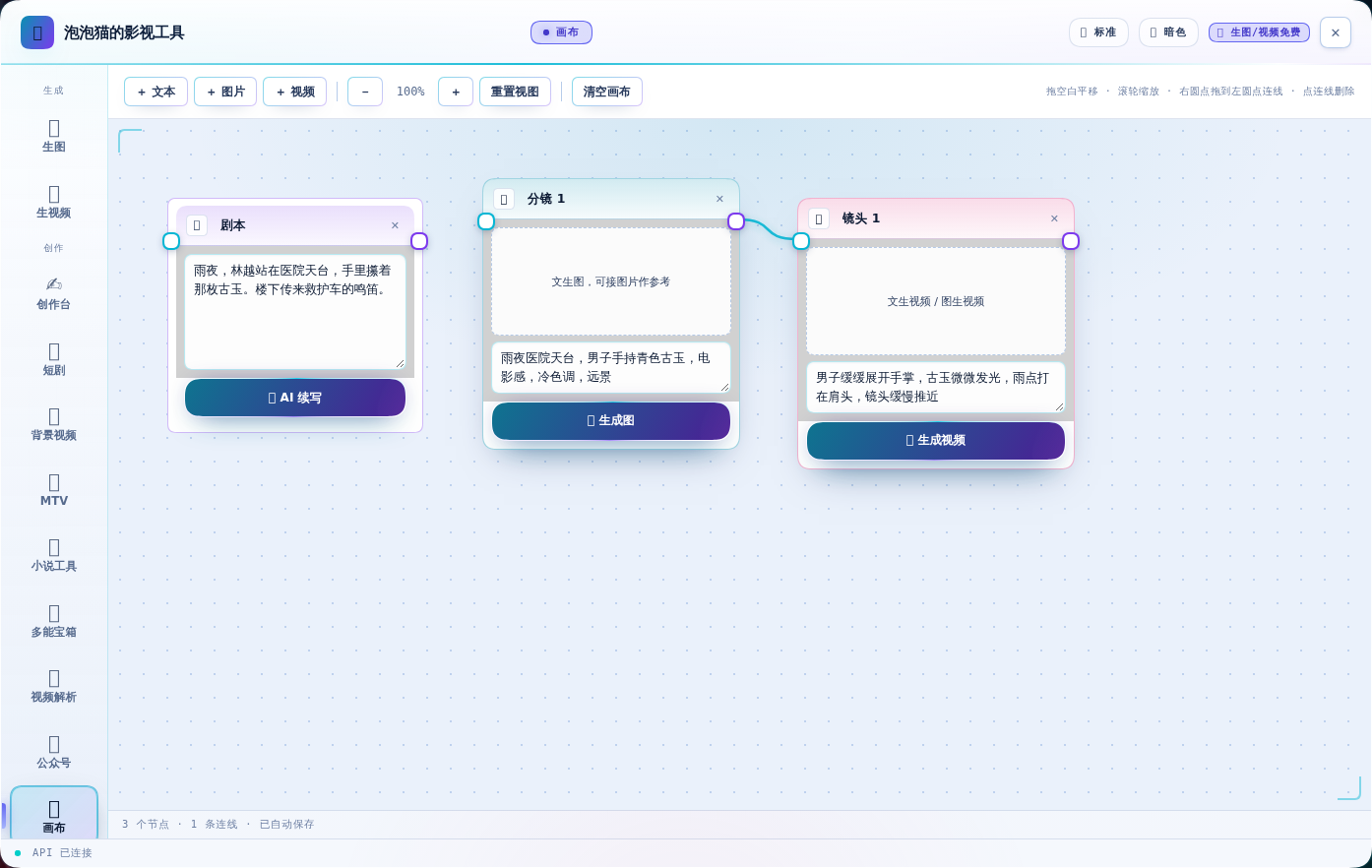
| 🕸 画布 | 🎙 口播 |
|---|---|
 |
 |
| 📕 封面 | ✨ 提示词 |
|---|---|
 |
 |
| ⚙ 设置 |
|---|
 |
核心特性
- 🎨 文生图 — Image 2.5 Flash,支持 1K-4K 尺寸,免费
- 🖼 图生图 — 风格迁移、场景变换、多图合成
- 🎬 文生视频 — Video 2.5 Flash,4-12 秒,免费
- 📹 图生视频 — 首帧控制、多模态参考
- 🎬 背景视频(新)— 上传原声/文稿 → 自动分幕(33 幕)→ 角色定妆与锚图 → 分镜与联系表 → 出片验收
- 🎵 MTV(新)— 音乐 + 形象,走「谱曲 → 设计 → 分镜 → 视频 → 合成」五步生成整支 MV
- 📖 小说工具(新)— 长篇小说一键按集拆分;写出的稿子可一键去 AI 味
- 🧰 多能宝箱(新)— 视频链接下载(vidbee)+ 文本转语音(TTS)
- 🎬 视频解析(新)— 视频切场景、抽关键帧,据此生成可复用的画面提示词(VPT)
- 📱 公众号(新)— 面板内写文章存草稿;AppID / AppSecret 配置入口(凭据存本机,Secret 不回传明文)
- 📖 短剧流水线 — 剧本导入 → 分镜 → 逐镜头真实生成 → 自动合成成片(可烧中文字幕)
- 🎙 数字人口播 — 文稿自动分段 → TTS 配音 → 画面 → 字幕 → 成片
- 三种画面模式:静态形象图 / 视频素材 / AI 生成画面
- AI 模式支持逐段生成画面(每段台词配一段画面,更贴合内容)
- 🕸 无限画布 — 节点化编排(文本/图片/视频),缩放拖拽、连线传参考图、逐节点真实生成,自动保存
- 📕 小说封面 — 上传 TXT/DOCX 自动提取书名/作者/简介,一键生成 3:4 标准封面
- ✨ 提示词专家 — 中文想法一键扩写成专业中英文提示词
- ✍️ 创作台 — 把 Oh Story 的创作流程搬进面板:选工作区 → 一键建项目(长篇/短篇)→
创作流程逐步引导(总纲 / 世界观 / 正文…,每步显示文件是否已写、自动标出下一步)→
文件树与编辑器 → 从面板发起创作任务(写下一章 / 拆文 / 去 AI 味)。
- 写完后不用切到对话框:面板每 3 秒自己检查目标文件,直接显示「正在生成 → ✅ 已完成」
- 章节步骤是动态的:写完一章,按钮自动变成「✍️ 写下一章」,可以一直往下续
- 🧩 模型清单(已并入设置页) — 设置页直接列出全部可用模型与数量:文本 8 个 · 图像 6 个 · 视频 6 个;每行标注厂商与「内置 / 需 Key」「免费 / 按量」,并可增删自定义 API 兼容模型
- 🕘 生成历史 — 最近 24 条生成结果的缩略图走马灯,刷新页面、重启浏览器都不丢
- 🎚 面板尺寸三档 — 标题栏 🪟 按钮循环切换 紧凑 / 标准 / 全屏,选择写进 localStorage
- 📚 Oh Story 创作技能(宿主半) — 原
@oh-story/dsh的宿主半(技能 + 工具)静态并入本包,不再是独立插件行;技能在会话里直接可用。面板侧的「✦ 创作套件」页签已撤销(功能不完善),不再占用面板空间:- 小说 / 短剧 / 游戏 / 视频 四个板块,直接读写当前 DSH 会话工作区里的项目文件
- 短剧 11 技能:
short-drama路由 + develop / write / assets / image-prompts / storyboard / video-prompts / produce / edit / review / novel-analyze - 网文 13 技能:
story路由 + long/short 拆文与写作、封面、去 AI 味、导入、审查、扫榜 - 视频解说 6 技能:understanding / script / cut / voiceover / assemble / recap
- 小说改游戏 7 技能:novel-to-game 及 analyze / concept / world-design / art-direction / build / qa
- 另含
oh_story_role、oh_story_production、oh_story_bundled_reference三个工具
Showing the opening section of the README — the full document lives in the repository以上为 README 开头摘要,完整文档在仓库内 · View the full README on GitHub →在 GitHub 查看完整 README →
Related相关推荐
-
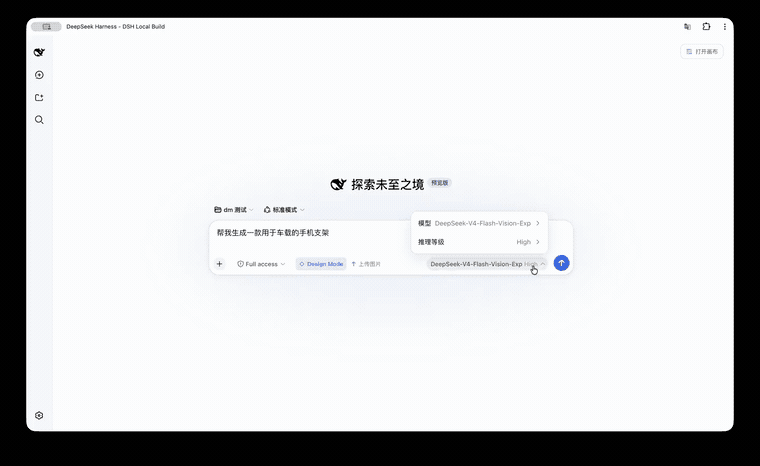 KaichenCurry/dsh-design-mode
Visual execution layer for DeepSeek Harness—guided intent, infinite canvas, contextual image tools, and chat-native comm…
KaichenCurry/dsh-design-mode
Visual execution layer for DeepSeek Harness—guided intent, infinite canvas, contextual image tools, and chat-native comm…
-
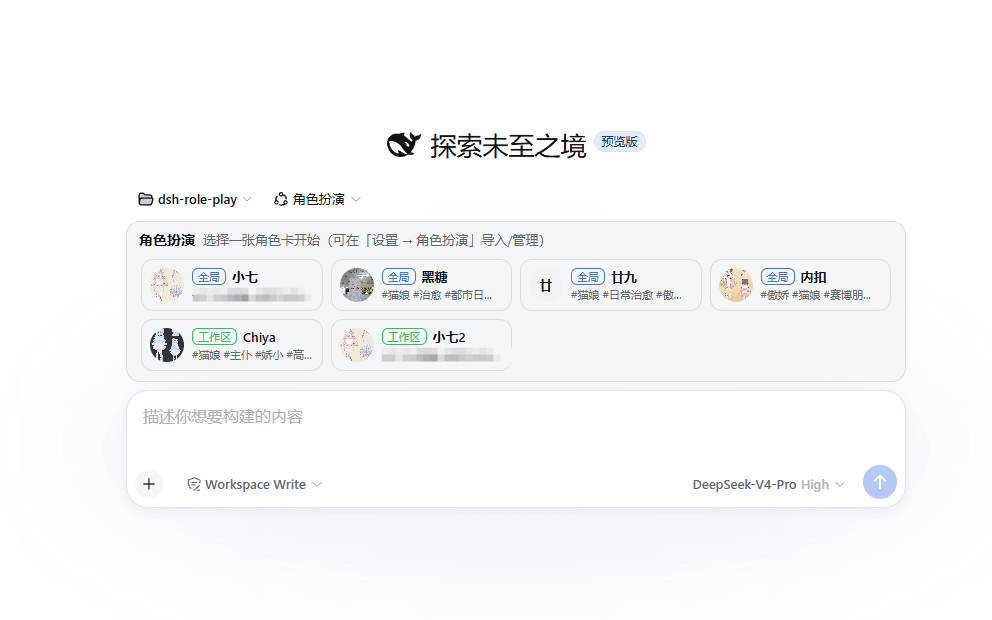 chinosk6/dsh-roleplay
Deepseek Harness 角色扮演插件 Role-play conversations, character-card authoring and image generation for DeepSeek Harness
chinosk6/dsh-roleplay
Deepseek Harness 角色扮演插件 Role-play conversations, character-card authoring and image generation for DeepSeek Harness
- SiriusWJ/dsh-rp-tools 跑团 / DM 工具插件(DeepSeek Harness):中立随机裁决 + 本地 ComfyUI 配图 + 按会话隔离的战役配置(角色卡 / 世界 / 随机表)。TTRPG/DM tools for dsh: dice, local C…
-
 Alisa0808/vox-director
Turn one topic into a finished Vox-style paper-collage explainer/ad video — automated end to end on Atlas Cloud + ffmpeg…
Alisa0808/vox-director
Turn one topic into a finished Vox-style paper-collage explainer/ad video — automated end to end on Atlas Cloud + ffmpeg…
-
 Anionex/agent-vision-toolkit
为纯文本模型"看图“设计更好的视觉工具箱和技能,支持多图理解,图片问答,前端UI还原、GUI 自动化等,并可选无缝接入多个主流agent,直接识别粘贴图片| A vision toolkit and skill designed for t…
Anionex/agent-vision-toolkit
为纯文本模型"看图“设计更好的视觉工具箱和技能,支持多图理解,图片问答,前端UI还原、GUI 自动化等,并可选无缝接入多个主流agent,直接识别粘贴图片| A vision toolkit and skill designed for t…
-
 Anionex/dsh-vision-toolkit
[dsh]为纯文本模型设计更强大的视觉工具箱:一行安装使用、粘贴图片直接识别、多张图片问答、截图到前端UI 还原等|DeepSeek Harness-native integration for agent-vision-toolkit: …
Anionex/dsh-vision-toolkit
[dsh]为纯文本模型设计更强大的视觉工具箱:一行安装使用、粘贴图片直接识别、多张图片问答、截图到前端UI 还原等|DeepSeek Harness-native integration for agent-vision-toolkit: …
-
 shanliuling/dsh-image-gen
AI image studio for DeepSeek Harness — generate, edit & compare images in chat, with 500+ prompts, gallery, multi-model …
shanliuling/dsh-image-gen
AI image studio for DeepSeek Harness — generate, edit & compare images in chat, with 500+ prompts, gallery, multi-model …
-
 ZSeven-W/dsh-ios
DeepSeek Harness (DSH) plugin: a live iOS Simulator — and a USB-connected iPhone — inside the conversation. 22 agent too…
ZSeven-W/dsh-ios
DeepSeek Harness (DSH) plugin: a live iOS Simulator — and a USB-connected iPhone — inside the conversation. 22 agent too…