Zn-Dk/dsh-session-repair
A DSH Web plugin for session diagnosis, trusted checkpoints, pre-repair backups, and safe repair.
catalog 简介 / catalog descriptioncatalog description:DSH Web 会话诊断、可信备份与一键安全修复插件。
项目介绍Project Overview
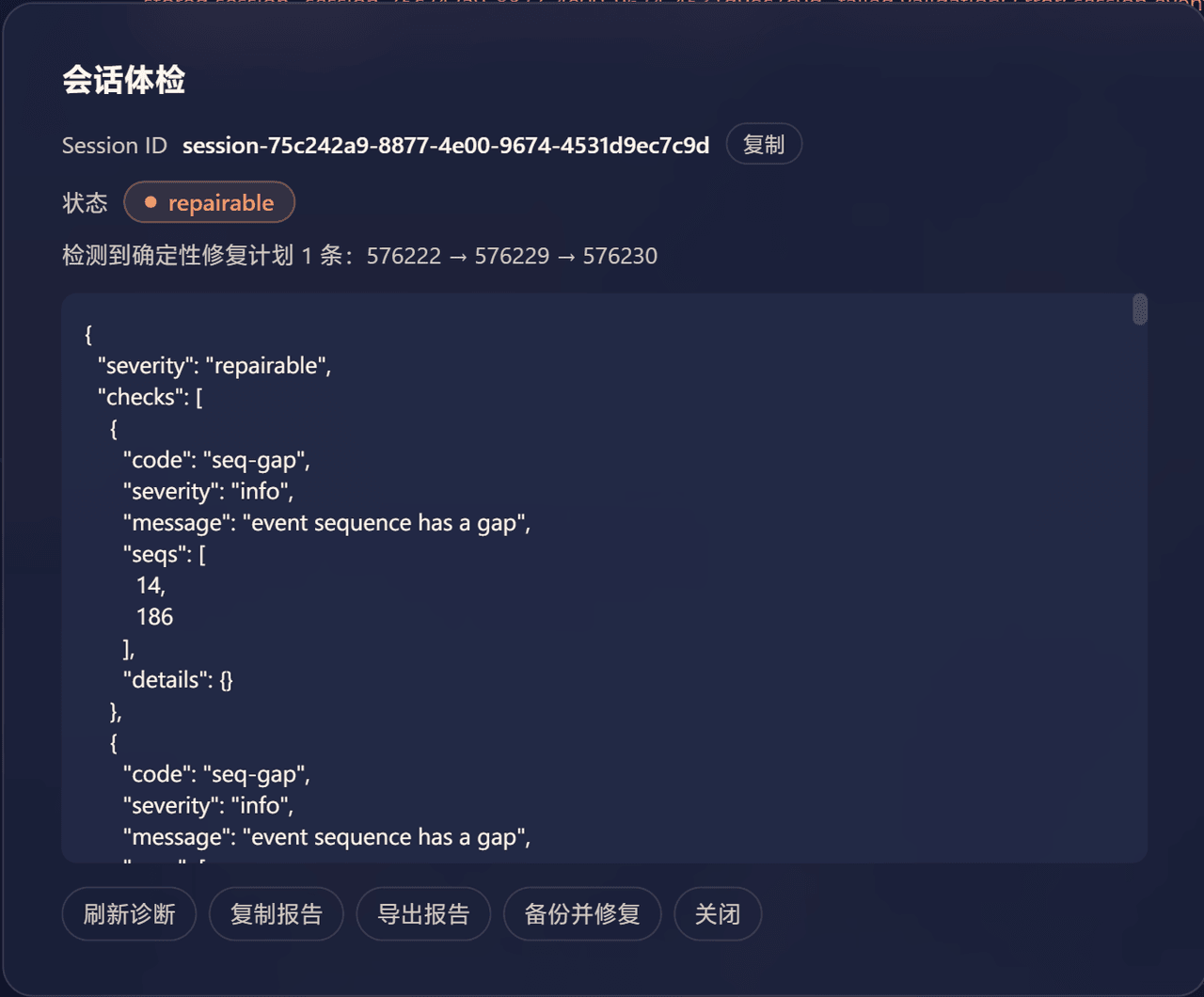
DSH Web 插件 dsh-session-repair 提供会话诊断、信任检查点、修复前备份与安全修复。核心能力:基于会话自身头部就地修复 DeepSeek 网关空 id/name 工具调用导致的"身份丢失"历史,覆盖缺失、null、空串三种形态,批量修复 assistant/message、tool/call、tool/result 全链,修复前必写备份并支持一键回滚与审计。使用场景:会话因 message must have tool source 无法打开时,在 Chat 栏点 Session Health Check 触发 Backup & Repair。注意事项:仅当报告为 repairable 且存在确定性方案时才显示可写修复按钮;模糊、实时、文件变更或 zstd 损坏状态均不会暴露写入入口。
dsh-session-repair is a DSH Web plugin for session diagnosis, trusted checkpoints, pre-repair backups, and safe repair. It fixes in place the poisoned history left when the DeepSeek gateway emits empty id/name on tool-call deltas, covering missing, null, and empty shapes across the full assistant/message, tool/call, tool/result chain in one batch. Use it when a session fails to load with message must have tool source: open the session and click Session Health Check, then Backup & Repair. Caveat: the writable repair button appears only on repairable reports with deterministic plans; ambiguous, live, changed-artifact, or zstd-damaged states are never written.
请帮我了解并安装插件:【dsh-session-repair】【https://github.com/Zn-Dk/dsh-session-repair】把上面这条消息直接发给当前会话里的 DSH,让它帮你了解并安装。安装命令不一定准确,发给 DSH 更稳。Send this message to DSH in your current session. CLI install commands may not be accurate across systems — DSH will figure it out for you.
或使用命令行安装(适合开发者)Or use CLI install (for developers)
命令行安装CLI Install
dsh plugin --profile web add github:Zn-Dk/dsh-session-repair把 Zn-Dk/dsh-session-repair 加入你的 DSH 配置(web profile)即可启用。
READMEREADME
dsh-session-repair
English | 中文
A DSH Web plugin for session diagnosis, trusted checkpoints, pre-repair backups, and safe repair.
Installation
From npm (recommended)
dsh plugin --profile web add dsh-session-repair
Restart dsh web after installation, then refresh http://127.0.0.1:3080.
From GitHub
dsh plugin --profile web add github:Zn-Dk/dsh-session-repair
Development: link local source
cd /root/proj/dsh-proj/dsh-session-repair
pnpm install
pnpm build
dsh plugin --profile web add link:/root/proj/dsh-proj/dsh-session-repair
After modifying the source, restart the existing dsh web process; do not start a replacement server. If the deepseek-harness dev:web watcher is running, the Client bundle can receive updates through the existing HMR.
Severity levels
The severity of a diagnostic report is derived from its checks and decides whether writable repair entry points are shown:
| status | case-when |
|---|---|
healthy |
No blocked/repairable/warning checks. seq-gap and unclosed turn/step in a live session are informational only and do not raise the level. |
warning |
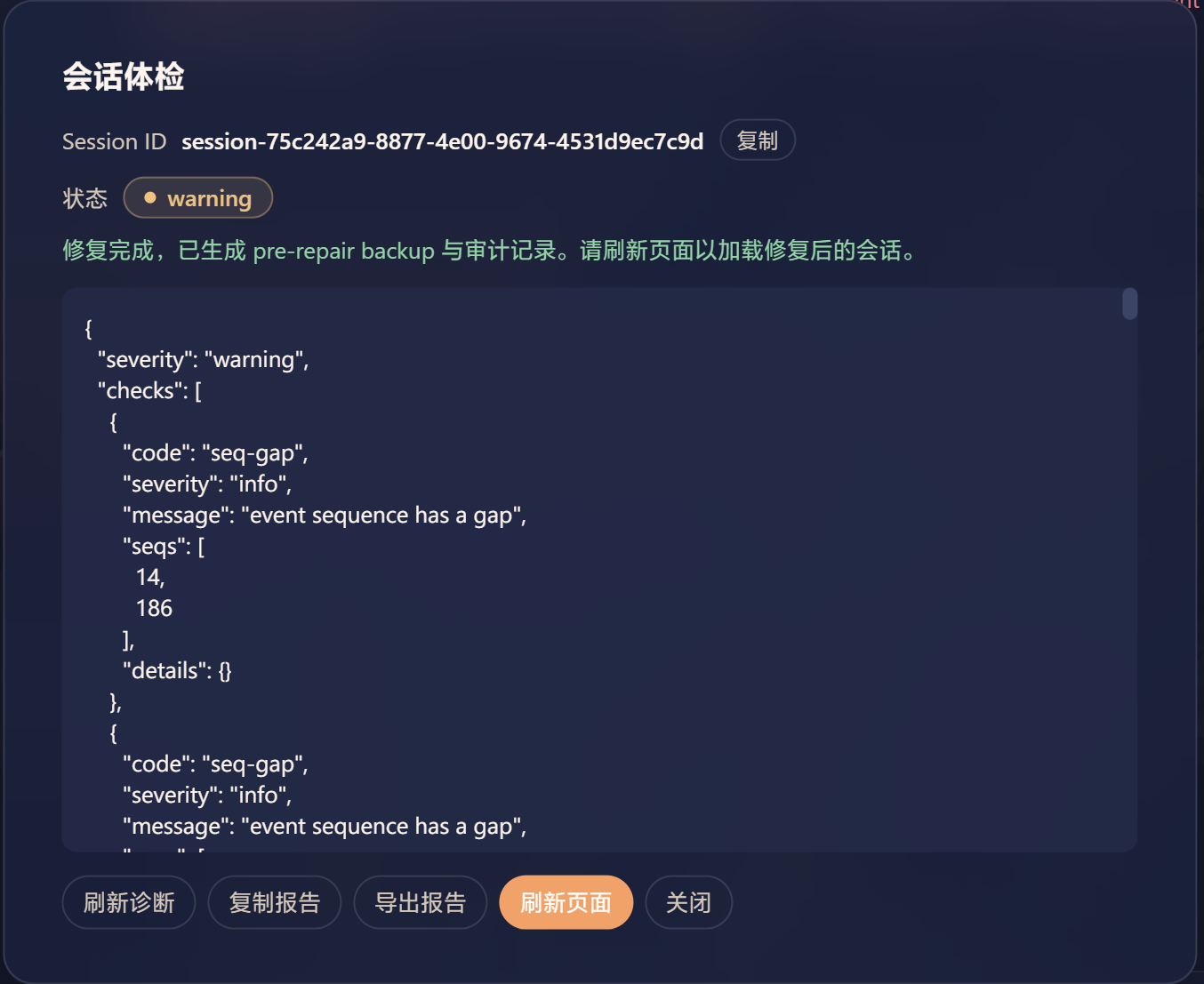
A settled (non-live) history contains unclosed turn/step structures or other potential issues. Readable; no writable repair is offered. |
repairable |
Deterministically fixable issues exist (e.g. empty tool-call ID chains); a repair plan can be submitted. |
blocked |
The session cannot be displayed normally and has a hard conflict that cannot be auto-fixed (ID conflict, zstd damage, session mismatch). |
Why this plugin
If a session refuses to load after the DeepSeek gateway emitted an empty id/name on a tool-call delta (the "identity-loss" family tracked upstream in discussion #4365), the persisted history is poisoned — every later load throws message must have tool source.
dsh-session-repair fixes that poisoned history in place, from the broken session's own header — no manual sessionId copying, no agent involvement, no hand-splitting zstd frames:
- One click: Session Health Check → Backup & Repair on the unopenable session.
- Covers all three identity-loss shapes: missing,
null, and"". - Repairs the full chain (
assistant/message,tool/call,tool/result) in one batch. - Always writes a pre-repair backup first, with one-click rollback and an audit trail.
Upstream verified the root cause and adopted our close-block fallback as a new layer of the engine-side fix blueprint (discussion #4365). This plugin remains the load-path recovery complement: it restores already-poisoned history, while the engine patch prevents new poison from being written.
Usage
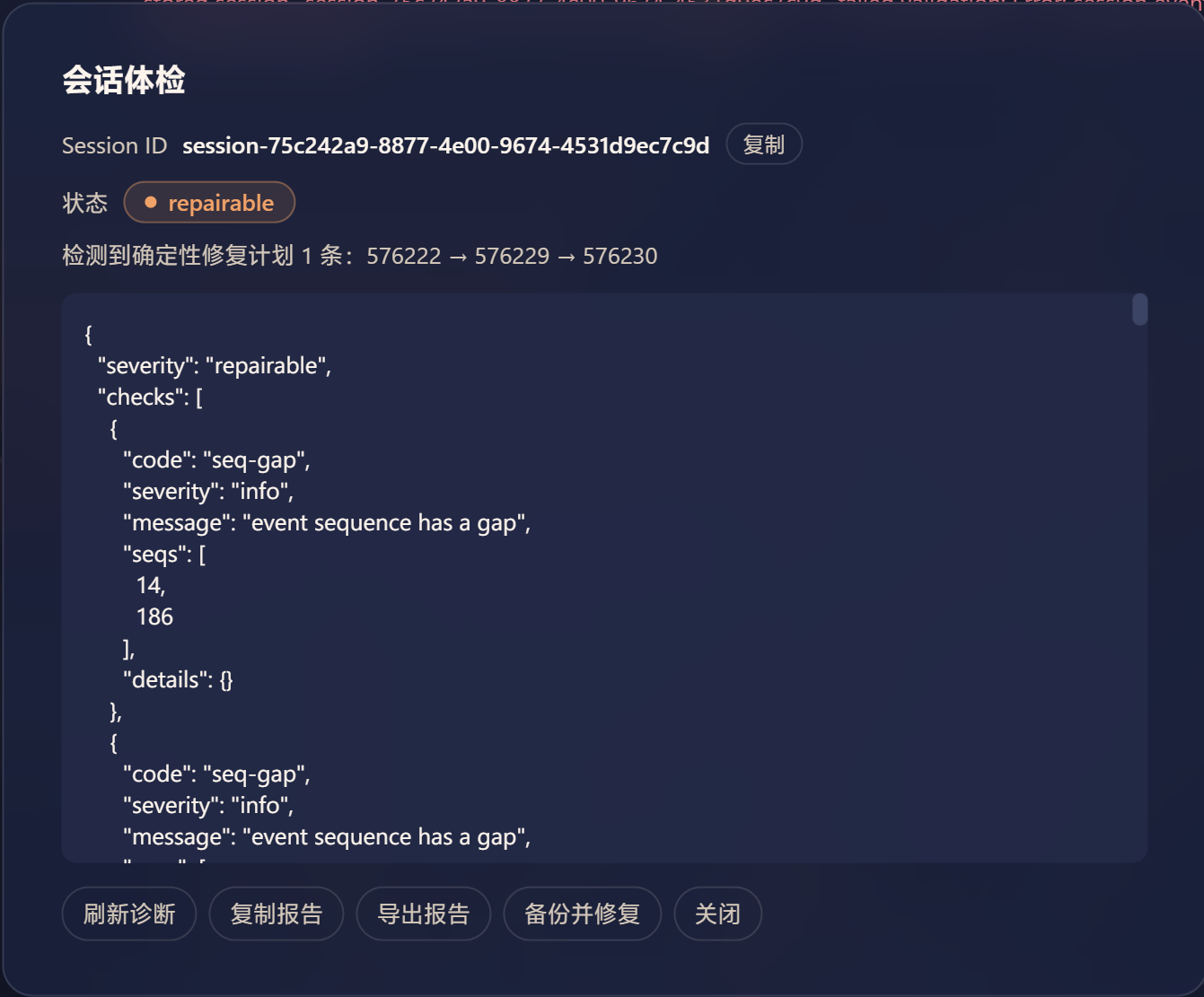
Open any session and click Session Health Check in the Chat header. When the report is repairable and has at least one deterministic repair plan, the panel shows a Backup & Repair button and lists every seq chain to fix. Clicking it first confirms the target seqs and the pre-repair backup, then applies the repair in one batch and revalidates; ambiguous, live, changed-artifact, or otherwise blocked states never show a writable repair button.
Panel buttons:
- Refresh: re-reads the current session artifact and updates the report.
- Copy Report: copies the diagnostic JSON to the clipboard.
- Export Report: downloads the diagnostic report as a JSON file.
- Restore Pre-Repair: shown only when the session is
repairable/blockedand a pre-repair backup exists; one-click rollback to the state before the most recent repair. - Clear Backups: manually clears safety backups.
- Backup & Repair: shown only when the report is
repairableand a deterministic repair plan exists.
Agent tool (model-invoked)
The plugin registers a model-invokable tool dsh_session_repair. It is not user-triggered manually; the agent decides when to call it:
- Arguments:
sessionId(optional; defaults to the current session) - Returns: a structured diagnostic report (severity / checks / repairPlans / maxSeq / eventCount, etc.)
Typical usage:
- In a healthy session, tell the agent: "diagnose the history-unavailable session session-xxxx" — the agent calls
dsh_session_repairwith the old sessionId. - In the current session, tell the agent: "health-check the current session" — the agent calls it without sessionId.
Note: this tool is read-only diagnosis; it never repairs. Repair still requires the Session Health Check panel in the header.
Safety boundary
The Host reads raw storage first, then decides whether to call engine display APIs. The Client never touches ~/.dsh directly and cannot submit arbitrary JSON patches. Repair uses a batchId and an artifact fingerprint, always creates a pre-repair backup before repairing, and atomically replaces only after revalidation. Multiple independent empty-ID chains are fixed in one batch; ambiguous chains, zstd damage, changed files, and live/appending sessions are never written. Live sessions are detected via ctx.get('sessions') / ctx.get('agents'); their unclosed turn/step are normal appending states and are only recorded as info.
Plugin-owned data lives under ~/.dsh/session-repair/, including backups and audit. External ~/.dsh/backup-sessions-* directories are used only as legacy forensics/comparison sources and are not auto-restored by default.
Current implementation status
The repository includes raw zstd/JSONL diagnosis, tool-call ID checks, deterministic repair plans, checkpoint/pre-repair backup writes, backup listing/comparison, report export, RPC, the Agent tool, a header report panel, and a bundled Skill. All endpoints are implemented or explicitly return not-implemented; nothing pretends to succeed.
Release & listing
- npm: dsh-session-repair
- GitHub: https://github.com/Zn-Dk/dsh-session-repair
- Releases: https://github.com/Zn-Dk/dsh-session-repair/releases
- Listing: listed in awesome-dsh-plugin (category:
session; seedata/plugins/Zn-Dk__dsh-session-repair.yml) and awesome-deepseek-harness
Skill
The bundled Skill is published at skills/dsh-session-repair/SKILL.md and registered by the Host runtime; it shares the plugin name but belongs to a different registry. It is not published separately, does not use a submodule, and is not symlinked by default.
相关推荐Related
-
 wenbin-wb/dsh-bridge
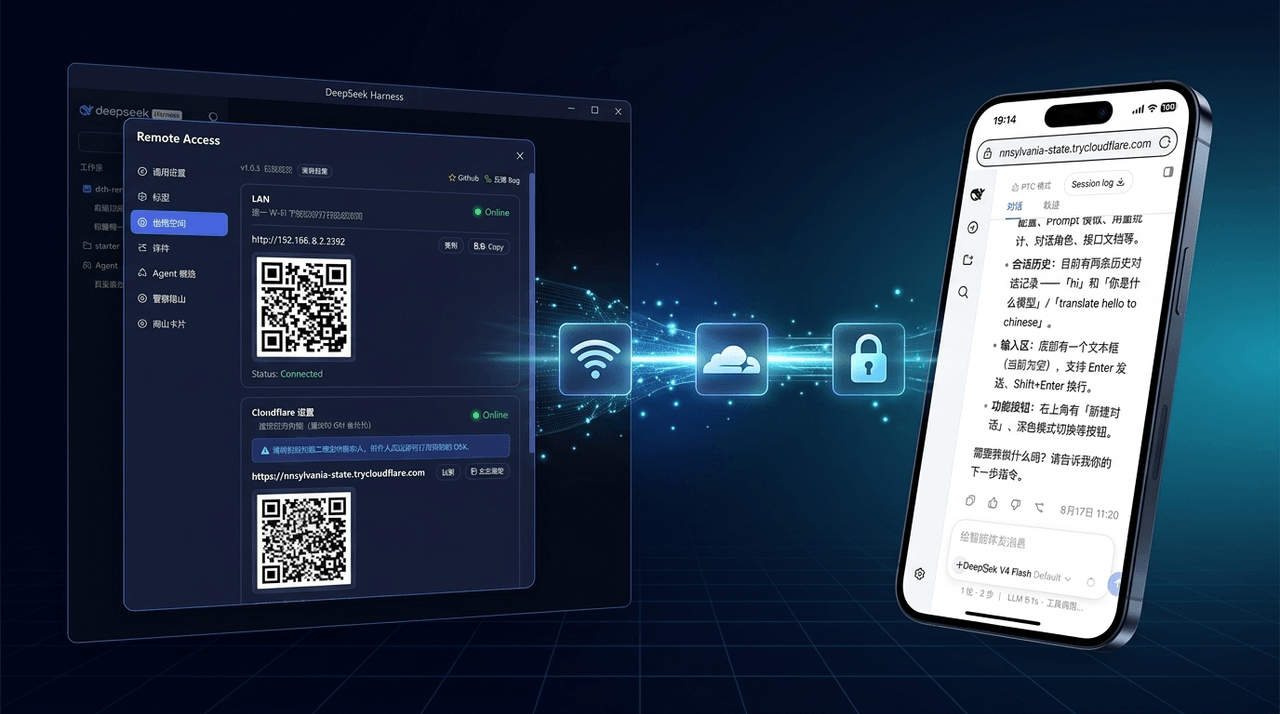
🚀 DeepSeek Harness 多通道远程访问与安全守护插件 | 局域网扫码直连、Cloudflare / 自建公网隧道、微信 / QQ / 飞书 / Telegram 机器人全生命周期对话 | 内置全协议访问安全认证、后台防篡改与…
wenbin-wb/dsh-bridge
🚀 DeepSeek Harness 多通道远程访问与安全守护插件 | 局域网扫码直连、Cloudflare / 自建公网隧道、微信 / QQ / 飞书 / Telegram 机器人全生命周期对话 | 内置全协议访问安全认证、后台防篡改与…
-
 eri64/dsh-claude-ux
DSH plugin: Claude-style Chinese risk control & conversation autonomy for DeepSeek Harness web
eri64/dsh-claude-ux
DSH plugin: Claude-style Chinese risk control & conversation autonomy for DeepSeek Harness web
-
 PerryLink/dsh-permission-rules
Claude Code-style declarative permission rules for DeepSeek Harness: ordered allow/deny/ask rules with tool-name, argume…
PerryLink/dsh-permission-rules
Claude Code-style declarative permission rules for DeepSeek Harness: ordered allow/deny/ask rules with tool-name, argume…
-
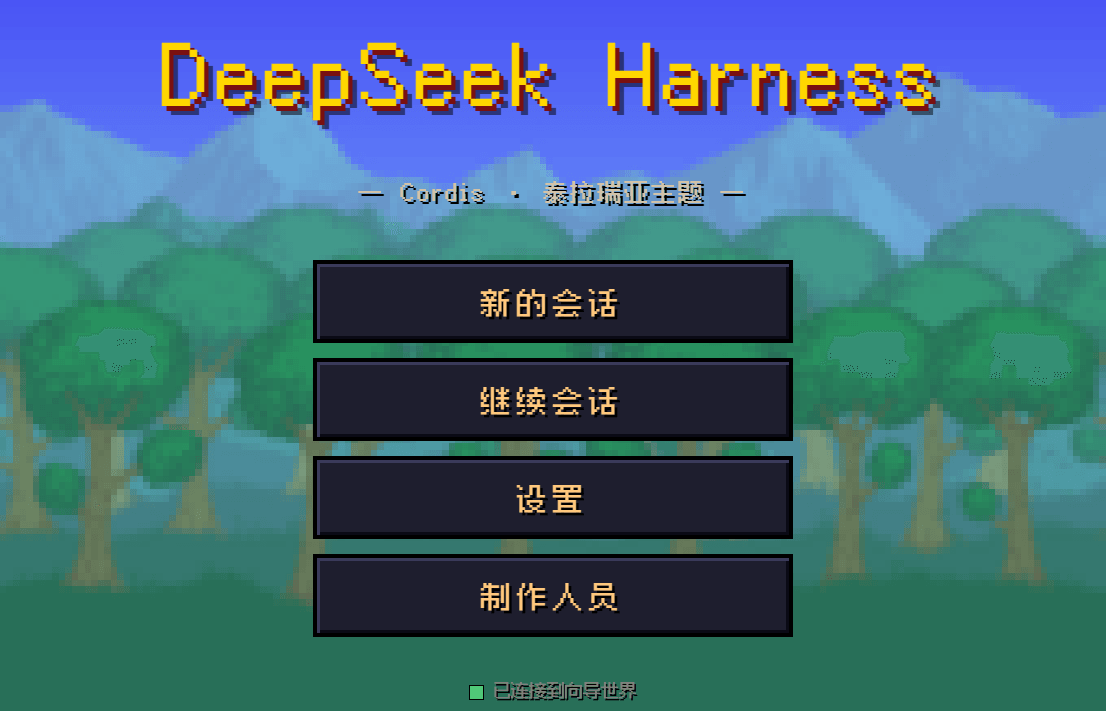 10086ggqq/dsh_theme_terraria
把 DeepSeek Harness 的 AI 编码控制台变成泰拉瑞亚像素世界——向导陪你写代码,真实对话、工具审批、难度切换,单文件零依赖。
10086ggqq/dsh_theme_terraria
把 DeepSeek Harness 的 AI 编码控制台变成泰拉瑞亚像素世界——向导陪你写代码,真实对话、工具审批、难度切换,单文件零依赖。
-
 lsz-asd/dsh-plugin-session-delete
Delete DeepSeek Harness sessions from the UI: header danger button + sidebar session-row menu item (no conversation jump…
lsz-asd/dsh-plugin-session-delete
Delete DeepSeek Harness sessions from the UI: header danger button + sidebar session-row menu item (no conversation jump…
-
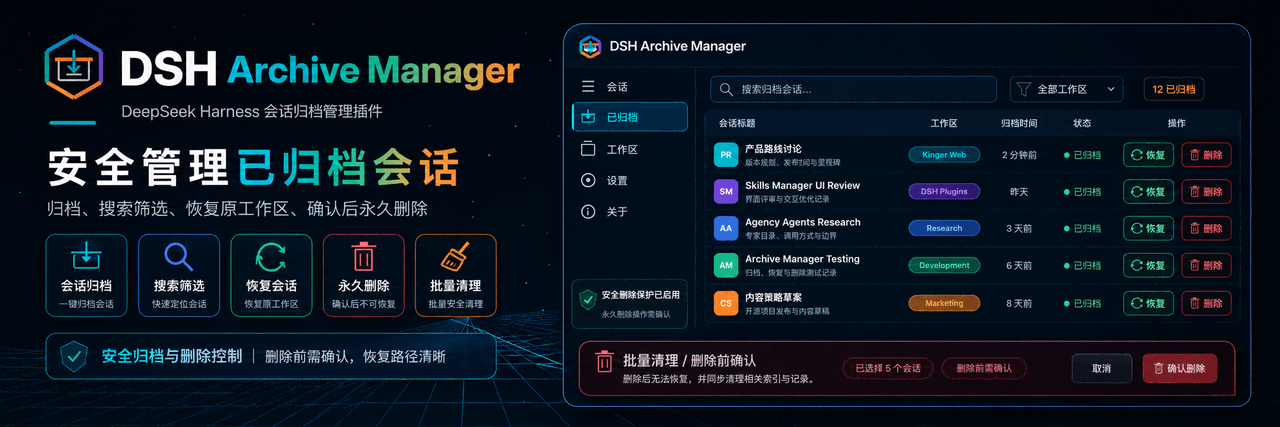 MichengAI/dsh-archive-manager
DSH Archive Manager — 在 DeepSeek Harness 中安全查看、恢复和管理已归档会话 · Safely view, restore, and manage archived sessions in DSH
MichengAI/dsh-archive-manager
DSH Archive Manager — 在 DeepSeek Harness 中安全查看、恢复和管理已归档会话 · Safely view, restore, and manage archived sessions in DSH
-
 ZK-Andy/dsh-continual-evolve
Continual self-evolution plugin for DeepSeek Harness: versioned, auditable, rollback-safe harness state refined from ses…
ZK-Andy/dsh-continual-evolve
Continual self-evolution plugin for DeepSeek Harness: versioned, auditable, rollback-safe harness state refined from ses…
-
 omdsh-dev/dsh-security-audit
DSH 本机安全审计插件:配置/插件来源/会话/网络暴露面,只读脱敏风险报告
omdsh-dev/dsh-security-audit
DSH 本机安全审计插件:配置/插件来源/会话/网络暴露面,只读脱敏风险报告