
37chengshan/agent-mcp
Project Overview项目介绍
agent-mcp is a cross-CLI agent orchestration framework built around a three-layer Skill/MCP/Daemon architecture that lets a host agent dispatch work to whichever native runtime best fits the task rather than forcing every agent into a single CLI. The MCP surface in mcp_server.py exposes 34 tools, while the underlying daemon manages queues, Run/Goal scheduling, mailbox P2P collaboration, policy chains, and journaled idempotent execution across sessions. Installation is driven by install.py / install.sh and targets 21 hosts: six primary carriers (codex, claude, omp, opencode, kimi, zcode) plus 15 extension hosts (grok, cursor, gemini, pi, copilot, cline, qwen, devin, windsurf, amazon-q, atomcode, kiro, goose, hermes, crush), and DSH is wired in through the bundle at packages/dsh-plugin/ via dsh plugin --profile web add dsh-plugin-agentmcp, documented in docs/dsh-integration.md.
In a typical workflow the orchestrating Skill first scores incoming task characteristics against an S/M/L complexity gate, then the control plane selects a CLI × model pairing and issues spawn_agent or DAG-shaped orchestrate_task calls; child runs publish to a shared mailbox, can be steered with steer_agent, continued with followup_task, or resumed across sessions, while consensus votes, budget and approval policies, and audit journals supply cross-runtime governance. A bundled web console at http://127.0.0.1:8765 (token delivered through a 0600 bootstrap file rather than argv) renders the session tree, Run/Goal panels, token dashboards, and a flow-edge conversation canvas over SSE, giving operators one place to observe and terminate activity regardless of which underlying CLI is executing the work.
The project is MIT-licensed, requires Python 3 plus whichever target CLIs the operator intends to register, and ships 600+ passing pytest cases plus a --doctor JSON health probe to validate first-run wiring. Honest caveats from the README matter: the SANDBOX_MAP is not yet wired into the execution chain (real enforcement currently lives in adapter PERMISSION_FLAGS), verify_command is allowlist-deny by default and needs AGENT_MCP_VERIFY_ALLOW_PREFIXES to be useful, the Prime Agent adapter is integrated but marked DEGRADED until real smoke tests land, and running --host all rewrites many user-level host configurations at once, so users should back up those configs first or scope the install with --host <name>.
agent-mcp 是一个跨 CLI 的代理编排框架,采用 Skill/MCP/Daemon 三层架构,让宿主代理把任务派发到最适配的原生 Runtime 上执行。它通过 mcp_server.py 暴露 34 个 MCP 工具,配合 daemon 提供队列、Run/Goal 调度、mailbox 协作与审计治理。安装脚本支持 21 个宿主:--host claude 仅改动该配置,--host all 会改写六主载体(codex、claude、omp、opencode、kimi、zcode)加 15 扩展的全部 MCP 注册;DSH 通过 packages/dsh-plugin/ 下的 dsh-plugin-agentmcp bundle,以 dsh plugin --profile web add dsh-plugin-agentmcp 接入,并配套 docs/dsh-integration.md 文档。
工作流上,主代理先调用编排 Skill 评估任务特征与复杂度 S/M/L 门级,再由调度层挑选 CLI × 模型组合并下派;子代理通过 spawn_agent/orchestrate_task DAG 跨 Runtime 互派消息,借助 steer_agent/followup_task/resume 续接,治理面提供预算、审批、限权策略链与 mailbox 共识投票。配套 Web 控制台(默认 http://127.0.0.1:8765)用 SSE 推送会话树、Run、Token 仪表盘。该工具适合需要把多代理跨 CLI 编排、需要统一控制面、又不想让某个 CLI 承载全部推理的工程团队。
依赖 Python 3、目标 CLI(如 claude-code、codex、omp、opencode 等)已安装并可登录,凭据通过 0600 文件下发且不进入 argv;MIT 开源免费。首次运行建议先跑 python3 start_agent_mcp.py --doctor 做健康体检。诚实限制:沙箱 SANDBOX_MAP 未接入执行链,verify_command 默认拒绝需配 AGENT_MCP_VERIFY_ALLOW_PREFIXES,Prime Agent 适配器能力标记 DEGRADED、真实冒烟尚未完成;--host all 会改写多套用户配置,使用前请备份。
请帮我安装这个 DSH 插件。安装前先完成【兼容性检查 + 安全性检查】,检查通过再动手。

插件:agent-mcp(37chengshan/agent-mcp)
仓库:https://github.com/37chengshan/agent-mcp
本站详情页:https://www.yhbd.top/plugins/37chengshan-agent-mcp/
本站登记:类型 plugin · 归类 多平台兼容工具(非 DSH 原生) · 许可证 MIT · ⭐ 4 · 最近提交 2026-09-24 · 主语言 Python · 未检测到 DSH 插件清单

按下面顺序执行,每步先把结论告诉我,再进入下一步:

【1 兼容性检查】
① 我这边:DSH 版本、Node 版本、操作系统、当前 profile(web / desktop)。
② 读它的 README、package.json、插件 manifest,列出它要求的 DSH 版本 / Node 版本 / 操作系统 / 外部依赖 / 需要另外先装的运行时。
③ 逐条比对,结论只写「满足 / 不满足 / 未知」三种;不满足的给出可行替代方案。
④ 检查是否和我已装的插件冲突:命令名重复、skill / tool 重名、端口占用、重复注册的 MCP server。

【2 安全性检查】
① 仓库可信度:和上面「本站登记」是否一致;star / fork 数、创建时间、最近提交,是否归档或长期停更。
② 安装脚本:逐行看 package.json 的 preinstall / install / postinstall,以及 install.sh、setup.ps1 之类脚本。出现 curl|bash、下载后直接执行、混淆代码、访问与插件功能无关的域名,立刻停下来告诉我,不要继续装。
③ 依赖:列出新增依赖,标出无人维护、或与知名包拼写近似的可疑包(typosquatting)。
④ 权限与副作用:它会读写哪些目录、访问哪些域名、需要哪些 DSH 权限(filesystem / network / shell / clipboard 等),以及怎么卸载和回滚。
⑤ 如果它要求 sudo / 管理员权限,或权限明显超出功能所需,先停下来问我。

【3 安装】
上面两步没有「不满足」和「高危项」时才执行;用官方推荐方式安装,不要自行提权。

【4 汇报】
用表格输出:检查项 / 结论 / 依据 / 是否需要我决策。拿不准的一律写「未知」并说明要我怎么确认——不要猜,也不要替我决定。
Send this message to DSH in your current session: it verifies compatibility and security first (answering met / not met / unknown item by item) and only installs once everything checks out — it will stop and ask you if it finds a high-risk item. The box scrolls; the copy is the full prompt. CLI install commands may not be accurate across systems, so DSH is the safer route.把上面这条消息直接发给当前会话里的 DSH:它会先核对兼容性与安全性(逐条给「满足 / 不满足 / 未知」),确认没问题再安装,有高危项会停下来问你。框内可滚动,复制到的是完整提示词;安装命令不一定准确,发给 DSH 更稳。
- Only 4 stars - very few users, little community feedback星标只有 4,几乎没人在用,遇到问题缺少社区反馈
- No DSH plugin manifest detected - it may only carry the dsh-plugin topic, so the install method must be confirmed on the spot未检测到 DSH 插件清单:可能只是打了 dsh-plugin 话题,安装方式要现场确认
- Not DSH-native: a multi-platform tool that may require Node / Electron or another runtime first非 DSH 原生,是多平台兼容工具:可能要先装 Node / Electron 等运行时
DSH walks through these 9 checksDSH 会逐条核对这 9 项
Compatibility兼容性
- DSH, Node, OS and profile requirementsDSH 版本 / Node 版本 / 操作系统 / profile 是否满足要求
- External dependencies and runtimes (Electron / Python / Docker, ...)外部依赖与运行时(Electron / Python / Docker 等)是否齐备
- Conflicts with installed plugins: command names, skill / tool names, ports, duplicate MCP registration与已装插件是否冲突:命令名、skill / tool 重名、端口占用、重复 MCP 注册
Security安全性
- Repo matches the facts registered here; archived or abandoned?仓库是否与页面登记一致,是否归档或长期停更
- Safety of preinstall / install / postinstall and install.sh / setup.ps1preinstall / install / postinstall 与 install.sh、setup.ps1 是否安全
- curl|bash, download-then-execute, obfuscation, unrelated domains → stop immediatelycurl|bash、下载即执行、混淆代码、无关域名 → 立刻停止
- Typosquatting or unmaintained packages among the new dependencies新增依赖里有没有 typosquatting 或无人维护的包
- Requested permissions vs. what the feature actually needs申请了哪些权限、是否超出功能所需(filesystem / network / shell / clipboard)
- Any sudo / admin requirement, plus uninstall and rollback是否要求 sudo / 管理员权限,以及卸载与回滚方式
Anything uncertain must be marked unknown with a note on how to confirm it. This site's signal screen is a static snapshot, not a security audit.拿不准的必须标「未知」并说明要我怎么确认。本站的信号筛查是静态快照,不能替代安全审计。
Or use CLI install (for developers)或使用命令行安装(适合开发者)
CLI Install命令行安装
dsh plugin --profile web add github:37chengshan/agent-mcp把 37chengshan/agent-mcp 加入你的 DSH 配置(web profile)即可启用。
READMEREADME
Agent MCP

让 Agent 跑在最适配的底座上 · 打破 Agent 之间的隔离
任务特征 → 最适配 CLI × 模型 · 跨 Runtime 编排 / 消息互通 / 统一治理






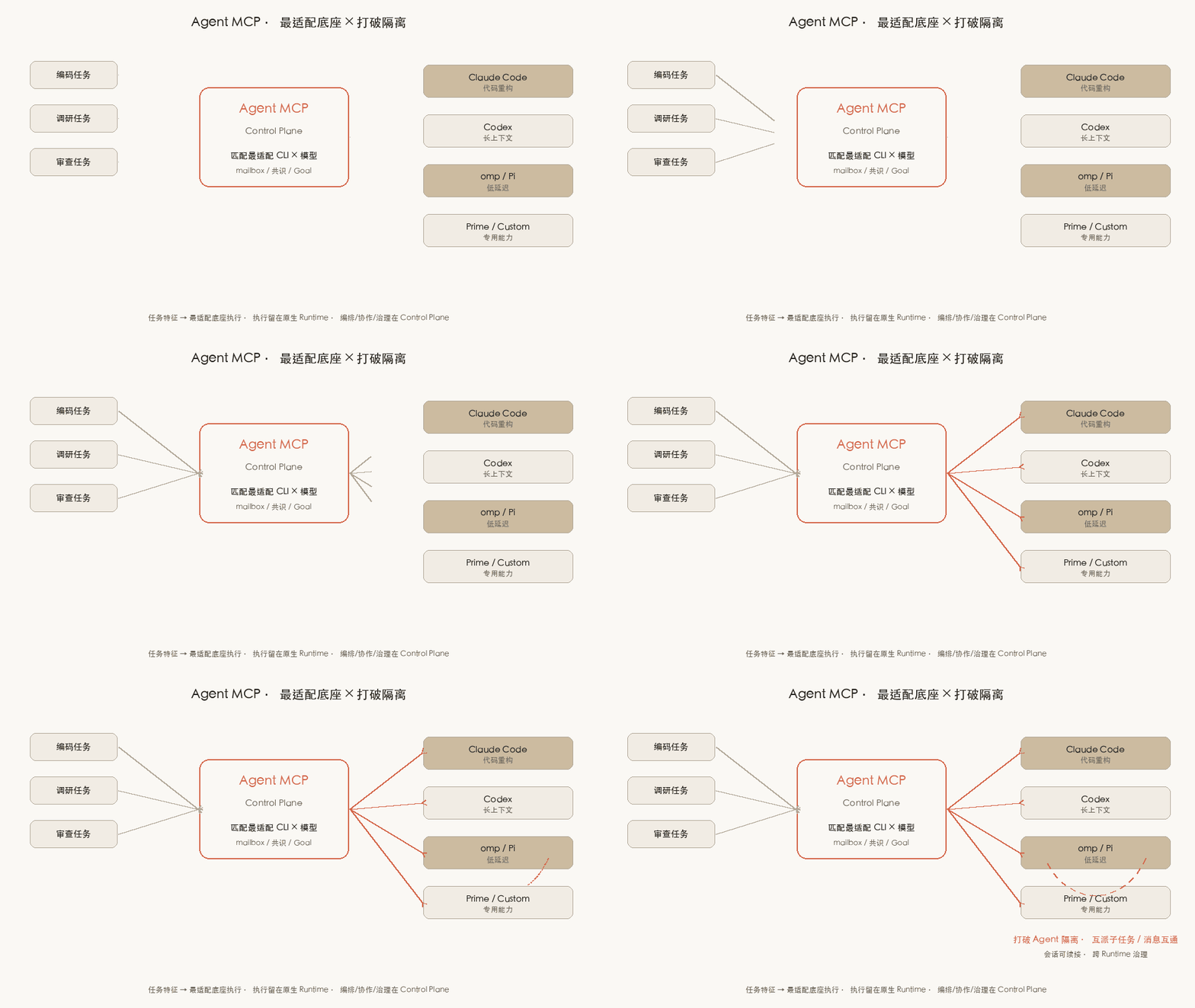
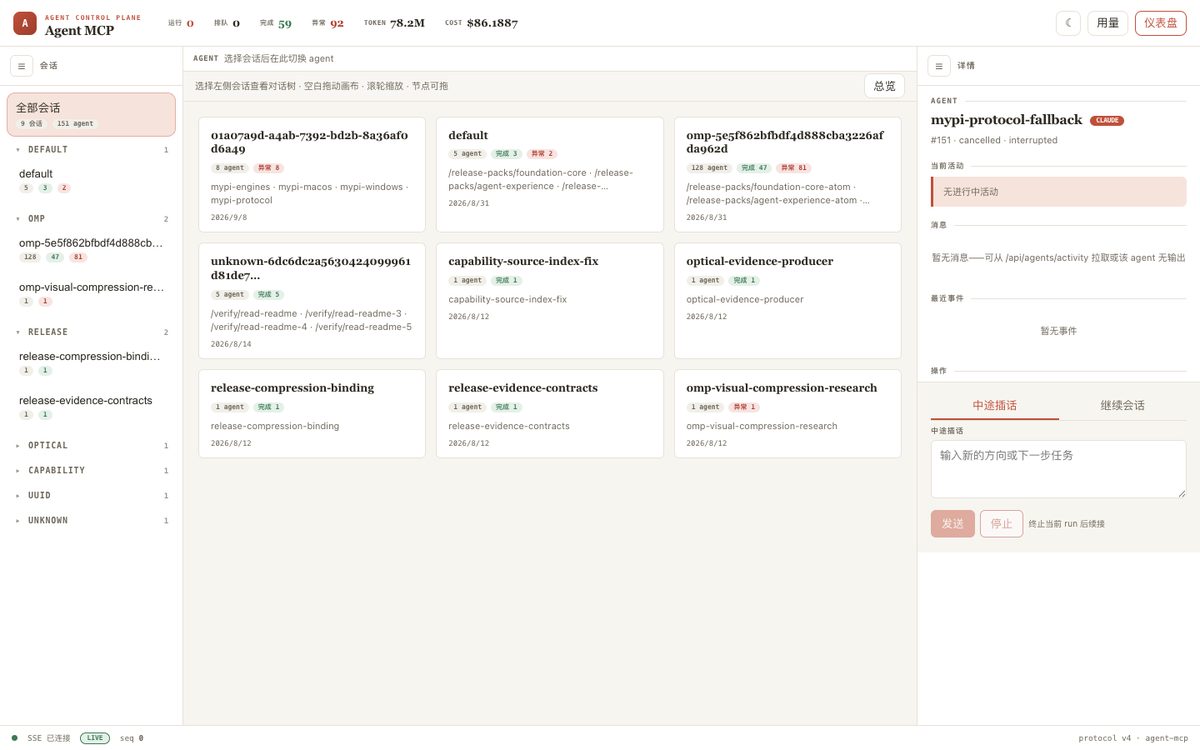
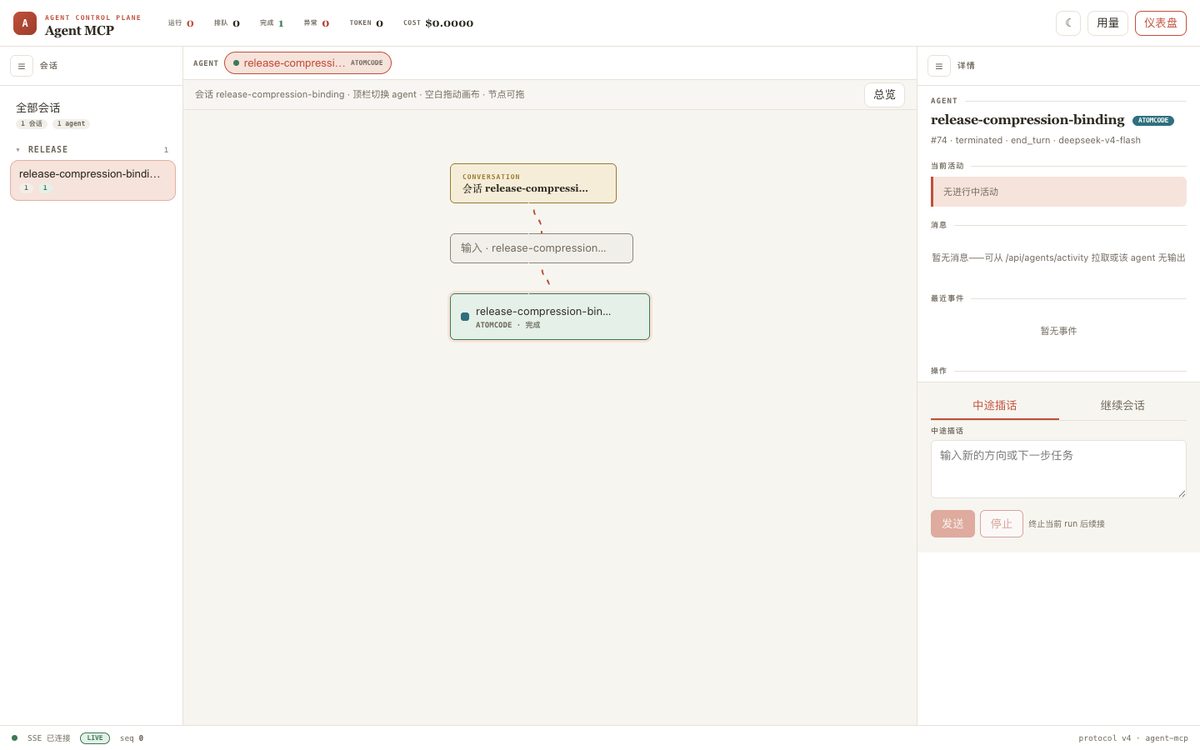
版本 v4.0.0a1 · 单一来源 agent_mcp/__init__.py · CHANGELOG · v4 路线图 · DSH 接入
核心思想
不是:所有 Agent 挤在同一个 CLI 里
而是:每个 Agent 跑在最适配它的底座上,彼此可通信、可协作、可统一治理
| 主张 | 含义 |
|---|---|
| 最适配底座 | 按任务特征选择 CLI × 模型(重构 → Claude Code,长上下文 → Codex,低延迟 → omp…),执行留在原生 Runtime |
| 打破隔离 | 跨 Agent 消息(mailbox)、共识投票、子任务互派、跨会话续接,不再各干各的 |
| 统一控制面 | 派发 / 监控 / 续接 / 终止 / 预算 / 审计在同一个 Control Plane,与底座无关 |
三层架构(详见 architecture.md · ADR-0001):
Skill   是否委派 · 怎么拆 · 选最适配 CLI×模型 · 怎么验收     ← 编排控制面
  ↓
MCP     稳定工具面 · 会话隔离 · daemon 拉起                  ← 能力面(薄、无状态)
  ↓
Daemon  队列 · 进程 · Run/Goal/Schedule · 策略 · 协作         ← 执行面
  ↓
Native Runtime   claude / codex / omp / prime / custom        ← 真正执行(最适配底座)
边界:模型推理与工具执行留在原生 CLI;agent-mcp 只做编排、调度、托管、协作、观测与治理。
flowchart LR
  Host["Host Agent + Skill"] -->|MCP stdio| MCP["mcp_server.py"]
  Web["Web 控制台"] -->|SSE| CP["Control Plane daemon"]
  MCP --> CP
  CP --> Store["store_v4 · journal"]
  CP --> EM["Execution Manager · Run"]
  EM --> Ad["Backend Adapters"]
  Ad --> RT["Native CLIs"]
Showing the opening section of the README — the full document lives in the repository以上为 README 开头摘要,完整文档在仓库内 · View the full README on GitHub →在 GitHub 查看完整 README →
Related相关推荐
-
 omdsh-dev/DSH-better-sidebar
开放的侧边栏底座,支持三方拓展注册新侧边栏页面。内置文件渲染编辑/终端/侧边对话/Git/子代理页面 | Open sidebar foundation, supports third-party extensions to registe…
omdsh-dev/DSH-better-sidebar
开放的侧边栏底座,支持三方拓展注册新侧边栏页面。内置文件渲染编辑/终端/侧边对话/Git/子代理页面 | Open sidebar foundation, supports third-party extensions to registe…
-
 LiPu-jpg/Openwrite
dsh-Openwrite:OpenWrite 的 DeepSeek Harness 小说创作插件,含统一创作 Agent、90 个小说工具、原生工作台与标准审稿 DAG
LiPu-jpg/Openwrite
dsh-Openwrite:OpenWrite 的 DeepSeek Harness 小说创作插件,含统一创作 Agent、90 个小说工具、原生工作台与标准审稿 DAG
-
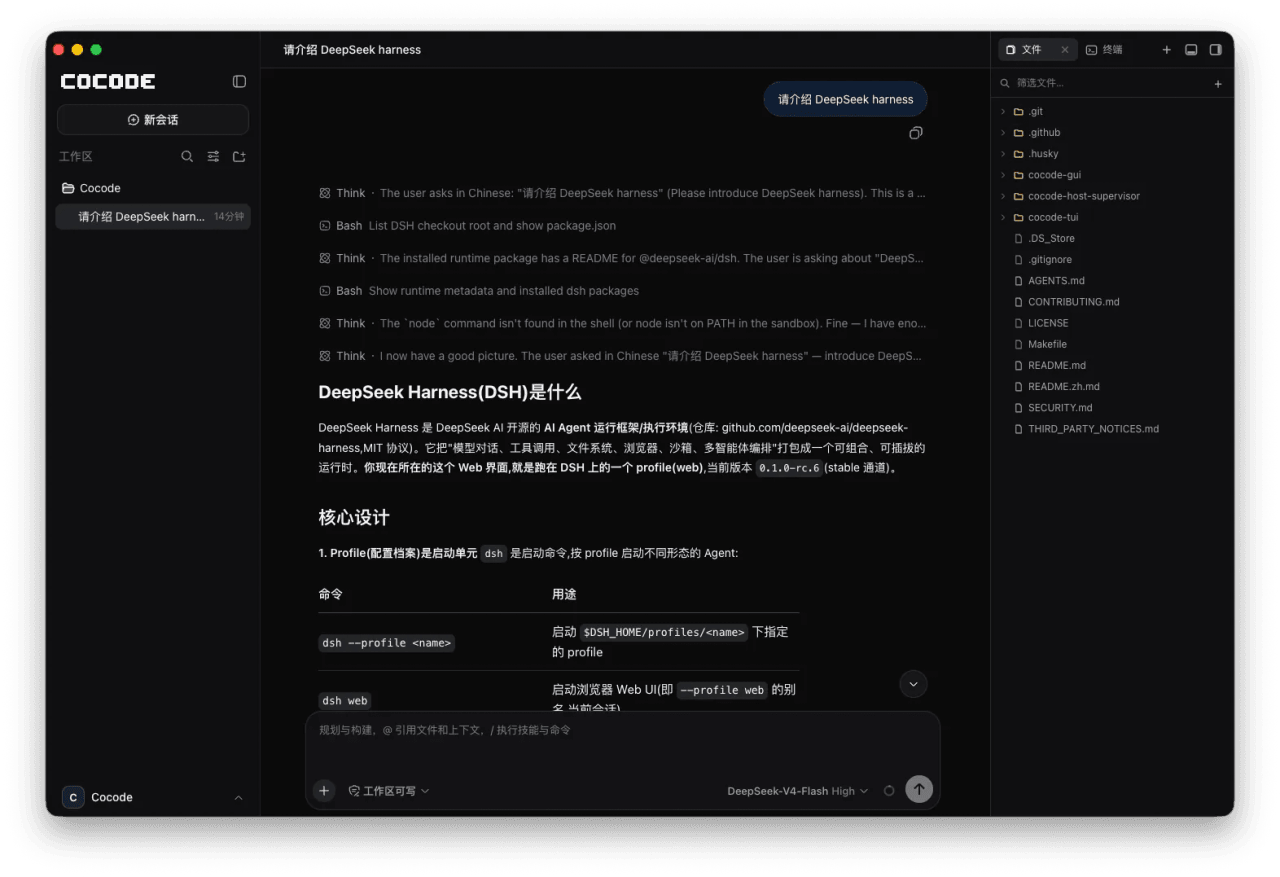 cocode-agency/cocode
Best ready-to-run DeepSeek Harness distribution: DSH desktop GUI, DSH terminal TUI, and harness integration.
cocode-agency/cocode
Best ready-to-run DeepSeek Harness distribution: DSH desktop GUI, DSH terminal TUI, and harness integration.
-
 drewnekota/cetus
One macOS app for Claude Code, Codex, and every agent runtime you use — scheduled runs, global hotkey launcher, per-run …
drewnekota/cetus
One macOS app for Claude Code, Codex, and every agent runtime you use — scheduled runs, global hotkey launcher, per-run …
-
 cosyncing/cosyncing
Synchronize and Orchestrate agents from CLI to GUI, across desktop to phone.
cosyncing/cosyncing
Synchronize and Orchestrate agents from CLI to GUI, across desktop to phone.
-
 UNLINEARITY/dsh-code
A terminal coding interface that brings the DeepSeek Harness kernel's full capability set — special modes, plugins, mode…
UNLINEARITY/dsh-code
A terminal coding interface that brings the DeepSeek Harness kernel's full capability set — special modes, plugins, mode…
-
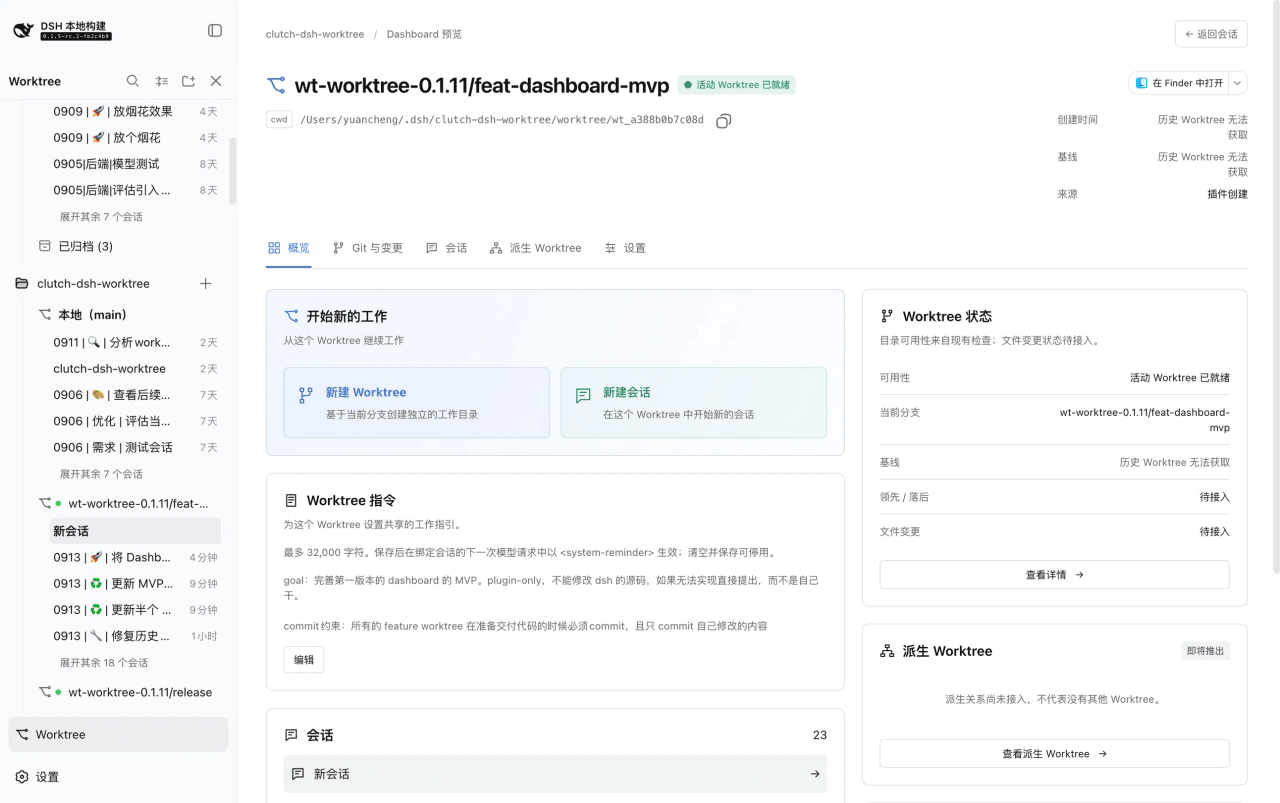 Cerbur/clutch-dsh
Open-source DSH plugins for DeepSeek Harness:Git Worktree session management(会话管理)、Session Title(会话标题)与 Fireworks(庆祝特效),…
Cerbur/clutch-dsh
Open-source DSH plugins for DeepSeek Harness:Git Worktree session management(会话管理)、Session Title(会话标题)与 Fireworks(庆祝特效),…
-
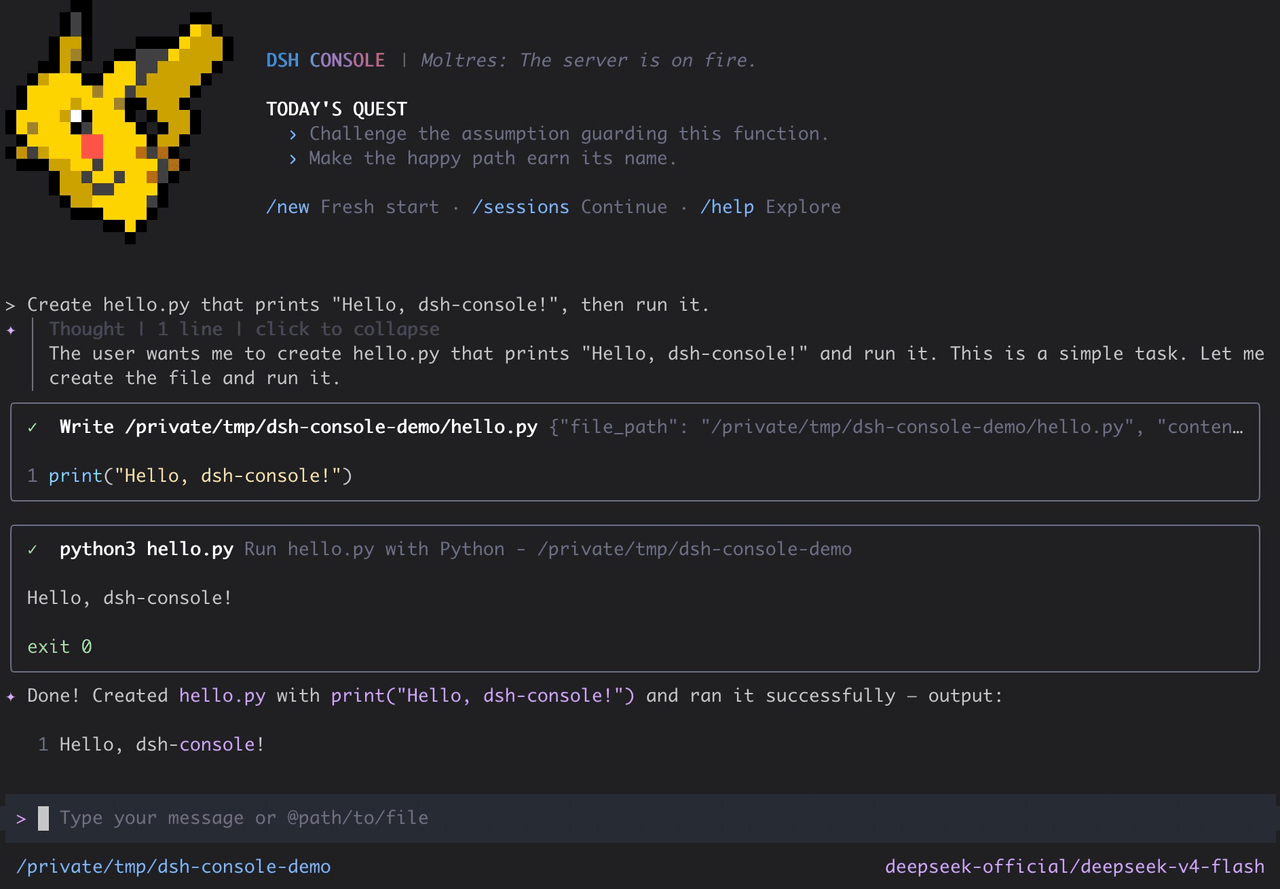 cofy-x/dsh-console
DSH-native terminal workbench (TUI) for DeepSeek Harness with durable sessions, structured tools, plans, subagents, and …
cofy-x/dsh-console
DSH-native terminal workbench (TUI) for DeepSeek Harness with durable sessions, structured tools, plans, subagents, and …