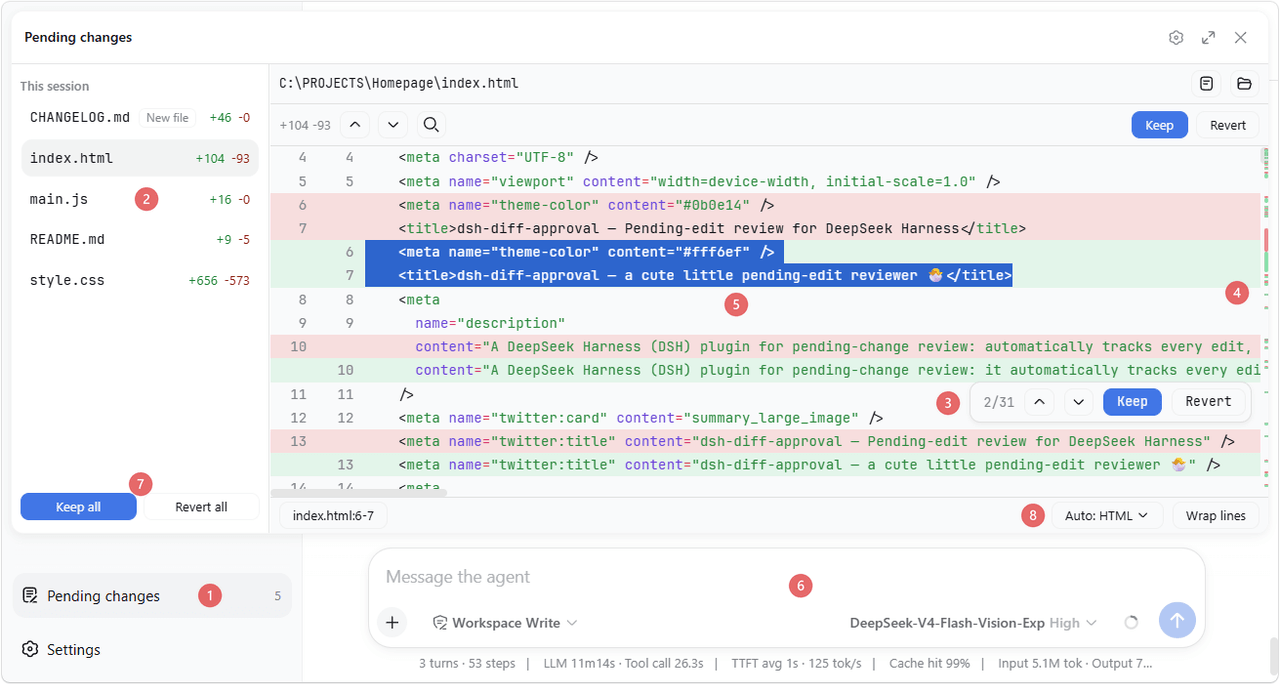
9087/dsh-diff-approval
DeepSeek Harness 的待审变更:全文件差异及逐文件保留/还原操作,创建/删除跟踪,以及重启安全持久化。
项目介绍Project Overview
DSH 插件 dsh-diff-approval 用于待审变更管理。它自动追踪成功的 edit、write 与 str_replace_editor 调用,在侧边栏汇总为待审列表,支持按文件、块或全部 Keep / Revert、撤销重做、行引用复制,并可一键导入工作区的 Git / SVN / Perforce 本地变更。适用场景:在审阅 AI 对项目做出的改动后逐项取舍,或将工作区未提交改动纳入同一面板。提示:VCS 导入依赖对应命令行工具在 PATH 中,且默认不包含未跟踪文件;会话无工作区时状态仅存于内存。
dsh-diff-approval is a DeepSeek Harness plugin for pending-change review. It automatically records successful edit, write, and str_replace_editor mutations, folding them into a sidebar pending list where each file's diff can be inspected and kept or reverted per file, per block, or in bulk, with undo/redo, copyable line references, and one-click import of the workspace's local Git, SVN, or Perforce changes. Use it when reviewing an agent's edits or staging uncommitted workspace changes before committing. Note: VCS import requires the respective CLI on PATH and skips untracked files by default, scanning the whole workspace when enabled.
请帮我了解并安装插件:【dsh-diff-approval】【https://github.com/9087/dsh-diff-approval】把上面这条消息直接发给当前会话里的 DSH,让它帮你了解并安装。安装命令不一定准确,发给 DSH 更稳。Send this message to DSH in your current session. CLI install commands may not be accurate across systems — DSH will figure it out for you.
或使用命令行安装(适合开发者)Or use CLI install (for developers)
命令行安装CLI Install
dsh plugin --profile web add dsh-diff-approval把 9087/dsh-diff-approval 加入你的 DSH 配置(web profile)即可启用。
READMEREADME
dsh-diff-approval
English | 中文


A DeepSeek Harness (DSH) plugin for pending-change review: it automatically tracks every successful edit, write, and editor (str_replace_editor) mutation, folds them into a single pending list in the sidebar where each file's diff can be reviewed and kept/reverted — and it can also import the workspace's version-control repository's local changes (Git / SVN / Perforce) in one click.
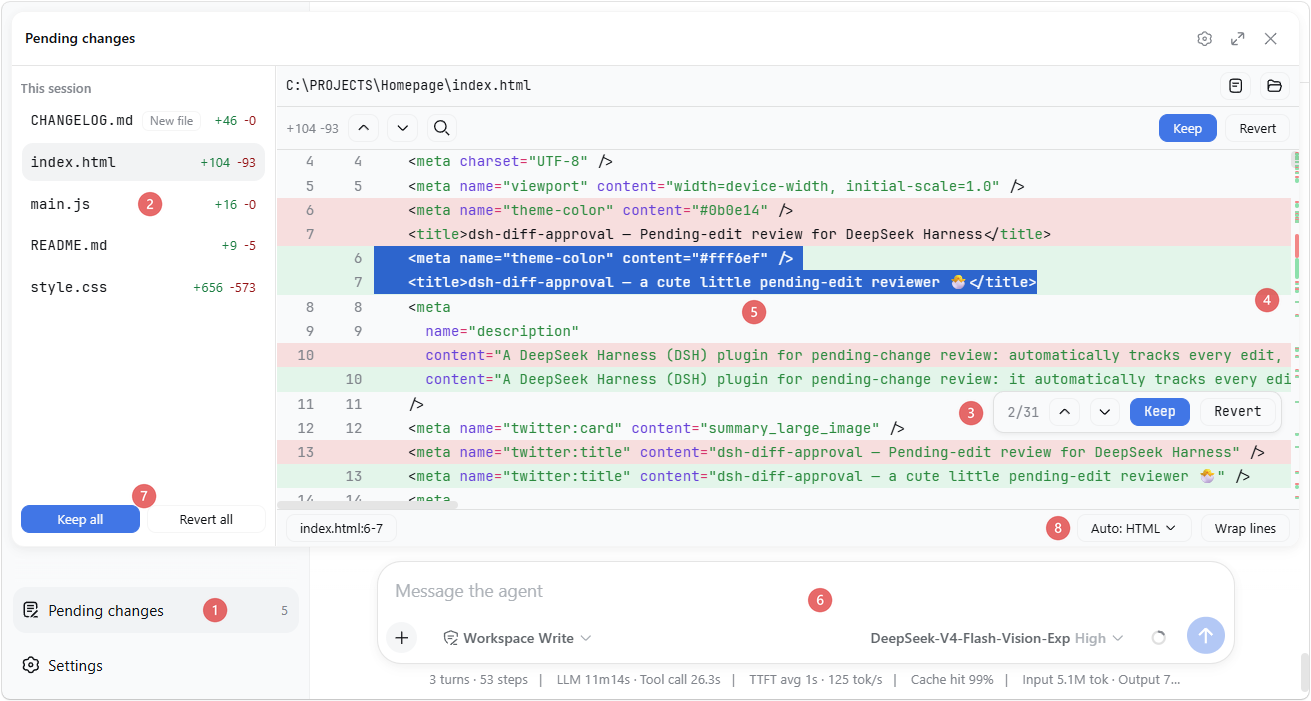
The numbered markers (① – ⑧) in the screenshot point to the matching details described below.
✨ Features
- Diff view: syntax-highlighted whole-file diff ⑤ with +/− counts, an overview ruler ④ on the scrollbar showing where changes sit, and an in-file search (
Ctrl+F). Rows are virtualized, so huge files stay smooth. - Block navigation & decisions: jump between change blocks with
Ctrl+↑/↓(or the previous/next buttons) — the focused block flashes. Hover a block to Keep or Revert just that block from a small actions frame ③ that also shows its position (e.g. "2/5"). - Per-file and bulk decisions: the files in the file list ② can be kept / reverted one at a time, or Keep all / Revert all from its footer ⑦.
- Undo / Redo: every keep, revert, and import is undoable with
Ctrl+Z/Ctrl+Y(active while the panel is open; text inputs keep their own editing). - Line references: select text in the diff — the status bar shows its
file:start-endreference; click it (or pressCtrl+L) to copy, and with the setting on it auto-pastes into the composer ⑥ and focuses it. - Highlight language: auto-detected from the file extension, or overridden from a dropdown ⑧.
- Auto-wrap: a "Wrap lines" toggle beside the language selector ⑧ wraps long lines for that language (CJK breaks between characters, Latin words stay whole), remembered per language.
- External changes: files already in the pending list are monitored — if one is later modified outside the reviewed edits (another tool, an editor), the panel adopts the new content and flags the divergence.
- Open / Reveal: while reviewing a file's diff, open it in its default app or reveal it in the system file manager with one click.
- Import workspace changes: when the list is empty, click the button to import the workspace's local changes from Git / SVN / Perforce — modified, deleted, and (opt-in) untracked files. The VCS root is found by walking up from the workspace, so a workspace inside a subdirectory works too.
- Settings: a "Diff Approval" section in DeepSeek Harness settings with the preferences for auto-paste on copy, whether untracked files are included when importing, and the diff's tab width (2 / 4 / 8 spaces).
- Persistence: pending state is stored per workspace at
<dshHome>/diff-approval/workspaces/<workspaceId>.jsonand survives restarts — unhandled changes are still there when you come back, even in a fresh session.
📦 Install
If dsh is on your PATH:
dsh plugin --profile web add dsh-diff-approval
Or, if you run the harness through npx (e.g. npx @deepseek-ai/dsh web):
npx @deepseek-ai/dsh plugin --profile web add dsh-diff-approval
or manually: add the package to your profile's package.json dependencies and insert this row into the profile's cordis.patch.yml:
- insert:
    - id: diff-approval
      name: dsh-diff-approval
      # Optional: relocate durable pending state (defaults to
      # <dshHome>/diff-approval/workspaces).
      # config:
      #   storageDir: ~/dsh-pending
Then restart dsh web.
🚀 Usage
- Work with the agent as usual — successful
edit/write/ editor (str_replace_editor) calls are recorded automatically. - Click the Pending changes action ① at the sidebar footer, review each file's diff, and Keep / Revert.
- When the list is empty, Import workspace changes pulls in the workspace's local Git/SVN/Perforce changes.
📝 Notes
- Only tracked mutations (
edit,write, andstr_replace_editoreditor calls) are recorded automatically. Deletions made outside these tools (e.g. shellrm) are sensed only for tracked files: the entry turns "File is gone" and its Revert restores the file. - The VCS import runs read-only Git/SVN/Perforce commands through the deployment's shell executor, so the respective CLI must be on
PATH. Importing untracked files (default off) scans the whole workspace, which can be slow on large trees. - Reverting a created file deletes it (the fs seam has no delete API).
- Sessions with no workspace keep their entries memory-only; corrupt persistence files are rejected and can be deleted to reset.
🛠 Development
corepack pnpm install
pnpm run typecheck   # tsc over both faces
pnpm run build       # emits lib/index.js and lib/client.js
pnpm test
相关推荐Related
-
 lire1131/dsh-undo-savepoint
DSH crash-rescue plugin: undo config & plugin-code changes, secret-safe snapshots, one-click SAFE MODE, plus offline CLI…
lire1131/dsh-undo-savepoint
DSH crash-rescue plugin: undo config & plugin-code changes, secret-safe snapshots, one-click SAFE MODE, plus offline CLI…
-
 ZSeven-W/dsh-harbor
DeepSeek Harness (DSH) plugin: a read-only ledger for the plugins you already have installed — a capability inventory wi…
ZSeven-W/dsh-harbor
DeepSeek Harness (DSH) plugin: a read-only ledger for the plugins you already have installed — a capability inventory wi…
- SenmuuuuW/dsh-group-photo DSH 内测收官合影墙:GitHub OAuth 零权限登录 + 冻结白名单校验的拍立得合影站(含 DSH Skill 包装)
-
 w2112515/dsh-plugin-development
Portable Agent Skill for developing and auditing DeepSeek Harness plugins, with an optional profile-installable DSH bund…
w2112515/dsh-plugin-development
Portable Agent Skill for developing and auditing DeepSeek Harness plugins, with an optional profile-installable DSH bund…
-
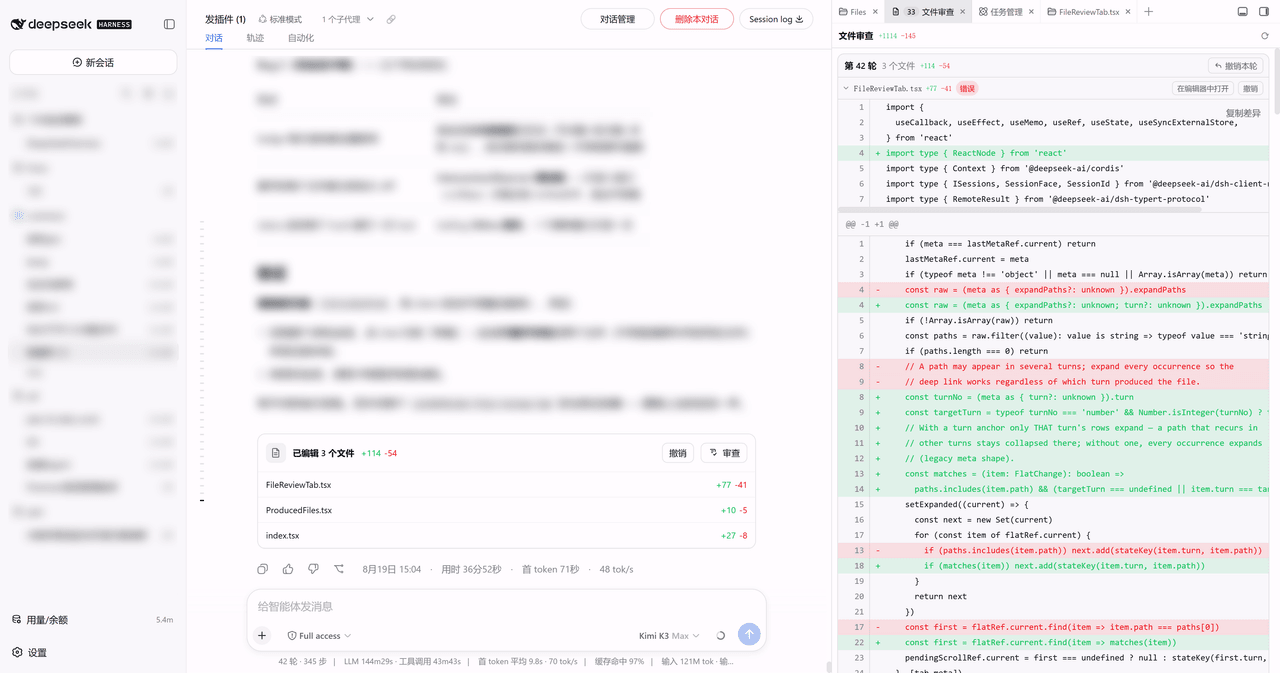 Lzh3070/dsh-file-review-tab
dsh-better-sidebar 侧边栏 Tab 版文件改动审查:行级红绿 diff + 撤销,chat 行深链(移植自 left0ver/dsh-file-review)/ Review agent file changes as a…
Lzh3070/dsh-file-review-tab
dsh-better-sidebar 侧边栏 Tab 版文件改动审查:行级红绿 diff + 撤销,chat 行深链(移植自 left0ver/dsh-file-review)/ Review agent file changes as a…
- pointer-a/dsh-server-login 面向公网的多租户 DSH 托管平台 —— 部署到一台公网服务器后,多个用户注册并经管理员审核,各自获得一套相互隔离的 deepseek-harness(DSH)环境,随时通过域名安全访问。
-
 zimzaza4/dsh-bash-win
在 Windows 环境中为 DeepSeek Harness 提供 Git Bash 与 WSL 2 bash 工具,含 bwrap 沙箱、审批模式、后台任务
zimzaza4/dsh-bash-win
在 Windows 环境中为 DeepSeek Harness 提供 Git Bash 与 WSL 2 bash 工具,含 bwrap 沙箱、审批模式、后台任务
-
 inmny/dsh-git-bash
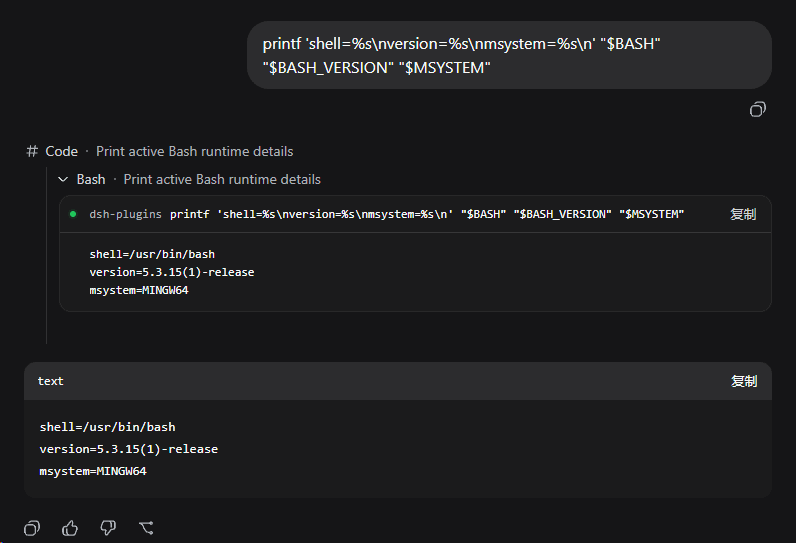
DeepSeek Harness 插件:让DSH使用Git Bash,能够保持read-only, workspace-write, full-access权限控制依旧可用
inmny/dsh-git-bash
DeepSeek Harness 插件:让DSH使用Git Bash,能够保持read-only, workspace-write, full-access权限控制依旧可用