940842546/dsh-permissions
Project Overview项目介绍
dsh-permissions is a Claude Code–style permission rule engine for DeepSeek Harness, delivered as a two-sided Cordis plugin: the host intercepts tools on the tools/pre-execute waterfall, while the browser adds a visual editor under Settings → Permissions. It supports hard/deny/ask/allow priorities, global/workspace scopes, wildcard matching, persisted rules, and system-prompt injection. Use it to restrict tool calls and protect secrets or sensitive directories. Note that it only narrows access; allow never bypasses the DSH sandbox or guards.
dsh-permissions 是面向 DeepSeek Harness 的 Claude Code 风格权限规则引擎,双面 Cordis 插件:宿主侧在 tools/pre-execute 瀑布拦截判定,浏览器侧在“设置→权限”提供可视化编辑器。支持 hard/deny/ask/allow 四级优先级、global/workspace 作用域、通配符匹配,规则持久化并注入系统提示。适用于需收窄工具调用、保护密钥与敏感目录时;注意它只收窄权限,allow 不绕过 DSH 沙箱或守卫。
请帮我安装这个 DSH 插件。安装前先完成【兼容性检查 + 安全性检查】,检查通过再动手。

插件:dsh-permissions(940842546/dsh-permissions)
仓库:https://github.com/940842546/dsh-permissions
本站详情页:https://www.yhbd.top/plugins/940842546-dsh-permissions/
本站登记:类型 plugin · 归类 原生 DSH 插件 · 许可证 MIT · ⭐ 2 · 最近提交 2026-09-22 · 主语言 JavaScript

按下面顺序执行,每步先把结论告诉我,再进入下一步:

【1 兼容性检查】
① 我这边:DSH 版本、Node 版本、操作系统、当前 profile(web / desktop)。
② 读它的 README、package.json、插件 manifest,列出它要求的 DSH 版本 / Node 版本 / 操作系统 / 外部依赖 / 需要另外先装的运行时。
③ 逐条比对,结论只写「满足 / 不满足 / 未知」三种;不满足的给出可行替代方案。
④ 检查是否和我已装的插件冲突:命令名重复、skill / tool 重名、端口占用、重复注册的 MCP server。

【2 安全性检查】
① 仓库可信度:和上面「本站登记」是否一致;star / fork 数、创建时间、最近提交,是否归档或长期停更。
② 安装脚本:逐行看 package.json 的 preinstall / install / postinstall,以及 install.sh、setup.ps1 之类脚本。出现 curl|bash、下载后直接执行、混淆代码、访问与插件功能无关的域名,立刻停下来告诉我,不要继续装。
③ 依赖:列出新增依赖,标出无人维护、或与知名包拼写近似的可疑包(typosquatting)。
④ 权限与副作用:它会读写哪些目录、访问哪些域名、需要哪些 DSH 权限(filesystem / network / shell / clipboard 等),以及怎么卸载和回滚。
⑤ 如果它要求 sudo / 管理员权限,或权限明显超出功能所需,先停下来问我。

【3 安装】
上面两步没有「不满足」和「高危项」时才执行;用官方推荐方式安装,不要自行提权。

【4 汇报】
用表格输出:检查项 / 结论 / 依据 / 是否需要我决策。拿不准的一律写「未知」并说明要我怎么确认——不要猜,也不要替我决定。
Send this message to DSH in your current session: it verifies compatibility and security first (answering met / not met / unknown item by item) and only installs once everything checks out — it will stop and ask you if it finds a high-risk item. The box scrolls; the copy is the full prompt. CLI install commands may not be accurate across systems, so DSH is the safer route.把上面这条消息直接发给当前会话里的 DSH:它会先核对兼容性与安全性(逐条给「满足 / 不满足 / 未知」),确认没问题再安装,有高危项会停下来问你。框内可滚动,复制到的是完整提示词;安装命令不一定准确,发给 DSH 更稳。
- Only 2 stars - very few users, little community feedback星标只有 2,几乎没人在用,遇到问题缺少社区反馈
DSH walks through these 9 checksDSH 会逐条核对这 9 项
Compatibility兼容性
- DSH, Node, OS and profile requirementsDSH 版本 / Node 版本 / 操作系统 / profile 是否满足要求
- External dependencies and runtimes (Electron / Python / Docker, ...)外部依赖与运行时(Electron / Python / Docker 等)是否齐备
- Conflicts with installed plugins: command names, skill / tool names, ports, duplicate MCP registration与已装插件是否冲突:命令名、skill / tool 重名、端口占用、重复 MCP 注册
Security安全性
- Repo matches the facts registered here; archived or abandoned?仓库是否与页面登记一致,是否归档或长期停更
- Safety of preinstall / install / postinstall and install.sh / setup.ps1preinstall / install / postinstall 与 install.sh、setup.ps1 是否安全
- curl|bash, download-then-execute, obfuscation, unrelated domains → stop immediatelycurl|bash、下载即执行、混淆代码、无关域名 → 立刻停止
- Typosquatting or unmaintained packages among the new dependencies新增依赖里有没有 typosquatting 或无人维护的包
- Requested permissions vs. what the feature actually needs申请了哪些权限、是否超出功能所需(filesystem / network / shell / clipboard)
- Any sudo / admin requirement, plus uninstall and rollback是否要求 sudo / 管理员权限,以及卸载与回滚方式
Anything uncertain must be marked unknown with a note on how to confirm it. This site's signal screen is a static snapshot, not a security audit.拿不准的必须标「未知」并说明要我怎么确认。本站的信号筛查是静态快照,不能替代安全审计。
Or use CLI install (for developers)或使用命令行安装(适合开发者)
CLI Install命令行安装
dsh plugin add dsh-permissions把 940842546/dsh-permissions 加入你的 DSH 配置(web profile)即可启用。
READMEREADME
dsh-permissions
中文 | English


面向 DeepSeek Harness(dsh)的 Claude Code 风格权限规则引擎。双面 Cordis 插件:宿主侧在 tools/pre-execute 瀑布上做拦截判定,浏览器侧提供 设置 → 权限 可视化编辑器。
亮点
- 四级规则、严格优先级:
hard>deny>ask>allow。 hard高于全访问:即使会话处于全访问档(审批策略never),hard 规则依然拦截、不可豁免;ask规则跟随会话策略,全访问下自动放行。- 作用域:
global规则全局生效;按workspace的规则叠加合并(冲突时 deny 永远胜出)。 - 通配符匹配(文件类工具
read/write/edit/glob/grep/read_image):write(*.pem)—— 路径以.pem结尾write(*secret*)—— 路径包含secretwrite(.ssh)—— 路径任意位置出现.ssh片段(大小写不敏感,\//统一归一化)write(C:\users\*)—— 绝对路径前缀- 裸
write—— 该工具全部调用
- 持久化:规则存于
dsh-permissions设置命名空间,跨重启保留(<harness home>/settings.yaml)。 - 模型透明:生效规则注入系统提示(
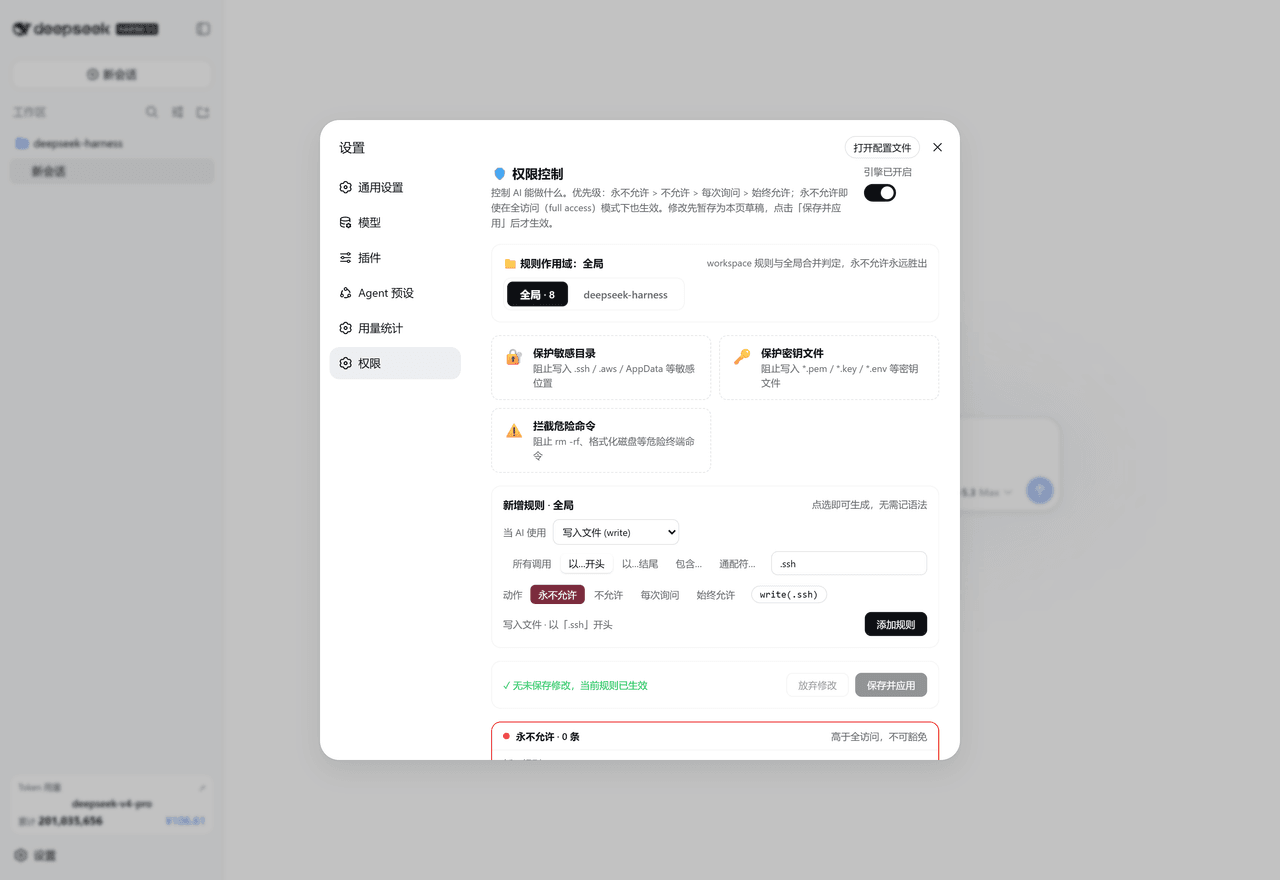
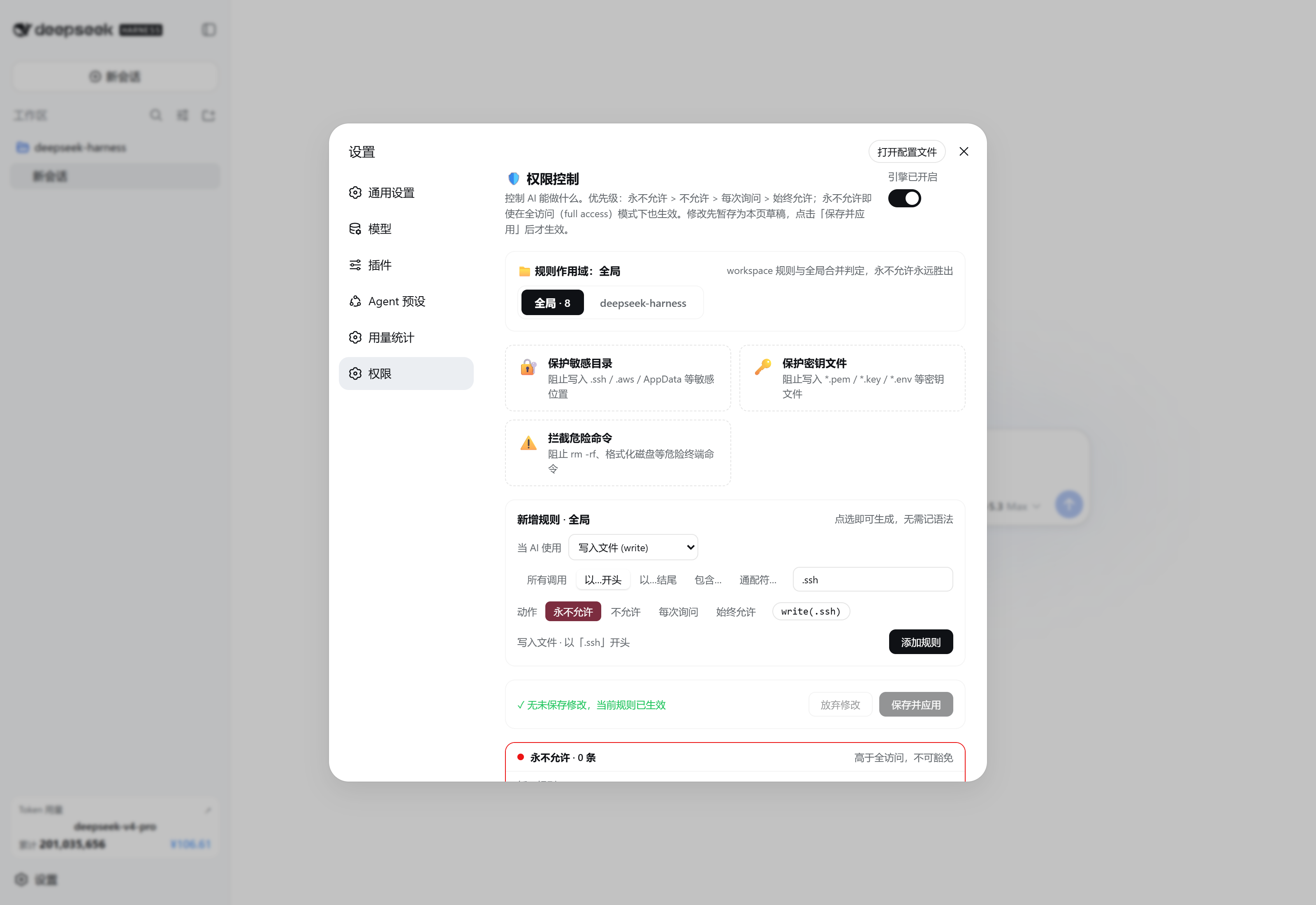
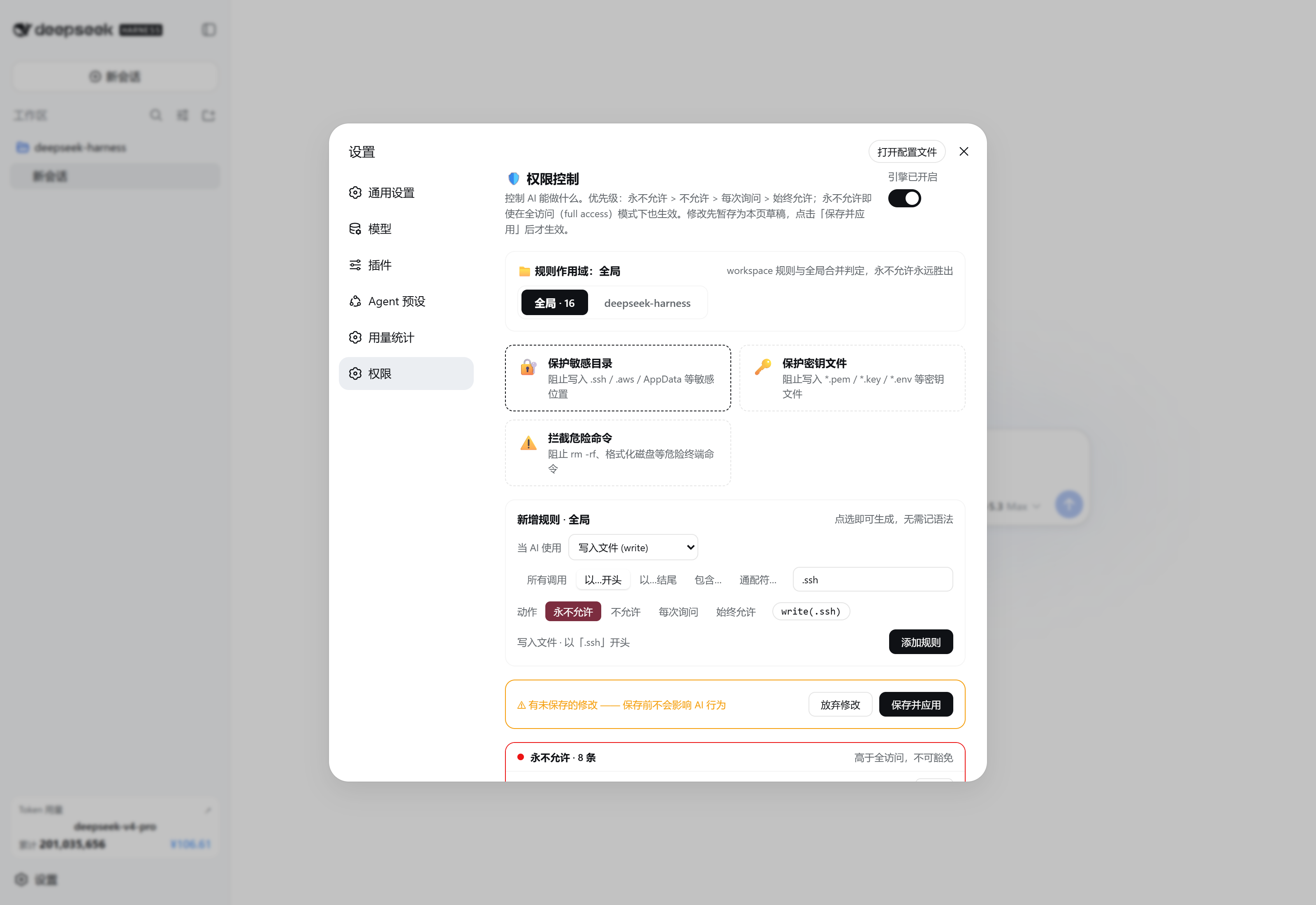
[active-permission-rules]段)。 - 可视化编辑器:草稿式(staged)编辑——所有修改点「保存并应用」后才生效,附一键预设(保护敏感目录 / 密钥文件 / 拦截危险命令)。
界面截图
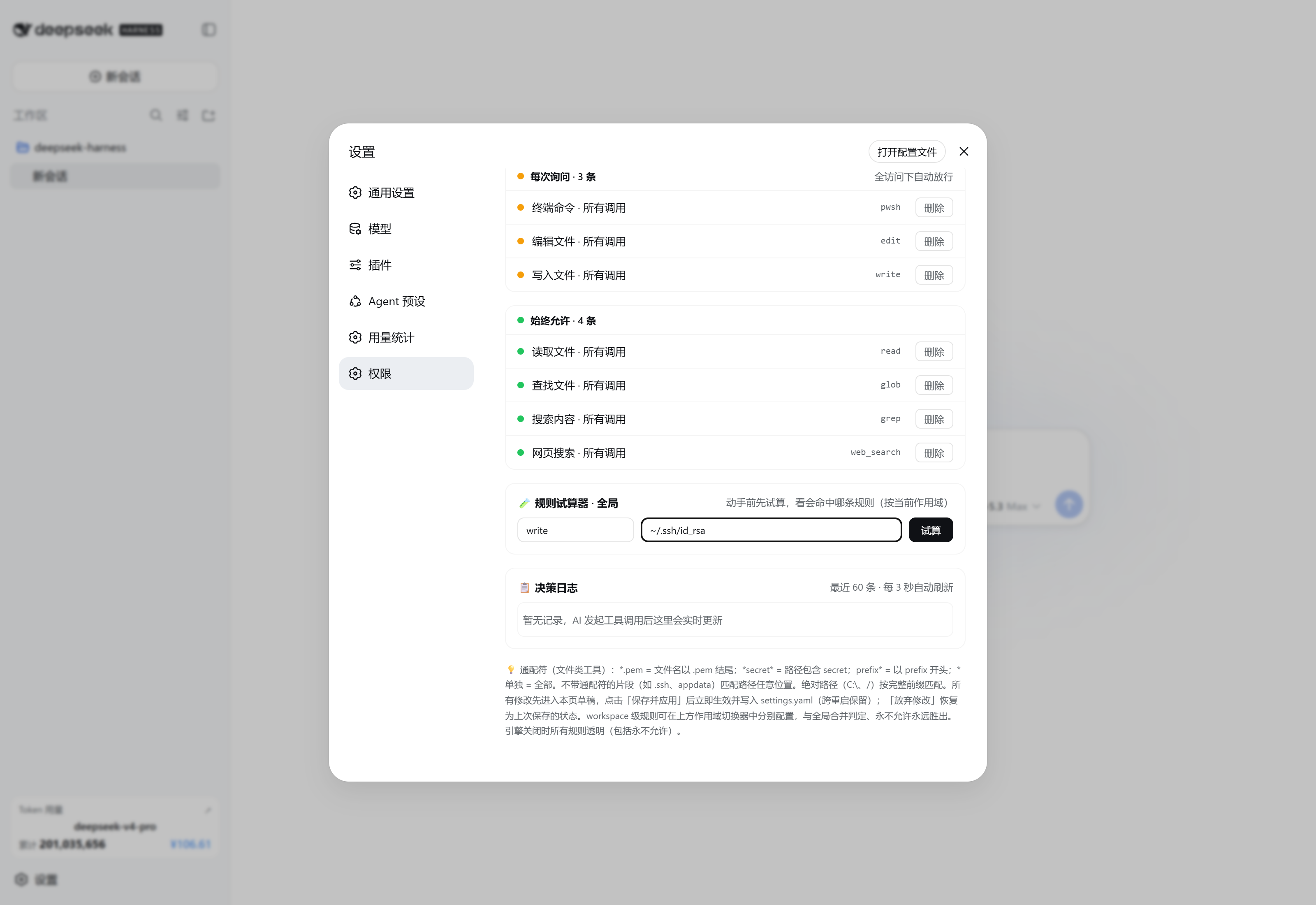
| 顶部:作用域与规则构建器 | 规则面板 / 试算器 / 决策日志 | 草稿式保存 |
|---|---|---|
 |
 |
 |
规则语法
| 规则 | 含义 |
|---|---|
pwsh |
该工具的全部调用 |
pwsh(npm run) |
首参以 npm run 开头 |
write(*.pem) |
文件路径以 .pem 结尾 |
write(*secret*) |
文件路径包含 secret |
write(.ssh) |
路径任意位置出现 .ssh 片段 |
pwsh(*) |
全部调用(显式写法) |
非文件工具按首参原文做前缀匹配;grep 额外匹配其 path 参数。
安装
方式 A —— 官方安装器(推荐):
dsh plugin add dsh-permissions
方式 B —— 手工补丁行: 把本仓库 cordis.patch.yml 中的 insert 列表追加到你的 profile 补丁(~/.dsh/cordis.patch.yml 或 ~/.dsh/profiles/<profile>/cordis.patch.yml),并确保包已安装到 profile 可解析的位置(~/.dsh/node_modules/dsh-permissions):
- insert:
    - id: permissions
      name: dsh-permissions
然后重启应用。设置 → 权限 页自动出现;引擎自带安全默认值(16 条 hard 规则保护 .ssh / .aws / .gnupg / AppData / *.pem / *.key / *.env / *.htpasswd,以及 deny: pwsh(rm -rf *))。
权限设置页
- 引擎开关、三张一键预设卡、点选式规则构建器(动作 × 工具 × 匹配方式 × 参数 → 实时预览)、四个彩色规则面板。
- 所有修改先进入草稿:点「保存并应用」前不影响 AI 行为;「放弃修改」恢复上次保存状态。
安全说明
- 引擎只会收窄会话现有的沙箱/审批姿态:
allow只跳过本插件的询问,绝不绕过 DSH 沙箱或tools.guard守卫。 - 拦截以工具错误呈现给模型(
Error: 权限规则拒绝…;hard 为硬规则拒绝(高于 full access,不可豁免)…),模型可见完整规则原文,可据此改道。 - 设置页路由(
GET/POST /api/dperm/rules)是命名空间所有者自建的端点——DSH api-proxy 的 settings 白名单刻意不暴露第三方命名空间。
开发与发布
见 PUBLISH.md:发布清单与本插件踩过的坑(客户端包 exports 必须含 ./package.json;bundle 模块 id 必须等于包名;useSyncExternalStore 不能传未绑定方法引用等)。
License
MIT
Related相关推荐
-
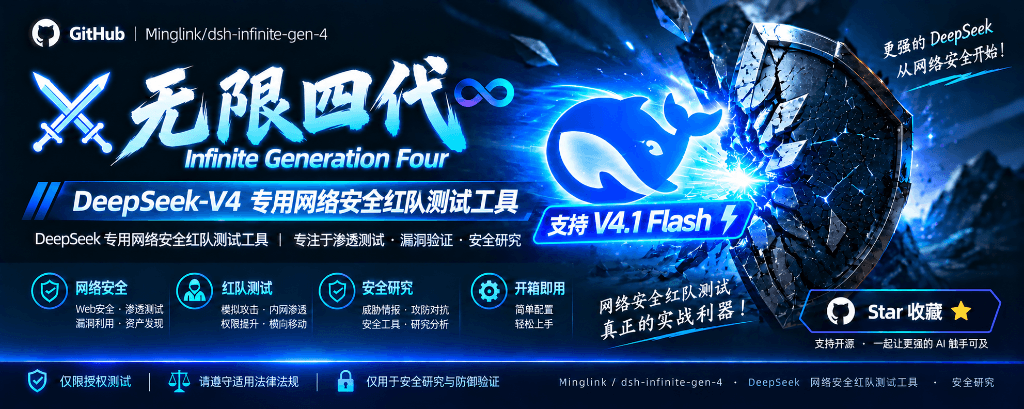 Minglink/dsh-infinite-gen-4
DeepSeek v4.1 flash 网络安全红队工具(无限四代) 求 Star 收藏 ⭐欢迎大家提交项目的改进
Minglink/dsh-infinite-gen-4
DeepSeek v4.1 flash 网络安全红队工具(无限四代) 求 Star 收藏 ⭐欢迎大家提交项目的改进
-
 kenryu42/cc-safety-net
A pre-execution guard for AI coding agents. It blocks destructive Git and file system commands, plus common attempts to …
kenryu42/cc-safety-net
A pre-execution guard for AI coding agents. It blocks destructive Git and file system commands, plus common attempts to …
-
 hyhmrright/brooks-lint
AI code reviews grounded in 12 classic engineering books — decay risk diagnostics with book citations, severity labels, …
hyhmrright/brooks-lint
AI code reviews grounded in 12 classic engineering books — decay risk diagnostics with book citations, severity labels, …
-
 toby-bridges/api-relay-audit
Local security audit for AI API relays and LLM proxies: detects prompt injection, model substitution, tool-call rewritin…
toby-bridges/api-relay-audit
Local security audit for AI API relays and LLM proxies: detects prompt injection, model substitution, tool-call rewritin…
-
 hashgraph-online/hol-guard
Open-source antivirus for AI agents: block risky tools, secret access, prompt injection, malicious packages, MCP servers…
hashgraph-online/hol-guard
Open-source antivirus for AI agents: block risky tools, secret access, prompt injection, malicious packages, MCP servers…
-
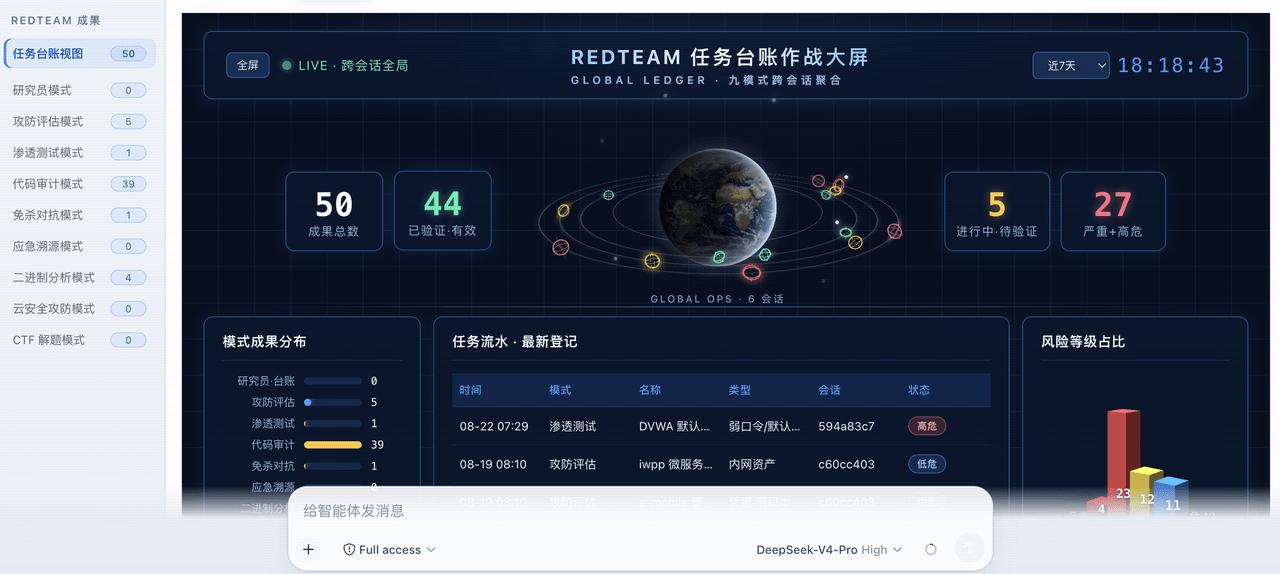 SeaOf0/dsh-redteam-model
基于dsh web实现的多种模式,目的是服务于redteam进行授权的安全研究,覆盖渗透测试、红队评估、代码审计等范围领域,请勿用于非法行为。(允许二开,赋予模块各位自己的业务逻辑,方法论只有自己熟练的才好用,好的方法论=好的生态)
SeaOf0/dsh-redteam-model
基于dsh web实现的多种模式,目的是服务于redteam进行授权的安全研究,覆盖渗透测试、红队评估、代码审计等范围领域,请勿用于非法行为。(允许二开,赋予模块各位自己的业务逻辑,方法论只有自己熟练的才好用,好的方法论=好的生态)
-
 howmp/dsh-pentest
面向 DeepSeek Harness(dsh)的渗透测试模式 @CloverSecLabs
howmp/dsh-pentest
面向 DeepSeek Harness(dsh)的渗透测试模式 @CloverSecLabs
-
 saya-ch/dsh-mobile
DeepSeek Harness 的 Android App 与安全远程访问插件,支持局域网/远程连接和高度自定义的移动界面与扩展能力。
saya-ch/dsh-mobile
DeepSeek Harness 的 Android App 与安全远程访问插件,支持局域网/远程连接和高度自定义的移动界面与扩展能力。