988hj7tczd-oss/dsh-invoice-tools
DSH(DeepSeek Harness)原生工具插件:读取工作区内的增值税电子发票文件(数电票/全电发票 PDF、图片), 结构化为 JSON(发票代码/号码/金额/税额/购买方/销售方/开票日期),多张汇总生成报销单(Markdown / xlsx)。 全程只读输入、写入输出文件;发票数据仅在本机处理,不上传任何查验接口;解析缓存按会话隔离 (工具无法取得会话上下文时回退为进程级缓存,详见「安全与隐私」)。
catalog descriptioncatalog 简介 / catalog description:DSH native tools: parse Chinese e-invoice PDFs into structured JSON with amount cross-check, and generate expense reports (Markdown / xlsx)
Project Overview项目介绍
dsh-invoice-tools is a native tool plugin built specifically for DSH (DeepSeek Harness) and mounted into the host through a cordis assembly manifest named dsh-invoice-tools, where it registers two tools against the host tools registry. The first tool, invoice_parse, reads VAT electronic-invoice PDFs and images located inside the DSH workspace and structures them into JSON: it first tries to extract the embedded XML under /EmbeddedFiles, falls back to a regex text-layer pass for label-driven fields such as 发票号码:, 金额(大写)…(小写)¥x, 开票日期: and 购买方名称:, runs a cross-check that 价税合计 = 金额 + 税额 within a 0.01 tolerance, and tags each record with a high/medium/low confidence plus a checklist flag.
The second tool, invoice_summary, aggregates parsed invoices, subtotals by category, detects duplicates on 发票号码 + 金额, and writes a 报销单-<日期>.md Markdown report or an xlsx file produced through a minimal in-house OOXML zip packager, defaulting to the previous parse cache when files is omitted. Two installation modes are documented: production via dsh plugin add with the bare package name resolved by Node module loading so that dsh.bundle.patch ships with the package, and a development direct-mount that uses an absolute path in the host cordis.yml and requires a sibling dsh-src checkout followed by pnpm install && pnpm run build. Typical users are finance and admin staff who need to batch-process Chinese VAT invoices entirely on-device through a DSH agent loop.
Dependencies are intentionally minimal: the host must provide the tools and fs services, while the plugin itself relies only on Node's built-in zlib and ships a custom minimal PDF parser that supports FlateDecode streams, Tj/TJ text operators, latin1 and UTF-16BE strings, the /EmbeddedFiles attachment tree, and is robust to old-style xref plus xref streams without depending on the xref table itself. Documented limits include a directory recursion depth of 3, a 16MB per-file read ceiling, no support for indirect-reference streams inside object streams, no JPEG2000 decoding, no page rendering, no Chinese uppercase amount parsing, and an OCR-free first release that returns explicit skip reasons for image-only PDFs. Because the DSH filesystem service only exposes a UTF-8 text channel without a binary write API, the xlsx output is written as 报销单-<日期>.xlsx.b64 base64 and must be decoded with base64 -d before Excel/WPS/openpyxl can open it, while the tool return value also carries an xlsxBase64 field for in-session decoding. The license is MIT, no verification network calls are made and no credentials are read, file I/O goes through ctx.fs under the host sandbox, and the parse cache key is namespaced by <session id>:<absolute path> with a documented process-level global: fallback when agent.id is unavailable, so sensitive invoices should not be cached.
dsh-invoice-tools 是面向 DSH(DeepSeek Harness)的原生工具插件,通过 cordis 装配清单挂载到宿主,向 tools 注册表暴露两个工具:invoice_parse 读取工作区内的数电票/全电发票 PDF 与图片,优先抽取 PDF 内嵌 XML 附件并以正则文本层兜底,将发票代码、号码、金额、税额、价税合计、购买方、销售方、开票日期结构化为 JSON,并标注高/中/低置信度与勾稽校验结果;invoice_summary 在此基础上多张汇总、按类别小计、检测重复票号,生成 报销单-<日期>.md 或 xlsx 报销单文件。
安装方式分两种:生产环境经 dsh plugin add 安装,cordis.yml 以裸包名 dsh-invoice-tools 挂载,loader 通过 Node 模块解析 import('dsh-invoice-tools'),dsh.bundle.patch 随包发布,开发态需把同源 dsh-src 检出到同级目录后 pnpm install && pnpm build;典型用法是 invoice_parse path='invoices/' 解析目录后直接调用 invoice_summary 复用解析缓存生成报销单,适合需要本地处理增值税电子发票、又要通过 DSH 代理调用结构化解析的财务与行政用户。
依赖仅宿主提供的 tools 与 fs 服务、Node 内置 zlib,零第三方 PDF 依赖,并要求 pnpm install --offline;限额:目录递归深度 3、单文件 16MB、xlsx 输出因 fs 仅有 UTF-8 文本信道而以 base64 .xlsx.b64 落盘需手动解码、OCR 非首版依赖扫描件返回跳过原因;许可证 MIT,默认不上传任何查验接口、不读取凭证,解析缓存按会话隔离但拿不到 agent.id 时回退为进程级缓存,敏感场景请勿放入缓存。
请帮我安装这个 DSH 插件。安装前先完成【兼容性检查 + 安全性检查】,检查通过再动手。

插件:dsh-invoice-tools(988hj7tczd-oss/dsh-invoice-tools)
仓库:https://github.com/988hj7tczd-oss/dsh-invoice-tools
本站详情页:https://www.yhbd.top/plugins/988hj7tczd-oss-dsh-invoice-tools/
本站登记:类型 plugin · 归类 原生 DSH 插件 · 许可证 MIT · ⭐ 2 · 最近提交 2026-08-24 · 主语言 TypeScript

按下面顺序执行,每步先把结论告诉我,再进入下一步:

【1 兼容性检查】
① 我这边:DSH 版本、Node 版本、操作系统、当前 profile(web / desktop)。
② 读它的 README、package.json、插件 manifest,列出它要求的 DSH 版本 / Node 版本 / 操作系统 / 外部依赖 / 需要另外先装的运行时。
③ 逐条比对,结论只写「满足 / 不满足 / 未知」三种;不满足的给出可行替代方案。
④ 检查是否和我已装的插件冲突:命令名重复、skill / tool 重名、端口占用、重复注册的 MCP server。

【2 安全性检查】
① 仓库可信度:和上面「本站登记」是否一致;star / fork 数、创建时间、最近提交,是否归档或长期停更。
② 安装脚本:逐行看 package.json 的 preinstall / install / postinstall,以及 install.sh、setup.ps1 之类脚本。出现 curl|bash、下载后直接执行、混淆代码、访问与插件功能无关的域名,立刻停下来告诉我,不要继续装。
③ 依赖:列出新增依赖,标出无人维护、或与知名包拼写近似的可疑包(typosquatting)。
④ 权限与副作用:它会读写哪些目录、访问哪些域名、需要哪些 DSH 权限(filesystem / network / shell / clipboard 等),以及怎么卸载和回滚。
⑤ 如果它要求 sudo / 管理员权限,或权限明显超出功能所需,先停下来问我。

【3 安装】
上面两步没有「不满足」和「高危项」时才执行;用官方推荐方式安装,不要自行提权。

【4 汇报】
用表格输出:检查项 / 结论 / 依据 / 是否需要我决策。拿不准的一律写「未知」并说明要我怎么确认——不要猜,也不要替我决定。
Send this message to DSH in your current session: it verifies compatibility and security first (answering met / not met / unknown item by item) and only installs once everything checks out — it will stop and ask you if it finds a high-risk item. The box scrolls; the copy is the full prompt. CLI install commands may not be accurate across systems, so DSH is the safer route.把上面这条消息直接发给当前会话里的 DSH:它会先核对兼容性与安全性(逐条给「满足 / 不满足 / 未知」),确认没问题再安装,有高危项会停下来问你。框内可滚动,复制到的是完整提示词;安装命令不一定准确,发给 DSH 更稳。
- Only 2 stars - very few users, little community feedback星标只有 2,几乎没人在用,遇到问题缺少社区反馈
DSH walks through these 9 checksDSH 会逐条核对这 9 项
Compatibility兼容性
- DSH, Node, OS and profile requirementsDSH 版本 / Node 版本 / 操作系统 / profile 是否满足要求
- External dependencies and runtimes (Electron / Python / Docker, ...)外部依赖与运行时(Electron / Python / Docker 等)是否齐备
- Conflicts with installed plugins: command names, skill / tool names, ports, duplicate MCP registration与已装插件是否冲突:命令名、skill / tool 重名、端口占用、重复 MCP 注册
Security安全性
- Repo matches the facts registered here; archived or abandoned?仓库是否与页面登记一致,是否归档或长期停更
- Safety of preinstall / install / postinstall and install.sh / setup.ps1preinstall / install / postinstall 与 install.sh、setup.ps1 是否安全
- curl|bash, download-then-execute, obfuscation, unrelated domains → stop immediatelycurl|bash、下载即执行、混淆代码、无关域名 → 立刻停止
- Typosquatting or unmaintained packages among the new dependencies新增依赖里有没有 typosquatting 或无人维护的包
- Requested permissions vs. what the feature actually needs申请了哪些权限、是否超出功能所需(filesystem / network / shell / clipboard)
- Any sudo / admin requirement, plus uninstall and rollback是否要求 sudo / 管理员权限,以及卸载与回滚方式
Anything uncertain must be marked unknown with a note on how to confirm it. This site's signal screen is a static snapshot, not a security audit.拿不准的必须标「未知」并说明要我怎么确认。本站的信号筛查是静态快照,不能替代安全审计。
Or use CLI install (for developers)或使用命令行安装(适合开发者)
CLI Install命令行安装
dsh plugin --profile web add github:988hj7tczd-oss/dsh-invoice-tools把 988hj7tczd-oss/dsh-invoice-tools 加入你的 DSH 配置(web profile)即可启用。
READMEREADME
dsh-invoice-tools — 发票解析 / 报销单生成工具
[!IMPORTANT] 依赖前置:相邻
dsh-src检出(link:依赖) 本项目在开发形态下使用link:依赖指向相邻的 DeepSeek Harness 源码检出(dsh-src), 与当前仓库保持同一父目录布局(<parent>/dsh-src)。克隆本仓库后:
- 先把官方
deepseek-ai/deepseek-harness检出到与本仓库同级的dsh-src/目录,并执行其pnpm install && pnpm run build;- 再按下方「安装」一节执行本仓库的
pnpm install --offline && pnpm build与测试。 发布到 npm 的版本会尽量把link:依赖替换为 registry 真实版本;无法替换的内部包保持link:,见各包 README 说明。
DSH(DeepSeek Harness)原生工具插件:读取工作区内的增值税电子发票文件(数电票/全电发票 PDF、图片), 结构化为 JSON(发票代码/号码/金额/税额/购买方/销售方/开票日期),多张汇总生成报销单(Markdown / xlsx)。 全程只读输入、写入输出文件;发票数据仅在本机处理,不上传任何查验接口;解析缓存按会话隔离 (工具无法取得会话上下文时回退为进程级缓存,详见「安全与隐私」)。
2026-08 调研结论:
dsh invoice payment 报销 发票实时搜索 0 结果,发票/报销方向无人做,本插件填补该空白。
功能一览
| 工具 | 作用 | 参数 |
|---|---|---|
invoice_parse |
单张/批量发票解析(文件或目录) | path(必填) |
invoice_summary |
汇总结算 + 报销单生成 | files? / out? / categories? |
解析路径(invoice_parse)
- XML 附件优先:读取 PDF 内嵌的结构化 XML(
/EmbeddedFiles命名树),按中英双语候选标签 白名单抽取:发票号码/代码、金额(不含税)、税额、价税合计、购买方、销售方、开票日期、查验平台网址。 - 文本层兜底:无 XML 时以文本正则抽取——票号正则
\d{8,20}+ 标签定位 (发票号码:、金额(大写)…(小写)¥x、开票日期:、购买方名称:等)。 - 勾稽校验:
价税合计 = 金额 + 税额(容差 0.01),不符时核对表标⚠。 - 置信度标注:XML 直读 = 高(high);正则 = 中(medium);关键字段缺失 = 低(low)并列出缺失清单。
汇总(invoice_summary)
- 合计/税额/价税合计、按类别小计(
categories映射,键 = 票号或文件名); - 重复票检测:同票号 + 同金额(保留首张,其余建议剔除);
- 生成
报销单-<日期>.md(默认)或xlsx(out参数)到工作区; files缺省时复用invoice_parse的解析缓存;缓存 key 含会话维度 (<会话id>:<绝对路径>),工具拿不到会话 id 时回退global:前缀——即进程级缓存,见「安全与隐私」。
目录结构
dsh-invoice-tools/
├── cordis.yml                  # 装配清单(生产以裸包名 dsh-invoice-tools 挂载)
├── package.json                # dsh.bundle.patch 声明 + 构建/测试脚本
├── tsconfig.json
├── src/
│   ├── index.ts                # 装配 + 注册 2 工具
│   ├── tools/invoice-parse.ts  # 单张/批量解析(fs 编排 + 核对表渲染 + 会话作用域缓存)
│   ├── tools/invoice-summary.ts# 汇总 + 报销单生成(版本守卫写入)
│   ├── pdf-extract.ts          # 自写最小 PDF 解析器:文本层 + XML 附件 + 加密检测
│   ├── invoice-model.ts        # 字段模型 + XML/正则抽取 + 金额勾稽校验
│   └── summary.ts              # 报销单 md/xlsx 渲染 + 极小 zip 打包器
├── tests/smoke.e2e.ts          # 离线冒烟测试(fixture PDF 内嵌生成)
└── README.md
装配方式
依赖:宿主已提供 tools(工具注册表)与 fs(文件系统服务)。两种挂载模式:
Showing the opening section of the README — the full document lives in the repository以上为 README 开头摘要,完整文档在仓库内 · View the full README on GitHub →在 GitHub 查看完整 README →
Related相关推荐
-
 AKS1st/dsh-mermaid
在 DSH Web 会话中把 Mermaid 代码围栏渲染为 SVG 图表 | Render Mermaid code fences as SVG diagrams in DSH Web messages
AKS1st/dsh-mermaid
在 DSH Web 会话中把 Mermaid 代码围栏渲染为 SVG 图表 | Render Mermaid code fences as SVG diagrams in DSH Web messages
- zzy-12345678/dsh-file-convert Local-first file conversion for DeepSeek Harness — images, PDF, data, audio/video & office docs. 7 tools, 26 conversions…
-
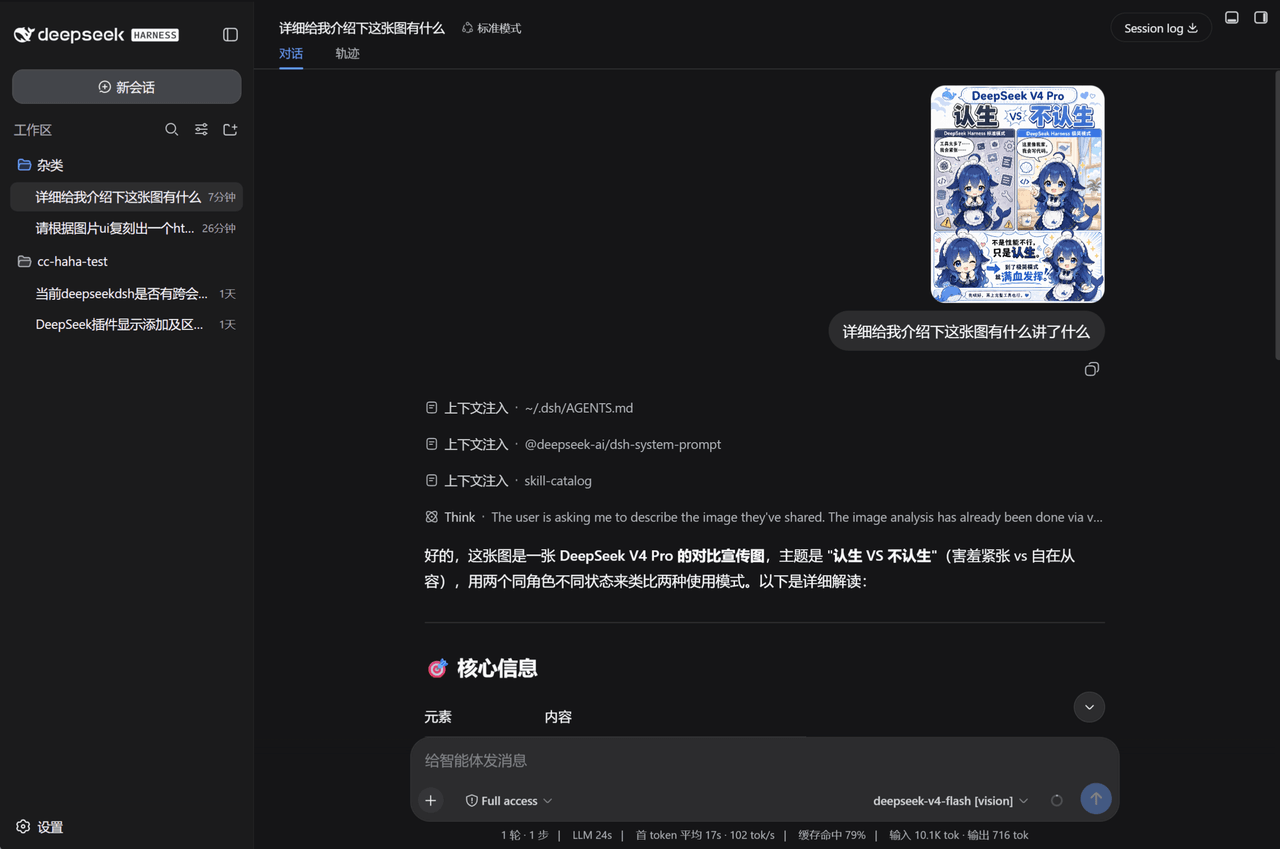 InkshadeWoods/dsh-tool-visual-primitives
DeepSeek Harness 视觉增强插件:将图片交给外部视觉模型分析,输出带坐标化视觉原语的纯文本证据,使不支持多模态的文本模型也能在对话中理解图片、截图与文档。
InkshadeWoods/dsh-tool-visual-primitives
DeepSeek Harness 视觉增强插件:将图片交给外部视觉模型分析,输出带坐标化视觉原语的纯文本证据,使不支持多模态的文本模型也能在对话中理解图片、截图与文档。
-
 nexu-io/open-design
🎨 Best DeepSeek Harness Design Plugin. The open-source Claude Design alternative. 🖥️ Local-first desktop app. 🖼️ Your…
nexu-io/open-design
🎨 Best DeepSeek Harness Design Plugin. The open-source Claude Design alternative. 🖥️ Local-first desktop app. 🖼️ Your…
-
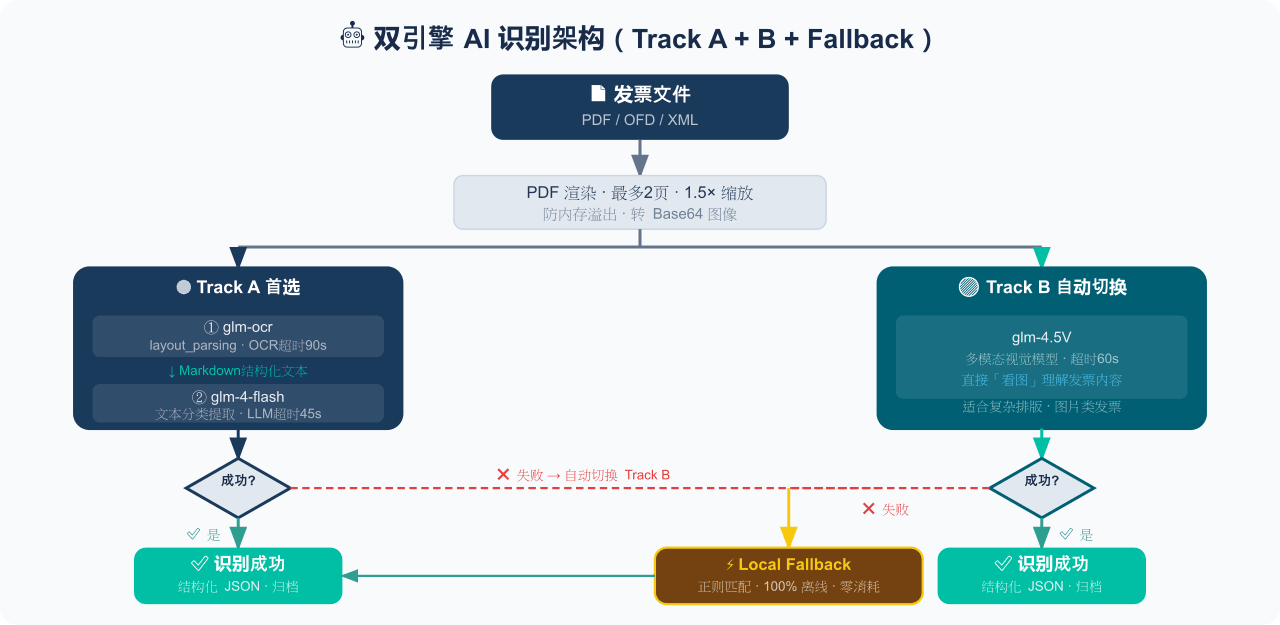 EthanYoQ/Invoice-Downloader
电子发票整理与报销准备工具:从邮箱批量收集 PDF/OFD/XML 发票,OCR 识别、分类归档并生成 Excel 汇总;提供 Windows/macOS 桌面版与 DSH 插件。
EthanYoQ/Invoice-Downloader
电子发票整理与报销准备工具:从邮箱批量收集 PDF/OFD/XML 发票,OCR 识别、分类归档并生成 Excel 汇总;提供 Windows/macOS 桌面版与 DSH 插件。
-
 sunchaokun/PPT-Design-Skill
Precision PPT design skill for OpenCode/Claude Code/Codex, with 40,000+ styles, pixel-perfect Build Mode control, AI ima…
sunchaokun/PPT-Design-Skill
Precision PPT design skill for OpenCode/Claude Code/Codex, with 40,000+ styles, pixel-perfect Build Mode control, AI ima…
-
 runzhliu/deepseek-harness-docker
Community Docker and Kubernetes packaging for DeepSeek Harness (@deepseek-ai/dsh), with a hardened image, Compose stack,…
runzhliu/deepseek-harness-docker
Community Docker and Kubernetes packaging for DeepSeek Harness (@deepseek-ai/dsh), with a hardened image, Compose stack,…
-
 THU-MAIC/dsh-openmaic
OpenMAIC for DeepSeek Harness: classrooms, slides, interactive widgets, and Socratic teaching
THU-MAIC/dsh-openmaic
OpenMAIC for DeepSeek Harness: classrooms, slides, interactive widgets, and Socratic teaching