AKS1st/dsh-mermaid
在DSH Web消息中将Mermaid代码围栏渲染为SVG图表
Project Overview项目介绍
This is a native plugin built exclusively for DeepSeek Harness (DSH) that renders mermaid code fences in DSH web sessions into interactive SVG diagrams. It is installed directly into a DSH web profile via the built-in DSH plugin command, with the standard installation command being dsh plugin --profile web add github:AKS1st/dsh-mermaid followed by a restart of the DSH web service to activate the plugin. The plugin is split into two components: a host component that registers a route to lazily serve the mermaid UMD build, and a client component that listens to the session DOM for completed mermaid code blocks.
The plugin uses viewport-driven and asynchronous queue rendering strategies to avoid bogging down the page during rendering. It only starts rendering a mermaid block when it enters the viewport with a 300px preload margin, and renders multiple diagrams one at a time to keep the page responsive to user input. After rendering completes, it preserves the original code’s language bar and copy button so users can still copy the raw mermaid source code at any time, and a fullscreen zoom popup can be opened with a single click that supports zooming via scroll wheel and panning via mouse drag.
The plugin is released under the open-source MIT license, with the client component only weighing around 10KB uncompressed, or roughly 4KB when gzipped. The full mermaid library is only loaded on demand when the first mermaid code block is encountered, so it does not impact DSH’s overall startup time at all. By default it locks the security level to strict, sanitizes all output HTML, and if rendering fails it keeps the original code block visible, displays a concise error summary, and lets users copy the error or send it directly to AI for automatic fixing. It currently relies on the core frontend CodeBlock component’s stable selector hooks to function correctly.
这是一个专为 DeepSeek Harness 开发的原生插件,作用是在 DSH Web 会话中把 mermaid 代码围栏渲染为可交互 SVG 图表,可通过 DSH 内置的插件管理命令安装到 web profile 中使用。插件分为主机端和客户端两部分:主机端注册路由,惰性提供 mermaid 的 UMD 构建包;客户端监听会话 DOM,仅在输出流式生成完成后处理 mermaid 代码块。
它采用视口驱动渲染、异步队列渲染策略,只有当代码块进入视口(带300px预加载余量)才开始渲染,多图时逐个渲染避免页面卡顿。渲染完成后会保留原代码的语言栏和复制按钮,用户可随时复制原始 mermaid 源码,点击放大按钮可打开接近全屏的适配浮层,支持滚轮缩放和拖动平移。这款插件适合需要在 DSH 会话中查看、生成 mermaid 图表的开发者和文档编写者。
插件采用 MIT 许可证开源,客户端包体积仅约 10KB,mermaid 库仅在首次遇到 mermaid 代码块时按需加载,不会影响应用启动速度。安全上默认锁定 strict 安全级别,所有输出都经过消毒,渲染失败时会保留原代码并显示错误摘要,支持一键复制错误或发送给 AI 修复。已知限制是依赖前端 CodeBlock 的稳定钩子,流式输出期间不进行渲染。
请帮我安装这个 DSH 插件。安装前先完成【兼容性检查 + 安全性检查】,检查通过再动手。

插件:dsh-mermaid(AKS1st/dsh-mermaid)
仓库:https://github.com/AKS1st/dsh-mermaid
本站详情页:https://www.yhbd.top/plugins/aks1st-dsh-mermaid/
本站登记:类型 plugin · 归类 原生 DSH 插件 · 许可证 MIT · ⭐ 9 · 最近提交 2026-08-18 · 主语言 TypeScript

按下面顺序执行,每步先把结论告诉我,再进入下一步:

【1 兼容性检查】
① 我这边:DSH 版本、Node 版本、操作系统、当前 profile(web / desktop)。
② 读它的 README、package.json、插件 manifest,列出它要求的 DSH 版本 / Node 版本 / 操作系统 / 外部依赖 / 需要另外先装的运行时。
③ 逐条比对,结论只写「满足 / 不满足 / 未知」三种;不满足的给出可行替代方案。
④ 检查是否和我已装的插件冲突:命令名重复、skill / tool 重名、端口占用、重复注册的 MCP server。

【2 安全性检查】
① 仓库可信度:和上面「本站登记」是否一致;star / fork 数、创建时间、最近提交,是否归档或长期停更。
② 安装脚本:逐行看 package.json 的 preinstall / install / postinstall,以及 install.sh、setup.ps1 之类脚本。出现 curl|bash、下载后直接执行、混淆代码、访问与插件功能无关的域名,立刻停下来告诉我,不要继续装。
③ 依赖:列出新增依赖,标出无人维护、或与知名包拼写近似的可疑包(typosquatting)。
④ 权限与副作用:它会读写哪些目录、访问哪些域名、需要哪些 DSH 权限(filesystem / network / shell / clipboard 等),以及怎么卸载和回滚。
⑤ 如果它要求 sudo / 管理员权限,或权限明显超出功能所需,先停下来问我。

【3 安装】
上面两步没有「不满足」和「高危项」时才执行;用官方推荐方式安装,不要自行提权。

【4 汇报】
用表格输出:检查项 / 结论 / 依据 / 是否需要我决策。拿不准的一律写「未知」并说明要我怎么确认——不要猜,也不要替我决定。
Send this message to DSH in your current session: it verifies compatibility and security first (answering met / not met / unknown item by item) and only installs once everything checks out — it will stop and ask you if it finds a high-risk item. The box scrolls; the copy is the full prompt. CLI install commands may not be accurate across systems, so DSH is the safer route.把上面这条消息直接发给当前会话里的 DSH:它会先核对兼容性与安全性(逐条给「满足 / 不满足 / 未知」),确认没问题再安装,有高危项会停下来问你。框内可滚动,复制到的是完整提示词;安装命令不一定准确,发给 DSH 更稳。
- Only 9 stars - very few users, little community feedback星标只有 9,几乎没人在用,遇到问题缺少社区反馈
DSH walks through these 9 checksDSH 会逐条核对这 9 项
Compatibility兼容性
- DSH, Node, OS and profile requirementsDSH 版本 / Node 版本 / 操作系统 / profile 是否满足要求
- External dependencies and runtimes (Electron / Python / Docker, ...)外部依赖与运行时(Electron / Python / Docker 等)是否齐备
- Conflicts with installed plugins: command names, skill / tool names, ports, duplicate MCP registration与已装插件是否冲突:命令名、skill / tool 重名、端口占用、重复 MCP 注册
Security安全性
- Repo matches the facts registered here; archived or abandoned?仓库是否与页面登记一致,是否归档或长期停更
- Safety of preinstall / install / postinstall and install.sh / setup.ps1preinstall / install / postinstall 与 install.sh、setup.ps1 是否安全
- curl|bash, download-then-execute, obfuscation, unrelated domains → stop immediatelycurl|bash、下载即执行、混淆代码、无关域名 → 立刻停止
- Typosquatting or unmaintained packages among the new dependencies新增依赖里有没有 typosquatting 或无人维护的包
- Requested permissions vs. what the feature actually needs申请了哪些权限、是否超出功能所需(filesystem / network / shell / clipboard)
- Any sudo / admin requirement, plus uninstall and rollback是否要求 sudo / 管理员权限,以及卸载与回滚方式
Anything uncertain must be marked unknown with a note on how to confirm it. This site's signal screen is a static snapshot, not a security audit.拿不准的必须标「未知」并说明要我怎么确认。本站的信号筛查是静态快照,不能替代安全审计。
Or use CLI install (for developers)或使用命令行安装(适合开发者)
CLI Install命令行安装
dsh plugin --profile web add github:AKS1st/dsh-mermaid把 AKS1st/dsh-mermaid 加入你的 DSH 配置(web profile)即可启用。
READMEREADME
dsh-mermaid
在 DSH Web 会话消息中把 ```mermaid 代码围栏渲染为 SVG 图表的独立插件,通过 dsh plugin 安装进 web profile。
效果预览
| 亮色主题 · 会话内(未放大) | 暗色主题 · 会话内(未放大) |
|---|---|
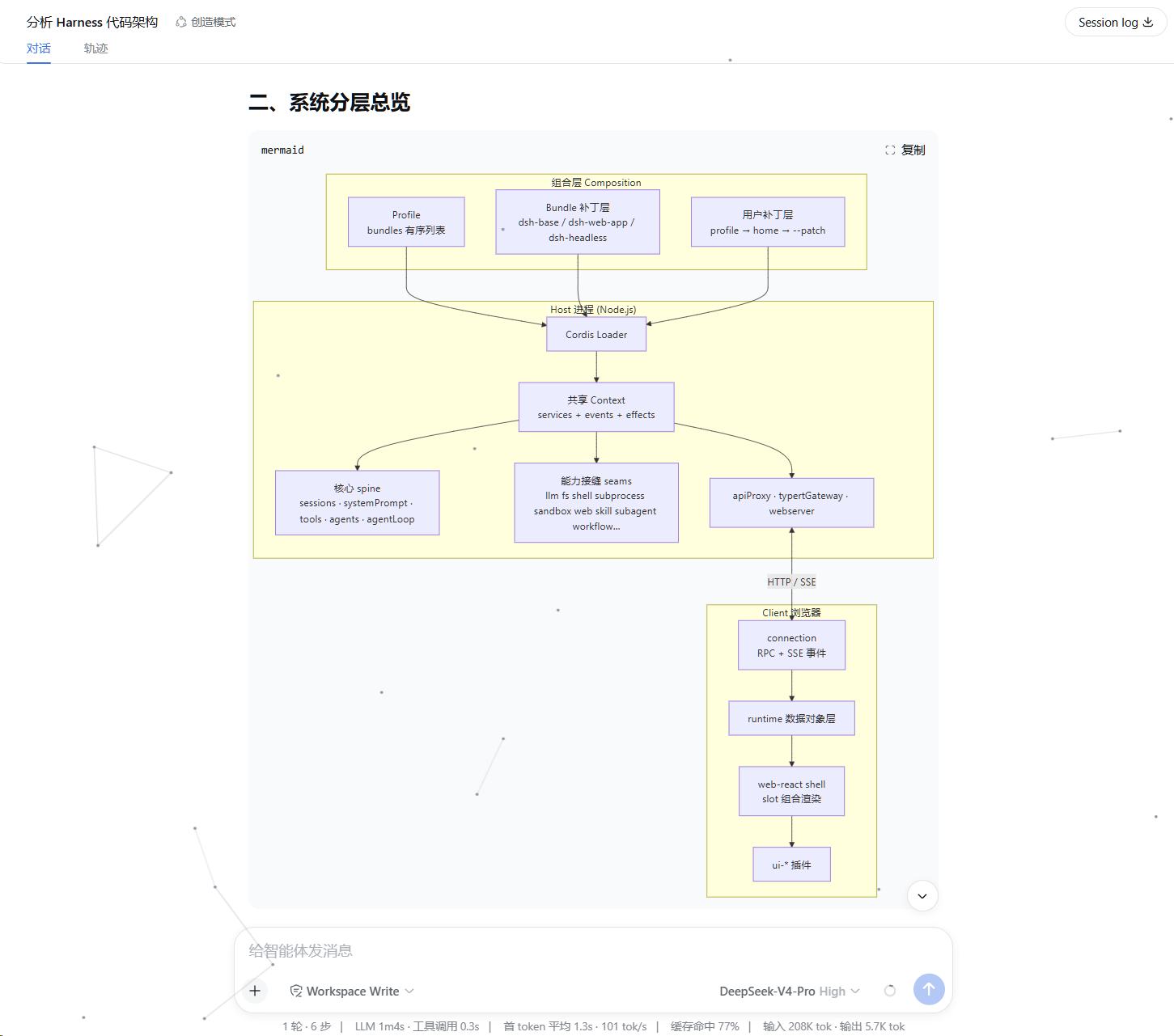 |
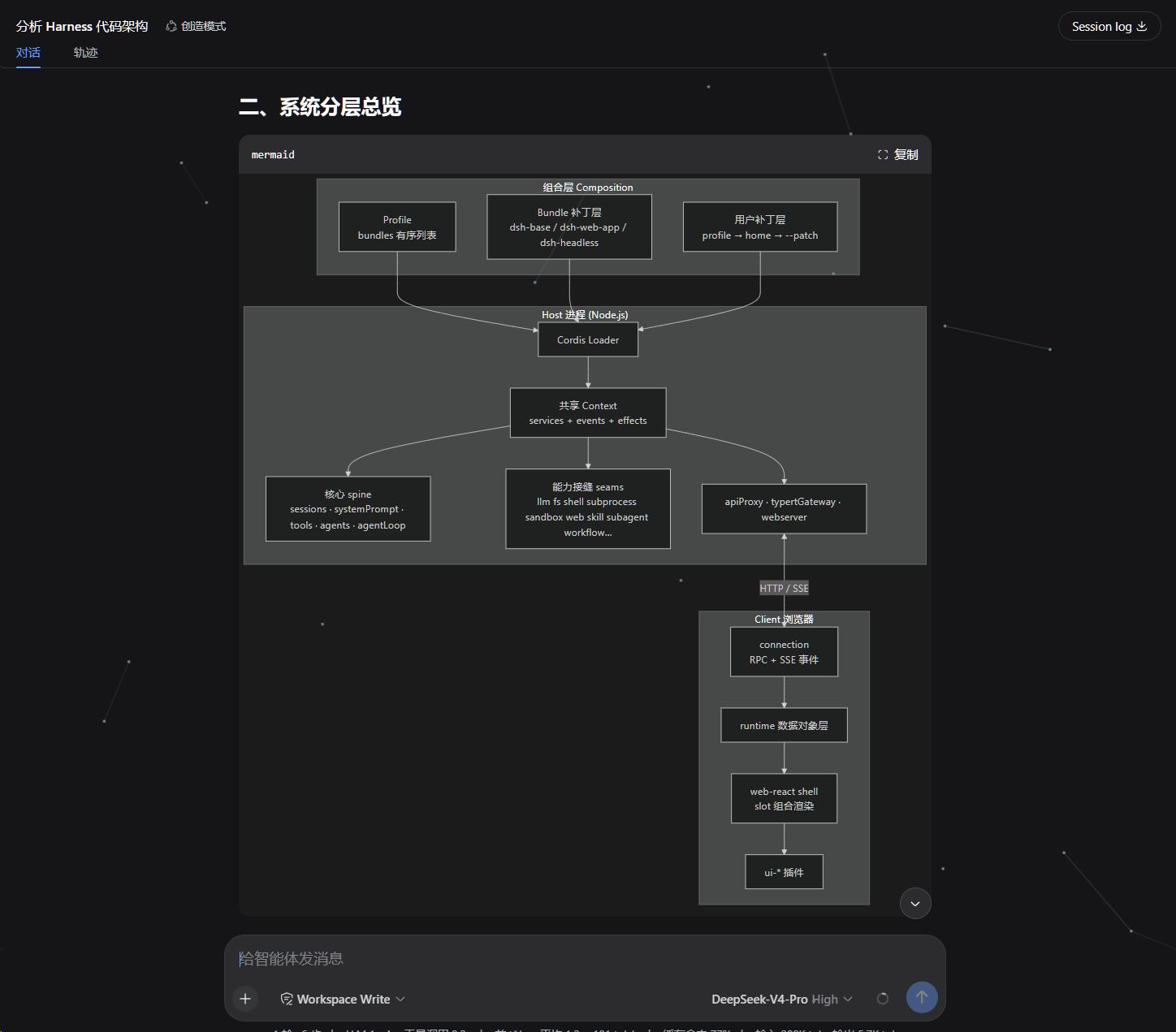 |
| 亮色主题 · 放大浮层 | 暗色主题 · 放大浮层 |
|---|---|
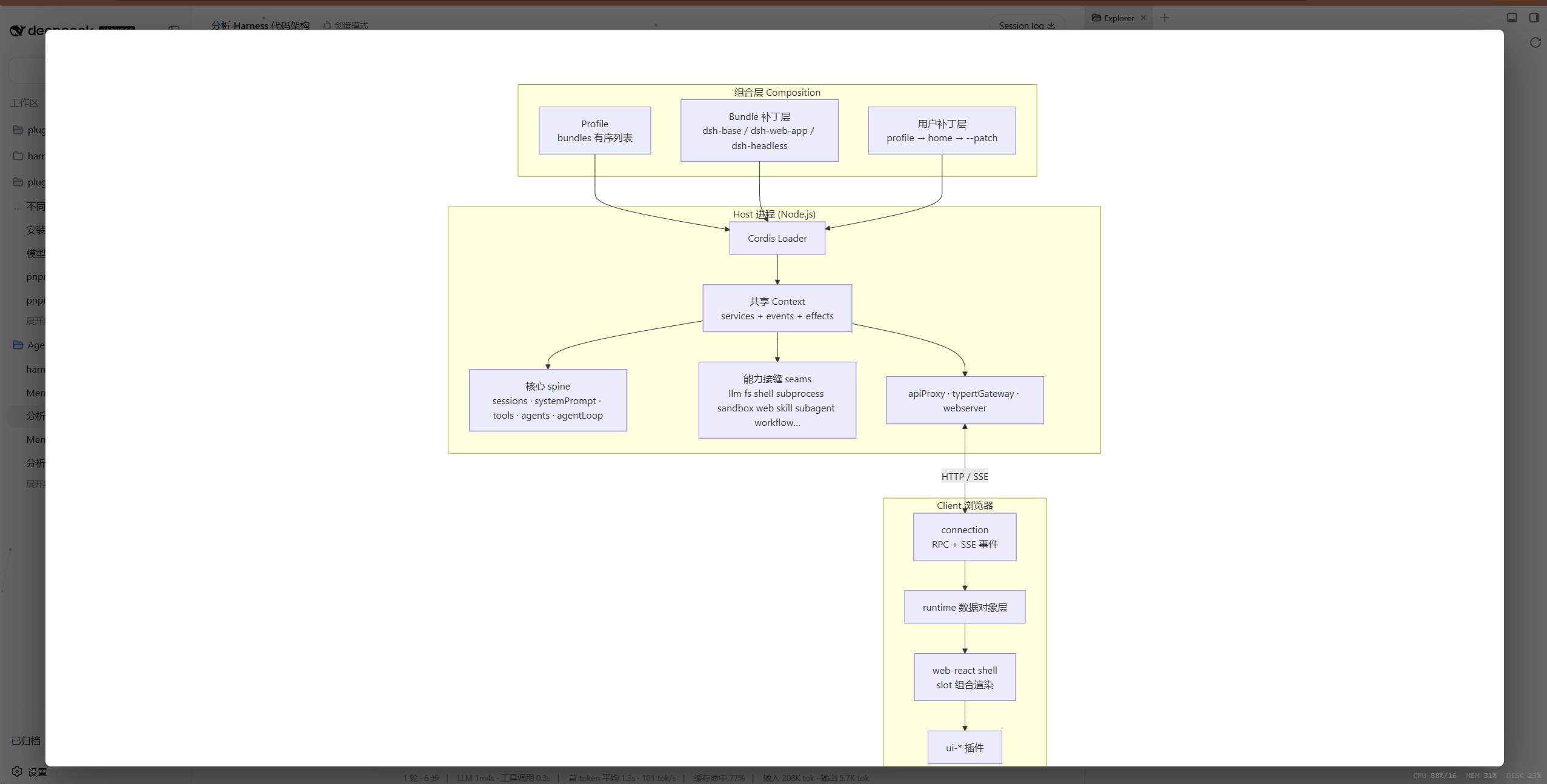 |
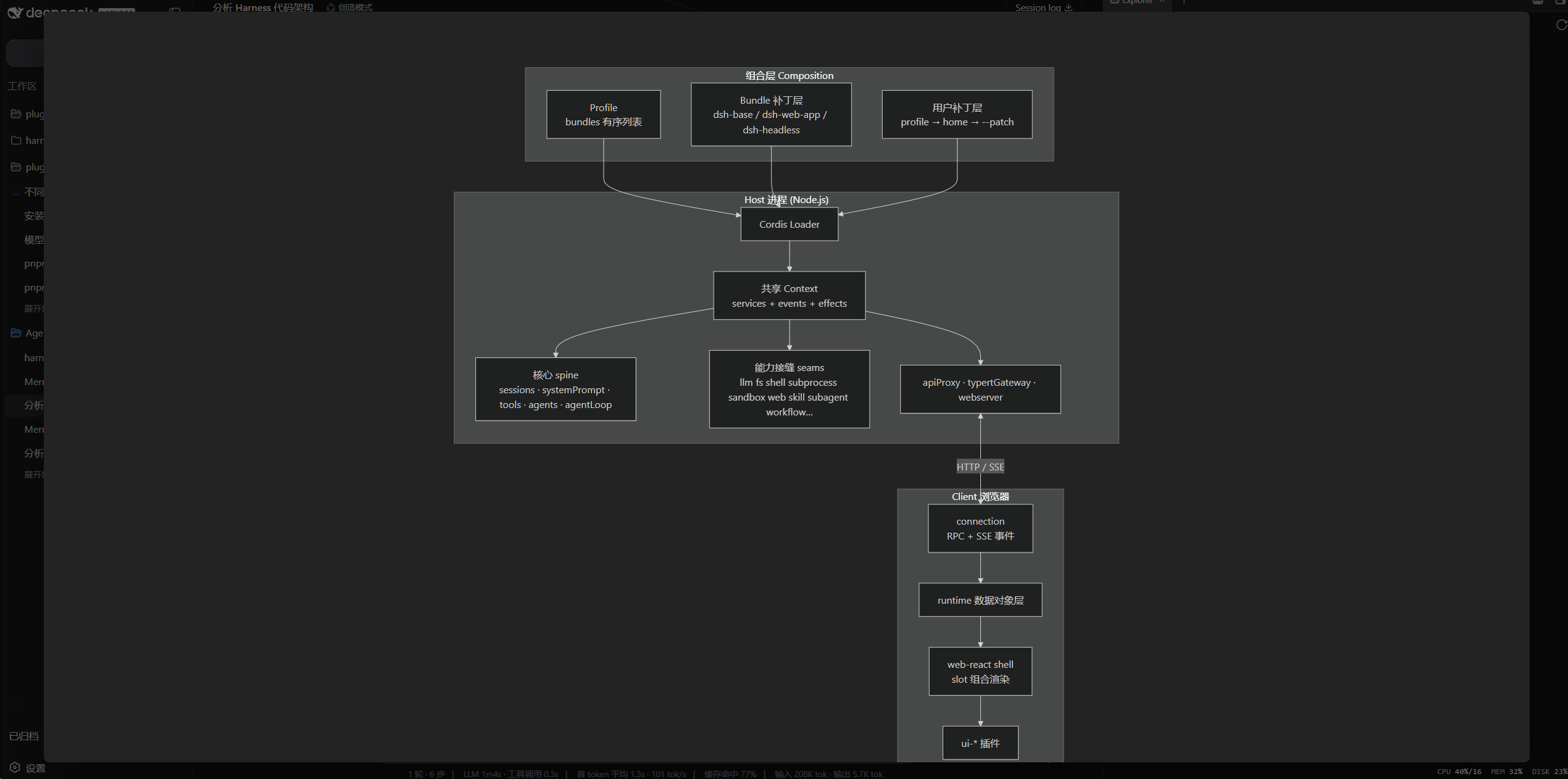 |
放大浮层自动适配屏幕(接近全屏、四周留白),滚轮缩放,按住左键/中键可拖动平移;theme: auto 时图表颜色跟随 GUI 亮/暗主题。
工作方式
- Host 半部(
src/index.ts):注册webServer前缀路由/mermaid-dist,从插件自己的node_modules/mermaid惰性提供 UMD 构建,并提供固定的config.json端点。 - Client 半部(
src/client/):监听会话 DOM,把 infostring 为mermaid的围栏渲染为 SVG:- 只处理已定格的围栏(流式输出期间不渲染);
- 首次遇到围栏才惰性加载 mermaid(浏览器缓存一次);
- 视口驱动渲染:围栏进入视口(带 300px 预加载余量)才开始渲染,滚到哪渲染到哪;还在排队/加载中离开视口的图会停止渲染,回到视口再继续;
- 异步队列渲染:多图时逐个渲染并在渲染之间让出主线程,页面不卡顿;首次渲染期间围栏位置显示加载动画,渲染完成后替换为 SVG;
mermaid.render()产出 SVG,替换围栏的<pre>主体,语言横幅与复制按钮保留(复制仍复制源码);securityLevel恒为strict,标签经 mermaid 内置 DOMPurify 消毒,且从不绑定点击处理;- 主题跟随 GUI:
theme: auto读取body[data-ds-dark-theme],属性翻转时自动重渲染视口内的既有图表(视口外的图在重新进入视口时更新); - 横幅放大按钮打开全屏浮层:图表打开时自动适配屏幕(接近全屏、四周留白、垂直/水平居中),滚轮在此基础上缩放,按住左键或中键拖动可平移画面(不放大也能拖,边界自动限制不让图跑丢),背景点击或 Esc 关闭;
- 渲染失败可见化:首次渲染失败时保留源码块,并在图框下方显示错误摘要(超长自动截断、悬停查看全文),支持一键复制报错或发送给 AI 修复(自动把报错+源码填入输入框并发送,模拟用户将报错发给 AI)。
client 包体积约 10 KB(gzip ~4 KB);mermaid(~700 KB)只在真正出现 mermaid 围栏时才按需加载,不进入 boot 图。
安装
从 GitHub 仓库安装(构建在 prepare 脚本里自动执行):
dsh plugin --profile web add github:AKS1st/dsh-mermaid
dsh web   # 重启 web 服务使 profile 生效
若 pnpm 提示 git 依赖需要执行构建脚本(
ERR_PNPM_GIT_DEP_PREPARE_NOT_ALLOWED), 按提示把包加入 profile 的pnpm-workspace.yaml的allowBuilds后重试即可。
本地开发(先构建再安装):
npm install
npm run build
dsh plugin --profile web add .
dsh web
卸载:
dsh plugin --profile web remove dsh-mermaid
配置
组合包默认生效以下配置:
- insert:
    - id: mermaid
      name: 'dsh-mermaid'
      config:
        theme: auto
        maxTextSize: 50000
        maxEdges: 2000
        securityLevel: strict
| 配置项 | 默认值 | 说明 |
|---|---|---|
theme |
auto |
图表主题:auto(跟随亮/暗)、default、dark、neutral、forest、base |
maxTextSize |
50000 | 单图文本上限(防超大图拖垮渲染) |
maxEdges |
2000 | 边数守卫 |
securityLevel |
strict |
固定为 strict,不接受 loose |
Showing the opening section of the README — the full document lives in the repository以上为 README 开头摘要,完整文档在仓库内 · View the full README on GitHub →在 GitHub 查看完整 README →
Related相关推荐
- zzy-12345678/dsh-file-convert Local-first file conversion for DeepSeek Harness — images, PDF, data, audio/video & office docs. 7 tools, 26 conversions…
- 988hj7tczd-oss/dsh-invoice-tools DSH native tools: parse Chinese e-invoice PDFs into structured JSON with amount cross-check, and generate expense report…
-
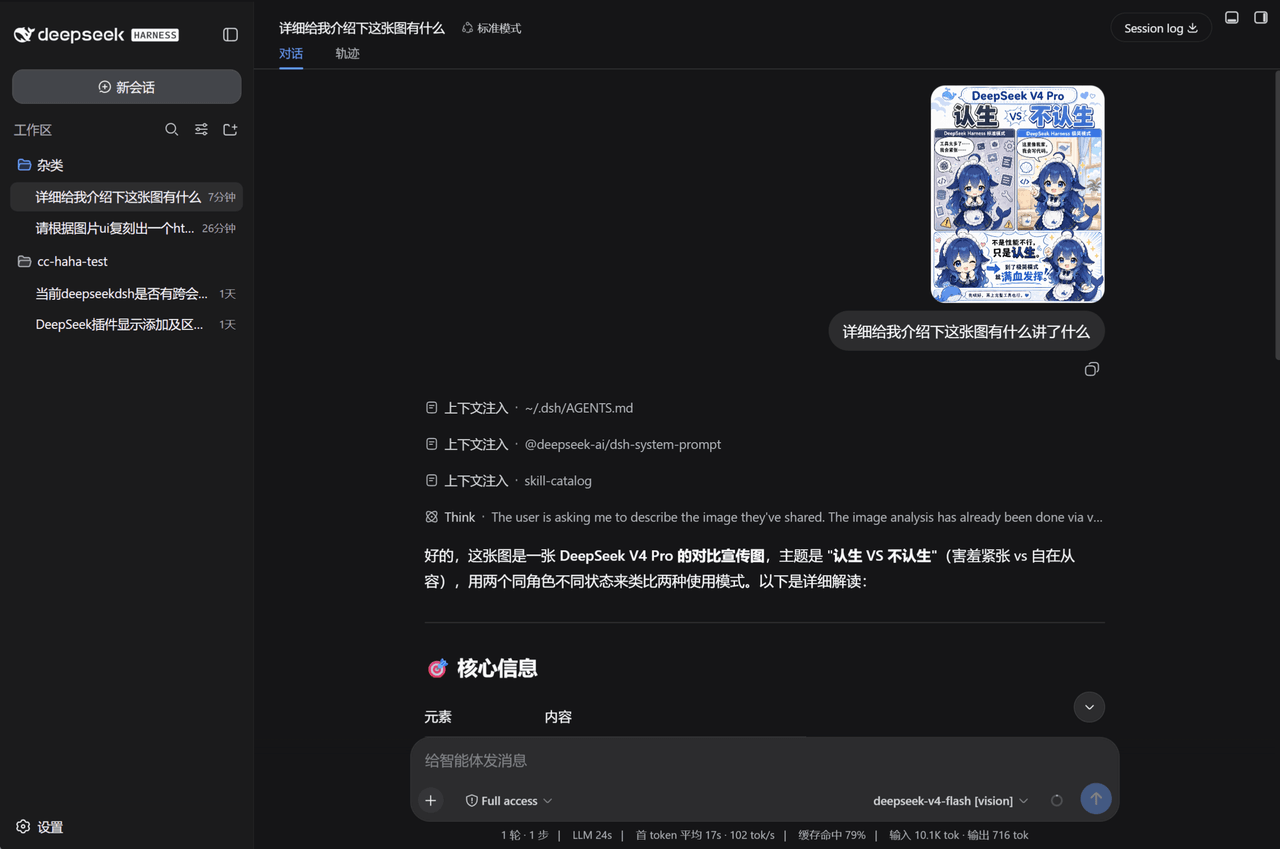 InkshadeWoods/dsh-tool-visual-primitives
DeepSeek Harness 视觉增强插件:将图片交给外部视觉模型分析,输出带坐标化视觉原语的纯文本证据,使不支持多模态的文本模型也能在对话中理解图片、截图与文档。
InkshadeWoods/dsh-tool-visual-primitives
DeepSeek Harness 视觉增强插件:将图片交给外部视觉模型分析,输出带坐标化视觉原语的纯文本证据,使不支持多模态的文本模型也能在对话中理解图片、截图与文档。
-
 nexu-io/open-design
🎨 Best DeepSeek Harness Design Plugin. The open-source Claude Design alternative. 🖥️ Local-first desktop app. 🖼️ Your…
nexu-io/open-design
🎨 Best DeepSeek Harness Design Plugin. The open-source Claude Design alternative. 🖥️ Local-first desktop app. 🖼️ Your…
-
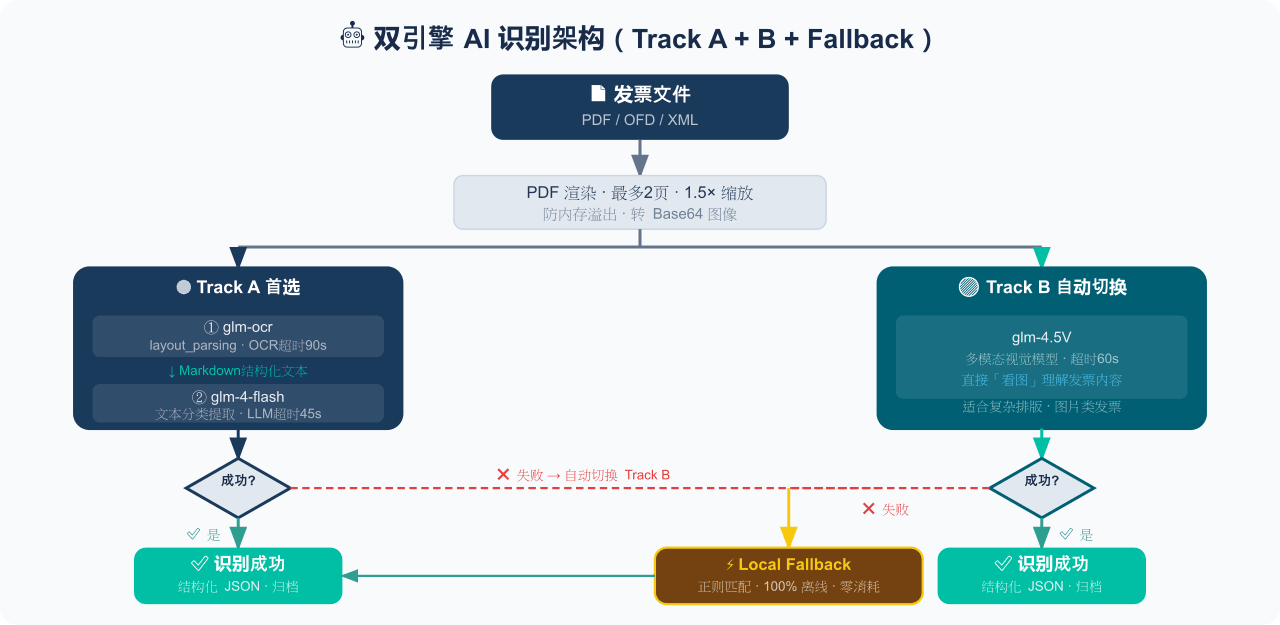 EthanYoQ/Invoice-Downloader
电子发票整理与报销准备工具:从邮箱批量收集 PDF/OFD/XML 发票,OCR 识别、分类归档并生成 Excel 汇总;提供 Windows/macOS 桌面版与 DSH 插件。
EthanYoQ/Invoice-Downloader
电子发票整理与报销准备工具:从邮箱批量收集 PDF/OFD/XML 发票,OCR 识别、分类归档并生成 Excel 汇总;提供 Windows/macOS 桌面版与 DSH 插件。
-
 sunchaokun/PPT-Design-Skill
Precision PPT design skill for OpenCode/Claude Code/Codex, with 40,000+ styles, pixel-perfect Build Mode control, AI ima…
sunchaokun/PPT-Design-Skill
Precision PPT design skill for OpenCode/Claude Code/Codex, with 40,000+ styles, pixel-perfect Build Mode control, AI ima…
-
 runzhliu/deepseek-harness-docker
Community Docker and Kubernetes packaging for DeepSeek Harness (@deepseek-ai/dsh), with a hardened image, Compose stack,…
runzhliu/deepseek-harness-docker
Community Docker and Kubernetes packaging for DeepSeek Harness (@deepseek-ai/dsh), with a hardened image, Compose stack,…
-
 THU-MAIC/dsh-openmaic
OpenMAIC for DeepSeek Harness: classrooms, slides, interactive widgets, and Socratic teaching
THU-MAIC/dsh-openmaic
OpenMAIC for DeepSeek Harness: classrooms, slides, interactive widgets, and Socratic teaching