aerince/dsh-models-dev-reasoning
为未配置的第三方DeepSeek Harness模型添加models.dev推理级别。
项目介绍Project Overview
DSH 插件,从 models.dev 补齐 DeepSeek Harness 中 llm-pi-ai 第三方或自定义模型缺失的 reasoningEfforts 档位,使模型选择器显示思考档位。核心能力是匹配 provider 下的模型并写入推理档位,models.dev 的 none 映射为 DSH 的 off。适用于手填模型、代理模型和 NewAPI 场景。已有 reasoningEfforts 的模型不会被覆盖,目录缓存于系统临时目录 24 小时。
DSH plugin that fills missing reasoningEfforts for third-party or custom models under llm-pi-ai in DeepSeek Harness by pulling data from models.dev, so the model selector shows reasoning levels. It matches models under the provider and writes reasoning tiers, mapping models.dev's none to DSH's off. Use it for hand-entered, proxy, or NewAPI models. Existing reasoningEfforts entries are not overwritten, and a 24-hour cache is stored in the system temp directory.
请帮我了解并安装插件:【dsh-models-dev-reasoning】【https://github.com/aerince/dsh-models-dev-reasoning】把上面这条消息直接发给当前会话里的 DSH,让它帮你了解并安装。安装命令不一定准确,发给 DSH 更稳。Send this message to DSH in your current session. CLI install commands may not be accurate across systems — DSH will figure it out for you.
或使用命令行安装(适合开发者)Or use CLI install (for developers)
命令行安装CLI Install
dsh plugin --profile web add github:aerince/dsh-models-dev-reasoning把 aerince/dsh-models-dev-reasoning 加入你的 DSH 配置(web profile)即可启用。
READMEREADME
dsh-models-dev-reasoning
从 models.dev 补齐 DeepSeek Harness 中第三方或自定义模型的思考档位,让 llm-pi-ai 的模型选择器也能显示 reasoningEfforts。
插件只处理尚未设置 reasoningEfforts 的模型;已有配置不会覆盖。models.dev 的 none 会映射为 DSH 的 off。
适用于手填模型、代理模型和 NewAPI 等场景。
工作方式
DSH 启动后等待
settings可用。读取
https://models.dev/api.json,失败时回退到 models.dev 的 GitHubdevtarball。匹配
llm-pi-aiprovider 下的模型并补写推理档位。将目录缓存到系统临时目录,有效期 24 小时。
没有插件配置项,也没有 prepare 安装脚本。
安装
官方 CLI 的正确格式是 dsh plugin --profile <profile> add <source>。Desktop 默认使用 web profile;其他 profile 请替换 web。
dsh plugin --profile web add github:aerince/dsh-models-dev-reasoning

# 可复现安装:v0.1.0 release
dsh plugin --profile web add github:aerince/dsh-models-dev-reasoning#v0.1.0

# 不可变 commit pin
dsh plugin --profile web add github:aerince/dsh-models-dev-reasoning#0893e91cbe7bdc684eaf1ed52767b8ca3289c751
本包是零构建 JavaScript,没有 prepare,不需要为它添加 pnpm allowBuilds。安装前提是可用的 dsh、pnpm 和 git。安装后重启 DSH。
DSH 会把插件写入 $DSH_HOME/profiles/<profile>;请确认 CLI 与 Desktop 使用的是同一个 DSH home。
验证与卸载
dsh --profile web --dump-config
配置树中应出现 models-dev-reasoning。打开一个 models.dev 标记为 reasoner 的自定义模型,检查模型选择器是否出现思考档位;已有 reasoningEfforts 的模型应保持不变。
卸载
dsh plugin --profile web remove dsh-models-dev-reasoning
DSH 官方安装对照
本仓库按 DSH 当前官方基线(deepseek-ai/deepseek-harness commit 47f943859bef60e4160492346772ded9b24f765a)核对:
| 官方要求 | 本项目 |
|---|---|
| 普通 package entry | package.json → index.js |
dsh.bundle.patch |
已配置 ./cordis.patch.yml |
YAML patch 的 name 可解析 |
dsh-models-dev-reasoning 与 package name 一致 |
| Git source 可直接安装 | 零构建 JS,无 prepare |
| profile 安装命令 | 使用 dsh plugin --profile web add github:... |
| 安装后验证 | 使用 dsh --profile web --dump-config |
官方参考:https://github.com/deepseek-ai/deepseek-harness/blob/master/docs/user/develop/basic/publish.zh.md、https://github.com/deepseek-ai/deepseek-harness/blob/master/apps/cli/src/plugin.ts。
网络、文件与权限
插件注入 settings,只写入 llm-pi-ai 下缺失的 reasoningEfforts。它会访问 models.dev 和 GitHub 回退地址,并在系统临时目录写入可选缓存;缓存写失败不会阻止插件运行。没有 prepare 安装脚本。
License
MIT
相关推荐Related
- Nagi-ovo/voyager Enhancement suite for Gemini, AI Studio, Claude & ChatGPT — plus a prompt manager for any web UI, DeepSeek Harness inclu…
-
 crafter-station/petdex
A public gallery of animated pets for Codex, Claude Code, DeepSeek Harness, Hermes, OpenCode, Gemini CLI, and more.
crafter-station/petdex
A public gallery of animated pets for Codex, Claude Code, DeepSeek Harness, Hermes, OpenCode, Gemini CLI, and more.
-
 edison7009/EchoBird
One-click install + model switch:Claude Code,Codex CLI (OpenAI), Grok Build (xAI), DeepSeek Harness, Kimi Code (Moonshot…
edison7009/EchoBird
One-click install + model switch:Claude Code,Codex CLI (OpenAI), Grok Build (xAI), DeepSeek Harness, Kimi Code (Moonshot…
-
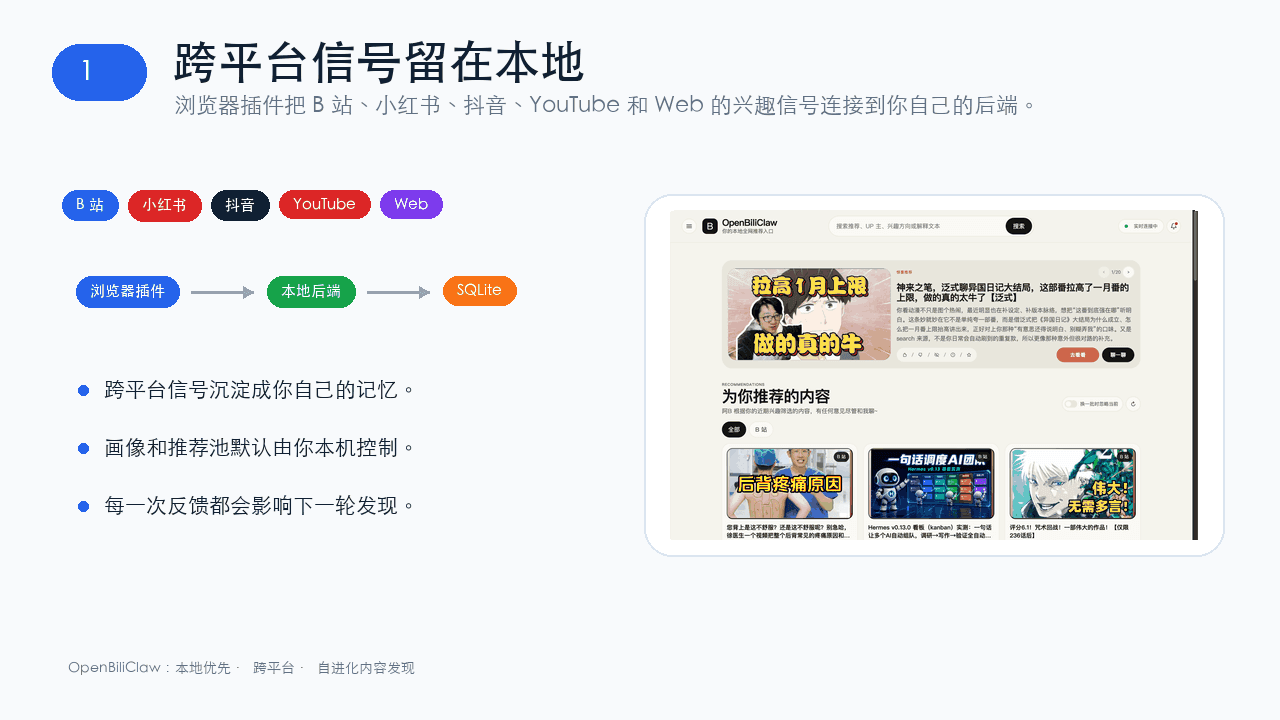 whiteguo233/OpenBiliClaw
本地私有、开源的自进化跨平台 AI 内容发现 Agent:先理解你,再主动从 B站、小红书、抖音、YouTube、X、知乎、Reddit、微博等平台与开放 Web 寻找内容。(支持 deepseek harness 插件) | Local-…
whiteguo233/OpenBiliClaw
本地私有、开源的自进化跨平台 AI 内容发现 Agent:先理解你,再主动从 B站、小红书、抖音、YouTube、X、知乎、Reddit、微博等平台与开放 Web 寻找内容。(支持 deepseek harness 插件) | Local-…
-
 V1ki/dsh-plugin-subscriptions
Use ChatGPT (Codex), Claude, and Grok (X Premium) subscriptions as DeepSeek Harness LLM providers — OAuth login in the w…
V1ki/dsh-plugin-subscriptions
Use ChatGPT (Codex), Claude, and Grok (X Premium) subscriptions as DeepSeek Harness LLM providers — OAuth login in the w…
-
 Mars-Sea/dsh-commandcode-provider
Unofficial DeepSeek Harness LLM provider plugin for Command Code: live model catalog, reasoning-effort support, Models-p…
Mars-Sea/dsh-commandcode-provider
Unofficial DeepSeek Harness LLM provider plugin for Command Code: live model catalog, reasoning-effort support, Models-p…
-
 Nwflower/dsh-chat-import
Import 14+ external agent chat histories (Claude Code, Codex, ChatGPT, Cursor, Gemini, Reasonix, opencode, ZCode, Grok B…
Nwflower/dsh-chat-import
Import 14+ external agent chat histories (Claude Code, Codex, ChatGPT, Cursor, Gemini, Reasonix, opencode, ZCode, Grok B…
-
 AITabby/dockyard-dsh
A macOS-only native account-pool and provider plugin for DeepSeek Harness.
AITabby/dockyard-dsh
A macOS-only native account-pool and provider plugin for DeepSeek Harness.