ai-tools-mtl/Aurify
dsh(DeepSeek Harness)专利撰写把关人:先检索中国专利判断点子值不值得写(可反驳可批评),再走五方对齐访谈与八章交底书全流程:附图、仿真实验、七维审查、docx/PDF 导出。
Project Overview项目介绍
Aurify (点金) is a third-party capability plugin built specifically for the DeepSeek Harness (dsh) desktop client, designed to act as a gatekeeper for Chinese patent drafting workflows. It ships as a single npm package @mtl-academic/dsh-patent whose bundle directory contains 14 skills, 5 native dsh tools, 9 MCP tools, and a /patent-review command. The capabilities span Chinese patent novelty search via Google Patents, five-party alignment interviews, an eight-chapter invention disclosure, drawio/HTML figure rendering, Docker-based simulation experiments, a seven-dimension rubric review, and docx/PDF export. Installation requires DeepSeek Harness Desktop (or dsh ≥0.1.5); the tarball from dist/ must be extracted into a directory and mounted via dsh plugin add "file:<absolute path>/bundle", while a Windows PowerShell installer automates profile creation, overrides, and persona patching.
The intended workflow begins by submitting a technical idea, which the plugin searches against Chinese patents and rates as "write / narrow then write / do not write" with public-number evidence that can be challenged. Once a direction is confirmed, it walks the user through interviews, disclosure drafting, figure rendering, simulation, and the seven-dimension review, with the human author retaining the final call on conclusions. The tool is aimed at R&D engineers, patent attorneys, and inventors who need to convert raw ideas into compliant disclosure documents and application sets, and it deliberately positions itself as a critic that pushes back on weak claims rather than a passive drafting assistant.
Dependencies include optional uv for the Python MCP service (enabled via DSH_PATENT_SERVICES=1) and Docker Desktop for figure rendering and simulation images q771103517/dsh-patent and q771103517/dsh-patent-experiment. The plugin targets dsh 0.1.5-rc through 0.1.6-alpha, requires reachable access to patents.google.com for novelty search (it errors rather than fabricates), and demands absolute paths in the profile manifest because dsh resolves file: dependencies against the profile directory. No license is declared in the repository metadata, so users must verify licensing and acceptable-use terms before installing the bundle into a production profile.
点金(Aurify)是面向 DeepSeek Harness(dsh)桌面端的第三方能力插件,给技术专利撰写做端到端把关。它由一个 npm 包 @mtl-academic/dsh-patent 组成,内含 14 个技能、5 个原生工具、9 个 MCP 工具以及 /patent-review 命令,覆盖中国专利查新、五方对齐访谈、八章交底书、附图渲染、仿真实验、七维审查和 docx/PDF 导出。安装方式为把 dist/ 下的 tarball 解包成目录后通过 dsh plugin add "file:<绝对路径>/bundle" 装入任意 dsh 档案,Windows 还提供一键 PowerShell 安装器;Python 服务与 Docker Desktop 为可选依赖。
典型工作流是:先丢入技术点子由插件检索中国专利(Google Patents CN 通道)并给出"建议写 / 收窄后写 / 不建议写"三档评估,再进入访谈、撰写、附图、实验与审查全流程,最终由人工拍板结论。它面向研发岗、专利代理、技术发明人这类需要把点子落到合规交底书与申请文件的使用者,强调"表述是待检验起点而非最终答案",会按证据反驳与批评。
依赖与边界方面:核心面向 dsh 0.1.5-rc 至 0.1.6-alpha;中国专利查新需可访问 patents.google.com,否则明确报错;附图渲染与仿真实验依赖 Docker Desktop;Python 服务经 uv tool install 安装并需 DSH_PATENT_SERVICES=1;授权与许可字段仓库未声明,安装时需自行确认。
请帮我安装这个 DSH 插件。安装前先完成【兼容性检查 + 安全性检查】,检查通过再动手。

插件:Aurify(ai-tools-mtl/Aurify)
仓库:https://github.com/ai-tools-mtl/Aurify
本站详情页:https://www.yhbd.top/plugins/ai-tools-mtl-aurify/
本站登记:类型 plugin · 归类 原生 DSH 插件 · 许可证未声明 · ⭐ 8 · 最近提交 2026-09-28 · 主语言 HTML · 未检测到 DSH 插件清单

按下面顺序执行,每步先把结论告诉我,再进入下一步:

【1 兼容性检查】
① 我这边:DSH 版本、Node 版本、操作系统、当前 profile(web / desktop)。
② 读它的 README、package.json、插件 manifest,列出它要求的 DSH 版本 / Node 版本 / 操作系统 / 外部依赖 / 需要另外先装的运行时。
③ 逐条比对,结论只写「满足 / 不满足 / 未知」三种;不满足的给出可行替代方案。
④ 检查是否和我已装的插件冲突:命令名重复、skill / tool 重名、端口占用、重复注册的 MCP server。

【2 安全性检查】
① 仓库可信度:和上面「本站登记」是否一致;star / fork 数、创建时间、最近提交,是否归档或长期停更。
② 安装脚本:逐行看 package.json 的 preinstall / install / postinstall,以及 install.sh、setup.ps1 之类脚本。出现 curl|bash、下载后直接执行、混淆代码、访问与插件功能无关的域名,立刻停下来告诉我,不要继续装。
③ 依赖:列出新增依赖,标出无人维护、或与知名包拼写近似的可疑包(typosquatting)。
④ 权限与副作用:它会读写哪些目录、访问哪些域名、需要哪些 DSH 权限(filesystem / network / shell / clipboard 等),以及怎么卸载和回滚。
⑤ 如果它要求 sudo / 管理员权限,或权限明显超出功能所需,先停下来问我。

【3 安装】
上面两步没有「不满足」和「高危项」时才执行;用官方推荐方式安装,不要自行提权。

【4 汇报】
用表格输出:检查项 / 结论 / 依据 / 是否需要我决策。拿不准的一律写「未知」并说明要我怎么确认——不要猜,也不要替我决定。
Send this message to DSH in your current session: it verifies compatibility and security first (answering met / not met / unknown item by item) and only installs once everything checks out — it will stop and ask you if it finds a high-risk item. The box scrolls; the copy is the full prompt. CLI install commands may not be accurate across systems, so DSH is the safer route.把上面这条消息直接发给当前会话里的 DSH:它会先核对兼容性与安全性(逐条给「满足 / 不满足 / 未知」),确认没问题再安装,有高危项会停下来问你。框内可滚动,复制到的是完整提示词;安装命令不一定准确,发给 DSH 更稳。
- No license declared - all rights reserved by default; ask the author before commercial use or redistribution未声明开源许可证 —— 默认「保留所有权利」,商用或再分发前先问作者
- Only 8 stars - very few users, little community feedback星标只有 8,几乎没人在用,遇到问题缺少社区反馈
- No DSH plugin manifest detected - it may only carry the dsh-plugin topic, so the install method must be confirmed on the spot未检测到 DSH 插件清单:可能只是打了 dsh-plugin 话题,安装方式要现场确认
DSH walks through these 9 checksDSH 会逐条核对这 9 项
Compatibility兼容性
- DSH, Node, OS and profile requirementsDSH 版本 / Node 版本 / 操作系统 / profile 是否满足要求
- External dependencies and runtimes (Electron / Python / Docker, ...)外部依赖与运行时(Electron / Python / Docker 等)是否齐备
- Conflicts with installed plugins: command names, skill / tool names, ports, duplicate MCP registration与已装插件是否冲突:命令名、skill / tool 重名、端口占用、重复 MCP 注册
Security安全性
- Repo matches the facts registered here; archived or abandoned?仓库是否与页面登记一致,是否归档或长期停更
- Safety of preinstall / install / postinstall and install.sh / setup.ps1preinstall / install / postinstall 与 install.sh、setup.ps1 是否安全
- curl|bash, download-then-execute, obfuscation, unrelated domains → stop immediatelycurl|bash、下载即执行、混淆代码、无关域名 → 立刻停止
- Typosquatting or unmaintained packages among the new dependencies新增依赖里有没有 typosquatting 或无人维护的包
- Requested permissions vs. what the feature actually needs申请了哪些权限、是否超出功能所需(filesystem / network / shell / clipboard)
- Any sudo / admin requirement, plus uninstall and rollback是否要求 sudo / 管理员权限,以及卸载与回滚方式
Anything uncertain must be marked unknown with a note on how to confirm it. This site's signal screen is a static snapshot, not a security audit.拿不准的必须标「未知」并说明要我怎么确认。本站的信号筛查是静态快照,不能替代安全审计。
Or use CLI install (for developers)或使用命令行安装(适合开发者)
CLI Install命令行安装
dsh plugin --profile web add github:ai-tools-mtl/Aurify把 ai-tools-mtl/Aurify 加入你的 DSH 配置(web profile)即可启用。
READMEREADME
点金 Aurify
Not every stone is worth gilding — appraise the idea before you gild it. 先验金,再点金。DeepSeek Harness(dsh) 的专利撰写把关人 · the patent-writing gatekeeper for dsh。
丢一个技术点子,点金先检索中国专利给出「建议写 / 收窄后写 / 不建议写」的评估(附公开号证据,可以反驳它),确认方向后再带你走完全流程:五方对齐访谈 → 八章交底书 → 附图与仿真实验 → 七维审查 → docx/PDF 导出。
与「帮你起草」类插件的本质区别:你的表述是待检验的起点,不是最终答案——它敢反驳、会批评、按证据给方向,结论由你拍板。
功能地图
| 阶段 | 能力 |
|---|---|
| 点子评估 | 中国专利查新(Google Patents CN 检索)+ 三档结论 + 对话定向 |
| 访谈 | 五方对齐(现有技术缺点 → 技术问题 → 有益效果),就绪度工具打分,ready 前不动笔 |
| 撰写 | 八章交底书 + 去 AI 味 + 效果对比框架 |
| 实验 | docker 仿真实验(公开数据集优先,真实场景标定仿真),运行记录自动落账 |
| 附图 | drawio / HTML 双通道渲染,黑白中文规范,编号与正文联动 |
| 审查 | /patent-review 七维 rubric + NLI 一致性,报告落档 |
| 导出 | 代理机构模板交底书 + 申请文件三件套,docx/PDF,插图自动配对 |
组成:14 个技能(撰写纪律)+ 5 个原生工具(就绪度打分、权利要求/正文检查、全流程推进、审查直通、环境自检)+ 9 个 MCP 工具(导出/解析/渲染与几何自查/检索/实验/查新,Python 服务)+ /patent-review 审查命令 + Web 结构化卡片与项目面板。Bundle 不带 persona(人格在档案补丁层,安装时一并装入),可装入任意 dsh 档案。
安装
安装细节只维护一份正本(dist/ 内),根 README 只保留最短路径与跳转:
| 文档 | 管什么 |
|---|---|
| 本节 | 最短路径——能直接复制跑通的最少命令 |
| dist/README.md | 完整接收方指南(中文):手动安装逐步命令、验收方法、模型配置、可选功能、核心兼容表、已知边界 |
| dist/INSTALL-NEW-PROFILE.md | 安装器参数、手动步骤(英文)、macOS/Linux 路径替换表、故障排查 |
前置:DeepSeek Harness 桌面版(或 dsh ≥0.1.5);可选 uv(Python 服务)与 Docker Desktop(附图渲染、仿真实验)。
方式 A · 插件市场一键安装(桌面版内,最简)——桌面版 设置 → 插件市场,搜 Aurify 或 点金,一键装进当前活动档案(npm latest)。装完两步:把 dist/persona.patch.yml 的 yaml 块追加进该档案的 cordis.patch.yml;在 ~/.dsh/patent-services.yaml 写 mcp_wheel: true 并完整重启桌面壳。细节见 dist/README.md 的方式 A。
方式 B · 一键安装器(Windows,npm 路线)——从 npm 解析 @mtl-academic/dsh-patent(无需解包任何 tarball),建档案、装 persona、dump-config 验证全自动,幂等可重跑(已在市场装过的档案同样适用):
powershell -ExecutionPolicy Bypass -File dist\install-patent-profile.ps1 -Name patent-demo
方式 C · 手动安装(跨平台,npm)——两条命令:档案不存在时先 dsh --profile patent-demo --from-default-profile web 建档,然后 dsh plugin --profile patent-demo add @mtl-academic/dsh-patent;再装 persona(dist/persona.patch.yml 拷为档案的 cordis.patch.yml,已有补丁时改为追加 persona 条目);可选追加 Python 服务(已发布 PyPI:~/.dsh/patent-services.yaml 开 mcp_enabled + mcp_wheel 即可,uvx 自动拉取,重启桌面版)。装完先跑 dsh --profile patent-demo --dump-config(退出码必须为 0)再重启桌面版。装过旧版离线形态的档案,先删掉档案 pnpm-workspace.yaml 里旧安装器写入的 4 行 overrides:(会钉死本地 tarball)。逐步说明见 dist/README.md 的方式 C。
Showing the opening section of the README — the full document lives in the repository以上为 README 开头摘要,完整文档在仓库内 · View the full README on GitHub →在 GitHub 查看完整 README →
Related相关推荐
-
 Ikalus1988/MisakaNet
📚 A zero-dependency, git-backed micro-lesson library for AI Agents to asynchronously share and search verified debuggin…
Ikalus1988/MisakaNet
📚 A zero-dependency, git-backed micro-lesson library for AI Agents to asynchronously share and search verified debuggin…
-
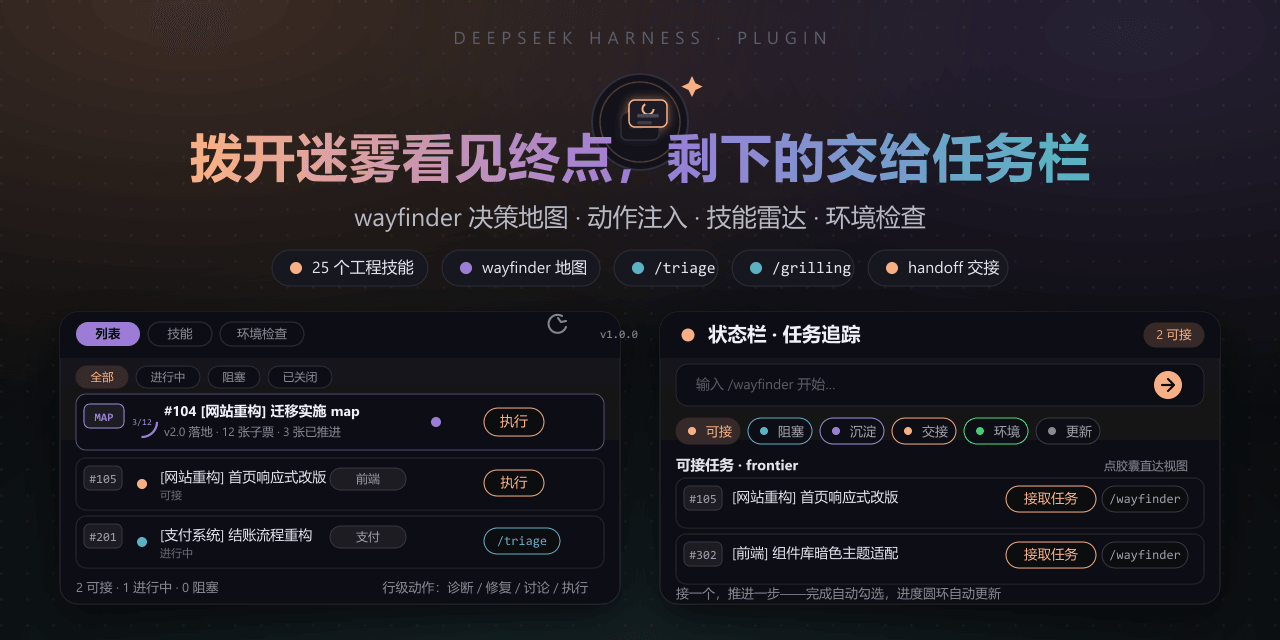 FeatherHunter/dsh-mattpocock-skills-deck
安装即自带mattpocock/skills v1.2.3的25个工程与效率技能,无需手动装技能。300亿token打造。本插件在原始技能之上提供10倍的开发效率。主力支持GitHub issue;Markdown为预览版;GitLab暂不…
FeatherHunter/dsh-mattpocock-skills-deck
安装即自带mattpocock/skills v1.2.3的25个工程与效率技能,无需手动装技能。300亿token打造。本插件在原始技能之上提供10倍的开发效率。主力支持GitHub issue;Markdown为预览版;GitLab暂不…
-
 yoli-mi/dsh-client-ui-custom
Configurable DSH web-surface plugin: wallpaper & frosted-glass themes, accent colors, custom keyboard shortcuts, app-usa…
yoli-mi/dsh-client-ui-custom
Configurable DSH web-surface plugin: wallpaper & frosted-glass themes, accent colors, custom keyboard shortcuts, app-usa…
-
 omdsh-dev/dsh-toolkit
DSH 零依赖工具包 collection —— time / encoding / json / calculator / csv / regex / markdown / diff / stat / schema 十个确定性工具,统一入…
omdsh-dev/dsh-toolkit
DSH 零依赖工具包 collection —— time / encoding / json / calculator / csv / regex / markdown / diff / stat / schema 十个确定性工具,统一入…
- seed-forge/harness-ai-kit Package manager for AI agent assets — 42 skills, 5 CLIs, 1 plugin. Skills for AI/LLM agent engineering, eval-driven dev,…
-
 XieZongChen/dsh-md-notes
A note-taking plugin for DeepSeek Harness (DSH). It provides a full MD notes manager and MD notes editor, letting you qu…
XieZongChen/dsh-md-notes
A note-taking plugin for DeepSeek Harness (DSH). It provides a full MD notes manager and MD notes editor, letting you qu…
- FNOSP/fnos-dsh DeepSeek Harness应用与harness插件 monorepo
-
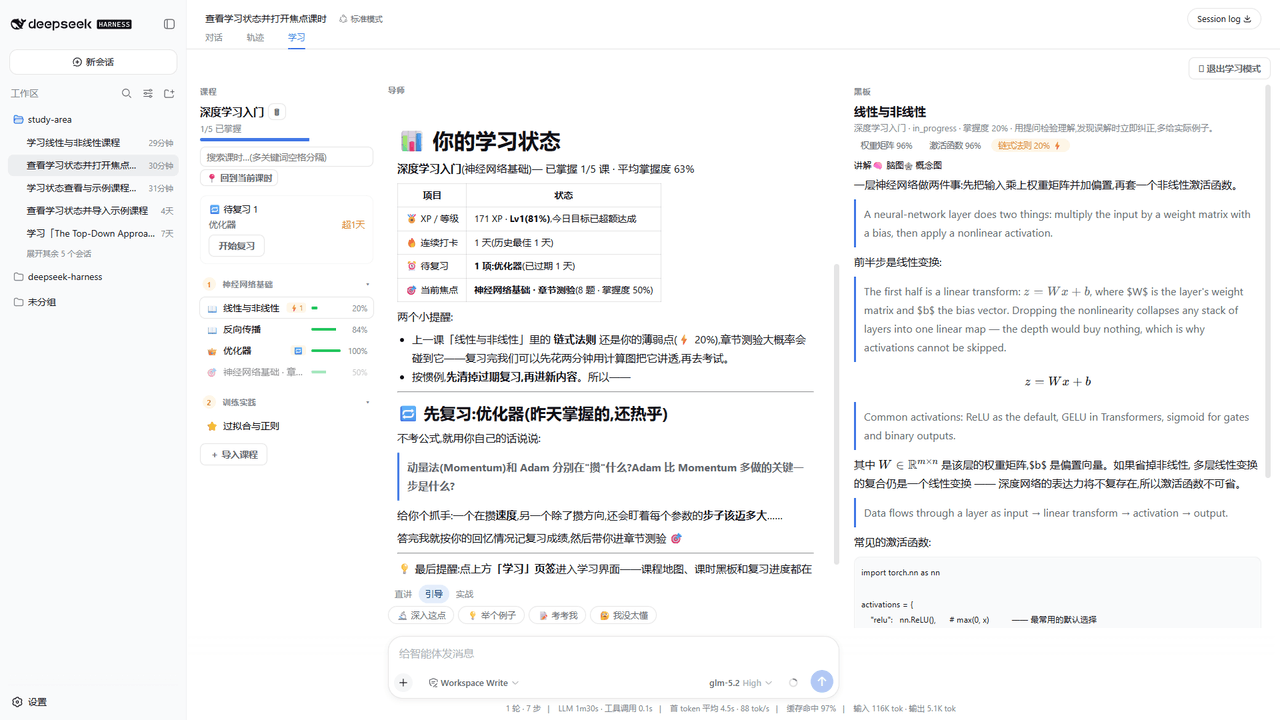 Kaiji-Z/dsh-plugin-lookatstudy
dsh community plugin: turn any markdown/folder/GitHub learning repo into a guided AI-tutor course (gated skill tree, BKT…
Kaiji-Z/dsh-plugin-lookatstudy
dsh community plugin: turn any markdown/folder/GitHub learning repo into a guided AI-tutor course (gated skill tree, BKT…