Altairpaca/dsh-computer-use-windows
用于DeepSeek Harness(DSH)的Windows电脑操作:窗口绑定截图/OCR/点击及验证循环,纯OCR模式,可插拔视觉模型。
Project Overview项目介绍
This is an experimental computer-use plugin for DeepSeek Harness on Windows. Core capabilities include window-scoped targeting, OCR text localization, post-action verification and retry, with optional VLM support. OCR-only mode keeps screenshots local. It is currently an experimental alpha, only suitable for development and controlled testing, not ready for production-grade unattended automation.
这是面向DeepSeek Harness的Windows实验性电脑操控插件,核心功能包含目标窗口绑定、OCR文本定位、操作后验证重试,支持纯OCR本地模式和可选接入外部视觉大模型。目前处于实验Alpha版,仅适合开发与受控测试,未达到生产级无人值守桌面自动化要求。
请帮我了解并安装插件:【dsh-computer-use-windows】【https://github.com/Altairpaca/dsh-computer-use-windows】Send this message to DSH in your current session. CLI install commands may not be accurate across systems — DSH will figure it out for you.把上面这条消息直接发给当前会话里的 DSH,让它帮你了解并安装。安装命令不一定准确,发给 DSH 更稳。
Or use CLI install (for developers)或使用命令行安装(适合开发者)
CLI Install命令行安装
dsh plugin --profile web add github:Altairpaca/dsh-computer-use-windows把 Altairpaca/dsh-computer-use-windows 加入你的 DSH 配置(web profile)即可启用。
READMEREADME
DSH Computer Use for Windows
Experimental Windows computer-use bundle for DeepSeek Harness, built around window-scoped perception, text-grounded actions, and post-action verification.
The repository grew out of a real desktop-automation failure mode: coordinate-only control was brittle when screenshots included unrelated windows, OCR positions drifted, or a click silently landed on the wrong UI state. The implementation therefore treats every action as an observable state transition rather than a blind coordinate command.
中文简介:面向 DeepSeek Harness 的 Windows computer-use 实验插件。核心是目标窗口绑定、OCR 文本定位、点击后验证与失败重试;视觉模型是可选项,纯 OCR 模式不需要外部 VLM。
Status
Experimental alpha. The repository contains a real DSH plugin wrapper (plugins/index.js), helper runtime (helper/cu.ps1), bundle patch, skill documentation, local health checks, and hosted Windows static CI. It is suitable for development and controlled testing, but the project does not yet claim production-grade unattended desktop automation.
The remaining release gate is a clean-install / real-DSH validation matrix on representative interactive Windows configurations.
Design invariants
| Invariant | Why it exists |
|---|---|
| Window-scoped coordinates | screenshots, OCR results, and clicks must refer to the same target-window coordinate system |
| Text before coordinates | when text is observable, click_text resolves the target from OCR instead of asking the model to guess pixels |
| Verify after action | a click is successful only when the expected post-action state can be observed |
| Retry with evidence | offset retries return the attempted positions and verification result instead of hiding failure |
| Vision is optional | the deterministic OCR path remains usable without sending screenshots to an external model |
| Credentials stay external | model/API credentials are read from environment or host credential storage, not committed config |
Implemented surface
| Capability | Current surface |
|---|---|
computer_screenshot |
full-screen or target-window screenshots with coordinate metadata |
computer_ocr |
Windows OCR with word coordinates, filtering, and fuzzy query support |
computer_click_text |
OCR locate → click → verify → bounded offset retry |
computer_mouse / computer_keyboard |
mouse, drag, scroll, keyboard, and clipboard-oriented input primitives |
computer_window |
enumerate, focus, and resolve target windows |
computer_use_run |
batch action execution through one tool call |
computer_vision |
optional pluggable OpenAI-compatible vision endpoint |
computer_calibrate |
DPI / residual calibration support |
The DSH-facing tool registration lives in plugins/index.js; the Windows implementation is kept in helper/cu.ps1 so platform-specific mechanics remain isolated from the host adapter.
Modes
OCR-only
{
  "vision": {
    "enabled": false
  }
}
No screenshot is intentionally sent to a remote vision model in this mode.
Optional vision provider
{
  "vision": {
    "enabled": true,
    "provider": "openai-compatible",
    "base_url": "https://your-vlm.example.com/v1",
    "api_key_env": "MY_VLM_KEY",
    "model": "your-model"
  }
}
The API key is referenced by environment-variable name; it is not stored in the repository configuration.
Local interactive smoke check
Requirements:
- Windows 11 recommended;
- PowerShell 7.4+;
- Node.js 20+ for the DSH plugin surface;
- Windows OCR language packs for OCR-dependent workflows.
Run on the target Windows workstation:
./scripts/check-health.ps1
The script exercises the helper health path and window enumeration. Missing OCR language support is reported as a warning rather than silently treated as available.
For a direct helper call:
$env:CU_ARGS = '{"cmd":"screen"}'
& ./helper/cu.ps1
Hosted CI
GitHub Actions runs on windows-latest and deliberately performs only deterministic checks that are valid on a hosted Windows Server runner:
- JavaScript syntax for the DSH plugin wrapper;
- PowerShell parser correctness for the helper and diagnostic entry points;
- package / bundle / skill entry-point existence.
The full scripts/check-health.ps1 path is not treated as hosted CI because it depends on Windows Runtime/OCR availability and an interactive desktop session. Those properties differ from the target Windows workstation and must be recorded separately as release evidence.
Repository map
.
├── plugins/index.js              # DSH-facing tool adapter
├── helper/cu.ps1                 # Windows implementation
├── skills/computer-use-windows/  # agent-facing usage contract
├── scripts/check-health.ps1      # local interactive smoke/diagnostic entry point
├── docs/
│   ├── design.zh.md              # architecture and config design
│   ├── experiment-findings.zh.md # failure analysis from the original workflow
│   └── research-plan.zh.md       # comparison / validation questions
├── cordis.patch.yml              # DSH bundle composition
└── package.json
Release-readiness work
Before calling this stable, the project should demonstrate:
- clean installation against a pinned current DSH release;
- at least one reproducible OCR-only workflow on Windows 11;
- DPI scaling checks (100% / 125% / 150% where practical);
- English and Simplified Chinese OCR language-pack behavior;
- explicit failure behavior when the target window disappears or verification cannot be satisfied;
- documentation of which actions are deterministic and which depend on a configured VLM.
Safety boundary
This software can inject mouse and keyboard input into desktop applications. Use it only on systems and applications you are authorized to operate. Target-window checks reduce accidental interaction with unrelated windows but do not make arbitrary desktop automation risk-free.
If vision is enabled, screenshots may be transmitted to the configured endpoint. Use OCR-only mode when screenshots must remain local.
License
MIT. See LICENSE.
Related相关推荐
-
 Anionex/dsh-vision-toolkit
[dsh]为纯文本模型设计更强大的视觉工具箱:一行安装使用、粘贴图片直接识别、多张图片问答、截图到前端UI 还原等|DeepSeek Harness-native integration for agent-vision-toolkit: …
Anionex/dsh-vision-toolkit
[dsh]为纯文本模型设计更强大的视觉工具箱:一行安装使用、粘贴图片直接识别、多张图片问答、截图到前端UI 还原等|DeepSeek Harness-native integration for agent-vision-toolkit: …
-
 shanliuling/dsh-image-gen
AI image studio for DeepSeek Harness — generate, edit & compare images in chat, with 500+ prompts, gallery, multi-model …
shanliuling/dsh-image-gen
AI image studio for DeepSeek Harness — generate, edit & compare images in chat, with 500+ prompts, gallery, multi-model …
-
 zhaoolee/notes
开源版锤子便签,复刻锤科美学,一键Docker私有化部署,支持skill调用,支持dsh plugin,支持多租户,一键生成公众号格式,支持导出便签为图片
zhaoolee/notes
开源版锤子便签,复刻锤科美学,一键Docker私有化部署,支持skill调用,支持dsh plugin,支持多租户,一键生成公众号格式,支持导出便签为图片
- beiyege-01/dsh-voice-ai-girlfriend 语音 AI 女友(Voice AI girlfriend for DeepSeek Harness):Whisper 语音输入 + Qwen3-TTS 声音克隆 + 句子级流式朗读 + 数字人动画窗。插话/排队双模式,说话即打断。
-
 Fishsb/dsh-prompt-enhancer
DeepSeek Harness (DSH) 插件:✨ 提示词一键增强 + 💬 语音识别(说完自动停·云端/本地双引擎)· 附 🔁 服务异常一键重启
Fishsb/dsh-prompt-enhancer
DeepSeek Harness (DSH) 插件:✨ 提示词一键增强 + 💬 语音识别(说完自动停·云端/本地双引擎)· 附 🔁 服务异常一键重启
-
 jing-hy/picturereader
DSH plugin: pixel-to-text image reading for text-only models. image_scan/image_ocr/image_sample tools + image-reading sk…
jing-hy/picturereader
DSH plugin: pixel-to-text image reading for text-only models. image_scan/image_ocr/image_sample tools + image-reading sk…
-
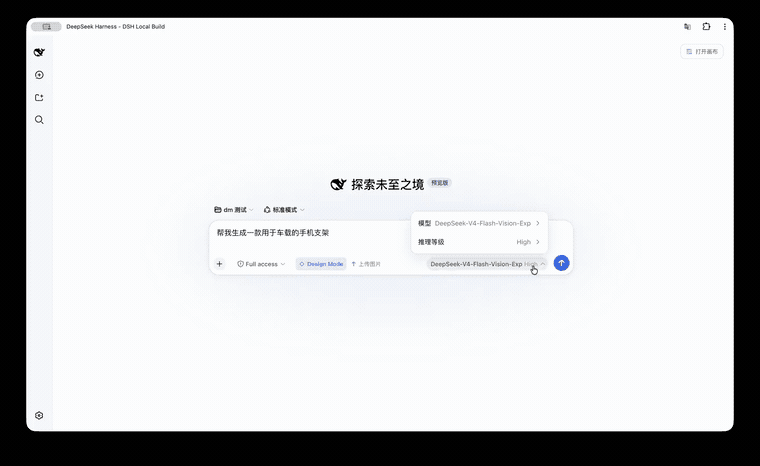 KaichenCurry/dsh-design-mode
Visual execution layer for DeepSeek Harness—guided intent, infinite canvas, contextual image tools, and chat-native comm…
KaichenCurry/dsh-design-mode
Visual execution layer for DeepSeek Harness—guided intent, infinite canvas, contextual image tools, and chat-native comm…
-
 LaplaceYoung/dsh-directorx
DirectorX as a DeepSeek Harness plugin: AI video/image/audio skills, knowledge corpus, and configurable vision/image/vid…
LaplaceYoung/dsh-directorx
DirectorX as a DeepSeek Harness plugin: AI video/image/audio skills, knowledge corpus, and configurable vision/image/vid…