beijingwahw/dsh-conv-search
dsh-conv-search(对话内文本搜索)— 适用于DeepSeek Harness的对话内文本搜索插件(Ctrl+F,区分大小写,全词匹配,支持流式感知)
Project Overview项目介绍
This is a native DeepSeek Harness plugin that adds in-conversation text search functionality to the DSH web UI. It works like the familiar Ctrl+F keyboard shortcut, scoped exclusively to your current active chat session. It displays a floating search bar that highlights every matching text in your chat transcript and lets you navigate between matches, without modifying any of DSH’s core source code. To install the plugin, you first need Node.js version 22 or newer and pnpm installed globally, then run the one-line install command.
This plugin solves common pain points that come with working with long chat sessions in the DeepSeek Harness web UI. Browser-native find searches the entire page, including sidebar navigation elements and the message input composer, and can’t keep up with continuous streaming model output as the model generates new text. It also doesn’t provide a clear count-based navigation interface to jump between multiple matches easily, while traditional DOM-based highlight methods can break React’s automatic DOM rendering. This plugin addresses all these issues using the modern CSS Custom Highlight API for non-intrusive highlights.
The plugin follows standard DSH plugin distribution conventions, so you can install, upgrade, or uninstall it easily via the built-in dsh plugin CLI command. It has some documented known limitations: matching is plain-text only, there is no regex support, it cannot match phrases split across styled text nodes, and the search bar is not currently draggable. It requires a modern browser that supports the CSS Custom Highlight API, including Chrome 105+, Edge 105+, Safari 17.2+, and Firefox 132+. It is released under the open-source MIT license, free to use and modify.
这是专为 DeepSeek Harness(DSH)开发的原生对话内搜索插件,为 DSH 网页端提供当前对话会话内的文本搜索功能。类似你日常使用的 Ctrl+F,它会弹出悬浮搜索框,高亮对话记录中的所有匹配项,支持在匹配项间跳转,且无需修改 DSH 任何核心代码。
解决了原生浏览器搜索无法限定在当前长对话、不支持匹配跳转、会干扰 React 渲染的问题。它支持大小写匹配、整词匹配,提供匹配总数导航,支持搜索历史回溯,适配流式输出的对话,会自动更新搜索结果,不影响滚动位置。
安装需要 Node.js 22 以上版本和 pnpm 包管理器,使用 dsh plugin add 命令即可一键安装,重启 DSH 服务后生效。插件仅在浏览器端读取渲染后的对话内容,不触及核心请求逻辑,仅支持纯文本匹配,需要支持 CSS Custom Highlight API 的现代浏览器。
请帮我安装这个 DSH 插件。安装前先完成【兼容性检查 + 安全性检查】,检查通过再动手。

插件:dsh-conv-search(beijingwahw/dsh-conv-search)
仓库:https://github.com/beijingwahw/dsh-conv-search
本站详情页:https://www.yhbd.top/plugins/beijingwahw-dsh-conv-search/
本站登记:类型 plugin · 归类 原生 DSH 插件 · 许可证 MIT · ⭐ 3 · 最近提交 2026-08-22 · 主语言 TypeScript

按下面顺序执行,每步先把结论告诉我,再进入下一步:

【1 兼容性检查】
① 我这边:DSH 版本、Node 版本、操作系统、当前 profile(web / desktop)。
② 读它的 README、package.json、插件 manifest,列出它要求的 DSH 版本 / Node 版本 / 操作系统 / 外部依赖 / 需要另外先装的运行时。
③ 逐条比对,结论只写「满足 / 不满足 / 未知」三种;不满足的给出可行替代方案。
④ 检查是否和我已装的插件冲突:命令名重复、skill / tool 重名、端口占用、重复注册的 MCP server。

【2 安全性检查】
① 仓库可信度:和上面「本站登记」是否一致;star / fork 数、创建时间、最近提交,是否归档或长期停更。
② 安装脚本:逐行看 package.json 的 preinstall / install / postinstall,以及 install.sh、setup.ps1 之类脚本。出现 curl|bash、下载后直接执行、混淆代码、访问与插件功能无关的域名,立刻停下来告诉我,不要继续装。
③ 依赖:列出新增依赖,标出无人维护、或与知名包拼写近似的可疑包(typosquatting)。
④ 权限与副作用:它会读写哪些目录、访问哪些域名、需要哪些 DSH 权限(filesystem / network / shell / clipboard 等),以及怎么卸载和回滚。
⑤ 如果它要求 sudo / 管理员权限,或权限明显超出功能所需,先停下来问我。

【3 安装】
上面两步没有「不满足」和「高危项」时才执行;用官方推荐方式安装,不要自行提权。

【4 汇报】
用表格输出:检查项 / 结论 / 依据 / 是否需要我决策。拿不准的一律写「未知」并说明要我怎么确认——不要猜,也不要替我决定。
Send this message to DSH in your current session: it verifies compatibility and security first (answering met / not met / unknown item by item) and only installs once everything checks out — it will stop and ask you if it finds a high-risk item. The box scrolls; the copy is the full prompt. CLI install commands may not be accurate across systems, so DSH is the safer route.把上面这条消息直接发给当前会话里的 DSH:它会先核对兼容性与安全性(逐条给「满足 / 不满足 / 未知」),确认没问题再安装,有高危项会停下来问你。框内可滚动,复制到的是完整提示词;安装命令不一定准确,发给 DSH 更稳。
- Only 3 stars - very few users, little community feedback星标只有 3,几乎没人在用,遇到问题缺少社区反馈
DSH walks through these 9 checksDSH 会逐条核对这 9 项
Compatibility兼容性
- DSH, Node, OS and profile requirementsDSH 版本 / Node 版本 / 操作系统 / profile 是否满足要求
- External dependencies and runtimes (Electron / Python / Docker, ...)外部依赖与运行时(Electron / Python / Docker 等)是否齐备
- Conflicts with installed plugins: command names, skill / tool names, ports, duplicate MCP registration与已装插件是否冲突:命令名、skill / tool 重名、端口占用、重复 MCP 注册
Security安全性
- Repo matches the facts registered here; archived or abandoned?仓库是否与页面登记一致,是否归档或长期停更
- Safety of preinstall / install / postinstall and install.sh / setup.ps1preinstall / install / postinstall 与 install.sh、setup.ps1 是否安全
- curl|bash, download-then-execute, obfuscation, unrelated domains → stop immediatelycurl|bash、下载即执行、混淆代码、无关域名 → 立刻停止
- Typosquatting or unmaintained packages among the new dependencies新增依赖里有没有 typosquatting 或无人维护的包
- Requested permissions vs. what the feature actually needs申请了哪些权限、是否超出功能所需(filesystem / network / shell / clipboard)
- Any sudo / admin requirement, plus uninstall and rollback是否要求 sudo / 管理员权限,以及卸载与回滚方式
Anything uncertain must be marked unknown with a note on how to confirm it. This site's signal screen is a static snapshot, not a security audit.拿不准的必须标「未知」并说明要我怎么确认。本站的信号筛查是静态快照,不能替代安全审计。
Or use CLI install (for developers)或使用命令行安装(适合开发者)
CLI Install命令行安装
dsh plugin add beijingwahw/dsh-conv-search --profile web把 beijingwahw/dsh-conv-search 加入你的 DSH 配置(web profile)即可启用。
READMEREADME
dsh-conv-search(对话内文本搜索)



English | 中文
In-conversation text search for the DeepSeek Harness web UI — the Ctrl+F you already know, scoped to the current chat session. A floating search bar highlights every match in the rendered transcript and walks between them, without touching a single line of harness core code.
Problems it solves
- Long sessions are unsearchable: the browser's native find searches the whole page (sidebar, composer, chrome) and cannot follow a conversation that keeps streaming. This plugin searches only the active conversation scrollport and stays in sync while the model is still writing.
- No way to jump between occurrences: native find gives no "n / total" navigation. This plugin provides Enter / Shift+Enter and prev/next buttons with wrap-around, centering each match in view.
- Highlighting must not fight React: the transcript DOM is React-owned and re-renders continuously during streaming. Instead of wrapping matches in
<mark>nodes (which would mutate React-managed text and break reconciliation), the plugin paints ranges through the CSS Custom Highlight API — an overlay that survives every re-render and needs zero DOM cleanup.
Features
- Ctrl/Cmd+F opens the floating search bar (only when a conversation is rendered — otherwise the browser's native find stays untouched); Esc closes it from anywhere, including while the input holds focus.
- Matching across every rendered chat node: user messages, assistant text, tool cards, and paged-in history. Two toggles mirror the browser/IDE find bar: Aa (match case) and ab (whole word) — essential for hunting error codes, function names, and API identifiers.
- Live
n / totalcounter with Enter (next) / Shift+Enter (previous) navigation and wrap-around; F3 / Ctrl+G work too, the browser/IDE find-bar convention. - Query history: ArrowUp / ArrowDown cycle through your recent queries (most recent first, deduplicated), restoring the draft you were typing when you walk back past the newest entry.
- Zero-result queries answer back: the count turns red, the bar border follows, and the bar gives a one-shot shake (honoring
prefers-reduced-motion). Repeated Enter on no results re-shakes instead of staying silent. - The active match is painted in a stronger color and scrolled into view automatically.
- The header action button mirrors the open state (
aria-pressed), so you always know whether search is active. - Streaming-aware: a MutationObserver re-runs the search (debounced) while output streams or older pages load, without stealing your scroll position. The active match is anchored by identity (text node + offset), so a paged-in older page or a streamed delta never jumps your cursor to a different occurrence.
- Scope discipline: the composer seat and the plugin's own bar are excluded, so your draft text never produces phantom hits.
- Follows the harness theme through
--dsw-alias-*design tokens; Chinese/English UI picked from the document language. - Session header action button (search icon) registered through the
conversation.session.header.actionsslot — the additive, unload-safe composition route.
Showing the opening section of the README — the full document lives in the repository以上为 README 开头摘要,完整文档在仓库内 · View the full README on GitHub →在 GitHub 查看完整 README →
Related相关推荐
-
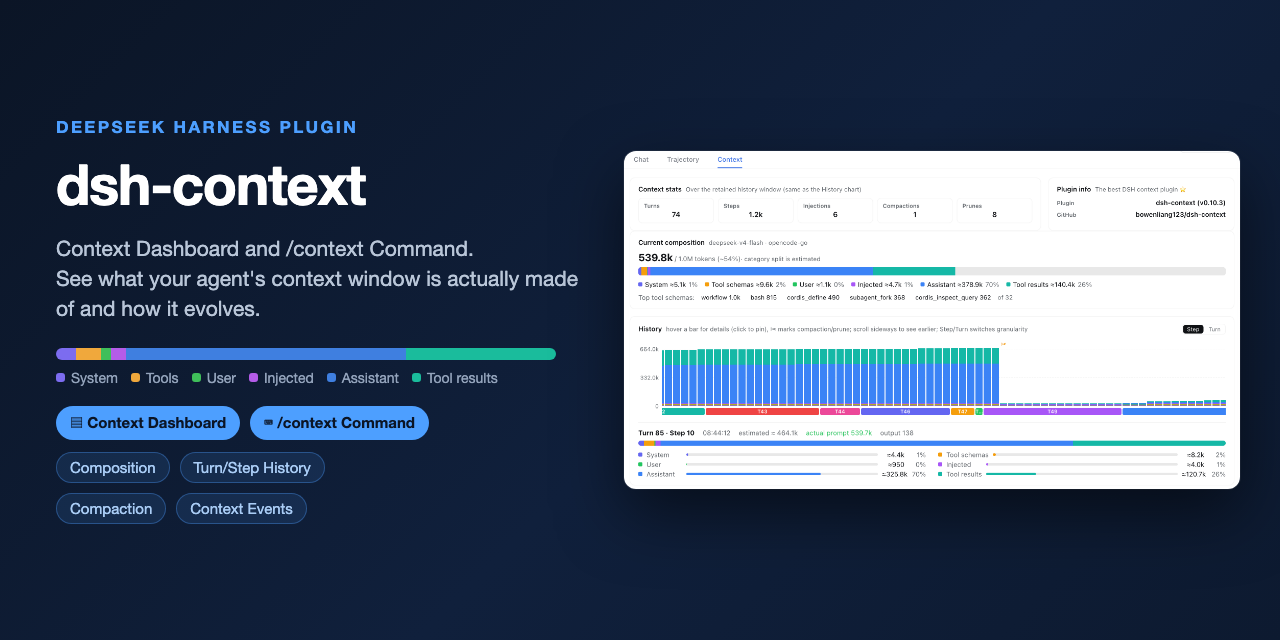 bowenliang123/dsh-context
The best DeepSeek Harness plugin for context insight and management, with context dashboard / browser / sidebar and cont…
bowenliang123/dsh-context
The best DeepSeek Harness plugin for context insight and management, with context dashboard / browser / sidebar and cont…
-
 cocofhu/anime-find
DeepSeek Harness 搜番插件:对话内多源搜索番剧,卡片展示 Bangumi 评分与详情,支持复制磁力。
cocofhu/anime-find
DeepSeek Harness 搜番插件:对话内多源搜索番剧,卡片展示 Bangumi 评分与详情,支持复制磁力。
-
 dingyi222666/dsh-session-notification
为 Deepseek Harness 提供会话完成等四种状态的通知响应,支持浏览器提示和提示词
dingyi222666/dsh-session-notification
为 Deepseek Harness 提供会话完成等四种状态的通知响应,支持浏览器提示和提示词
-
 guo6x/dsh-pilot
Give your DSH agent hands: drive a real browser (Edge/Chrome over CDP) from the chat — ref-driven clicking, per-session …
guo6x/dsh-pilot
Give your DSH agent hands: drive a real browser (Edge/Chrome over CDP) from the chat — ref-driven clicking, per-session …
- IWAIBAOLI/dsh-with-pencil Official Pencil (pen.dev) canvas inside DeepSeek Harness: conversation-bound workspaces, live agent edits, and 7 MCP des…
-
 TOBYCAI/dsh-sessions-manager
DSH 会话管理插件:设置面板 + 侧边栏双入口,归档/恢复/跨工作区移动/软删进回收站;回收站可恢复·批量清空·7/30/90 天自动清理,按标题·会话 ID·工作区搜索,带磁盘与血统详情;已适配 DSH 0.1.7 与 0.2.0(v4…
TOBYCAI/dsh-sessions-manager
DSH 会话管理插件:设置面板 + 侧边栏双入口,归档/恢复/跨工作区移动/软删进回收站;回收站可恢复·批量清空·7/30/90 天自动清理,按标题·会话 ID·工作区搜索,带磁盘与血统详情;已适配 DSH 0.1.7 与 0.2.0(v4…
- chenproton/dsh-history DeepSeek Harness 长对话消息的查看/搜索/跳转工具
-
 Nono-neko/dsh-browser
An AI-native browser workspace for DeepSeek Harness (DSH), combining multi-tab browsing, live page annotations, lightwei…
Nono-neko/dsh-browser
An AI-native browser workspace for DeepSeek Harness (DSH), combining multi-tab browsing, live page annotations, lightwei…