BenjaminSHI4008/deepseek-pet-Seeki
A tiny DeepSeek-powered desktop companion that lives on your screen and helps you get things done.
catalog descriptioncatalog 简介 / catalog description:DeepSeek Harness 桌宠插件:透明置顶的桌面精灵(2D 像素风状态机)
Project Overview项目介绍
Seeki is a DSH plugin that places a pixel pet on the desktop as a persistent face for a DeepSeek Harness agent. Its core capability is bridging the harness over a local WebSocket to deliver always-on-top chat with workspace-organized multi-turn history, per-message model switching, and a status bubble mirroring agent states (received, running, completed, terminated, offline). It is best used when users want a glanceable AI companion outside a browser tab. Note that it is an independent community project, not an official DeepSeek product, and requires Node.js ≥ 22 plus a separately cloned and installed deepseek-harness checkout.
Seeki 是 DeepSeek 桌面宠物插件,作为像素角色常驻桌面,双击即可调用 DeepSeek Harness 智能体。核心能力包括:按工作区组织的持久多轮对话、每次发送可独立切换模型,以及实时反映"已接收/思考中/完成/中断/离线"的状态气泡。配置全部写入 pet.config.json,可在线上传替换动画帧。适合希望摆脱网页标签、随时唤起 AI 助手的桌面用户。需注意:运行前需自行克隆 deepseek-harness 并安装(Node.js ≥ 22),且本项目为社区作品,非 DeepSeek 官方产品。
请帮我了解并安装插件:【deepseek-pet-Seeki】【https://github.com/BenjaminSHI4008/deepseek-pet-Seeki】Send this message to DSH in your current session. CLI install commands may not be accurate across systems — DSH will figure it out for you.把上面这条消息直接发给当前会话里的 DSH,让它帮你了解并安装。安装命令不一定准确,发给 DSH 更稳。
Or use CLI install (for developers)或使用命令行安装(适合开发者)
CLI Install命令行安装
dsh plugin --profile web add github:BenjaminSHI4008/deepseek-pet-Seeki把 BenjaminSHI4008/deepseek-pet-Seeki 加入你的 DSH 配置(web profile)即可启用。
READMEREADME
Seeki
A tiny DeepSeek-powered desktop companion that lives on your screen and helps you get things done.
Seeki is a pixel pet that floats on your desktop and keeps a DeepSeek Harness agent one double-click away. It's a Desktop Pet × DeepSeek × Agent — persistent conversations organized by workspace, per-task model switching, and a character that actually reacts while your agent is working.



Seeki is an independent community project. It is not an official DeepSeek product.
Why Seeki?
You can already talk to DeepSeek in a browser tab. Seeki adds the layer a chat UI can't:
| Instead of… | Seeki gives you… |
|---|---|
| a tab you have to find | a character that lives on your desktop, always one glance away |
| pasting context every session | persistent conversations, organized into workspaces |
| one default model | per-task model switching — pick a different model for the next message |
| a static web app | a pixel companion with idle / happy / walking / sleeping states |
| reading logs | an at-a-glance status bubble above the character (received → working → done) |
Every one of these maps to something Seeki actually does today — no marketing filler.
Features
🐾 Lives on your desktop
Seeki is a transparent, frameless, always-on-top window — a 2D pixel character that stays on your screen instead of hiding in a tab.
💬 Persistent conversations
Double-click Seeki to chat. Conversations are persistent and multi-turn, organized into workspaces, with a conversation switcher to jump back into any previous thread.
🧠 A DeepSeek Harness agent behind the pet
Seeki is the desktop face of a DeepSeek Harness agent. The head bubble reflects the agent's live status:
| Status | Bubble |
|---|---|
received |
收到啦 · received |
running |
Deep diving... |
completed |
Completed |
terminated |
Stopped |
offline |
Offline |
🔀 Per-task model switching
Switch between your configured DeepSeek models straight from the chat window. The switch applies to the next message only and never interrupts a running turn; a new conversation inherits the current model.
🎮 A character, not a static icon
Idle breathing, happy, walking (drag), and sleeping animations — plus drag-direction switching (left / right / up / down with mirroring) and click / idle-timeout interactions.
⚙️ Config-driven, no code edits
Status bubbles, animations, frame rates, and triggers all live in pet.config.json, editable through a built-in /pet/settings page — including uploading, replacing, and deleting animation frames.
Screenshots
💬 Conversation
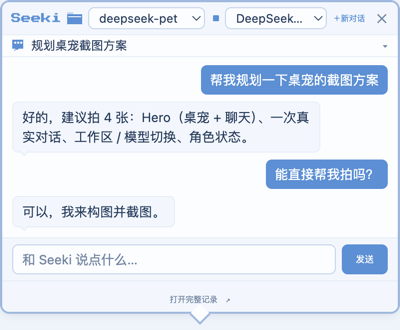
🗂️ Workspace & model switching

🎮 Character states

Quick Start
Prerequisites
- Node.js ≥ 22 and pnpm
- A clone of deepseek-harness with
pnpm installrun once — Seeki runs as a plugin inside it - A DeepSeek API key configured for the harness (see Model Configuration)
# 1. Clone both repos
git clone https://github.com/deepseek-ai/deepseek-harness.git
git clone https://github.com/BenjaminSHI4008/deepseek-pet.git
cd deepseek-harness && pnpm install

# 2. Install Seeki (plugin + a desktop icon)
cd ../deepseek-pet
bash scripts/install.sh
# Windows (PowerShell)
powershell -ExecutionPolicy Bypass -File scripts\install.ps1
- Run — double-click
Seeki.app(macOS) /Seeki.lnk(Windows). The icon launches DeepSeek Harness in the background and wakes Seeki.
The installer auto-detects your deepseek-harness checkout (a sibling directory, ~/deepseek-harness, or ~/Projects/deepseek-harness) and asks if it can't find it.
Installation
Two ways to run, plus a standalone offline mode.
A. One-click desktop icon (recommended)
scripts/install.sh (macOS) / scripts/install.ps1 (Windows) installs the plugin and creates a pseudo-executable desktop icon — it contains only a launch command, no bundled runtime.
- Start: double-click → starts the harness in the background → wakes Seeki.
- Exit: right-click the pet → 「退出桌宠」. Quitting Seeki does not stop the harness (it keeps running in the background; the next double-click just re-wakes the pet).
B. Run with DeepSeek Harness manually
cd <deepseek-pet>
bash scripts/install-harness-plugin.sh   # install the plugin into the web profile

cd <deepseek-harness>
pnpm dsh web                            # Seeki auto-launches with the harness
C. Standalone pet (offline, no agent)
cd <deepseek-pet>
npm install
npm start
This runs only the pet. Without a connected harness the bubble shows Offline.
Electron downloads its binary on
npm install. On slow networks in mainland China, runexport ELECTRON_MIRROR="https://npmmirror.com/mirrors/electron/"first.
Model Configuration
Seeki doesn't hardcode models. The chat window's model list comes from your DeepSeek Harness's configured providers (llm.models), so it always reflects what your harness actually advertises (for example DeepSeek-V4-Pro and DeepSeek-V4-Flash on the deepseek-official route).
- API key — configure it for the harness, not for Seeki: set
DEEPSEEK_API_KEYin the environment, in a.envfile at the harness root, or via the harness's credentials store (~/.dsh/.credentials.yaml). - Default model — the harness's own default. Seeki doesn't impose one.
- Switch models — use the model dropdown in the chat title bar. It affects the next message only; new conversations inherit the current selection; unavailable models show as disabled.
Full pet.config.json reference: docs/config.md.
How It Works
flowchart TB
    U[You] -->|double-click · type| P[Seeki Desktop UI<br/>Electron · transparent window · pixel sprite]
    P -->|WebSocket /api/pet.ws| S[dsh-pet-status plugin<br/>inside DeepSeek Harness]
    S -->|session.prompt · session.models| A[DeepSeek Harness Agent<br/>workspaces · sessions · tools]
    A -->|provider route| M[DeepSeek Model Provider]
    M --> A
    A --> S -->|status · assistant text| P
- The Electron pet renders the character and the chat window.
- A small Cordis plugin (
dsh-pet-status) runs inside DeepSeek Harness, folding agent activity into statuses and streaming assistant text over a local WebSocket. - The harness agent handles sessions, workspaces, and tools; Seeki is its desktop face.
Architecture and extension guide: docs/development.md.
Project Structure
harness-plugin/     dsh-pet-status plugin — status broadcast, pet manager, chat bridge
Deepseek/           pixel sprite assets (animations, 8-direction stills, raw sources)
assets/             bundled font (and the generated launcher icon)
docs/               config reference + developer guide
scripts/            installers + sprite normalization
pet.config.json     all pet behavior — statuses, actions, character states
main.cjs            Electron main process (window, drag, WebSocket client)
renderer.js         pixel sprite state machine (config-driven)
chat.html           chat window UI (workspace, conversation, model switching)
Development
npm install
npm start        # run the pet standalone (offline) while iterating on the UI
Pet behavior is entirely config-driven — editing pet.config.json (or using /pet/settings) changes bubbles, animations, and triggers without touching render code. See docs/development.md for how to add an action, a mouse state, or a drag direction.
Roadmap
- Desktop pet (transparent always-on-top window, pixel state machine)
- Agent status reflection (
received/running/completed/terminated/offline) - Chat: workspaces, conversation history, model switching, cancel
- Visual settings page (statuses / actions / frame upload & delete)
- One-click desktop launcher (
Seeki.app/Seeki.lnk) - Click-through (transparent areas don't capture the mouse)
- Position memory, edge snapping, 8-direction walking
- Standalone packaging (bundled harness runtime)
Contributing
Issues, feature requests, and pull requests are welcome.
License
MIT © 2026 BenjaminSHI4008
Character sprite assets under Deepseek/ were generated with PixelLab; redistribution terms are per PixelLab's license.
Related相关推荐
-
 PC2005-cloud/dsh-pet
DSH 桌面宠物:一行命令装好即用的透明动画小桌宠,支持多开、大小位置随心配置;还内置 DIY 素材链,能用 AI 视频自造专属宠物
PC2005-cloud/dsh-pet
DSH 桌面宠物:一行命令装好即用的透明动画小桌宠,支持多开、大小位置随心配置;还内置 DIY 素材链,能用 AI 视频自造专属宠物
-
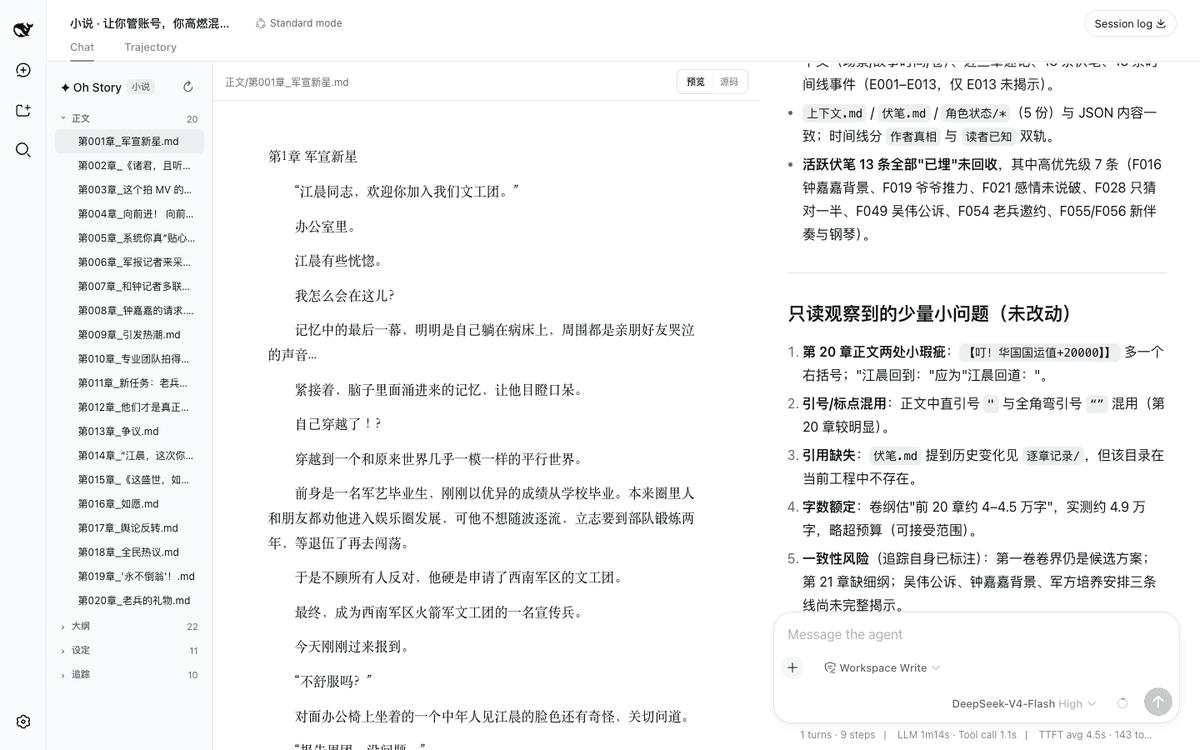 zenstory-ai/oh-story-dsh
DeepSeek 写网文/小说的工作流插件:DeepSeek Harness 社区插件,内置小说、短剧、游戏、视频解说四个工作台 | Community DeepSeek Harness plugin with novel, short-d…
zenstory-ai/oh-story-dsh
DeepSeek 写网文/小说的工作流插件:DeepSeek Harness 社区插件,内置小说、短剧、游戏、视频解说四个工作台 | Community DeepSeek Harness plugin with novel, short-d…
-
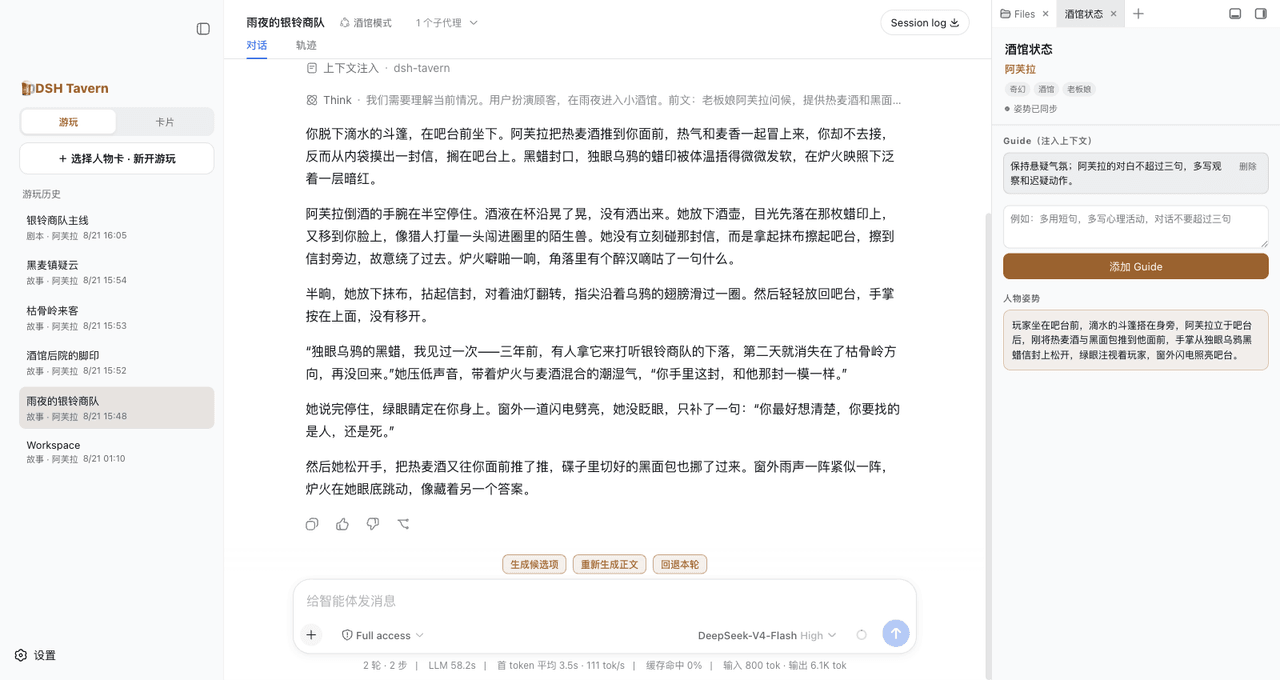 flizzywine/dsh-tavern
基于 DeepSeek Harness(DSH)的 SillyTavern 类文字游戏 Agent,支持候选项生成、对话式人物卡编辑、剧本模式与素材抽取。
flizzywine/dsh-tavern
基于 DeepSeek Harness(DSH)的 SillyTavern 类文字游戏 Agent,支持候选项生成、对话式人物卡编辑、剧本模式与素材抽取。
-
 QCYTSN/dsh-dafeiyu
Desktop-native BigFish companion for DeepSeek Harness — real Agent status, always on top on Windows.
QCYTSN/dsh-dafeiyu
Desktop-native BigFish companion for DeepSeek Harness — real Agent status, always on top on Windows.
-
 vlln/whale-girl
DSH Web GUI 桌面宠物插件(QQ 宠物形态):右下角悬浮、可拖拽/投喂/玩耍的积累型伙伴。
vlln/whale-girl
DSH Web GUI 桌面宠物插件(QQ 宠物形态):右下角悬浮、可拖拽/投喂/玩耍的积累型伙伴。
-
 Ayase34/gal-view
把dsh会话界面切换成galgame游戏界面的插件
Ayase34/gal-view
把dsh会话界面切换成galgame游戏界面的插件
-
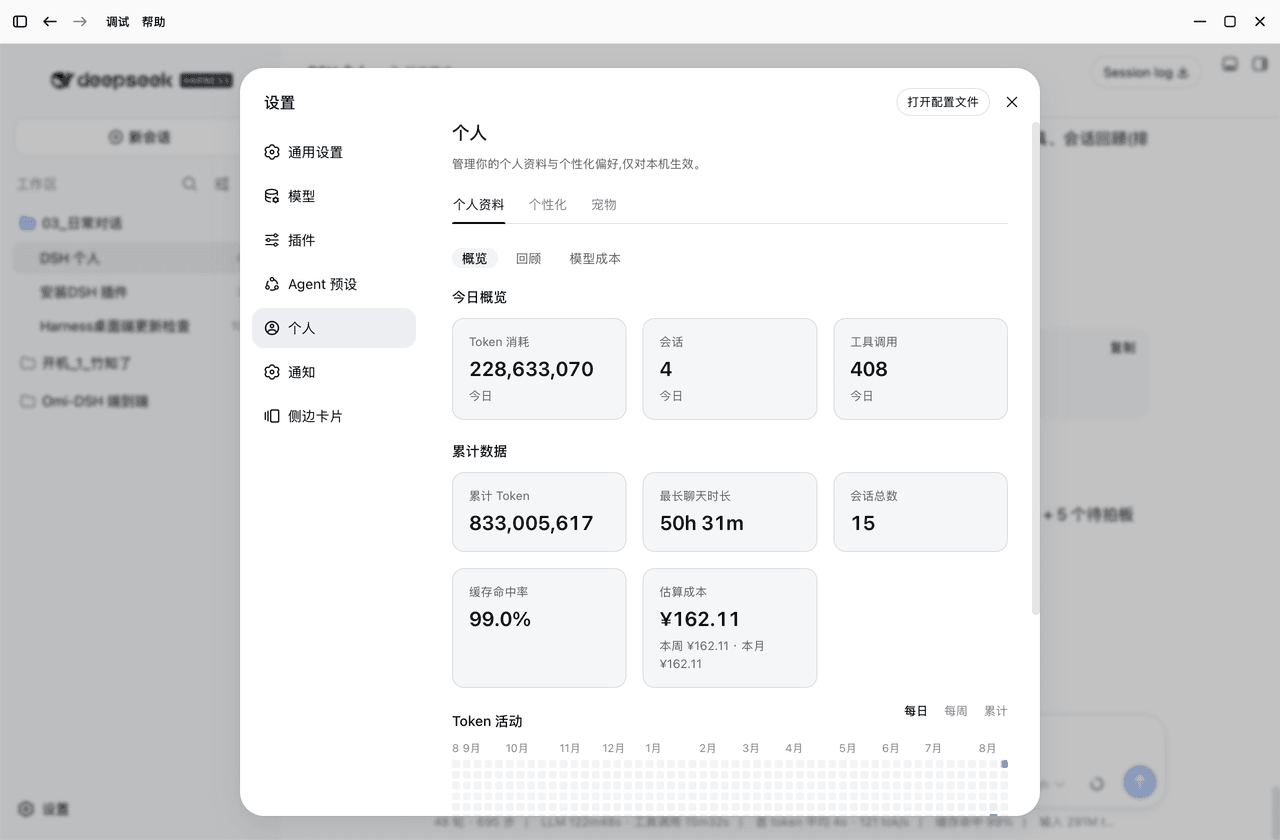 PolinniZhong/dsh-personal-center
DSH 个人配置:Token 用量统计 / 成本估算 / 自定义指令 / 外观全局字号 / 桌面宠物(含会话状态概览),纯本地不联网。Personal center for DSH: usage stats, cost estimation…
PolinniZhong/dsh-personal-center
DSH 个人配置:Token 用量统计 / 成本估算 / 自定义指令 / 外观全局字号 / 桌面宠物(含会话状态概览),纯本地不联网。Personal center for DSH: usage stats, cost estimation…
-
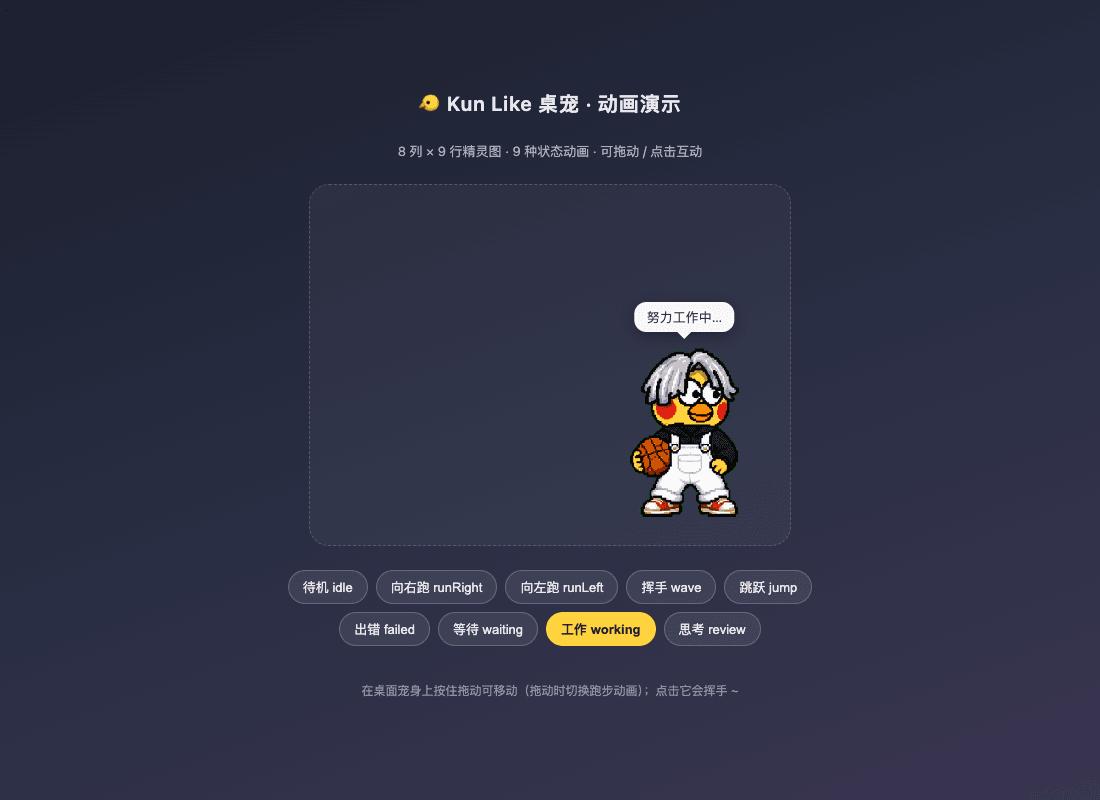 liyupi/dsh-kun-like-pet
Kun Like 桌宠 —— DeepSeek Harness 桌面宠物插件:右下角小坤宠随 Agent 工作状态切换 9 种动作,任务完成播放「你干嘛~哎哟」
liyupi/dsh-kun-like-pet
Kun Like 桌宠 —— DeepSeek Harness 桌面宠物插件:右下角小坤宠随 Agent 工作状态切换 9 种动作,任务完成播放「你干嘛~哎哟」