chengwill45-bot/dsh-hacker-terminal-theme
Standalone hacker-terminal theme plugin for the DeepSeek Harness Web UI
项目介绍Project Overview
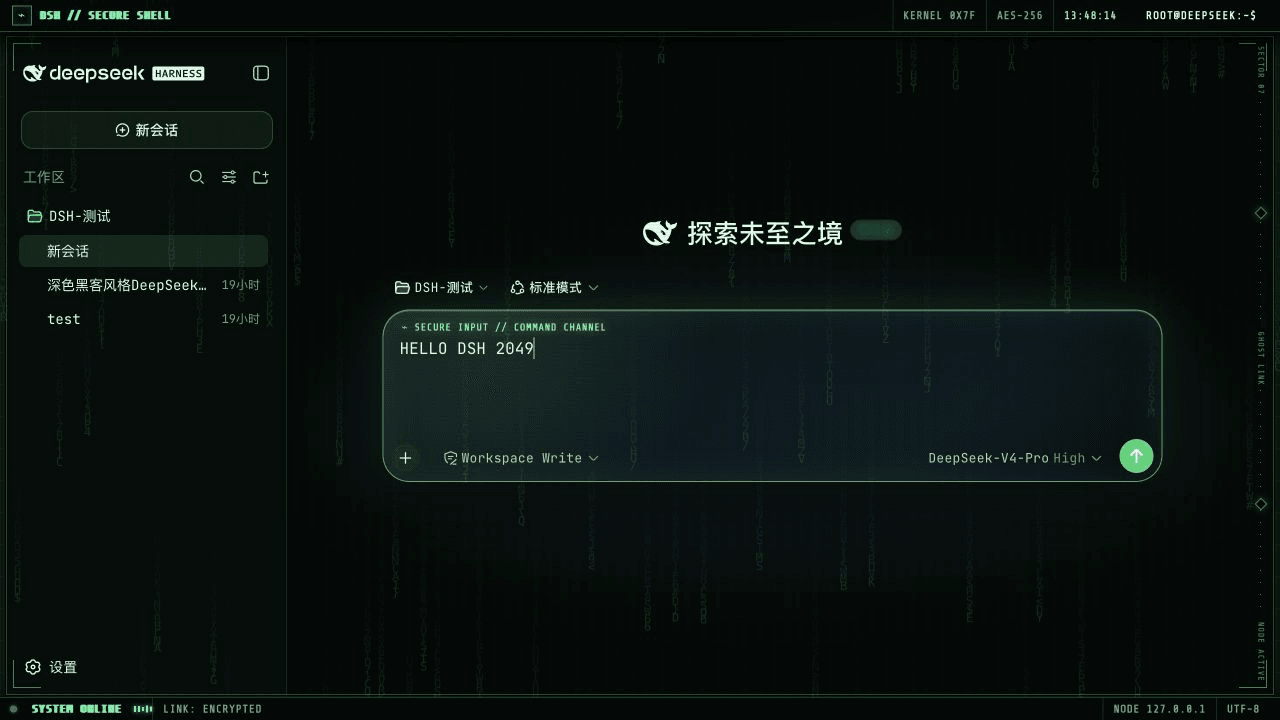
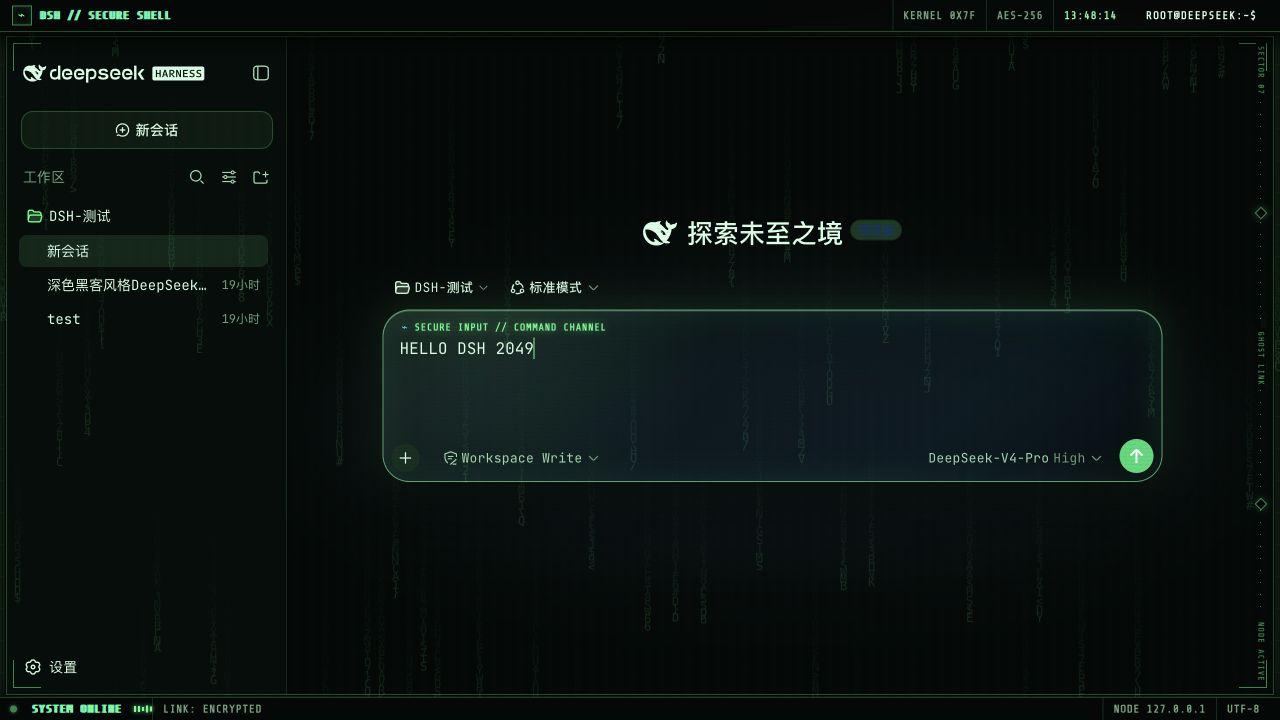
DSH Hacker Terminal Theme 是一款面向 DeepSeek Harness Web UI 的独立皮肤插件。它将界面变成绿底黑字的安全终端,并提供仅含 A–Z 与 0–9 的矩阵雨、毛玻璃输入框、HUD 装饰条与扫描特效,内嵌 Share Tech Mono 与 JetBrains Mono 字体,中文回退至 PingFang SC。适合需要演示终端风格或沉浸式黑客界面的用户。注意:DSH 仍为开发者预览版,UI 结构变更可能导致插件失效。
DSH Hacker Terminal Theme is a standalone skin plugin for the DeepSeek Harness Web UI. It converts the interface into a green-on-black secure terminal featuring a Latin letter and number matrix rain, a glass composer, HUD bars, scan effects, Share Tech Mono and JetBrains Mono fonts with PingFang SC fallback, and reduced-motion support. Use it for terminal-style demos or immersive hacker aesthetics. Note: DSH is a developer preview, so breaking UI changes may break the plugin.
请帮我了解并安装插件:【dsh-hacker-terminal-theme】【https://github.com/chengwill45-bot/dsh-hacker-terminal-theme】把上面这条消息直接发给当前会话里的 DSH,让它帮你了解并安装。安装命令不一定准确,发给 DSH 更稳。Send this message to DSH in your current session. CLI install commands may not be accurate across systems — DSH will figure it out for you.
或使用命令行安装(适合开发者)Or use CLI install (for developers)
命令行安装CLI Install
dsh plugin --profile web add github:chengwill45-bot/dsh-hacker-terminal-theme把 chengwill45-bot/dsh-hacker-terminal-theme 加入你的 DSH 配置(web profile)即可启用。
READMEREADME
DSH Hacker Terminal Theme
A standalone hacker-terminal theme plugin for the DeepSeek Harness Web UI.
It turns DSH into a green-on-black secure terminal with a Latin letter and number matrix rain, glass composer, HUD bars, scan effects, local monospace fonts, and fully reversible cleanup.
Highlights
- Installs as a normal DSH bundle and activates automatically.
- Uses only
A-Z,0-9, and terminal symbols in the matrix rain. - Embeds Share Tech Mono for HUD labels and JetBrains Mono for content.
- Falls back to PingFang SC for Chinese text.
- Supports
prefers-reduced-motion. - Removes every injected style, element, listener, observer, and timer when unloaded.
- Does not send analytics or make network requests.
Install from GitHub
dsh plugin --profile web add github:chengwill45-bot/dsh-hacker-terminal-theme
Restart the current dsh web process and refresh the page.
Because the compiled lib/ files are committed, installation from GitHub does not need a prepare script or pnpm build authorization.
Install from a local checkout
git clone https://github.com/chengwill45-bot/dsh-hacker-terminal-theme.git
cd dsh-hacker-terminal-theme
npm test
dsh plugin --profile web add "link:$PWD"
Restart DSH and refresh the Web UI.
Remove
dsh plugin --profile web remove dsh-client-ui-skin-hacker-terminal
Restart DSH and refresh the page. The plugin cleanup is reversible and does not modify conversation data or DSH configuration outside the profile dependency entry.
Development
npm run build
npm test
npm run check
The project intentionally has no runtime npm dependencies.
Compatibility
DeepSeek Harness is currently a developer preview and may introduce breaking UI changes. This plugin targets the current DSH Web UI composer and layout structure.
License
Plugin code is released under the MIT License. Bundled Share Tech Mono and JetBrains Mono font files are distributed under the SIL Open Font License 1.1. See THIRD_PARTY_NOTICES.md and the license files under fonts/.
相关推荐Related
-
 ChisaAlter/Deepseek-Harness-Desktop
DSH桌面端,支持主题和背景图等多种个性化配置。Electron desktop shell for DeepSeek Harness web UI
ChisaAlter/Deepseek-Harness-Desktop
DSH桌面端,支持主题和背景图等多种个性化配置。Electron desktop shell for DeepSeek Harness web UI
-
 rison114514/dsh-endfield-ui
Endfield-inspired industrial UI shell for DeepSeek Harness (dsh) — non-official fan theme. Install: dsh plugin --profile…
rison114514/dsh-endfield-ui
Endfield-inspired industrial UI shell for DeepSeek Harness (dsh) — non-official fan theme. Install: dsh plugin --profile…
-
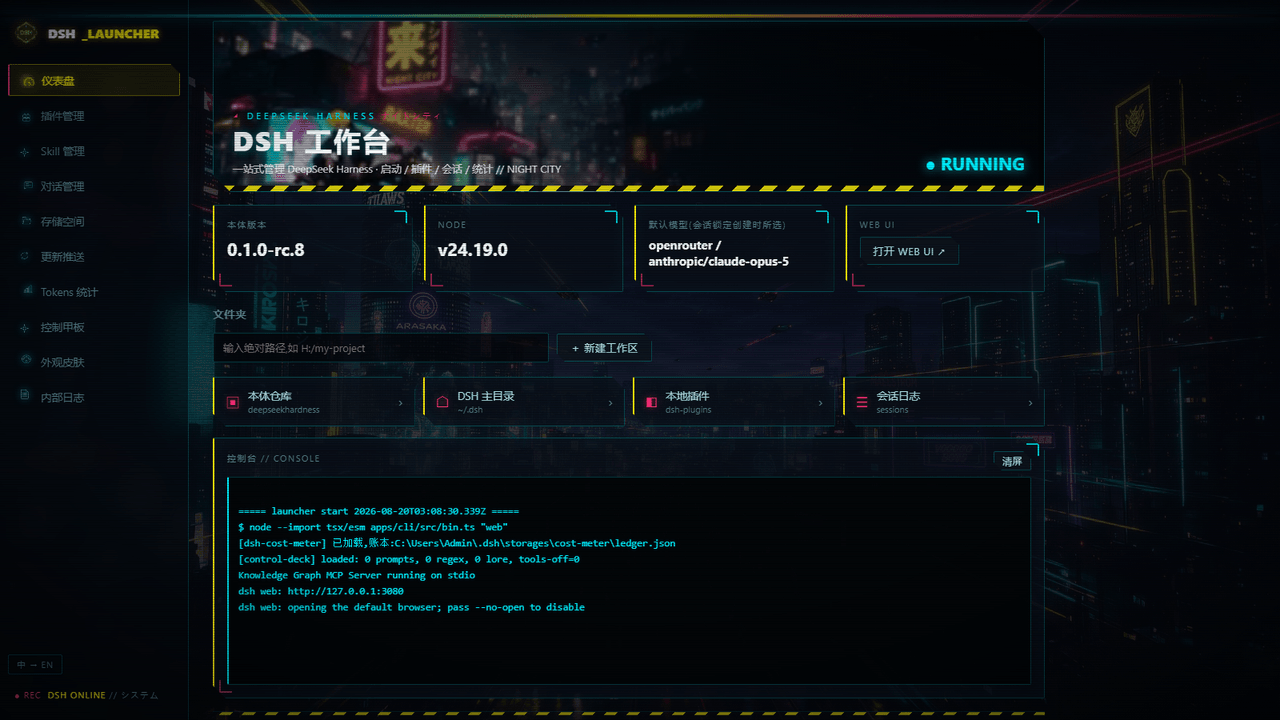 WZZNNE/DSH-CyberWorkStation
DSH CyberWorkStation — one-click DeepSeek Harness (dsh) bundle: cyberpunk desktop launcher, SillyTavern-grade Control De…
WZZNNE/DSH-CyberWorkStation
DSH CyberWorkStation — one-click DeepSeek Harness (dsh) bundle: cyberpunk desktop launcher, SillyTavern-grade Control De…
- HaoyueQin/deepseek-harness-desktop A desktop shell for DeepSeek Harness — the pluggable AI agent harness from DeepSeek. Wrap the official dsh web UI into a…
-
 mytianyi0712/dsh-tui-plugin-OhMyPi
一个dsh的终端样式插件,灵感来自Oh My Pi
mytianyi0712/dsh-tui-plugin-OhMyPi
一个dsh的终端样式插件,灵感来自Oh My Pi
- dphmoblie/deepseek-harness-android 该程序是一个独立的 Capacitor Android 应用,用于管理本机 DeepSeek Harness Ubuntu 用户空间。它提供运行时安装与重置、Ubuntu 终端、可选的 Shizuku 设备 Shell 访问、设置,以及仅限…
- jasondu/dsh-ui-mobile Mobile client plugin for the DeepSeek Harness Web shell: off-canvas sidebar/details drawers, bottom nav bar, and a touch…
- KhanZou/Deepseek-Harness-as-Desktop Turn DeepSeek Harness into a Codex-style desktop app: native WebView2 shell, system tray, auto-start, Windows toasts, an…