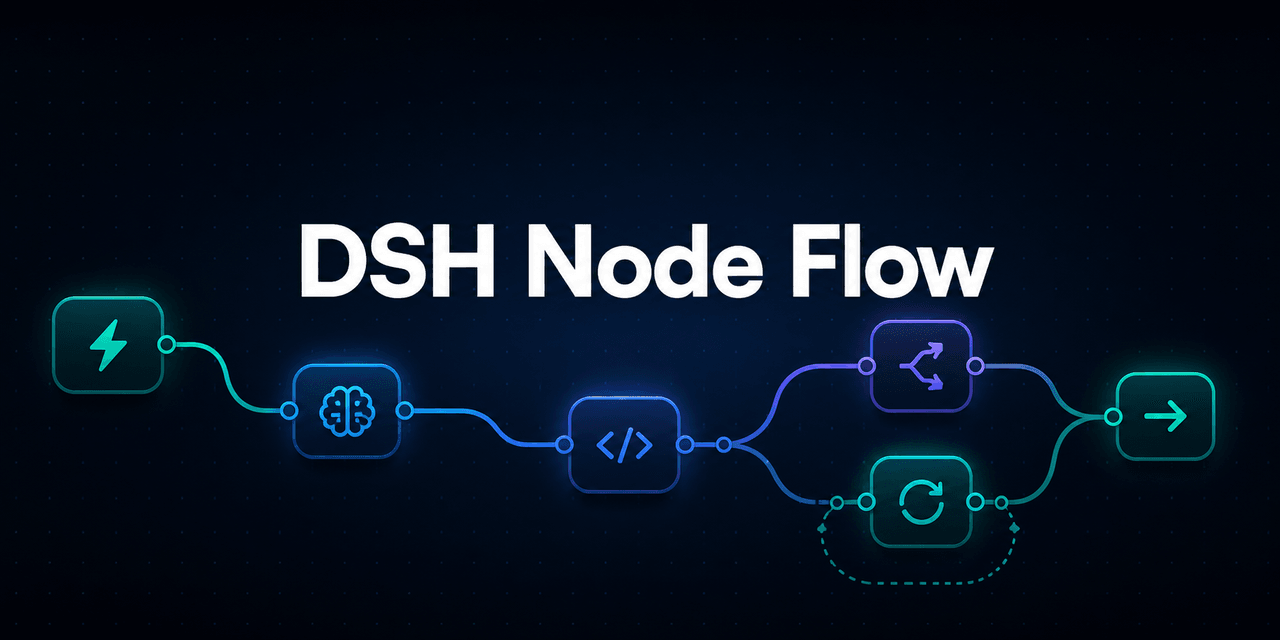
CodermanYHZ/dsh-node-flow
节点式 DSH 工作流画布:编排子代理、代码、条件、循环与定时任务,支持模型路由与 AI 生成指南。 Node-mode DSH workflow canvas: orchestrate sub-agents, code, conditions, loops & scheduled tasks.
Project Overview项目介绍
DSH Node Flow is a visual workflow plugin for DeepSeek Harness, built on React Flow. It lets users compose trigger, sub-Agent, TypeScript/Python code, If, Switch, Loop, While, and Schedule nodes into directly executable flowcharts with Cron scheduling, import/export, status highlighting, and failure policies. It suits building multi-step automations and Agent pipelines inside DSH. Caveat: the plugin relies on the DSH host for webServer, codeRuntime, agents, and llm services, and is not yet on npm — it must be installed from the GitHub source via dsh plugin add.
DSH Node Flow 是一款面向 DeepSeek Harness 的可视化工作流插件,基于 React Flow 提供拖拽式画布。它将触发器、子 Agent、TypeScript/Python 代码、If、Switch、Loop、While、定时任务等节点组合成可直接执行的流程图,并支持 Cron 调度、导入导出、节点状态高亮与失败策略配置。适合在 DSH 中快速搭建多步骤自动化与 Agent 流程。注意:插件依赖宿主提供 webServer、codeRuntime、agents、llm 等服务,需通过 dsh plugin add 从 GitHub 源码安装,尚未发布到 npm。
请帮我了解并安装插件:【dsh-node-flow】【https://github.com/CodermanYHZ/dsh-node-flow】Send this message to DSH in your current session. CLI install commands may not be accurate across systems — DSH will figure it out for you.把上面这条消息直接发给当前会话里的 DSH,让它帮你了解并安装。安装命令不一定准确,发给 DSH 更稳。
Or use CLI install (for developers)或使用命令行安装(适合开发者)
CLI Install命令行安装
dsh plugin --profile web add git+https://github.com/CodermanYHZ/dsh-node-flow.git把 CodermanYHZ/dsh-node-flow 加入你的 DSH 配置(web profile)即可启用。
READMEREADME
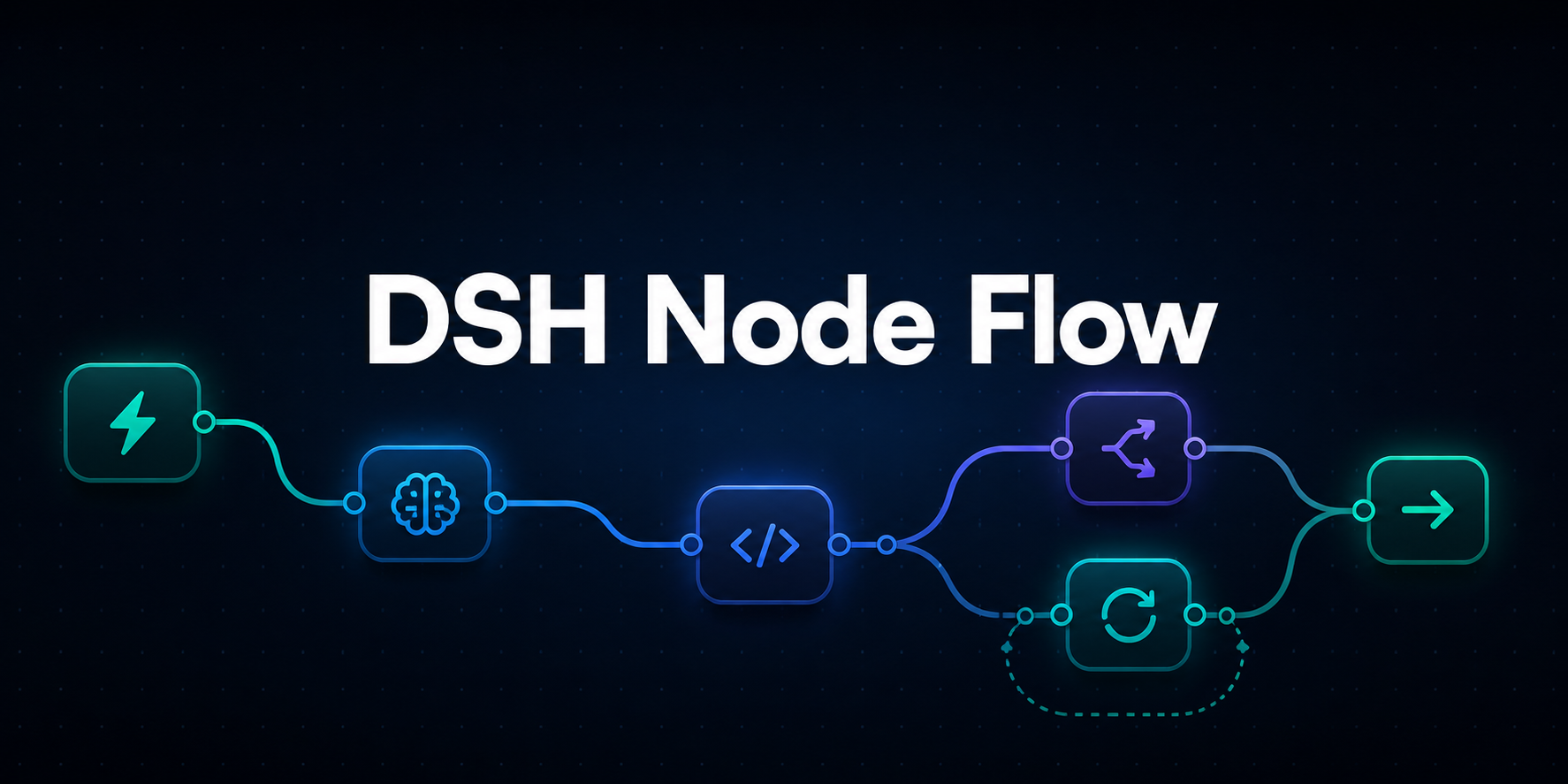
为 DeepSeek Harness 提供可视化、可执行的节点工作流画布
用拖拽和连线组织触发器、子 Agent、代码、条件分支、循环与定时任务,直接在 DSH 中运行完整工作流。


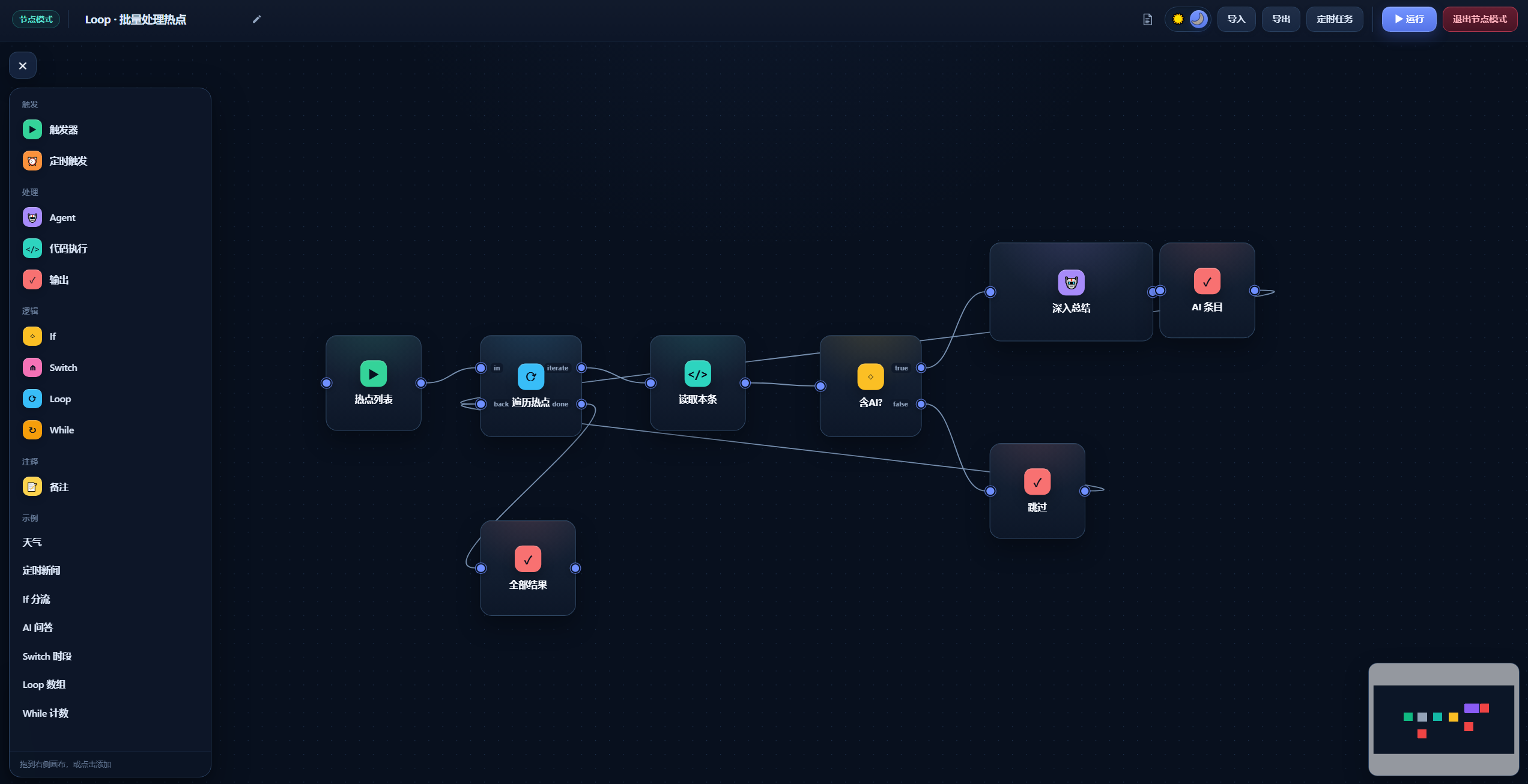
从左侧节点面板添加节点,并在画布中完成拖拽编排
项目简介
DSH Node Flow 是一个面向 DeepSeek Harness(DSH) 的可视化工作流插件。它把 Agent 调用、TypeScript / Python 代码、条件判断和循环控制组合成一张可直接执行的流程图,适合快速搭建自动化任务和多步骤 Agent 流程。
核心能力
- 可视化编排:拖拽节点、连接端口,在画布中直观看到数据和执行路径。
- 子 Agent 调用:Agent 节点可继承当前模型,也可选择 DSH 已配置的模型路由。
- 代码节点:支持 TypeScript 与 Python,并提供全屏代码编辑器。
- 流程控制:内置 If、Switch、Loop 和 While,覆盖分支与循环场景。
- 执行反馈:节点展示运行状态;实际经过的连接路径会高亮,方便定位流程走向。
- 失败策略:Code / Agent 节点可设置超时,以及“停止分支”或“继续使用空值”。
- 定时任务:通过 5 段 Cron 表达式保存工作流,在任务面板中查看、立即运行或取消。
- 导入与导出:工作流可以保存为文件,便于备份、分享和复用。
- 内置文档:顶部帮助入口包含节点字段、连线规则、结果语义和工作流示例。
界面预览
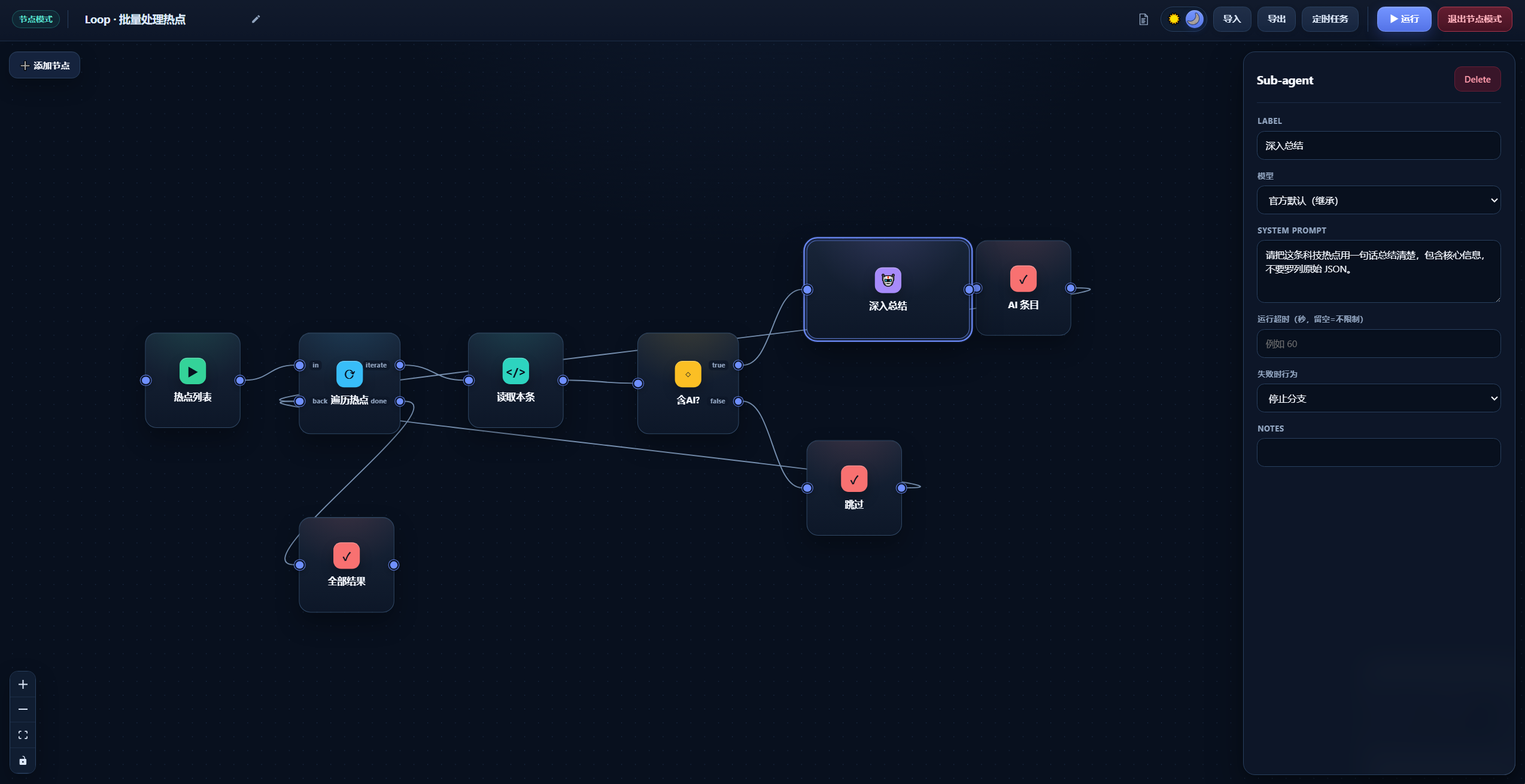
节点属性
选中节点后,可以在右侧属性面板配置名称、模型、提示词、超时和失败处理策略。
定时任务
定时任务面板集中展示 Cron 计划、上次触发时间和最近运行状态,并支持查看、立即运行或取消任务。

快速开始
安装
项目尚未发布到 npm,请直接从公开 GitHub 仓库安装:
dsh plugin --profile web add git+https://github.com/CodermanYHZ/dsh-node-flow.git
如果你是在 DeepSeek Harness 源码目录中运行 DSH,请使用:
pnpm dsh plugin --profile web add git+https://github.com/CodermanYHZ/dsh-node-flow.git
安装完成后重启 Web UI:
dsh web
源码运行方式对应为 pnpm dsh web。
进入 DSH 后,从侧边栏打开 节点模式 即可使用。
基本使用
- 点击 添加节点,从左侧面板选择节点或内置示例。
- 拖动节点端口建立连接,并在右侧属性面板填写参数。
- 点击顶部 ▶ 运行,观察节点状态与实际执行路径。
- 使用 导出 将工作流保存为文件,或通过 定时任务 创建 Cron 调度。
配套 AI Skill
如果希望让 DSH 中的 AI 更准确地生成可直接导入本插件的 JSON 工作流,可以安装配套的 dsh-node-flow-skill。
该 Skill 包含当前工作流文档结构、节点字段、连线端口、循环规则与完整示例,能够减少字段遗漏或端口名称错误。安装后,可以直接告诉 AI:
使用 dsh-node-flow-skill,为我生成一个可导入 dsh-node-flow 的 JSON 工作流:……
Skill 地址:https://github.com/CodermanYHZ/dsh-node-flow-skill
节点类型
| 节点 | 用途 |
|---|---|
| Trigger | 工作流入口,将触发内容传递给下游节点。 |
| Schedule | 使用 5 段 Cron 表达式定时运行整个工作流。 |
| Agent | 调用 DSH 子 Agent,可继承当前模型或指定模型路由。 |
| Code | 在宿主运行 TypeScript 或 Python,读取上游输入并返回结果。 |
| If | 根据真值将流程分发到 true 或 false。 |
| Switch | 按值匹配 Case,未命中时进入 default。 |
| Loop | 遍历数组或重复 N 次,并收集每次循环结果。 |
| While | 条件成立时持续循环,并通过 maxIters 防止无限执行。 |
| Output | 使用 {{result}} 模板展示上游结果。 |
| Note | 在画布中添加说明,不参与执行。 |
Code 节点 API
TypeScript 代码中可使用全局 dsh 对象:
const response = await dsh.fetch({
  url: "https://example.com/api",
  method: "POST",
  headers: { "Content-Type": "application/json" },
  body: { message: "hello" },
})

const previous = await dsh.input(null) // 读取上游节点输出
const now = await dsh.now(null)        // { iso, ts, local }

return response.json
Python 节点通过环境变量读取上游结果,并将标准输出作为节点结果:
import os

previous = os.environ.get("DSH_INPUT", "")
print(previous)
DSH Code Runtime 的绑定调用必须传入可无损 JSON 序列化的参数,因此应写成
dsh.input(null)和dsh.now(null),不能省略参数。
运行环境
插件依赖 DSH 宿主提供以下服务:
ctx.webServerctx.codeRuntime(Code 节点)ctx.agents与ctx.subagents(Agent 节点)ctx.llm(模型路由列表)
React、ReactDOM 和 @deepseek-ai/cordis 由 DSH 作为 Peer Dependencies 提供。
本地开发
npm install
npm run dev       # 启动独立 Vite 预览
npm run build     # TypeScript 检查 + 客户端打包 + Demo 构建
npm test          # 运行测试
许可证
本项目基于 MIT License 开源。
Related相关推荐
-
 Cavan-Ou/hermes-dsh-collab
Battle-tested multi-agent collaboration playbook for DeepSeek Harness: model-tier routing, spec discipline, git single-w…
Cavan-Ou/hermes-dsh-collab
Battle-tested multi-agent collaboration playbook for DeepSeek Harness: model-tier routing, spec discipline, git single-w…
-
 feicaiclub/deepseek-harness-whitepaper
DeepSeek Harness 白皮书 · 131 页入门加进阶综合教程:从装上它、看懂它,到自己扩展它。面向想深入研究 agent harness 的开发者,所有结论回源码核对。
feicaiclub/deepseek-harness-whitepaper
DeepSeek Harness 白皮书 · 131 页入门加进阶综合教程:从装上它、看懂它,到自己扩展它。面向想深入研究 agent harness 的开发者,所有结论回源码核对。
- diguike/book-deepseek-harness 《一切皆插件》— DeepSeek Harness 源码精读、Mini 实现与插件开发实战。21 章 + 可运行的 mini-dsh + 真实插件案例,全部数据实测。
-
 walkinglabs/learn-harness-engineering
Harness engineering beginner tutorial, from 0 to 1
walkinglabs/learn-harness-engineering
Harness engineering beginner tutorial, from 0 to 1
-
 Electricitysheep/dsh-handbook
DeepSeek Harness (dsh) 从 0 到 1 深度手册:安装/插件开发/性能调优/实测案例/同模型多 Agent 实测对比(中文 + 英文 PDF)
Electricitysheep/dsh-handbook
DeepSeek Harness (dsh) 从 0 到 1 深度手册:安装/插件开发/性能调优/实测案例/同模型多 Agent 实测对比(中文 + 英文 PDF)
-
 pingfanfan/hello-dsh
从零开始,看懂 DeepSeek Harness 的「万物皆可插件」— 零基础插件开发教程(含 22 个中文技能实例)| Zero-to-plugin tutorial for DeepSeek Harness
pingfanfan/hello-dsh
从零开始,看懂 DeepSeek Harness 的「万物皆可插件」— 零基础插件开发教程(含 22 个中文技能实例)| Zero-to-plugin tutorial for DeepSeek Harness
- liangdabiao/dsh-plugin-developer-skill dsh-plugin-developer — DeepSeek Harness 插件开发 Skill > 指导 AI Agent 从 0 到 1 开发、构建、安装、测试 DeepSeek Harness(dsh)插件。基于 **dsh 0…
- EarzuChan/DshVibeLearning A Vibe Learning Plugin made for DeepSeek Harness