cogine-ai/dsh-claude-tui
面向DeepSeek的Claude代码风格TUI工具
Project Overview项目介绍
DSH Claude TUI is a DSH plugin that delivers a Claude Code-style terminal interface for DeepSeek Harness, launchable via a single npx command. Built on DSH 0.1.1-rc.2, it exposes real model calls, Sessions, tools, approvals, subagents, Shift+Tab plan mode, and clipboard image composition, with /provider and /model for runtime switching. Use it when a high-fidelity, inspectable TUI workflow over DSH is required. Caveat: Windows is implemented but currently unqualified, so it is not a supported release platform.
DSH Claude TUI 是一款 DSH 插件,提供类 Claude Code 的终端界面,通过单条 npx 命令启动。它基于 DeepSeek Harness 0.1.1-rc.2,支持真实模型调用、会话管理、工具调用、审批流程、子代理、Shift+Tab 规划模式及剪贴板图像粘贴,并可通过 /provider 与 /model 切换模型。适合需要高保真终端工作流的开发者。注意:Windows 已实现但未完成用户验收测试,不属于受支持平台。
请帮我了解并安装插件:【dsh-claude-tui】【https://github.com/cogine-ai/dsh-claude-tui】Send this message to DSH in your current session. CLI install commands may not be accurate across systems — DSH will figure it out for you.把上面这条消息直接发给当前会话里的 DSH,让它帮你了解并安装。安装命令不一定准确,发给 DSH 更稳。
Or use CLI install (for developers)或使用命令行安装(适合开发者)
CLI Install命令行安装
dsh plugin --profile web add github:cogine-ai/dsh-claude-tui把 cogine-ai/dsh-claude-tui 加入你的 DSH 配置(web profile)即可启用。
READMEREADME
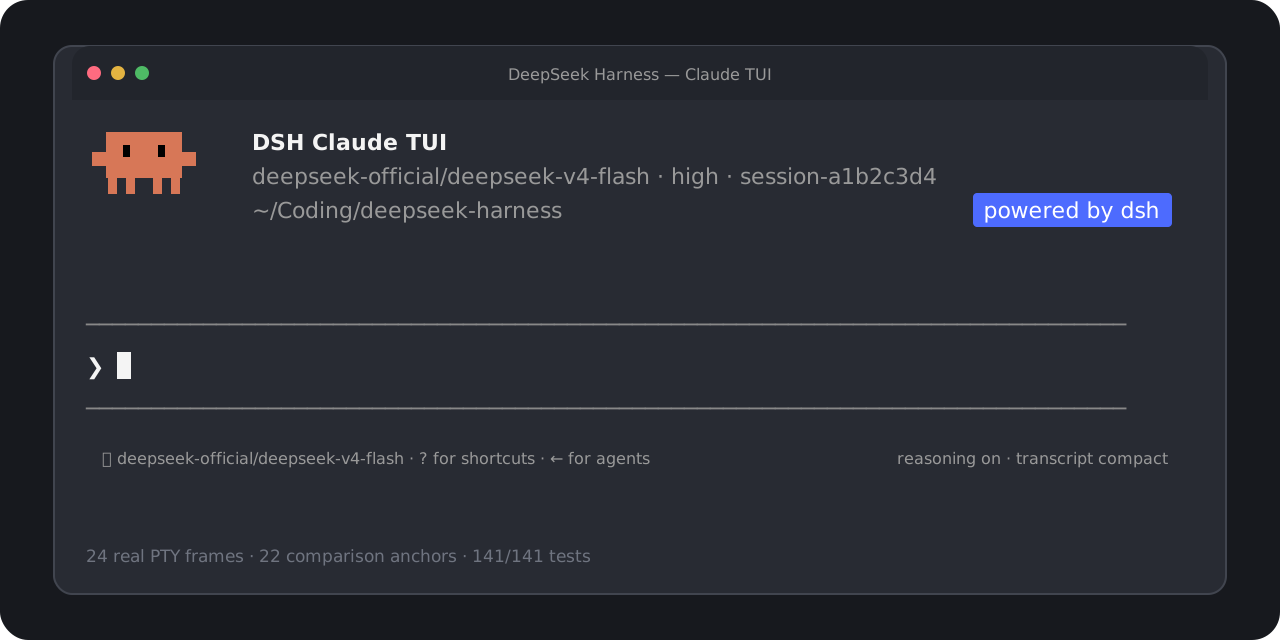
DSH Claude TUI
A Claude Code-style terminal workflow, powered by DeepSeek Harness.
English · 简体中文
Start in one command. Use real DSH models, Sessions, tools, approvals, and subagents
through a familiar, high-fidelity terminal interface.




[!NOTE] This is an independent community project. It is not affiliated with, endorsed by, or sponsored by Anthropic or DeepSeek. “Claude Code” identifies the version-pinned interaction target; no Anthropic source code is included. See the trademark and compatibility notice.
Start in one command
Requires Node.js 22.19+ or 24+.
npx --yes --legacy-peer-deps dsh-claude-tui
That command installs and opens the TUI selected by npm's latest tag. You do not need a global dsh, a repository checkout, pnpm, or manual profile setup. To pin this release exactly, add @0.1.6 to the package name.
The legacy-peer-deps flag avoids npm's expensive resolution of unused upstream Web UI peers. It skips peer-conflict enforcement; this release explicitly includes the required TUI services and pins its DSH dependencies. The installed-package gate checks the complete npm ls --all tree and rejects missing, invalid, or conflicting dependencies. Plain npx dsh-claude-tui is also qualified with ordinary npm peer resolution, though a cold installation can take several minutes. The flag does not change the DSH runtime version or TUI behavior.
A real model request needs credentials for the DSH provider you select. Use /provider to inspect or enter credentials and /model (or Option+P / Alt+P) to switch among the models and effort levels exposed by DSH.
For repeat use:
npm install --global --legacy-peer-deps dsh-claude-tui@0.1.6
dshtui
The global install exposes both dshtui and the canonical dsh-claude-tui command. Resume work with dshtui --resume for the Session picker, or --resume <session-id> for an exact Session.
DSH 0.1.2-rc.1 support
Version 0.1.6 pins the bundled Harness to 0.1.2-rc.1 and accepts external runtimes in >=0.1.2-rc.1 <0.1.3 only after a behavioral probe. Version 0.1.5 uses the previous 0.1.1-rc.2 runtime. See the v0.1.6 release notes for upgrade guidance.
- Session replay uses
snapshotEvents(). The runtime probe appends a real event and checksseq,eventAt(), snapshot readback, and persistence flush. - Structured questions use DSH's Agent-scoped
user-questions/requestwaterfall. Model/provider configuration uses the current settings API. - PTC mode now uses upstream's
ptcvalue. The launcher and bundle still acceptDSH_TOOLS_MODE=codeas an alias. Native and Both modes remain selectable. - Cordis, loader, group, and schema peers match the new Harness graph. The production shrinkwrap contains only the
0.1.2-rc.1DSH line. - The existing image composer, durable attachments, plan toggle, transcript timing, approvals, and Session picker are retained.
To run from a checkout:
corepack pnpm install --frozen-lockfile
corepack pnpm build
DSH_HOME=/tmp/dsh-claude-tui-rc1 DSH_CLAUDE_TUI_RUNTIME=bundled node lib/cli.js
DSH has an extensive official documentation site. This repository maintains a bilingual official documentation mirror pinned to the supported release, with a full index, source hashes, license notices, and docs:dsh:sync / docs:dsh:check commands. CI checks the snapshot offline. The mirror is repository-only and is excluded from the npm tarball.
[!WARNING] Upstream
0.1.2removes the optional SQLite Session persistence backend; export sessions stored by that backend using the old Harness before upgrading. SQLite query/index storage is separate. Use separate Homes when testing different Harness versions; this adapter does not add a downgrade or SQLite export migration.
See the official release notes and adaptation validation for the exact scope and evidence. Upstream Web features do not imply corresponding TUI features.
What you get
| Area | User-facing behavior |
|---|---|
| Familiar terminal | Claude-shaped welcome panel, prompt, menus, transcript, status rows, approvals, questions, and Agent states |
| Real Harness runtime | DSH-owned models, durable Sessions, commands, approval policies, tools, structured questions, and subagents |
| Live model setup | Provider/model catalog, advertised effort levels, saved defaults, masked API-key entry, and credential-source visibility |
| Productive prompting | Multiline editing, image paste, submit or steer, cancellation, history search, slash completion, and bounded @ file mentions |
| Clear execution | Reasoning and tool activity, compact/expanded results, cache hit rate, token totals, TTFT, throughput, and turn outcome |
| Session and Agent flow | New or resumed Sessions, graceful flush, foreground/background subagents, and an active-agent roster |
| Verified runtime identity | Welcome panel shows the actual TUI/Harness version, bundled or system runtime, DSH Home, and tool mode |
The TUI reads capabilities from DSH rather than hardcoding model, effort, credential, or approval behavior. Harness remains the source of truth; Claude-only cloud services, account state, model behavior, and private permission semantics are not simulated.
Everyday controls
| Key or command | Action |
|---|---|
Enter |
Submit while idle or steer a running Agent |
Shift+Enter |
Insert a newline |
Ctrl+V |
Paste a clipboard image; on macOS, Command+V remains text paste |
Backspace |
Remove the last pending image when the text composer is empty |
Shift+Tab |
Toggle DSH plan mode for the current Session |
Esc / Ctrl+C |
Interrupt the active turn |
Ctrl+R |
Search prompt history |
Ctrl+O |
Expand or compact tool details |
Option+P / Alt+P or /model |
Open the live DSH model picker |
/provider |
Inspect or update DSH provider credentials |
Left Arrow |
Hide or show the active-agent roster |
Ctrl+D |
Press twice on an empty prompt to exit cleanly |
Run /help inside the TUI for the current command list.
Works with an existing DSH setup
The default launcher removes the need to choose an installation strategy up front:
- Reuse a compatible DSH already associated with the selected
$DSH_HOME, or a verifiabledshonPATH. - Probe it in an isolated, credential-free temporary Home.
- Fall back to the bundled, shrinkwrap-pinned DSH
0.1.2-rc.1when no external runtime qualifies.
Compatibility requires both the version range >=0.1.2-rc.1 <0.1.3 and a successful behavioral probe. When a Home can be shared safely, existing credentials, Sessions, settings, and unrelated profiles remain available. The launcher does not overwrite an unowned profile. An unsafe implicit default can fall back to ~/.dsh-claude-tui with a visible notice; an explicit DSH_HOME conflict fails with an actionable error instead of silently moving data.
| Variable | Behavior |
|---|---|
DSH_CLAUDE_TUI_RUNTIME=auto |
Default: try compatible system DSH, then bundled DSH |
DSH_CLAUDE_TUI_RUNTIME=system |
Require a compatible external DSH |
DSH_CLAUDE_TUI_RUNTIME=bundled |
Always use the packaged DSH |
DSH_HOME=/path |
Use an explicit DSH data Home |
DSH_TOOLS_MODE=native|ptc|both |
DSH tool presentation shown as Standard, PTC, or Both |
See Launcher environment compatibility for the complete selection, ownership, and recovery contract.
Compatibility and verification
The main interaction target is the observed Claude Code 2.1.227 TUI; the [Image #1] Ctrl+V composer behavior was independently observed against Claude Code 2.1.237. Current qualification covers:
- macOS arm64 and Linux x64;
- true-color, xterm-compatible terminals;
- 24 independently captured PTY reference frames and 22 automated visual/semantic anchors;
- Automated tests covering
80x24,100x30, clipboard/attachment failure and cancellation paths, the attachment-aware command envelope and live profile probe, packed-tarball installation, macOSShift+Tabthrough a real PTY, both command names, Session resume, approvals, questions, and foreground/background subagents. An additional opt-in macOS system-clipboard gate sends an installed-package image through DSH storage and a local Files API/chat mock.
The Windows launcher, junction, signal-forwarding, VT-input, dependency-prebuild, and STA image-clipboard paths are implemented, and the pinned DSH upstream has a native Windows gate. This TUI's own CI still runs only on Ubuntu, however, and no Windows packed-TUI/ConPTY UAT has been recorded. Windows is therefore an implemented but currently unqualified target, not a supported release platform. Read the full visual and semantic qualification report or the artifact-hardening baseline.
Build it with us
This project should be more than a theme layered over a runtime. The goal is a fast, inspectable terminal client that respects DSH semantics and gives developers a great place to improve the Harness experience together.
You do not need to know the entire runtime to contribute. Useful entry points include:
| Contribution lane | A good first contribution |
|---|---|
| Terminal qualification | Reproduce a layout or keybinding issue in a named terminal, OS, and geometry |
| Runtime integration | Add a focused test for one DSH command, Session, approval, or subagent boundary |
| Interaction design | Improve image composition, richer references, completion, or Session management without hiding unsupported states |
| Reliability | Reduce startup ambiguity, strengthen packed-install coverage, or turn a field failure into a deterministic fixture |
| Docs and language | Improve setup guidance, explain an architecture boundary, or keep English and Chinese docs in sync |
| Accessibility | Improve color fallback, keyboard-only flow, screen-reader output, or narrow-terminal behavior |
Start with the contribution guide, then open a focused issue or pull request. For a larger change, propose the user problem and evidence first so maintainers and contributors can shape the seam together.
Develop locally
corepack pnpm install --frozen-lockfile
corepack pnpm check
The release gate runs TypeScript validation, a clean production build, then the complete serial Vitest suite. Visual-parity changes must include an independently captured reference or a documented Harness-semantic boundary. Runtime changes must prove the installed package path, not only source imports.
Near-term opportunities include richer image composition, file and Session reference completion, broader Session management, more plan/todo/background-job states, and qualification across more terminals and operating systems. These are contribution directions, not claims about shipped behavior.
License
Original project code is available under the MIT License. Product names and marks remain the property of their respective owners; the MIT License does not grant rights to third-party trademarks.
Related相关推荐
-
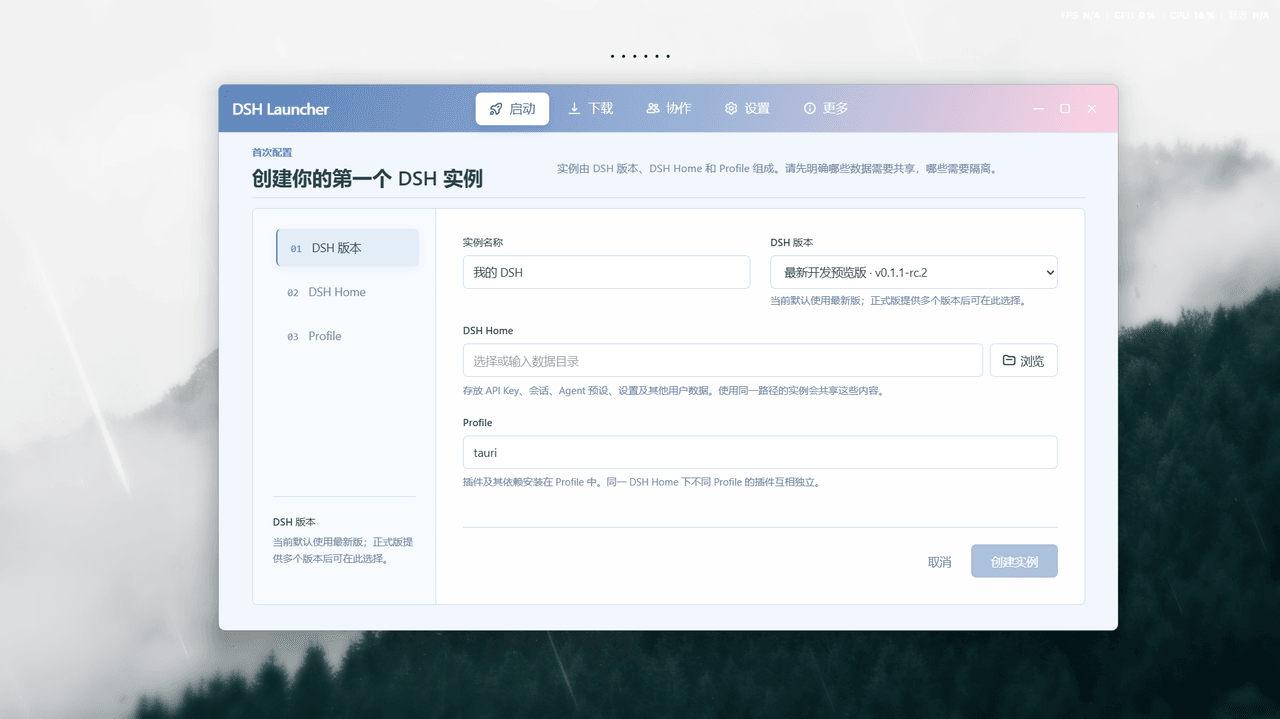 baihejiangnan/deepseek-harness-desktop
DeepSeek Harness 三端兼容桌面启动器:多实例完全隔离、并行协作,协作画布编排 Agent 工作流;便携版 Exe 一键启动、仅约 20M;双隔离机制让兼容性极强
baihejiangnan/deepseek-harness-desktop
DeepSeek Harness 三端兼容桌面启动器:多实例完全隔离、并行协作,协作画布编排 Agent 工作流;便携版 Exe 一键启动、仅约 20M;双隔离机制让兼容性极强
-
 UNLINEARITY/dsh-code
Claude-Code-style TUI bundle for DeepSeek Harness. 充分结合 DSH 的核心机制和高级特性与Codex CLI 、Claude Code 等主流交互机制,打造的 DSH-Code. (对齐…
UNLINEARITY/dsh-code
Claude-Code-style TUI bundle for DeepSeek Harness. 充分结合 DSH 的核心机制和高级特性与Codex CLI 、Claude Code 等主流交互机制,打造的 DSH-Code. (对齐…
-
 GLFzr/dsh-opencode-go-quota
DSH 插件:OpenCode Go 额度圆环 —— 输入框模型选择器左侧的进度圆环,点击切换 5小时/每周/每月用量(OpenCode Go quota ring for DeepSeek Harness Web)
GLFzr/dsh-opencode-go-quota
DSH 插件:OpenCode Go 额度圆环 —— 输入框模型选择器左侧的进度圆环,点击切换 5小时/每周/每月用量(OpenCode Go quota ring for DeepSeek Harness Web)
- wjabanjj/aifp-mcp AiFP 记忆感知系统|MCP 服务,一套记忆全 AI 共享。面向中文的 Agent 感知记忆,支持叙事链、语义纠错、感知链图扩散。兼容 DeepSeek‑Harness、Claude Code、Cursor、Codex等全部 MCP 客户…
-
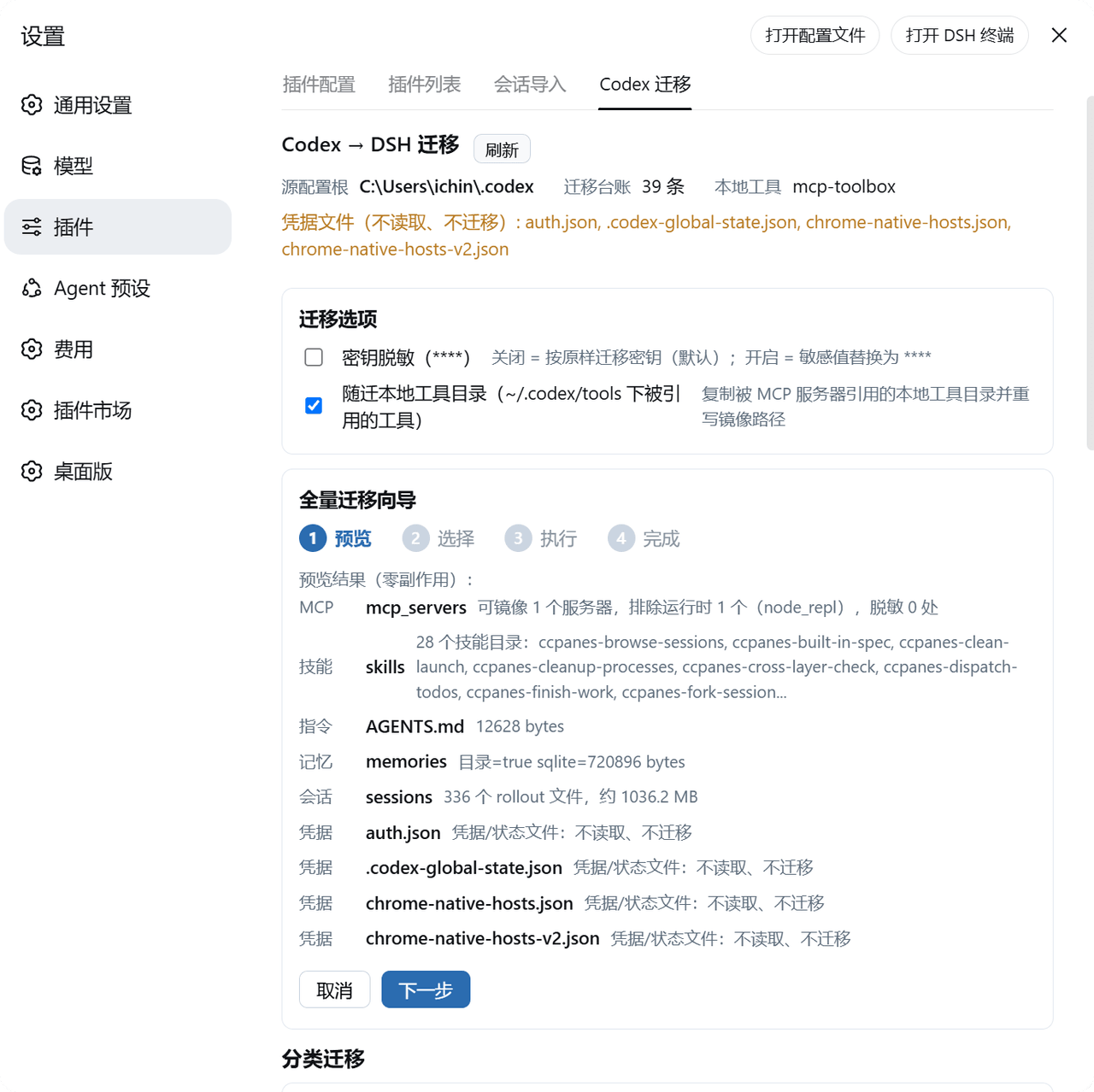 BigBlueBaby/codex2dsh
把 Codex(OpenAI Codex CLI / Desktop)的 MCP 服务器、技能、全局指令、记忆与会话历史一键迁移进 DeepSeek Harness(DSH)——可视化面板 + CLI,源码只读、dry-run 预览、密钥按…
BigBlueBaby/codex2dsh
把 Codex(OpenAI Codex CLI / Desktop)的 MCP 服务器、技能、全局指令、记忆与会话历史一键迁移进 DeepSeek Harness(DSH)——可视化面板 + CLI,源码只读、dry-run 预览、密钥按…
-
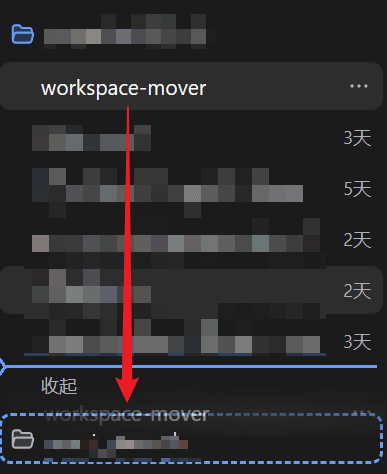 PianoPrince/dsh-workspace-mover
拖拽真迁移 DSH 会话跨工作区:批量移动、分组合并、挂错归位、回收站、备份恢复;步步备份可回滚,零 token / True migration of DSH sessions across workspaces: bulk move, …
PianoPrince/dsh-workspace-mover
拖拽真迁移 DSH 会话跨工作区:批量移动、分组合并、挂错归位、回收站、备份恢复;步步备份可回滚,零 token / True migration of DSH sessions across workspaces: bulk move, …
- UnknowCao/dsh-dock One-click desktop launcher for DSH Harness: desktop whale exe, tray residency with live status, one-click restart, and t…
-
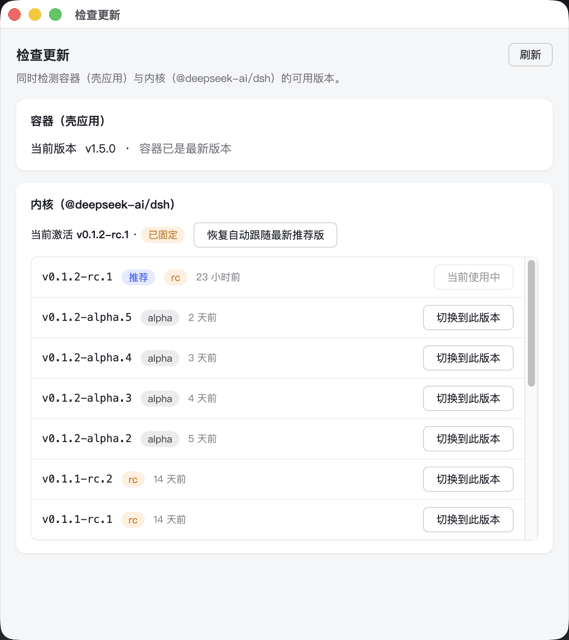 honghuachen/deepseekharness-desktop
一键安装的跨平台桌面容器(macOS / Windows),完整运行官方 DeepSeek Harness Web 壳,内置兼容性守护机制,支持第三方插件管理、更新与移除,并自动拉取官方内核最新版本。 | One-click cross-p…
honghuachen/deepseekharness-desktop
一键安装的跨平台桌面容器(macOS / Windows),完整运行官方 DeepSeek Harness Web 壳,内置兼容性守护机制,支持第三方插件管理、更新与移除,并自动拉取官方内核最新版本。 | One-click cross-p…