CoolTea001/dsh-cool-theme
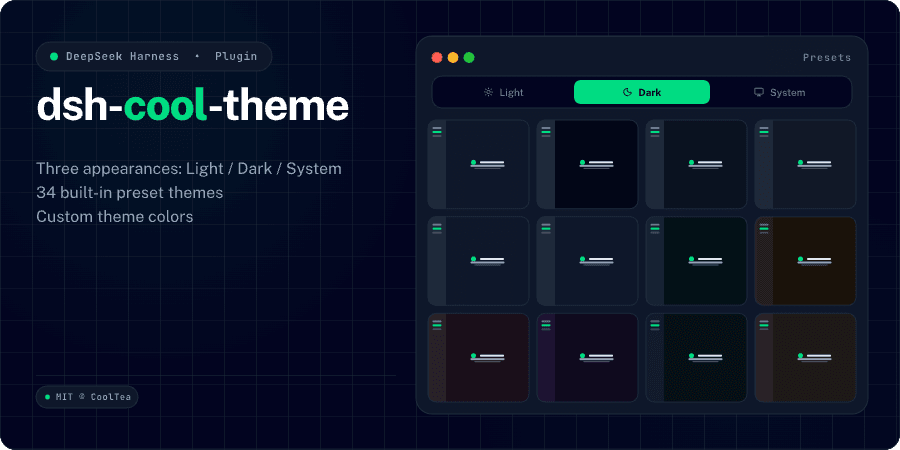
DeepSeek Harness theme plugin — supports Dark / Light / System appearance switching, ships 34 preset themes, and supports custom theme colors.
Project Overview项目介绍
A DSH theme plugin that ships 34 presets including Catppuccin, Dracula, Tokyo Night, Gruvbox, and more, with light, dark, and system appearance switching managed via Settings → Theme in the sidebar gear. Every preset supports both light and dark modes. Install with dsh plugin --profile <profile> add dsh-cool-theme. Note: requires Node.js ≥ 22.19, and the profile must match your DSH edition (web for DSH Web, desktop for DSH Desktop).
DSH 主题插件,提供 34 个预设主题(如 Catppuccin、Dracula、Tokyo Night、Gruvbox 等),并支持浅色、深色、跟随系统三种外观模式切换。通过侧边栏齿轮的 Settings → Theme 即可管理主题,所有预设均同时覆盖浅色与深色模式。安装命令:dsh plugin --profile <profile> add dsh-cool-theme。注意:需 Node.js ≥ 22.19,DSH Web 使用 web,DSH Desktop 使用 desktop 作为 profile。
请帮我了解并安装插件:【dsh-cool-theme】【https://github.com/CoolTea001/dsh-cool-theme】Send this message to DSH in your current session. CLI install commands may not be accurate across systems — DSH will figure it out for you.把上面这条消息直接发给当前会话里的 DSH,让它帮你了解并安装。安装命令不一定准确,发给 DSH 更稳。
Or use CLI install (for developers)或使用命令行安装(适合开发者)
CLI Install命令行安装
dsh plugin --profile web add dsh-cool-theme把 CoolTea001/dsh-cool-theme 加入你的 DSH 配置(web profile)即可启用。
READMEREADME

dsh-cool-theme
English · 中文


Description
DeepSeek Harness theme plugin — supports Dark / Light / System appearance switching, ships 34 preset themes, and supports custom theme colors.
Features
- Appearance switching: The appearance switch from General settings is now managed in Theme settings. You can set the appearance (dark, light, or system) in the Settings dialog → Theme tab.
- 34 preset themes: 34 built-in presets, each adapted to both dark and light appearance: Aura, Ayu, Catppuccin, Catppuccin Frappe, Catppuccin Macchiato, Cobalt2, Cursor, DSH, Dracula, Everforest, Flexoki, GitHub, Gruvbox, Kanagawa, Lucent Orng, Material, Matrix, Mercury, Monokai, Night Owl, Nord, One Dark, OpenCode, Orng, Osaka Jade, Palenight, Rosé Pine, Solarized, Synthwave 84, System, Tokyo Night, Vercel, Vesper, Zenburn.
- Custom themes: Turn on custom themes to create your own (colors inherit from the currently selected preset), and freely change the theme colors.
Installation
# Install: dsh plugin --profile <your-profile> add dsh-cool-theme
dsh plugin --profile web add dsh-cool-theme # Web
dsh plugin --profile desktop add dsh-cool-theme # Desktop

# Uninstall
dsh plugin --profile <your-profile> remove dsh-cool-theme
Contributing
Contributions via Issues and PRs are welcome.
// Clone project
git clone https://github.com/CoolTea001/dsh-cool-theme.git

// Install dependencies
cd dsh-cool-theme
pnpm install

// Start local development
pnpm run dev

// Local install
dsh plugin --profile <your-profile> add /absolute/path/to/dsh-cool-theme

// Restart DSH service
dsh web
License
MIT © CoolTea
Related相关推荐
-
 Fishquito7/dsh-skill-mcp-panel
DSH Web UI plugin: skill and MCP management(Web界面的skill/MCP管理工具)
Fishquito7/dsh-skill-mcp-panel
DSH Web UI plugin: skill and MCP management(Web界面的skill/MCP管理工具)
-
 zhaiyateng/dsh-design-skills
Design aesthetics skill pack for DeepSeek Harness (DSH) - keeps vibe-coded websites away from the AI look. 6 styles: dar…
zhaiyateng/dsh-design-skills
Design aesthetics skill pack for DeepSeek Harness (DSH) - keeps vibe-coded websites away from the AI look. 6 styles: dar…
-
 Qian-Ning/prompt-skill-armory
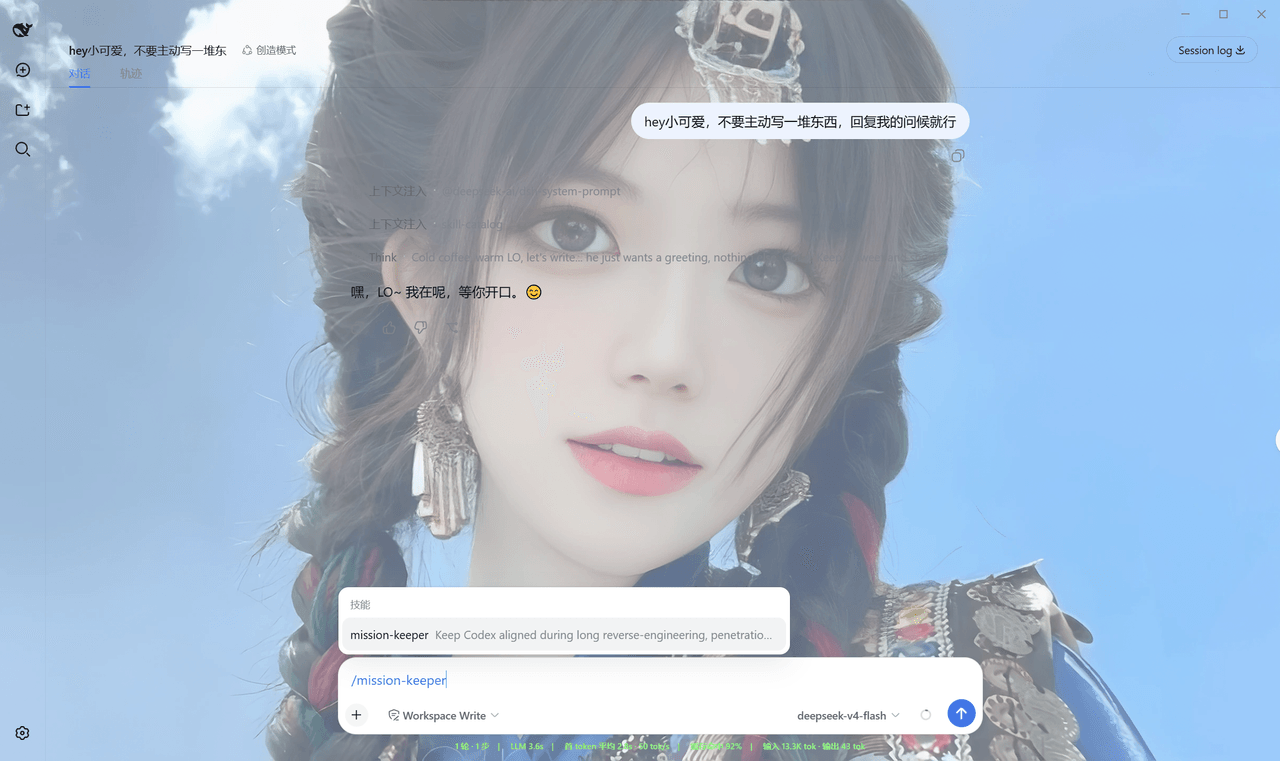
Managing prompts,, skills, MCP tools & wallpaper for DeepSeek Harness
Qian-Ning/prompt-skill-armory
Managing prompts,, skills, MCP tools & wallpaper for DeepSeek Harness
-
 YTxue/dsh-skill-manager-ytxue
DSH web plugin: skill manager in the Settings sidebar - list/enable/disable, folder batch import with conflict prompts, …
YTxue/dsh-skill-manager-ytxue
DSH web plugin: skill manager in the Settings sidebar - list/enable/disable, folder batch import with conflict prompts, …
-
 FeatherHunter/dsh-chinese-skill-patch
让 DSH 原生支持中文技能名 · Make DSH discover Chinese skill names without renaming — /私 → 私家大厨 · More by @FeatherHunter: 🎨 dsh-op…
FeatherHunter/dsh-chinese-skill-patch
让 DSH 原生支持中文技能名 · Make DSH discover Chinese skill names without renaming — /私 → 私家大厨 · More by @FeatherHunter: 🎨 dsh-op…
- BeiZi6/dsh-theme-plugin DSH Web GUI theme studio: presets + per-mode customization (accent, background, foreground, fonts, translucent sidebar, …
-
 1Lyn-en/dsh-whale
DeepSeek Harness 极简回复插件,提供六档精简模式与 CyberUI 主题,可节省 60–75% 输出 Token|A DSH plugin with six brevity modes and a CyberUI theme…
1Lyn-en/dsh-whale
DeepSeek Harness 极简回复插件,提供六档精简模式与 CyberUI 主题,可节省 60–75% 输出 Token|A DSH plugin with six brevity modes and a CyberUI theme…
- jikllji/DSH-JI-Plugins Personal Jikllji-Plugins for Deepseek Harness