CZX2244/dsh-bilibili
Project Overview项目介绍
This is a native tool plugin built exclusively for DeepSeek Harness (DSH), adding a bilibili_extract tool to DSH agents that processes Bilibili video links. The tool extracts metadata, timestamped transcripts, top comments, and danmaku from target videos, supports automatic transcription for videos without built-in subtitles, and can extract and describe keyframes on demand before outputting a structured summary. To install, run the DSH CLI command dsh plugin --profile web add with either the GitHub repository URL or a local development directory, then restart the DSH web profile to activate the tool in new sessions.
When a user shares a Bilibili video link (including b23.tv short links) or a raw BV ID, the DSH agent can invoke this tool to run a full content analysis. The plugin follows a two-pass workflow: first it pulls all available text data without downloading the full video, then it extracts keyframes at requested timestamps, selects the sharpest available frame for each target, generates a text description for the frame, and compiles all results into a clean summary. It is designed for any use case that requires extracting actionable information from Bilibili video content for AI-powered analysis.
The plugin requires Node.js 18 or newer, ffmpeg available on the system PATH, and the pnpm package manager to run correctly. Before the first extraction, it automatically runs a three-layer environment check that probes for dependencies, validates configuration, and tests connectivity, caching results for one hour. It is released under the permissive MIT open source license, currently only supports the first part of multi-part videos, does not auto-clean extracted frame files, and does not yet support proxied network connections.
这是一个专为DeepSeek Harness(DSH)开发的原生工具插件,为DSH代理提供bilibili_extract工具,可提取Bilibili视频的元数据、带时间戳的字幕、热门评论和弹幕,还支持自动转录无字幕视频、按需提取关键帧并生成AI描述,最后输出整理后的结构化分析结果。它可通过DSH的CLI命令从GitHub或本地开发目录安装,安装完成后重启DSH网页配置档即可在新会话中使用。
当用户发送Bilibili视频链接(包括短链接)或裸BV号时,DSH代理可调用该工具进行视频内容分析。插件遵循两轮工作流程:先读取无需下载的公开文本信息,再根据分析需求提取对应时间戳的关键帧,自动筛选最清晰的帧并生成视觉描述,最终整合所有结构化信息生成简洁易读的摘要报告。适合需要基于Bilibili视频提取信息、完成分析任务的AI开发和普通使用场景。
该插件需要Node 18+、ffmpeg在系统PATH中、pnpm包管理器才能运行,首次使用前会自动进行三层环境探测,缓存检测结果约一小时。它遵循MIT许可证开源,目前仅支持单分P视频,本地不会自动清理提取的帧文件,可能占用一定磁盘空间,暂不支持代理网络环境。
请帮我安装这个 DSH 插件。安装前先完成【兼容性检查 + 安全性检查】,检查通过再动手。

插件:dsh-bilibili(CZX2244/dsh-bilibili)
仓库:https://github.com/CZX2244/dsh-bilibili
本站详情页:https://www.yhbd.top/plugins/czx2244-dsh-bilibili/
本站登记:类型 plugin · 归类 原生 DSH 插件 · 许可证 MIT · ⭐ 9 · 最近提交 2026-08-15 · 主语言 JavaScript

按下面顺序执行,每步先把结论告诉我,再进入下一步:

【1 兼容性检查】
① 我这边:DSH 版本、Node 版本、操作系统、当前 profile(web / desktop)。
② 读它的 README、package.json、插件 manifest,列出它要求的 DSH 版本 / Node 版本 / 操作系统 / 外部依赖 / 需要另外先装的运行时。
③ 逐条比对,结论只写「满足 / 不满足 / 未知」三种;不满足的给出可行替代方案。
④ 检查是否和我已装的插件冲突:命令名重复、skill / tool 重名、端口占用、重复注册的 MCP server。

【2 安全性检查】
① 仓库可信度:和上面「本站登记」是否一致;star / fork 数、创建时间、最近提交,是否归档或长期停更。
② 安装脚本:逐行看 package.json 的 preinstall / install / postinstall,以及 install.sh、setup.ps1 之类脚本。出现 curl|bash、下载后直接执行、混淆代码、访问与插件功能无关的域名,立刻停下来告诉我,不要继续装。
③ 依赖:列出新增依赖,标出无人维护、或与知名包拼写近似的可疑包(typosquatting)。
④ 权限与副作用:它会读写哪些目录、访问哪些域名、需要哪些 DSH 权限(filesystem / network / shell / clipboard 等),以及怎么卸载和回滚。
⑤ 如果它要求 sudo / 管理员权限,或权限明显超出功能所需,先停下来问我。

【3 安装】
上面两步没有「不满足」和「高危项」时才执行;用官方推荐方式安装,不要自行提权。

【4 汇报】
用表格输出:检查项 / 结论 / 依据 / 是否需要我决策。拿不准的一律写「未知」并说明要我怎么确认——不要猜,也不要替我决定。
Send this message to DSH in your current session: it verifies compatibility and security first (answering met / not met / unknown item by item) and only installs once everything checks out — it will stop and ask you if it finds a high-risk item. The box scrolls; the copy is the full prompt. CLI install commands may not be accurate across systems, so DSH is the safer route.把上面这条消息直接发给当前会话里的 DSH:它会先核对兼容性与安全性(逐条给「满足 / 不满足 / 未知」),确认没问题再安装,有高危项会停下来问你。框内可滚动,复制到的是完整提示词;安装命令不一定准确,发给 DSH 更稳。
- Only 9 stars - very few users, little community feedback星标只有 9,几乎没人在用,遇到问题缺少社区反馈
DSH walks through these 9 checksDSH 会逐条核对这 9 项
Compatibility兼容性
- DSH, Node, OS and profile requirementsDSH 版本 / Node 版本 / 操作系统 / profile 是否满足要求
- External dependencies and runtimes (Electron / Python / Docker, ...)外部依赖与运行时(Electron / Python / Docker 等)是否齐备
- Conflicts with installed plugins: command names, skill / tool names, ports, duplicate MCP registration与已装插件是否冲突:命令名、skill / tool 重名、端口占用、重复 MCP 注册
Security安全性
- Repo matches the facts registered here; archived or abandoned?仓库是否与页面登记一致,是否归档或长期停更
- Safety of preinstall / install / postinstall and install.sh / setup.ps1preinstall / install / postinstall 与 install.sh、setup.ps1 是否安全
- curl|bash, download-then-execute, obfuscation, unrelated domains → stop immediatelycurl|bash、下载即执行、混淆代码、无关域名 → 立刻停止
- Typosquatting or unmaintained packages among the new dependencies新增依赖里有没有 typosquatting 或无人维护的包
- Requested permissions vs. what the feature actually needs申请了哪些权限、是否超出功能所需(filesystem / network / shell / clipboard)
- Any sudo / admin requirement, plus uninstall and rollback是否要求 sudo / 管理员权限,以及卸载与回滚方式
Anything uncertain must be marked unknown with a note on how to confirm it. This site's signal screen is a static snapshot, not a security audit.拿不准的必须标「未知」并说明要我怎么确认。本站的信号筛查是静态快照,不能替代安全审计。
Or use CLI install (for developers)或使用命令行安装(适合开发者)
CLI Install命令行安装
dsh plugin --profile web add git+https://github.com/CZX2244/dsh-bilibili把 CZX2244/dsh-bilibili 加入你的 DSH 配置(web profile)即可启用。
READMEREADME
dsh-bilibili
中文 | English

A DeepSeek Harness tool plugin that gives agents a bilibili_extract tool. Send a Bilibili link and the agent extracts the video's text information (transcript / comments / danmaku), captures keyframes on demand, and produces a summary.
This plugin bundles no third-party binaries or models; the open-source projects and services it invokes are listed in THIRD_PARTY_NOTICES.md.
✨ Features
- Full text extraction: metadata, complete timestamped transcript (long transcripts are truncated with a full-text time index), hot comments (with replies), danmaku (top repeated messages + density-peak timeline samples — opening spam no longer dominates); videos without a subtitle track are auto-transcribed — Bijian ASR by default (the same anonymous capability behind Bilibili's "live AI subtitles", 24h cache), or switch to local engines — sherpa-onnx (Chinese, SenseVoice) or whisper.cpp — fully offline; one failing source never breaks the rest (each degrades to empty with a note);
- Optional frame vision descriptions: vision-less main models can still "see" frames — send each frame to a local Ollama / llama.cpp backend (Qwen3-VL 2B/4B/8B tiers) or any OpenAI-compatible vision API for a text description; the report cites images only when needed;
- Automatic frame selection (picture-driven only): scene-change detection (sampled pass beyond 20 minutes) + even-interval backfill, 5s dedupe; no keyword guessing — deciding "which transcript moments are incomplete and need visuals" is semantic analysis, left to the main agent's two-pass prompts;
- Sharp-frame preference: within ±1.5s of each target time, FFmpeg
blurdetectscores every frame and the sharpest one wins — motion-blurred animation entrances and fade frames are skipped; - Two-pass workflow: the agent reads the transcript first (instant, zero download), then requests frames with explicit
timestamps— each frame is captioned with its nearby subtitle; the agent reports needed moments in a fixed[建议抓帧] mm:ssformat; 24h video cache reuse across passes; - Replaceable output template: a concise shareable summary template is bundled;
summaryTemplatecan point to any custom template file; - Download-first capture: the video is downloaded locally before frame extraction (≤30 min / ≤800MB), with automatic fallback to remote per-frame extraction;
- Robust: exponential backoff on Bilibili 412 rate limits; login-required subtitles are detected with a SESSDATA hint; ffmpeg runs pipe-free, so it works in any environment.
Showing the opening section of the README — the full document lives in the repository以上为 README 开头摘要,完整文档在仓库内 · View the full README on GitHub →在 GitHub 查看完整 README →
Related相关推荐
-
 runzhliu/deepseek-harness-docker
Community Docker and Kubernetes packaging for DeepSeek Harness (@deepseek-ai/dsh), with a hardened image, Compose stack,…
runzhliu/deepseek-harness-docker
Community Docker and Kubernetes packaging for DeepSeek Harness (@deepseek-ai/dsh), with a hardened image, Compose stack,…
-
 BrambleXu/dsh-annotate
Visual browser element annotation for DeepSeek Harness, capturing DOM, styles, accessibility data, comments, and viewpor…
BrambleXu/dsh-annotate
Visual browser element annotation for DeepSeek Harness, capturing DOM, styles, accessibility data, comments, and viewpor…
-
 AKS1st/dsh-mermaid
在 DSH Web 会话中把 Mermaid 代码围栏渲染为 SVG 图表 | Render Mermaid code fences as SVG diagrams in DSH Web messages
AKS1st/dsh-mermaid
在 DSH Web 会话中把 Mermaid 代码围栏渲染为 SVG 图表 | Render Mermaid code fences as SVG diagrams in DSH Web messages
- 131CDA1/dsh-scrape-webpage 用于DeepSeek Harness的网页读取插件
-
 redfox-data/redfox-community-dsh
The official bundle plugin package of DSH (DeepSeek Harness) from RedFoxHub(红狐数据): Over 100 social media data skills (Do…
redfox-data/redfox-community-dsh
The official bundle plugin package of DSH (DeepSeek Harness) from RedFoxHub(红狐数据): Over 100 social media data skills (Do…
-
 Flora233333/dsh-minimal-vision
DSH 极简模式视觉辅助:保持灰测体验所需的首轮干净上下文,同时通过隐藏上下文和按需 Bash 工作流提供视觉分析 | Vision assistance for DSH minimal mode: preserve the clean f…
Flora233333/dsh-minimal-vision
DSH 极简模式视觉辅助:保持灰测体验所需的首轮干净上下文,同时通过隐藏上下文和按需 Bash 工作流提供视觉分析 | Vision assistance for DSH minimal mode: preserve the clean f…
-
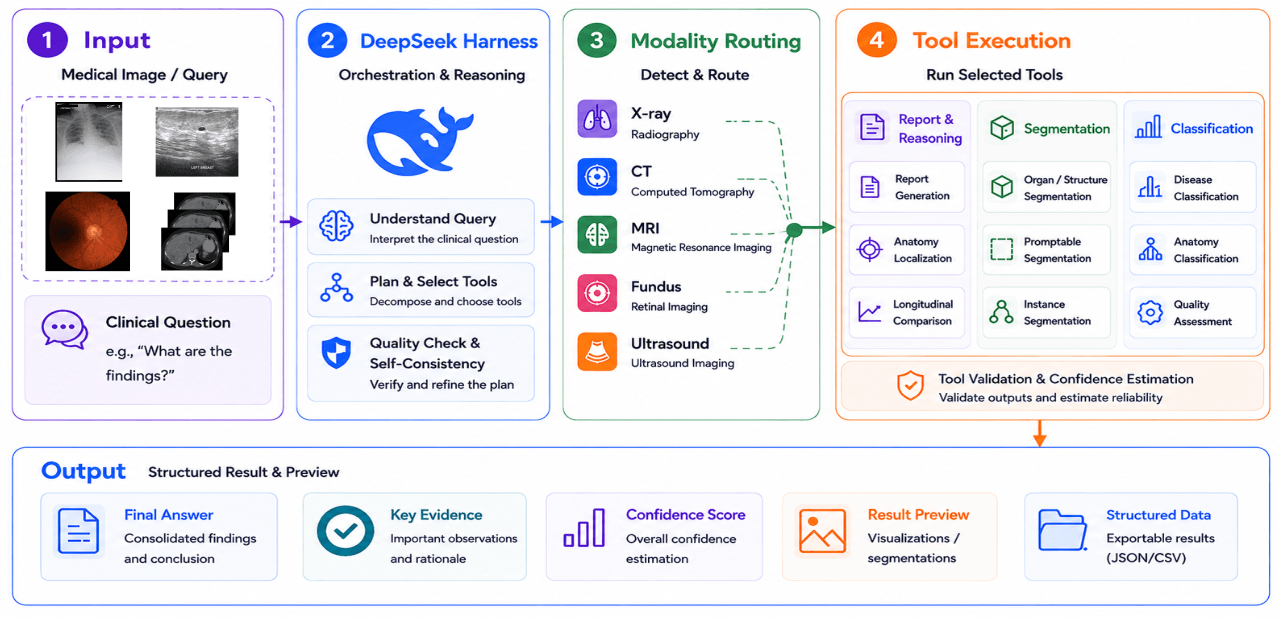 bowang-lab/dsh-medomni
deepseek harness plugin for medical image analysis
bowang-lab/dsh-medomni
deepseek harness plugin for medical image analysis
- EDMOK/claude-vision-mcp MCP server empowering text-only LLMs with image analysis via any OpenAI-compatible vision API