
dreamor/MemVault
MemVault — The Shared Memory Layer for Every AI Agent You Run. MCP-native memory router with auto-injection, hybrid search, and zero-config sync.
Project Overview项目介绍
MemVault is an open-source, self-hosted shared memory layer built in Rust that ships as an MCP-native server rather than a DSH-specific extension. It exposes 18 tools and 2 resources over SSE plus a REST API, and the README explicitly markets itself to Claude Code, Claude Desktop, Cursor, Cline, Continue, and DeepSeek Harness (dsh) — any MCP-compatible client that registers the server immediately begins sharing the same persistent memory store. Installation is performed through the official curl-bootstrap script on Linux/macOS, a PowerShell script on Windows, the dreamor/tap/memvault Homebrew formula, or cargo install memvault-cli memvault-mcp from crates.io, after which a single MCP server registration in the chosen client is sufficient to wire it up.
A typical workflow starts with memvault save --content "..." --priority MUST --type preference --instruction "..." --tags "..." to record durable preferences, project conventions, or past decisions. MemVault's core pipeline stores entries in SQLite, runs hybrid retrieval combining BM25 and vector search with reciprocal rank fusion and synonym expansion, and applies deduplication, decay, and an agent router that filters by type or tag before auto-injecting context into new sessions. The intended audience includes multi-agent power users running mixed vendor stacks, platform teams needing consistent code review or architecture conventions across a heterogeneous agent fleet, and individual developers tired of repeating the same instructions to different AI tools.
Dependencies center on a stable Rust toolchain, with optional Docker images and Homebrew taps for distribution; the project is in beta, configuration is environment-driven through .env.example, and every change is logged in CHANGELOG.md. Quality gates require approximately 1000 cargo tests, zero clippy warnings, and line coverage of at least 92%. First-run caveats include generating an access token and pasting it into each MCP client configuration, no per-agent SDK lock-in means migrations stay minimal, and the dashboard or Obsidian exports ship as separate artifacts reviewed in docs/RELEASING.md and docs/DISTRIBUTION.md.
MemVault 是一个开源、自托管的 MCP 共享记忆层,作为独立的 Rust 应用通过标准 Model Context Protocol 服务接入各类智能体客户端。它通过 SSE 与 REST 提供 18 个工具与 2 个资源,支持 Claude Code、Claude Desktop、Cursor、Cline、Continue、DeepSeek Harness(dsh)等任何 MCP 兼容的代理;用户通过 curl ... install.sh | bash、brew install dreamor/tap/memvault 或 cargo install memvault-cli memvault-mcp 安装,再在客户端注册 MCP 服务器即可。
典型工作流是用 memvault save --priority MUST 写入偏好或决策,MemVault 后台用 SQLite 存储、BM25 加向量混合检索(RRF 融合、同义词扩展)以及去重/衰减流水线处理,并在新会话开始时按代理路由自动注入上下文。它面向多代理并行的个人用户、平台团队以及希望避免反复口述上下文的开发者,可让不同厂商、不同形态的代理共享同一份长期记忆。
依赖方面,Rust 稳定工具链是核心要求;可选 Docker 部署、Homebrew 与 crates.io 分发;当前处于 beta 阶段,配置由 .env.example 驱动,所有变更记录在 CHANGELOG.md。测试套件约 1000 例,要求行覆盖 ≥92%,clippy 零警告;协议本身不锁定特定 SDK,因此首启需自行生成 token 并在各客户端中粘贴启用。
请帮我安装这个 DSH 插件。安装前先完成【兼容性检查 + 安全性检查】,检查通过再动手。

插件:MemVault(dreamor/MemVault)
仓库:https://github.com/dreamor/MemVault
本站详情页:https://www.yhbd.top/plugins/dreamor-memvault/
本站登记:类型 client · 归类 多平台兼容工具(非 DSH 原生) · 许可证 MIT · ⭐ 2 · 最近提交 2026-09-30 · 主语言 Rust · 未检测到 DSH 插件清单

按下面顺序执行,每步先把结论告诉我,再进入下一步:

【1 兼容性检查】
① 我这边:DSH 版本、Node 版本、操作系统、当前 profile(web / desktop)。
② 读它的 README、package.json、插件 manifest,列出它要求的 DSH 版本 / Node 版本 / 操作系统 / 外部依赖 / 需要另外先装的运行时。
③ 逐条比对,结论只写「满足 / 不满足 / 未知」三种;不满足的给出可行替代方案。
④ 检查是否和我已装的插件冲突:命令名重复、skill / tool 重名、端口占用、重复注册的 MCP server。

【2 安全性检查】
① 仓库可信度:和上面「本站登记」是否一致;star / fork 数、创建时间、最近提交,是否归档或长期停更。
② 安装脚本:逐行看 package.json 的 preinstall / install / postinstall,以及 install.sh、setup.ps1 之类脚本。出现 curl|bash、下载后直接执行、混淆代码、访问与插件功能无关的域名,立刻停下来告诉我,不要继续装。
③ 依赖:列出新增依赖,标出无人维护、或与知名包拼写近似的可疑包(typosquatting)。
④ 权限与副作用:它会读写哪些目录、访问哪些域名、需要哪些 DSH 权限(filesystem / network / shell / clipboard 等),以及怎么卸载和回滚。
⑤ 如果它要求 sudo / 管理员权限,或权限明显超出功能所需,先停下来问我。

【3 安装】
上面两步没有「不满足」和「高危项」时才执行;用官方推荐方式安装,不要自行提权。

【4 汇报】
用表格输出:检查项 / 结论 / 依据 / 是否需要我决策。拿不准的一律写「未知」并说明要我怎么确认——不要猜,也不要替我决定。
Send this message to DSH in your current session: it verifies compatibility and security first (answering met / not met / unknown item by item) and only installs once everything checks out — it will stop and ask you if it finds a high-risk item. The box scrolls; the copy is the full prompt. CLI install commands may not be accurate across systems, so DSH is the safer route.把上面这条消息直接发给当前会话里的 DSH:它会先核对兼容性与安全性(逐条给「满足 / 不满足 / 未知」),确认没问题再安装,有高危项会停下来问你。框内可滚动,复制到的是完整提示词;安装命令不一定准确,发给 DSH 更稳。
- Only 2 stars - very few users, little community feedback星标只有 2,几乎没人在用,遇到问题缺少社区反馈
- No DSH plugin manifest detected - it may only carry the dsh-plugin topic, so the install method must be confirmed on the spot未检测到 DSH 插件清单:可能只是打了 dsh-plugin 话题,安装方式要现场确认
- Not DSH-native: a multi-platform tool that may require Node / Electron or another runtime first非 DSH 原生,是多平台兼容工具:可能要先装 Node / Electron 等运行时
- Desktop client: installation downloads an executable - verify the publisher and checksums桌面客户端:安装会下载可执行文件,请核对发布者与校验和
DSH walks through these 9 checksDSH 会逐条核对这 9 项
Compatibility兼容性
- DSH, Node, OS and profile requirementsDSH 版本 / Node 版本 / 操作系统 / profile 是否满足要求
- External dependencies and runtimes (Electron / Python / Docker, ...)外部依赖与运行时(Electron / Python / Docker 等)是否齐备
- Conflicts with installed plugins: command names, skill / tool names, ports, duplicate MCP registration与已装插件是否冲突:命令名、skill / tool 重名、端口占用、重复 MCP 注册
Security安全性
- Repo matches the facts registered here; archived or abandoned?仓库是否与页面登记一致,是否归档或长期停更
- Safety of preinstall / install / postinstall and install.sh / setup.ps1preinstall / install / postinstall 与 install.sh、setup.ps1 是否安全
- curl|bash, download-then-execute, obfuscation, unrelated domains → stop immediatelycurl|bash、下载即执行、混淆代码、无关域名 → 立刻停止
- Typosquatting or unmaintained packages among the new dependencies新增依赖里有没有 typosquatting 或无人维护的包
- Requested permissions vs. what the feature actually needs申请了哪些权限、是否超出功能所需(filesystem / network / shell / clipboard)
- Any sudo / admin requirement, plus uninstall and rollback是否要求 sudo / 管理员权限,以及卸载与回滚方式
Anything uncertain must be marked unknown with a note on how to confirm it. This site's signal screen is a static snapshot, not a security audit.拿不准的必须标「未知」并说明要我怎么确认。本站的信号筛查是静态快照,不能替代安全审计。
Or use CLI install (for developers)或使用命令行安装(适合开发者)
CLI Install命令行安装
dsh plugin --profile web add github:dreamor/MemVault把 dreamor/MemVault 加入你的 DSH 配置(web profile)即可启用。
READMEREADME

MemVault
The Shared Memory Layer for Every AI Agent You Run
Not "agent learns to search memory" — memory finds the agent.
MCP Native · Hybrid Retrieval · Auto-Injection · Zero-Config Sync
Open Source · Self-Hosted · Private · MIT Licensed



English · 简体中文
If MemVault solves a real problem for you, a star helps others find it.
curl -fsSL https://raw.githubusercontent.com/dreamor/memvault/master/scripts/install.sh | bash
Every AI agent session starts from scratch. Claude Desktop doesn't know what Cursor just learned. DeepSeek Harness (dsh) doesn't know what you told Claude Code yesterday. Whatever agent you're running — international or domestic, IDE plugin or CLI harness — it forgets your preferences every time you start a new conversation.
You've been manually repeating context — project conventions, personal preferences, past decisions — across agents that should already know. This isn't a limitation of the models. It's a missing infrastructure layer.
Showing the opening section of the README — the full document lives in the repository以上为 README 开头摘要,完整文档在仓库内 · View the full README on GitHub →在 GitHub 查看完整 README →
Related相关推荐
-
 EverMind-AI/EverOS
One portable memory layer for every AI agent: local-first, Markdown-native, user-owned, and self-evolving across apps, t…
EverMind-AI/EverOS
One portable memory layer for every AI agent: local-first, Markdown-native, user-owned, and self-evolving across apps, t…
-
 MemTensor/MemOS
Self-evolving memory OS for LLM & AI Agents: ultra-persistent memory, hybrid-retrieval, and cross-task skill reuse, with…
MemTensor/MemOS
Self-evolving memory OS for LLM & AI Agents: ultra-persistent memory, hybrid-retrieval, and cross-task skill reuse, with…
-
 plastic-labs/honcho
Memory library for building stateful agents
plastic-labs/honcho
Memory library for building stateful agents
-
 PerryLink/dsh-memento
Bounded, layered, approval-gated, auditable cross-session memory for DeepSeek Harness (capability seam: ctx.memory + SQL…
PerryLink/dsh-memento
Bounded, layered, approval-gated, auditable cross-session memory for DeepSeek Harness (capability seam: ctx.memory + SQL…
-
 diqierjia/StrataGate-AgentMemory
Recent memories stay detailed. Older ones grow concise. Important ones live on.近期记忆保持详细,旧记忆逐渐精简,重要记忆长期存在。
diqierjia/StrataGate-AgentMemory
Recent memories stay detailed. Older ones grow concise. Important ones live on.近期记忆保持详细,旧记忆逐渐精简,重要记忆长期存在。
-
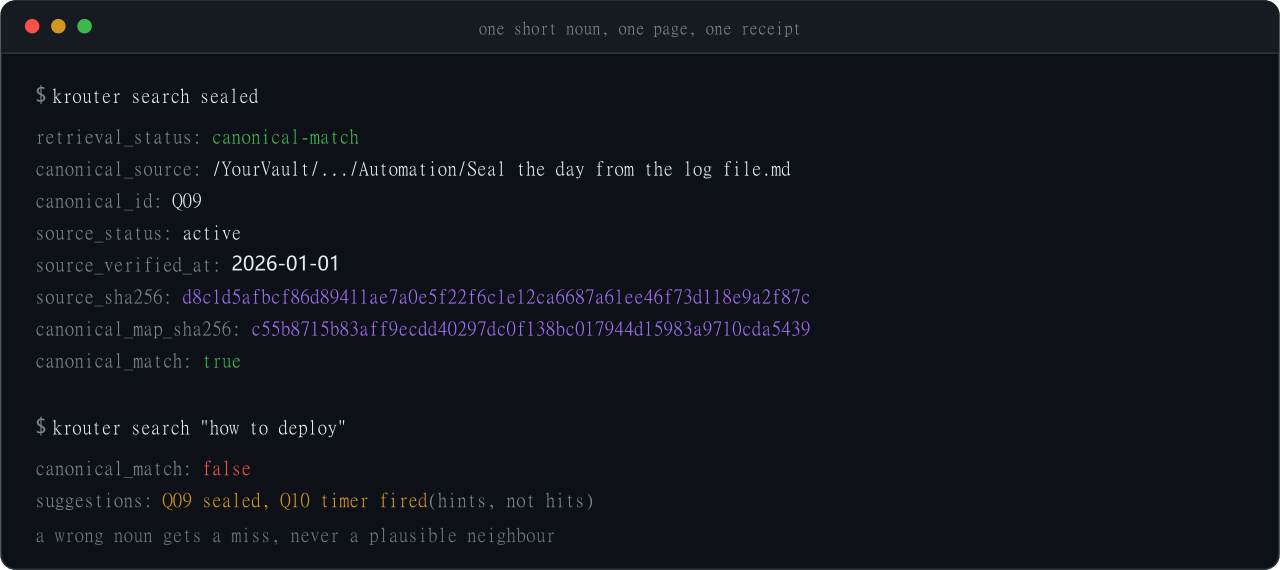 398894496-arch/DSH-KRouter
Second brain for coding agents. Seal the day, distill into Obsidian, hit that page tomorrow. Cursor, Codex, Claude Code,…
398894496-arch/DSH-KRouter
Second brain for coding agents. Seal the day, distill into Obsidian, hit that page tomorrow. Cursor, Codex, Claude Code,…
-
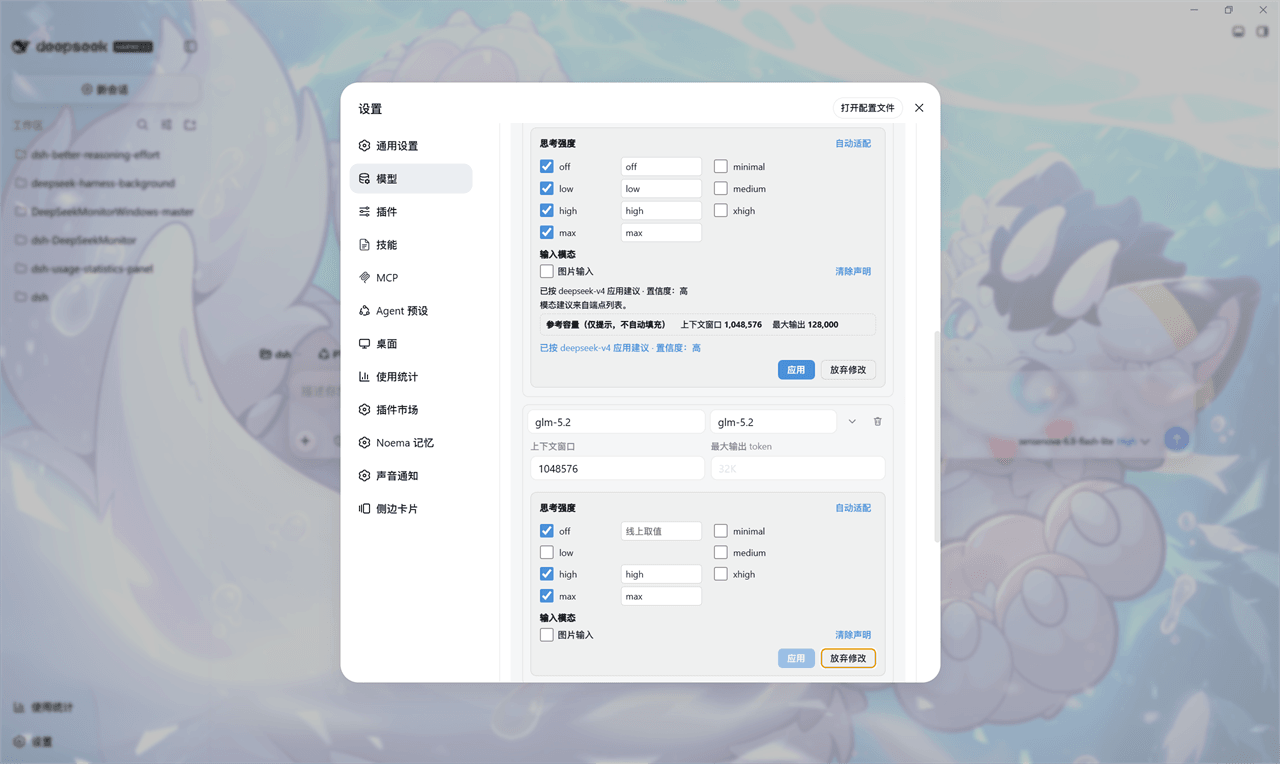 HaoyueQin/dsh-better-reasoning-effort
Reasoning-effort editing for third-party models in DeepSeek Harness: per-model thinking levels with a knowledge base + p…
HaoyueQin/dsh-better-reasoning-effort
Reasoning-effort editing for third-party models in DeepSeek Harness: per-model thinking levels with a knowledge base + p…
-
 fishzjp/qa-skills
让 AI 像资深测试工程师一样工作:面向 AI Agent 的测试工程 Skill 框架——11 Skills + 共享知识库 + 类型决策矩阵(Claude Code / dsh 等 Agent 可用)
fishzjp/qa-skills
让 AI 像资深测试工程师一样工作:面向 AI Agent 的测试工程 Skill 框架——11 Skills + 共享知识库 + 类型决策矩阵(Claude Code / dsh 等 Agent 可用)