Drifter-yh/dsh-tool-policy
DeepSeek Harness 的声明式默认拒绝工具策略插件
Project Overview项目介绍
This is a native tool policy plugin built exclusively for DeepSeek Harness. It intercepts tool calls before execution to apply allow, ask, or deny rules, adding a declarative deny-by-default policy layer for built-in, third-party, and MCP tools. It can be installed via npm or directly from GitHub using the official DSH plugin CLI command. When installing from GitHub, you need to pin a specific commit hash and add an entry to your profile’s pnpm-workspace.yaml allowlist if using pnpm 10 or newer to unblock the build prepare script. It depends on specified version ranges of Cordis and DSH core packages to run correctly.
Common use cases include allowing selected tool namespaces such as all read_* tools, requiring human approval for all external MCP tools matching the mcp__* pattern, blocking known destructive commands before execution, setting up a strict allowlist for unattended background jobs, and stripping sensitive arguments from policy feedback messages. It is designed for production deployments that need a consistent deployment-level policy layer that applies to all tool types used in a DeepSeek Harness instance. Unlike the existing Harness capability sandbox that enforces broad access controls, this plugin adds fine-grained per-call policy checks. Teams can pair it with DeepSeek Harness’s built-in sandbox capability to get complementary layers of security for all tool execution workflows.
This plugin is released under the permissive MIT open source license. It has several documented limitations: rules are global to a deployment, so you need to use multiple Cordis contexts if different agents require separate policy rules. Matching only supports simple conditions like string containment or scalar equality, not a full general-purpose expression language. It also does not replace DeepSeek Harness’s built-in sandbox-based capability enforcement, so production deployments must pair it with the Harness sandbox for full security. It relies on DeepSeek Harness’s existing approval service for any ask-routed tool calls, so you do not get a separate user interface from this plugin. To contribute to the project, developers can run common pnpm commands for type checking, linting, testing, and building the package locally.
这是专为DeepSeek Harness开发的原生插件,用于在工具调用执行前应用允许、请求人工批准或拒绝三种规则,为内置工具、第三方工具和MCP工具提供默认拒绝的声明式策略层,复用DeepSeek Harness现有的批准和沙箱机制。它仅作为每次工具调用的前置策略检查层,不替代DeepSeek Harness原有的功能沙箱,支持按工具命名空间、参数模式匹配自定义规则。
典型使用场景包括放行指定工具命名空间(如read_*类读工具)、要求MCP等外部工具调用必须获得人工批准、提前拦截已知破坏性命令模式、为无人值守任务配置默认拒绝的允许列表、隐藏策略反馈消息中的敏感参数值。它适合需要对DeepSeek Harness工具调用进行统一部署层管控的团队或生产环境使用。
插件遵循DeepSeek Harness的打包规范,可通过npm或GitHub直接安装,依赖指定版本范围的Cordis和DSH工具包,采用MIT许可证开源。当前存在一些限制,比如规则是全局部署的、不支持通用表达式语言、依赖DSH原有的批准服务,需和DSH沙箱搭配使用才能达到完整安全效果。
请帮我安装这个 DSH 插件。安装前先完成【兼容性检查 + 安全性检查】,检查通过再动手。

插件:dsh-tool-policy(Drifter-yh/dsh-tool-policy)
仓库:https://github.com/Drifter-yh/dsh-tool-policy
本站详情页:https://www.yhbd.top/plugins/drifter-yh-dsh-tool-policy/
本站登记:类型 plugin · 归类 原生 DSH 插件 · 许可证 MIT · ⭐ 3 · 最近提交 2026-09-20 · 主语言 TypeScript

按下面顺序执行,每步先把结论告诉我,再进入下一步:

【1 兼容性检查】
① 我这边:DSH 版本、Node 版本、操作系统、当前 profile(web / desktop)。
② 读它的 README、package.json、插件 manifest,列出它要求的 DSH 版本 / Node 版本 / 操作系统 / 外部依赖 / 需要另外先装的运行时。
③ 逐条比对,结论只写「满足 / 不满足 / 未知」三种;不满足的给出可行替代方案。
④ 检查是否和我已装的插件冲突:命令名重复、skill / tool 重名、端口占用、重复注册的 MCP server。

【2 安全性检查】
① 仓库可信度:和上面「本站登记」是否一致;star / fork 数、创建时间、最近提交,是否归档或长期停更。
② 安装脚本:逐行看 package.json 的 preinstall / install / postinstall,以及 install.sh、setup.ps1 之类脚本。出现 curl|bash、下载后直接执行、混淆代码、访问与插件功能无关的域名,立刻停下来告诉我,不要继续装。
③ 依赖:列出新增依赖,标出无人维护、或与知名包拼写近似的可疑包(typosquatting)。
④ 权限与副作用:它会读写哪些目录、访问哪些域名、需要哪些 DSH 权限(filesystem / network / shell / clipboard 等),以及怎么卸载和回滚。
⑤ 如果它要求 sudo / 管理员权限,或权限明显超出功能所需,先停下来问我。

【3 安装】
上面两步没有「不满足」和「高危项」时才执行;用官方推荐方式安装,不要自行提权。

【4 汇报】
用表格输出:检查项 / 结论 / 依据 / 是否需要我决策。拿不准的一律写「未知」并说明要我怎么确认——不要猜,也不要替我决定。
Send this message to DSH in your current session: it verifies compatibility and security first (answering met / not met / unknown item by item) and only installs once everything checks out — it will stop and ask you if it finds a high-risk item. The box scrolls; the copy is the full prompt. CLI install commands may not be accurate across systems, so DSH is the safer route.把上面这条消息直接发给当前会话里的 DSH:它会先核对兼容性与安全性(逐条给「满足 / 不满足 / 未知」),确认没问题再安装,有高危项会停下来问你。框内可滚动,复制到的是完整提示词;安装命令不一定准确,发给 DSH 更稳。
- Only 3 stars - very few users, little community feedback星标只有 3,几乎没人在用,遇到问题缺少社区反馈
DSH walks through these 9 checksDSH 会逐条核对这 9 项
Compatibility兼容性
- DSH, Node, OS and profile requirementsDSH 版本 / Node 版本 / 操作系统 / profile 是否满足要求
- External dependencies and runtimes (Electron / Python / Docker, ...)外部依赖与运行时(Electron / Python / Docker 等)是否齐备
- Conflicts with installed plugins: command names, skill / tool names, ports, duplicate MCP registration与已装插件是否冲突:命令名、skill / tool 重名、端口占用、重复 MCP 注册
Security安全性
- Repo matches the facts registered here; archived or abandoned?仓库是否与页面登记一致,是否归档或长期停更
- Safety of preinstall / install / postinstall and install.sh / setup.ps1preinstall / install / postinstall 与 install.sh、setup.ps1 是否安全
- curl|bash, download-then-execute, obfuscation, unrelated domains → stop immediatelycurl|bash、下载即执行、混淆代码、无关域名 → 立刻停止
- Typosquatting or unmaintained packages among the new dependencies新增依赖里有没有 typosquatting 或无人维护的包
- Requested permissions vs. what the feature actually needs申请了哪些权限、是否超出功能所需(filesystem / network / shell / clipboard)
- Any sudo / admin requirement, plus uninstall and rollback是否要求 sudo / 管理员权限,以及卸载与回滚方式
Anything uncertain must be marked unknown with a note on how to confirm it. This site's signal screen is a static snapshot, not a security audit.拿不准的必须标「未知」并说明要我怎么确认。本站的信号筛查是静态快照,不能替代安全审计。
Or use CLI install (for developers)或使用命令行安装(适合开发者)
CLI Install命令行安装
dsh plugin --profile my-profile add github:Drifter-yh/dsh-tool-policy#e6f43c255345a6f6bbab66ee8c053a2e5457e3c7把 Drifter-yh/dsh-tool-policy 加入你的 DSH 配置(web profile)即可启用。
READMEREADME
dsh-tool-policy
A DeepSeek Harness plugin that applies allow, ask, or deny rules to tool calls before they execute.
It provides a declarative, deny-by-default policy layer for built-in, third-party, and MCP tools, while reusing Harness's existing approval and sandbox mechanisms. It is a per-call policy layer, not a capability sandbox.
Community plugin. Not affiliated with or maintained by DeepSeek AI.
Repository: Drifter-yh/dsh-tool-policy
Why this is needed
DeepSeek Harness already has strong primitives for tool execution: sandbox policy, one-shot approval, cooperative timeouts, provider retries, repeat-call reminders, and session telemetry. What is missing is a deployment-owned policy layer that applies the same rule vocabulary to every tool, including third-party and MCP tools.
Typical uses include:
- allow selected tool namespaces or families such as
read_*; - require human approval for MCP or other external tools such as
mcp__*; - deny a known destructive command pattern before the matched tool body starts;
- run a deny-by-default tool-call allowlist for unattended jobs;
- keep sensitive argument values out of policy feedback messages.
A typical call path looks like this:
Agent wants to call a tool
          |
          v
    dsh-tool-policy
          |
   +------+------+
   |      |      |
 allow   ask    deny
   |      |      |
continue Harness stop before
pipeline approval tool body
The plugin is intentionally not an audit logger or approval implementation. The Harness already owns those seams.
Security model
The plugin operates on individual tool calls. Its rules match observable tool names and optional argument patterns before the tool body runs:
- Harness sandbox — capability enforcement: Can this agent perform this class of operation at all? Harness sandboxing and runtime isolation are the layers responsible for enforcing capabilities such as filesystem writes or deletes, network access, and process execution.
- dsh-tool-policy — per-call policy / routing: Should this particular known tool call be allowed, denied, or escalated? A matching
denyprevents that call from executing; it does not revoke the underlying capability. - Harness Approval — human escalation verdict: Should an escalated
askcall receive a one-shot human verdict?
Showing the opening section of the README — the full document lives in the repository以上为 README 开头摘要,完整文档在仓库内 · View the full README on GitHub →在 GitHub 查看完整 README →
Related相关推荐
-
 chaojixinren/dsh-reviewer-bot
原生 DeepSeek Harness 插件形态的代码评审机器人:跨代码平台、规则可插拔、可本地重放。
chaojixinren/dsh-reviewer-bot
原生 DeepSeek Harness 插件形态的代码评审机器人:跨代码平台、规则可插拔、可本地重放。
-
 boe1900/owndsh
The Self-Hosted Control Plane for DeepSeek-Harness
boe1900/owndsh
The Self-Hosted Control Plane for DeepSeek-Harness
- Aeternus123/dsh-rtk-filter
-
 0lidaxiang/dsh-plugin-greet
DeepSeek Harness is a plugin-based system for building AI agents. Everything, from tools and models to the web UI, can b…
0lidaxiang/dsh-plugin-greet
DeepSeek Harness is a plugin-based system for building AI agents. Everything, from tools and models to the web UI, can b…
- aerince/dsh-models-dev-reasoning Add models.dev reasoning levels to unconfigured third-party DeepSeek Harness models.
-
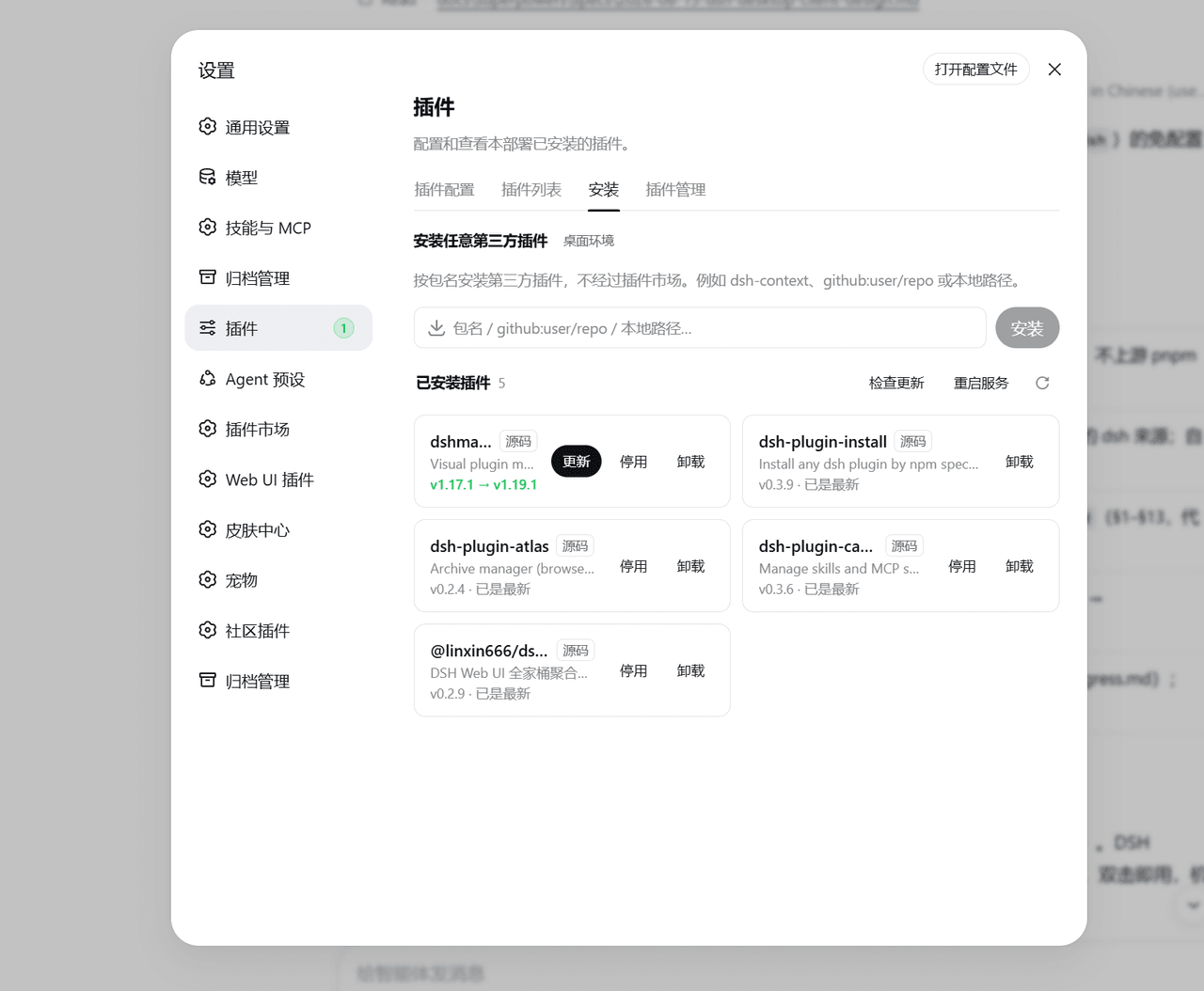 qinyre/dsh-plugin-install
给 dsh 设置页加「安装」标签页,按包名安装任意第三方插件。
qinyre/dsh-plugin-install
给 dsh 设置页加「安装」标签页,按包名安装任意第三方插件。
-
 zhn1100/dsh-forge
Reproducible DeepSeek Harness plugin development environment
zhn1100/dsh-forge
Reproducible DeepSeek Harness plugin development environment
-
 annexwu/dsh-cos