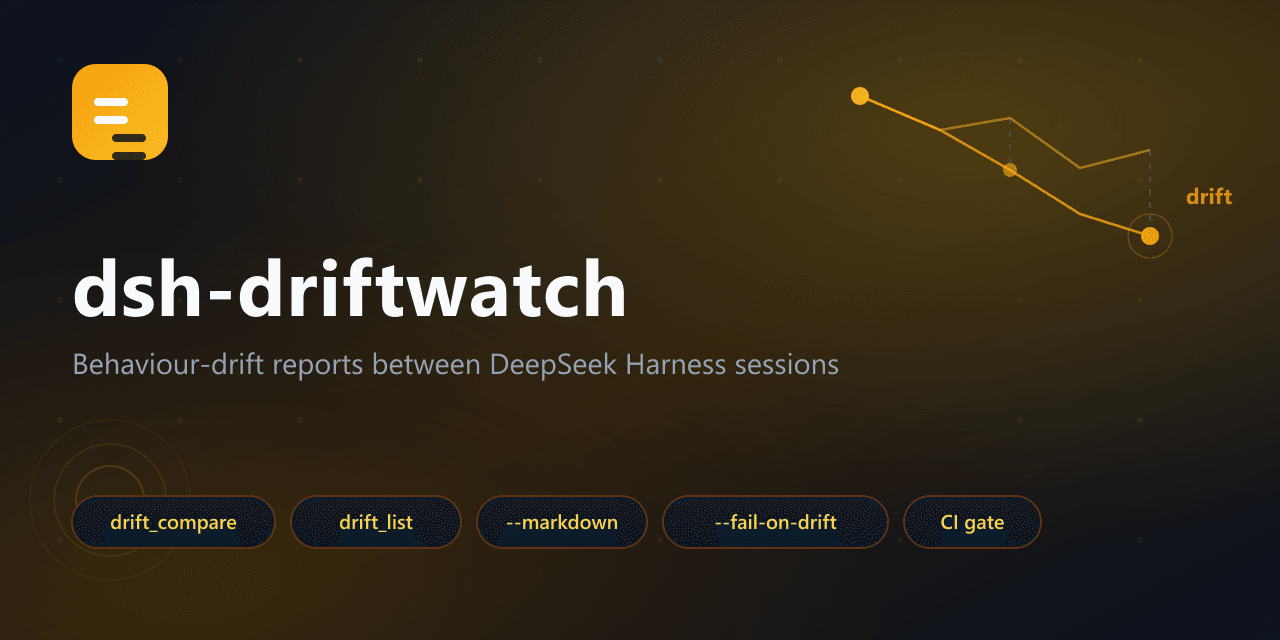
Edge-Echo/dsh-driftwatch
Behavior-drift reports for DeepSeek Harness agents: compare two session logs and see exactly how behavior changed — tool sequence, file operations, reasoning volume, timing, retries — zero dependencies, CI-ready.
Project Overview项目介绍
dsh-driftwatch is a behavior-drift comparison tool built specifically for DeepSeek Harness (DSH) agents. It reads two session logs and produces a structured drift report covering tool-call sequence alignment (40% weight), per-tool mix deltas (25%), record/turn/reasoning/retry metrics (20%), and file-target diffs (15%), collapsing them into a single 0–100 score with stable (<10), moderate (10–34), and significant (≥35) tiers. It is installed either directly through npx dsh-driftwatch list / npx dsh-driftwatch compare A B --markdown report.md --fail-on-drift 35, or as a native DSH plugin via dsh plugin --profile web add dsh-driftwatch, after which the agent itself gains two callable tools, drift_compare and drift_list, for in-context comparison.
The intended workflow is to capture a baseline run, change a prompt, plugin, or model, run a candidate, then generate a drift report and optionally gate it in CI using --fail-on-drift; a GitHub Actions example is provided that uploads the markdown artifact. DriftWatch deliberately does not assert correctness or render trajectories, so it sits alongside dsh-replay (debugging), dsh-eval-harness (assertions), dsh-session-snapshot (fixtures), and dsh-windtunnel (deterministic contracts) rather than replacing them. It targets DSH maintainers, evaluation engineers, and regression-conscious developers who already trust the append-only .jsonl.zstd session logs.
The only runtime dependency is @edge-echo/dsh-ledger, which walks RFC 8878 zstd frame boundaries without decoding — locating 34,729 frames in 27 ms — keeping the whole package free of third-party runtime code; both packages ship under MIT. Limits are explicit: unknown record types are tolerated defensively, LCS alignment caps at 4 M cell pairs before falling back to multiset overlap with a note, and DriftWatch compares behavior, never correctness. First-run caveat: point --baseline and --candidate at session ids, prefixes, or paths under $DSH_HOME/sessions and set thresholds yourself.
dsh-driftwatch 是面向 DeepSeek Harness(DSH)的行为漂移比对工具,可读取两份会话日志并输出结构化漂移报告,覆盖工具调用序列、工具组合、文件目标、推理量、重试与耗时等信号,汇总为 0–100 分并划分稳定/中等/显著三档。它通过 npx dsh-driftwatch list 与 npx dsh-driftwatch compare A B 直接使用,也可由 dsh plugin --profile web add dsh-driftwatch 安装为 DSH 原生插件,向智能体暴露 drift_compare 与 drift_list 两个工具。
典型流程是先收集一次基线会话,再修改提示词、插件或模型后跑一次候选会话,用 compare 生成漂移报告或 Markdown 摘要,借助 --fail-on-drift 在 CI 中设阈值闸门。它适合需要回归观测 DSH 智能体行为差异的开发者、评测工程师与平台维护者,并能与 dsh-replay、dsh-eval-harness 等互补。
唯一运行依赖是 @edge-echo/dsh-ledger,负责解析 DSH .jsonl.zstd 多帧结构而不解压,整链路无第三方运行时代码,许可为 MIT。已知限制:仅依赖 LCS 序列比对,超过 400 万单元回退为多重集重合并明示;不判定漂移是否可接受,比较的是行为而非正确性。
请帮我安装这个 DSH 插件。安装前先完成【兼容性检查 + 安全性检查】,检查通过再动手。

插件:dsh-driftwatch(Edge-Echo/dsh-driftwatch)
仓库:https://github.com/Edge-Echo/dsh-driftwatch
本站详情页:https://www.yhbd.top/plugins/edge-echo-dsh-driftwatch/
本站登记:类型 plugin · 归类 原生 DSH 插件 · 许可证 MIT · ⭐ 3 · 最近提交 2026-10-01 · 主语言 JavaScript

按下面顺序执行,每步先把结论告诉我,再进入下一步:

【1 兼容性检查】
① 我这边:DSH 版本、Node 版本、操作系统、当前 profile(web / desktop)。
② 读它的 README、package.json、插件 manifest,列出它要求的 DSH 版本 / Node 版本 / 操作系统 / 外部依赖 / 需要另外先装的运行时。
③ 逐条比对,结论只写「满足 / 不满足 / 未知」三种;不满足的给出可行替代方案。
④ 检查是否和我已装的插件冲突:命令名重复、skill / tool 重名、端口占用、重复注册的 MCP server。

【2 安全性检查】
① 仓库可信度:和上面「本站登记」是否一致;star / fork 数、创建时间、最近提交,是否归档或长期停更。
② 安装脚本:逐行看 package.json 的 preinstall / install / postinstall,以及 install.sh、setup.ps1 之类脚本。出现 curl|bash、下载后直接执行、混淆代码、访问与插件功能无关的域名,立刻停下来告诉我,不要继续装。
③ 依赖:列出新增依赖,标出无人维护、或与知名包拼写近似的可疑包(typosquatting)。
④ 权限与副作用:它会读写哪些目录、访问哪些域名、需要哪些 DSH 权限(filesystem / network / shell / clipboard 等),以及怎么卸载和回滚。
⑤ 如果它要求 sudo / 管理员权限,或权限明显超出功能所需,先停下来问我。

【3 安装】
上面两步没有「不满足」和「高危项」时才执行;用官方推荐方式安装,不要自行提权。

【4 汇报】
用表格输出:检查项 / 结论 / 依据 / 是否需要我决策。拿不准的一律写「未知」并说明要我怎么确认——不要猜,也不要替我决定。
Send this message to DSH in your current session: it verifies compatibility and security first (answering met / not met / unknown item by item) and only installs once everything checks out — it will stop and ask you if it finds a high-risk item. The box scrolls; the copy is the full prompt. CLI install commands may not be accurate across systems, so DSH is the safer route.把上面这条消息直接发给当前会话里的 DSH:它会先核对兼容性与安全性(逐条给「满足 / 不满足 / 未知」),确认没问题再安装,有高危项会停下来问你。框内可滚动,复制到的是完整提示词;安装命令不一定准确,发给 DSH 更稳。
- Only 3 stars - very few users, little community feedback星标只有 3,几乎没人在用,遇到问题缺少社区反馈
DSH walks through these 9 checksDSH 会逐条核对这 9 项
Compatibility兼容性
- DSH, Node, OS and profile requirementsDSH 版本 / Node 版本 / 操作系统 / profile 是否满足要求
- External dependencies and runtimes (Electron / Python / Docker, ...)外部依赖与运行时(Electron / Python / Docker 等)是否齐备
- Conflicts with installed plugins: command names, skill / tool names, ports, duplicate MCP registration与已装插件是否冲突:命令名、skill / tool 重名、端口占用、重复 MCP 注册
Security安全性
- Repo matches the facts registered here; archived or abandoned?仓库是否与页面登记一致,是否归档或长期停更
- Safety of preinstall / install / postinstall and install.sh / setup.ps1preinstall / install / postinstall 与 install.sh、setup.ps1 是否安全
- curl|bash, download-then-execute, obfuscation, unrelated domains → stop immediatelycurl|bash、下载即执行、混淆代码、无关域名 → 立刻停止
- Typosquatting or unmaintained packages among the new dependencies新增依赖里有没有 typosquatting 或无人维护的包
- Requested permissions vs. what the feature actually needs申请了哪些权限、是否超出功能所需(filesystem / network / shell / clipboard)
- Any sudo / admin requirement, plus uninstall and rollback是否要求 sudo / 管理员权限,以及卸载与回滚方式
Anything uncertain must be marked unknown with a note on how to confirm it. This site's signal screen is a static snapshot, not a security audit.拿不准的必须标「未知」并说明要我怎么确认。本站的信号筛查是静态快照,不能替代安全审计。
Or use CLI install (for developers)或使用命令行安装(适合开发者)
CLI Install命令行安装
dsh plugin --profile web add dsh-driftwatch把 Edge-Echo/dsh-driftwatch 加入你的 DSH 配置(web profile)即可启用。
READMEREADME
dsh-driftwatch
Part of the dsh-toolkit family: dsh-mcp-bridge · dsh-win-toolkit · dsh-netassist · dsh-driftwatch · mcp-netassist · dsh-ledger


Behavior-drift reports for DeepSeek Harness agents.
You changed a prompt, a plugin, or a model. Something feels different. But what changed — and by how much?
DriftWatch reads two session logs and tells you exactly how the agent's behavior diverged: tool-call sequence, tool mix, file targets, reasoning volume, retries, timing. Zero dependencies. CI-ready.
中文文档见 README.zh.md。
The problem
DSH logs everything (Model-visible means logged), so the evidence already exists — but reading a 59 MB trajectory by hand is not a workflow. Existing tools solve adjacent problems:
| Tool | Answers |
|---|---|
dsh-replay |
"show me this trajectory" (debugging) |
dsh-eval-harness |
"does this match my written expectations?" (assertions) |
dsh-session-snapshot |
"record this session so tests can rely on it" (fixtures) |
dsh-windtunnel |
"replay the pipeline with a scripted model" (deterministic contracts) |
dsh-driftwatch |
"how does this run differ from that run?" (comparison) |
dsh-replay diffs trajectories for debugging; dsh-eval-harness gates on assertions written in
advance. Neither answers the question in between: this run took a different path — is that a
problem? DriftWatch deliberately does not assert and does not render trajectories. It
produces a drift report: a structured, reviewable statement of behavioral change, plus an
optional threshold gate for CI.
Showing the opening section of the README — the full document lives in the repository以上为 README 开头摘要,完整文档在仓库内 · View the full README on GitHub →在 GitHub 查看完整 README →
Related相关推荐
-
 extracurricular-ai/dsh-filesnap
DSH Rewind & Redo — by FileSnap. 把对话和它改过的文件一起恢复到某一轮之前(受claude code rewind启发并改进),不需要 git 仓库,并且可以撤销恢复(redo受opencode启发并改进),…
extracurricular-ai/dsh-filesnap
DSH Rewind & Redo — by FileSnap. 把对话和它改过的文件一起恢复到某一轮之前(受claude code rewind启发并改进),不需要 git 仓库,并且可以撤销恢复(redo受opencode启发并改进),…
-
 SenmuuuuW/dsh-whale-report
深迹 DeepTrace — Your Agent, in numbers. DSH 插件:从会话事件日志生成日报/周报/月报/年报/自定义区间,确定性洞察与协作复盘,只读、不改写历史。
SenmuuuuW/dsh-whale-report
深迹 DeepTrace — Your Agent, in numbers. DSH 插件:从会话事件日志生成日报/周报/月报/年报/自定义区间,确定性洞察与协作复盘,只读、不改写历史。
-
 SnowCrescenter-tech/dsh-milestone
Git-style milestone timeline for DeepSeek Harness - hover for metadata, click to jump to any message. 会话里程碑导航条:像 Git 提交图…
SnowCrescenter-tech/dsh-milestone
Git-style milestone timeline for DeepSeek Harness - hover for metadata, click to jump to any message. 会话里程碑导航条:像 Git 提交图…
-
 PerryLink/dsh-checkpoint-rewind
Claude Code /rewind for DeepSeek Harness — git-first workspace snapshots before every mutation, turn-boundary session fo…
PerryLink/dsh-checkpoint-rewind
Claude Code /rewind for DeepSeek Harness — git-first workspace snapshots before every mutation, turn-boundary session fo…
- giter00/dsh-headroom deepSeek harness上下文压缩工具
- PerryLink/dsh-session-sync Cross-device DeepSeek Harness session sync: a dedicated git mirror with append-only keep-both conflict resolution (fork …
-
 XieZongChen/dsh-md-notes
A note-taking plugin for DeepSeek Harness (DSH). It provides a full MD notes manager and MD notes editor, letting you qu…
XieZongChen/dsh-md-notes
A note-taking plugin for DeepSeek Harness (DSH). It provides a full MD notes manager and MD notes editor, letting you qu…
-
 TencentCloud/tencentcloud-agentobs-sdk-dsh
tencentcloud-agentobs-sdk-dsh 是一个 DeepSeek Harness (DSH) 可观测插件,直接将 GenAI trace 数据上报到腾讯云日志服务 (CLS)。 它观察 DSH 原生的 session、…
TencentCloud/tencentcloud-agentobs-sdk-dsh
tencentcloud-agentobs-sdk-dsh 是一个 DeepSeek Harness (DSH) 可观测插件,直接将 GenAI trace 数据上报到腾讯云日志服务 (CLS)。 它观察 DSH 原生的 session、…