Fish121380/auto-mouse
Windows desktop UI context picker for AI agents: select windows, UI elements, or screen regions with hover highlighting, UI Automation, screenshots, local OCR, and user-approved MCP output. Works with OpenAI Codex, DeepSeek Harness, and other MCP-compatible clients.
Project Overview项目介绍
Little Mouse Pointer is a Windows desktop UI context picker for AI agents. It lets users select windows, UI elements, or screen regions and captures context via UI Automation, screenshots, and native OCR, then delivers the result to MCP clients like Codex and DeepSeek Harness after confirmation. Use it when an agent needs real desktop UI state as model input. It runs only on Windows x64, defaults to port 49153, ships self-contained, and requires closing prior instances before launch.
Little Mouse Pointer 是一款面向 AI agent 的 Windows 桌面 UI context picker。鼠标可选窗口、UI 元素或屏幕区域,通过 UI Automation、截图和本机 OCR 获取上下文,确认后经 MCP 投递给 Codex、Harness 等客户端。适用于需把桌面 UI 状态作为模型输入的自动化与辅助场景。仅支持 Windows x64,默认端口 49153,发行包已 self-contained,运行前需关闭旧实例。
请帮我了解并安装插件:【auto-mouse】【https://github.com/Fish121380/auto-mouse】Send this message to DSH in your current session. CLI install commands may not be accurate across systems — DSH will figure it out for you.把上面这条消息直接发给当前会话里的 DSH,让它帮你了解并安装。安装命令不一定准确,发给 DSH 更稳。
Or use CLI install (for developers)或使用命令行安装(适合开发者)
CLI Install命令行安装
dsh plugin --profile demo add github:Fish121380/auto-mouse#v0.1.1把 Fish121380/auto-mouse 加入你的 DSH 配置(web profile)即可启用。
READMEREADME
Little Mouse Pointer
本仓库提供 Little Mouse Pointer:一个面向 AI agent 的 Windows 桌面 UI context picker。用户可以用鼠标选择窗口、UI 元素或屏幕区域,通过 UI Automation、截图和本机 OCR 获取上下文,并在确认后通过 MCP 提供给 OpenAI Codex、DeepSeek Harness 或其他兼容客户端。
插件目录为 plugins/little-mouse-pointer。完整功能、协议和运行时说明见插件目录中的 README。
文档导航
- 新手教程:第一次安装、首次选取和常见问题的完整流程。
- 新手安装检查表:按 Codex、DeepSeek Harness 和手动运行场景逐项确认。
- 插件完整 README:功能、使用流程、隐私限制和故障边界。
- 运行时说明:self-contained 运行包、
run.ps1和 MCP stdio 行为。 - DeepSeek Harness 配置:bundle 不可用时的手工 Cordis 配置。
- 协议说明:工具输出字段和确认流程。
从 GitHub 安装到 Codex
在 PowerShell 中执行下面的命令,把 OWNER/REPOSITORY 替换成实际 GitHub 仓库:
codex plugin marketplace add OWNER/REPOSITORY --ref main
codex plugin add little-mouse-pointer@auto-mouse
如果只需要下载插件目录,可以使用 GitHub release zip,或在本地安装 plugins/little-mouse-pointer 这一层。不要把仓库根目录误当成直接插件根目录。
接入 DeepSeek Harness
复制 中文安装检查表 或 English installation checklist,再参考 DeepSeek Harness 配置,把路径改成实际目录。MCP stdio 必须直接启动:
plugins/little-mouse-pointer/app/MousePointer.Windows.exe
不要通过 run.ps1 作为 MCP stdio bridge;run.ps1 只用于手动启动 GUI 和 self-test。
从 GitHub 直接安装 Harness bundle
仓库根目录同时提供符合 Harness dsh.bundle 规范的安装包。建议固定发行版 tag:
dsh plugin --profile demo add github:Fish121380/auto-mouse#v0.1.1
dsh --profile demo --dump-config
该 bundle 会自动定位自己携带的 Windows x64 exe,并注册 @deepseek-ai/dsh-mcp-client。它只适用于 Windows x64;端口可在 profile 的 cordis.patch.yml 中覆盖:
- replace:
    - id: little-mouse-pointer
      config:
        port: 49154
安装前检查
- Windows 10/11 x64。
- 不需要安装 .NET,发行包已经 self-contained。
- 保留
plugins/little-mouse-pointer/app的全部文件。 - 默认端口为
49153,endpoint 和MOUSE_POINTER_HTTP_PORT必须一致。 - Codex/Harness 运行前关闭旧的 Little Mouse Pointer 实例。
- MCP 工具为
ui_context_pick、ui_context_current、ui_context_clear。
Related相关推荐
-
 ZSeven-W/dsh-ios
DeepSeek Harness (DSH) plugin: a live iOS Simulator — and a USB-connected iPhone — inside the conversation. 22 agent too…
ZSeven-W/dsh-ios
DeepSeek Harness (DSH) plugin: a live iOS Simulator — and a USB-connected iPhone — inside the conversation. 22 agent too…
-
 a903067276-rgb/dsh-file-upload
One upload button plus drag-and-drop files into the conversation as local paths: save to project uploads/, path text int…
a903067276-rgb/dsh-file-upload
One upload button plus drag-and-drop files into the conversation as local paths: save to project uploads/, path text int…
-
 AnacondaKC/dsh-douyin
DSH WebUI 侧栏短视频插件:原生播放器、系列导航、直链解析与精确历史回放
AnacondaKC/dsh-douyin
DSH WebUI 侧栏短视频插件:原生播放器、系列导航、直链解析与精确历史回放
-
 nexu-io/open-design
🎨 Best DeepSeek Harness Design Plugin. The open-source Claude Design alternative. 🖥️ Local-first desktop app. 🖼️ Your…
nexu-io/open-design
🎨 Best DeepSeek Harness Design Plugin. The open-source Claude Design alternative. 🖥️ Local-first desktop app. 🖼️ Your…
-
 EthanYoQ/AI-Novel-Writer
AI 小说创作软件:把灵感、角色、世界观、大纲、章节写作、审稿和修稿组织成可控流程;提供 Windows/macOS 桌面版,支持本地和在线模型。AI Novel Writing Software: Organizes inspiratio…
EthanYoQ/AI-Novel-Writer
AI 小说创作软件:把灵感、角色、世界观、大纲、章节写作、审稿和修稿组织成可控流程;提供 Windows/macOS 桌面版,支持本地和在线模型。AI Novel Writing Software: Organizes inspiratio…
-
 fufankeji/deepseek-harness-studio
DeepSeek Harness 零代码桌面端|一键启动,支持 Windows 与 macOS;内置插件发现、热点插件推送、一键安装与管理、AI 智能推荐和视觉增强。
fufankeji/deepseek-harness-studio
DeepSeek Harness 零代码桌面端|一键启动,支持 Windows 与 macOS;内置插件发现、热点插件推送、一键安装与管理、AI 智能推荐和视觉增强。
-
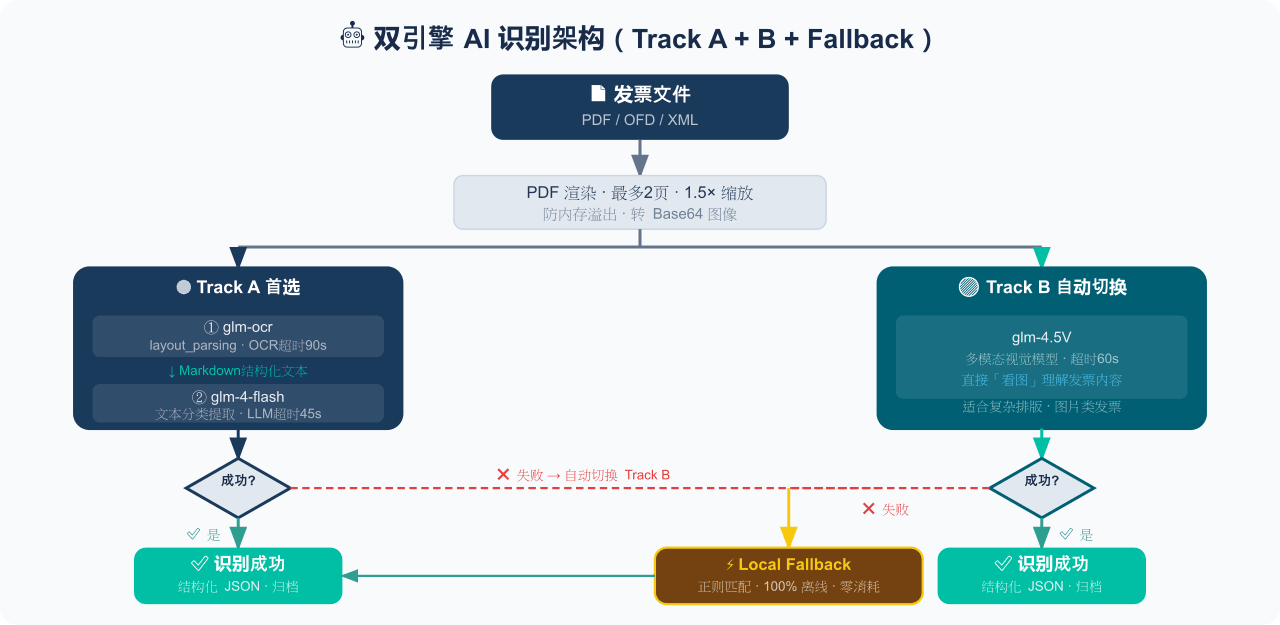 EthanYoQ/Invoice-Downloader
电子发票整理与报销准备工具:从邮箱批量收集 PDF/OFD/XML 发票,OCR 识别、分类归档并生成 Excel 汇总;提供 Windows/macOS 桌面版与 DSH 插件。
EthanYoQ/Invoice-Downloader
电子发票整理与报销准备工具:从邮箱批量收集 PDF/OFD/XML 发票,OCR 识别、分类归档并生成 Excel 汇总;提供 Windows/macOS 桌面版与 DSH 插件。
-
 Clarklevis1995/dsh-mobile
DeepSeek Harness Mobile 是一个面向 DeepSeek Harness 的原生 iOS 客户端。它通过 dsh-plugin-mobile-gateway 与 Harness 建立 WebSocket 连接,将工作区、…
Clarklevis1995/dsh-mobile
DeepSeek Harness Mobile 是一个面向 DeepSeek Harness 的原生 iOS 客户端。它通过 dsh-plugin-mobile-gateway 与 Harness 建立 WebSocket 连接,将工作区、…