freehul/sgme
SGME 拾光记忆引擎:AI 全面接管记忆、技能库、WIKI 知识库三大模块,跨会话、多智能体共享记忆,AI 会一直记得你的偏好。ShiGuang Memory Engine · AI takes full charge of three core modules — memory, skills, and wiki knowledge base. Memory is shared across sessions and multiple agents, so your AI always remembers your preferences.
Project Overview项目介绍
SGME, short for ShiGuang Memory Engine, is a native DSH plugin that provides persistent memory management for AI agents. It handles all memory, personal skills, and wiki knowledge storage for your AI assistant, letting your memory be shared across multiple sessions and different AI agents. It solves the common problem of AI forgetting previous context, so you never have to reintroduce yourself or repeat project details when switching models, agents, or devices. To install as a DSH plugin, you can add it directly from the DSH plugin marketplace using its bundle manifest.
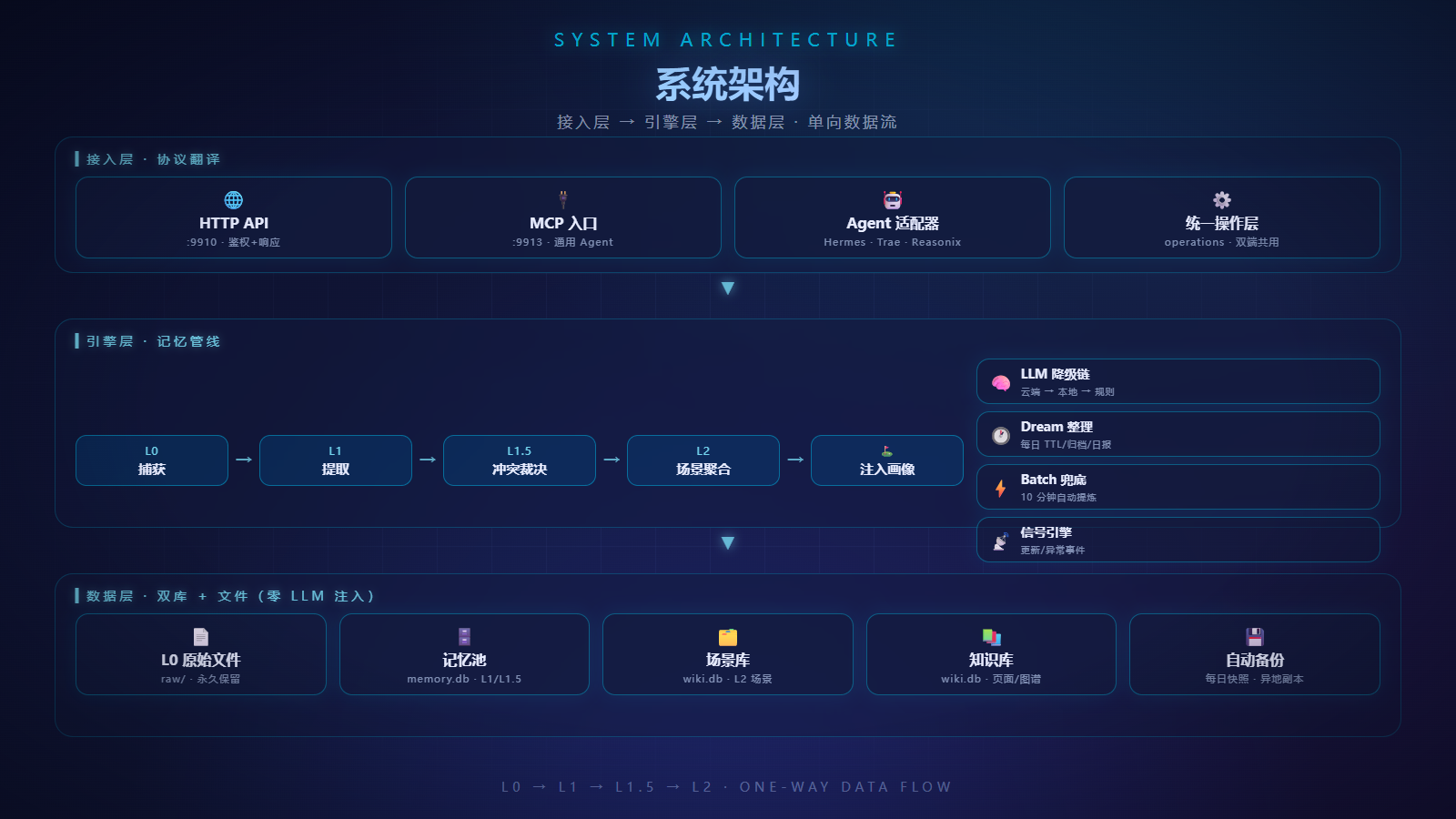
SGME operates through a fully automatic three-step pipeline. First, it captures all conversations and saves them as raw markdown records on disk forever. Next, it distills raw conversations into tagged structured memories including facts, preferences, and project details, with automatic deduplication and contradiction detection. Finally, it injects only scenario-relevant memories at the start of each new conversation, so the AI gets exactly the context it needs. It also includes extra features like memory traceability, proactive care alerts, persona insight, and unified search. It is built for individual users who use AI assistants long-term and switch between models or devices frequently.
SGME requires Python 3.11 or higher to run, and comes with a pre-built Vue 3 + Vite frontend that is served by its FastAPI backend. It can be installed and run as a Windows system service that starts automatically on boot, and exposes both an HTTP API endpoint and an MCP server endpoint for integration. All user data is stored locally on the user’s device, and the project is fully open source under the MIT license. It includes built-in tools for data backup, restore, and cross-device syncing. There are no monthly fees or cloud data hosting requirements for personal use.
SGME(时光记忆引擎)是一个专为DeepSeek Harness开发的原生记忆管理插件,它承担AI助手的记忆、技能与维基知识库管理功能,让记忆可以跨会话、跨代理共享,无论切换模型还是切换代理,用户的偏好、项目信息都能被完整保留,解决AI默认无状态导致的重复介绍、信息丢失问题。
它的工作流程分为三个全自动步骤:先捕获对话原始记录保存到磁盘,再将原始内容提取蒸馏为带标签的结构化记忆,最后在每次对话开始时自动注入当前场景相关的记忆,支持可追溯来源、主动提示、人格洞察和统一搜索,适合长期使用AI助手的个人用户。
SGME基于Python 3.11+开发,自带Vite构建的Vue 3前端界面,可以作为Windows服务启动运行,提供HTTP服务和MCP服务两个接入端点,代码完全开源,遵循MIT许可,所有数据都存储在用户本地,支持备份恢复和跨设备同步。
请帮我安装这个 DSH 插件。安装前先完成【兼容性检查 + 安全性检查】,检查通过再动手。

插件:sgme(freehul/sgme)
仓库:https://github.com/freehul/sgme
本站详情页:https://www.yhbd.top/plugins/freehul-sgme/
本站登记:类型 plugin · 归类 原生 DSH 插件 · 许可证 MIT · ⭐ 12 · 最近提交 2026-10-03 · 主语言 Python

按下面顺序执行,每步先把结论告诉我,再进入下一步:

【1 兼容性检查】
① 我这边:DSH 版本、Node 版本、操作系统、当前 profile(web / desktop)。
② 读它的 README、package.json、插件 manifest,列出它要求的 DSH 版本 / Node 版本 / 操作系统 / 外部依赖 / 需要另外先装的运行时。
③ 逐条比对,结论只写「满足 / 不满足 / 未知」三种;不满足的给出可行替代方案。
④ 检查是否和我已装的插件冲突:命令名重复、skill / tool 重名、端口占用、重复注册的 MCP server。

【2 安全性检查】
① 仓库可信度:和上面「本站登记」是否一致;star / fork 数、创建时间、最近提交,是否归档或长期停更。
② 安装脚本:逐行看 package.json 的 preinstall / install / postinstall,以及 install.sh、setup.ps1 之类脚本。出现 curl|bash、下载后直接执行、混淆代码、访问与插件功能无关的域名,立刻停下来告诉我,不要继续装。
③ 依赖:列出新增依赖,标出无人维护、或与知名包拼写近似的可疑包(typosquatting)。
④ 权限与副作用:它会读写哪些目录、访问哪些域名、需要哪些 DSH 权限(filesystem / network / shell / clipboard 等),以及怎么卸载和回滚。
⑤ 如果它要求 sudo / 管理员权限,或权限明显超出功能所需,先停下来问我。

【3 安装】
上面两步没有「不满足」和「高危项」时才执行;用官方推荐方式安装,不要自行提权。

【4 汇报】
用表格输出:检查项 / 结论 / 依据 / 是否需要我决策。拿不准的一律写「未知」并说明要我怎么确认——不要猜,也不要替我决定。
Send this message to DSH in your current session: it verifies compatibility and security first (answering met / not met / unknown item by item) and only installs once everything checks out — it will stop and ask you if it finds a high-risk item. The box scrolls; the copy is the full prompt. CLI install commands may not be accurate across systems, so DSH is the safer route.把上面这条消息直接发给当前会话里的 DSH:它会先核对兼容性与安全性(逐条给「满足 / 不满足 / 未知」),确认没问题再安装,有高危项会停下来问你。框内可滚动,复制到的是完整提示词;安装命令不一定准确,发给 DSH 更稳。
- 12 stars - an early-stage project星标 12,属于早期项目
DSH walks through these 9 checksDSH 会逐条核对这 9 项
Compatibility兼容性
- DSH, Node, OS and profile requirementsDSH 版本 / Node 版本 / 操作系统 / profile 是否满足要求
- External dependencies and runtimes (Electron / Python / Docker, ...)外部依赖与运行时(Electron / Python / Docker 等)是否齐备
- Conflicts with installed plugins: command names, skill / tool names, ports, duplicate MCP registration与已装插件是否冲突:命令名、skill / tool 重名、端口占用、重复 MCP 注册
Security安全性
- Repo matches the facts registered here; archived or abandoned?仓库是否与页面登记一致,是否归档或长期停更
- Safety of preinstall / install / postinstall and install.sh / setup.ps1preinstall / install / postinstall 与 install.sh、setup.ps1 是否安全
- curl|bash, download-then-execute, obfuscation, unrelated domains → stop immediatelycurl|bash、下载即执行、混淆代码、无关域名 → 立刻停止
- Typosquatting or unmaintained packages among the new dependencies新增依赖里有没有 typosquatting 或无人维护的包
- Requested permissions vs. what the feature actually needs申请了哪些权限、是否超出功能所需(filesystem / network / shell / clipboard)
- Any sudo / admin requirement, plus uninstall and rollback是否要求 sudo / 管理员权限,以及卸载与回滚方式
Anything uncertain must be marked unknown with a note on how to confirm it. This site's signal screen is a static snapshot, not a security audit.拿不准的必须标「未知」并说明要我怎么确认。本站的信号筛查是静态快照,不能替代安全审计。
Or use CLI install (for developers)或使用命令行安装(适合开发者)
CLI Install命令行安装
dsh plugin --profile web add dsh-sgme把 freehul/sgme 加入你的 DSH 配置(web profile)即可启用。
READMEREADME
中文版:简体中文
SGME — ShiGuang Memory Engine
Switch AIs, keep everything. SGME takes over your memory, skills, and wiki knowledge base — memory is shared across sessions and multiple agents, so your AI always remembers your preferences.


Why does your AI keep forgetting you
Does your AI assistant:
- Forget what you told it yesterday, so you have to repeat everything again today?
- Ask you to reintroduce yourself in every new session — who you are, what you're working on, what you like?
- Lose all context the moment you switch devices or switch to a different AI?
- Chatting with a beloved AI character, then a new session or a different app makes it forget you entirely?
Because AI has no memory by default — every conversation is a first meeting.
SGME fixes this: it acts as a memory hub that captures your conversations with AI, distills them into structured memories, and automatically delivers the relevant ones back to your AI in the next conversation. No repetition needed. It remembers.
How it works
Three steps, fully automatic:
- Capture — conversations are saved as raw records (L0 raw layer, Markdown files on disk, kept forever)
- Distill — raw conversations are distilled into tagged memories (facts, preferences, project states, decisions...), with automatic dedup, merge, and contradiction detection
- Inject — at the start of each conversation, your AI automatically receives the memories relevant to the current scenario — not the whole store. Casual chat brings identity and recent status; coding brings project-related memories (tech stack, pitfalls, dev habits). Only what the scenario needs.
Highlights
Seamless AI switching — memory, wiki & skills, fully taken over
Switch models, switch agents — your AI loses nothing. SGME fully takes over your memory (who you are), your wiki (what you know), and your skills (how you work). Plug in any agent — Hermes, DSH, a coding partner, a writing assistant — and it already knows you: your projects, your preferences, your workflows. No re-introduction, no re-learning. One shared brain, every body.
Showing the opening section of the README — the full document lives in the repository以上为 README 开头摘要,完整文档在仓库内 · View the full README on GitHub →在 GitHub 查看完整 README →
Related相关推荐
-
 EverMind-AI/EverOS
One portable memory layer for every AI agent: local-first, Markdown-native, user-owned, and self-evolving across apps, t…
EverMind-AI/EverOS
One portable memory layer for every AI agent: local-first, Markdown-native, user-owned, and self-evolving across apps, t…
-
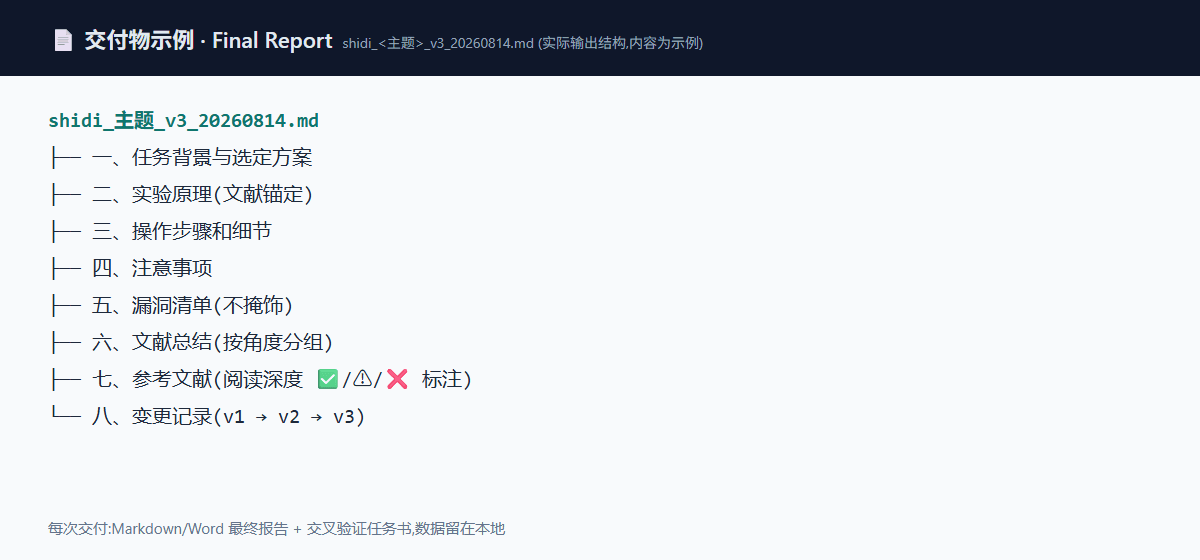 IcyCreamDAS/shidi-skill
AI4S 科研 Agent 技能 | AI-for-Science research workflow skill for coding agents: literature review · experiment design · fig…
IcyCreamDAS/shidi-skill
AI4S 科研 Agent 技能 | AI-for-Science research workflow skill for coding agents: literature review · experiment design · fig…
-
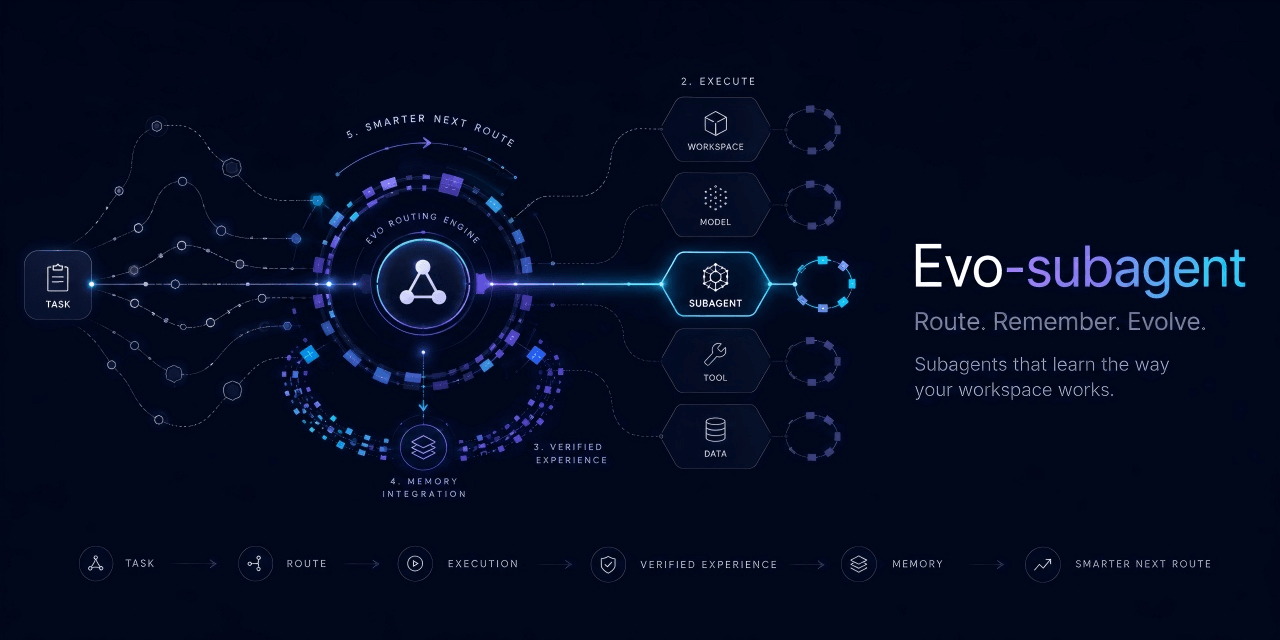 ZekaiShi/evo-subagent
Unified DeepSeek Harness plugin: role-based subagent routing + per-agent evolution (prefercmd/memory as knowledge allow/…
ZekaiShi/evo-subagent
Unified DeepSeek Harness plugin: role-based subagent routing + per-agent evolution (prefercmd/memory as knowledge allow/…
-
 ruvnet/ruflo
🌊 The original agent harness. Deploy intelligent multi-player swarms, coordinate autonomous workflows, and build conver…
ruvnet/ruflo
🌊 The original agent harness. Deploy intelligent multi-player swarms, coordinate autonomous workflows, and build conver…
-
 MemTensor/MemOS
Self-evolving memory OS for LLM & AI Agents: ultra-persistent memory, hybrid-retrieval, and cross-task skill reuse, with…
MemTensor/MemOS
Self-evolving memory OS for LLM & AI Agents: ultra-persistent memory, hybrid-retrieval, and cross-task skill reuse, with…
-
 plastic-labs/honcho
Memory library for building stateful agents
plastic-labs/honcho
Memory library for building stateful agents
-
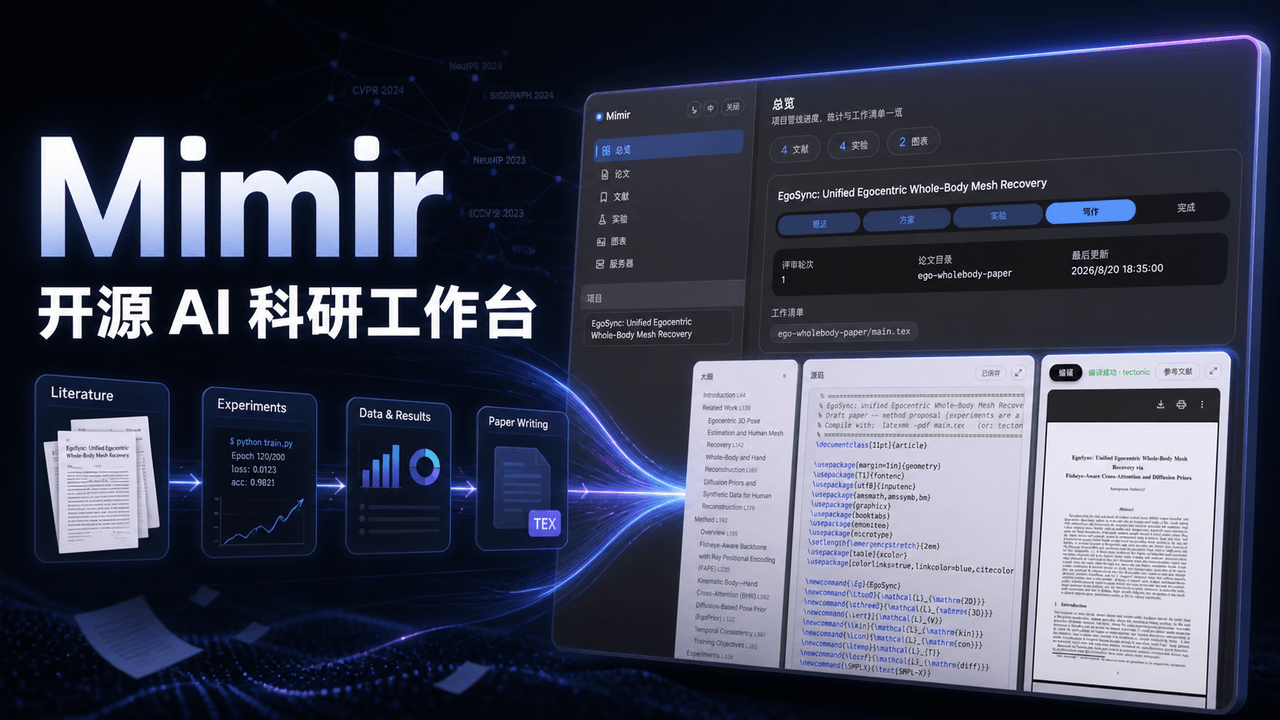 1692775560/dsh-Mimir-Academic-research
Mimir — 一站式科研工作台插件:LaTeX 论文边写边编译、arXiv 文献管理、实验追踪、指标图表、GPU 服务器 SSH 任务编排,管理科研全周期。An open-source research workbench plugin …
1692775560/dsh-Mimir-Academic-research
Mimir — 一站式科研工作台插件:LaTeX 论文边写边编译、arXiv 文献管理、实验追踪、指标图表、GPU 服务器 SSH 任务编排,管理科研全周期。An open-source research workbench plugin …
-
 PerryLink/dsh-memento
Bounded, layered, approval-gated, auditable cross-session memory for DeepSeek Harness (capability seam: ctx.memory + SQL…
PerryLink/dsh-memento
Bounded, layered, approval-gated, auditable cross-session memory for DeepSeek Harness (capability seam: ctx.memory + SQL…