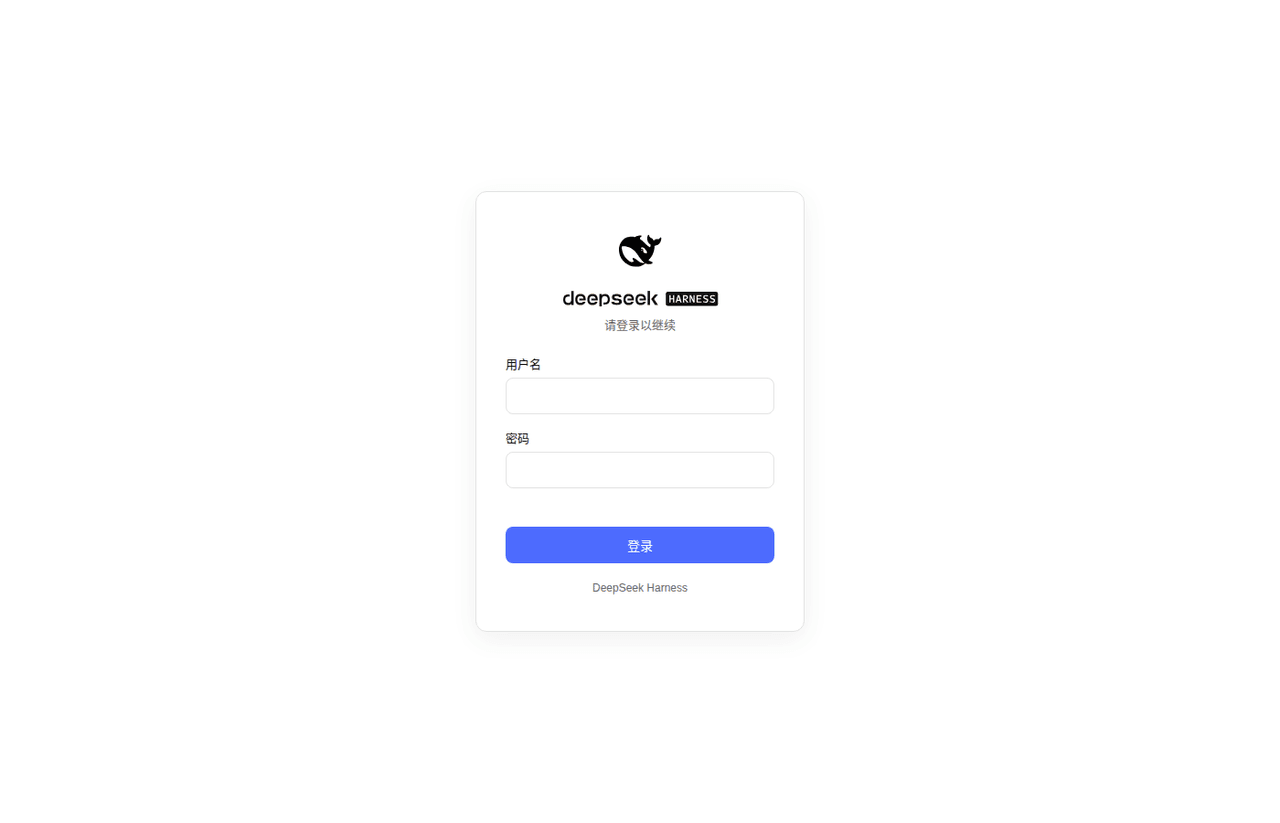
GDWhisper/dsh-web-startup-auth
DSH(DeepSeek Harness)远程 Web 启动 + 用户名/密码认证插件。 | DeepSeek Harness Remote‑Web‑Launch Plugin with Username/Password Auth
编辑导读Editor's Brief
## 核心特性
- 该插件替换了原有的 Web 启动限制,使 dsh web 可以绑定到 0.0.0.0,并在非回环网络接口上提供浏览器界面。
- 它提供登录与注册流程,在首次访问时创建管理员账户,并要求后续访问者进行身份验证。
- 已认证会话使用带签名的 dsh_sid Cookie,有效期为 14 天,并启用 HttpOnly 保护和 SameSite=Lax 行为。
- 它保护已注册的 /api/* 路由和第三方 RPC 路由,但 /api/auth/* 和 /login 除外;当没有有效会话时,返回 401 或拒绝握手。
- 它在 DSH 设置面板中添加 Authentication 选项卡,用于退出登录和修改密码。
## 使用场景
- 它支持将 DSH Web 界面暴露到本地网络,同时要求在浏览器访问前输入用户名和密码。
- 它允许全新安装后的首个访问者注册管理员账户,之后其他用户才能登录。
- 它允许运维人员从服务器机器重置遗忘的密码,并使此前签发的所有会话失效。
- 它为已认证用户提供设置面板入口,用于退出登录或修改账户密码。
## 技术细节
- 该软件包以 DSH bundle 形式分发,其 dsh.bundle.patch 声明会在通过 dsh plugin 安装时自动应用 cordis.patch.yml。
- 密码使用 Node 内置 crypto.scryptSync 并配合随机盐值存储,会话 Cookie 使用生成的密钥通过 HMAC-SHA256 签名。
- 服务端插件会重写已认证请求的 Host 和 Origin 值,使仅限回环访问的 DSH API、第三方 RPC 通道和 WebSocket 升级能够通过已注册路由。
- 通过 webServer.tapIndex 注入的浏览器端脚本会在模块加载后覆盖前端回环标志,以支持远程 HTTP 客户端上的设置镜像行为。
## 注意事项
- 该插件不提供传输加密,因此除非使用 HTTPS 反向代理,否则明文 HTTP 凭据和流量可能会在网络上被观察到。
- dsh_sid Cookie 无法单独撤销,但修改密码或运行 auth-reset 会轮换会话密钥并使所有会话失效。
- 在首个管理员账户创建之前,任何访问者都可以注册,因此在将服务暴露给不可信网络之前,应先完成初始注册。
## Core Features
- The plugin replaces the original web startup restriction so dsh web can bind to 0.0.0.0 and serve the browser interface on non-loopback network interfaces.
- It provides a login and registration flow that creates an administrator account on first access and requires subsequent visitors to authenticate.
- Authenticated sessions use a signed dsh_sid cookie with a 14-day lifetime, HttpOnly protection, and SameSite=Lax behavior.
- It protects registered /api/* routes and third-party RPC routes except /api/auth/* and /login, returning 401 or refusing handshakes when no valid session is present.
- It adds an Authentication tab to the DSH settings panel for logging out and changing the password.
## Use Cases
- It supports exposing a DSH web interface to a local network while requiring a username and password before browser access.
- It allows a first visitor on a fresh installation to register the administrator account before later users can log in.
- It lets an operator reset a forgotten password from the server machine and invalidate all previously issued sessions.
- It provides a settings-panel path for authenticated users to log out or change the account password.
## Technical Details
- The package is distributed as a DSH bundle whose dsh.bundle.patch declaration applies cordis.patch.yml automatically when installed through dsh plugin.
- Passwords are stored with Node built-in crypto.scryptSync using random salts, and session cookies are signed with HMAC-SHA256 using a generated key.
- The server-side plugin rewrites Host and Origin values for authenticated requests so loopback-only DSH APIs, third-party RPC channels, and WebSocket upgrades can pass through registered routes.
- A browser-side script injected through webServer.tapIndex overrides the frontend loopback flag after module loading to support settings mirror behavior on remote HTTP clients.
## Notes
- The plugin does not provide transport encryption, so plaintext HTTP credentials and traffic can be observed on the network unless an HTTPS reverse proxy is used.
- The dsh_sid cookie cannot be individually revoked, although changing the password or running auth-reset rotates the session key and invalidates all sessions.
- Before the first administrator account is created, any visitor can register, so initial registration should be completed before exposing the service to untrusted networks.
安装Install
dsh plugin --profile web add dsh-web-startup-auth@latest把 GDWhisper/dsh-web-startup-auth 加入你的 DSH 配置(web profile)即可启用。
READMEREADME
dsh-web-startup-auth
中文 | English
DSH(DeepSeek Harness)远程 Web 启动 + 用户名/密码认证插件。
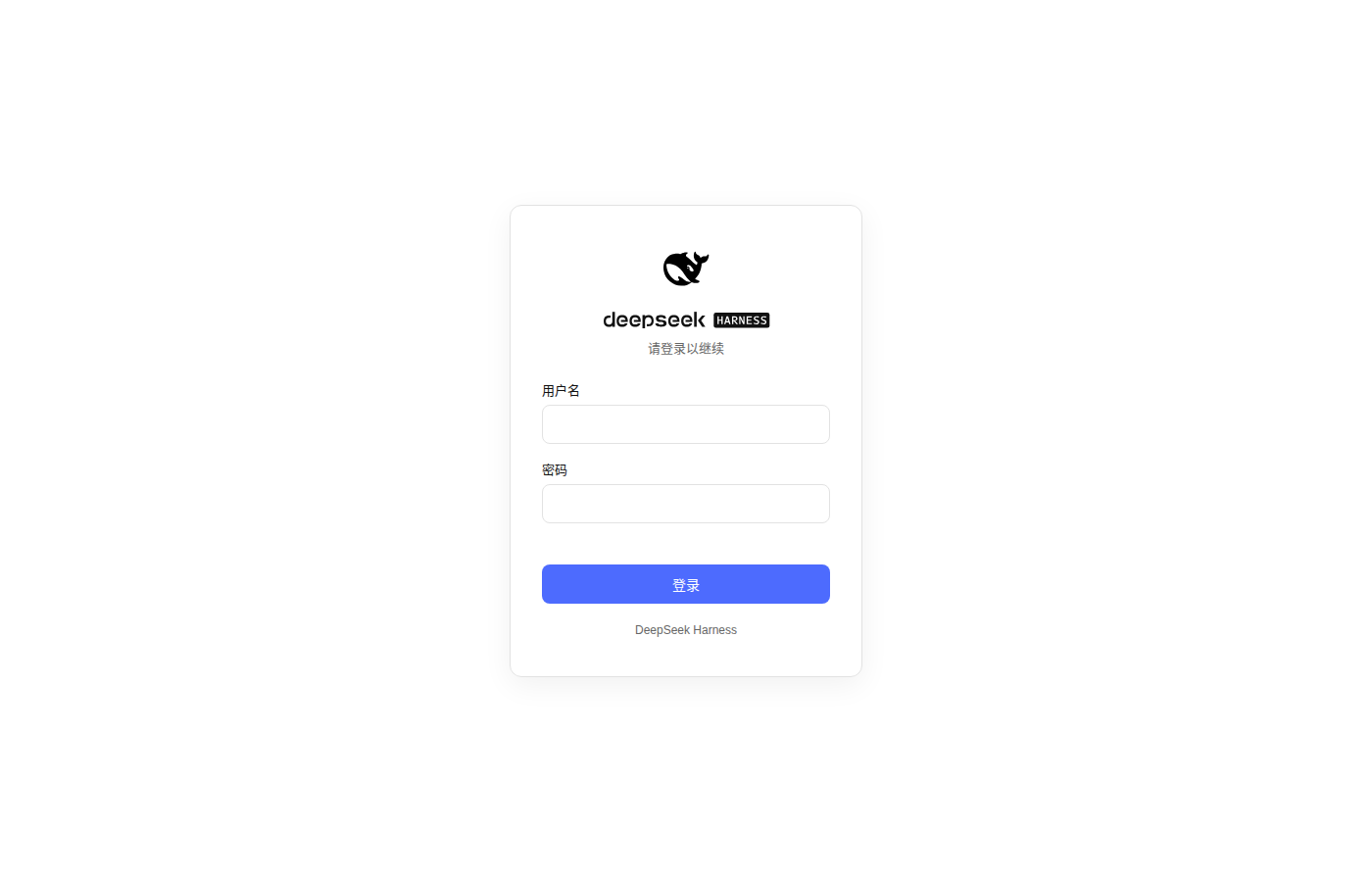
原版 @deepseek-ai/dsh-web-app/startup 出于安全考虑硬拒绝 --host 0.0.0.0;本插件替换它,并配一个带登录/注册页的认证插件,让 dsh web 可以在局域网(或任何非回环接口)上安全暴露浏览器界面。
特性
- 远程启动:
--host 0.0.0.0可用,替代原版启动器的硬性拒绝。 - 登录/注册页:首次访问引导设置管理员账号密码,之后进入登录页;与 DSH 黑白蓝风格一致。
- 会话认证:登录后下发签名 cookie(
dsh_sid,14 天有效,HttpOnly+SameSite=Lax)。 - API 保护:所有注册路由(
/api/*及第三方插件的 RPC 路由,除/api/auth/*与/login)必须携带有效会话,否则返回 401/拒绝握手。 - 设置面板「认证」标签页:向 DSH 设置面板注入"认证"页,提供退出登录与修改密码两个操作。
- 远程场景修复(局域网 HTTP 访问的两个坑):
crypto.randomUUIDpolyfill —— 非安全上下文下该 API 缺失,会导致所有 RPC 失败。- 特权 API 回环放行 —— DSH 将
settings.*/credentials.*等敏感域、authority: "loopback"的第三方 RPC channel(如/dsh-automation、技能管理器)以及 WebSocket 事件流全部限制为仅回环 Host 可访问;认证通过后本插件以回环身份放行(Host/Origin 改写覆盖所有注册路由与升级握手,含先于本插件激活的第三方路由)。
安装
本插件是一个 DSH bundle(package.json 的 dsh.bundle.patch 声明了随包分发的 cordis.patch.yml)。用 dsh plugin 安装后,包会被加入 profile 的 dsh.profile.bundles,补丁层自动生效,无需手动编辑任何配置文件。
# 方式一:从源码安装
git clone <仓库地址>
cd dsh-web-startup-auth
npm install        # 安装构建依赖(typescript 等)
npm run build      # 编译 src/ 到 lib/(插件运行时加载 lib/ 下的产物)
dsh plugin --profile web add .

# 方式二:从 npm registry 安装(已装过旧版本时执行同一条命令即可升级)
dsh plugin --profile web add dsh-web-startup-auth@latest
dsh plugin是 pnpm 转发器,--profile <name>必填;add .会把当前目录以link:方式装进 profile。
启动:
dsh web --host 0.0.0.0
安装时已自动应用补丁,无需再用
--patch叠加——重复叠加会把插件再插入一遍,导致重复。
使用
- 浏览器访问
http://<主机IP>:<端口>/。 - 首次访问会跳转到
/login,显示"设置管理员账号密码"注册表单。 - 注册成功后自动登录并进入主界面;之后访问需登录。
- 退出登录 / 修改密码:打开主界面设置面板 → 认证标签页(同时也是一个独立入口,
/api/auth/logout清除会话 cookie)。
凭据与会话密钥保存在 ~/.dsh/web-auth.json:
- 密码使用 scrypt(随机盐,64 字节)散列存储,不保存明文。
- 会话 cookie 用随机生成的密钥做 HMAC-SHA256 签名,防伪造。
- 忘记密码:在服务器本机执行
dsh --profile web auth-reset,交互式设置新密码(或dsh --profile web auth-reset --password <新密码>非交互)。重置会轮换会话密钥,作废所有已签发的会话。 - 兜底方案:删除
~/.dsh/web-auth.json并重启,即可重新注册(同样会作废所有会话,但需重启服务)。
索引
如果您在寻找开箱即用的专为 Agent 时代研发的 IDE,推荐您使用 Omniterm
安全说明
- 本插件提供认证,但不提供传输加密。明文 HTTP 下凭据与流量可被同一网络中的抓包者看到,建议仅在可信内网使用,或在前面部署 HTTPS 反向代理。
- 会话 14 天有效;如需收紧可修改
src/auth.ts中的SESSION_MAX_AGE_SEC。 - 密码散列使用 Node 内置
crypto.scryptSync,无第三方依赖。 - 会话不可服务端撤销:
dsh_sid是自包含签名 cookie,/api/auth/logout只清除浏览器一侧的 cookie。cookie 一旦泄露(如明文 HTTP 下被嗅探),14 天有效期内无法单独吊销。例外:dsh --profile web auth-reset和设置面板的「修改密码」都会轮换会话密钥,一次性作废全部会话(修改密码后当前会话由服务端重新签发,保持登录)。 - 首次注册窗口:凭据未设置时任何访问者都可注册为管理员。在把服务暴露到不可信网络之前请先完成首次注册。
- 登录防护:登录失败按客户端 IP 限速——连续 5 次失败锁定 30 秒(纯内存、无持久化);注册要求密码至少 8 个字符。限速覆盖
/api/auth/login与/api/auth/change-password(旧密码错误同样计次)。如需更严格防护请在反向代理层增加通用限速。 - 凭据文件权限:
~/.dsh/web-auth.json(含密码哈希与会话签名密钥)以0600保存,目录以0700创建;插件启动时会自动修复旧版本遗留的过宽权限。 --trusted-host:该参数仅为与原版 CLI 兼容而保留透传,不参与本插件认证判断——远程客户端一律需要有效会话,不存在"受信主机免登录"。- 上游兼容层(dsh ≥ rc.8):dsh rc.8 起,设置面板依赖前端 settings mirror 的功能(提供方目录、插件配置表单)在远程浏览器下原本会报
settings are unavailable in this browser——DSH 前端用浏览器地址栏 hostname 判定是否回环,远程访问恒为非回环,mirror 走内存模式不发 RPC,插件配置卡片整个不渲染。本插件通过webServer.tapIndex向 SPA 注入脚本:在模块系统就绪后包装每个前端插件的apply,于 connection 插件激活返回的瞬间把connection.isLoopback覆盖为恒true(配合后端回环放行)——早于任何 settings scope 的绑定,因此 mirror 与所有配置 scope 都以 host 模式创建,无需刷新页面。前端插件另保留一份防御性覆盖与 mirror 兜底。该兼容层依赖 dsh 内部结构(window.__ModuleLoader__、settingsScope.mirror),以 rc.8 为准验证,上游改动可能需要同步更新。
开发
npm install
npm run typecheck   # tsc --noEmit
npm test            # vitest
npm run build       # tsc -p tsconfig.json + tsdown,产物输出到 lib/
tsc编译 node 侧源码(src/*.ts)与类型声明到lib/、lib/types/。tsdown把前端插件(src/client/index.tsx)打包成浏览器 bundlelib/client.js(window.__ModuleLoader__.load注册格式)。改前端代码后必须重新构建,profile 里link:安装会自动加载新产物。- 前端插件依赖的
@deepseek-ai/dsh-client-*包只用于类型与构建,运行时由 DSH 前端模块表提供。
许可证
相关推荐Related
- deepseek-ai/deepseek-harness DeepSeek Harness (dsh) — 由 DeepSeek AI 开发的开源 agent harness(智能体框架)。一切皆插件:核心 + 插件 + 技能 = 可热插拔的 AI 编程工作台。DeepSeek Harness: …
-
 amruthpillai/reactive-resume
A one-of-a-kind resume builder that keeps your privacy in mind. Completely secure, customizable, portable, open-source a…
amruthpillai/reactive-resume
A one-of-a-kind resume builder that keeps your privacy in mind. Completely secure, customizable, portable, open-source a…
-
 tt-a1i/archify
Agent skill for beautiful, verifiable architecture, workflow, sequence, data-flow, and lifecycle diagrams—self-contained…
tt-a1i/archify
Agent skill for beautiful, verifiable architecture, workflow, sequence, data-flow, and lifecycle diagrams—self-contained…
-
 zhu1090093659/dsh-web-ui
Plugin and skin collection for DeepSeek Harness (DSH) Web UI - task board, git graph, right-side panel, remote mobile UI…
zhu1090093659/dsh-web-ui
Plugin and skin collection for DeepSeek Harness (DSH) Web UI - task board, git graph, right-side panel, remote mobile UI…
-
 strukto-ai/mirage
The World's First Unified Virtual Filesystem For AI Agents
strukto-ai/mirage
The World's First Unified Virtual Filesystem For AI Agents
-
 liustack/modlens
The first vision plugin for DeepSeek Harness, and the vision bridge for every text-only coding agent. Paste an image, ge…
liustack/modlens
The first vision plugin for DeepSeek Harness, and the vision bridge for every text-only coding agent. Paste an image, ge…
-
 omdsh-dev/DSH-better-sidebar
开放的侧边栏底座,支持三方拓展注册新侧边栏页面。内置文件渲染编辑/终端/Git/子代理页面 | Open sidebar foundation, supports third-party extensions to register new…
omdsh-dev/DSH-better-sidebar
开放的侧边栏底座,支持三方拓展注册新侧边栏页面。内置文件渲染编辑/终端/Git/子代理页面 | Open sidebar foundation, supports third-party extensions to register new…
-
 dsh-market/dsh-market
The plugin market inside DeepSeek Harness — browse, search, one-click install · DSH 可视化插件市场
dsh-market/dsh-market
The plugin market inside DeepSeek Harness — browse, search, one-click install · DSH 可视化插件市场