gxinxing/deepseek-harness-tui
基于 Ink 和 React 为终端构建的原生交互式 TUI,专为 DeepSeek Harness (dsh) 设计。
Project Overview项目介绍
This is a native DSH plugin that provides an interactive terminal chat UI for DeepSeek Harness, built with Ink, a React framework for terminal interfaces. It is not a full reimplementation of DeepSeek Harness, just a thin 800-line UI layer that adds a terminal-native chat experience for connecting to DeepSeek models via the TokenDance gateway. To install it, you first need Node.js 20 or newer and an existing global install of the DeepSeek Harness CLI, then clone the repository, install dependencies with pnpm, and add it to the dedicated tui DSH profile.
After installation, you need to add your TokenDance API key either as an environment variable or in the DSH credentials file, then run dsh --profile tui to launch the TUI. The interface includes many quality-of-life features for terminal users: it folds thinking traces, collapses tool output into cells, adapts its theme to your terminal's background color via OSC 11, and correctly wraps CJK text and emojis. It keeps the transcript anchored to the bottom so you always see the latest output, with keyboard shortcuts for common actions like folding thinking and aborting the current turn.
The project maintains an automated closed-loop quality and update workflow, with local linting and formatting checks, pre-commit hooks that auto-fix issues, CI testing on Node 20 and 22, and a weekly GitHub Actions workflow that opens automated PRs for dependency updates. It requires users to apply a one-time patch to the stock DeepSeek Harness DeepSeek LLM adapter to fix an issue with TokenDance's streaming tool call output. The project is released under the open source MIT license, and it is an independent community project not affiliated with DeepSeek or TokenDance.
这是一个专为 DeepSeek Harness 打造的原生终端界面对话插件,使用终端React框架 Ink 开发。它提供终端原生风格的零多余UI聊天界面,用来通过 TokenDance 网关接入 DeepSeek 大模型对话,它不是 DeepSeek Harness 的完整重实现,只是一个约 800 行代码的轻量级UI层,安装需要 Node.js 20 以上版本和已部署好的 DeepSeek Harness CLI。
用户配置好 TokenDance API 密钥后,可以通过 dsh --profile tui 命令启动这个 TUI 界面。界面支持折叠思考过程、工具调用折叠显示、适配终端背景色的主题、正确排版CJK和 emoji,底部锚定对话记录,始终可见最新内容。常用快捷键包括 ctrl+t 折叠思考、esc 中断当前对话轮次。
项目自带完整的自动化质量检查和依赖更新流程,包含本地检查、预提交钩子、CI 测试和每周自动依赖更新PR。项目采用 MIT 许可,是独立社区项目,和 DeepSeek、TokenDance 没有隶属关系,用户需要提前给 DeepSeek Harness 打上 TokenDance 相关的补丁才能正常使用。
请帮我安装这个 DSH 插件。安装前先完成【兼容性检查 + 安全性检查】,检查通过再动手。

插件:deepseek-harness-tui(gxinxing/deepseek-harness-tui)
仓库:https://github.com/gxinxing/deepseek-harness-tui
本站详情页:https://www.yhbd.top/plugins/gxinxing-deepseek-harness-tui/
本站登记:类型 client · 归类 原生 DSH 插件 · 许可证 MIT · ⭐ 11 · 最近提交 2026-08-13 · 主语言 JavaScript

按下面顺序执行,每步先把结论告诉我,再进入下一步:

【1 兼容性检查】
① 我这边:DSH 版本、Node 版本、操作系统、当前 profile(web / desktop)。
② 读它的 README、package.json、插件 manifest,列出它要求的 DSH 版本 / Node 版本 / 操作系统 / 外部依赖 / 需要另外先装的运行时。
③ 逐条比对,结论只写「满足 / 不满足 / 未知」三种;不满足的给出可行替代方案。
④ 检查是否和我已装的插件冲突:命令名重复、skill / tool 重名、端口占用、重复注册的 MCP server。

【2 安全性检查】
① 仓库可信度:和上面「本站登记」是否一致;star / fork 数、创建时间、最近提交,是否归档或长期停更。
② 安装脚本:逐行看 package.json 的 preinstall / install / postinstall,以及 install.sh、setup.ps1 之类脚本。出现 curl|bash、下载后直接执行、混淆代码、访问与插件功能无关的域名,立刻停下来告诉我,不要继续装。
③ 依赖:列出新增依赖,标出无人维护、或与知名包拼写近似的可疑包(typosquatting)。
④ 权限与副作用:它会读写哪些目录、访问哪些域名、需要哪些 DSH 权限(filesystem / network / shell / clipboard 等),以及怎么卸载和回滚。
⑤ 如果它要求 sudo / 管理员权限,或权限明显超出功能所需,先停下来问我。

【3 安装】
上面两步没有「不满足」和「高危项」时才执行;用官方推荐方式安装,不要自行提权。

【4 汇报】
用表格输出:检查项 / 结论 / 依据 / 是否需要我决策。拿不准的一律写「未知」并说明要我怎么确认——不要猜,也不要替我决定。
Send this message to DSH in your current session: it verifies compatibility and security first (answering met / not met / unknown item by item) and only installs once everything checks out — it will stop and ask you if it finds a high-risk item. The box scrolls; the copy is the full prompt. CLI install commands may not be accurate across systems, so DSH is the safer route.把上面这条消息直接发给当前会话里的 DSH:它会先核对兼容性与安全性(逐条给「满足 / 不满足 / 未知」),确认没问题再安装,有高危项会停下来问你。框内可滚动,复制到的是完整提示词;安装命令不一定准确,发给 DSH 更稳。
- 11 stars - an early-stage project星标 11,属于早期项目
DSH walks through these 9 checksDSH 会逐条核对这 9 项
Compatibility兼容性
- DSH, Node, OS and profile requirementsDSH 版本 / Node 版本 / 操作系统 / profile 是否满足要求
- External dependencies and runtimes (Electron / Python / Docker, ...)外部依赖与运行时(Electron / Python / Docker 等)是否齐备
- Conflicts with installed plugins: command names, skill / tool names, ports, duplicate MCP registration与已装插件是否冲突:命令名、skill / tool 重名、端口占用、重复 MCP 注册
Security安全性
- Repo matches the facts registered here; archived or abandoned?仓库是否与页面登记一致,是否归档或长期停更
- Safety of preinstall / install / postinstall and install.sh / setup.ps1preinstall / install / postinstall 与 install.sh、setup.ps1 是否安全
- curl|bash, download-then-execute, obfuscation, unrelated domains → stop immediatelycurl|bash、下载即执行、混淆代码、无关域名 → 立刻停止
- Typosquatting or unmaintained packages among the new dependencies新增依赖里有没有 typosquatting 或无人维护的包
- Requested permissions vs. what the feature actually needs申请了哪些权限、是否超出功能所需(filesystem / network / shell / clipboard)
- Any sudo / admin requirement, plus uninstall and rollback是否要求 sudo / 管理员权限,以及卸载与回滚方式
Anything uncertain must be marked unknown with a note on how to confirm it. This site's signal screen is a static snapshot, not a security audit.拿不准的必须标「未知」并说明要我怎么确认。本站的信号筛查是静态快照,不能替代安全审计。
Or use CLI install (for developers)或使用命令行安装(适合开发者)
CLI Install命令行安装
dsh plugin --profile tui add @deepseek-ai/dsh-headless把 gxinxing/deepseek-harness-tui 加入你的 DSH 配置(web profile)即可启用。
READMEREADME
deepseek-harness-tui
An interactive terminal chat for DeepSeek Harness — terminal-native style, built with Ink (React for terminals).
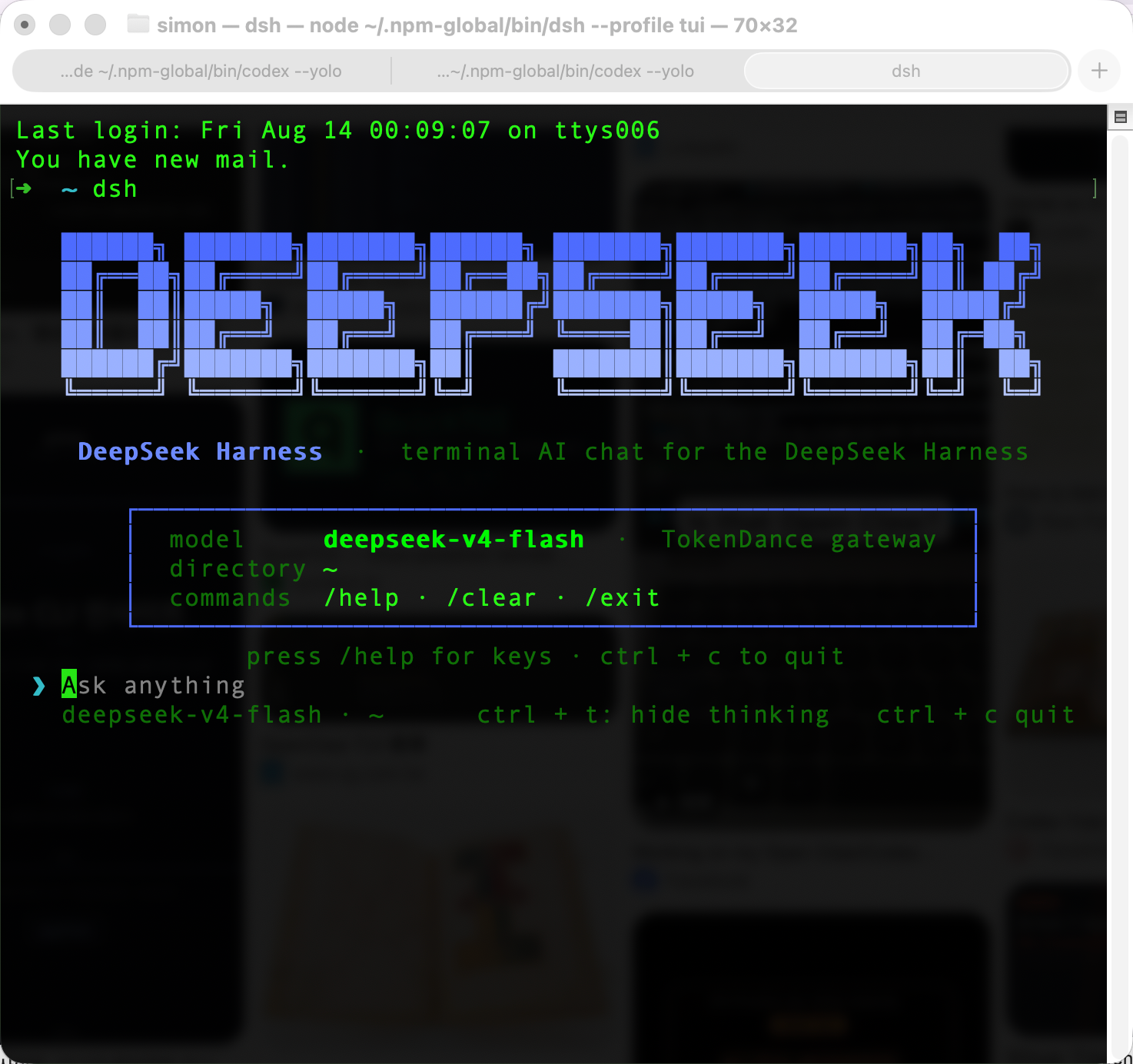
Give it a TokenDance key and a dsh install; run dsh --profile tui and you get a zero-chrome terminal chat with DeepSeek models: bottom-anchored transcript, tool calls folded into cells, thinking folding, and a theme that adapts to your terminal via OSC 11. It's a thin, readable plugin (~800 lines of UI) — not a re-implementation of the harness.


Install
Requires Node.js ≥ 20 and the DeepSeek Harness CLI:
npm install -g @deepseek-ai/dsh        # the harness (no Homebrew tap yet)
git clone https://github.com/gxinxing/deepseek-harness-tui
cd deepseek-harness-tui && pnpm install
Wire the plugin bundle into the tui profile (one-time):
dsh plugin --profile tui add @deepseek-ai/dsh-headless
dsh plugin --profile tui add /path/to/deepseek-harness-tui
Use
export TOKENDANCE_API_KEY=sk-...   # or add it to ~/.dsh/.credentials.yaml (0600)
dsh --profile tui                  # open the TUI
In the TUI: ctrl + t folds the thinking trace, esc interrupts the running turn, /help shows all keys and commands.
What it does
- Terminal-native UI, not a re-skinned echo. The transcript is the surface — no boxes, no chrome. The DeepSeek brand banner (ANSI Shadow logo, gradient) greets you only on the empty state; model · cwd live in a dim footer.
- Tool calls fold into cells.
⠋ Running <cmd>while active →✓ <cmd> • 1.2s(or✗on error), with output merged into the cell, dimmed, and truncated head + tail (… +N lines). No interleaved wall of raw output. - Theme derived from your terminal. OSC 11 probes the real background: message tints and code chips are blended from it (12% white over dark, 4% black over light) — never hardcoded hex. Force a theme with
DSH_TUI_BG=#fffffffor testing. - Thinking you can fold.
ctrl + ttoggles the reasoning trace;escaborts the turn at any time viaagent.cancel({ kind: 'user' }). - Markdown that keeps its shape. Headers keep their
#, fenced blocks keep their fences, inline code gets a subtle chip — and CJK/emoji wrap at correct character widths with an aligned gutter. - A live viewport. The transcript is bottom-anchored; the tail is always visible. Busy state shows a braille spinner + compact elapsed timer (
Working 5s).
Showing the opening section of the README — the full document lives in the repository以上为 README 开头摘要,完整文档在仓库内 · View the full README on GitHub →在 GitHub 查看完整 README →
Related相关推荐
-
 ccch1mneyyy/dsh-TUI
DSH's officially top-recommended TUI plugin — high performance, low overhead, cute pixel whale, smooth mouse interaction…
ccch1mneyyy/dsh-TUI
DSH's officially top-recommended TUI plugin — high performance, low overhead, cute pixel whale, smooth mouse interaction…
-
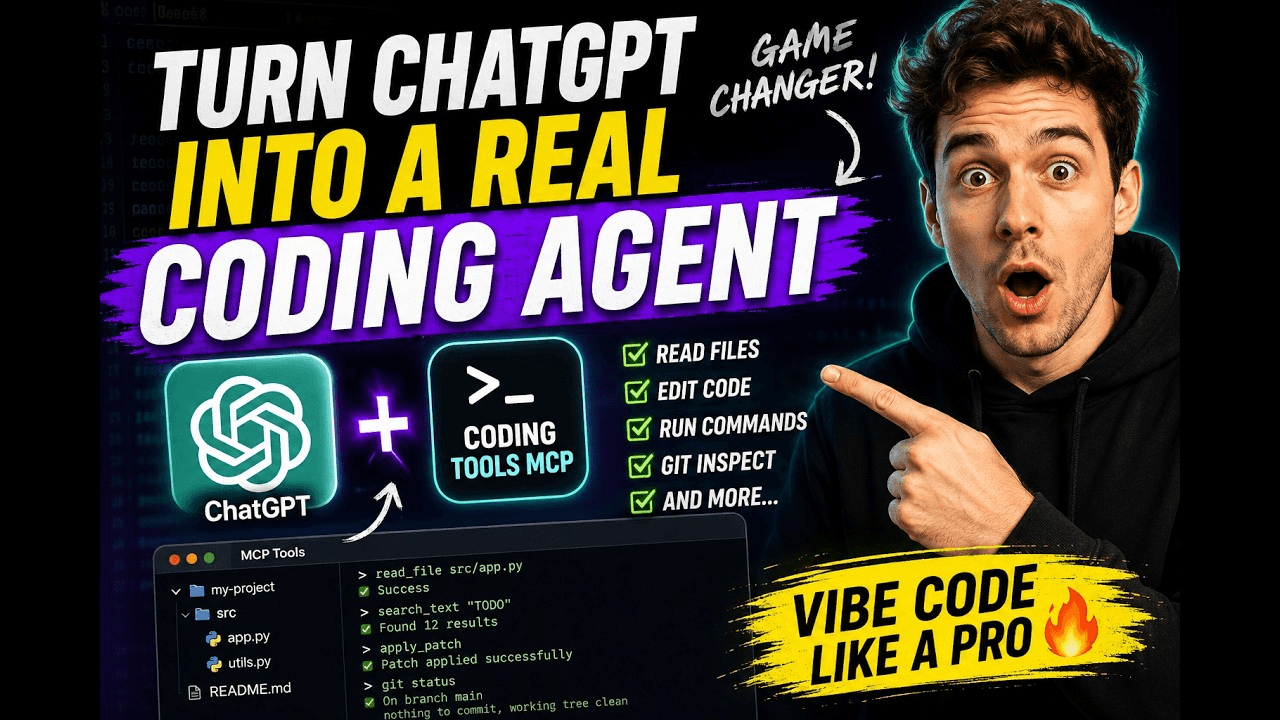 xyTom/coding-tools-mcp
Give any AI agent the ability to code
xyTom/coding-tools-mcp
Give any AI agent the ability to code
-
 myYangyunfan/dsh_desktop
DeepSeek Harness (dsh) Windows desktop client - bundled Node.js + dsh CLI, one-click launch
myYangyunfan/dsh_desktop
DeepSeek Harness (dsh) Windows desktop client - bundled Node.js + dsh CLI, one-click launch
-
 ChisaAlter/Deepseek-Harness-Desktop
DSH桌面端,支持主题和背景图等多种个性化配置。Electron desktop shell for DeepSeek Harness web UI
ChisaAlter/Deepseek-Harness-Desktop
DSH桌面端,支持主题和背景图等多种个性化配置。Electron desktop shell for DeepSeek Harness web UI
-
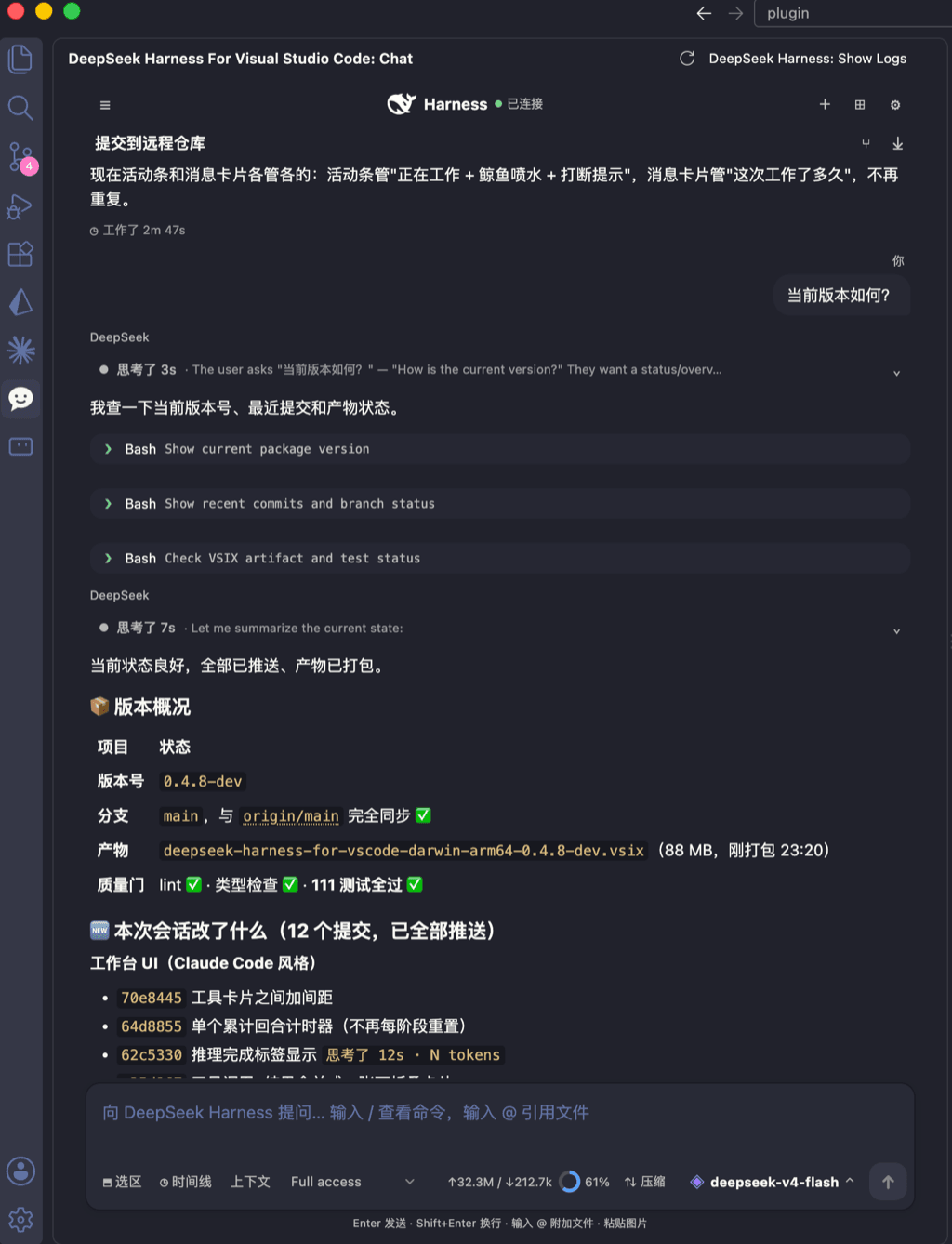 skymecode/deepseek-harness-for-vscode
deepseek-harness for vscode .A native VS Code coding-agent extension for DeepSeek Harness. Streamlined workbench with se…
skymecode/deepseek-harness-for-vscode
deepseek-harness for vscode .A native VS Code coding-agent extension for DeepSeek Harness. Streamlined workbench with se…
- Yan-Zero/dsh-std
-
 rison114514/dsh-endfield-ui
Endfield-inspired industrial UI shell for DeepSeek Harness (dsh) — non-official fan theme. Install: dsh plugin --profile…
rison114514/dsh-endfield-ui
Endfield-inspired industrial UI shell for DeepSeek Harness (dsh) — non-official fan theme. Install: dsh plugin --profile…
-
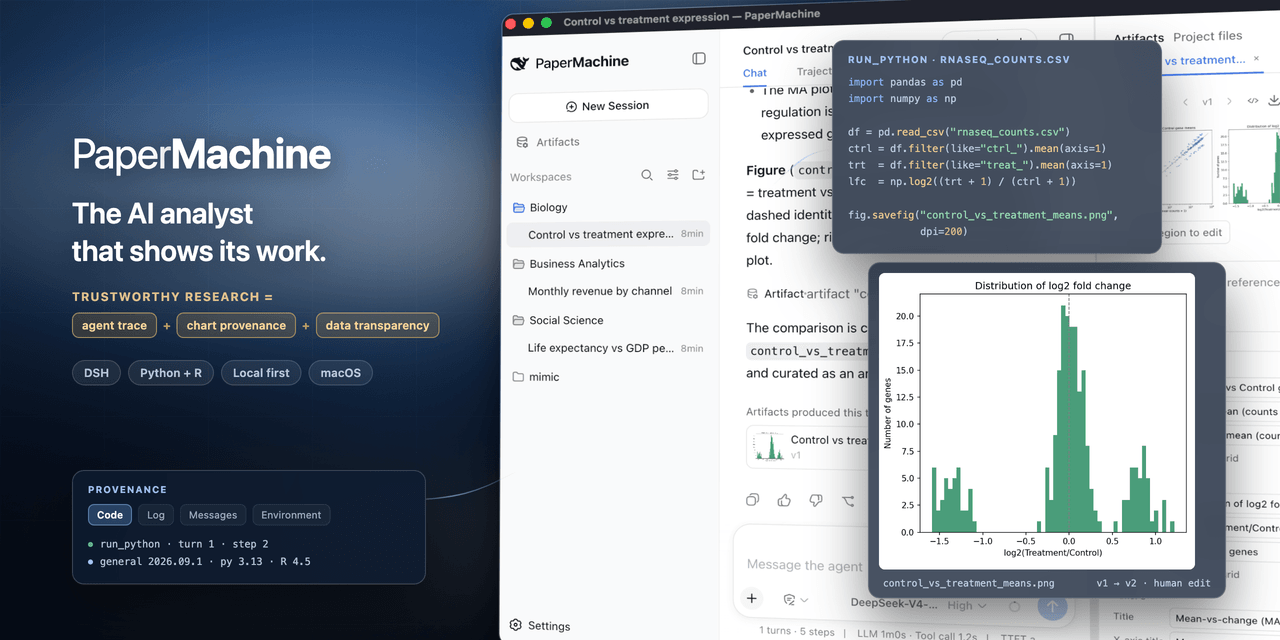 SuperJJ007/papermachine
The AI analyst that shows its work. Runs Python and R on your own machine, and traces every chart back to the code behin…
SuperJJ007/papermachine
The AI analyst that shows its work. Runs Python and R on your own machine, and traces every chart back to the code behin…