H2O-MERO/dsh-git-sidebar
嵌入式 Git 可视化工作台(代码 Diff / 未提交改动面板 / 对话页侧边改动模块)A Git visualization workbench embedded in the DeepSeek Harness Web GUI
项目介绍Project Overview
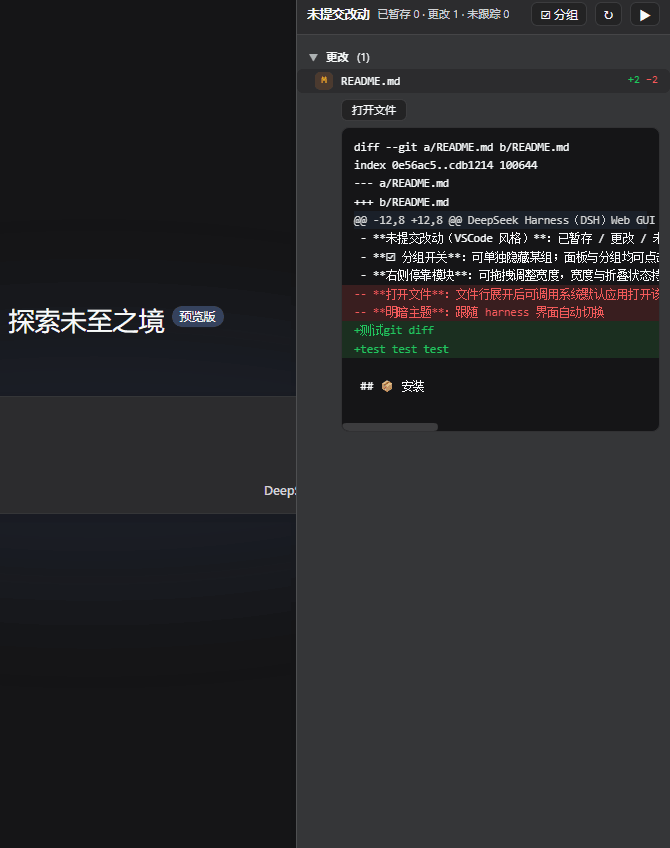
DSH 对话页右侧的「未提交改动」侧边栏插件,从 dsh-git-studio 抽取而来。提供 VSCode 风格三组文件列表(已暂存/更改/未跟踪)、状态徽标、每文件 +/- 行数,点击展开单文件 diff,支持重命名展示与系统默认应用打开文件,面板宽度与折叠状态持久化,跟随当前对话自动切换工作区,支持明暗主题。需在 profile 的 package.json 与 cordis.patch.yml 中挂载并配置初始仓库白名单,改后需重启 dsh web。
dsh-git-sidebar is a DSH plugin that docks a VSCode-style uncommitted-changes panel on the right side of the chat page. It lists staged, modified, and untracked files with status badges, per-file +/- counts, inline diffs, rename display, and open-with-system-app actions. The panel follows the active conversation's workspace, supports resizable width and collapsed state, and adapts to light/dark themes. Mount it via the DSH web profile by adding the dependency and a cordis.patch.yml entry with an initial repo whitelist, then restart dsh web.
请帮我了解并安装插件:【dsh-git-sidebar】【https://github.com/H2O-MERO/dsh-git-sidebar】把上面这条消息直接发给当前会话里的 DSH,让它帮你了解并安装。安装命令不一定准确,发给 DSH 更稳。Send this message to DSH in your current session. CLI install commands may not be accurate across systems — DSH will figure it out for you.
或使用命令行安装(适合开发者)Or use CLI install (for developers)
命令行安装CLI Install
dsh plugin --profile web add github:H2O-MERO/dsh-git-sidebar把 H2O-MERO/dsh-git-sidebar 加入你的 DSH 配置(web profile)即可启用。
READMEREADME
dsh-git-sidebar
🌐 English | 简体中文
🧭 DSH 对话页右侧的「未提交改动」侧边栏:从
dsh-git-studio中提取,只保留对话侧边栏部分,已删去 Git 图谱(提交历史图、分支过滤、提交详情等)相关代码。
DeepSeek Harness(DSH)Web GUI 的嵌入式 Git 工作区改动侧边栏插件。
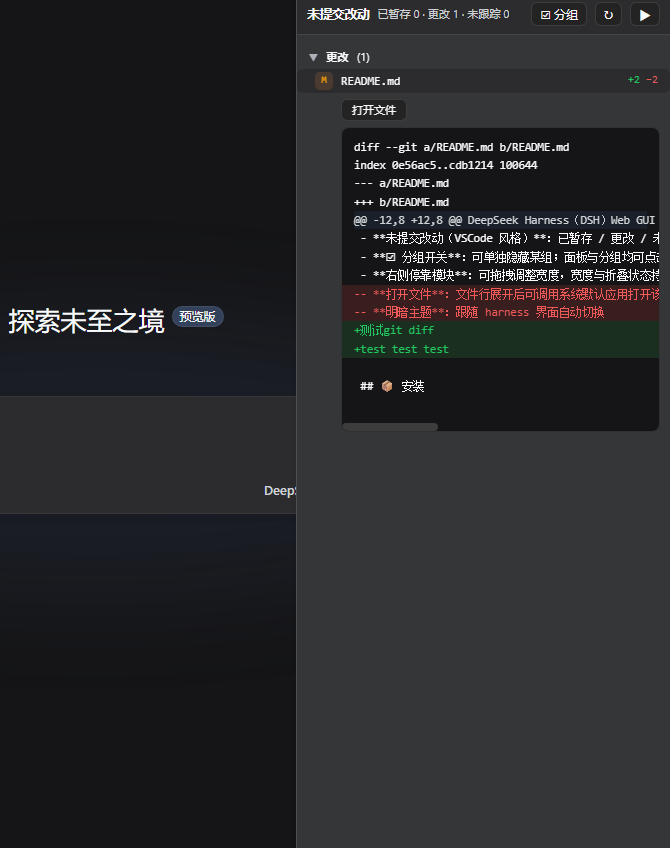
在对话界面右侧停靠 VSCode 风格的未提交改动面板:已暂存 / 更改 / 未跟踪三组文件列表、状态徽标、每文件 +/− 行数、点击展开单文件 diff、重命名 旧 → 新、未跟踪文件直接显示内容,并可调用系统默认应用打开文件。
📸 界面截图
✨ 功能
- 跟随当前对话:打开哪个对话就显示哪个对话工作区的 git 仓库,切换对话自动跟随;非 git 仓库的对话显示空态提示
- 未提交改动(VSCode 风格):已暂存 / 更改 / 未跟踪三组文件列表、状态徽标(A/M/D/R/U/?)、每文件 +/− 行数、点击行展开单文件 diff、重命名
旧 → 新、未跟踪文件直接显示内容 - ☑ 分组开关:可单独隐藏某组;面板与分组均可点击折叠
- 右侧停靠模块:可拖拽调整宽度,宽度与折叠状态持久化;折叠时只显示窄把手,不渲染内容、不发起请求;宿主工具详情面板打开时自动让位
- 打开文件:文件行展开后可调用系统默认应用打开该文件
- 明暗主题:跟随 harness 界面自动切换
📦 安装
1. 把插件加入 profile
编辑你的 DSH web profile 的 package.json,添加依赖:
{
  "dependencies": {
    "dsh-git-sidebar": "file:./plugins/git-sidebar"
  }
}
(plugins/git-sidebar 为本插件源码所在目录,按实际路径调整。)
2. 挂载 bundle
在 profile 的 cordis.patch.yml 中加入:
- insert:
    - id: git-sidebar
      name: dsh-git-sidebar
      config:
        repo: "C:/path/to/your/repo"
config.repo/config.repos是初始可访问仓库白名单;运行中被会话工作区发现的仓库也会自动加入可访问集合。
3. 安装并重启
pnpm install
# 然后重启 dsh web
打开 http://127.0.0.1:3080 ,在任意会话页右侧即可看到「未提交改动」侧边栏。
🛠️ 开发
git-sidebar/
├── index.js          # 服务端:git API(repos/workstatus/workfile/openfile)
├── client.js         # 客户端插件:对话页右侧「未提交改动」侧边栏
├── package.json      # 插件清单(dsh.client.inject + bundle patch)
├── dsh.plugin.json   # 官方 DSH 插件清单
└── cordis.patch.yml  # profile 挂载点
服务端(index.js)和客户端(client.js)改动后需重启 dsh web。
📄 开源协议
相关推荐Related
-
 TencentCloud/tencentcloud-agentobs-sdk-dsh
tencentcloud-agentobs-sdk-dsh 是一个 DeepSeek Harness (DSH) 可观测插件,直接将 GenAI trace 数据上报到腾讯云日志服务 (CLS)。 它观察 DSH 原生的 session、…
TencentCloud/tencentcloud-agentobs-sdk-dsh
tencentcloud-agentobs-sdk-dsh 是一个 DeepSeek Harness (DSH) 可观测插件,直接将 GenAI trace 数据上报到腾讯云日志服务 (CLS)。 它观察 DSH 原生的 session、…
-
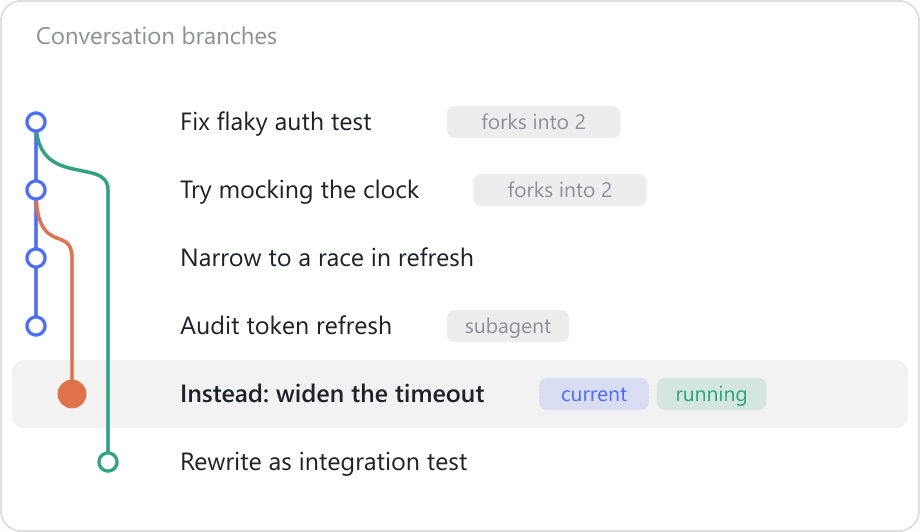 chouyong/dsh-fork-graph
See your DSH conversation's fork history as a git graph — coloured branch lanes in the session header, click to jump. A …
chouyong/dsh-fork-graph
See your DSH conversation's fork history as a git graph — coloured branch lanes in the session header, click to jump. A …
-
 Chenmo0414/tukey
Turn your coding agent into a data analyst — DuckDB engine, auto-profiling, read-only SQL, and Vega-Lite charts rendered…
Chenmo0414/tukey
Turn your coding agent into a data analyst — DuckDB engine, auto-profiling, read-only SQL, and Vega-Lite charts rendered…
- ClaireXi99/dsh-data-insight Data analysis toolkit for DeepSeek Harness — CSV profiling, anomaly detection, and data summarization
-
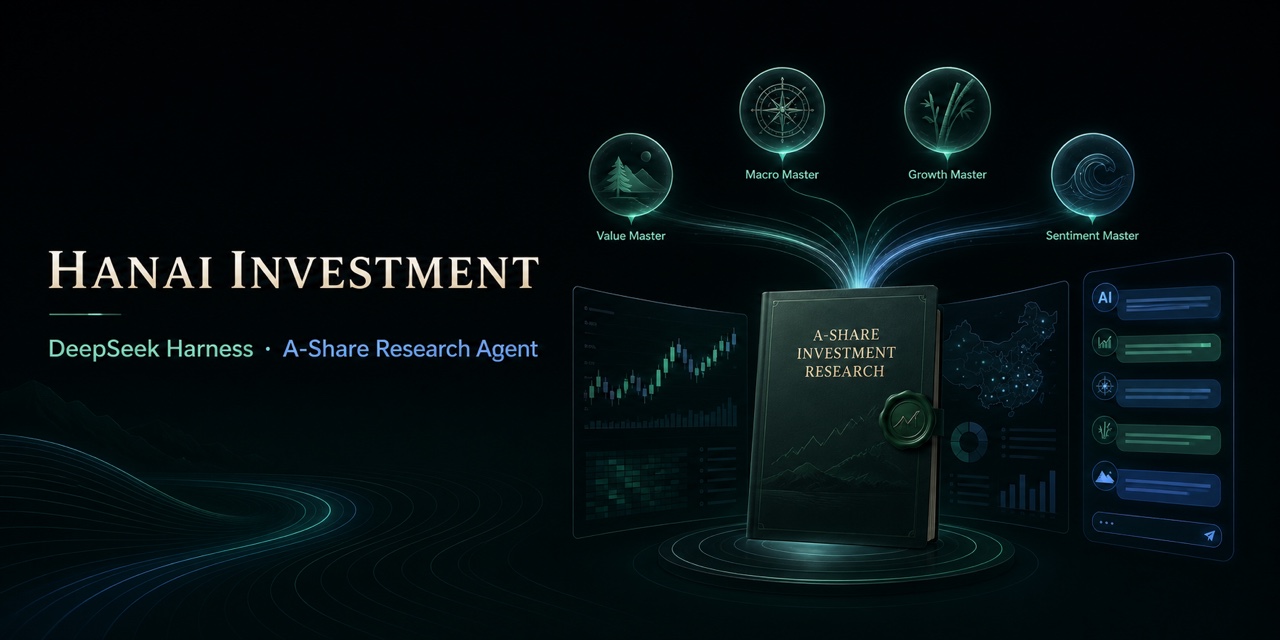 hancao97/hanai-investment-dsh
Local-first A-share research workbench for DeepSeek Harness: market dashboards, watchlists, valuation, four investor age…
hancao97/hanai-investment-dsh
Local-first A-share research workbench for DeepSeek Harness: market dashboards, watchlists, valuation, four investor age…
-
 vlln/dsh-navbar
DSH 插件:对话节点导航条(右缘节点串快速跳转 user 消息)。官方 bundle 插件,dsh plugin --profile web add 安装
vlln/dsh-navbar
DSH 插件:对话节点导航条(右缘节点串快速跳转 user 消息)。官方 bundle 插件,dsh plugin --profile web add 安装
-
 SenmuuuuW/dsh-whale-report
深迹 DeepTrace — Your Agent, in numbers. DSH 插件:从会话事件日志生成日报/周报/月报/年报/自定义区间,确定性洞察与协作复盘,只读、不改写历史。
SenmuuuuW/dsh-whale-report
深迹 DeepTrace — Your Agent, in numbers. DSH 插件:从会话事件日志生成日报/周报/月报/年报/自定义区间,确定性洞察与协作复盘,只读、不改写历史。
-
 lehhair/dsh-diff-viewer
DSH Web GUI PiUI-style diff viewer plugin: replaces the stock DiffBlock for write/edit tool calls via ui-tool diff-card …
lehhair/dsh-diff-viewer
DSH Web GUI PiUI-style diff viewer plugin: replaces the stock DiffBlock for write/edit tool calls via ui-tool diff-card …