Han-1413141/dsh-cost-meter
DeepSeek Harness会话成本统计与OpenCode Go配额显示,DS官方余额及自定义提供商余额查询,类Codex令牌热力图插件:会话/每日成本、预算、历史记录、峰谷定价、价格同步、多供应商定价(90+目录),编码计划配额查询(6家供应商),余额进度条
Project Overview项目介绍
This is a native plugin built exclusively for DeepSeek Harness, designed to track and display conversation costs and usage quota for LLM API calls. It supports real-time calculation of current session and daily costs, displays official DeepSeek account balance, custom provider balances, and OpenCode Go subscription quota. It also covers 9 different coding plan providers, supports peak/off-peak pricing with configurable reminders for price switching, and one-click sync of official model prices. It includes a built-in price list for over 90 models, separates billing for subscription plans and pay-as-you-go usage, and generates a Codex-style token usage heatmap.
This plugin is targeted at developers who regularly use LLMs from DeepSeek and other vendors, as it helps them keep track of their usage and spending to avoid unexpected overages. It adds a horizontal bar above the input box that shows the percentage used for budget and each enabled subscription plan, warns when usage hits 80%, and alerts when usage exceeds 100%. Users can click any section to manually refresh data, and they can also enable simplified sidebar display to compress content and save interface space. All UI elements can be toggled on or off based on user preference, so users only see what they need for their workflow.
This plugin is released under the open-source MIT license, and it only relies on Node.js built-in modules and a small number of official DSH dependencies, so there is little risk of dependency conflicts. It has several documented limitations: historical cost breakdown by model requires unexpired host session logs, official price sync depends on the current structure of DeepSeek's pricing page, and balance queries require network access to the official DeepSeek API domain. After installing or updating the plugin, you need to restart the dsh web process for changes to take effect. Custom model prices added by users are never overwritten during official price sync operations.
这是专为DeepSeek Harness开发的原生插件,用于追踪LLM对话的使用成本。它支持实时统计当前会话和当日费用,可显示DeepSeek官方账户余额、自定义供应商余额,以及OpenCode Go和9家主流厂商编码计划订阅额度。它还支持峰谷计价展示、可配置的价格切换提醒、一键同步官方模型定价,生成类似Codex的Token用量热图。内置90+模型价格目录,支持双轨计费分别统计订阅额度和按量付费金额。
这款插件适合经常使用DeepSeek及其他厂商大模型做开发的用户,帮助用户清晰掌握用量和费用,避免意外超预算。它会在输入框上方显示一条横条,实时展示预算、各订阅额度的使用百分比,用量超过80%会预警,超过100%明确提示超支。用户可以点击任意区块手动刷新数据,还可以自主设置是否开启简化侧边栏显示,压缩不必要内容节省界面空间。
插件采用MIT许可开源,仅依赖Node.js内置模块和少量DSH官方依赖包,无多余第三方依赖,不会产生依赖冲突。它的已知限制包括:历史按模型回填依赖宿主未清理的会话日志,官方价格同步依赖当前官网结构,API余额查询需要可访问官方域名的网络环境。安装更新后需要重启dsh web才能生效,用户自定义的模型价格不会被官方同步覆盖。
请帮我安装这个 DSH 插件。安装前先完成【兼容性检查 + 安全性检查】,检查通过再动手。

插件:dsh-cost-meter(Han-1413141/dsh-cost-meter)
仓库:https://github.com/Han-1413141/dsh-cost-meter
本站详情页:https://www.yhbd.top/plugins/han-1413141-dsh-cost-meter/
本站登记:类型 plugin · 归类 原生 DSH 插件 · 许可证 MIT · ⭐ 368 · 最近提交 2026-10-03 · 主语言 JavaScript

按下面顺序执行,每步先把结论告诉我,再进入下一步:

【1 兼容性检查】
① 我这边:DSH 版本、Node 版本、操作系统、当前 profile(web / desktop)。
② 读它的 README、package.json、插件 manifest,列出它要求的 DSH 版本 / Node 版本 / 操作系统 / 外部依赖 / 需要另外先装的运行时。
③ 逐条比对,结论只写「满足 / 不满足 / 未知」三种;不满足的给出可行替代方案。
④ 检查是否和我已装的插件冲突:命令名重复、skill / tool 重名、端口占用、重复注册的 MCP server。

【2 安全性检查】
① 仓库可信度:和上面「本站登记」是否一致;star / fork 数、创建时间、最近提交,是否归档或长期停更。
② 安装脚本:逐行看 package.json 的 preinstall / install / postinstall,以及 install.sh、setup.ps1 之类脚本。出现 curl|bash、下载后直接执行、混淆代码、访问与插件功能无关的域名,立刻停下来告诉我,不要继续装。
③ 依赖:列出新增依赖,标出无人维护、或与知名包拼写近似的可疑包(typosquatting)。
④ 权限与副作用:它会读写哪些目录、访问哪些域名、需要哪些 DSH 权限(filesystem / network / shell / clipboard 等),以及怎么卸载和回滚。
⑤ 如果它要求 sudo / 管理员权限,或权限明显超出功能所需,先停下来问我。

【3 安装】
上面两步没有「不满足」和「高危项」时才执行;用官方推荐方式安装,不要自行提权。

【4 汇报】
用表格输出:检查项 / 结论 / 依据 / 是否需要我决策。拿不准的一律写「未知」并说明要我怎么确认——不要猜,也不要替我决定。
Send this message to DSH in your current session: it verifies compatibility and security first (answering met / not met / unknown item by item) and only installs once everything checks out — it will stop and ask you if it finds a high-risk item. The box scrolls; the copy is the full prompt. CLI install commands may not be accurate across systems, so DSH is the safer route.把上面这条消息直接发给当前会话里的 DSH:它会先核对兼容性与安全性(逐条给「满足 / 不满足 / 未知」),确认没问题再安装,有高危项会停下来问你。框内可滚动,复制到的是完整提示词;安装命令不一定准确,发给 DSH 更稳。
- This site's static screen found no obvious risk signal (stars, license, activity, manifest)本站静态筛查没发现明显风险信号(星标、许可证、更新活跃度、清单完整度)
DSH walks through these 9 checksDSH 会逐条核对这 9 项
Compatibility兼容性
- DSH, Node, OS and profile requirementsDSH 版本 / Node 版本 / 操作系统 / profile 是否满足要求
- External dependencies and runtimes (Electron / Python / Docker, ...)外部依赖与运行时(Electron / Python / Docker 等)是否齐备
- Conflicts with installed plugins: command names, skill / tool names, ports, duplicate MCP registration与已装插件是否冲突:命令名、skill / tool 重名、端口占用、重复 MCP 注册
Security安全性
- Repo matches the facts registered here; archived or abandoned?仓库是否与页面登记一致,是否归档或长期停更
- Safety of preinstall / install / postinstall and install.sh / setup.ps1preinstall / install / postinstall 与 install.sh、setup.ps1 是否安全
- curl|bash, download-then-execute, obfuscation, unrelated domains → stop immediatelycurl|bash、下载即执行、混淆代码、无关域名 → 立刻停止
- Typosquatting or unmaintained packages among the new dependencies新增依赖里有没有 typosquatting 或无人维护的包
- Requested permissions vs. what the feature actually needs申请了哪些权限、是否超出功能所需(filesystem / network / shell / clipboard)
- Any sudo / admin requirement, plus uninstall and rollback是否要求 sudo / 管理员权限,以及卸载与回滚方式
Anything uncertain must be marked unknown with a note on how to confirm it. This site's signal screen is a static snapshot, not a security audit.拿不准的必须标「未知」并说明要我怎么确认。本站的信号筛查是静态快照,不能替代安全审计。
Or use CLI install (for developers)或使用命令行安装(适合开发者)
CLI Install命令行安装
dsh plugin --profile web add dsh-cost-meter把 Han-1413141/dsh-cost-meter 加入你的 DSH 配置(web profile)即可启用。
READMEREADME
dsh-cost-meter
English | 简体中文
Session cost tracking plugin for the DeepSeek Harness web GUI (bilingual UI)
Per-conversation cost · daily totals · OpenCode Go subscription quota display · budget with usage percentage · official account balance · custom provider balance · balance progress bar · history · peak/off-peak pricing hours display (peak hours UTC 01:00–04:00, 06:00–10:00; weekends and Chinese public holidays are off-peak all day, with separate labels) · pre-switch popup & system-notification alerts for peak/off-peak changes (position / lead time / alert type configurable) · one-click price sync from the official docs · Codex-style token usage heat grid · multi-vendor model pricing (built-in 170+ model-ID catalog with auto-matching) · mainstream Coding Plan quota queries & display (Anthropic / Z.ai / MiniMax / Kimi / OpenRouter / SiliconFlow / CommandCode / SCNet / Volcano Ark / Qwen / Xiaomi MiMo) plan/API dual-track billing (subscription quota vs pay-as-you-go money separated, per-1% & full-window token/equivalent-cost estimates with daily/weekly/monthly curves) · · quota strip above the input box (budget / Go / coding-plan usage in one row, toggleable)

v1.8.10 aligns cumulative totals, conversation badges and rankings, including subagent spending. See the release notes.
Desktop users: follow the Desktop installation instructions for the application's own CLI and desktop Profile.





Showing the opening section of the README — the full document lives in the repository以上为 README 开头摘要,完整文档在仓库内 · View the full README on GitHub →在 GitHub 查看完整 README →
Related相关推荐
-
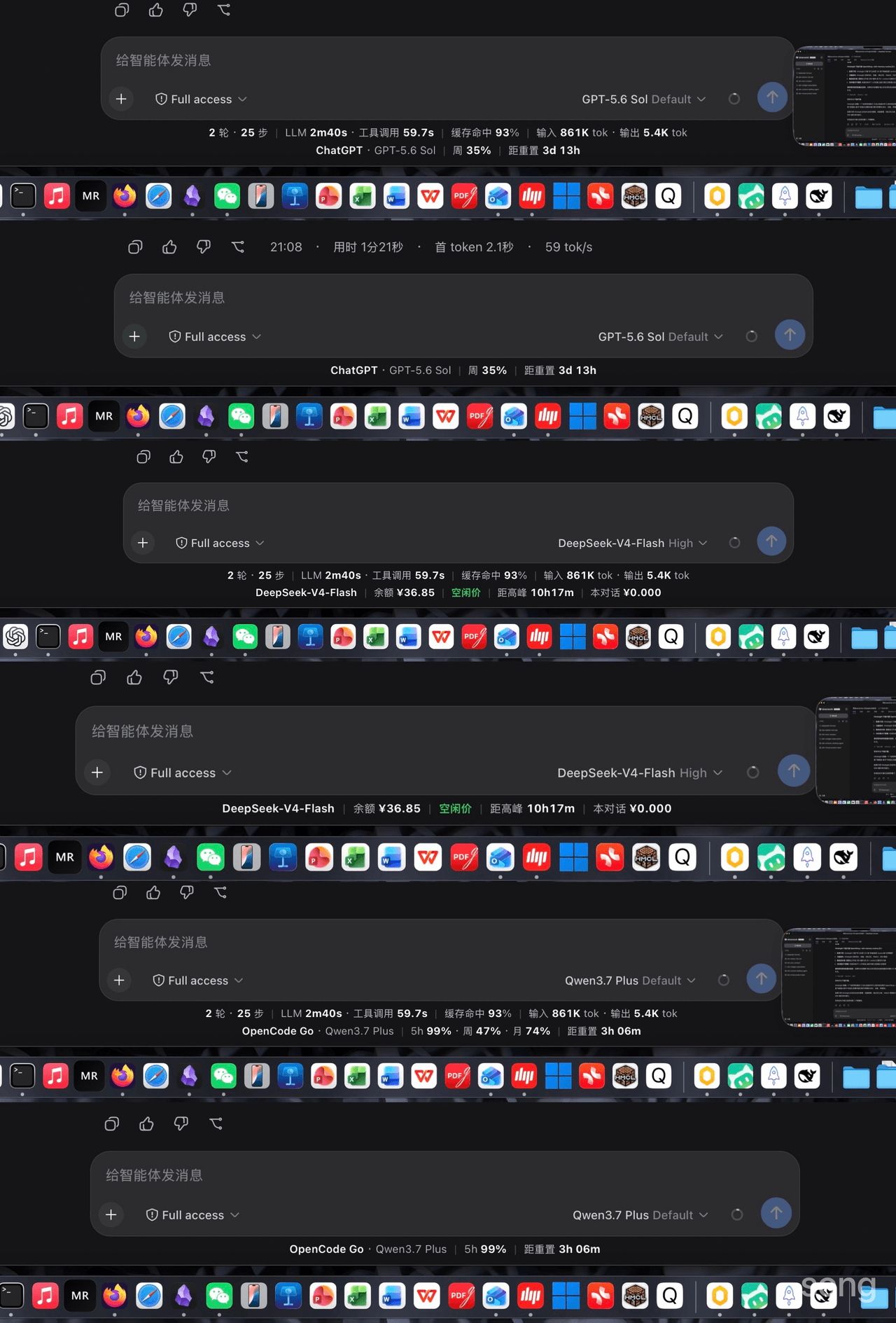 songoao25/dsh-bottom-info-bar
DeepSeek Harness (DSH) plugin: replaces the stats row under the composer with provider and model, balance or subscriptio…
songoao25/dsh-bottom-info-bar
DeepSeek Harness (DSH) plugin: replaces the stats row under the composer with provider and model, balance or subscriptio…
-
 tianji-qingtian/dsh-model-router
模型路由与成本优化器:简单问题 flash 直答、故障自动降级、会话 token/缓存/成本实时面板 | Model router & cost optimizer for DeepSeek Harness: flash quick-ans…
tianji-qingtian/dsh-model-router
模型路由与成本优化器:简单问题 flash 直答、故障自动降级、会话 token/缓存/成本实时面板 | Model router & cost optimizer for DeepSeek Harness: flash quick-ans…
-
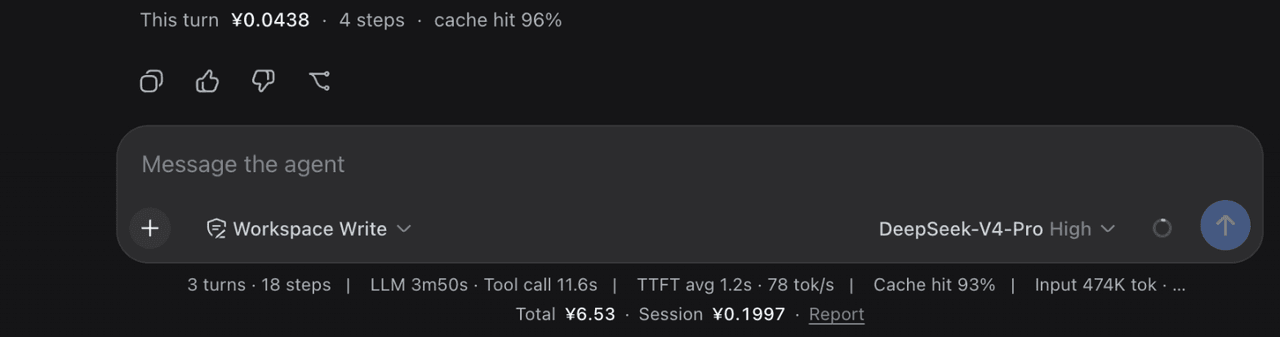 Jannchie/dsh-bill
DSH (DeepSeek Harness) plugin: per-session cost line + cost attribution report, priced by llm-pricing
Jannchie/dsh-bill
DSH (DeepSeek Harness) plugin: per-session cost line + cost attribution report, priced by llm-pricing
-
 jiay98528-dev/dsh-model-sync
Writes live provider model lists into DSH settings. Composer rings show 5h/7d plan windows or metered balance for the cu…
jiay98528-dev/dsh-model-sync
Writes live provider model lists into DSH settings. Composer rings show 5h/7d plan windows or metered balance for the cu…
- GeekRicardo/dsh-balance DeepSeek Harness web 插件:输入框下方状态栏展示当前供应商的余额/用量 —— DeepSeek 官方余额 + 本会话花费,Kimi Coding、OpenCode Go、GLM Coding Plan 等订阅用量(支持的…
-
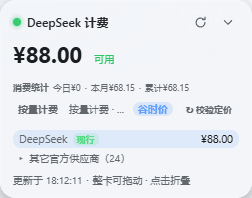 linkingoscar/dsh-billing-glass
Liquid-glass billing overlay for the DeepSeek Harness Web GUI: provider balances, session cost, daily spend and token bu…
linkingoscar/dsh-billing-glass
Liquid-glass billing overlay for the DeepSeek Harness Web GUI: provider balances, session cost, daily spend and token bu…
- YZz-S/dsh-token-cost-meter Community plugins for DeepSeek Harness (DSH) Web GUI: session token cost meter with official dynamic pricing, DeepSeek &…
- bjzkhy/dsh-token-ledger-pro DSH cost panel: meters every request from session events, prices it against a built-in catalog of 136 models across 16 p…