
hoyyang/dsh-smart-compact
Codex-style context window auto-management for DeepSeek Harness — lossless zero-model context rollover
Project Overview项目介绍
dsh-smart-compact is a context-window auto-management plugin built specifically for DeepSeek Harness. It follows the dsh-* naming convention and is mounted into the web profile through dsh plugin --profile web add dsh-smart-compact, then activated by launching dsh web with zero configuration. It delivers Codex-CLI-style context strategy: live token-budget visibility, graduated reminders before the window fills, working notes that survive compactions, on-demand recall of archived originals, and a rollover compaction engine that switches to a fresh window with zero summarization model calls. The bundle ships a manual /smart-compact command, a 26px amber-gold composer button, plus tools get_context_remaining, ctx_notes (write/append/read/search/list), ctx_history (list/read/search), and new_context.
The typical workflow targets users running long coding sessions or handing work across sessions. A real-time token meter sits right of the composer input; at 25/50/75% consumption the model receives graduated reminders and writes handoff notes, then at the 85% buffer enters a grace reminder. The new window opens with a mechanically derived handoff anchor (Task / Last action), automatically downgraded to ⚠️ STALE if notes lag the actual progress. Manual rollover flows through the host's native submit channel and returns a human-readable Chinese receipt with ✅/❌ prefixes, never silently downgrading to LLM summarization. Cross-window archaeology is done by ctx_history search which can locate every archived seq verbatim.
Dependencies and caveats are precise: peer deps track the DSH main version (currently >=0.1.5-rc <2), and since host 0.1.5-rc.1 Session.events is read via snapshotEvents(). After upgrading DSH, users must re-run npm install and rebuild lib/, and re-apply the idempotent token-meter fault-tolerance patch node scripts/patch-token-meter.mjs once per host upgrade. Budget-unmeasurable states are tracked separately under budgetDegraded; slot collisions fail loud rather than silently degrading to summarization. Vitest covers 123 unit tests, license is BSD-3-Clause, and notes files persist under notesDir after uninstall until manually deleted.
dsh-smart-compact 是一款为 DeepSeek Harness 量身打造的上下文窗口自动管理插件,命名遵循 dsh-* 规范,并以 dsh plugin --profile web add dsh-smart-compact 命令行装载进 web profile。它在宿主事件驱动下提供 Codex CLI 式新策略:实时预算可见、快满时分级提醒、跨压缩存活的工作笔记、按需回查归档原文,以及一个零模型调用的换窗压缩引擎。手动命令 /smart-compact、26px 正圆按钮、get_context_remaining、ctx_notes、ctx_history、new_context 等工具与触发器一并装配。
典型工作流面向长会话编码与跨会话接力的用户:会话运行时输入框右侧实时显示 token 消耗表;模型在 25/50/75% 收到分级提醒并自动写交接笔记;85% 进入 grace 提醒后,新窗口第一条消息为机械推导的 Task/Last action 交接锚点;笔记滞后时锚点降级为 ⚠️ STALE 警示。手动换窗走宿主原生提交通道,回执以 ✅/❌ 前缀中文呈现。用户通过 ctx_history search 可逐字回查归档内容,跨压缩、跨换窗零损失。
依赖与限制方面,插件要求 DSH 主版本 >=0.1.5-rc 且 <2,0.1.5-rc.1 起 Session.events 改走 snapshotEvents(),升级宿主后必须重跑 npm install 并重建 lib/。宿主 restore/remount 引发 turn 计数重置的容错补丁 node scripts/patch-token-meter.mjs 每次升级须幂等重跑;预算不可测独立记入 budgetDegraded。Vitest 123 项单元测试全绿,BSD-3-Clause 开源,槽位被占时 fail loud 不静默降级为摘要压缩。
请帮我安装这个 DSH 插件。安装前先完成【兼容性检查 + 安全性检查】,检查通过再动手。

插件:dsh-smart-compact(hoyyang/dsh-smart-compact)
仓库:https://github.com/hoyyang/dsh-smart-compact
本站详情页:https://www.yhbd.top/plugins/hoyyang-dsh-smart-compact/
本站登记:类型 plugin · 归类 原生 DSH 插件 · 许可证 BSD-3-Clause · ⭐ 6 · 最近提交 2026-09-29 · 主语言 TypeScript

按下面顺序执行,每步先把结论告诉我,再进入下一步:

【1 兼容性检查】
① 我这边:DSH 版本、Node 版本、操作系统、当前 profile(web / desktop)。
② 读它的 README、package.json、插件 manifest,列出它要求的 DSH 版本 / Node 版本 / 操作系统 / 外部依赖 / 需要另外先装的运行时。
③ 逐条比对,结论只写「满足 / 不满足 / 未知」三种;不满足的给出可行替代方案。
④ 检查是否和我已装的插件冲突:命令名重复、skill / tool 重名、端口占用、重复注册的 MCP server。

【2 安全性检查】
① 仓库可信度:和上面「本站登记」是否一致;star / fork 数、创建时间、最近提交,是否归档或长期停更。
② 安装脚本:逐行看 package.json 的 preinstall / install / postinstall,以及 install.sh、setup.ps1 之类脚本。出现 curl|bash、下载后直接执行、混淆代码、访问与插件功能无关的域名,立刻停下来告诉我,不要继续装。
③ 依赖:列出新增依赖,标出无人维护、或与知名包拼写近似的可疑包(typosquatting)。
④ 权限与副作用:它会读写哪些目录、访问哪些域名、需要哪些 DSH 权限(filesystem / network / shell / clipboard 等),以及怎么卸载和回滚。
⑤ 如果它要求 sudo / 管理员权限,或权限明显超出功能所需,先停下来问我。

【3 安装】
上面两步没有「不满足」和「高危项」时才执行;用官方推荐方式安装,不要自行提权。

【4 汇报】
用表格输出:检查项 / 结论 / 依据 / 是否需要我决策。拿不准的一律写「未知」并说明要我怎么确认——不要猜,也不要替我决定。
Send this message to DSH in your current session: it verifies compatibility and security first (answering met / not met / unknown item by item) and only installs once everything checks out — it will stop and ask you if it finds a high-risk item. The box scrolls; the copy is the full prompt. CLI install commands may not be accurate across systems, so DSH is the safer route.把上面这条消息直接发给当前会话里的 DSH:它会先核对兼容性与安全性(逐条给「满足 / 不满足 / 未知」),确认没问题再安装,有高危项会停下来问你。框内可滚动,复制到的是完整提示词;安装命令不一定准确,发给 DSH 更稳。
- Only 6 stars - very few users, little community feedback星标只有 6,几乎没人在用,遇到问题缺少社区反馈
DSH walks through these 9 checksDSH 会逐条核对这 9 项
Compatibility兼容性
- DSH, Node, OS and profile requirementsDSH 版本 / Node 版本 / 操作系统 / profile 是否满足要求
- External dependencies and runtimes (Electron / Python / Docker, ...)外部依赖与运行时(Electron / Python / Docker 等)是否齐备
- Conflicts with installed plugins: command names, skill / tool names, ports, duplicate MCP registration与已装插件是否冲突:命令名、skill / tool 重名、端口占用、重复 MCP 注册
Security安全性
- Repo matches the facts registered here; archived or abandoned?仓库是否与页面登记一致,是否归档或长期停更
- Safety of preinstall / install / postinstall and install.sh / setup.ps1preinstall / install / postinstall 与 install.sh、setup.ps1 是否安全
- curl|bash, download-then-execute, obfuscation, unrelated domains → stop immediatelycurl|bash、下载即执行、混淆代码、无关域名 → 立刻停止
- Typosquatting or unmaintained packages among the new dependencies新增依赖里有没有 typosquatting 或无人维护的包
- Requested permissions vs. what the feature actually needs申请了哪些权限、是否超出功能所需(filesystem / network / shell / clipboard)
- Any sudo / admin requirement, plus uninstall and rollback是否要求 sudo / 管理员权限,以及卸载与回滚方式
Anything uncertain must be marked unknown with a note on how to confirm it. This site's signal screen is a static snapshot, not a security audit.拿不准的必须标「未知」并说明要我怎么确认。本站的信号筛查是静态快照,不能替代安全审计。
Or use CLI install (for developers)或使用命令行安装(适合开发者)
CLI Install命令行安装
dsh plugin --profile web add dsh-smart-compact把 hoyyang/dsh-smart-compact 加入你的 DSH 配置(web profile)即可启用。
READMEREADME
dsh-smart-compact


Codex-style context window auto-management for DeepSeek Harness. / DeepSeek Harness 的 Codex 式上下文窗口自动管理插件。
给模型装上"自己管理上下文窗口"的五件套:看得见剩余预算、快满时被提醒交接、写跨压缩存活的工作笔记、按需回查被归档的原始内容、以及一个零模型调用的换窗压缩引擎(替代传统的"LLM 摘要压缩")。
Give the model Codex CLI's new context strategy: live budget visibility, wrap-up reminders, working notes that survive compaction, on-demand recall of archived original content, and a rollover compaction engine that switches to a fresh window with zero summarization model calls.
Install / Update 安装与更新
dsh plugin --profile web add dsh-smart-compact
dsh plugin --profile web update dsh-smart-compact@latest
开箱即用(零配置):所有配置键均为可选项,默认值即上线行为——装完启动 dsh web 即生效,无需任何设置步骤。No build step on the user side. 安装后启动 dsh web 即可。
有啥用 Features
- 零模型调用换窗:窗口快满时机械切换到新窗口,全程不调用一次摘要模型,省钱且零幻觉。
- 100% 无损归档:旧窗口内容原封不动进入本地持久流,不是"压缩摘要",随时可逐字回查。
- 交接锚点:新窗口第一条消息自带任务定向(Task / Last action 两行机械推导),不用猜"我刚才在干嘛"。
- 笔记新鲜度门(v0.5.2):交接笔记落后实际进度时,锚点自动降级为 ⚠️ STALE 警示并附机械活动尾,绝不背书过期状态。
- 工作笔记 ctx_notes:write / append / read / search / list 五操作,跨压缩、跨换窗存活。
- 无损回查 ctx_history:list 窗口清单、read 按 seq 精确回读、search 全文检索归档内容。
- 预算可见 get_context_remaining:当前会话剩余 token 预算(total / window / remaining)实时可查。
- 主动换窗 new_context:模型自己请求开新窗口,本步采样完成后生效,不打断当前步。
- 人工命令 /smart-compact:一条命令立即换窗,回执为人读中文,成功 ✅ / 失败 ❌ 前缀,绝不静默降级。
- 一键换窗按钮:输入框工具行 26px 正圆按钮,点击等同执行 /smart-compact,草稿自动保护。
- 三带自动换窗:quiet → grace 提醒 → forced 自动执行,宿主事件驱动,阈值可配。
- 强制脱敏:引擎自动生成的锚点文本过手机号 / 邮箱 / 证件号 / 企业名脱敏,命中只记数量不回显原文。
- 提醒触达可观测:25/50/75% + grace 提醒的触达计数写入 engine-state.json,提醒静默失效从此可查。
- 运行探针:engine-state.json 随时可查当前模式、窗口号、换窗计数与最近失败原因。
30 秒上手 Quick start
- 安装:
dsh plugin --profile web add dsh-smart-compact。 - 启动
dsh web,引擎自动武装(auto 默认开启,无需任何配置)。 - 正常开一个会话干活,输入框右侧的上下文消耗表实时可见。
- 消耗到 25 / 50 / 75% 时模型会收到分级提醒,提示它写交接笔记。
- 到 85% 缓冲带,模型收到 grace 提醒:该写 ctx_notes 了。
- 任意时刻都可以点输入框旁的金色圆按钮(或敲 /smart-compact)立即换窗。
- 换窗后新窗口第一条消息就是交接锚点,注明窗口号与归档区间。
- 新窗口用 ctx_notes read 继续笔记,用 ctx_history search 回查旧细节。
- 随时
cat ~/.dsh/dsh-smart-compact/engine-state.json查运行模式与换窗计数。 - 不想要了:
dsh plugin --profile web remove dsh-smart-compact,卸载即净。
Showing the opening section of the README — the full document lives in the repository以上为 README 开头摘要,完整文档在仓库内 · View the full README on GitHub →在 GitHub 查看完整 README →
Related相关推荐
- houyanchao/chatgpt-gemini-timeline ChatGPT & Gemini:Add Folders, Timeline & Prompts. - 为 ChatGPT & Gemini 添加文件夹、提示词库和时间轴。
- PerryLink/jevcore TypeSafe Jev for DeepSeek Harness, the Model Context Protocol, and plain Node: typed judgments instead of prose, offline…
-
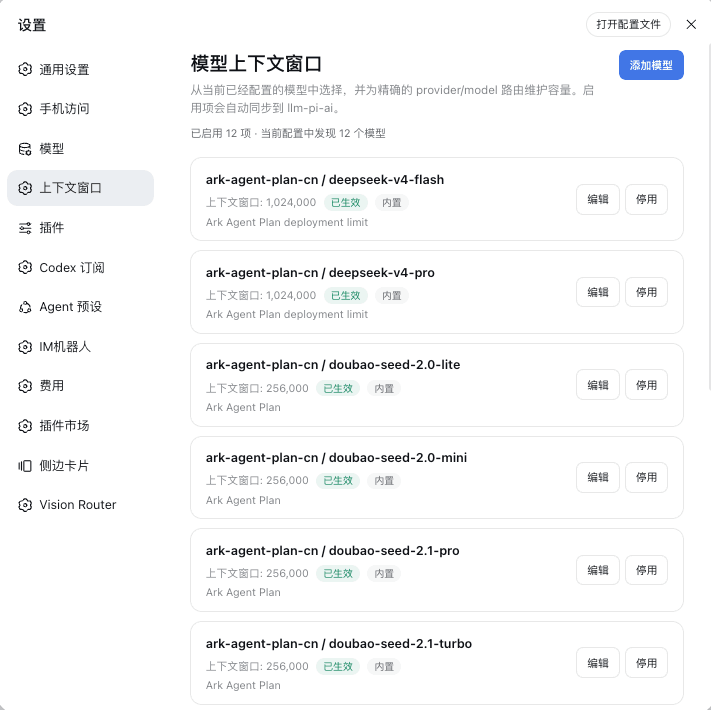 HOWILLMAKEIT/dsh-model-context-catalog
DeepSeek Harness 插件:维护 llm-pi-ai 模型的准确上下文窗口,避免长会话被误判为上下文溢出。
HOWILLMAKEIT/dsh-model-context-catalog
DeepSeek Harness 插件:维护 llm-pi-ai 模型的准确上下文窗口,避免长会话被误判为上下文溢出。
-
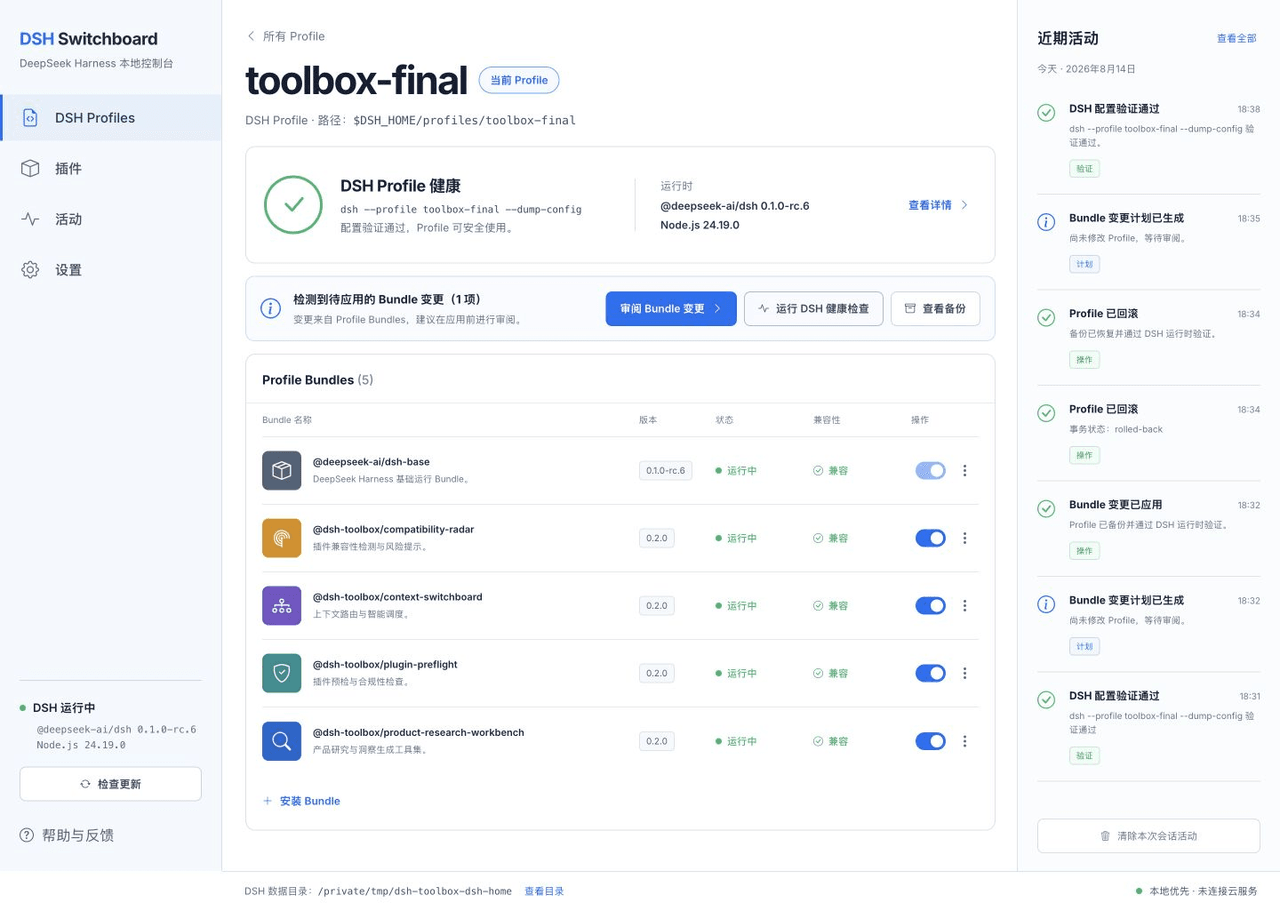 HiWhaleW/dsh-toolbox
Local-first DeepSeek Harness plugins for product research, context routing, plugin preflight, and compatibility monitori…
HiWhaleW/dsh-toolbox
Local-first DeepSeek Harness plugins for product research, context routing, plugin preflight, and compatibility monitori…
-
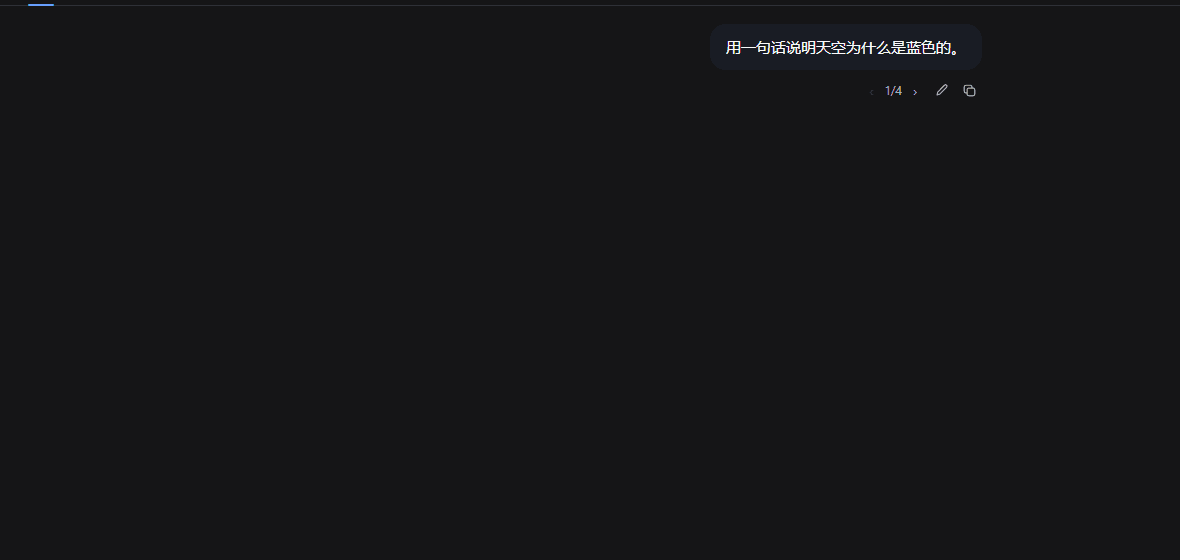 SpookySandwich/dsh-plugin-message-edit
DSH 消息编辑插件:编辑已发送的消息并从该处分叉对话,气泡下方带版本计数与树状视图。Edit a sent message and branch from that point — version counter, tree view, …
SpookySandwich/dsh-plugin-message-edit
DSH 消息编辑插件:编辑已发送的消息并从该处分叉对话,气泡下方带版本计数与树状视图。Edit a sent message and branch from that point — version counter, tree view, …
- beihzb/dsh-opencode-session-header Per-conversation x-opencode-session injection for OpenCode Go in DeepSeek Harness - fixes 400 MissingSessionID without b…
-
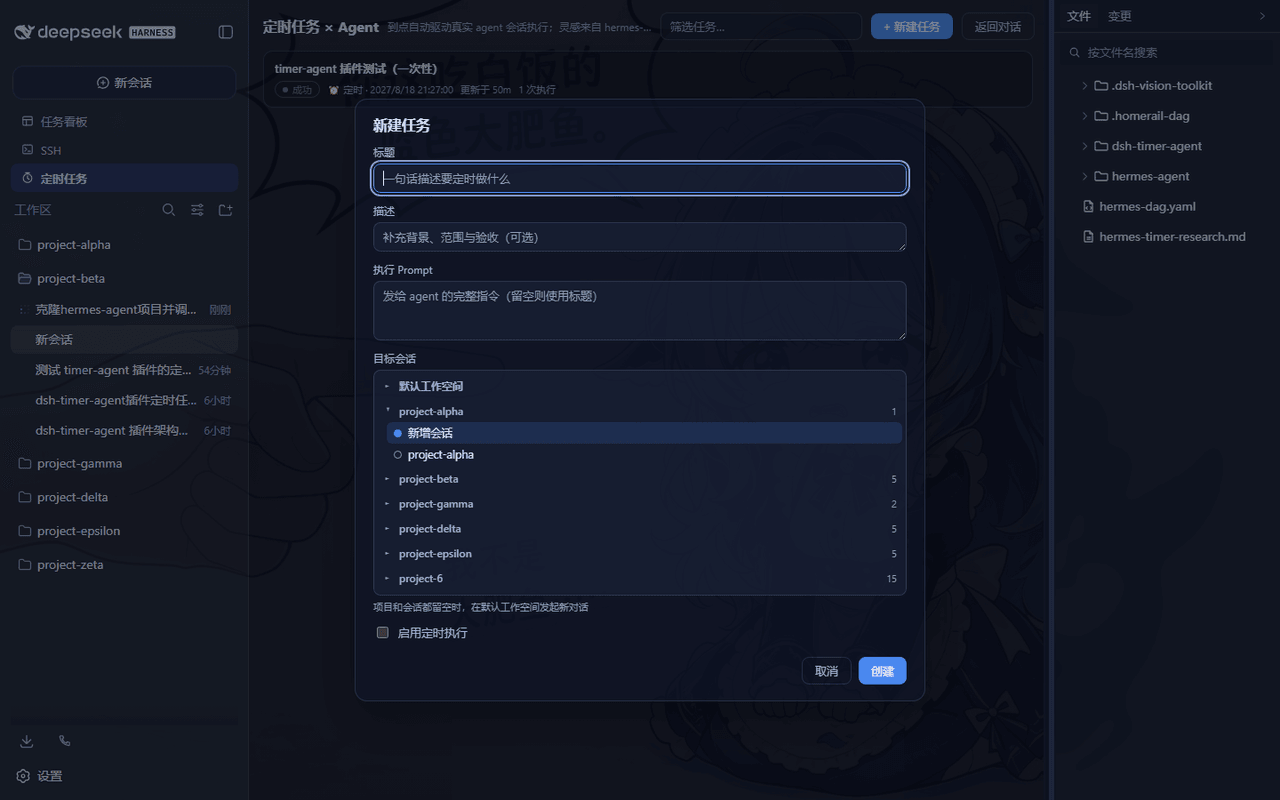 LouisHaoL/dsh-timer-agent
DSH plugin: host-resident scheduled-jobs × AI-agent engine (hermes-agent cron inspired) — 60s ticker fires real agent se…
LouisHaoL/dsh-timer-agent
DSH plugin: host-resident scheduled-jobs × AI-agent engine (hermes-agent cron inspired) — 60s ticker fires real agent se…
- huermi/dsh-deepseek-web-adapter 免费的 DeepSeek 网页版(chat.deepseek.com)LLM 服务提供方,用于 DeepSeek Harness——无需 API 密钥。自动启动网关,支持工具调用和连续对话。Free DeepSeek Web (chat.d…