HR2AY/DSH-Plan-Graph
DeepSeek Harness 轨迹的另一版本(DIY)
Project Overview项目介绍
HR2AY/DSH-Plan-Graph is a native out-of-tree plugin built exclusively for DeepSeek Harness (DSH). It adds a dedicated “Plan Graph” tab to the DSH session view ring, and renders an interactive flow graph of all session activity, including tool calls and messages, client-side from the conversation snapshot. The graph includes a pan-and-zoom canvas, status-colored node cards, node detail views, toggles for hiding tool calls and grouping by turn, an option to follow the latest node, and the ability to merge the graph into the main right sidebar.
This plugin adds three extra features on top of the base flow graph: favorites, a right-click node context menu, and locate in conversation. Users can add nodes to favorites via the context menu or by dragging a node onto the toolbar favorites button, and favorites are persisted as JSON in browser localStorage, with a cap of 100 deduplicated entries per session. Right-clicking any node opens the context menu, which lets you add or remove favorites, locate the node in the original conversation, copy node details, and more. The locate feature maps any graph node to its corresponding chat row, scrolls it into view and adds a highlight flash, making it easy to cross-reference between the graph and the raw conversation. It is targeted at developers and data analysts who need to visualize agent session trajectories.
The plugin is written in plain JavaScript with no build-time dependencies, and the prepare script runs automatically after install to generate the working client file. You can install it from GitHub source, a tarball, or the npm registry; when installing from GitHub, you need to add an allowBuilds entry for this package in your pnpm workspace config to permit the build script to run. It is released under the permissive MIT open source license, is free to use, and depends on standard DSH web client plugin services to function correctly. Some optional features, like live chat filtering via the hide tool calls toggle, require a matching patched DSH deployment to work properly.
HR2AY/DSH-Plan-Graph 是专为 DeepSeek Harness(DSH)开发的原生插件包,是一个独立于内核的插件,它会在DSH的会话视图环中新增一个「Plan Graph」标签页,基于会话快照在客户端渲染交互式流程图,展示整个会话中工具调用和消息的流转关系。它支持平移缩放画布、状态着色节点卡片、查看节点详情,还提供隐藏工具调用、按轮次分组、自动跟随最新节点等功能,也支持将图合并到实际右侧侧边栏。
该插件额外提供收藏、右键节点菜单、定位至对话区三个核心功能。用户可以通过节点右键菜单或拖拽节点到工具栏收藏按钮的方式,将常用节点添加到收藏,收藏数据会以JSON格式持久化存储在浏览器localStorage中,单会话最多存储100个去重条目。右键点击节点可执行添加/移除收藏、在对话中定位、复制节点信息等操作,定位功能会将任意节点映射到对应聊天行,滚动到可视区域并高亮。它适合需要可视化会话轨迹、分析代理工作流程的开发者使用。
该插件使用纯JavaScript开发,无构建时依赖,安装后可通过prepare脚本自动生成客户端文件。安装方式支持从GitHub源码、压缩包或npm注册表安装,从GitHub安装时需要在pnpm工作区配置中允许该插件运行构建脚本。它遵循MIT许可开源,完全免费使用,需要依赖DSH网页端提供的标准客户端插件服务,部分可选功能需要对应DSH部署版本支持。
请帮我安装这个 DSH 插件。安装前先完成【兼容性检查 + 安全性检查】,检查通过再动手。

插件:DSH-Plan-Graph(HR2AY/DSH-Plan-Graph)
仓库:https://github.com/HR2AY/DSH-Plan-Graph
本站详情页:https://www.yhbd.top/plugins/hr2ay-dsh-plan-graph/
本站登记:类型 plugin · 归类 原生 DSH 插件 · 许可证 MIT · ⭐ 16 · 最近提交 2026-08-16 · 主语言 JavaScript

按下面顺序执行,每步先把结论告诉我,再进入下一步:

【1 兼容性检查】
① 我这边:DSH 版本、Node 版本、操作系统、当前 profile(web / desktop)。
② 读它的 README、package.json、插件 manifest,列出它要求的 DSH 版本 / Node 版本 / 操作系统 / 外部依赖 / 需要另外先装的运行时。
③ 逐条比对,结论只写「满足 / 不满足 / 未知」三种;不满足的给出可行替代方案。
④ 检查是否和我已装的插件冲突:命令名重复、skill / tool 重名、端口占用、重复注册的 MCP server。

【2 安全性检查】
① 仓库可信度:和上面「本站登记」是否一致;star / fork 数、创建时间、最近提交,是否归档或长期停更。
② 安装脚本:逐行看 package.json 的 preinstall / install / postinstall,以及 install.sh、setup.ps1 之类脚本。出现 curl|bash、下载后直接执行、混淆代码、访问与插件功能无关的域名,立刻停下来告诉我,不要继续装。
③ 依赖:列出新增依赖,标出无人维护、或与知名包拼写近似的可疑包(typosquatting)。
④ 权限与副作用:它会读写哪些目录、访问哪些域名、需要哪些 DSH 权限(filesystem / network / shell / clipboard 等),以及怎么卸载和回滚。
⑤ 如果它要求 sudo / 管理员权限,或权限明显超出功能所需,先停下来问我。

【3 安装】
上面两步没有「不满足」和「高危项」时才执行;用官方推荐方式安装,不要自行提权。

【4 汇报】
用表格输出:检查项 / 结论 / 依据 / 是否需要我决策。拿不准的一律写「未知」并说明要我怎么确认——不要猜,也不要替我决定。
Send this message to DSH in your current session: it verifies compatibility and security first (answering met / not met / unknown item by item) and only installs once everything checks out — it will stop and ask you if it finds a high-risk item. The box scrolls; the copy is the full prompt. CLI install commands may not be accurate across systems, so DSH is the safer route.把上面这条消息直接发给当前会话里的 DSH:它会先核对兼容性与安全性(逐条给「满足 / 不满足 / 未知」),确认没问题再安装,有高危项会停下来问你。框内可滚动,复制到的是完整提示词;安装命令不一定准确,发给 DSH 更稳。
- 16 stars - an early-stage project星标 16,属于早期项目
DSH walks through these 9 checksDSH 会逐条核对这 9 项
Compatibility兼容性
- DSH, Node, OS and profile requirementsDSH 版本 / Node 版本 / 操作系统 / profile 是否满足要求
- External dependencies and runtimes (Electron / Python / Docker, ...)外部依赖与运行时(Electron / Python / Docker 等)是否齐备
- Conflicts with installed plugins: command names, skill / tool names, ports, duplicate MCP registration与已装插件是否冲突:命令名、skill / tool 重名、端口占用、重复 MCP 注册
Security安全性
- Repo matches the facts registered here; archived or abandoned?仓库是否与页面登记一致,是否归档或长期停更
- Safety of preinstall / install / postinstall and install.sh / setup.ps1preinstall / install / postinstall 与 install.sh、setup.ps1 是否安全
- curl|bash, download-then-execute, obfuscation, unrelated domains → stop immediatelycurl|bash、下载即执行、混淆代码、无关域名 → 立刻停止
- Typosquatting or unmaintained packages among the new dependencies新增依赖里有没有 typosquatting 或无人维护的包
- Requested permissions vs. what the feature actually needs申请了哪些权限、是否超出功能所需(filesystem / network / shell / clipboard)
- Any sudo / admin requirement, plus uninstall and rollback是否要求 sudo / 管理员权限,以及卸载与回滚方式
Anything uncertain must be marked unknown with a note on how to confirm it. This site's signal screen is a static snapshot, not a security audit.拿不准的必须标「未知」并说明要我怎么确认。本站的信号筛查是静态快照,不能替代安全审计。
Or use CLI install (for developers)或使用命令行安装(适合开发者)
CLI Install命令行安装
dsh plugin --profile web add github:HR2AY/DSH-Plan-Graph把 HR2AY/DSH-Plan-Graph 加入你的 DSH 配置(web profile)即可启用。
READMEREADME

dsh-plan-graph
An out-of-tree DeepSeek Harness plugin bundle: an interactive flow graph of a session's tool calls and messages, rendered client-side from the conversation snapshot. The plugin adds a "Plan Graph" tab to the session view ring (pan/zoom canvas, status-colored node cards, node details, hide-tool-calls and group-by-turn toggles, follow latest, and "Merge into conversation" into the real right sidebar).
pkg-3 adds three features on top of the graph:
- Favorites — a panel centered at the bottom of the view, opened from the toolbar button (colored kind tiles + summary + time). Per-session, persisted as JSON in
localStorageunderdsh.plan-graph.fav.<sessionId>, deduped by node id, capped at 100. Add via the node context menu or by dragging a node onto the toolbar favorites button. Click an entry to center the graph on that node with a flash highlight; if the node has left the current window (partial finished, node paged out), the click falls back to the matching chat row by seq/callId. Removal goes through the node context menu. - Node context menu — right-click a node for: add/remove favorite, locate in conversation (tool-call nodes only), copy node info, view details. Closes on outside click, Escape, or canvas interaction. Favorites are managed here (and by dragging a node onto the toolbar favorites button) — there is no ★ button on the details panel.
- Locate in conversation — maps any node to its chat row: tool calls by
callId, assistant output bydata.finalNode.seq, and user input / steering / context bydata.seq(the same event seq the graph node id embeds), then waits for thedata-chat-flow-keyanchor viaMutationObserver, scrolls it into view and flashes it; a 10s timeout silently falls back to in-graph locate. Prefers an upstreamchatLocateoptional service when a deployment provides one.
The browser half is the plan-graph dynamic-plugin code (pkg-3), wrapped in the web module loader's handoff format — plain JavaScript, no build-time dependencies. The prepare script (which pnpm runs after a git install) regenerates client.js from client.body.js.
Showing the opening section of the README — the full document lives in the repository以上为 README 开头摘要,完整文档在仓库内 · View the full README on GitHub →在 GitHub 查看完整 README →
Related相关推荐
-
 nocobase/nocobase
NocoBase is an open-source AI + no-code platform for building business systems fast. Instead of generating everything fr…
nocobase/nocobase
NocoBase is an open-source AI + no-code platform for building business systems fast. Instead of generating everything fr…
-
 TencentCloudBase/CloudBase-AI-Toolkit
Backend for AI coding agents on CloudBase — database, auth, functions via Plugin, Skills & MCP.
TencentCloudBase/CloudBase-AI-Toolkit
Backend for AI coding agents on CloudBase — database, auth, functions via Plugin, Skills & MCP.
-
 WYH66666666/DSH-Transparent-UI-Plugin
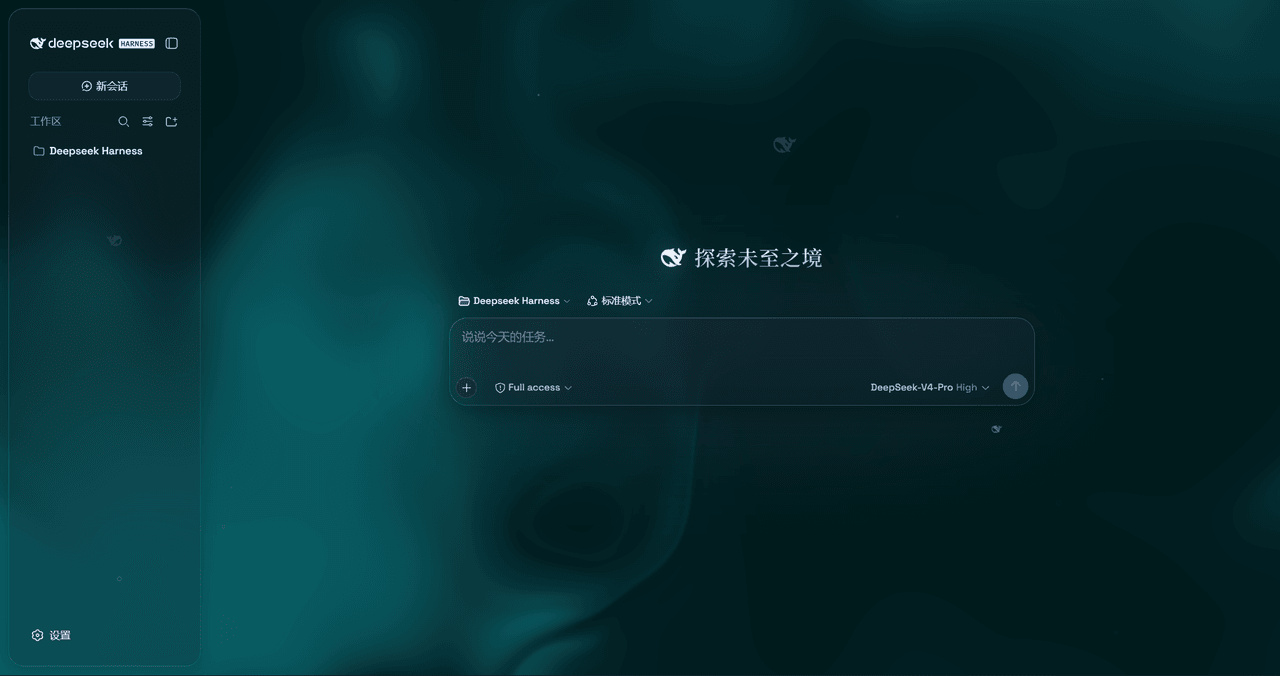
是一层高自由度的玻璃质感主题,套在 DeepSeek Harness 网页端。顶栏、侧边栏、输入框、统计行、轨迹视图都成了磨砂玻璃片。玻璃模糊度、磨砂度、背景(流体或自定义壁纸,壁纸还能单独调模糊和磨砂)全都能在设置卡片里自由调节。关掉开关…
WYH66666666/DSH-Transparent-UI-Plugin
是一层高自由度的玻璃质感主题,套在 DeepSeek Harness 网页端。顶栏、侧边栏、输入框、统计行、轨迹视图都成了磨砂玻璃片。玻璃模糊度、磨砂度、背景(流体或自定义壁纸,壁纸还能单独调模糊和磨砂)全都能在设置卡片里自由调节。关掉开关…
-
 Nagi-ovo/dsh-visualize
在 DSH 对话中生成交互式可视化|Render model-generated interactive cards inside DSH conversations
Nagi-ovo/dsh-visualize
在 DSH 对话中生成交互式可视化|Render model-generated interactive cards inside DSH conversations
-
 SepineTam/mcp-for-stata
Stata-MCP: A MCP server for integrating Stata into your agent loop with a safety-first design.
SepineTam/mcp-for-stata
Stata-MCP: A MCP server for integrating Stata into your agent loop with a safety-first design.
-
 omdsh-dev/dsh-data-agent
Connect DSH to your database for conversational data analysis and actionable business insights.
omdsh-dev/dsh-data-agent
Connect DSH to your database for conversational data analysis and actionable business insights.
-
 morluto/jacobian
Composable mathematics tools for agents
morluto/jacobian
Composable mathematics tools for agents
-
 youdotcom-oss/agent-skills
You.com skills and plugins for web search, content extraction, research, finance, and integration discovery, helping AI …
youdotcom-oss/agent-skills
You.com skills and plugins for web search, content extraction, research, finance, and integration discovery, helping AI …