omdsh-dev/dsh-data-agent
将DSH连接到您的数据库,实现对话式数据分析与可行的业务洞察。
Project Overview项目介绍
dsh-data-agent is a native DSH plugin built exclusively for DeepSeek Harness, designed to enable natural language-driven data analysis for business and data professionals. It supports over 10 common database types including MySQL, PostgreSQL, SQLite, Oracle, SQL Server, ClickHouse, and Apache Hive. To install the plugin, users simply run the appropriate DSH CLI command based on whether they use the DSH web UI or the terminal TUI profile. After running the command, the plugin will be automatically downloaded and installed. The plugin supports installation to either profile, and after installation users can immediately start connecting their databases and running analysis.
This plugin is built for anyone who regularly works with business data, from entry-level business analysts to senior product managers and business leaders. It covers a wide range of common use cases including sales revenue review, user RFM segmentation, conversion funnel analysis, inventory risk monitoring, and automatic weekly report generation. After connecting a database, users can ask questions in plain business language, and the plugin will automatically generate SQL, run queries, and produce visual charts and actionable insights. Users can also follow up on initial results to dig deeper into unexpected trends or anomalies that require further investigation.
dsh-data-agent is released under the permissive MIT open source license, so it is free to use and modify for both personal and commercial purposes. It requires an existing installation of DeepSeek Harness to run, and also requires a reachable database connection to work properly. On first run after installation, the plugin will automatically update its preset to be compatible with the latest DSH requirements, and it will not overwrite any existing user customizations. If you encounter a prefix configuration error on first launch, you can fix it by editing the preset config file and restarting DSH.
这是一款专为 DeepSeek Harness(DSH)打造的原生数据分析插件,面向数据分析从业者和业务人员提供自然语言驱动的数据分析能力。它支持用户用日常业务语言提问,自动完成库表探查、SQL编写执行、结论推导,还能生成可视化图表和离线HTML分析报告,同时内置AI驱动的数据治理功能,可自动为库表字段添加业务释义,目前支持十多种主流关系型数据库和数仓。
这款插件适合需要频繁处理业务数据的分析师、运营人员、产品经理和企业管理者使用,覆盖销售营收复盘、用户画像分层、运营转化漏斗分析、库存供应链监控、自动周报生成等多种常见业务场景。用户安装完成后,可选择可视化Web界面或终端TUI两种使用模式,连接数据库后即可直接提问,还能基于初步结论继续追问下钻,逐步深挖有价值的商业洞察。
本插件基于MIT协议开源免费使用,依赖DSH运行环境,需要本地可访问的目标数据库才能正常运行。安装可通过DSH命令行工具一键完成,支持选择安装到Web界面配置或终端TUI配置。首次启动时会自动更新兼容新版DSH的预设,用户自定义的原有预设不会被覆盖,若遇到前缀参数缺失错误可手动配置后重启。
请帮我安装这个 DSH 插件。安装前先完成【兼容性检查 + 安全性检查】,检查通过再动手。

插件:dsh-data-agent(omdsh-dev/dsh-data-agent)
仓库:https://github.com/omdsh-dev/dsh-data-agent
本站详情页:https://www.yhbd.top/plugins/omdsh-dev-dsh-data-agent/
本站登记:类型 plugin · 归类 原生 DSH 插件 · 许可证 MIT · ⭐ 201 · 最近提交 2026-09-29 · 主语言 JavaScript

按下面顺序执行,每步先把结论告诉我,再进入下一步:

【1 兼容性检查】
① 我这边:DSH 版本、Node 版本、操作系统、当前 profile(web / desktop)。
② 读它的 README、package.json、插件 manifest,列出它要求的 DSH 版本 / Node 版本 / 操作系统 / 外部依赖 / 需要另外先装的运行时。
③ 逐条比对,结论只写「满足 / 不满足 / 未知」三种;不满足的给出可行替代方案。
④ 检查是否和我已装的插件冲突:命令名重复、skill / tool 重名、端口占用、重复注册的 MCP server。

【2 安全性检查】
① 仓库可信度:和上面「本站登记」是否一致;star / fork 数、创建时间、最近提交,是否归档或长期停更。
② 安装脚本:逐行看 package.json 的 preinstall / install / postinstall,以及 install.sh、setup.ps1 之类脚本。出现 curl|bash、下载后直接执行、混淆代码、访问与插件功能无关的域名,立刻停下来告诉我,不要继续装。
③ 依赖:列出新增依赖,标出无人维护、或与知名包拼写近似的可疑包(typosquatting)。
④ 权限与副作用:它会读写哪些目录、访问哪些域名、需要哪些 DSH 权限(filesystem / network / shell / clipboard 等),以及怎么卸载和回滚。
⑤ 如果它要求 sudo / 管理员权限,或权限明显超出功能所需,先停下来问我。

【3 安装】
上面两步没有「不满足」和「高危项」时才执行;用官方推荐方式安装,不要自行提权。

【4 汇报】
用表格输出:检查项 / 结论 / 依据 / 是否需要我决策。拿不准的一律写「未知」并说明要我怎么确认——不要猜,也不要替我决定。
Send this message to DSH in your current session: it verifies compatibility and security first (answering met / not met / unknown item by item) and only installs once everything checks out — it will stop and ask you if it finds a high-risk item. The box scrolls; the copy is the full prompt. CLI install commands may not be accurate across systems, so DSH is the safer route.把上面这条消息直接发给当前会话里的 DSH:它会先核对兼容性与安全性(逐条给「满足 / 不满足 / 未知」),确认没问题再安装,有高危项会停下来问你。框内可滚动,复制到的是完整提示词;安装命令不一定准确,发给 DSH 更稳。
- This site's static screen found no obvious risk signal (stars, license, activity, manifest)本站静态筛查没发现明显风险信号(星标、许可证、更新活跃度、清单完整度)
DSH walks through these 9 checksDSH 会逐条核对这 9 项
Compatibility兼容性
- DSH, Node, OS and profile requirementsDSH 版本 / Node 版本 / 操作系统 / profile 是否满足要求
- External dependencies and runtimes (Electron / Python / Docker, ...)外部依赖与运行时(Electron / Python / Docker 等)是否齐备
- Conflicts with installed plugins: command names, skill / tool names, ports, duplicate MCP registration与已装插件是否冲突:命令名、skill / tool 重名、端口占用、重复 MCP 注册
Security安全性
- Repo matches the facts registered here; archived or abandoned?仓库是否与页面登记一致,是否归档或长期停更
- Safety of preinstall / install / postinstall and install.sh / setup.ps1preinstall / install / postinstall 与 install.sh、setup.ps1 是否安全
- curl|bash, download-then-execute, obfuscation, unrelated domains → stop immediatelycurl|bash、下载即执行、混淆代码、无关域名 → 立刻停止
- Typosquatting or unmaintained packages among the new dependencies新增依赖里有没有 typosquatting 或无人维护的包
- Requested permissions vs. what the feature actually needs申请了哪些权限、是否超出功能所需(filesystem / network / shell / clipboard)
- Any sudo / admin requirement, plus uninstall and rollback是否要求 sudo / 管理员权限,以及卸载与回滚方式
Anything uncertain must be marked unknown with a note on how to confirm it. This site's signal screen is a static snapshot, not a security audit.拿不准的必须标「未知」并说明要我怎么确认。本站的信号筛查是静态快照,不能替代安全审计。
Or use CLI install (for developers)或使用命令行安装(适合开发者)
CLI Install命令行安装
dsh plugin --profile web add @yejiming/dsh-data-agent把 omdsh-dev/dsh-data-agent 加入你的 DSH 配置(web profile)即可启用。
READMEREADME
DSH Data Agent · 用对话分析数据与商业洞察
中文 | English
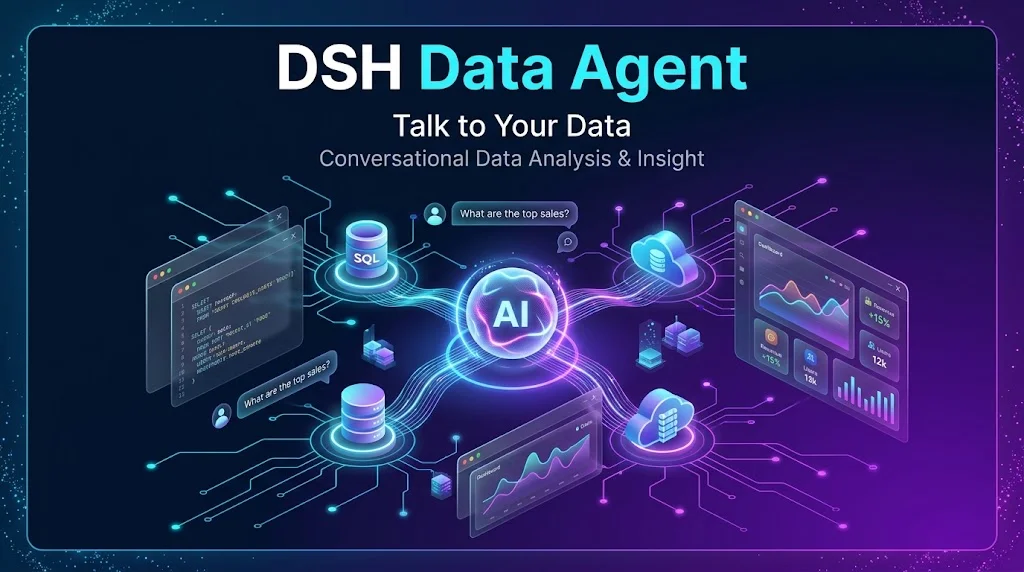


专为数据分析与商业分析人打造的 DeepSeek 智能数据分析助手
自然语言提问 · 自动编写执行 SQL · 智能图表与报告 · AI 辅助业务治理 · 深度商业洞察 · 本地安全只读
产品亮点 · 快速上手 · 使用场景 · 工作台与报告 · 支持数据源 · 安全与隐私 · 常见问题 · 开源协议
产品亮点
每次做数据分析,都要反复提需求写 SQL、手动导出 Excel 拼接加工、在多个图表工具里调格式?面对繁杂的库表和晦涩的英文缩写字段,业务含义无从查起?
DSH Data Agent 让数据分析回归业务决策本身:
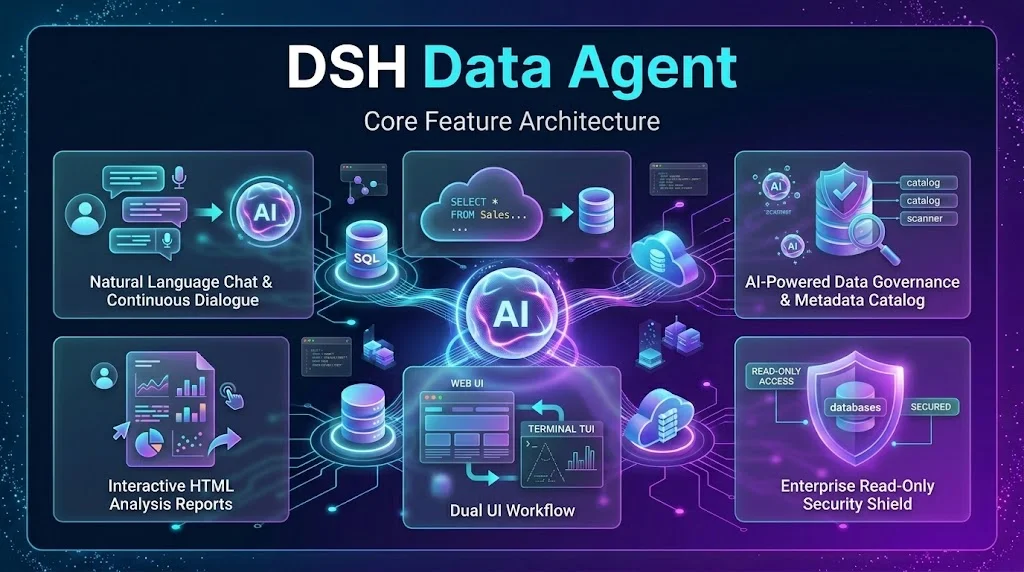
- 💬 零门槛对话即分析:告别繁琐的 SQL 语法,直接用大白话提问(如“对比最近 30 天各渠道转化率”)。AI 会自动理解业务意图、探查库表结构、编写并执行查询、连续推演并输出清晰结论。
- 📊 自动生成高品质图表与看板:告别枯燥的纯文本与黑白表格。根据分析结论自动绘制折线图、柱状图、饼图、散点图或多维数据看板(Dashboard),并一键导出离线 HTML 报告方便分享汇报。
- 🧠 深度挖掘商业洞察:不止是罗列查询数字,还能自动比较波动趋势、定位异常原因、识别高价值客群与畅销品类,把冷冰冰的数据转化为可直接落地的业务建议。
- 🏷️ AI 驱动的业务口径治理:智能扫描数据库,自动为库表和字段标注通俗易懂的业务含义,支持人工审核与指标定义,确保每一次分析都基于统一、准确的业务口径。
- 🔒 本地安全与只读保护:原生支持只读账号与只读模式,查询分析全程在本地安全受控运行,凭据严格保密,保障企业生产数据安全无忧。
- 🖥️ 现代 Web 与高效终端双体验:既可在直观的可视化 Web 界面中点击配置与浏览图表,也可在极客高效的命令行终端(dsh-tui)中一键唤起。
快速上手
1. 运行环境准备
- DeepSeek Harness
>=0.2.0-rc.1(插件0.2.2的兼容范围;当前已完成运行验证的版本为0.2.0-rc.2) - 本机可访问目标数据库(支持本地 SQLite 文件或局域网/云端数据库)
Showing the opening section of the README — the full document lives in the repository以上为 README 开头摘要,完整文档在仓库内 · View the full README on GitHub →在 GitHub 查看完整 README →
Related相关推荐
-
 Nagi-ovo/dsh-visualize
在 DSH 对话中生成交互式可视化|Render model-generated interactive cards inside DSH conversations
Nagi-ovo/dsh-visualize
在 DSH 对话中生成交互式可视化|Render model-generated interactive cards inside DSH conversations
-
 youdotcom-oss/agent-skills
You.com skills and plugins for web search, content extraction, research, finance, and integration discovery, helping AI …
youdotcom-oss/agent-skills
You.com skills and plugins for web search, content extraction, research, finance, and integration discovery, helping AI …
-
 Awu12277/dsh-stock-watch
A股自选股实时行情盯盘插件 - DeepSeek Harness Web 右上角可折叠弹窗
Awu12277/dsh-stock-watch
A股自选股实时行情盯盘插件 - DeepSeek Harness Web 右上角可折叠弹窗
-
 dream12347/dsh-session-manager
DSH 会话管理插件:删除(回收站恢复/彻底清除)、统计、继续/暂停、打开日志目录、对话顶部抽屉、工作区分组与排序、上下文压缩阈值设置。DSH session manager: delete with trash/restore/purge…
dream12347/dsh-session-manager
DSH 会话管理插件:删除(回收站恢复/彻底清除)、统计、继续/暂停、打开日志目录、对话顶部抽屉、工作区分组与排序、上下文压缩阈值设置。DSH session manager: delete with trash/restore/purge…
-
 yuezengwu/dsh-explain
Private, local-first continuous learning for DeepSeek Harness: capture, review, and correct what Explain learns.
yuezengwu/dsh-explain
Private, local-first continuous learning for DeepSeek Harness: capture, review, and correct what Explain learns.
-
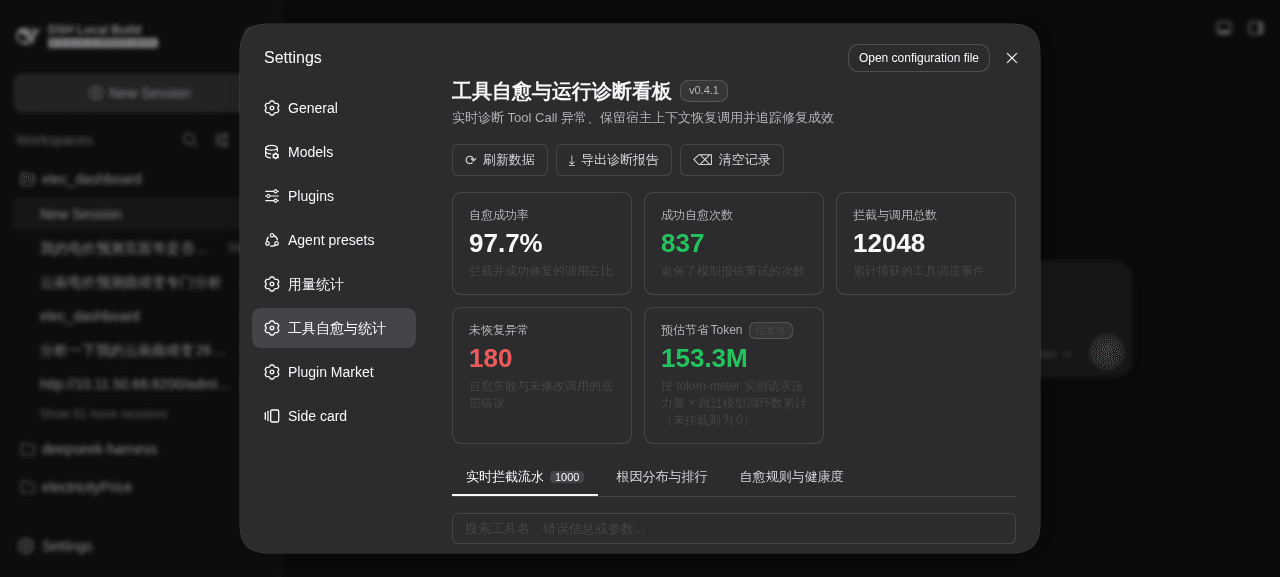 merenguesL/dsh-tool-normalizer
-
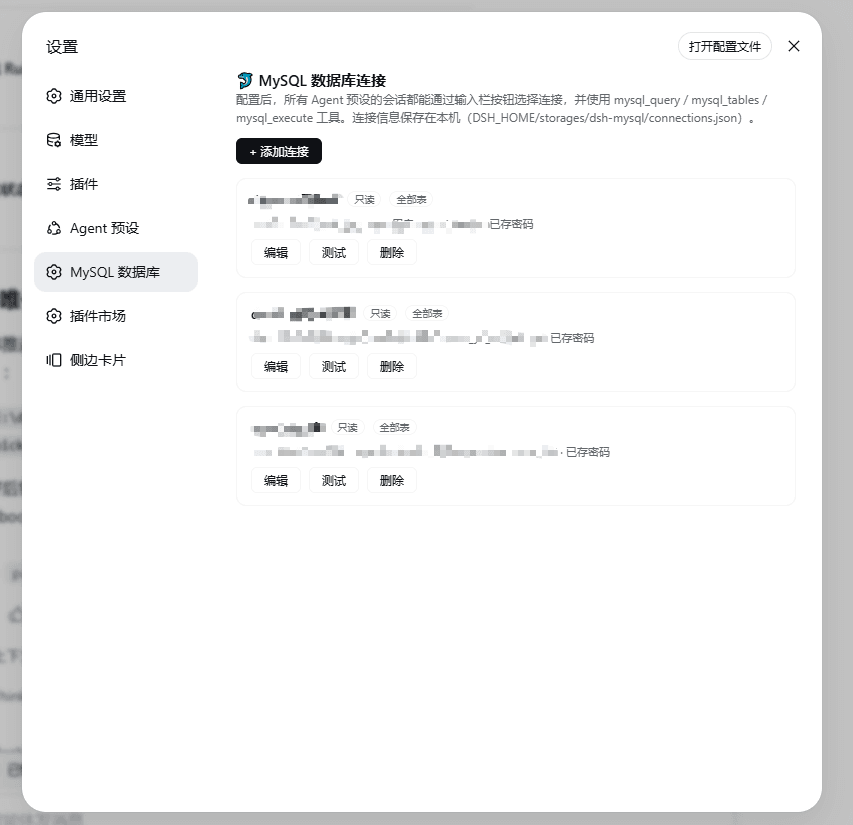 1321928757/dsh-mysql
MySQL connector plugin for DeepSeek Harness: configure connections in settings, switch per session from the composer, an…
1321928757/dsh-mysql
MySQL connector plugin for DeepSeek Harness: configure connections in settings, switch per session from the composer, an…
-
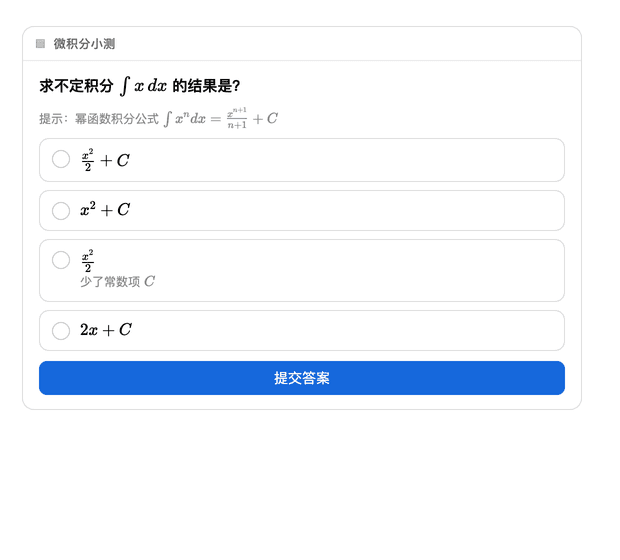 baihui-ai/a2ui-render-in-dsh
Interactive A2UI cards for the dsh web UI — quizzes, forms, charts and diagrams rendered inline in the conversation, wit…
baihui-ai/a2ui-render-in-dsh
Interactive A2UI cards for the dsh web UI — quizzes, forms, charts and diagrams rendered inline in the conversation, wit…