huang-chunc/dsh-user-message-timeline
dsh Web 悬浮药丸导轨:预览·跳转·分页,设置-插件-插件配置可切换左右贴边
Project Overview项目介绍
DSH plugin dsh-user-message-timeline is a floating pill timeline rendered along the inner side of the conversation list, with one pill per user message. Its core capability is hover-preview (a 240px bubble after 150ms), drag-scrubbing with a pointer-locked HUD that shows round index and first line, top-pill pagination for older messages in batches of 20, and a max-height scrollable track beyond 16 pills. Use it when navigating long sessions to locate a specific user message, recap context, or skim request history quickly. Caveat: right-edge mode requires the dsh-better-sidebar companion plugin, and DSH 0.1.1-rc.2 with Node.js 20+ is required.
DSH 插件 dsh-user-message-timeline 是对话列内侧的悬浮药丸时间线,按用户消息依次排列。其核心能力为:悬停弹出 240px 气泡预览,拖拽可来回 scrub 跳转首行,分页头丸点加载更早消息,并提供左右贴边一键切换。适用场景:用户需在长对话中快速定位某条自己消息、回顾上下文,或只读浏览历史请求。需注意:右侧贴边仅适配 dsh-better-sidebar 插件,且仅支持 DSH 0.1.1-rc.2 及以上,需 Node.js ≥ 20。
请帮我了解并安装插件:【dsh-user-message-timeline】【https://github.com/huang-chunc/dsh-user-message-timeline】Send this message to DSH in your current session. CLI install commands may not be accurate across systems — DSH will figure it out for you.把上面这条消息直接发给当前会话里的 DSH,让它帮你了解并安装。安装命令不一定准确,发给 DSH 更稳。
Or use CLI install (for developers)或使用命令行安装(适合开发者)
CLI Install命令行安装
dsh plugin --profile web add dsh-user-message-timeline把 huang-chunc/dsh-user-message-timeline 加入你的 DSH 配置(web profile)即可启用。
READMEREADME
dsh-user-message-timeline
在对话列内侧,为每一条用户消息点亮一颗药丸






DSH User Message Timeline — 对话内悬浮药丸导轨,悬停预览、拖拽跳转、分页加载
轻量时间线,悬停即预览、点击即跳转,视口可滚动,左右贴边一键切换
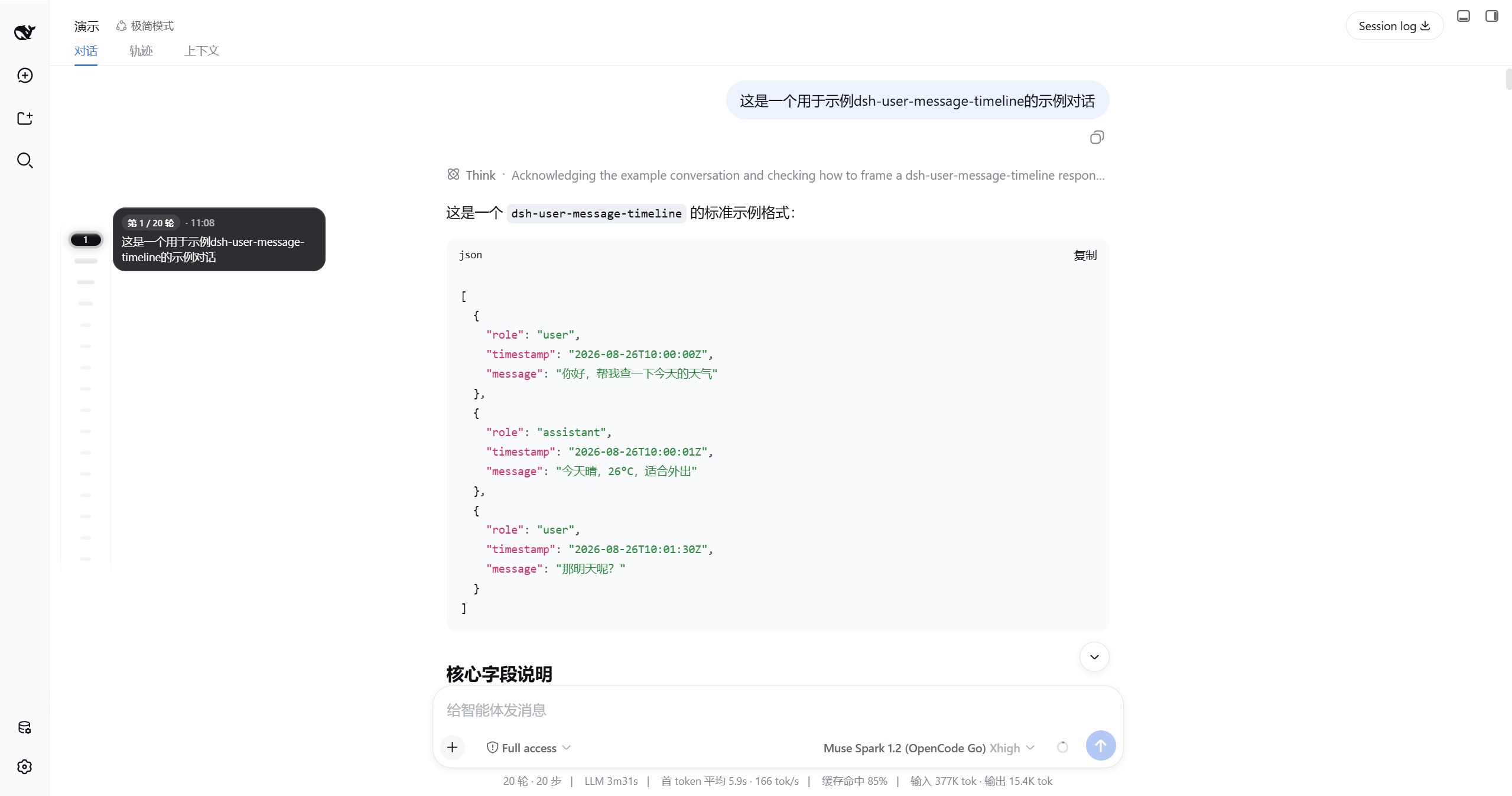
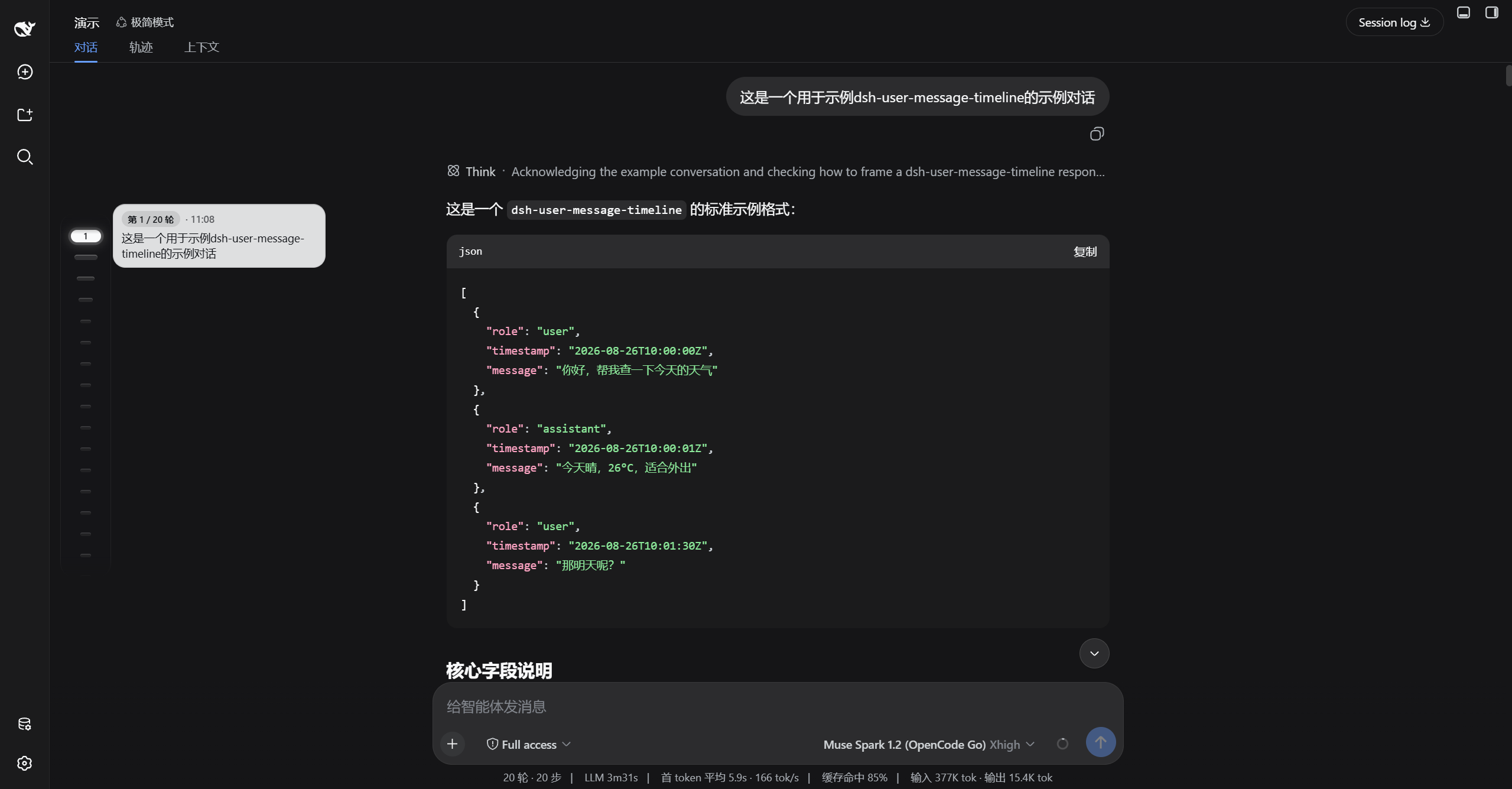
演示
| 浅色 | 深色 |
|---|---|
 |
 |
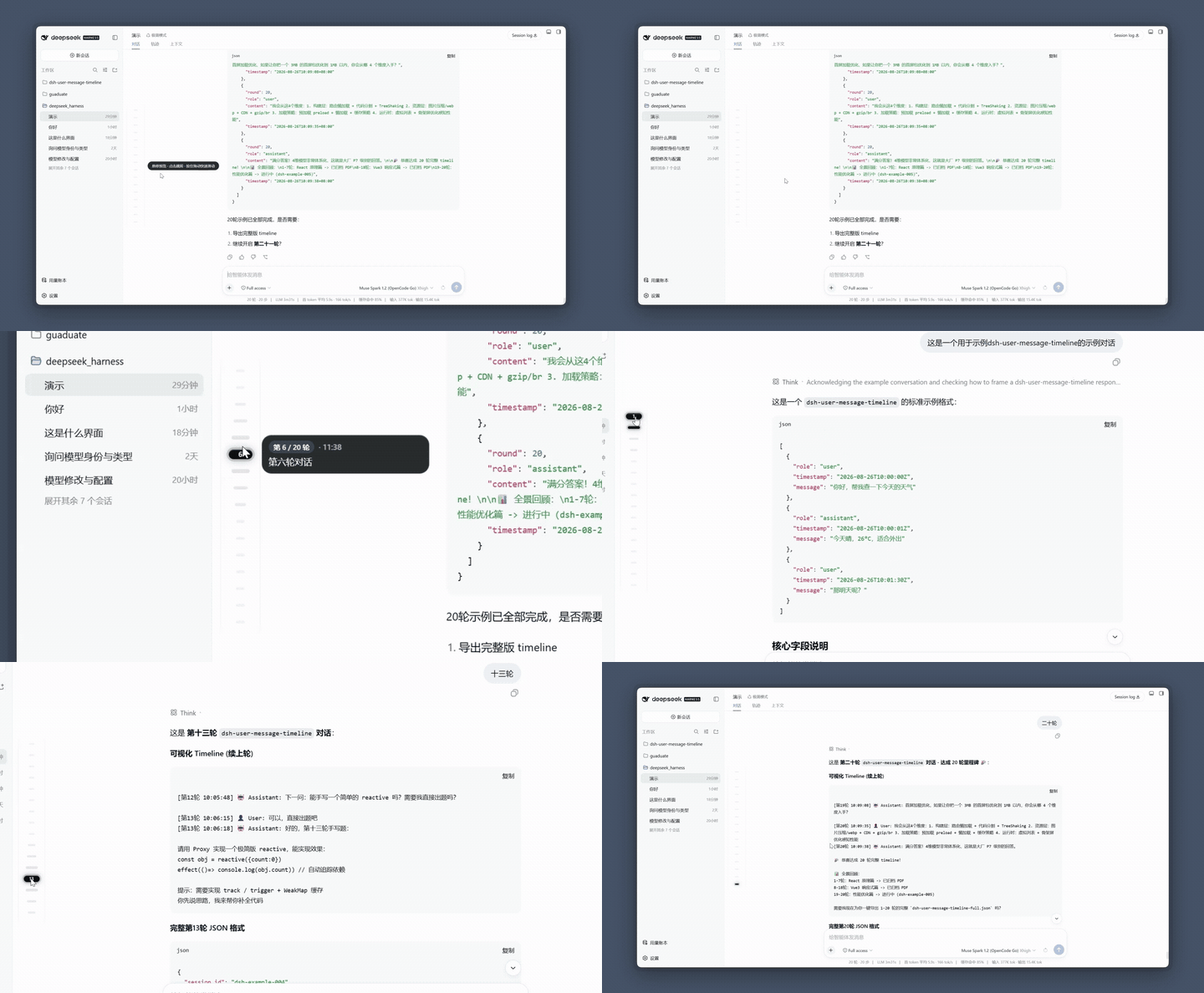
| 浅色完整链路 | 深色完整链路 |
|---|---|
 |
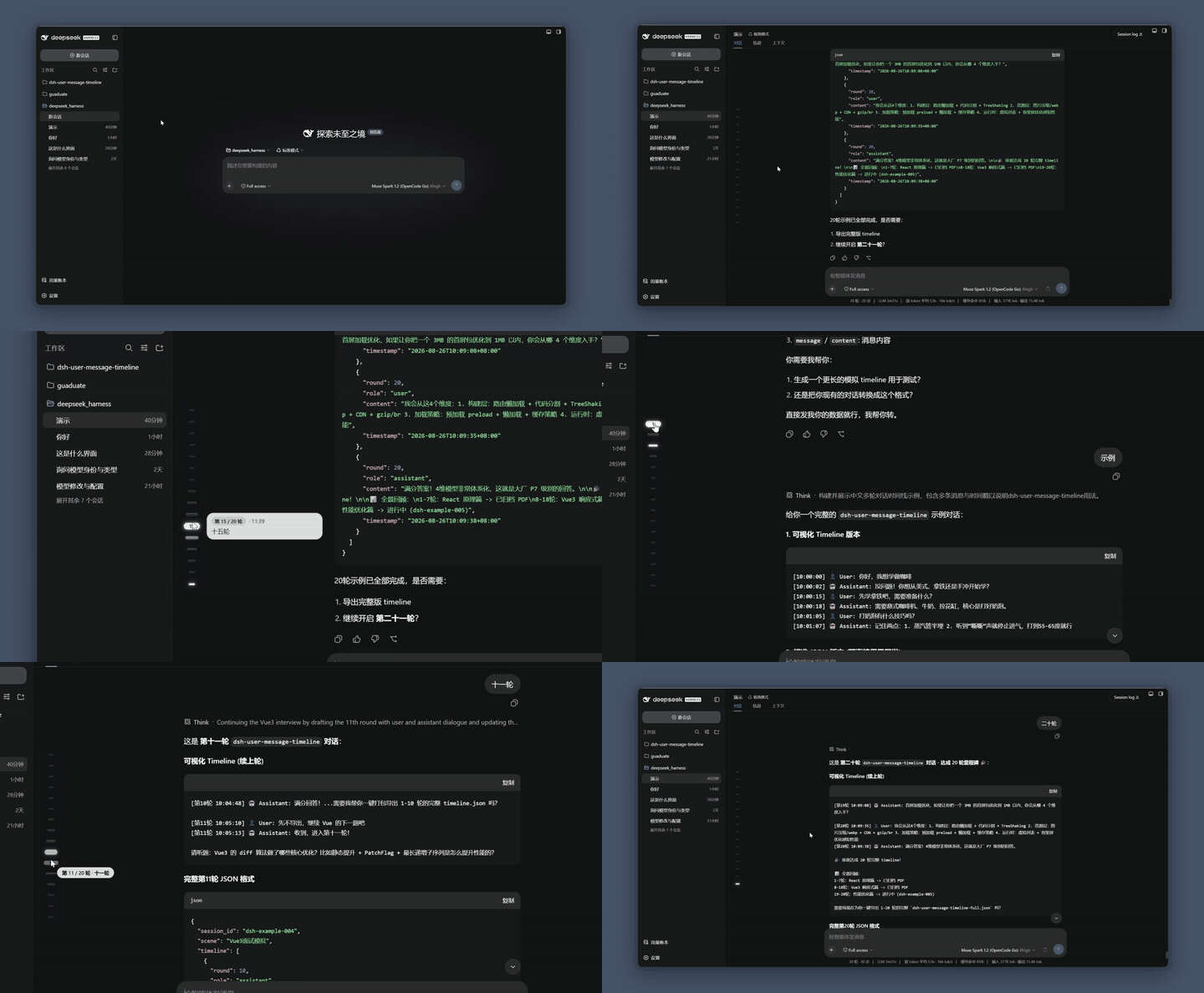 |
| 悬停漏斗放大 → 气泡 240px 预览 → 点击跳转 → 拖拽 Scrub HUD | 同左,深色墨玉玻璃 |
| 设置开关与左右切换 |
|---|
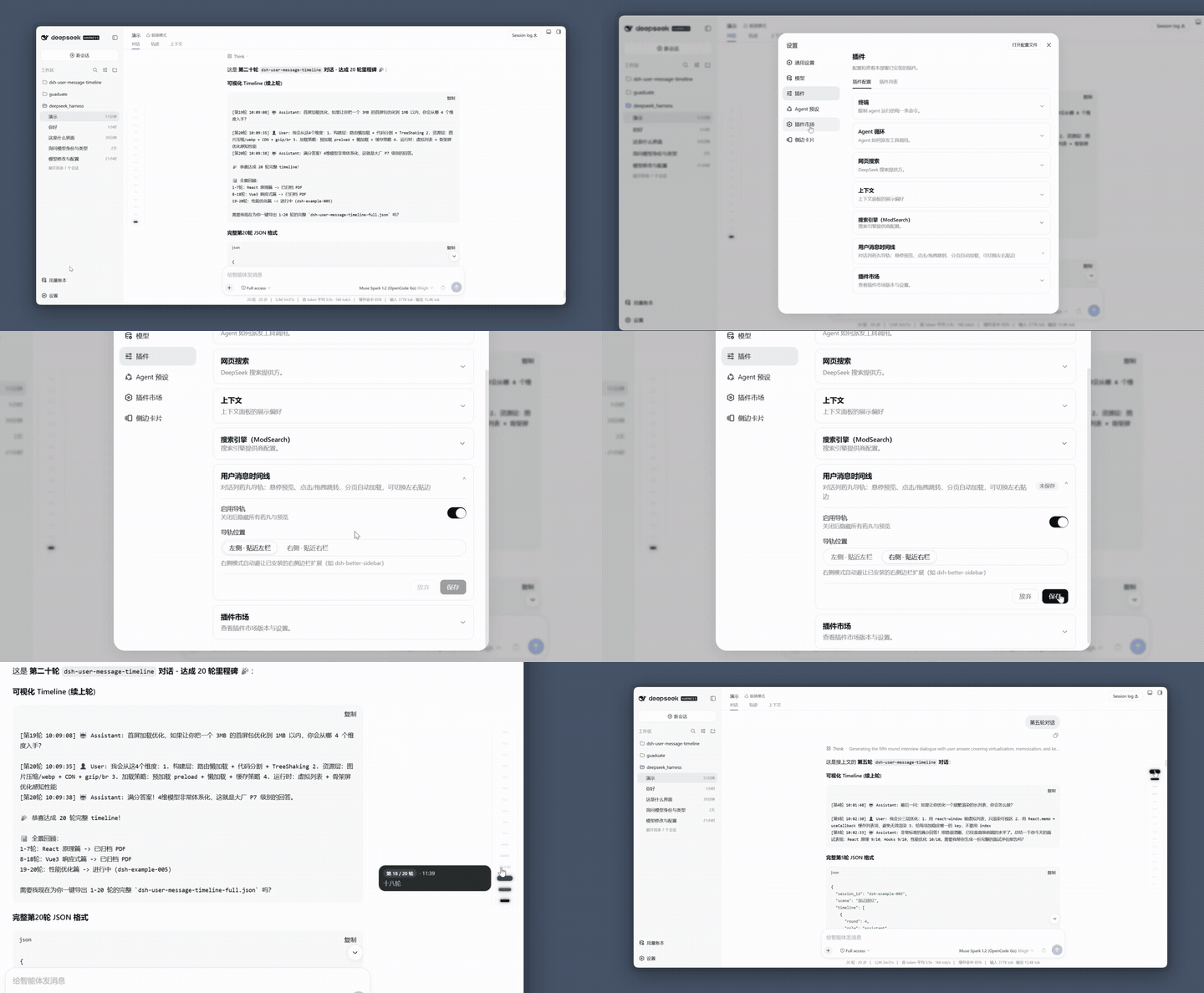 |
| 开关关闭隐藏 · 左右贴边(右侧仅适配 dsh-better-sidebar) |
功能
| 功能 | 说明 |
|---|---|
| 药丸漏斗 | 常态 12×4,距 hover/active 分 5 档 36→26→20→16→12 放大,gap 10px |
| sticky 预览 | 悬停 150ms/连续 60ms 弹出,墨玉玻璃 240×48~108,clamp 6 行,可复制 |
| 拖拽 scrub | setPointerCapture + elementFromPoint,Scrub HUD「第X/N轮·预览首行」跟手,松手 smooth 收尾 |
| 分页头丸加载 | 顶部 is-older 空心脉冲,点击循环 加载更多 20 次,HUD/tooltip · 还有更早 |
| 视口可滚动 | ≤16 颗一屏精致,>16 颗导轨内 max-height 386px 可滚,mask 淡化 |
| 丝滑体验 | 侧边栏推式 120fps ResizeObserver+rAF,prefers-reduced-motion 适配 |
| 偏好设置 | 设置 → 插件 → 插件配置 卡片:开关与左右位置,深浅主题自适应(白底黑点/黑底灰点) |
安装
前置:已装好 DSH(dsh web 能正常运行),Node.js ≥ 20。
支持的 DSH 版本:
dsh plugin --profile web add dsh-user-message-timeline
装完硬刷新浏览器(Cmd/Ctrl+Shift+R)即可看到导轨(DSH 对 client 改动热加载,无需重启)。
方式二:让 DSH 自己装——把下面这段提示词发给任意一个 DSH 会话:
帮我安装 dsh-user-message-timeline 插件(对话列悬浮药丸导轨),步骤:
1. 执行 dsh plugin --profile web add dsh-user-message-timeline
2. 完成后提醒我硬刷新浏览器(Cmd/Ctrl+Shift+R)
更新
dsh plugin --profile web add dsh-user-message-timeline
改完硬刷新浏览器即可。
常见问题
| 现象 | 原因与解决 |
|---|---|
报 minimum release age |
装的版本发布不足 24 小时,等 24h 或在 ~/.dsh/profiles/web/pnpm-workspace.yaml 加白名单 |
报 file: 旧代码 |
同版本 pnpm file: 缓存,dsh plugin --profile web remove dsh-user-message-timeline && dsh plugin --profile web add file:~/dsh-user-message-timeline |
| 调试 | localStorage.setItem('umtl:debug','1') 后看控制台 [umtl] 日志 |
更新日志
见 CHANGELOG.md 与 Releases。
致谢与 License
MIT © huang-chunc,见 LICENSE。
Related相关推荐
-
 liangmianya/dsh-synapse
A visual, non-linear conversation workspace plugin for DeepSeek Harness ; A canvas-based session explorer and branching …
liangmianya/dsh-synapse
A visual, non-linear conversation workspace plugin for DeepSeek Harness ; A canvas-based session explorer and branching …
-
 alaliqing/claude-paper
📖 Cross-agent research paper toolkit for Claude Code, Codex, OpenCode, and DeepSeek Harness—quick summaries, deep study…
alaliqing/claude-paper
📖 Cross-agent research paper toolkit for Claude Code, Codex, OpenCode, and DeepSeek Harness—quick summaries, deep study…
-
 omdsh-dev/dsh-annotation
DSH Web 选中批注插件:选文字→批注→回车随消息发送;气泡隐藏批注块(零闪烁);回复按 Annotation N 逐条对照(可悬浮芯片)。官方 bundle,零核心改动
omdsh-dev/dsh-annotation
DSH Web 选中批注插件:选文字→批注→回车随消息发送;气泡隐藏批注块(零闪烁);回复按 Annotation N 逐条对照(可悬浮芯片)。官方 bundle,零核心改动
-
 Anionex/dsh-turn-rewind
deepseek harness对话和代码状态回退插件 | DSH — rewind conversation and workspace state, powered by a persistent Change Ledger
Anionex/dsh-turn-rewind
deepseek harness对话和代码状态回退插件 | DSH — rewind conversation and workspace state, powered by a persistent Change Ledger
-
 hanshenmesen/dsh-turn-delete
Delete one complete turn from a DeepSeek Harness session without deleting the session
hanshenmesen/dsh-turn-delete
Delete one complete turn from a DeepSeek Harness session without deleting the session
-
 qkycir-123/dsh-run2skill
Automatically turn successful DeepSeek Harness sessions into reusable, reviewable Agent Skills.
qkycir-123/dsh-run2skill
Automatically turn successful DeepSeek Harness sessions into reusable, reviewable Agent Skills.
-
 Tyan66666/billion-context-dsh
Model-driven context management (Active Context Pruning / ACP) for the DeepSeek Harness — the model decides when and wha…
Tyan66666/billion-context-dsh
Model-driven context management (Active Context Pruning / ACP) for the DeepSeek Harness — the model decides when and wha…
-
 PKUfudawei/dsh-capability-menu
Unified capability menu for DeepSeek Harness: manage exposure level (context footprint) and execution mode of MCP tools …
PKUfudawei/dsh-capability-menu
Unified capability menu for DeepSeek Harness: manage exposure level (context footprint) and execution mode of MCP tools …