huxin7735-collab/dsh-maintainer-doc-guard
Keeps a long agent turn answerable to the user's actual request: a standing maintainer-document reminder, two pre-execute gates, an objective anchor quoting your latest instruction, and a nudge stage that corrects before it blocks.
Project Overview项目介绍
dsh-maintainer-doc-guard is a native DeepSeek Harness (dsh) bundle plugin: the repository carries the dsh-plugin topic and ships a bundle-manifest, and the entire product name, packaging, and integration surface are written against the dsh harness. Its core capability is keeping long-term project memory outside the context window by externalising it into five maintainer documents — plan.md, conventions.md, stack.md, state.md, and lessons.md — stored per-session under .dsh-maintainer-doc-guard/<session-id>/ (overridable via the docsDir knob). The plugin registers a maintainer-doc-guard system-prompt section that re-evaluates on every prompt assembly, instructing the model to read the relevant document before each operation, so memory is re-hydrated from files instead of recalled from a lossy compacted summary.
The intended audience is project maintainers and dsh power users running small-parameter models on long, drift-prone sessions, where compacted summaries silently drop conventions, plans, stack decisions and working state. The typical workflow is automatic: on first open of the panel the plugin creates the per-session folder and one blank file for each document, with nothing to wire by hand. On top of that, two tools/pre-execute guards enforce discipline: a precedent gate denies any write/edit in a guarded infrastructure area until the session has read at least one same-basename working precedent, surfacing a model-visible block message that lists concrete candidate files (sibling packages found by walking up the directory chain); and a cheaper intent gate polices whether a turn was worth taking at all, blocking actions whose intent the model has not yet declared.
Dependencies are minimal — dsh itself plus pnpm with nodeLinker: hoisted — and the license is MIT. The install is a profile edit in $DSH_HOME/profiles/web/package.json: add "dsh-maintainer-doc-guard": "link:/abs/path/..." under dependencies AND add it to dsh.profile.bundles (both halves matter, since a resolvable package not listed there mounts nothing), then pnpm install and fully restart dsh, because bundles are not hot-loaded and a window close-reopen often reuses the old service PID and shows adopted orphan service in the shell log. Limitations worth knowing: the guarded areas, document names, and all ten tuning knobs live in cordis.patch.yml and must be rewritten for any harness that guards different directories; the precedent gate is bounded by gate.maxDeniesPerTarget so a stubborn model cannot deadlock its turn; every internal path is wrapped so failures degrade to "no decision" with a warning rather than break tool dispatch; and dsh web --dump-config plus 设置 → 插件 → 插件配置 are the recommended first-run verification steps, with GET /dsh-maintainer-doc-guard/settings as the live check that the reminder channel is genuinely wired in.
dsh-maintainer-doc-guard 是一款 DeepSeek Harness (dsh) 原生 bundle 插件,主题标签为 dsh-plugin,并附带 bundle-manifest 清单。其核心功能是把项目长期记忆外置到五个维护文档(plan、conventions、stack、state、lessons),通过注册 maintainer-doc-guard system-prompt 区段,让模型在每轮重新读取,从而避免摘要压缩造成漂移。安装时需将其加入 $DSH_HOME/profiles/web/package.json 的 dependencies 与 dsh.profile.bundles,使用 link: 绝对路径而非 file:,随后执行 pnpm install 并重启 dsh。
该插件面向需要让小参数量模型在长会话中保持规划、栈决策和工作状态一致的项目维护者与 DSH 重度用户。典型流程是:会话首次开启时自动创建 .dsh-maintainer-doc-guard/<session-id>/ 下的空白文档,模型每轮读取对应文件;同时两个 tools/pre-execute 守卫负责写作前需先读过同名可用先例(基名门)以及行为是否值得做的意图门,模型对不合规动作会收到可见拒绝提示并被推荐候选参考文件。
依赖项仅是 dsh 运行时本身与 pnpm(需 nodeLinker: hoisted),许可证为 MIT。限制包括:bundle 不支持热加载,必须真正重启服务(窗口关开往往复用旧进程,会显示 adopted orphan service),而且 guarded 区域、文档名与调优全部存放在仓库内的 cordis.patch.yml,不同部署需要重写该配置;模型拒绝被设上限(gate.maxDeniesPerTarget),任一内部异常都会降级为"无决策"并告警,绝不破坏工具分发。
请帮我安装这个 DSH 插件。安装前先完成【兼容性检查 + 安全性检查】,检查通过再动手。

插件:dsh-maintainer-doc-guard(huxin7735-collab/dsh-maintainer-doc-guard)
仓库:https://github.com/huxin7735-collab/dsh-maintainer-doc-guard
本站详情页:https://www.yhbd.top/plugins/huxin7735-collab-dsh-maintainer-doc-guard/
本站登记:类型 plugin · 归类 原生 DSH 插件 · 许可证 MIT · ⭐ 2 · 最近提交 2026-10-03 · 主语言 JavaScript

按下面顺序执行,每步先把结论告诉我,再进入下一步:

【1 兼容性检查】
① 我这边:DSH 版本、Node 版本、操作系统、当前 profile(web / desktop)。
② 读它的 README、package.json、插件 manifest,列出它要求的 DSH 版本 / Node 版本 / 操作系统 / 外部依赖 / 需要另外先装的运行时。
③ 逐条比对,结论只写「满足 / 不满足 / 未知」三种;不满足的给出可行替代方案。
④ 检查是否和我已装的插件冲突:命令名重复、skill / tool 重名、端口占用、重复注册的 MCP server。

【2 安全性检查】
① 仓库可信度:和上面「本站登记」是否一致;star / fork 数、创建时间、最近提交,是否归档或长期停更。
② 安装脚本:逐行看 package.json 的 preinstall / install / postinstall,以及 install.sh、setup.ps1 之类脚本。出现 curl|bash、下载后直接执行、混淆代码、访问与插件功能无关的域名,立刻停下来告诉我,不要继续装。
③ 依赖:列出新增依赖,标出无人维护、或与知名包拼写近似的可疑包(typosquatting)。
④ 权限与副作用:它会读写哪些目录、访问哪些域名、需要哪些 DSH 权限(filesystem / network / shell / clipboard 等),以及怎么卸载和回滚。
⑤ 如果它要求 sudo / 管理员权限,或权限明显超出功能所需,先停下来问我。

【3 安装】
上面两步没有「不满足」和「高危项」时才执行;用官方推荐方式安装,不要自行提权。

【4 汇报】
用表格输出:检查项 / 结论 / 依据 / 是否需要我决策。拿不准的一律写「未知」并说明要我怎么确认——不要猜,也不要替我决定。
Send this message to DSH in your current session: it verifies compatibility and security first (answering met / not met / unknown item by item) and only installs once everything checks out — it will stop and ask you if it finds a high-risk item. The box scrolls; the copy is the full prompt. CLI install commands may not be accurate across systems, so DSH is the safer route.把上面这条消息直接发给当前会话里的 DSH:它会先核对兼容性与安全性(逐条给「满足 / 不满足 / 未知」),确认没问题再安装,有高危项会停下来问你。框内可滚动,复制到的是完整提示词;安装命令不一定准确,发给 DSH 更稳。
- Only 2 stars - very few users, little community feedback星标只有 2,几乎没人在用,遇到问题缺少社区反馈
DSH walks through these 9 checksDSH 会逐条核对这 9 项
Compatibility兼容性
- DSH, Node, OS and profile requirementsDSH 版本 / Node 版本 / 操作系统 / profile 是否满足要求
- External dependencies and runtimes (Electron / Python / Docker, ...)外部依赖与运行时(Electron / Python / Docker 等)是否齐备
- Conflicts with installed plugins: command names, skill / tool names, ports, duplicate MCP registration与已装插件是否冲突:命令名、skill / tool 重名、端口占用、重复 MCP 注册
Security安全性
- Repo matches the facts registered here; archived or abandoned?仓库是否与页面登记一致,是否归档或长期停更
- Safety of preinstall / install / postinstall and install.sh / setup.ps1preinstall / install / postinstall 与 install.sh、setup.ps1 是否安全
- curl|bash, download-then-execute, obfuscation, unrelated domains → stop immediatelycurl|bash、下载即执行、混淆代码、无关域名 → 立刻停止
- Typosquatting or unmaintained packages among the new dependencies新增依赖里有没有 typosquatting 或无人维护的包
- Requested permissions vs. what the feature actually needs申请了哪些权限、是否超出功能所需(filesystem / network / shell / clipboard)
- Any sudo / admin requirement, plus uninstall and rollback是否要求 sudo / 管理员权限,以及卸载与回滚方式
Anything uncertain must be marked unknown with a note on how to confirm it. This site's signal screen is a static snapshot, not a security audit.拿不准的必须标「未知」并说明要我怎么确认。本站的信号筛查是静态快照,不能替代安全审计。
Or use CLI install (for developers)或使用命令行安装(适合开发者)
CLI Install命令行安装
dsh plugin --profile web add github:huxin7735-collab/dsh-maintainer-doc-guard把 huxin7735-collab/dsh-maintainer-doc-guard 加入你的 DSH 配置(web profile)即可启用。
READMEREADME
dsh-maintainer-doc-guard
A DeepSeek Harness (dsh) bundle that keeps long-term project memory outside the context window — and keeps a long turn answerable to the request that started it.
Why
A small-parameter model that "thinks hard" builds a long context; the harness compacts it; the compacted summary silently drops the project's conventions, its plan, its stack decisions and its working state — and the model drifts.
The proven fix (measured on DeepSeek V4 Flash) is to externalise that memory into maintainer documents and make the model read them every turn, so memory is re-hydrated from files instead of recalled from a lossy summary:
.dsh-maintainer-doc-guard/
  <session-id>/            # one isolated set per conversation
    plan.md   conventions.md   stack.md   state.md   maintainer/README.md
The five documents live in a per-session subfolder under .dsh-maintainer-doc-guard/
(override the parent with the docsDir knob). Each conversation gets its own set, so two
sessions in the same workspace never share or mix the same file. The plugin creates the
session folder and a blank file for each document on first open of the panel, so there is
nothing to set up by hand and reads are instant.
What this plugin does
It has five parts, plus five advisory notices added in 0.5.3 (see The advisory notices below).
1. A standing reminder (a system-prompt section). It registers one
system-prompt section (maintainer-doc-guard) that lists the maintainer
documents present in the workspace and instructs the model to read the relevant
one before every operation or thinking round.
Why a prompt section and not a pre-step message: a pre-step message is
persisted to the session log (that is how instruction-hint dedupes its hint), so
injecting one per step would flood the history. A section is re-evaluated on every
prompt assembly — every turn — and never accumulates. That is exactly the
"standing, per-turn instruction" this needs.
2. A pre-write precedent gate (a tools/pre-execute guard). The harness
already makes a model read a file before overwriting it
(dsh-fs-observation-policy → FS_NOT_OBSERVED). That covers the file it
replaces, but not the contract it must obey — so authoring a brand-new
infrastructure file (a plugin, a preset, a skill) from memory is how invented
APIs reach a running harness.
Showing the opening section of the README — the full document lives in the repository以上为 README 开头摘要,完整文档在仓库内 · View the full README on GitHub →在 GitHub 查看完整 README →
Related相关推荐
-
 toby-bridges/api-relay-audit
Local security audit for AI API relays and LLM proxies: detects prompt injection, model substitution, tool-call rewritin…
toby-bridges/api-relay-audit
Local security audit for AI API relays and LLM proxies: detects prompt injection, model substitution, tool-call rewritin…
- Akimiya-z/codex-guard Quality gate for AI/Codex-generated pull requests: blocks TODO leftovers, leaked secrets, sloppy commits and red CI befo…
-
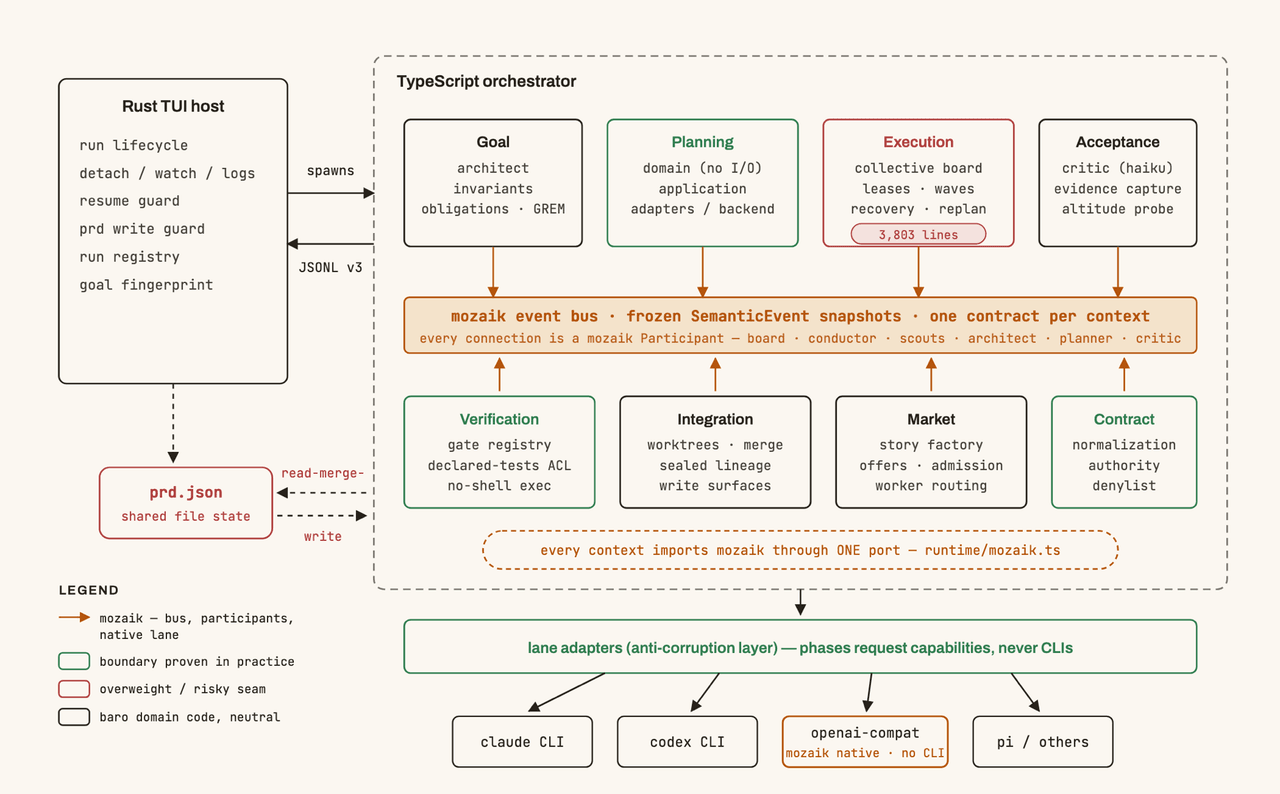 jigjoy-ai/baro
A CLI that turns a goal into a pull request - and a sandbox for testing concurrent AI coding agents on the Mozaik runtim…
jigjoy-ai/baro
A CLI that turns a goal into a pull request - and a sandbox for testing concurrent AI coding agents on the Mozaik runtim…
-
 lxzy-7/dsh-plugin-guard
Install safety net for DeepSeek Harness: pre-install snapshots, one-click/automatic rollback, guarded boot, and incident…
lxzy-7/dsh-plugin-guard
Install safety net for DeepSeek Harness: pre-install snapshots, one-click/automatic rollback, guarded boot, and incident…
-
 PlutoKeating/dsh-lark-bot
DeepSeek Harness (dsh) 接入飞书/Lark bot,扫码即用:流式卡片、项目工作区、并行任务、多角色 Agent、跨会话通知、对话内模型/密钥管理与安全网守护(dsh 崩溃后飞书仍可自救)。A scan-to-conn…
PlutoKeating/dsh-lark-bot
DeepSeek Harness (dsh) 接入飞书/Lark bot,扫码即用:流式卡片、项目工作区、并行任务、多角色 Agent、跨会话通知、对话内模型/密钥管理与安全网守护(dsh 崩溃后飞书仍可自救)。A scan-to-conn…
- PerryLink/dsh-click Cross-platform native desktop control for DeepSeek Harness (Windows first): screen_shot, screen_read, click/type/scroll/…
-
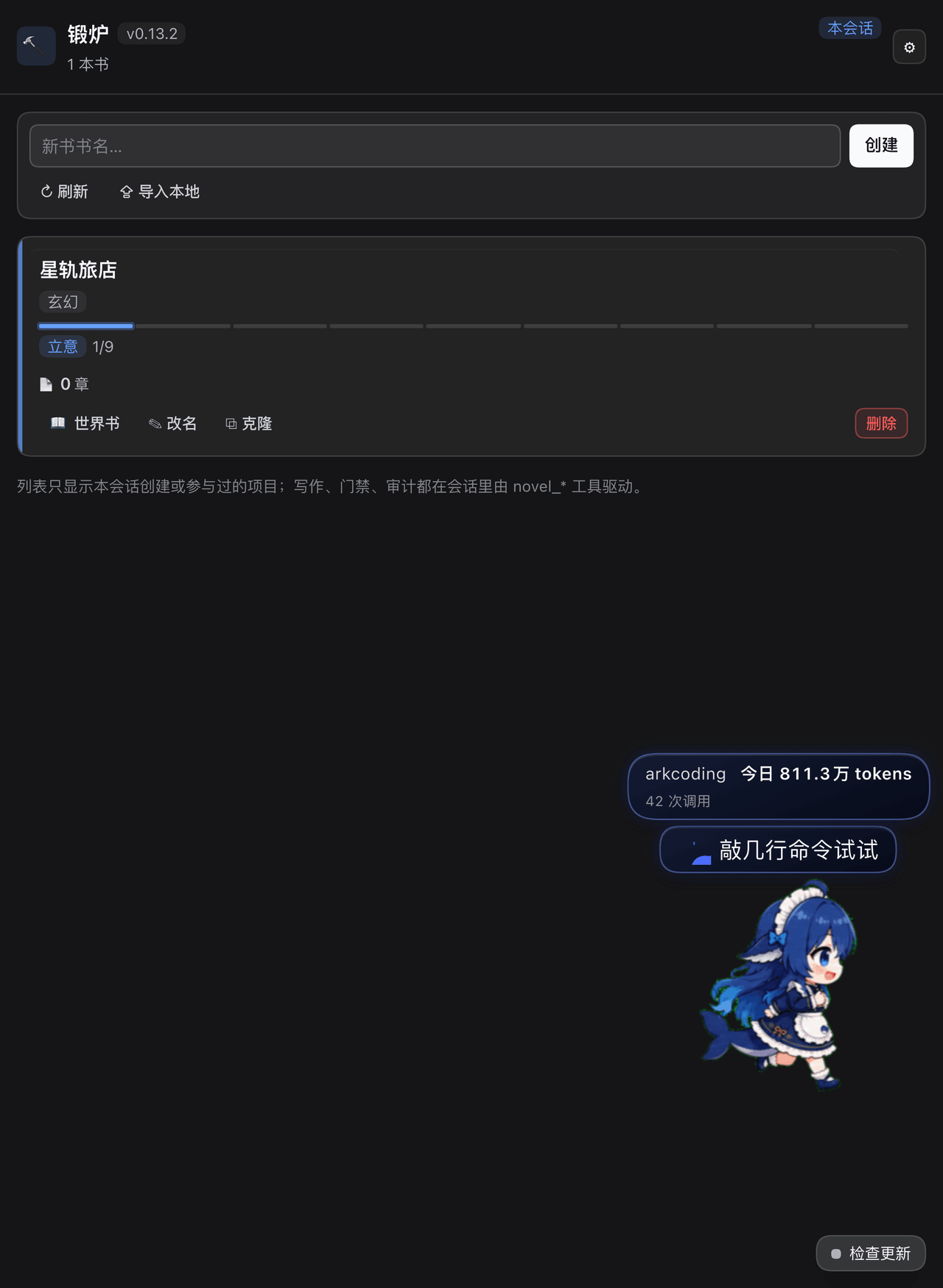 huangziyuan-general/dsh-novel-forge
DSH 小说锻炉:把 AI 长篇写作通病变成代码强制的硬约束(事实账本/上下文包/阶段门禁/零费用去AI味扫描/确定性审计/提案制修订)。Novel-writing guardrails plugin for DeepSeek Harnes…
huangziyuan-general/dsh-novel-forge
DSH 小说锻炉:把 AI 长篇写作通病变成代码强制的硬约束(事实账本/上下文包/阶段门禁/零费用去AI味扫描/确定性审计/提案制修订)。Novel-writing guardrails plugin for DeepSeek Harnes…
-
 omdsh-dev/dsh-security-audit
DSH 本机安全审计插件:配置/插件来源/会话/网络暴露面,只读脱敏风险报告
omdsh-dev/dsh-security-audit
DSH 本机安全审计插件:配置/插件来源/会话/网络暴露面,只读脱敏风险报告