icanfinish11/dsh-context-mode
Context window optimization for DeepSeek Harness agents. Sandboxes tool output in-process (only what you print enters the conversation), persists session memory in an FTS5 knowledge base, and enforces routing via a system-prompt routing section.
Project Overview项目介绍
dsh-context-mode is a standalone npm package shaped as a DeepSeek Harness (DSH) plugin bundle, declared through dsh.bundle in its package.json so it installs and publishes independently of the upstream context-mode npm package. Instead of launching a child MCP server, the adapter imports the engine's build/server.js directly via Node resolution — the exact module that the OpenCode and Kilo native adapters import — and registers every ctx_* surface (ctx_execute, ctx_execute_file, ctx_batch_execute, ctx_index, ctx_search, ctx_fetch_and_index, ctx_stats, ctx_doctor, ctx_purge, ctx_insight) into DSH's tools registry under its bare names, so there is no mcp__context-mode__ prefix and only the subprocess output enters the conversation. The SessionStart routing block is realised as a context-mode:routing section of the system prompt, because DSH exposes no hook channel for it.
It is aimed at DSH users who want to keep raw command output, curl/wget/inline-fetch responses and other noisy data out of the model context while still retrieving them later through a persistent FTS5/BM25 knowledge base, and at developers who need deterministic, sandboxed ctx_execute execution across sessions. Installation is one command — dsh plugin --profile web add icanfinish11/dsh-context-mode (or dsh-context-mode once published on npm, or link:/path/to/repo for a local checkout), followed by a dsh web restart and a ctx stats sanity check, or node scripts/dev-boot-probe.mjs with DSH_HOME/DSH_PROFILE set.
Runtime requirements are Node.js 22.5 or newer and a running DSH profile; the context-mode engine is a regular npm dependency that is fetched automatically, the plugin ships no engine code of its own, and the upstream engine by Mert Koseoğlu (mksglu) remains under Elastic License 2.0 while this repo declares no separate license (NOASSERTION). Operators should know that if all four engine resolution paths (config.enginePath, CONTEXT_MODE_ENGINE, the npm dependency, and the sibling layout) miss, the plugin silently degrades to routing-only with a warning and never breaks profile boot; PreCompact/PostToolUse hooks are not wired, so durable memory is created explicitly through ctx_index; and the bundle row id is context-mode, overridable per profile via $DSH_HOME/profiles/<name>/cordis.patch.yml with storageDir, routing, and per-tool flags such as tools.purge and tools.upgrade.
dsh-context-mode 是面向 DeepSeek Harness(DSH) 的独立 npm 包形态插件,把自己声明为 dsh.bundle 单元,可与上游 context-mode 包解耦发布与安装。它通过 Node 解析直接加载 context-mode 的 build/server.js 引擎模块(与 OpenCode/Kilo 原生适配器使用同一模块),并将 ctx_execute、ctx_execute_file、ctx_batch_execute、ctx_index、ctx_search、ctx_fetch_and_index、ctx_stats、ctx_doctor、ctx_purge、ctx_inspect 等工具以原生 ctx_* 名称注册进 dsh 的 tools 注册中心,绕开 MCP 子进程与 mcp__ 前缀,同时把 SessionStart 的路由拦截逻辑落到 context-mode:routing 系统提示片段上(DSH 无钩子通道),存储默认写入 $DSH_HOME/context-mode。
典型用法是希望把原始数据、命令输出与外部抓取拦在上下文之外、只把摘要写回对话的 DSH 终端用户,以及需要一套持久化 BM25/FTS5 知识库用于跨会话检索的开发者。安装一条命令即可:dsh plugin --profile web add icanfinish11/dsh-context-mode(或日后从 npm 拉取 dsh-context-mode,或本地 dsh plugin --profile web add link:/path),随后在 dsh web 重启并执行 ctx stats 验证。
依赖上,运行端只需 Node.js ≥ 22.5 与已启动的 dsh profile;上游 context-mode 引擎作为常规 npm 依赖自动拉取,本仓库不内嵌或重发布任何引擎源码,所有协议仍为原作者(Mert Koseoğlu / mksglu)的 Elastic License 2.0,本仓库未声明独立许可证。路由降级行为与边界需注意:若四处引擎路径(插件 config.enginePath、CONTEXT_MODE_ENGINE 环境变量、依赖解析、同级 layout)全部失败,插件将自动退化为仅路由模式并打 warning,但绝不阻塞 dsh profile 启动;PreCompact/PostToolUse 等会话连续性钩子未接线,持久化请显式调用 ctx_index;cordis.patch.yml 行 id 为 context-mode,可在 $DSH_HOME/profiles/<name>/cordis.patch.yml 覆写 storageDir、routing 与 tools.purge/tools.upgrade 等开关。
请帮我安装这个 DSH 插件。安装前先完成【兼容性检查 + 安全性检查】,检查通过再动手。

插件:dsh-context-mode(icanfinish11/dsh-context-mode)
仓库:https://github.com/icanfinish11/dsh-context-mode
本站详情页:https://www.yhbd.top/plugins/icanfinish11-dsh-context-mode/
本站登记:类型 plugin · 归类 原生 DSH 插件 · 许可证 NOASSERTION · ⭐ 2 · 最近提交 2026-09-09 · 主语言 JavaScript

按下面顺序执行,每步先把结论告诉我,再进入下一步:

【1 兼容性检查】
① 我这边:DSH 版本、Node 版本、操作系统、当前 profile(web / desktop)。
② 读它的 README、package.json、插件 manifest,列出它要求的 DSH 版本 / Node 版本 / 操作系统 / 外部依赖 / 需要另外先装的运行时。
③ 逐条比对,结论只写「满足 / 不满足 / 未知」三种;不满足的给出可行替代方案。
④ 检查是否和我已装的插件冲突:命令名重复、skill / tool 重名、端口占用、重复注册的 MCP server。

【2 安全性检查】
① 仓库可信度:和上面「本站登记」是否一致;star / fork 数、创建时间、最近提交,是否归档或长期停更。
② 安装脚本:逐行看 package.json 的 preinstall / install / postinstall,以及 install.sh、setup.ps1 之类脚本。出现 curl|bash、下载后直接执行、混淆代码、访问与插件功能无关的域名,立刻停下来告诉我,不要继续装。
③ 依赖:列出新增依赖,标出无人维护、或与知名包拼写近似的可疑包(typosquatting)。
④ 权限与副作用:它会读写哪些目录、访问哪些域名、需要哪些 DSH 权限(filesystem / network / shell / clipboard 等),以及怎么卸载和回滚。
⑤ 如果它要求 sudo / 管理员权限,或权限明显超出功能所需,先停下来问我。

【3 安装】
上面两步没有「不满足」和「高危项」时才执行;用官方推荐方式安装,不要自行提权。

【4 汇报】
用表格输出:检查项 / 结论 / 依据 / 是否需要我决策。拿不准的一律写「未知」并说明要我怎么确认——不要猜,也不要替我决定。
Send this message to DSH in your current session: it verifies compatibility and security first (answering met / not met / unknown item by item) and only installs once everything checks out — it will stop and ask you if it finds a high-risk item. The box scrolls; the copy is the full prompt. CLI install commands may not be accurate across systems, so DSH is the safer route.把上面这条消息直接发给当前会话里的 DSH:它会先核对兼容性与安全性(逐条给「满足 / 不满足 / 未知」),确认没问题再安装,有高危项会停下来问你。框内可滚动,复制到的是完整提示词;安装命令不一定准确,发给 DSH 更稳。
- Only 2 stars - very few users, little community feedback星标只有 2,几乎没人在用,遇到问题缺少社区反馈
DSH walks through these 9 checksDSH 会逐条核对这 9 项
Compatibility兼容性
- DSH, Node, OS and profile requirementsDSH 版本 / Node 版本 / 操作系统 / profile 是否满足要求
- External dependencies and runtimes (Electron / Python / Docker, ...)外部依赖与运行时(Electron / Python / Docker 等)是否齐备
- Conflicts with installed plugins: command names, skill / tool names, ports, duplicate MCP registration与已装插件是否冲突:命令名、skill / tool 重名、端口占用、重复 MCP 注册
Security安全性
- Repo matches the facts registered here; archived or abandoned?仓库是否与页面登记一致,是否归档或长期停更
- Safety of preinstall / install / postinstall and install.sh / setup.ps1preinstall / install / postinstall 与 install.sh、setup.ps1 是否安全
- curl|bash, download-then-execute, obfuscation, unrelated domains → stop immediatelycurl|bash、下载即执行、混淆代码、无关域名 → 立刻停止
- Typosquatting or unmaintained packages among the new dependencies新增依赖里有没有 typosquatting 或无人维护的包
- Requested permissions vs. what the feature actually needs申请了哪些权限、是否超出功能所需(filesystem / network / shell / clipboard)
- Any sudo / admin requirement, plus uninstall and rollback是否要求 sudo / 管理员权限,以及卸载与回滚方式
Anything uncertain must be marked unknown with a note on how to confirm it. This site's signal screen is a static snapshot, not a security audit.拿不准的必须标「未知」并说明要我怎么确认。本站的信号筛查是静态快照,不能替代安全审计。
Or use CLI install (for developers)或使用命令行安装(适合开发者)
CLI Install命令行安装
dsh plugin --profile web add dsh-context-mode把 icanfinish11/dsh-context-mode 加入你的 DSH 配置(web profile)即可启用。
READMEREADME
dsh-context-mode
Context Mode (the MCP server that keeps raw data out of the context window) as
a self-contained DeepSeek Harness plugin package. This folder is its own
npm package (package.json declares dsh.bundle), so it installs and
publishes independently of the context-mode npm package.
The plugin loads context-mode's engine library in-process (build/server.js
of the dependency context-mode package — the same module the OpenCode/Kilo
native adapter imports) and registers the ctx_* tools natively into dsh's
tools registry under their bare names — no MCP child process, no
mcp__context-mode__ prefix. The engine is always taken from the original
author's published npm package; this repo ships only the dsh adapter.
Contents
| Path | Purpose |
|---|---|
index.js |
Plugin module (name / inject / apply), engine location + registration |
cordis.patch.yml |
dsh bundle patch (insert row id context-mode) |
package.json |
npm metadata + dsh.bundle.patch manifest, depends on context-mode |
scripts/dev-harness.mjs |
Engine-level test: mock ctx, tool registration + FTS5 round trip |
scripts/dev-boot-probe.mjs |
Real dsh profile boot probe (dsh-app-boot), tool catalog check |
What you get
| context-mode surface | dsh surface |
|---|---|
ctx_execute / ctx_execute_file / ctx_batch_execute |
native dsh tools (sandbox subprocess, only printed output enters the conversation) |
ctx_index / ctx_search / ctx_fetch_and_index |
native dsh tools (persistent FTS5 knowledge base, BM25 search) |
ctx_stats / ctx_doctor / ctx_purge / ctx_insight |
native dsh tools |
| SessionStart routing-block hook | context-mode:routing system-prompt section (dsh has no hook channel; the section plus the tool schemas are the enforcement surface) |
| session continuity (PreCompact/PostToolUse capture) | not wired — dsh has its own session/compaction layers; use ctx_index explicitly for durable memory |
All tools run the exact context-mode implementations, including security
routing (curl/wget/inline-fetch blocking), the executor's language matrix, and
the FTS5 content store. Storage defaults to dsh's own home
($DSH_HOME/context-mode, i.e. ~/.dsh/context-mode) so the knowledge base
is per-harness and never writes into another harness's config tree; set the
plugin storageDir (or CONTEXT_MODE_DIR/config) to override.
Showing the opening section of the README — the full document lives in the repository以上为 README 开头摘要,完整文档在仓库内 · View the full README on GitHub →在 GitHub 查看完整 README →
Related相关推荐
-
 PerryLink/dsh-memento
Bounded, layered, approval-gated, auditable cross-session memory for DeepSeek Harness (capability seam: ctx.memory + SQL…
PerryLink/dsh-memento
Bounded, layered, approval-gated, auditable cross-session memory for DeepSeek Harness (capability seam: ctx.memory + SQL…
- yoza10635/dsh-argp Guarded context compaction for DeepSeek Harness (dsh): the LLM proposes, deterministic guards dispose — eager per-atom s…
-
 sens-io/memobranch
Git-native, auditable long-term memory for AI agents
sens-io/memobranch
Git-native, auditable long-term memory for AI agents
-
 djasdh/interest-memory
Low-footprint memory backend for AI agents — single binary, ~50MB RAM, verify-augmented accuracy
djasdh/interest-memory
Low-footprint memory backend for AI agents — single binary, ~50MB RAM, verify-augmented accuracy
-
 EverMind-AI/EverOS
One portable memory layer for every AI agent: local-first, Markdown-native, user-owned, and self-evolving across apps, t…
EverMind-AI/EverOS
One portable memory layer for every AI agent: local-first, Markdown-native, user-owned, and self-evolving across apps, t…
-
 MemTensor/MemOS
Self-evolving memory OS for LLM & AI Agents: ultra-persistent memory, hybrid-retrieval, and cross-task skill reuse, with…
MemTensor/MemOS
Self-evolving memory OS for LLM & AI Agents: ultra-persistent memory, hybrid-retrieval, and cross-task skill reuse, with…
-
 plastic-labs/honcho
Memory library for building stateful agents
plastic-labs/honcho
Memory library for building stateful agents
-
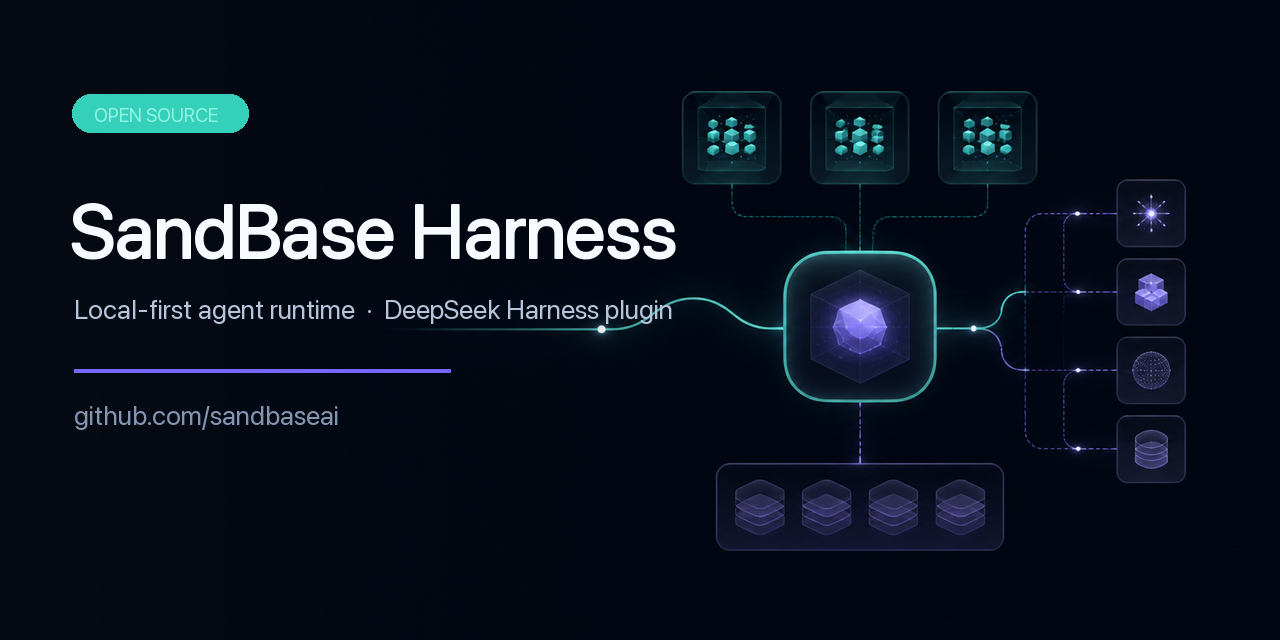 sandbaseai/sandbase-harness
Local-first, self-hosted AI agent runtime and MCP bridge with sandboxed sessions, memory, credentials, audit/replay, and…
sandbaseai/sandbase-harness
Local-first, self-hosted AI agent runtime and MCP bridge with sandboxed sessions, memory, credentials, audit/replay, and…