yoza10635/dsh-argp
0-LLM压缩插件,用于DeepSeek Harness(dsh):对代理历史进行确定性原子引用图剪枝——精确压缩率、选择性遗忘、回忆而非重写。压缩阶段零LLM调用的确定性上下文压缩插件:原子引用图剪枝、选择性遗忘、压缩率精确兑现,即插即用CompactionEngine。
Project Overview项目介绍
dsh-argp is a native third-party context compression plugin built exclusively for DeepSeek Harness (DSH). It uses a two-stage architecture of per-atom guarded compression and deterministic reference graph pruning to fix three core flaws of traditional LLM summary-based compression: information loss, full cache invalidation, and uncontrollable compression rates. You can install it directly via the DSH CLI with the command dsh plugin --profile <name> add dsh-argp, then disable DSH’s built-in basic compactor in your profile’s cordis.patch.yml and configure LLM endpoints for both compression stages to get started.
The first eager per-atom compression stage runs after every conversation turn, classifying content to extract verbatim high-signal tokens, summarize non-critical content while auditing all dropped tokens, or leave content fully intact. The second lazy pruning stage only activates when context exceeds a threshold, pruning outdated atoms based on a deterministic reference graph without any additional LLM calls, hitting the target compression rate exactly. This approach guarantees all original content is retained in an append-only log, so any pruned content can be recalled fully at any time, making it ideal for long multi-turn tasks like extended coding that require retaining exact critical information.
dsh-argp is released under the open source MIT license. While compression quality depends on the model’s ability to follow instructions, the plugin’s guard mechanism ensures no corrupted compression output on any model, only that compression gains scale with the model’s instruction compliance. Known limitations include that unmodified active nodes near the context window limit may be truncated by the DSH platform and cannot be recalled, and each compression turn adds a small amount of extra token cost. Users are recommended to run the provided test scripts after installation to verify the plugin works as expected before regular use.
dsh-argp 是专为 DeepSeek Harness (DSH) 开发的第三方双引擎上下文压缩原生插件,采用逐原子守卫压缩加引用图确定性剪枝的双阶段架构,解决传统 LLM 摘要式上下文压缩存在的信息丢失、缓存失效和压缩率不可控三大问题。它可通过 DSH 官方 CLI 命令直接安装,安装后需在 profile 配置中禁用 DSH 自带的默认摘要器,再按需配置双引擎使用的 LLM 端点即可启用。
第一阶段逐原子压缩会在每轮对话后对本轮内容做分类处理,模型会选择逐字摘录、概括总结或保留原文,所有被压缩内容都会保留审计记录,守卫机制还会拒绝缺失高价值 token 的压缩结果。第二阶段在上下文超出阈值时,基于原子引用图做确定性剪枝,不需要额外调用 LLM 就能精确达到目标压缩率,所有被移除内容都保存在只读追加日志中,可随时完整召回。该插件适合需要处理长周期多轮对话、要求保留关键精确信息的场景,比如长编码任务、复杂多轮推理任务。
该插件遵循 MIT 开源许可协议,压缩效果依赖模型的指令遵循能力,不过守卫机制保证任何模型都不会过度压缩损坏信息,只是压缩收益会随模型指令服从率变化。已知限制包括未替换的活跃节点可能被平台截断无法召回、每轮压缩会产生少量额外 token 成本。使用前建议先对照官方文档完成配置验证,可通过项目提供的测试脚本验证功能符合预期。
请帮我安装这个 DSH 插件。安装前先完成【兼容性检查 + 安全性检查】,检查通过再动手。

插件:dsh-argp(yoza10635/dsh-argp)
仓库:https://github.com/yoza10635/dsh-argp
本站详情页:https://www.yhbd.top/plugins/yoza10635-dsh-argp/
本站登记:类型 plugin · 归类 原生 DSH 插件 · 许可证 MIT · ⭐ 9 · 最近提交 2026-09-30 · 主语言 TypeScript

按下面顺序执行,每步先把结论告诉我,再进入下一步:

【1 兼容性检查】
① 我这边:DSH 版本、Node 版本、操作系统、当前 profile(web / desktop)。
② 读它的 README、package.json、插件 manifest,列出它要求的 DSH 版本 / Node 版本 / 操作系统 / 外部依赖 / 需要另外先装的运行时。
③ 逐条比对,结论只写「满足 / 不满足 / 未知」三种;不满足的给出可行替代方案。
④ 检查是否和我已装的插件冲突:命令名重复、skill / tool 重名、端口占用、重复注册的 MCP server。

【2 安全性检查】
① 仓库可信度:和上面「本站登记」是否一致;star / fork 数、创建时间、最近提交,是否归档或长期停更。
② 安装脚本:逐行看 package.json 的 preinstall / install / postinstall,以及 install.sh、setup.ps1 之类脚本。出现 curl|bash、下载后直接执行、混淆代码、访问与插件功能无关的域名,立刻停下来告诉我,不要继续装。
③ 依赖:列出新增依赖,标出无人维护、或与知名包拼写近似的可疑包(typosquatting)。
④ 权限与副作用:它会读写哪些目录、访问哪些域名、需要哪些 DSH 权限(filesystem / network / shell / clipboard 等),以及怎么卸载和回滚。
⑤ 如果它要求 sudo / 管理员权限,或权限明显超出功能所需,先停下来问我。

【3 安装】
上面两步没有「不满足」和「高危项」时才执行;用官方推荐方式安装,不要自行提权。

【4 汇报】
用表格输出:检查项 / 结论 / 依据 / 是否需要我决策。拿不准的一律写「未知」并说明要我怎么确认——不要猜,也不要替我决定。
Send this message to DSH in your current session: it verifies compatibility and security first (answering met / not met / unknown item by item) and only installs once everything checks out — it will stop and ask you if it finds a high-risk item. The box scrolls; the copy is the full prompt. CLI install commands may not be accurate across systems, so DSH is the safer route.把上面这条消息直接发给当前会话里的 DSH:它会先核对兼容性与安全性(逐条给「满足 / 不满足 / 未知」),确认没问题再安装,有高危项会停下来问你。框内可滚动,复制到的是完整提示词;安装命令不一定准确,发给 DSH 更稳。
- Only 9 stars - very few users, little community feedback星标只有 9,几乎没人在用,遇到问题缺少社区反馈
DSH walks through these 9 checksDSH 会逐条核对这 9 项
Compatibility兼容性
- DSH, Node, OS and profile requirementsDSH 版本 / Node 版本 / 操作系统 / profile 是否满足要求
- External dependencies and runtimes (Electron / Python / Docker, ...)外部依赖与运行时(Electron / Python / Docker 等)是否齐备
- Conflicts with installed plugins: command names, skill / tool names, ports, duplicate MCP registration与已装插件是否冲突:命令名、skill / tool 重名、端口占用、重复 MCP 注册
Security安全性
- Repo matches the facts registered here; archived or abandoned?仓库是否与页面登记一致,是否归档或长期停更
- Safety of preinstall / install / postinstall and install.sh / setup.ps1preinstall / install / postinstall 与 install.sh、setup.ps1 是否安全
- curl|bash, download-then-execute, obfuscation, unrelated domains → stop immediatelycurl|bash、下载即执行、混淆代码、无关域名 → 立刻停止
- Typosquatting or unmaintained packages among the new dependencies新增依赖里有没有 typosquatting 或无人维护的包
- Requested permissions vs. what the feature actually needs申请了哪些权限、是否超出功能所需(filesystem / network / shell / clipboard)
- Any sudo / admin requirement, plus uninstall and rollback是否要求 sudo / 管理员权限,以及卸载与回滚方式
Anything uncertain must be marked unknown with a note on how to confirm it. This site's signal screen is a static snapshot, not a security audit.拿不准的必须标「未知」并说明要我怎么确认。本站的信号筛查是静态快照,不能替代安全审计。
Or use CLI install (for developers)或使用命令行安装(适合开发者)
CLI Install命令行安装
dsh plugin --profile web add dsh-argp把 yoza10635/dsh-argp 加入你的 DSH 配置(web profile)即可启用。
READMEREADME
English | 中文
dsh-argp — 双引擎上下文压缩:逐原子守卫压缩 + 引用图确定性剪枝



dsh-argp 是 DeepSeek Harness(dsh)的第三方上下文压缩引擎(双引擎形态;npm 默认 = 双引擎全开(Stage-1 + Stage-2),安装即挂、无需手工配置;显式 peratom: false 可退回纯 0-LLM 图剪枝,见"安装与挂载"):
- Stage-1 逐原子压缩(eager,每轮)——轮末对当轮原子做"缩放"而非丢弃:模型按原子自选
extract(逐字摘录)/summary(概括,丢弃项入账审计)/false(保留原文),确定性守卫裁定提案能否落地——extract 缺任一高信号 token 即整体拒绝。LLM 只提议,永不销毁。 - Stage-2 引用图剪枝(lazy,三级触发)——原子引用图(确定性 A→R 配对边 + 模型声明的语义 cites 边)上按反向拓扑序整原子摘除,压缩阶段 0 次 LLM 调用,压缩率精确兑现;触发为三级阶梯:轮初主动 / 轮中压力剪 / 截断自动续写(见"三级触发")。
- append-only 日志是唯一事实源——被压/被剪内容原文永远在日志里,两级召回
recall_summary/recall_detail随取随回(text 块逐字字面量,哈希测试锁定;tool-call 参数为对象时 JSON 语义等价重建并精确标注;保真仅保证结构化承重 token 逐字,散文级不保证逐字;大节点 from/limit 分页续读)。上下文是日志的一个渲染视图,不是历史本身。
为什么
摘要式压缩(LLM 重写历史)有三重代价:
- 信息有损——精确 token(路径、错误码、配置值)在改写中最先死,且不可找回;
- 缓存全断——重写后的历史使 system+前缀逐轮变化,跨轮 KV/prefix cache 从变化点起全部失效;
- 压缩率失控——摘要长度由模型心情决定,预算不可兑现。
ARGP 的回答:LLM 在环内、但戴着镣铐——它的输出永远是"不可信输入提案",守卫按 verbatim 纪律裁决;遗忘是确定性的——0-LLM 图规则保证收敛与预算;历史不可变——append-only 日志承载全部原文,召回契约(never guess)兜底。
实测(30 轮合成多轮编码任务,四臂对照,spike 37):四臂中唯一同时达成 7/7 探针保真且成本低于现役基线的臂是双引擎全开臂(A);传统摘要基线(D)最便宜但探针 5/7——吞掉精确字符串与关键大意。卖点不是"最便宜",是"保真前提下最省"(A 全成本分量 ≤ 基线 C;比 D 贵 3.39×——这个差距就是保真的价格,明码标价)。
实现方式(双引擎管线、反向拓扑剪枝、shadow-price 契约、模块职责)见 ARCHITECTURE.md。
核心机制
Stage-1:PeratomCompressor(eager 熵降)
- 确定性门控(
gate.ts):纯谓词判定"该轮是否可压"(长 user 消息 / 超 512 字符 tool result / 非版本链成员);LLM 只执行"怎么压"。 - 逐原子决策:单次 LLM 调用返回
{seq, level, text}决策——extract(逐字子集拷贝,守卫硬拒缺失)/summary(概括放行,丢弃 token 逐条入账summaryDropped供审核)/false(显式不压,保原文);长 user 消息走拆分(dialog 逐字抄写 + 余量聚合 U-info,空隙归 info)。 - no-op 守卫:收益 ≤5% 的"全文照抄"副本视同 false,不 emit replace(0 收益替换白花 surface 换代)。
- tail-only 替换:只允许 sourceEventSeqs ⊆ 当轮区间(越界即 bug,断言锁定);前缀指纹测试证明 N 轮逐轮压缩后请求前缀稳定(缓存经济的生命线)。
Showing the opening section of the README — the full document lives in the repository以上为 README 开头摘要,完整文档在仓库内 · View the full README on GitHub →在 GitHub 查看完整 README →
Related相关推荐
-
 PerryLink/dsh-memento
Bounded, layered, approval-gated, auditable cross-session memory for DeepSeek Harness (capability seam: ctx.memory + SQL…
PerryLink/dsh-memento
Bounded, layered, approval-gated, auditable cross-session memory for DeepSeek Harness (capability seam: ctx.memory + SQL…
-
 sens-io/memobranch
Git-native, auditable long-term memory for AI agents
sens-io/memobranch
Git-native, auditable long-term memory for AI agents
- icanfinish11/dsh-context-mode Context window optimization for DeepSeek Harness agents. Sandboxes tool output in-process (only what you print enters th…
-
 djasdh/interest-memory
Low-footprint memory backend for AI agents — single binary, ~50MB RAM, verify-augmented accuracy
djasdh/interest-memory
Low-footprint memory backend for AI agents — single binary, ~50MB RAM, verify-augmented accuracy
-
 EverMind-AI/EverOS
One portable memory layer for every AI agent: local-first, Markdown-native, user-owned, and self-evolving across apps, t…
EverMind-AI/EverOS
One portable memory layer for every AI agent: local-first, Markdown-native, user-owned, and self-evolving across apps, t…
-
 MemTensor/MemOS
Self-evolving memory OS for LLM & AI Agents: ultra-persistent memory, hybrid-retrieval, and cross-task skill reuse, with…
MemTensor/MemOS
Self-evolving memory OS for LLM & AI Agents: ultra-persistent memory, hybrid-retrieval, and cross-task skill reuse, with…
-
 plastic-labs/honcho
Memory library for building stateful agents
plastic-labs/honcho
Memory library for building stateful agents
-
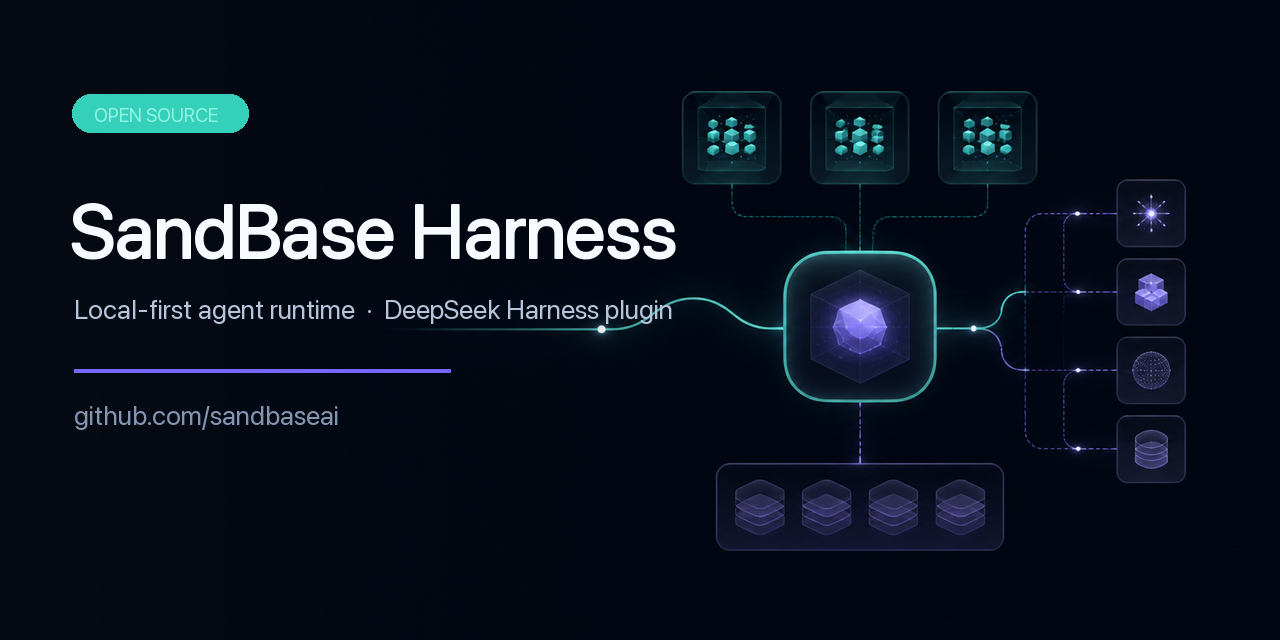 sandbaseai/sandbase-harness
Local-first, self-hosted AI agent runtime and MCP bridge with sandboxed sessions, memory, credentials, audit/replay, and…
sandbaseai/sandbase-harness
Local-first, self-hosted AI agent runtime and MCP bridge with sandboxed sessions, memory, credentials, audit/replay, and…