jermaine123123/agent-context-editor
Agent Context Editor is a cross-agent plugin for manually excluding, editing, and selectively compressing AI conversation context. It also supports searching, filtering, selecting, hiding, restoring, and undoing conversation changes while preserving the original Session.
catalog descriptioncatalog 简介 / catalog description:Cross-agent plugin for manually excluding and editing AI conversation context, with search, filtering, hide/restore, undo, and original Session preservation.
Project Overview项目介绍
Agent Context Editor is a cross-agent context management plugin that supports both DeepSeek Harness and Pi TUI, with prebuilt adapters available for both platforms. To install for DSH, users can download the prebuilt context-editor-deepseek-harness-0.4.0.tgz archive from the release assets, then install it via the official DSH CLI with the command dsh plugin --profile <profile> add ./[archive-path]. The core feature lets users manually exclude, edit, and selectively compress AI conversation context, while preserving the original session fully. It also supports searching, filtering, selecting, hiding, restoring, and undoing changes to conversation content.
It addresses the common problem of "context rot" in long-running AI agent sessions, where accumulated failed attempts, stale conclusions, and irrelevant tool outputs reduce model reliability even before the context window fills up. It is designed for developers and AI agent users who need precise control over their conversation context. A typical workflow involves opening the dedicated context management interface from your host agent, selecting target content, applying operations like exclusion, editing, or AI-powered compression, and all changes can be rolled back at any time without altering the original session.
The project is released under the open-source MIT license, meaning it is free to use, modify, and distribute for any purpose. Development requires Node.js version 22.19 or later, and contributors can run npm ci to install dependencies followed by npm run verify to build adapters and run all checks. Current limitations include compatibility with DSH only up to the tested 0.1.0-rc.8 host boundary, no support for direct editing of content in the host's main chat timeline, and no batch text replacement. It automatically adapts to Chinese or English interface based on user system settings.
这是一款跨AI代理的上下文管理工具,支持DeepSeek Harness(DSH)和Pi TUI,核心功能是让用户手动编辑、排除、选择性压缩对话上下文,同时全程保留原始会话不被覆盖。它提供了一致、可逆、完全由用户控制的上下文管理方案,用于补充而非替代提示引导和自动上下文压缩,额外还支持上下文搜索、筛选、批量选择、隐藏恢复和变更撤销操作。
针对长时间运行的AI会话出现的“上下文腐烂”问题——当失败尝试、过时结论、无关工具输出累积后,即使上下文窗口没满,模型也会降低回答可靠性,这款工具能帮用户手动清理不必要内容。适合需要精准控制会话上下文的开发者和AI代理用户,典型工作流是打开上下文管理面板,选中目标内容后进行排除、编辑或压缩,所有操作都可回滚,不影响原始会话。
项目采用MIT许可证开源免费使用,依赖Node.js 22.19及以上版本开发。当前存在一些限制,比如无法直接在主机主聊天时间线编辑内容,不支持批量替换,DSH兼容性仅针对测试过的0.1.0-rc.8版本边界。安装可通过下载发布包,用DSH CLI命令完成,中文界面会自动适配。
请帮我安装这个 DSH 插件。安装前先完成【兼容性检查 + 安全性检查】,检查通过再动手。

插件:agent-context-editor(jermaine123123/agent-context-editor)
仓库:https://github.com/jermaine123123/agent-context-editor
本站详情页:https://www.yhbd.top/plugins/jermaine123123-agent-context-editor/
本站登记:类型 plugin · 归类 多平台兼容工具(非 DSH 原生) · 许可证 MIT · ⭐ 63 · 最近提交 2026-10-01 · 主语言 JavaScript · 未检测到 DSH 插件清单

按下面顺序执行,每步先把结论告诉我,再进入下一步:

【1 兼容性检查】
① 我这边:DSH 版本、Node 版本、操作系统、当前 profile(web / desktop)。
② 读它的 README、package.json、插件 manifest,列出它要求的 DSH 版本 / Node 版本 / 操作系统 / 外部依赖 / 需要另外先装的运行时。
③ 逐条比对,结论只写「满足 / 不满足 / 未知」三种;不满足的给出可行替代方案。
④ 检查是否和我已装的插件冲突:命令名重复、skill / tool 重名、端口占用、重复注册的 MCP server。

【2 安全性检查】
① 仓库可信度:和上面「本站登记」是否一致;star / fork 数、创建时间、最近提交,是否归档或长期停更。
② 安装脚本:逐行看 package.json 的 preinstall / install / postinstall,以及 install.sh、setup.ps1 之类脚本。出现 curl|bash、下载后直接执行、混淆代码、访问与插件功能无关的域名,立刻停下来告诉我,不要继续装。
③ 依赖:列出新增依赖,标出无人维护、或与知名包拼写近似的可疑包(typosquatting)。
④ 权限与副作用:它会读写哪些目录、访问哪些域名、需要哪些 DSH 权限(filesystem / network / shell / clipboard 等),以及怎么卸载和回滚。
⑤ 如果它要求 sudo / 管理员权限,或权限明显超出功能所需,先停下来问我。

【3 安装】
上面两步没有「不满足」和「高危项」时才执行;用官方推荐方式安装,不要自行提权。

【4 汇报】
用表格输出:检查项 / 结论 / 依据 / 是否需要我决策。拿不准的一律写「未知」并说明要我怎么确认——不要猜,也不要替我决定。
Send this message to DSH in your current session: it verifies compatibility and security first (answering met / not met / unknown item by item) and only installs once everything checks out — it will stop and ask you if it finds a high-risk item. The box scrolls; the copy is the full prompt. CLI install commands may not be accurate across systems, so DSH is the safer route.把上面这条消息直接发给当前会话里的 DSH:它会先核对兼容性与安全性(逐条给「满足 / 不满足 / 未知」),确认没问题再安装,有高危项会停下来问你。框内可滚动,复制到的是完整提示词;安装命令不一定准确,发给 DSH 更稳。
- No DSH plugin manifest detected - it may only carry the dsh-plugin topic, so the install method must be confirmed on the spot未检测到 DSH 插件清单:可能只是打了 dsh-plugin 话题,安装方式要现场确认
- Not DSH-native: a multi-platform tool that may require Node / Electron or another runtime first非 DSH 原生,是多平台兼容工具:可能要先装 Node / Electron 等运行时
DSH walks through these 9 checksDSH 会逐条核对这 9 项
Compatibility兼容性
- DSH, Node, OS and profile requirementsDSH 版本 / Node 版本 / 操作系统 / profile 是否满足要求
- External dependencies and runtimes (Electron / Python / Docker, ...)外部依赖与运行时(Electron / Python / Docker 等)是否齐备
- Conflicts with installed plugins: command names, skill / tool names, ports, duplicate MCP registration与已装插件是否冲突:命令名、skill / tool 重名、端口占用、重复 MCP 注册
Security安全性
- Repo matches the facts registered here; archived or abandoned?仓库是否与页面登记一致,是否归档或长期停更
- Safety of preinstall / install / postinstall and install.sh / setup.ps1preinstall / install / postinstall 与 install.sh、setup.ps1 是否安全
- curl|bash, download-then-execute, obfuscation, unrelated domains → stop immediatelycurl|bash、下载即执行、混淆代码、无关域名 → 立刻停止
- Typosquatting or unmaintained packages among the new dependencies新增依赖里有没有 typosquatting 或无人维护的包
- Requested permissions vs. what the feature actually needs申请了哪些权限、是否超出功能所需(filesystem / network / shell / clipboard)
- Any sudo / admin requirement, plus uninstall and rollback是否要求 sudo / 管理员权限,以及卸载与回滚方式
Anything uncertain must be marked unknown with a note on how to confirm it. This site's signal screen is a static snapshot, not a security audit.拿不准的必须标「未知」并说明要我怎么确认。本站的信号筛查是静态快照,不能替代安全审计。
Or use CLI install (for developers)或使用命令行安装(适合开发者)
CLI Install命令行安装
dsh plugin --profile web add github:jermaine123123/agent-context-editor把 jermaine123123/agent-context-editor 加入你的 DSH 配置(web profile)即可启用。
READMEREADME
Agent Context Editor
Agent Context Editor is a cross-agent plugin for manually excluding, editing, and selectively compressing AI conversation context. It also supports searching, filtering, selecting, hiding, restoring, and undoing conversation changes while preserving the original Session.
It provides a consistent, reversible, and user-controlled context-management option across supported Agent hosts, complementing prompt steering and automatic context compaction rather than replacing them.
中文说明: README.zh-CN.md
Usage guidance
Long-running Agent sessions can suffer from context rot: as the context grows—especially when failed attempts, stale conclusions, and irrelevant Tool output accumulate—the model may become less reliable at finding and correctly applying important information even before the context window is full.
For most tasks, prompt steering and automatic context compaction are usually sufficient. Manual context exclusion and editing are optional controls for cases where the automatic result is not what you want, rather than something users need to manage continuously. They can be useful when compaction drops details worth preserving or when failed attempts and irrelevant history occupy too much of the context.
Prompt-cache impact: Excluding or editing context changes the model-input prefix. Cached prompt content after the earliest changed position may no longer be reusable, so changes near the end of a Session usually affect less cached context than changes near the beginning. Exact behavior depends on the Agent host, model, and provider. The original Session remains preserved.
Features
- Manually exclude selected context and restore it later
- Edit User messages and AI Answers with restore and undo
- AI-condense selected context into an editable, reversible summary(selectively compressing)
- Search conversations and navigate between matches
- Filter User, AI, Reasoning, Answer, and Tool content
- Select individual items, continuous ranges, or multiple items
- Hide, restore, reset, and undo visual changes
- Manage AI Reasoning and final Answers independently
- Save changes without overwriting the original Session
- Automatically use a Chinese or English interface
Showing the opening section of the README — the full document lives in the repository以上为 README 开头摘要,完整文档在仓库内 · View the full README on GitHub →在 GitHub 查看完整 README →
Related相关推荐
-
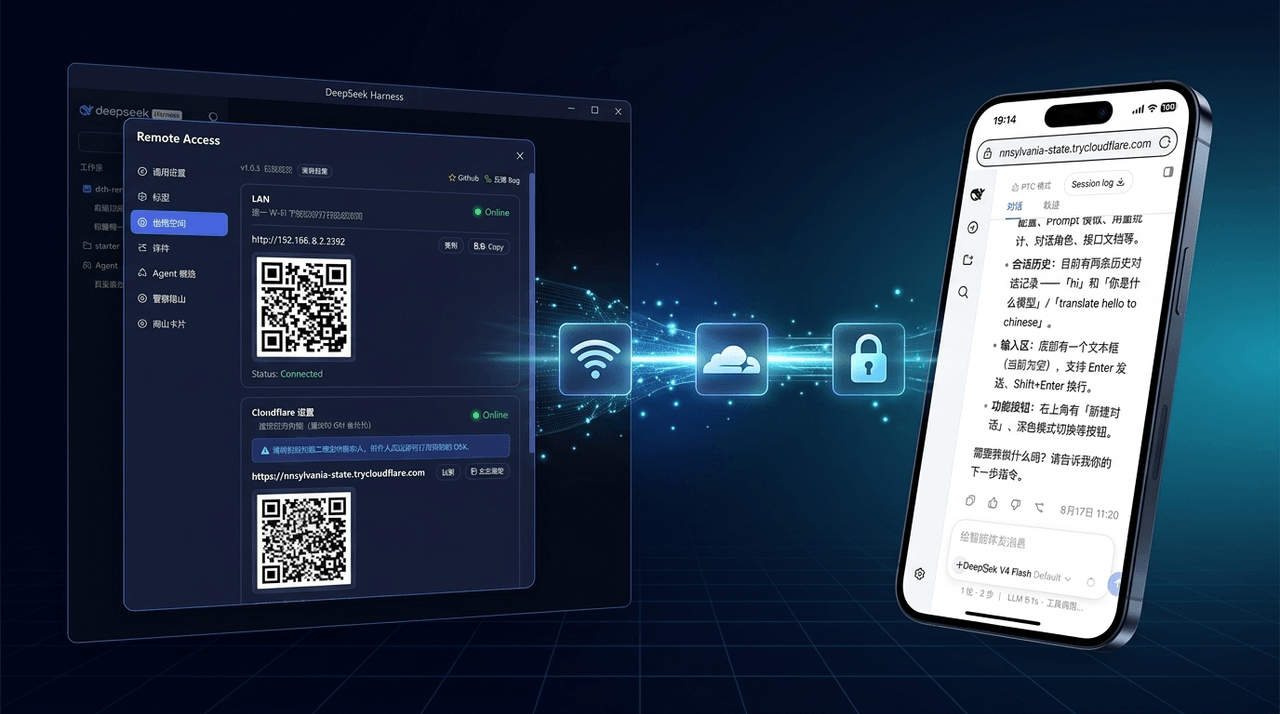 wenbin-wb/dsh-bridge
🚀 DeepSeek Harness 多通道远程访问与安全守护插件 | 局域网扫码直连、Cloudflare / 自建公网隧道、微信 / QQ / 飞书 / Telegram 机器人全生命周期对话 | 内置全协议访问安全认证、后台防篡改与…
wenbin-wb/dsh-bridge
🚀 DeepSeek Harness 多通道远程访问与安全守护插件 | 局域网扫码直连、Cloudflare / 自建公网隧道、微信 / QQ / 飞书 / Telegram 机器人全生命周期对话 | 内置全协议访问安全认证、后台防篡改与…
-
 PerryLink/dsh-permission-rules
Claude Code-style declarative permission rules for DeepSeek Harness: ordered allow/deny/ask rules with tool-name, argume…
PerryLink/dsh-permission-rules
Claude Code-style declarative permission rules for DeepSeek Harness: ordered allow/deny/ask rules with tool-name, argume…
-
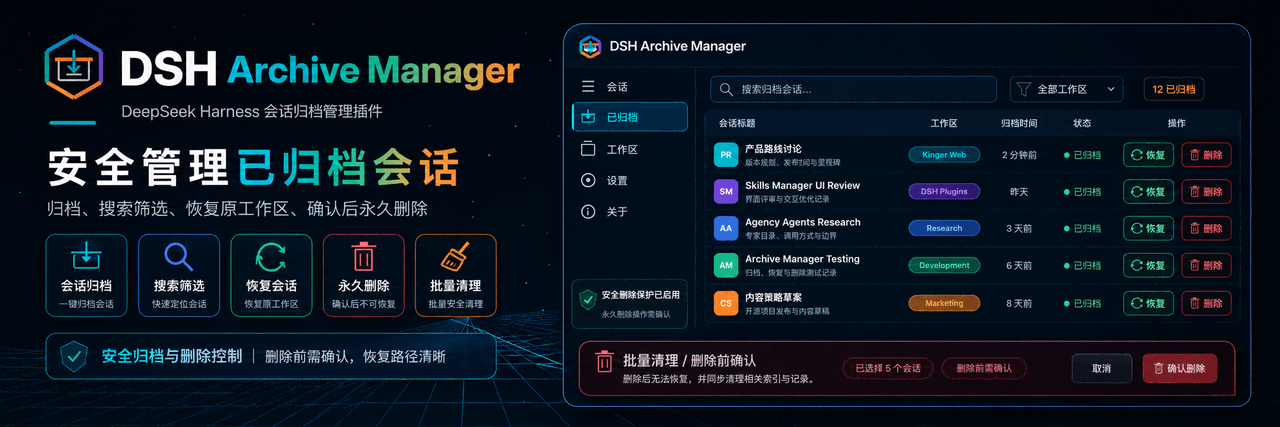 MichengAI/dsh-archive-manager
DSH Archive Manager — 在 DeepSeek Harness 中安全查看、恢复和管理已归档会话 · Safely view, restore, and manage archived sessions in DSH
MichengAI/dsh-archive-manager
DSH Archive Manager — 在 DeepSeek Harness 中安全查看、恢复和管理已归档会话 · Safely view, restore, and manage archived sessions in DSH
-
 eri64/dsh-claude-ux
DSH plugin: Claude-style Chinese risk control & conversation autonomy for DeepSeek Harness web
eri64/dsh-claude-ux
DSH plugin: Claude-style Chinese risk control & conversation autonomy for DeepSeek Harness web
-
 lsz-asd/dsh-plugin-session-delete
Delete DeepSeek Harness sessions from the UI: header danger button + sidebar session-row menu item (no conversation jump…
lsz-asd/dsh-plugin-session-delete
Delete DeepSeek Harness sessions from the UI: header danger button + sidebar session-row menu item (no conversation jump…
-
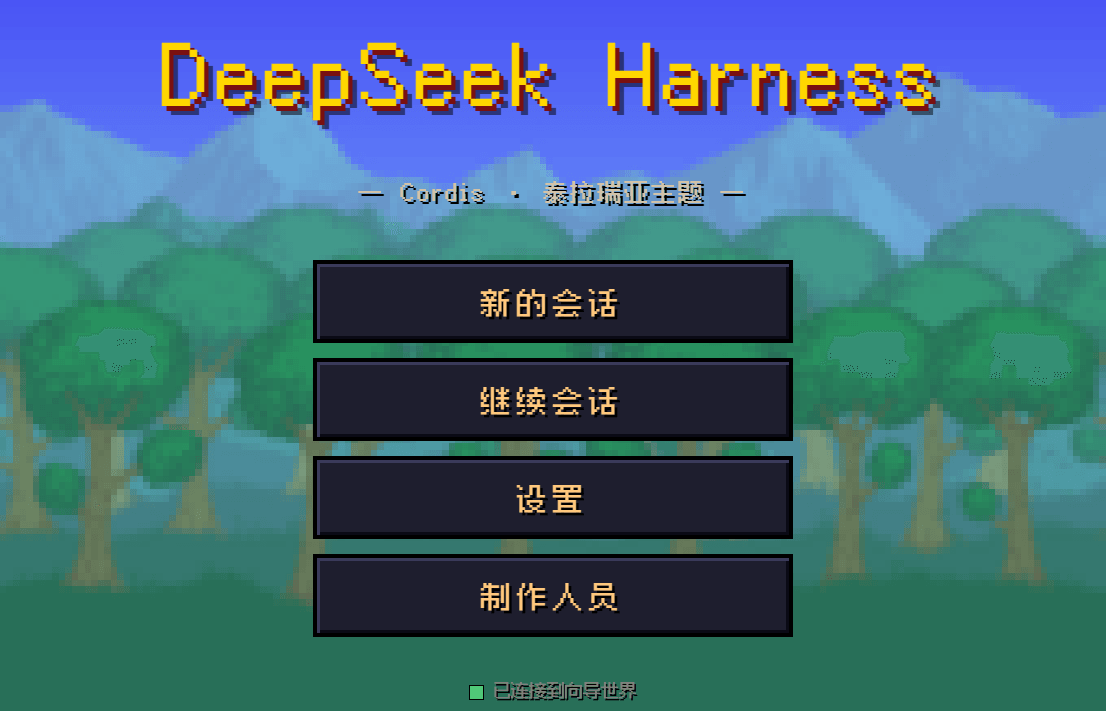 10086ggqq/dsh_theme_terraria
把 DeepSeek Harness 的 AI 编码控制台变成泰拉瑞亚像素世界——向导陪你写代码,真实对话、工具审批、难度切换,单文件零依赖。
10086ggqq/dsh_theme_terraria
把 DeepSeek Harness 的 AI 编码控制台变成泰拉瑞亚像素世界——向导陪你写代码,真实对话、工具审批、难度切换,单文件零依赖。
-
 king-bcolor/dsh-multi-tenant-projects
Multi-tenant projects & users plugin for DeepSeek Harness (DSH): per-user symlinked workspaces, login gate, session isol…
king-bcolor/dsh-multi-tenant-projects
Multi-tenant projects & users plugin for DeepSeek Harness (DSH): per-user symlinked workspaces, login gate, session isol…
-
 ZK-Andy/dsh-continual-evolve
Continual self-evolution plugin for DeepSeek Harness: versioned, auditable, rollback-safe harness state refined from ses…
ZK-Andy/dsh-continual-evolve
Continual self-evolution plugin for DeepSeek Harness: versioned, auditable, rollback-safe harness state refined from ses…