JessenReinhart/dsh-tokenslash
Project Overview项目介绍
dsh-tokenslash is a Cordis-native plugin built specifically for the DeepSeek Harness (DSH) desktop environment. Its core capability is automatic prompt and tool-schema pruning on every turn: it routes the user prompt through a lightweight Jev triage model, strips the 35–43 tools that are irrelevant to the current request, and removes unused sections of the system prompt, typically collapsing an 18,000-token static baseline down to around 3,000 tokens. Installation ships through the DSH plugin manager with dsh plugin add github:JessenReinhart/dsh-tokenslash, or by manually cloning the repository into ~/.dsh/profiles/desktop/packages/dsh-tokenslash and reloading the UI with Ctrl + R, after which the plugin registers as cordis tools tokenslash_triage and tokenslash_peek and exposes local REST endpoints for stats, history, and config.
The intended workflow is to enable the plugin once inside DSH Desktop and then tune behavior under Settings → TokenSlash, picking normal, extreme, or off pruning modes, choosing a triage provider among opencode, 9router, openrouter, typesafe, localjev, or a custom OpenAI-compatible endpoint, and optionally pinning critical tools such as pwsh or read so they are never pruned. Across multi-turn sessions the plugin inherits the previous tool mask on continue or resume, and a subagent model-tiering layer delegates lightweight tasks to deepseek-chat or gemini-2.5-flash while reserving stronger models like deepseek-reasoner and claude-3-7-sonnet for architecture-level reasoning. It targets DSH desktop power users and teams who accumulate dozens of tools and need sustained context headroom.
Dependencies include Node.js plus npm for the 71 test suites, and optionally Bun to run the bundled LocalJev server on port 8080 against an upstream OpenAI-compatible runtime such as oMLX for fully local triage. A fail-open safety guarantees that if the triage endpoint is unreachable no tools are dropped, and a built-in output compaction step condenses tool responses larger than roughly 10 KB so conversation history does not bloat the context window. The plugin is released under the permissive MIT license, so it is free for commercial use, but first-run users should verify that their chosen triage endpoint is reachable, configure customBaseUrl and pinnedTools to match their stack, and remember that any external Jev provider may incur its own API costs beyond the local zero-cost mode.
dsh-tokenslash 是一款专为 DeepSeek Harness (DSH) 桌面环境打造的 Cordis 原生插件,核心能力是利用 Jev 三方分诊模型在每次对话前自动裁剪未使用的工具 schema 与冗余系统提示,将单轮静态开销从约 18,000 tokens 压缩至 3,000 tokens 左右。安装方式支持 dsh plugin add github:JessenReinhart/dsh-tokenslash 一键安装,或克隆至 ~/.dsh/profiles/desktop/packages/dsh-tokenslash 后通过 Ctrl + R 重载 UI;插件会以 cordis 工具形式注入 tokenslash_triage 与 tokenslash_peek,并通过本地 REST 端点暴露统计与配置接口。
典型工作流是在 DSH Desktop 内开启插件后,于 Settings → TokenSlash 选择 normal、extreme 或 off 三种裁剪强度,配合 opencode、9router、openrouter、typesafe、localjev 或自定义端点作为分诊服务;插件还会在多轮对话中自动继承上轮工具掩码,并将子代理任务按复杂度路由到 deepseek-chat、gemini-2.5-flash 等廉价模型。该工具适合频繁使用大量插件、需要长会话保持上下文余量的 DSH 桌面端用户与团队,以及在隐私或成本敏感场景下希望降低 token 消耗的开发者。
依赖方面需要在 Node.js 与 npm 环境执行测试,并可选用 Bun 运行 LocalJev 本地分诊服务(默认端口 8080,模型 diffusiongemma-26B-A4B-it-4bit);存在 fail-open 安全兜底,分诊失败时不会丢弃任何工具。许可证为 MIT,可商用,但需注意 Jev 三方端点本身可能产生 API 费用,首次运行前应确认分诊服务可达并设置好 customBaseUrl 与 pinnedTools。
请帮我安装这个 DSH 插件。安装前先完成【兼容性检查 + 安全性检查】,检查通过再动手。

插件:dsh-tokenslash(JessenReinhart/dsh-tokenslash)
仓库:https://github.com/JessenReinhart/dsh-tokenslash
本站详情页:https://www.yhbd.top/plugins/jessenreinhart-dsh-tokenslash/
本站登记:类型 plugin · 归类 原生 DSH 插件 · 许可证未声明 · ⭐ 3 · 最近提交 2026-09-30 · 主语言 JavaScript

按下面顺序执行,每步先把结论告诉我,再进入下一步:

【1 兼容性检查】
① 我这边:DSH 版本、Node 版本、操作系统、当前 profile(web / desktop)。
② 读它的 README、package.json、插件 manifest,列出它要求的 DSH 版本 / Node 版本 / 操作系统 / 外部依赖 / 需要另外先装的运行时。
③ 逐条比对,结论只写「满足 / 不满足 / 未知」三种;不满足的给出可行替代方案。
④ 检查是否和我已装的插件冲突:命令名重复、skill / tool 重名、端口占用、重复注册的 MCP server。

【2 安全性检查】
① 仓库可信度:和上面「本站登记」是否一致;star / fork 数、创建时间、最近提交,是否归档或长期停更。
② 安装脚本:逐行看 package.json 的 preinstall / install / postinstall,以及 install.sh、setup.ps1 之类脚本。出现 curl|bash、下载后直接执行、混淆代码、访问与插件功能无关的域名,立刻停下来告诉我,不要继续装。
③ 依赖:列出新增依赖,标出无人维护、或与知名包拼写近似的可疑包(typosquatting)。
④ 权限与副作用:它会读写哪些目录、访问哪些域名、需要哪些 DSH 权限(filesystem / network / shell / clipboard 等),以及怎么卸载和回滚。
⑤ 如果它要求 sudo / 管理员权限,或权限明显超出功能所需,先停下来问我。

【3 安装】
上面两步没有「不满足」和「高危项」时才执行;用官方推荐方式安装,不要自行提权。

【4 汇报】
用表格输出:检查项 / 结论 / 依据 / 是否需要我决策。拿不准的一律写「未知」并说明要我怎么确认——不要猜,也不要替我决定。
Send this message to DSH in your current session: it verifies compatibility and security first (answering met / not met / unknown item by item) and only installs once everything checks out — it will stop and ask you if it finds a high-risk item. The box scrolls; the copy is the full prompt. CLI install commands may not be accurate across systems, so DSH is the safer route.把上面这条消息直接发给当前会话里的 DSH:它会先核对兼容性与安全性(逐条给「满足 / 不满足 / 未知」),确认没问题再安装,有高危项会停下来问你。框内可滚动,复制到的是完整提示词;安装命令不一定准确,发给 DSH 更稳。
- No license declared - all rights reserved by default; ask the author before commercial use or redistribution未声明开源许可证 —— 默认「保留所有权利」,商用或再分发前先问作者
- Only 3 stars - very few users, little community feedback星标只有 3,几乎没人在用,遇到问题缺少社区反馈
DSH walks through these 9 checksDSH 会逐条核对这 9 项
Compatibility兼容性
- DSH, Node, OS and profile requirementsDSH 版本 / Node 版本 / 操作系统 / profile 是否满足要求
- External dependencies and runtimes (Electron / Python / Docker, ...)外部依赖与运行时(Electron / Python / Docker 等)是否齐备
- Conflicts with installed plugins: command names, skill / tool names, ports, duplicate MCP registration与已装插件是否冲突:命令名、skill / tool 重名、端口占用、重复 MCP 注册
Security安全性
- Repo matches the facts registered here; archived or abandoned?仓库是否与页面登记一致,是否归档或长期停更
- Safety of preinstall / install / postinstall and install.sh / setup.ps1preinstall / install / postinstall 与 install.sh、setup.ps1 是否安全
- curl|bash, download-then-execute, obfuscation, unrelated domains → stop immediatelycurl|bash、下载即执行、混淆代码、无关域名 → 立刻停止
- Typosquatting or unmaintained packages among the new dependencies新增依赖里有没有 typosquatting 或无人维护的包
- Requested permissions vs. what the feature actually needs申请了哪些权限、是否超出功能所需(filesystem / network / shell / clipboard)
- Any sudo / admin requirement, plus uninstall and rollback是否要求 sudo / 管理员权限,以及卸载与回滚方式
Anything uncertain must be marked unknown with a note on how to confirm it. This site's signal screen is a static snapshot, not a security audit.拿不准的必须标「未知」并说明要我怎么确认。本站的信号筛查是静态快照,不能替代安全审计。
Or use CLI install (for developers)或使用命令行安装(适合开发者)
CLI Install命令行安装
dsh plugin add github:JessenReinhart/dsh-tokenslash把 JessenReinhart/dsh-tokenslash 加入你的 DSH 配置(web profile)即可启用。
READMEREADME
dsh-tokenslash ⚡
Cut up to 85% of prompt overhead in DeepSeek Harness.
Automatically prune unused tools, strip bloated system prompts, and route subagents to budget-friendly models — without breaking agent workflows.
Why TokenSlash?
Every time you hit Enter in DeepSeek Harness (DSH), the system prompt includes every single registered tool schema and plugin guideline — even ones you never touch (image generators, web crawlers, workflow planners).
In a typical desktop setup, that's 50+ tools and ~18,000 tokens of static overhead on every single turn. Over a 10-turn coding session, you burn 180,000+ tokens just telling the LLM what tools exist.
TokenSlash fixes this. It uses an ultra-fast, lightweight triage model (TypeSafe Jev) to detect what your prompt actually needs, strips the 35–43 tools you don't need, and keeps only what's required.
Highlights
- 📉 Up to 85% Prompt Overhead Reduction: Drops ~18,000 token turn baselines down to ~3,000 tokens.
- 🛡️ Zero Workflow Breakage: Core file and command tools (
read,write,edit,pwsh,grep,glob) are preserved in Normal mode. - 🧠 Context-Aware Continuity: "continue", "resume", or follow-up prompts automatically inherit your active tool set.
- ⚡ Sub-Second Triage: Jev triage takes ~500ms over local proxy, with built-in fail-open safety (if triage fails, nothing is dropped).
- 💰 Subagent Model Tiering: Automatically routes lightweight subagent tasks to cheaper models (
gemini-2.5-flash,deepseek-chat).
Real Benchmark Results
Tested on live DSH Desktop v2.0.10 with 50 registered tools and 9 system prompt sections extracted directly from an active runtime session. Triage executed against live openrouter/typesafe/jev-1.13 via 9Router.
4-Turn Coding & Audit Session
| Turn | Prompt | Baseline (Without TokenSlash) | With TokenSlash (Normal) | With TokenSlash (Extreme) | Tokens Saved | Reduction |
|---|---|---|---|---|---|---|
| 1 | "Audit lib/ directory for issues..." | 18,036 tokens | 3,813 tokens | 3,055 tokens | 14,223 | 78.9% |
| 2 | "Read lib/index.js & jev-client.js" | 18,036 tokens | 3,813 tokens | 2,633 tokens | 15,402 | 85.4% |
| 3 | "continue" (inherited tool mask) | 18,036 tokens | 3,813 tokens | 2,633 tokens | 15,402 | 85.4% |
| 4 | "Summarize audit findings" | 18,036 tokens | 3,402 tokens | 2,420 tokens | 15,616 | 86.6% |
| Total | 4 turns cumulative | 72,144 tokens | 14,841 tokens | 10,741 tokens | 61,403 | 85.1% |
Showing the opening section of the README — the full document lives in the repository以上为 README 开头摘要,完整文档在仓库内 · View the full README on GitHub →在 GitHub 查看完整 README →
Related相关推荐
- houyanchao/chatgpt-gemini-timeline ChatGPT & Gemini:Add Folders, Timeline & Prompts. - 为 ChatGPT & Gemini 添加文件夹、提示词库和时间轴。
- PerryLink/jevcore TypeSafe Jev for DeepSeek Harness, the Model Context Protocol, and plain Node: typed judgments instead of prose, offline…
-
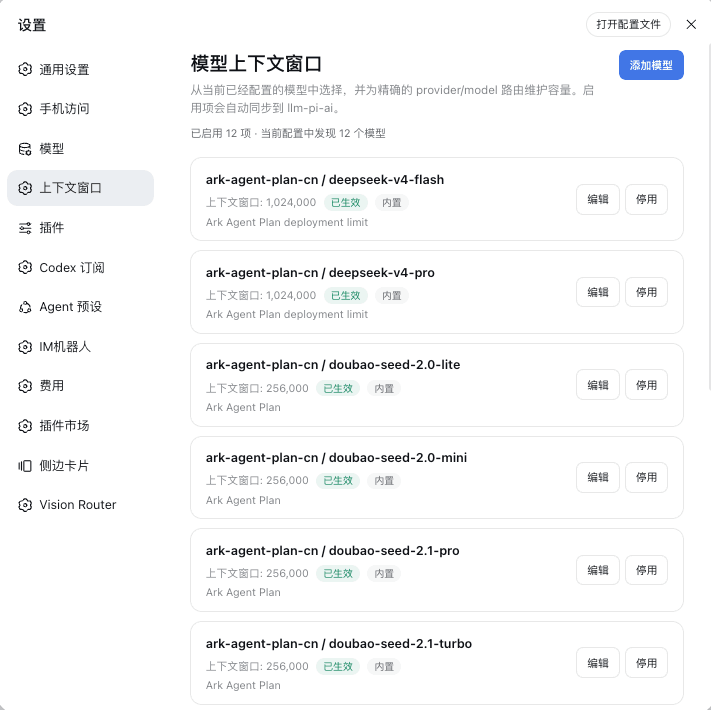 HOWILLMAKEIT/dsh-model-context-catalog
DeepSeek Harness 插件:维护 llm-pi-ai 模型的准确上下文窗口,避免长会话被误判为上下文溢出。
HOWILLMAKEIT/dsh-model-context-catalog
DeepSeek Harness 插件:维护 llm-pi-ai 模型的准确上下文窗口,避免长会话被误判为上下文溢出。
-
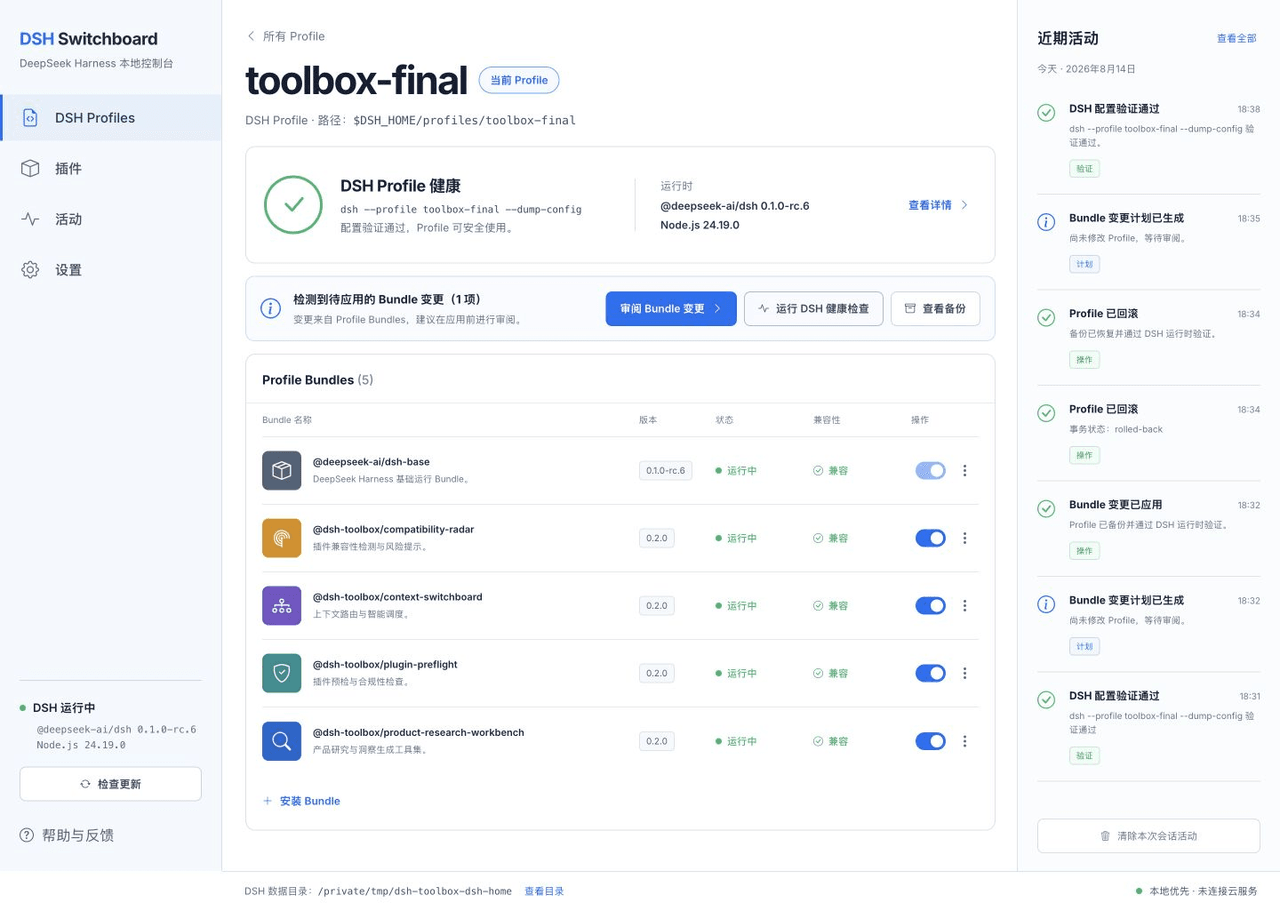 HiWhaleW/dsh-toolbox
Local-first DeepSeek Harness plugins for product research, context routing, plugin preflight, and compatibility monitori…
HiWhaleW/dsh-toolbox
Local-first DeepSeek Harness plugins for product research, context routing, plugin preflight, and compatibility monitori…
-
 SpookySandwich/dsh-plugin-message-edit
DSH 消息编辑插件:编辑已发送的消息并从该处分叉对话,气泡下方带版本计数与树状视图。Edit a sent message and branch from that point — version counter, tree view, …
SpookySandwich/dsh-plugin-message-edit
DSH 消息编辑插件:编辑已发送的消息并从该处分叉对话,气泡下方带版本计数与树状视图。Edit a sent message and branch from that point — version counter, tree view, …
- beihzb/dsh-opencode-session-header Per-conversation x-opencode-session injection for OpenCode Go in DeepSeek Harness - fixes 400 MissingSessionID without b…
-
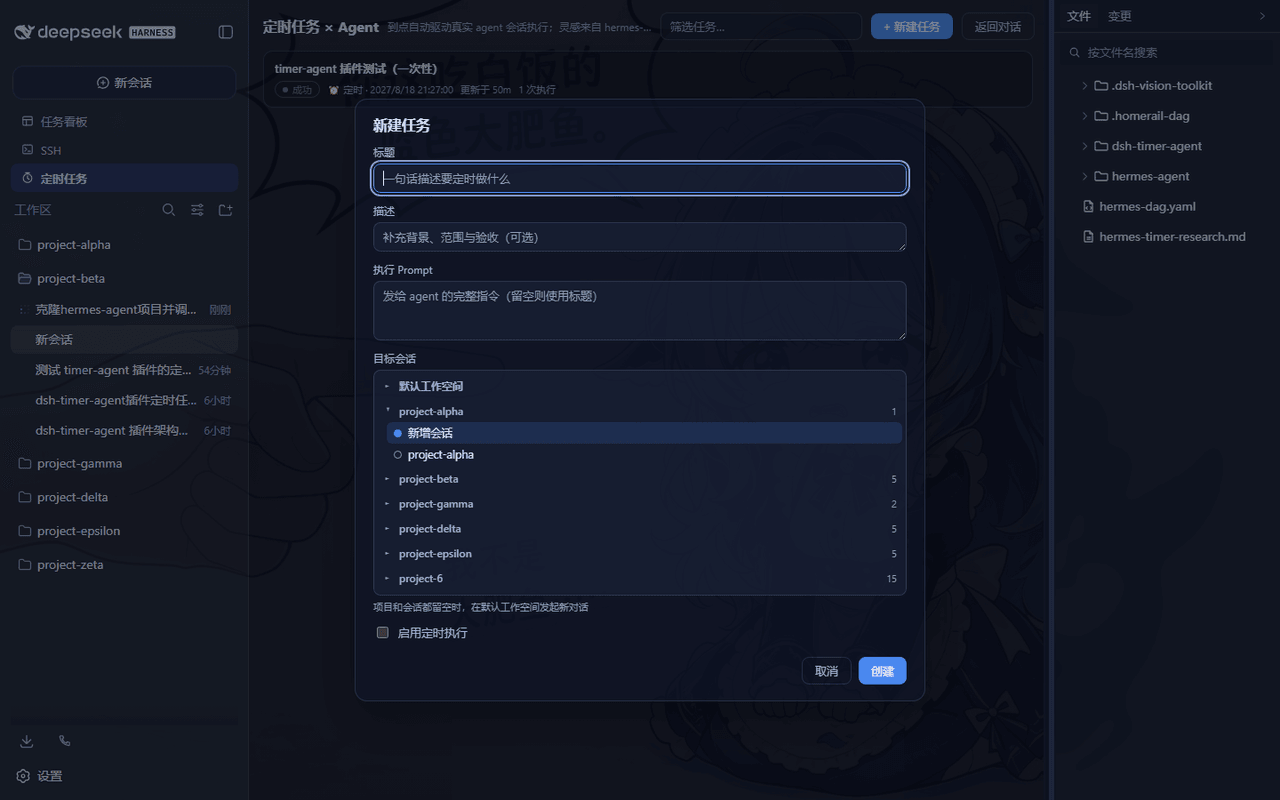 LouisHaoL/dsh-timer-agent
DSH plugin: host-resident scheduled-jobs × AI-agent engine (hermes-agent cron inspired) — 60s ticker fires real agent se…
LouisHaoL/dsh-timer-agent
DSH plugin: host-resident scheduled-jobs × AI-agent engine (hermes-agent cron inspired) — 60s ticker fires real agent se…
- huermi/dsh-deepseek-web-adapter 免费的 DeepSeek 网页版(chat.deepseek.com)LLM 服务提供方,用于 DeepSeek Harness——无需 API 密钥。自动启动网关,支持工具调用和连续对话。Free DeepSeek Web (chat.d…