jiangliuhong/dsh-gpt-oauth
openai models for login by chatgpt
Project Overview项目介绍
This is a DeepSeek Harness plugin that adds an openai-codex-gptoauth provider route and an independent ChatGPT login settings page. It uses OpenAI's official OAuth device flow and does not require an OpenAI API key. Use it when you have a ChatGPT account but no OpenAI API key. Note it requires port 3091 on localhost; a port conflict will prevent startup.
这是DeepSeek Harness的ChatGPT登录插件,新增openai-codex-gptoauth模型路由与独立的ChatGPT登录设置页,使用OpenAI官方OAuth设备码流程,无需OpenAI API密钥。适合有ChatGPT账号但无OpenAI API密钥的场景使用。注意插件依赖本地3091端口,端口冲突会导致插件启动失败。
请帮我了解并安装插件:【dsh-gpt-oauth】【https://github.com/jiangliuhong/dsh-gpt-oauth】Send this message to DSH in your current session. CLI install commands may not be accurate across systems — DSH will figure it out for you.把上面这条消息直接发给当前会话里的 DSH,让它帮你了解并安装。安装命令不一定准确,发给 DSH 更稳。
Or use CLI install (for developers)或使用命令行安装(适合开发者)
CLI Install命令行安装
dsh plugin --profile web add dsh-login-chatgpt把 jiangliuhong/dsh-gpt-oauth 加入你的 DSH 配置(web profile)即可启用。
READMEREADME
dsh-login-chatgpt
English | 中文
DeepSeek Harness plugin that adds an openai-codex-gptoauth provider route and
an independent ChatGPT Login settings page. The route mirrors the installed
openai-codex catalog and uses Pi's official ChatGPT OAuth device-code flow; no
OpenAI API key is requested.
Install
Install from npm (recommended)
dsh plugin --profile web add dsh-login-chatgpt
To install a specific version:
dsh plugin --profile web add dsh-login-chatgpt@0.2.5
Package: https://www.npmjs.com/package/dsh-login-chatgpt
Install from a local checkout (development)
git clone git@github.com:jiangliuhong/dsh-gpt-oauth.git
cd dsh-gpt-oauth
npm install
dsh plugin --profile web add "$PWD"
The bundle installs the authorization service and uses the llm and
credentials services supplied by the standard web profile.
Start Harness:
dsh web
Use
- Open Settings → ChatGPT Login.
- Select Login with ChatGPT.
- Open the displayed OpenAI authorization URL and enter the one-time code.
- Wait until the settings page reports Connected.
- In the conversation composer click Select model.
- Click the Model / Select model row to open the full catalog.
- Scroll to
openai-codex-gptoauthand choose one of its GPT models.
The route appears in the conversation model selector, not on the Models settings page.
The login grant is stored by the DSH credentials service under
llm-pi-ai/openai-codex-gptoauth. Model requests reuse that grant and its
refresh flow automatically. OAuth tokens are never returned to the browser;
only login status, the verification URL, and the one-time device code are
shown.
Local login endpoint
The client bundle talks to a loopback-only helper on 127.0.0.1:3091. The
helper accepts browser requests only from loopback origins. A port conflict
fails plugin startup rather than silently disabling login.
Development checks
node --check index.js
node --check login-manager.js
node --check client.js
node --test login-manager.test.js
Release
Set the version in package.json and package-lock.json, commit it, then push a
matching tag. Both 0.2.0 and v0.2.0 tag forms are accepted:
npm version 0.2.1 --no-git-tag-version
git add package.json package-lock.json
git commit -m "release: v0.2.1"
git tag v0.2.1
git push origin main v0.2.1
The tag workflow runs checks, publishes the exact package.json version to npm
with provenance, and creates a GitHub Release through npm Trusted Publishing
(OIDC). After the initial package bootstrap, no npm token or local publish is
needed for subsequent releases.
Acknowledgements
Thanks to the LINUX DO community for its continued support.
Related相关推荐
- Nagi-ovo/voyager Enhancement suite for Gemini, AI Studio, Claude & ChatGPT — plus a prompt manager for any websites, DeepSeek Harness inc…
-
 crafter-station/petdex
A public gallery of animated pets for Codex, Claude Code, DeepSeek Harness, Hermes, OpenCode, Gemini CLI, and more.
crafter-station/petdex
A public gallery of animated pets for Codex, Claude Code, DeepSeek Harness, Hermes, OpenCode, Gemini CLI, and more.
-
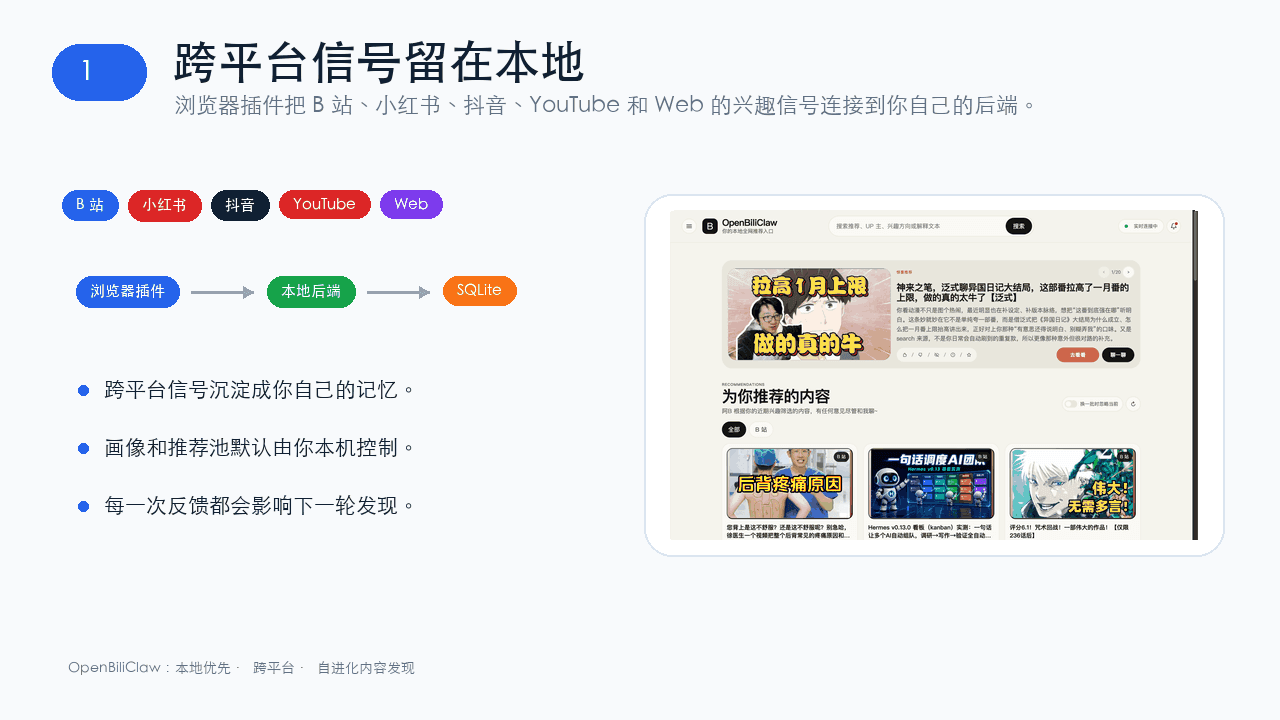 whiteguo233/OpenBiliClaw
本地私有、开源的自进化跨平台 AI 内容发现 Agent:先理解你,再主动从 B站、小红书、抖音、YouTube、X、知乎、Reddit、微博等平台与开放 Web 寻找内容。(支持 deepseek harness 插件) | Local-…
whiteguo233/OpenBiliClaw
本地私有、开源的自进化跨平台 AI 内容发现 Agent:先理解你,再主动从 B站、小红书、抖音、YouTube、X、知乎、Reddit、微博等平台与开放 Web 寻找内容。(支持 deepseek harness 插件) | Local-…
-
 edison7009/EchoBird
One-click install + model switch:Claude Code,Codex CLI (OpenAI), Grok Build (xAI), DeepSeek Harness, Kimi Code (Moonshot…
edison7009/EchoBird
One-click install + model switch:Claude Code,Codex CLI (OpenAI), Grok Build (xAI), DeepSeek Harness, Kimi Code (Moonshot…
-
 V1ki/dsh-plugin-subscriptions
Use ChatGPT (Codex), Claude, and Grok (X Premium) subscriptions as DeepSeek Harness LLM providers — OAuth login in the w…
V1ki/dsh-plugin-subscriptions
Use ChatGPT (Codex), Claude, and Grok (X Premium) subscriptions as DeepSeek Harness LLM providers — OAuth login in the w…
-
 Nwflower/dsh-chat-import
Import 14+ external agent chat histories (Claude Code, Codex, ChatGPT, Cursor, Gemini, Reasonix, opencode, ZCode, Grok B…
Nwflower/dsh-chat-import
Import 14+ external agent chat histories (Claude Code, Codex, ChatGPT, Cursor, Gemini, Reasonix, opencode, ZCode, Grok B…
-
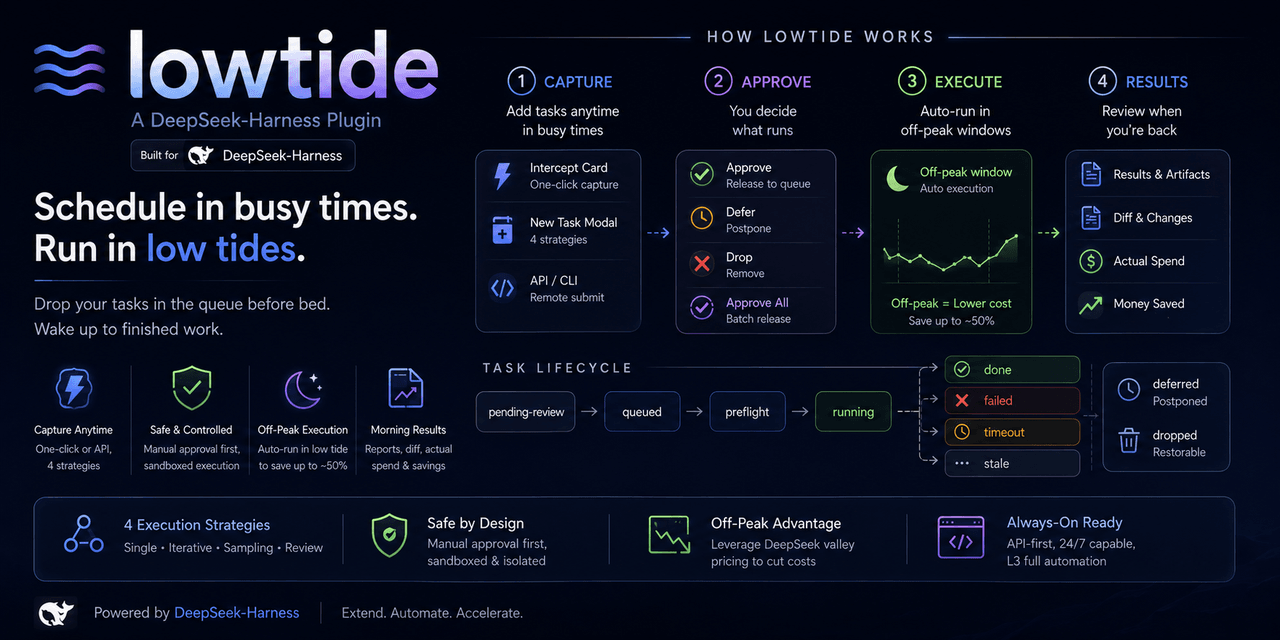 KelaoHu/dsh-lowtide
Time-shifting task delegation for DeepSeek Harness (dsh): plan tasks at leisure, they run unattended off-peak, come back…
KelaoHu/dsh-lowtide
Time-shifting task delegation for DeepSeek Harness (dsh): plan tasks at leisure, they run unattended off-peak, come back…
-
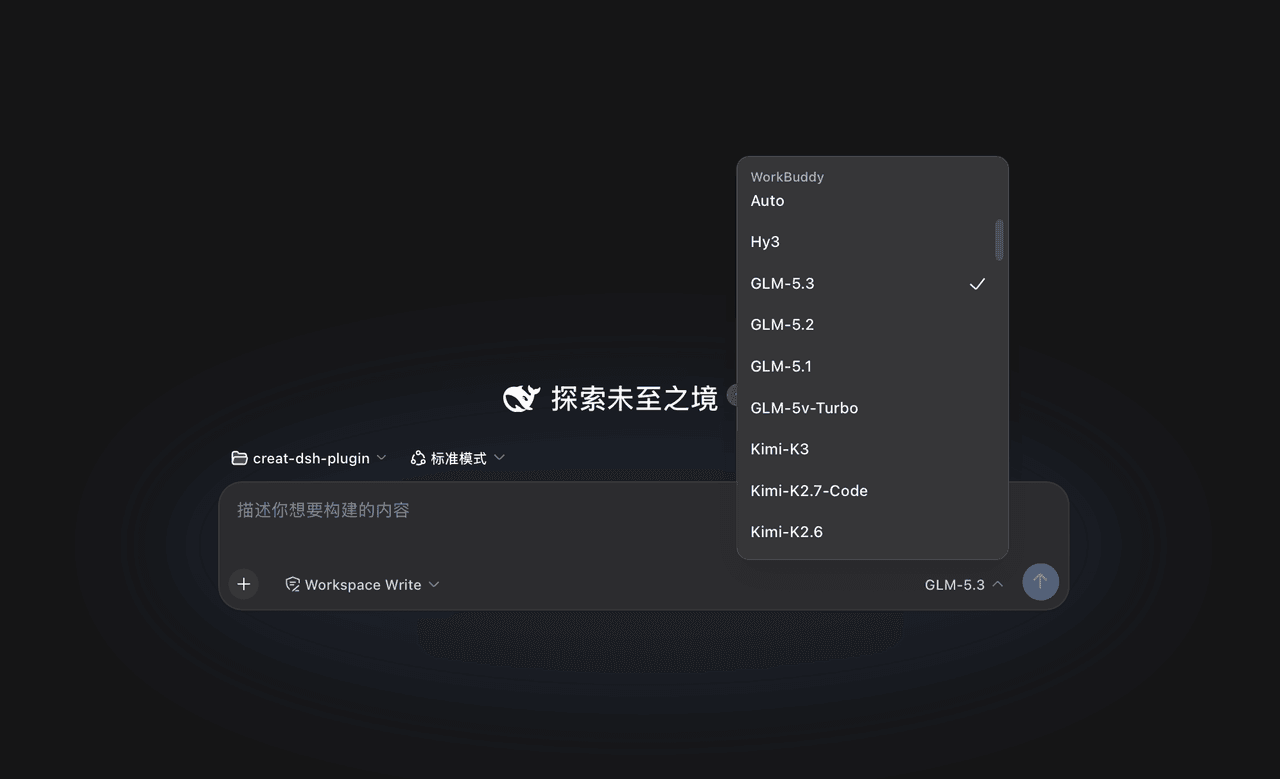 corrinehu/dsh-workbuddy-connect
将 WorkBuddy 桌面 App 包含的模型自动接入 DeepSeek Harness,零配置使用。Bring the models in the WorkBuddy desktop app into DeepSeek Harness …
corrinehu/dsh-workbuddy-connect
将 WorkBuddy 桌面 App 包含的模型自动接入 DeepSeek Harness,零配置使用。Bring the models in the WorkBuddy desktop app into DeepSeek Harness …