
jo32/DeepDeck
DeepDeck is a native-feeling desktop client built on DeepSeek Harness. The upstream project is pinned as a shallow Git submodule at vendor/deepseek-harness; this repository owns the desktop lifecycle, plugin-composed interface, branding, packaging, and automatic-update layer. The Community Market from anywhere-labs/deepseek-harness-desktop is pinned under plugins/community-market, while dsh-codex-connect remains a separate pinned checkout. Both are preloaded as ordinary Cordis bundles.
catalog 简介 / catalog descriptioncatalog description:DeepDeck — an extensible desktop workspace for DeepSeek Harness.
项目介绍Project Overview
DeepDeck 是 DeepSeek Harness 的桌面客户端,将官方 Web 配置封装为原生应用。核心能力包括自动管理 Harness 进程、插件化界面、内置 Bun 的可信本地源码构建与校验、自动更新层,以及通过 brand.json 实现的运行时换标。适用于希望获得桌面体验、隔离 profile 或自行重新打包分发的用户。需注意:构建计划需用户手动确认,所选包自身构建脚本将以当前用户权限运行。
DeepDeck is a desktop client for DeepSeek Harness that wraps the official web profile into a native app. It manages the Harness process lifecycle, exposes the plugin-composed UI, ships a Bun-based trusted local plugin builder that emits checksummed archives, and provides an automatic update layer with branding overridable via brand.json. Use it when a desktop shell, isolated profile, or self-branded distribution is needed. Caveat: user permissions apply to the selected package's own build script, and an explicit build-plan confirmation is required.
请帮我了解并安装插件:【DeepDeck】【https://github.com/jo32/DeepDeck】把上面这条消息直接发给当前会话里的 DSH,让它帮你了解并安装。安装命令不一定准确,发给 DSH 更稳。Send this message to DSH in your current session. CLI install commands may not be accurate across systems — DSH will figure it out for you.
或使用命令行安装(适合开发者)Or use CLI install (for developers)
命令行安装CLI Install
dsh plugin --profile web add github:jo32/DeepDeck把 jo32/DeepDeck 加入你的 DSH 配置(web profile)即可启用。
READMEREADME

DeepDeck
A native-feeling desktop client for DeepSeek Harness.
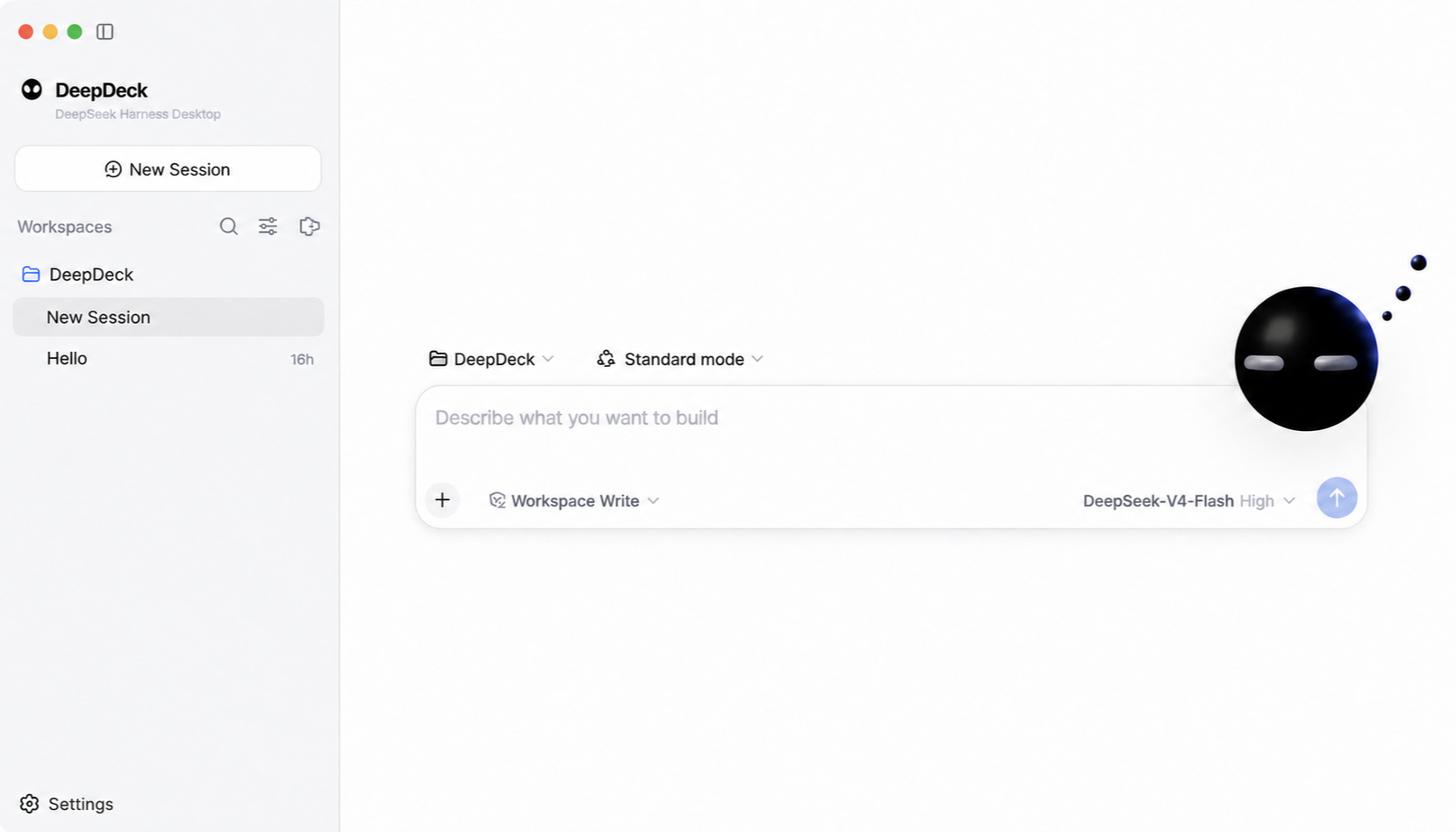
DeepDeck is a native-feeling desktop client built on DeepSeek Harness. The upstream project is pinned as a shallow Git submodule at vendor/deepseek-harness; this repository owns the desktop lifecycle, plugin-composed interface, branding, packaging, and automatic-update layer. The Community Market from anywhere-labs/deepseek-harness-desktop is pinned under plugins/community-market, while dsh-codex-connect remains a separate pinned checkout. Both are preloaded as ordinary Cordis bundles.
DeepDeck reuses the official web profile and its complete plugin-composed UI. The desktop host starts the Harness process on an OS-assigned loopback port, waits for it to become ready, then opens the local UI in the application window. Closing the app shuts the Harness process down cleanly.
Trusted local plugin source can be compiled from Settings → Plugins → Bun Builder. DeepDeck bundles Bun for this flow, creates a private source snapshot, requires an explicit build-plan confirmation, and emits a checksummed .tgz without running dependency lifecycle scripts. When the selected source is the exact package mounted by the current Cordis profile, the same plan can instead build in place and hot-replace its Host and Client entries without restarting the desktop App. The selected package's own build script still runs with the user's permissions.
First run
Prerequisites: Node.js ^22.19.0 or >=24.0.0, Corepack, and Git.
git submodule update --init --depth 1
pnpm install
pnpm bootstrap
pnpm start
pnpm bootstrap installs and builds the pinned Harness, Community Market, and Codex Connect sources, then builds the desktop app. Later starts only need pnpm start unless a pinned source revision changes.
The desktop uses the standard Harness home ($DSH_HOME, or ~/.dsh when unset), so profiles, model settings, credentials, patches, and installed plugins remain compatible with the upstream CLI. Set DSH_HOME before launch if an isolated desktop profile is desired.
Branding
User-facing branding lives outside the upstream submodule in branding/brand.json. Replace the referenced wordmark, mark, favicon, and app icon files to rebrand the desktop without editing vendor/deepseek-harness. Set DESKTOP_BRAND_PATH to load a different manifest at launch.
Useful commands
pnpm start             # build and launch the desktop client
pnpm start:packaged    # rebuild and launch the packaged desktop client
pnpm check             # type-check desktop main, preload, and renderer code
pnpm test              # run focused desktop tests
pnpm package:local     # build and verify an unsigned local macOS package
pnpm package:mac       # build signed production macOS packages
pnpm harness:build     # rebuild the pinned Harness checkout
pnpm market:build      # rebuild the pinned Community Market bundle
See docs/architecture.md for the dependency boundary and the plugin integration direction.
Desktop updates
Packaged builds check for an update shortly after launch. When a release is available, the desktop sidebar shows an update indicator; the user starts the download explicitly and sees native updater progress. After the download completes, the desktop safely stops its Harness process, installs the update, and restarts automatically. Development launches do not contact an update service.
electron-updater reads the release provider generated into app-update.yml by the packaging pipeline. DEEPSEEK_DESKTOP_UPDATE_URL can override that provider with a generic HTTP(S) feed for controlled builds and update testing. Production updates are published to https://deepdeck-updates.getmegaportal.com. The feed contains platform metadata, signed artifacts, and blockmaps; macOS releases include the ZIP update target alongside the DMG.
See docs/release.md for the signed release process and rollback model.
License
DeepDeck is available under the MIT License. The pinned DeepSeek Harness submodule, Community Market import, and other third-party dependencies retain their own licenses.
相关推荐Related
-
 nexu-io/open-design
🎨 Best DeepSeek Harness Design Plugin. The open-source Claude Design alternative. 🖥️ Local-first desktop app. 🖼️ Your…
nexu-io/open-design
🎨 Best DeepSeek Harness Design Plugin. The open-source Claude Design alternative. 🖥️ Local-first desktop app. 🖼️ Your…
-
 amruthpillai/reactive-resume
A one-of-a-kind resume builder that keeps your privacy in mind. Completely secure, customizable, portable, open-source a…
amruthpillai/reactive-resume
A one-of-a-kind resume builder that keeps your privacy in mind. Completely secure, customizable, portable, open-source a…
-
 esengine/DeepSeek-Reasonix
DeepSeek-native AI coding agent for your terminal. Engineered around prefix-cache stability — leave it running.
esengine/DeepSeek-Reasonix
DeepSeek-native AI coding agent for your terminal. Engineered around prefix-cache stability — leave it running.
-
 anywhere-labs/deepseek-harness-desktop
为 DeepSeek Harness (DSH) 插件生态打造的现代化桌面端解决方案。万物皆「插件」,桌面本身也是「插件」。
anywhere-labs/deepseek-harness-desktop
为 DeepSeek Harness (DSH) 插件生态打造的现代化桌面端解决方案。万物皆「插件」,桌面本身也是「插件」。
-
 walkinglabs/learn-harness-engineering
Harness engineering beginner tutorial, from 0 to 1
walkinglabs/learn-harness-engineering
Harness engineering beginner tutorial, from 0 to 1
-
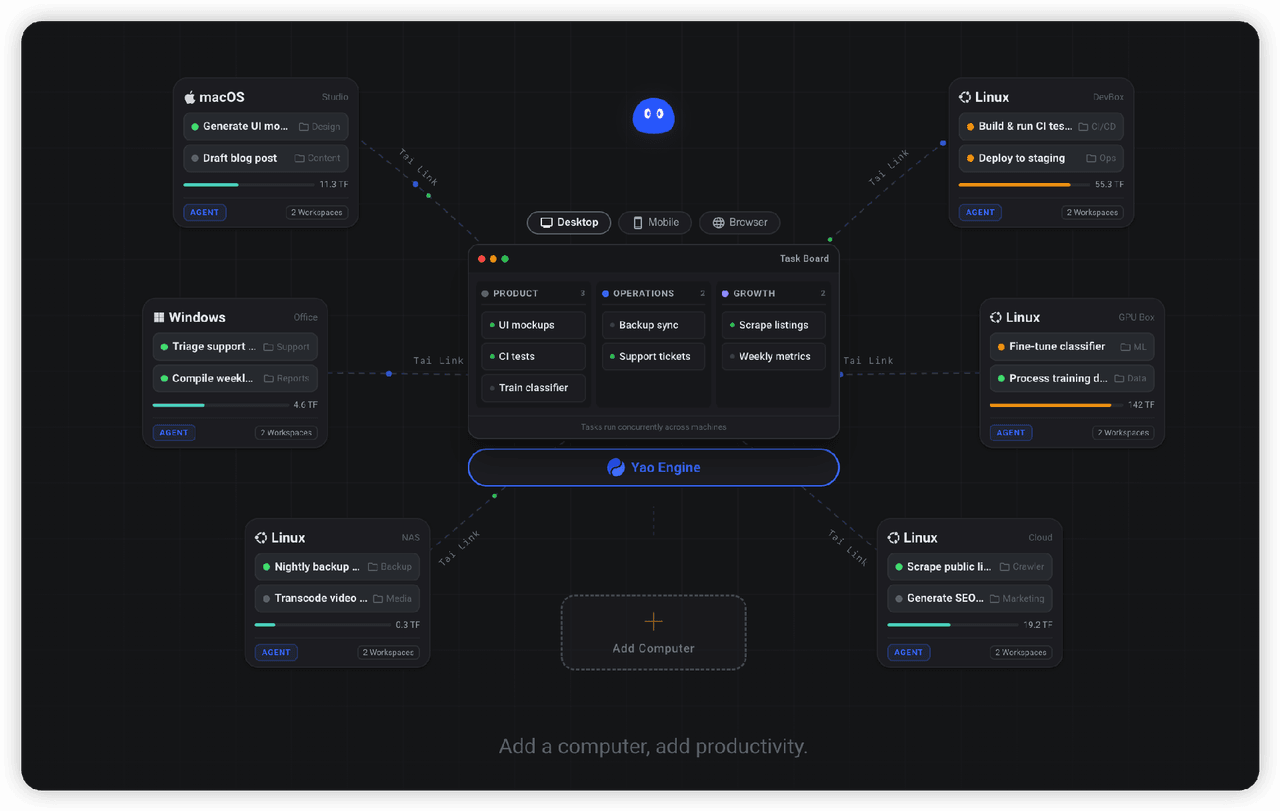 YaoApp/yao
✨ All your agents and workspaces in one place, on every device you own. Track tasks on a board, accessible from desktop,…
YaoApp/yao
✨ All your agents and workspaces in one place, on every device you own. Track tasks on a board, accessible from desktop,…
- yjh051108/dsh-routing-suite dsh-routing-suite — injector + router-standard kit: install the runtime injector first, then the task-aware reasoning-mo…
-
 Devin-AXIS/iPolloWork
Enterprise-grade, local-first Agent Workbench for people and agent teams. A unified multi-engine workspace for Codex Har…
Devin-AXIS/iPolloWork
Enterprise-grade, local-first Agent Workbench for people and agent teams. A unified multi-engine workspace for Codex Har…