kirbylynx/deepshell-agent
A desktop agent powered by DeepSeek Harness.
Project Overview项目介绍
This is a desktop agent plugin built on DeepSeek Harness, pre-bundled with Node.js and the official DSH runtime. It comes with three presets for coding, general and work tasks, delivering an out-of-the-box local agent workstation. Currently only a macOS arm64 developer preview is available, formal signed releases are not ready.
这是基于DeepSeek Harness构建的桌面Agent插件,预捆绑Node.js和官方DSH运行环境,自带编码、通用、工作三类工作模式预设,可开箱即用获得可恢复的本地Agent工作站。当前仅发布了macOS arm64开发预览版,正式签名分发版本尚未推出。
请帮我了解并安装插件:【deepshell-agent】【https://github.com/kirbylynx/deepshell-agent】Send this message to DSH in your current session. CLI install commands may not be accurate across systems — DSH will figure it out for you.把上面这条消息直接发给当前会话里的 DSH,让它帮你了解并安装。安装命令不一定准确,发给 DSH 更稳。
Or use CLI install (for developers)或使用命令行安装(适合开发者)
CLI Install命令行安装
dsh plugin --profile web add github:kirbylynx/deepshell-agent把 kirbylynx/deepshell-agent 加入你的 DSH 配置(web profile)即可启用。
READMEREADME
Language: English | 简体中文
DeepShell Agent
A desktop agent powered by DeepSeek Harness.
DeepShell Agent is a desktop Agent product built on DeepSeek Harness (DSH). It combines the official DSH Web UI, a pinned DSH runtime, bundled Node.js, DeepShell first-party Bundle/Preset integration, and desktop lifecycle management to provide an out-of-the-box, recoverable, packageable local Agent workstation.
DeepShell Agent does not reimplement the Agent Runtime and does not fork the official DSH Web UI. Its architectural boundary is:
Tauri owns the desktop shell and process lifecycle; the official DSH Web UI owns the base interaction; the DSH Runtime owns the Agent; DeepShell differentiates through official extension points.
Current status
The current source baseline is v0.1.2, a DSH runtime-refresh update on top of the v0.1.1 release-hardening baseline. It upgrades the pinned DeepSeek Harness runtime to 0.1.5-rc.1, keeps the official Web UI / public extension-point architecture unchanged, adds a bounded pre-upgrade backup guard for DSH Session data, and is distributed as a macOS arm64 developer-preview release.
Capabilities already included in the source baseline:
- macOS arm64 desktop app build and disk-image generation;
- Windows x64 runtime asset locking and platform-aware path baseline;
- bundled Node.js, so end users do not need to install Node.js, npm, pnpm, or DSH;
- pinned official DSH runtime;
- official DSH React Web UI;
- DeepShell first-party
deepshell-desktopDSH Bundle; deepshell-coding,deepshell-work,deepshell-general, and legacydeepshellAgent Presets;- DeepSeek official API, OpenAI-compatible API, and Responses API routing;
- official
workspace-writePermission Preset; - official
credentials-localcredential scheme; - DeepSeek Web Search and public HTTP(S) Web Fetch;
- DeepSeek
deepseek-flash/DeepSeek-V41-Flashcatalog compatibility through the upstream DSH DeepSeek adapter; - Sidecar dynamic port, token cleanup, Ready Gate, process cleanup, and basic recovery;
- bounded local pre-upgrade backup of
dsh-home/sessionsduring thev0.1.1tov0.1.2runtime refresh; - redacted local diagnostics, package-size reporting, SBOM baseline, vulnerability-audit entrypoint, and release staging automation;
- E2E/Release artifact security-boundary comparison.
Still required before formal signed/notarized public binary distribution:
- macOS Developer ID signing and Apple notarization;
- Windows code signing;
- release-level license/NOTICE inventory review;
- macOS-side regression acceptance (
v0.1.3ran acceptance on Windows only, and this machine cannot rebuild macOS artifacts to prove the macOS baseline is intact); - the Windows uninstall-cleanup defect fix (Roadmap
REL-024); - per-platform runtime trimming (Roadmap
REL-022; the current installer carries 187.5 MB of macOS Node runtime that Windows never uses).
Completed by v0.1.3 (the two items previously listed here): Windows x64 on-device installer acceptance, and Windows WebView2 first-run / shutdown / process-tree cleanup acceptance. See the v0.1.3 closeout.
Main capabilities
Coding Mode
Coding Mode targets code workspaces. It reuses DSH file, search, Shell, test, Git, Session, and Approval capabilities for code understanding, modification, verification, and change explanation.
General Mode
General Mode provides a general-purpose Agent entry for Q&A, local tasks, and lightweight research. It is implemented as the deepshell-general Agent Preset and uses the official DSH Agent Preset UI.
Work Mode
Work Mode targets general research and text output. The MVP focuses on:
- Web Search;
- Web Fetch;
- local text/Markdown file read/write;
- structured result capture;
- session-history recovery.
Native Office/PDF/PPTX/XLSX parsing, complex knowledge bases, enterprise connectors, and dedicated document UI are not part of the current baseline.
Model Providers
The current route supports:
- DeepSeek official API;
- OpenAI-compatible API;
- Responses API.
Models, routes, base URLs, API keys, and model lists are managed through the official DSH Models Settings whenever possible. DeepShell does not create a second model registry or credential system.
Getting and running
For published binaries, macOS arm64 users can download developer-preview DMGs from GitHub Releases. Formal signed/notarized packages and Windows packages are still separate release gates.
The current source baseline has not completed all formal binary-distribution gates. The public repository is primarily for source publication, architecture review, and reproducible builds. If you want to build from source, see “For contributors” below.
macOS users
Target platform:
- Apple Silicon Mac;
- macOS 13.0 or later.
For published macOS developer-preview builds, users may download the .dmg, drag DeepShell Agent.app into Applications, and launch it from there.
Developer-preview DMGs are locally signed for packaging, but they have not completed Developer ID signing or Apple notarization. macOS may show the usual security warning for non-notarized apps. Signing, notarization, and Gatekeeper verification are required before formal public binary distribution.
Windows users
Target platform:
- Windows 10 22H2 or Windows 11 x64;
- WebView2 Runtime (the NSIS installer embeds the bootstrapper and installs it automatically when missing).
Windows users should download the NSIS installer and install through the setup wizard.
v0.1.3 completed end-to-end acceptance on real Windows x64 hardware (setup wizard, first launch, data directory, credential setup, sessions and tools, single instance, dynamic ports, malicious-origin isolation, exit cleanup, crash recovery, diagnostics bundle, environment restoration). Acceptance found and fixed 8 Windows platform defects; see the v0.1.3 closeout.
Known limitations recorded honestly for this version (not to be read as passes):
- Uninstall does not clean up fully: if the Sidecar becomes an orphan after an abnormal exit, the install directory retains 5 files / 108.54 MB, which require terminating that process and deleting them manually (not fixed in this version; Roadmap
REL-024). - Per-platform runtime trimming is not implemented: the installer bundles both the macOS and Windows Node runtimes, and the macOS half (4800 files / 187.5 MB) is entirely unused on Windows (Roadmap
REL-022). - Two WebView2 matrix dimensions were not measured this round: font/CJK rendering, and the file picker / drag-and-drop / clipboard.
- Dependency vulnerability audit is unavailable on this machine (the configured npm mirror has no audit endpoint), so dependencies have not passed a vulnerability scan.
- Windows code signing is not done.
Usage
A typical first-run flow is:
- Open DeepShell Agent.
- Configure the DeepSeek official API, or add an OpenAI-compatible / Responses API Provider in Models Settings.
- Select or create a Workspace.
- Create a General, Coding, or Work Mode Session.
- Ask the Agent to read, search, or modify Workspace files, run necessary commands, or use Web Search / Web Fetch for research and text output.
Permissions and credentials
DeepShell Agent uses the official DSH workspace-write Permission Preset by default:
- writes inside the Workspace are allowed according to official permission semantics;
- writes outside the Workspace, permission expansion, and dangerous requests must use official Approval or fail closed;
- Shell commands follow official DSH Sandbox/Approval semantics;
- credentials use the official
credentials-localscheme.
Note: credentials-local is not the system Keychain. It can use local file permissions to separate OS users, but it must not be described as a strong security boundary between processes running as the same OS user.
Build and distribution boundary
The public source repository keeps only source code, tests, build scripts, lock manifests, and public documentation.
It does not commit:
- full runtime;
- installed dependency trees;
- build cache;
- local
.app,.dmg, or installer artifacts; - E2E and release staging manifests;
- local acceptance evidence;
- logs, screenshots, diagnostic bundles, or real secrets.
Binary packages should be distributed through GitHub Releases or another release channel. A platform-specific license/NOTICE inventory, SBOM, package report, and security-audit report should be regenerated for each binary release artifact.
License
DeepShell Agent source code is released under the MIT License. See LICENSE.
Third-party dependencies, bundled runtime components, and binary-release components remain under their own licenses. Before distributing binary packages, regenerate the platform-specific license/NOTICE inventory, SBOM, and release staging assets, then ship or publish the required notices with the release artifact. The current baseline is documented in THIRD_PARTY_NOTICES.md.
Documentation
- Architecture (中文)
- Roadmap (中文)
- v0.0.1 POC Closeout (中文)
- v0.1.0 MVP Closeout (中文)
- v0.1.1 Release-Hardening Closeout (中文)
- v0.1.2 DSH Runtime Refresh Closeout (中文)
docs/plans/ is a local process-document directory for requirement exploration, design drafts, implementation plans, and acceptance evidence. It is not published with the public source repository by default.
Branding and icon
DeepShell Agent uses an independent icon language:
- deep-sea-blue rounded square;
- bright cyan-blue minimal scallop;
- large
>_terminal prompt; - flat, lightly skeuomorphic, and suitable for modern macOS / Windows desktop icon styles.
Current icon assets:
src-tauri/icons/app-icon-source.svgsrc-tauri/icons/app-icon-source.pngsrc-tauri/icons/icon.pngsrc-tauri/icons/icon.icnssrc-tauri/icons/icon.ico
Relationship to DeepSeek Harness / DeepSeek
DeepShell Agent is an independent desktop Agent product built on DeepSeek Harness. DeepSeek Harness provides the core Agent Runtime, Web UI, and plugin mechanism; DeepShell Agent provides desktop packaging, runtime distribution, productized Bundle, default modes, diagnostics/recovery, and release workflow.
This project is not an official DeepSeek product and does not imply affiliation, partnership, authorization, or endorsement by DeepSeek. DeepSeek, DeepSeek Harness, and related names belong to their respective owners. They are used here only to describe technical compatibility and upstream dependency relationships.
For contributors
The following sections are for contributors who build, develop, and validate DeepShell Agent from source.
Technology stack
- Desktop Shell: Tauri 2 + Rust
- Web Bootstrap: Vite + TypeScript
- UI Runtime: official DSH React Web UI
- Agent Runtime: DeepSeek Harness
0.1.5-rc.1 - Bundled Node.js: Node.js
24.20.0 - Package Manager: pnpm
10.30.2 - Test: Rust test, Vitest, WebdriverIO/Tauri E2E
Source build flow
The build flow has three stages:
- Install development dependencies.
- Prepare the bundled runtime and DSH Profile.
- Build the platform-specific application package on the target operating system.
The public source repository does not commit the full runtime, installed dependency tree, or local build artifacts. On first build, scripts download and verify the Node.js runtime from runtime/manifest/runtime-lock.json, then install the locked DSH production dependency tree from runtime/manifest/dsh-install/package-lock.json.
macOS arm64 build
Build environment:
- Apple Silicon Mac;
- macOS 13.0 or later;
- Xcode Command Line Tools;
- Node.js
>=24.0.0; - pnpm
10.30.2; - Rust
1.96.0; - macOS system dependencies required by Tauri 2.
Prepare the environment:
xcode-select --install
corepack enable
corepack prepare pnpm@10.30.2 --activate
rustup toolchain install 1.96.0
Install project dependencies:
pnpm install
Prepare runtime and Profile:
pnpm runtime:prepare --target all
pnpm runtime:verify --target all
pnpm profile:prepare
pnpm profile:verify
Run in development:
pnpm dev
Build the macOS .app, generate .dmg, and run the current macOS release checks:
pnpm package:verified
Notes:
pnpm package:verifiedfirst builds an E2E-only.app, then builds the Release.app/.dmg, and compares their security boundaries.- If you only need to rebuild the Release package using an existing E2E manifest, run
pnpm package:mvp. - Local
.appand.dmgoutputs are under the Tauri build output directory and are ignored by Git. - The current source baseline does not include Developer ID signing or Apple notarization. Complete them separately before formal binary distribution.
Windows x64 build
Build environment:
- Windows 10 22H2 or Windows 11 x64;
- WebView2 Runtime;
- Microsoft C++ Build Tools / Visual Studio Build Tools, including MSVC and Windows SDK;
- Node.js
>=24.0.0; - pnpm
10.30.2; - Rust
1.96.0with the MSVC toolchain; - Windows system dependencies required by Tauri 2.
Prepare the environment:
corepack enable
corepack prepare pnpm@10.30.2 --activate
rustup toolchain install 1.96.0-msvc
rustup default 1.96.0-msvc
Install project dependencies:
pnpm install
Prepare runtime and Profile:
pnpm runtime:prepare --target all
pnpm runtime:verify --target all
pnpm profile:prepare
pnpm profile:verify
Run in development:
pnpm dev
Build the Windows NSIS installer:
pnpm package:mvp
Notes:
- On Windows,
pnpm package:mvpcalls Tauri to build the NSIS installer, and additionally emits the package manifest (runtime/staging/package-release.json,schemaVersion: 4) and runs the E2E/Release security-boundary comparison. - The NSIS toolchain is downloaded automatically by Tauri into
%LOCALAPPDATA%\tauri\NSIS\; it needs no separate install and no systemPATHchange. The WebView2 bootstrapper is cached in the same directory. v0.1.3ran that pipeline end to end on real Windows x64 hardware (compile → makensis → manifest capture → boundary comparison, exit 0); the artifact is 80.41 MB.- The current source baseline does not include Windows code signing. Complete signing separately before formal binary distribution.
- Dependency vulnerability audit requires a working npm audit endpoint. When the configured mirror does not provide one,
pnpm security-auditreports the failure honestly rather than reporting a pass.
Common development commands
pnpm check
pnpm runtime:smoke
pnpm runtime:verify --target all
pnpm profile:verify
pnpm package:e2e
pnpm package:mvp
pnpm package:verified
pnpm package:compare
pnpm licenses:collect
pnpm sbom:generate
pnpm package:report
pnpm release:stage
pnpm diagnostics:collect
pnpm release:windows:check
pnpm security:audit
Notes:
pnpm checkruns formatting checks, Clippy, TypeScript, unit tests, contract tests, integration tests, security tests, and profile/runtime validation.pnpm runtime:smokestarts the real DSH Web runtime and validates loopback, token exchange, CSP, Ready Gate, and branding plugin boot-graph integration.pnpm runtime:verify --target allvalidates macOS arm64 and Windows x64 runtime lock manifests.pnpm profile:verifyvalidates DeepShell Bundle/Profile/Preset relationships against the official DSH baseline.pnpm package:e2ebuilds the E2E-only app package and captures its artifact manifest.pnpm package:mvpis platform-aware:- macOS: builds
.app, signs, verifies, and generates.dmg; - Windows: builds an NSIS installer in a Windows build environment.
- macOS: builds
pnpm package:verifiedrebuilds E2E and Release artifacts and compares their security boundaries.pnpm licenses:collect,pnpm sbom:generate,pnpm package:report, andpnpm release:stageprepare local release-support assets without publishing anything.pnpm diagnostics:collectexports a local redacted diagnostics bundle under ignored staging.pnpm release:windows:checkreports the Windows x64 packaging route and must not be treated as Windows installer acceptance when run on macOS.pnpm security:auditcreates a vulnerability-audit summary; usepnpm security:audit -- --dry-runfor deterministic pipeline checks.
Related相关推荐
-
 shuguang1994/project-blueprint
Make any project AI-agent-ready in one command. Adaptive tech stack detection (7 languages × 14 frameworks × 61 componen…
shuguang1994/project-blueprint
Make any project AI-agent-ready in one command. Adaptive tech stack detection (7 languages × 14 frameworks × 61 componen…
-
 omdsh-dev/dsh-advisor
Advisor - Pair a second model that passively reviews each turn and injects notes. 搭配一个会在每轮对话被动注入见解和审查的副模型。
omdsh-dev/dsh-advisor
Advisor - Pair a second model that passively reviews each turn and injects notes. 搭配一个会在每轮对话被动注入见解和审查的副模型。
-
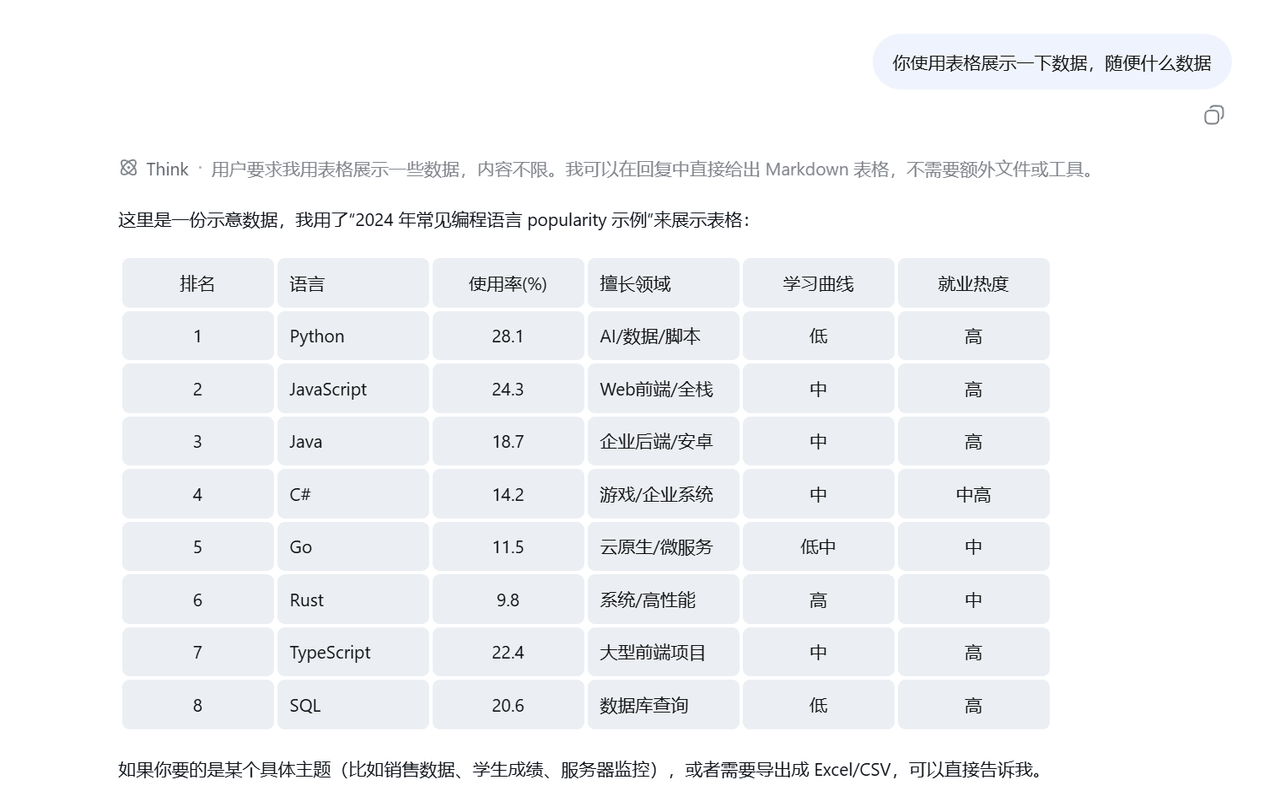 wlj521/dsh-ui-tweaks
一切皆插件,可以定义自己喜欢的dsh,开关控制单项功能,字体大小,表格样式,对话框长度,timeline,git等
wlj521/dsh-ui-tweaks
一切皆插件,可以定义自己喜欢的dsh,开关控制单项功能,字体大小,表格样式,对话框长度,timeline,git等
- hyqibot/DeepSeek-Harness-Token-Free A token-free desktop client for the DeepSeek Harness,enjoy!为 DeepSeek Harness (DSH) 生态打造的全免Token费的桌面端 ,极简极易。内置多模态+顶尖…
-
 Tencent-TDS/dsh-kuikly-expert
Kuikly DeepSeek Harness plugin that turns your AI agent into a Kuikly cross-platform app development expert.
Tencent-TDS/dsh-kuikly-expert
Kuikly DeepSeek Harness plugin that turns your AI agent into a Kuikly cross-platform app development expert.
- KYinCode/dsh-hot-installer DeepSeek Harness (dsh) 插件热管理器:装一次、重启一次,之后装插件、卸插件、升级插件全部即时生效,不用再重启。 | A plugin that makes installing, removing and upgrad…
-
 Wenaixi/dsh-ponytail
DSH 完整移植版 DietrichGebert/ponytail — 懒惰 senior 模式,hook注入
Wenaixi/dsh-ponytail
DSH 完整移植版 DietrichGebert/ponytail — 懒惰 senior 模式,hook注入
-
 PelyDeng/dsh-plugin-manager
Deploy and manage DeepSeek Harness apps with shared authentication, plugin packaging, and Docker deployment.
PelyDeng/dsh-plugin-manager
Deploy and manage DeepSeek Harness apps with shared authentication, plugin packaging, and Docker deployment.